



AI Summary
I’ve worked on WordPress sites for more than a decade, and if there’s one thing that consistently makes or breaks growth, it’s how well you capture leads.
Popups, inline forms, landing pages, giveaways, and push notifications, each of these plays a role in moving visitors from casual readers to loyal subscribers or customers.
But here’s the thing: not every plugin that promises “lead generation” actually helps. Some slow your site to a crawl, some are too limited, and others try to do everything but end up doing nothing really well.
That’s why I put together this list. In this guide, you’ll see the exact WordPress lead generation plugin options I’ve tested and used to grow lists for myself and clients.
- Best WordPress Lead Generation Plugins (Compared)
- 1. WPForms – Best Form Builder Plugin
- 2. OptinMonster – Best Popup Plugin
- 3. PushEngage – Best Multi-Channel Engagement Plugin
- 4. All in One SEO – Best Content Optimization Plugin
- 5. MonsterInsights – Best Lead Magnet Tracking Plugin
- 6. SeedProd – Best Landing Page Plugin
- 7. TrustPulse – Best Notification Bar Plugin
- 8. HubSpot – All-in-One Marketing Plugin
- 9. LiveChat – Customer Service Plugin
- 10. RafflePress – Best Viral Sharing Plugin
- 11. MailPoet – Easy Email Marketing Plugin
- 1. WPForms – Best Form Builder Plugin
Best WordPress Lead Generation Plugins (Compared)
A WordPress lead generation plugin is a tool that helps you capture visitor information through forms, popups, landing pages, and other opt-in methods on your site. These plugins typically let you:
- Create customizable opt-in forms and popups
- Connect with email marketing services like Mailchimp and Constant Contact
- Track conversions and measure which campaigns actually work
- Segment and route leads to the right lists or CRMs
- Trigger targeted campaigns based on visitor behavior
The right lead generation plugin depends on your goals. Some focus on forms, others on popups, and some handle analytics or social proof. I’ve tested all of them to help you find the best fit.
| Plugin | Primary Function | Key Features | Ease of Use | Pricing Model (starting) | WordPress.org Rating | Active Installs |
|---|---|---|---|---|---|---|
| WPForms | Drag-and-drop forms | Templates, conditional logic, payment integrations | Beginner-friendly | Free; Paid from $49.50/year (Basic tier) | 4.8/5 | 6M+ |
| OptinMonster | Popups & on-site lead capture | Exit-Intent®, targeting, A/B testing, many templates | Intermediate | SaaS from $9.97/month (Basic annual) | 4.3/5 | 1M+ |
| PushEngage | Multi-channel engagement platform | Segmentation, automations, cart recovery workflows | Intermediate | Free limited; paid plans available (from $29/month typical) | 4.2/5 | 10K+ |
| AIOSEO | SEO for lead-gen pages | On-page SEO, schema, sitemaps | Beginner-friendly | Free; Paid from $49/year base | 4.7/5 | 3M+ |
| MonsterInsights | Analytics & attribution | GA4 tracking, eCommerce reporting, form tracking | Beginner-friendly | Free; Paid from $99.50/year (Plus tier) | 4.6/5 | 3M+ |
| SeedProd | Landing pages & funnels | Drag-and-drop builder, themes, domain mapping | Beginner-friendly | Free; Paid from $39.50/year | 4.9/5 | 1M+ |
| TrustPulse | Social proof notifications | Real-time “on-fire” alerts | Beginner-friendly | $5/month billed annually, free up to 500 sessions | N/A | 20K+ |
| HubSpot (WP) | CRM + forms + chat | CRM, forms, popups, email, chat | Intermediate | Free CRM; Paid Hubs from ~$40/month | 4.5/5 | 300K+ |
| LiveChat | Live chat & messaging | Real-time chat, automation, analytics | Intermediate | From $41/agent/month (Starter) | 4.5/5 | 12K+ |
| RafflePress | Viral giveaways | Refer-a-friend, social share actions, templates | Beginner-friendly | Free; Paid from $39.50/year | 4.7/5 | 20K+ |
| MailPoet | Email marketing inside WP | Newsletters, automations, WooCommerce emails | Beginner-friendly | Free to 500 subs; Paid from ~$10/month | 4.4/5 | 600K+ |
Below, I’ll compile my findings to help you make the best decision for your business. Here are my top picks, their features, and their costs.
1. WPForms – Best Form Builder Plugin
WPForms is the best drag-and-drop form builder for WordPress and my top pick as a lead generation plugin. It lets you integrate your favorite email marketing tools directly with your forms, so every submission can feed into your list-building strategy.
Even the free version connects with Constant Contact, making it simple to create newsletter signup forms right away. Upgrade to WPForms Pro and you get addons for Mailchimp, AWeber, GetResponse, Campaign Monitor, Salesforce, Drip, MailerLite, and more.
My Experience
The drag-and-drop builder opens in a fullscreen window, and creating forms felt fast from the start. I could drag fields onto the form, rearrange them, and preview results without writing a single line of code.
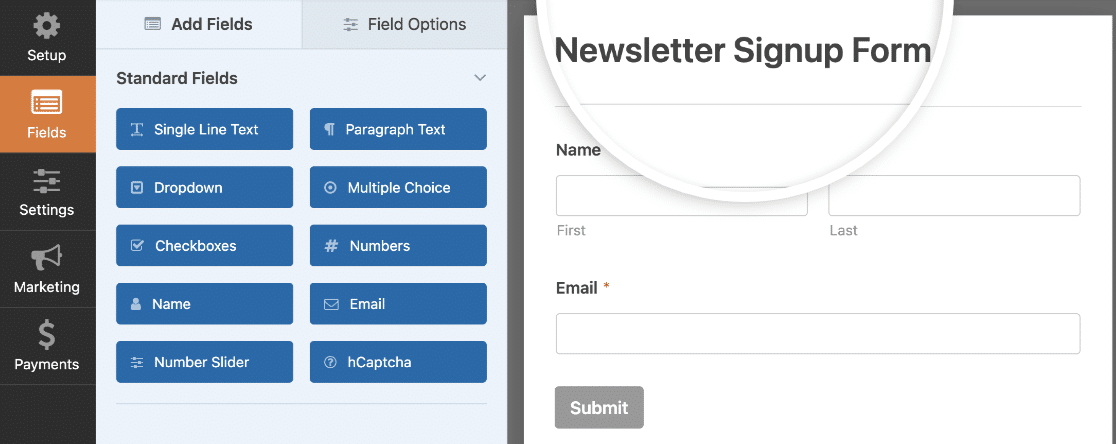
What really stood out was the conditional logic. I could show or hide fields based on what users selected, which made my forms feel personalized instead of generic. For lead generation, this means you can ask different follow-up questions depending on how someone answers.
The Lead Forms addon was another highlight. It transforms standard forms into multi-page, high-conversion lead capture flows that walk users through step-by-step.

Embedding forms is flexible too. You can place lead generation forms anywhere on your site: posts, pages, sidebar widgets, footers. There’s a built-in embed wizard, plus shortcode support if you prefer that route. WPForms also works with Elementor and Divi, so page builder users aren’t left out.
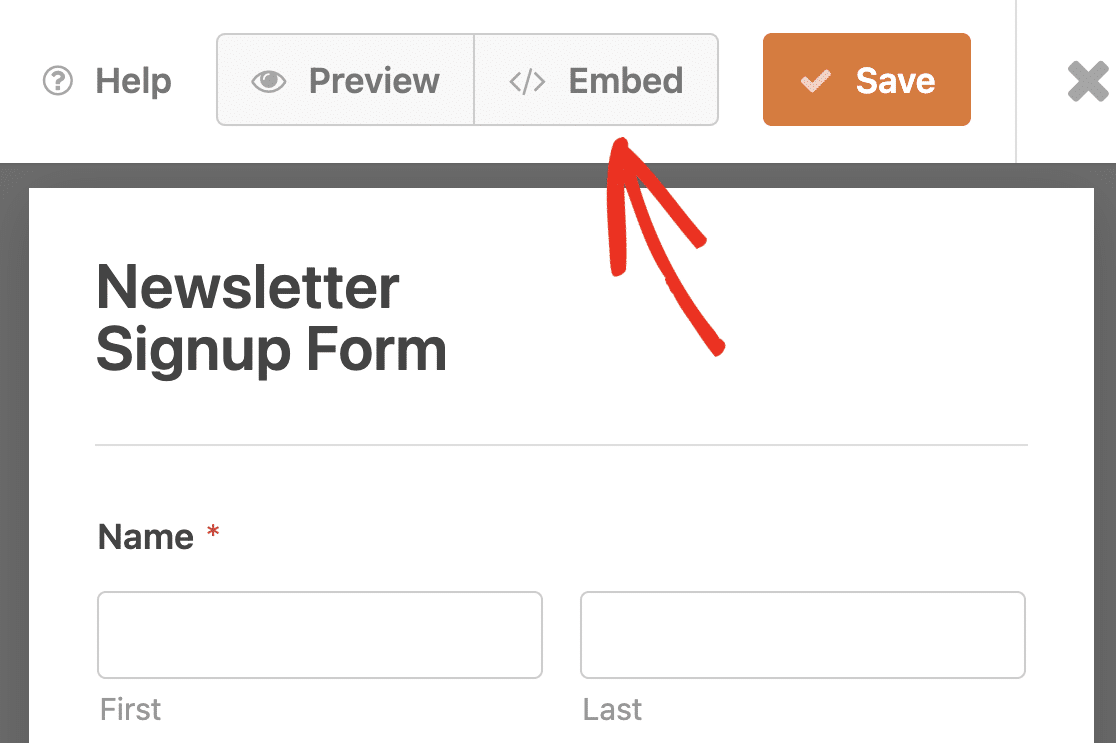
You can also embed your lead generation form in a popup using OptinMonster, which combines two plugins from this list for even better results.
What I Liked
- 2,100+ Form Templates: Pre-built templates for almost every use case. From newsletter signups to order forms and surveys, I didn’t need to start from scratch once.
- Marketing Integrations: Connects with 10+ email marketing services including Mailchimp, AWeber, GetResponse, Drip, and Kit (formerly ConvertKit) at the Plus tier and above.
- Form Abandonment: Captures partial entries from visitors who leave before hitting submit. This alone recovered leads I would have lost.
- Conversational Forms: A one-question-at-a-time, chat-style format that boosted completion rates on longer forms.
- AI Form Builder: Generate and customize forms by chatting with AI right inside the builder. Great for getting a head start on new forms.
- Drag-and-Drop Builder: Intuitive interface that anyone can use, plus compatibility with Elementor, Divi, and SeedProd.
Pricing
The free version, WPForms Lite, is 100% free forever. Paid plans start at $49.50/year for the Basic tier. For lead generation specifically, the Plus plan ($99.50/year) unlocks all 10 email marketing integrations.
Create Your Lead Gen Form Now! 🙂
2. OptinMonster – Best Popup Plugin
OptinMonster is the most powerful lead generation software and the best WordPress popup plugin on the market. It lets you create optin forms that are designed for the highest conversion rates, with targeting tools that go far beyond basic popups.
It integrates with popular email marketing tools like AWeber, Mailchimp, InfusionSoft, GetResponse, and Constant Contact. And since OptinMonster is platform-independent, you can use it on any website.
My Experience
Setting up campaigns was straightforward. I built lightbox popups, floating bars, slide-ins, countdown timers, welcome mats, and exit-intent popups without touching any code.
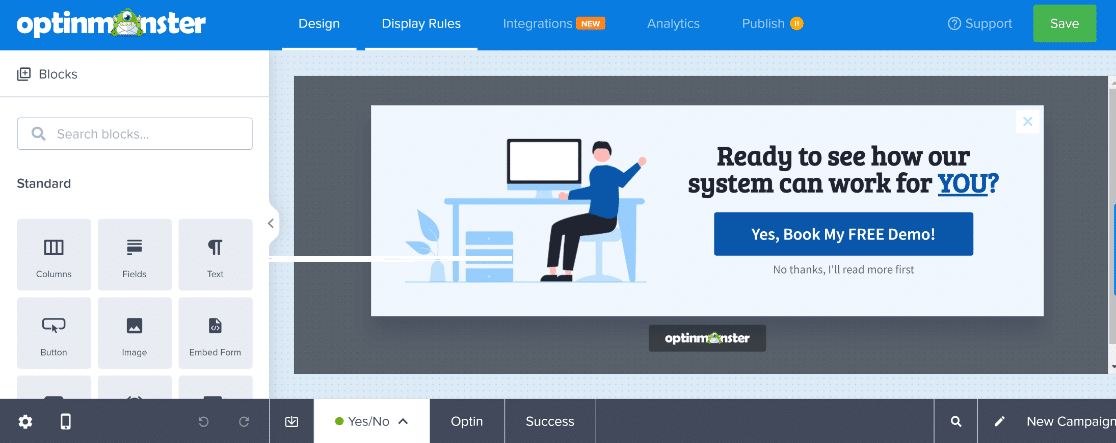
The OptinMonster plugin works directly with WPForms, which means I could embed my lead generation forms inside a popup for a combined approach. The template library is solid too. Every template is customizable with the drag-and-drop visual editor, and I had full control over every element down to the pixel.
What I Liked
- Exit-Intent Technology: Prompts visitors to subscribe at the exact moment they’re about to leave. This consistently captured leads I would have lost.
- A/B Testing: Test headlines, copy, button colors, and different designs to find what converts best.
- Page-Level Targeting: Build a segmented email list by showing targeted messages on specific pages or categories.
- Built-in Analytics: See which optins perform the best and adjust your strategy with real data.
- Campaign Variety: Lightbox popups, floating bars, slide-ins, countdown timers, welcome mats, and more.
- WPForms Integration: Embed any WPForms lead generation form directly inside a popup campaign.
Pricing
OptinMonster plans start at $9/mo with the Basic annual plan. Higher tiers add features like A/B testing, advanced targeting, and priority support.
3. PushEngage – Best Multi-Channel Engagement Plugin

Sometimes a lead will leave your site before they’re ready to buy. PushEngage is a customer engagement platform that helps you capture and convert leads across multiple touchpoints, including push notifications, on-site chat widgets, and WhatsApp Business automation.
My Experience
The multi-channel approach is what sets PushEngage apart. I could trigger a chat widget when someone viewed a pricing page, send an automated push notification with a discount code if they abandoned their cart, then follow up via WhatsApp with exclusive offers.
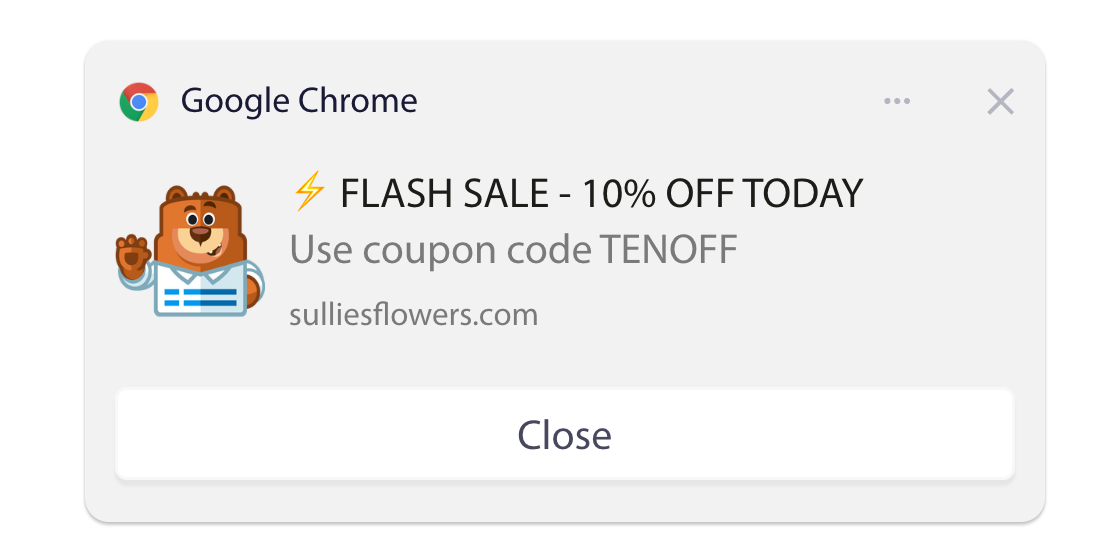
Setting up automated campaigns based on user behavior was simple. I created drip campaigns for new blog posts, product launches, and browse abandonment. The visual automation builder made it easy to map out trigger-based workflows.
Customization is solid across all channels. I could add images, edit CTA button text, insert emojis for higher clicks, and personalize messages based on user attributes.
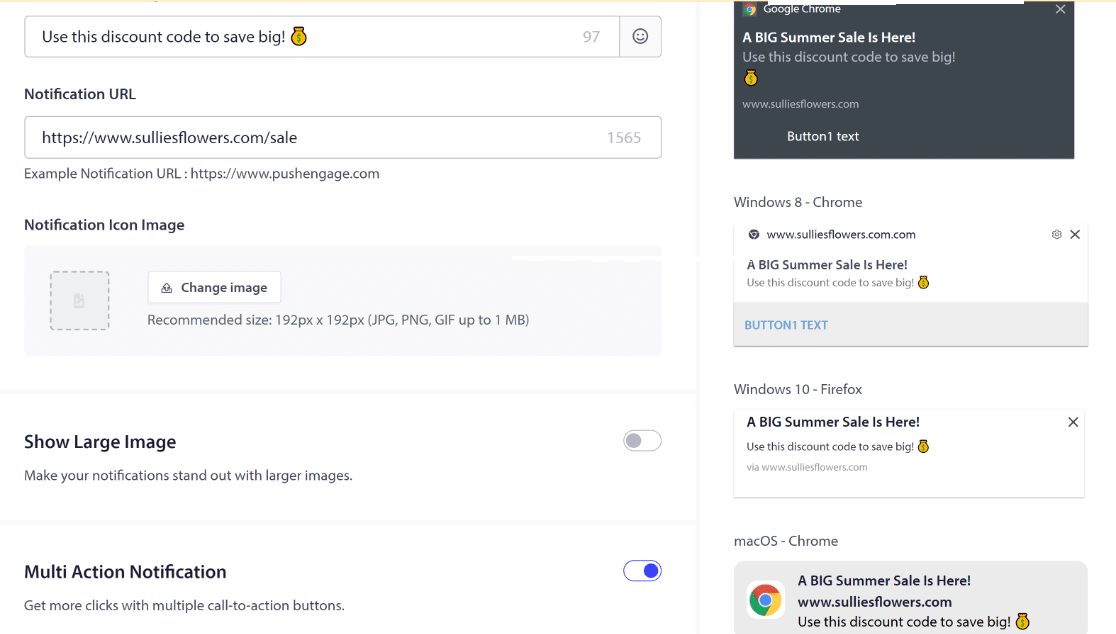
PushEngage integrates with WordPress, WooCommerce, and popular email marketing tools. The basic plan is free, and setup takes just a few minutes.
What I Liked
- Multi-Channel Reach: Push notifications, on-site chat, and WhatsApp automation in a single platform.
- Behavior-Based Triggers: Automated campaigns for cart abandonment, pricing page visits, and browse behavior.
- Visual Automation Builder: Drag-and-drop workflow builder for drip campaigns and trigger sequences.
- Audience Segmentation: Target specific user groups based on behavior, location, and attributes.
- Campaign Customization: Full control over images, CTAs, emojis, and personalization across channels.
Pricing
PushEngage has a free plan for up to 200 subscribers and 30 campaigns. Paid plans start at $9/mo and scale based on subscriber count and features.
4. All in One SEO – Best Content Optimization Plugin

To build an email list, you need traffic. And to get traffic, you need pages that rank. All in One SEO helps you optimize every page on your site so your lead generation content shows up in search results.
My Experience
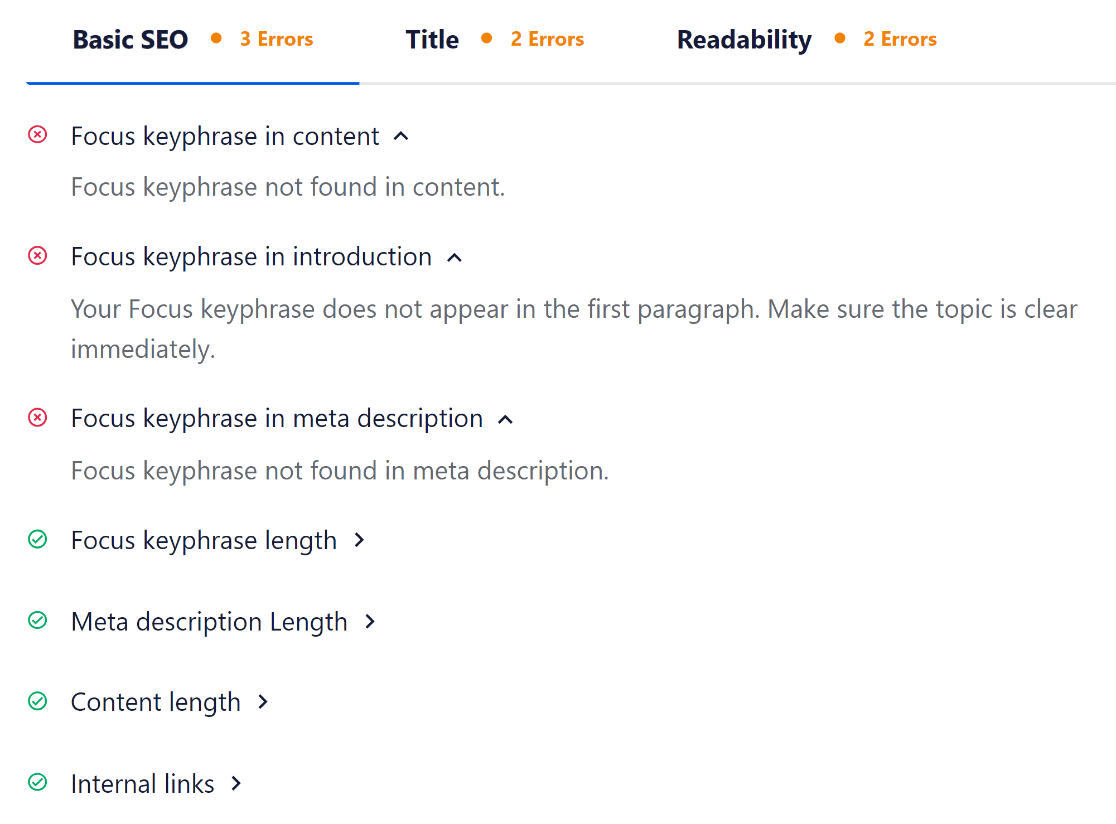
AIOSEO made it easy to add keywords and meta descriptions to my lead-gen pages. The TruSEO on-page checker gives real-time suggestions as you write, so you can fix SEO issues before you hit publish.
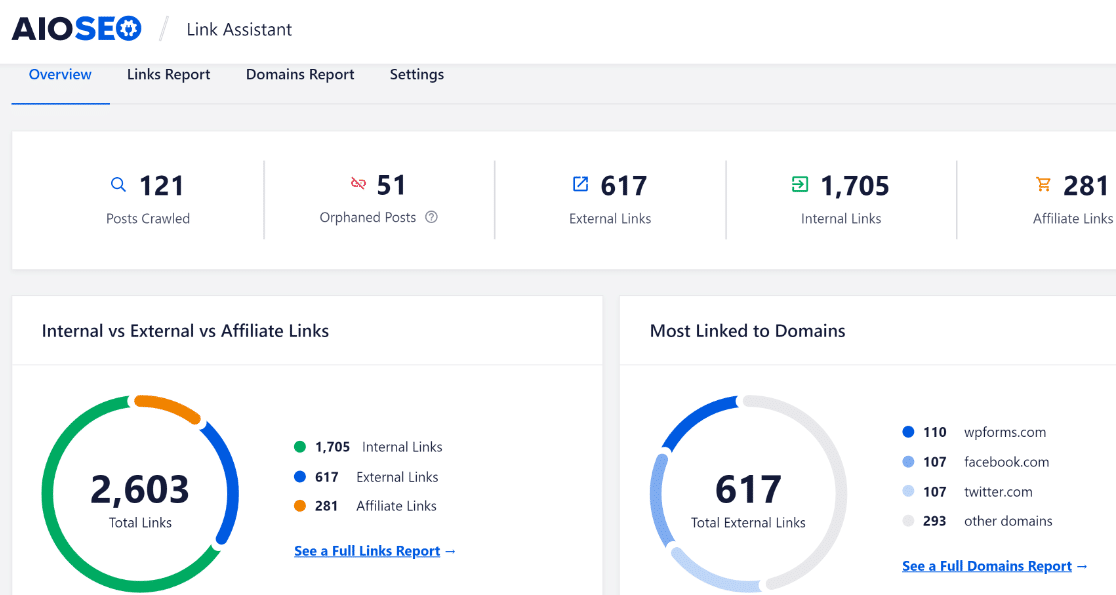
The Link Assistant tool is what I found most useful for lead generation. It gives you a full breakdown of your internal links, shows which posts need more, and displays the link count for each page. This is valuable for building a link strategy that pushes your lead-gen content higher in rankings.
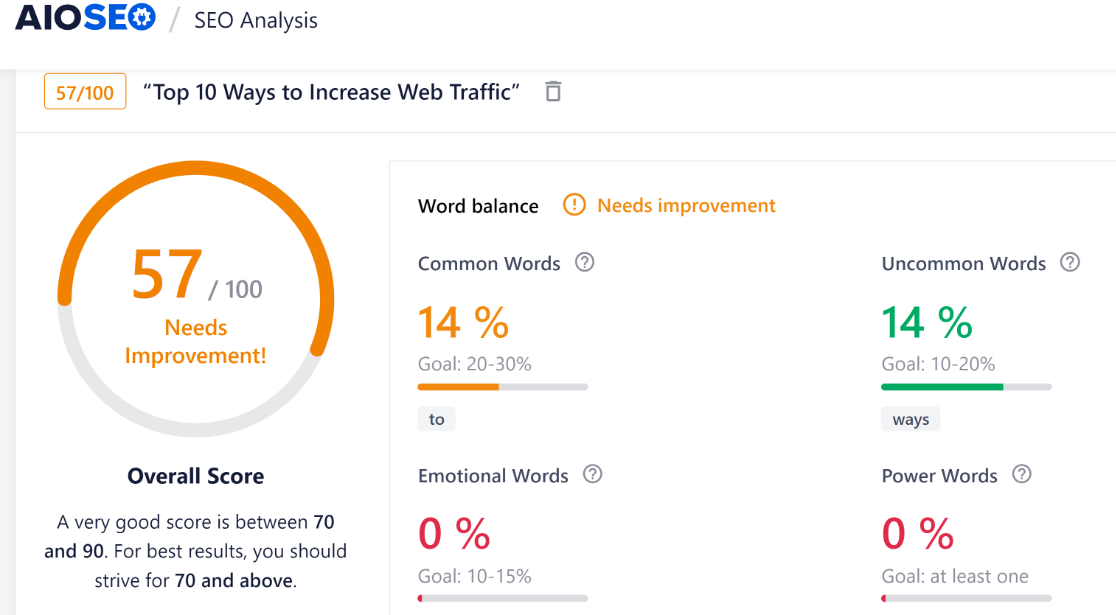
The headline analyzer built into the WordPress dashboard was another nice touch. It checks your titles for different word types so you can write headlines that get more clicks and more traffic.
AIOSEO also generates optimized titles with a ChatGPT integration, writes alt tags, and handles technical SEO automatically. Beginners can set it up quickly without getting lost in configuration.
What I Liked
- TruSEO On-Page Analysis: Real-time SEO scoring and suggestions while you edit content.
- Link Assistant: Visual breakdown of internal links across your site. Invaluable for SEO strategy.
- Headline Analyzer: Built-in tool for writing higher-CTR titles right in your dashboard.
- AI Title Generation: ChatGPT-powered title suggestions save time on optimization.
- Schema Markup: Automatic structured data for rich search results.
- Beginner-Friendly Setup: Wizard walks you through configuration in minutes.
Pricing
All in One SEO is priced from $49.60/yr. There’s also a free version with basic functionality.
5. MonsterInsights – Best Lead Magnet Tracking Plugin
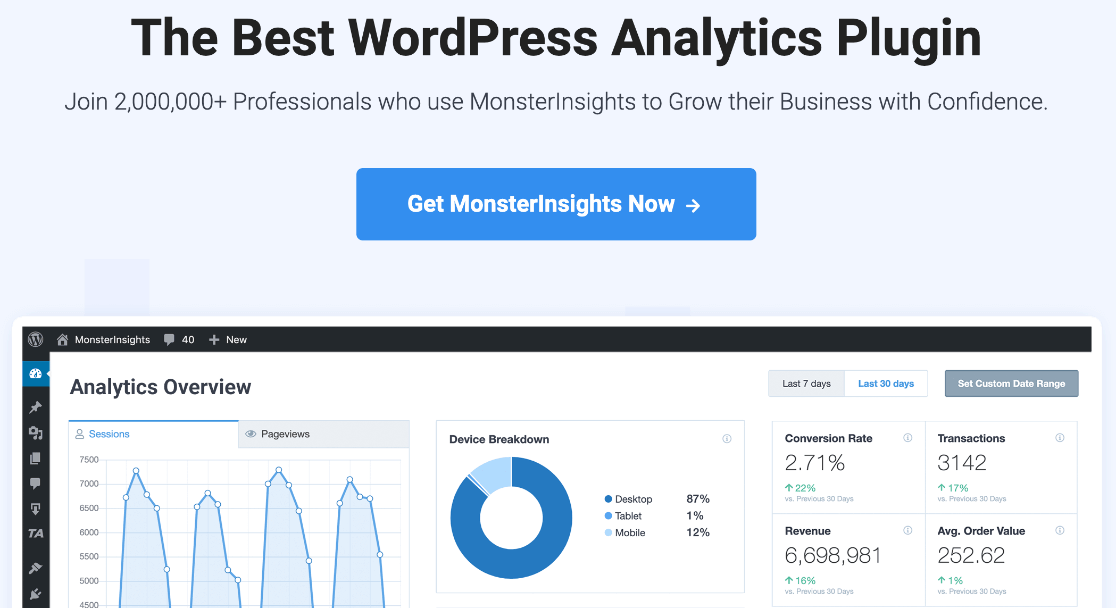
MonsterInsights is the best analytics plugin for WordPress. It pulls data from Google Analytics (GA4) and Google Search Console into clear, actionable reports right inside your dashboard.
My Experience
I used MonsterInsights to track which pages were getting traffic, which links were getting the most clicks, and which CTAs actually performed. Over time, this gave me a clear picture of which content attracted the most valuable visitors.
The file download tracking report is what I found most relevant for lead generation. It automatically tracks downloads of lead magnets like ebooks and PDFs without any setup or custom scripts.
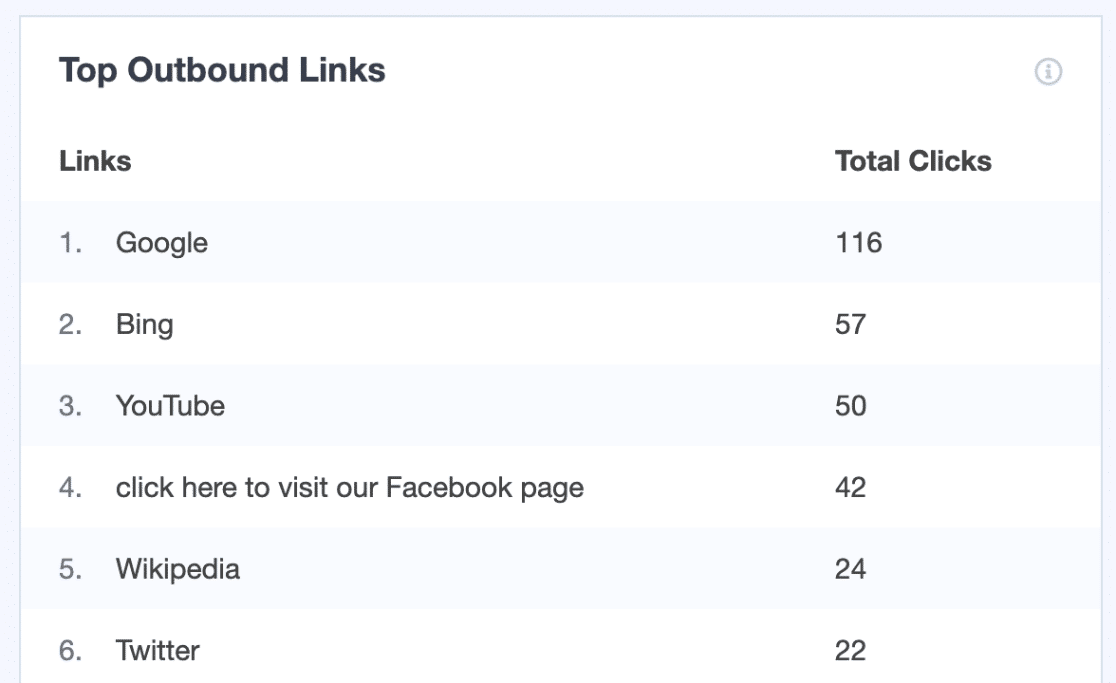
The best part: if you use WPForms to create your forms, MonsterInsights automatically tracks your form conversions too. That combination gives you full visibility into your lead generation performance. Read our full MonsterInsights review for more details.
What I Liked
- GA4 Dashboard Reports: See traffic, engagement, and conversion data without leaving WordPress.
- Form Conversion Tracking: Automatically tracks WPForms submissions. No extra setup needed.
- File Download Tracking: Monitors lead magnet downloads out of the box.
- eCommerce Tracking: WooCommerce store reporting and revenue attribution.
- Link Click Tracking: See which outbound and internal links get the most engagement.
Pricing
There’s a free version of MonsterInsights. Paid licenses are priced from $99.50/yr for the Plus tier.
6. SeedProd – Best Landing Page Plugin
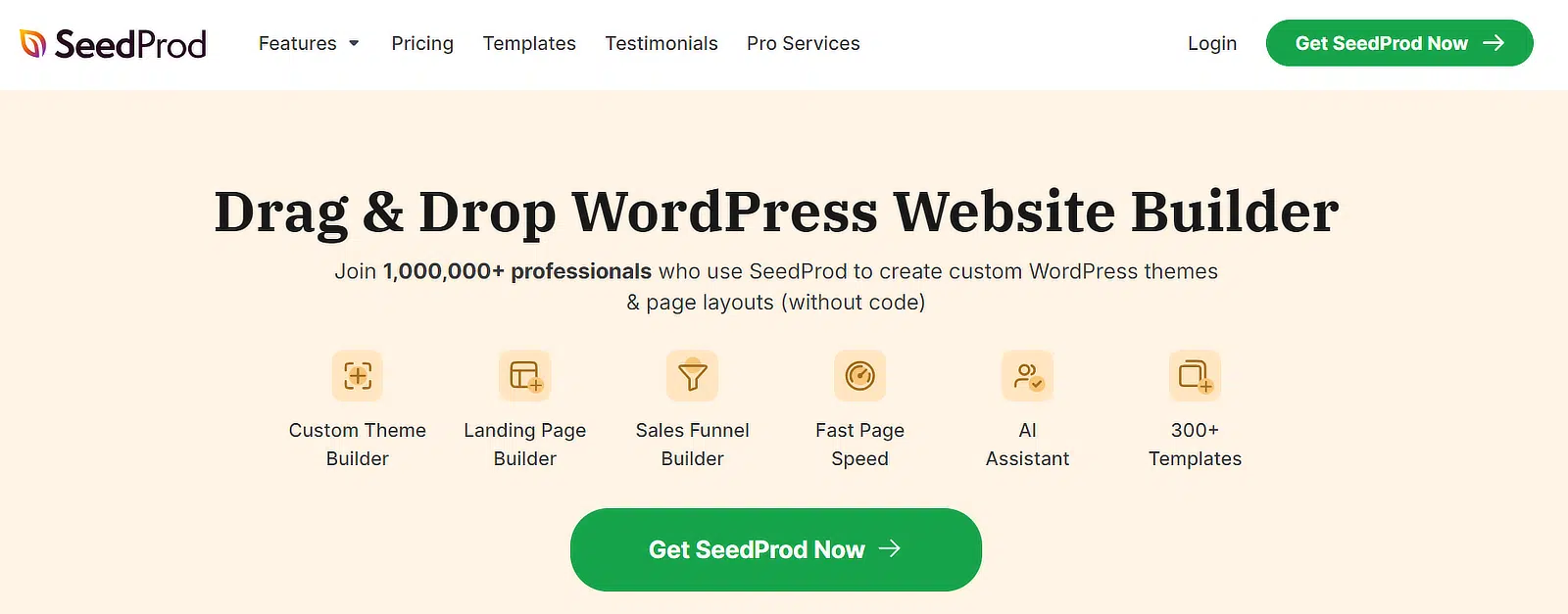
Landing pages are critical when you’re trying to get more leads from your website. But creating a truly distraction-free page in WordPress usually means fighting your theme.
SeedProd is the best landing page builder for WordPress. Its drag-and-drop builder lets you build any kind of landing page and publish it with a couple of clicks.
My Experience
I loved making landing pages with SeedProd because it’s genuinely versatile. The plugin comes with templates, blocks, and sections that I could customize to match any lead magnet or campaign. Embedding WPForms was straightforward too.
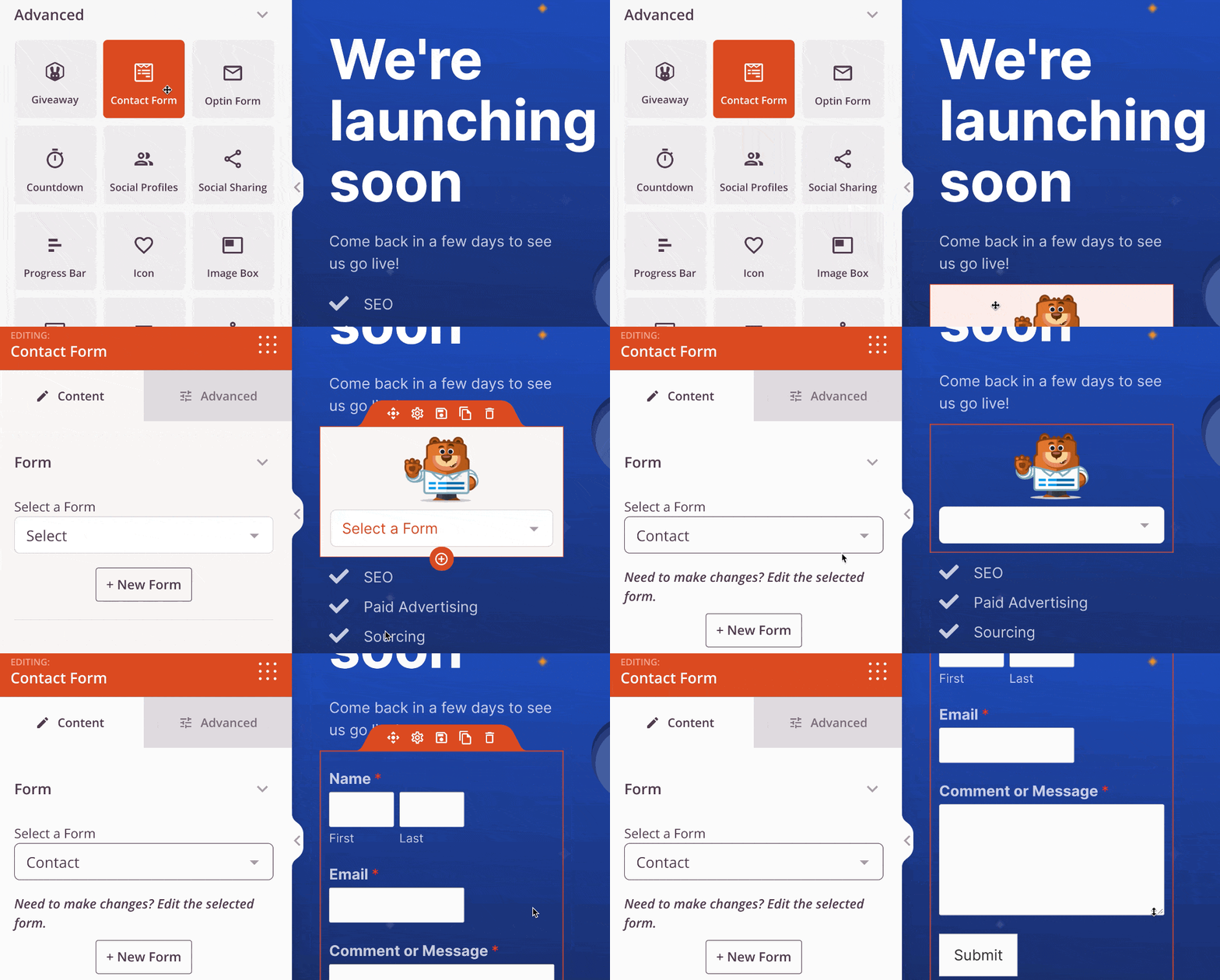
I used it to create landing pages from templates, webinar signup pages, coming soon pages, and maintenance mode pages. SeedProd automatically hides the WordPress header and footer, so visitors get a totally distraction-free environment.
One feature that impressed me was domain mapping. You can publish landing pages for different domains from a single WordPress install. That’s a big deal for agencies or anyone running multiple campaigns.
What I Liked
- Drag-and-Drop Builder: Build full landing pages without code, including embedding WPForms.
- Template Library: Pre-made templates for lead capture, webinars, coming soon, and more.
- Distraction-Free Pages: Automatically hides headers and footers for better conversion focus.
- Domain Mapping: Publish landing pages for different domains from one WordPress site.
- Countdown Timers: Add urgency elements to boost FOMO and conversions.
- Role-Based Access: Show or hide pages for different user roles or IP addresses.
Pricing
There’s a free version on the WordPress plugin repository. Paid licenses are priced from $39.50/yr. Want the full picture? Check out our SeedProd review.
7. TrustPulse – Best Social Proof Plugin
TrustPulse shows real-time notifications to your visitors as they browse your site. These notifications create urgency and encourage action by showing what other people are doing right now.
My Experience
I set up TrustPulse to show notifications when visitors signed up for subscriptions, when someone checked out, and when specific products were getting a lot of traffic.
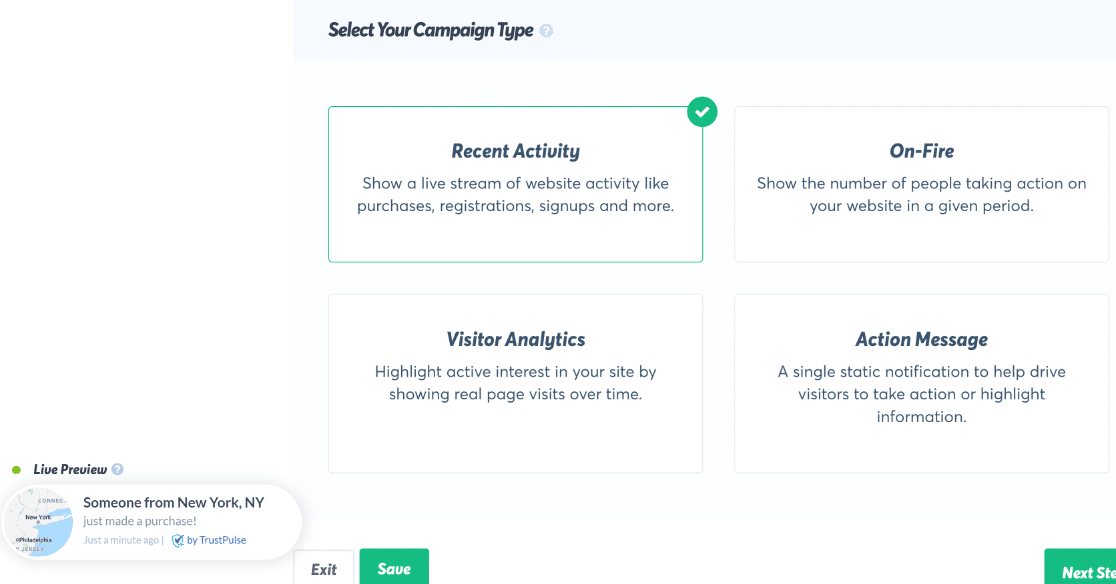
The “On-Fire” notification type was particularly effective. Showing a browsing visitor that a product was getting tons of recent activity turned casual readers into buyers. I could choose exactly where notifications appeared for maximum impact.
TrustPulse is also flexible with customization. I adjusted the notifications to show customer locations, product images, and recent purchase activity.

It works with popular eCommerce platforms and integrates with WooCommerce.
What I Liked
- Real-Time Notifications: Shows authentic visitor activity to build trust and urgency.
- “On-Fire” Campaigns: Highlight trending products or pages to boost conversions.
- Flexible Placement: Choose exactly where notifications appear on your site.
- Customizable Design: Match notifications to your brand with custom colors, images, and location data.
- eCommerce Integration: Works with WooCommerce and other popular platforms.
Pricing
TrustPulse is priced from $5/mo billed annually. Free for up to 500 sessions.
8. HubSpot – Best All-in-One Marketing Plugin
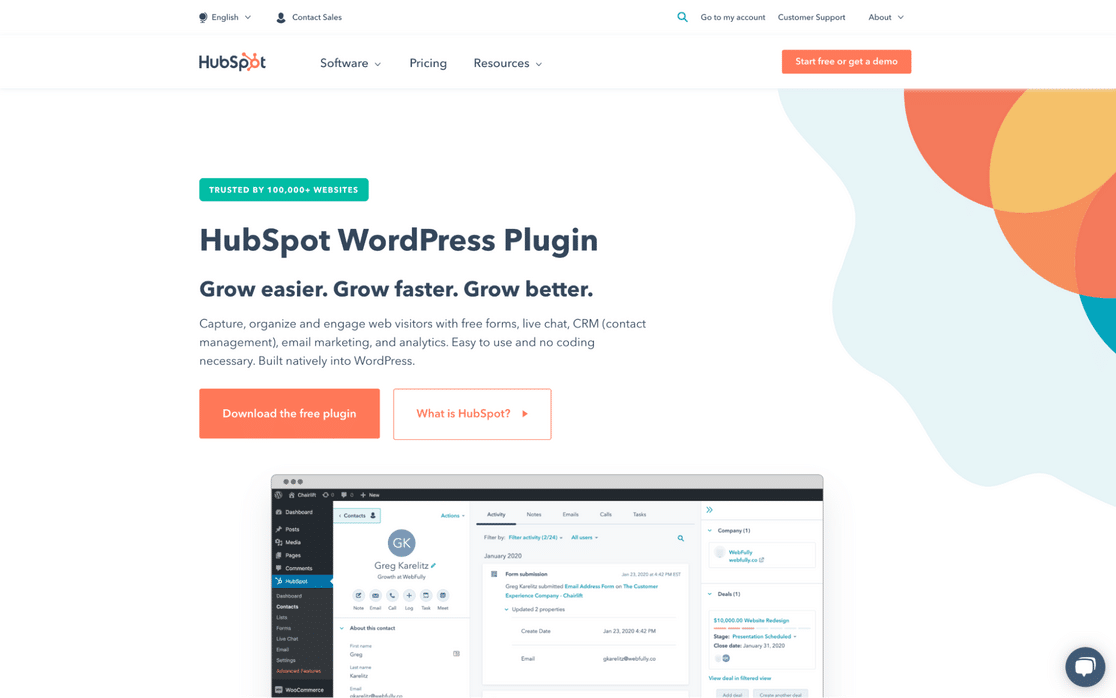
Want access to a variety of lead generation tools right from your WordPress dashboard? HubSpot gives you forms, popups, email marketing, live chat, and a full CRM in one free plugin.
My Experience
HubSpot for WordPress comes with an easy-to-use form builder that supports embedded forms, standalone pages, popup boxes, dropdown banners, and slide-in boxes. On top of that, you get email marketing and live chat built in.
The CRM functionality is what sets it apart. I could manage contacts, segment them into lists, and see every interaction they’d had with my site. That level of visibility is unusual for a free plugin.
It also integrates with WPForms, so you can send contacts from WordPress directly to the HubSpot CRM.
What I Liked
- Free CRM: Manage contacts, track interactions, and see your full sales funnel without paying.
- Form Builder: Create embedded forms, popups, banners, and slide-ins from one tool.
- Email Marketing: Send targeted emails and automate workflows from your WordPress dashboard.
- Live Chat + Chatbot: Engage visitors in real-time or automate responses for common questions.
- WPForms Integration: Sync form submissions directly to HubSpot’s CRM.
Pricing
HubSpot for WordPress is free. Paid Marketing Hub plans start from $50/mo and add advanced automation, reporting, and support features.
9. LiveChat – Best Live Chat Plugin

If you’re attracting the right audience but not seeing conversions, you need to find out why. LiveChat lets you talk to your visitors in real time and turn hesitant browsers into leads.
My Experience
Installing LiveChat was quick, and the chat widget blended naturally into my test sites. I found that adding proactive chat to high-intent pages (like pricing and product pages) was one of the easiest conversion wins I’ve implemented.
LiveChat integrates with popular email marketing tools, so conversations can feed directly into your list-building efforts. The mobile, desktop, and tablet support means agents can respond from anywhere.
What I Liked
- Real-Time Chat: Talk to visitors instantly when they have questions or hesitation.
- Proactive Chat Invitations: Trigger chat prompts on high-intent pages automatically.
- Email Marketing Integration: Connect with popular services to grow your list from conversations.
- Cross-Device Support: Agents can chat from mobile, desktop, or tablet.
- Automation Features: Set up automated greetings and route chats based on visitor behavior.
Pricing
LiveChat starts from $20/mo per agent. Higher plans add features like advanced analytics, chat transcripts, and widget customization.
10. RafflePress – Best Viral Giveaway Plugin
Contests and giveaways are an exciting way to get more leads and build your email list. They attract traffic and create FOMO that drives signups.

RafflePress is the best giveaway plugin for WordPress. It lets you create custom contests that promote viral sharing and encourage visitors to refer friends.
My Experience
RafflePress comes with contest page templates that I customized with my own images and branding. The drag-and-drop builder made adding text, buttons, and entry methods fast.
I connected giveaways directly to my email marketing service and rewarded people with extra contest entries when they signed up. The referral system was the real star. Visitors could earn bonus entries by sharing on Facebook, tweeting details, or referring friends. Recurring rewards kept people sharing over and over.
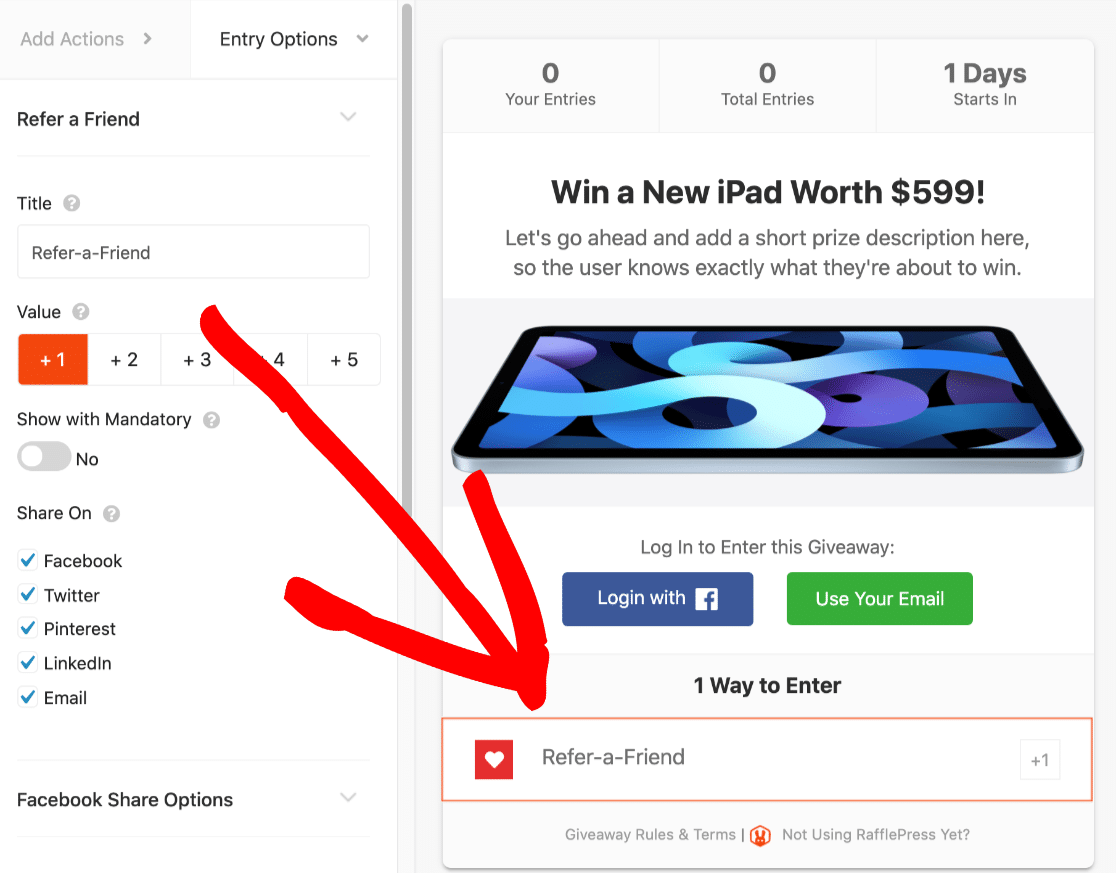
Displaying the competition prize right on the landing page increased urgency and entries significantly.
What I Liked
- Viral Refer-a-Friend: Built-in referral system with recurring rewards for repeat sharing.
- Social Media Integration: Award bonus entries for follows, shares, and tweets.
- Email Marketing Connections: Sync new entries directly to your email list.
- Drag-and-Drop Builder: Customize contest pages with your branding in minutes.
- Prize Display: Showcase prizes directly on the landing page for maximum FOMO.
Pricing
There’s a free version of RafflePress on WordPress.org. Paid licenses are priced from $39.50/yr.
11. MailPoet – Best Email Marketing Plugin

MailPoet is an email marketing plugin that lives inside your WordPress dashboard. Unlike external services, it lets you manage subscribers and send newsletters without ever leaving your site.
My Experience
I set up MailPoet to collect subscribers through WPForms. Integrating contact forms with MailPoet meant I could collect subscribers from any form on my site without needing separate signup forms.

After building my list, I created custom newsletters and set up automatic notifications for new blog posts. This is a great way to turn leads into regular readers who stay engaged with your content long-term.

If you’ve started an online store with WooCommerce, MailPoet also handles automated follow-up emails to encourage repeat purchases.

What I Liked
- WordPress-Native: Manage everything from subscribers to newsletters inside your dashboard.
- WPForms Integration: Collect subscribers from any form without separate signup widgets.
- Auto Blog Notifications: Automatically email subscribers when you publish new content.
- WooCommerce Emails: Send purchase follow-ups and abandoned cart reminders.
- Newsletter Designer: Visual editor for creating professional-looking emails.
Pricing
MailPoet gives you basic features for free with up to 500 subscribers. Paid plans start at roughly $10/month billed annually and scale with your subscriber count.
FAQs Best WordPress Lead Generation Plugins
Got questions about choosing and using WordPress lead generation plugins? Here are answers to the most common ones, including what to look for and how these tools work with your existing setup.
What is lead generation?
Lead generation is a strategy for turning website visitors into potential customers. A lead could be someone who downloaded an ebook, signed up for your newsletter, or reached out for a quote.
Depending on how you qualify leads, you might follow up with different segments in different ways. Using the right WordPress lead generation plugin helps you capture and convert visitors more effectively. For best results, you’ll want a combination of plugins to attract and capture different types of leads.
Is WordPress good for lead generation?
WordPress is a great platform for lead generation because of the many excellent plugins available. With tools like WPForms, OptinMonster, PushEngage, and others on this list, you can build forms, popups, push notification campaigns, landing pages, and giveaways that grow your email list and boost sales.
How do lead capture plugins work in WordPress?
Lead capture plugins work by creating forms, popups, or interactive tools on your site that entice visitors to share contact information, most often an email.
They embed easily into your pages or posts using shortcodes or blocks. When someone submits their info, the plugin stores it locally or sends it to your email marketing service.
The best plugins will also handle duplicate checks, confirmation workflows, spam protection, and data logging so that your list stays clean and compliant.
What’s the difference between a lead generation plugin and a lead management plugin?
A lead generation plugin focuses on capturing contact info through forms, popups, and landing pages. In contrast, a lead management plugin helps you organize, track, and nurture leads once they’re in your system.
Lead management features include tagging, scoring, status tracking, assignment, and export to CRMs. If your goal is simply to build the email list, go with generation tools.
What are the must-have features in a WordPress lead generation plugin?
In my experience, here’s what every effective plugin should offer:
- Visual builder for quick setup. No need for complex code.
- Targeting/triggers, like exit-intent or scroll-based popups.
- Email/CRM integrations so new leads go straight to your system.
- Visitor behavior tracking, A/B testing, and analytics.
- Lightweight performance. It shouldn’t slow your site.
- GDPR-compliance tools like consent checkboxes.
These combine to make capturing and converting leads smooth and scalable.
Do lead generation plugins work with email marketing services like Mailchimp or Constant Contact?
Yes. Most premium lead-generation plugins (like WPForms, OptinMonster) offer built-in integrations with Mailchimp, Constant Contact, ConvertKit, ActiveCampaign, and similar platforms.
That means when someone signs up on your site, they get synced automatically to your marketing list, so you can follow up immediately. If your preferred tool isn’t on the list, Zapier is usually a reliable fallback.
Are there plugins that combine lead generation and CRM in WordPress?
Yes, plugins like HubSpot for WordPress let you capture leads via forms, popups, and chats, and manage them with a built-in CRM.
You can collect contact data, see history, and automate follow-up all from within your dashboard. It’s a lightweight way to centralize lead capture and management without jumping between multiple platforms.
How do WordPress lead generation plugins capture emails securely?
Good plugins secure lead capture by:
- Using HTTPS for encrypted data transmission.
- Storing submissions safely, either in the WP database which inherits your site’s security, or securely passing them to ESPs.
- Spam protection, via CAPTCHA, honeypot fields, or trusted services.
- GDPR/consent features, so visitors explicitly agree to be added to your list.
This keeps both you and your subscribers safe and compliant.
Do I need a paid plugin for advanced lead generation in WordPress?
Not always. But if you want advanced features, yes. The free versions of plugins like WPForms or SeedProd handle basic forms well.
If you need behavior triggers, multi-step forms, advanced analytics, or abandoned cart recovery, investing in a paid version is often worthwhile.
They save time, improve conversions, and integrate all the tools professionals use. Think of it as paying for automation. Not just another plugin.
Next, Don’t Forget Mobile Lead Generation
Did you know that 70% of online time is spent on mobile browsing? If you want to get more leads, you need to consider your mobile visitors. For some pro tips, check out this guide to getting more leads on mobile.
We think you may also enjoy reading our other roundups featuring our favorite plugins and tools for handling different areas of your online business:
- Best On-Page SEO Tools
- Best Social Media Plugins
- Best Popup Plugins for WordPress
- Best Affiliate Plugins for WooCommerce
- Best WordPress Survey Plugins
Ready to build your lead generation form? Get started today with the easiest WordPress form builder plugin. WPForms Pro includes 2,100+ form templates and offers a 14-day money-back guarantee.
If this article helped you out, please follow us on Facebook and Twitter for more free WordPress tutorials and guides.


