


AI Summary
Are you looking for the best VoIP for small business? A VoIP or Voice over Internet Protocol is a cost-effective solution for small businesses.
And unlike the traditional phone solutions, an internet business phone system comes with a number of useful features at no additional cost.
You can pick up a new business number, run it through your laptop, and start taking calls in under 15 minutes without any technician visits or IT setup.
In this article, I’ll compare the best business phone services (VoIP) and internet telephone systems to help you decide the best one for your business needs.
My Top Picks for the Best Business VoIP Services
Below you’ll find my 10 favorite business VoIP providers, ranked, with a quick comparison table and detailed reviews. I’ve also added a short methodology section so you can see exactly how I evaluated each one before you read further.
Here’s a side-by-side comparison of the VoIP systems we’ve covered in this post. Learn more about each service with the table below:
Quick Comparison of the Best Business VoIP Providers
Here’s a side-by-side comparison of every provider on this list. Use it to narrow your shortlist, then jump into the detailed reviews for the ones that fit your needs.
| Provider | Best For | Starting Price | Free Trial | Key Feature | My Verdict |
|---|---|---|---|---|---|
| Nextiva | Best overall | $18/user/mo | 7 days | AI call transcription | Reliable all-rounder for most small businesses |
| RingCentral | Team collaboration | $20/user/mo | 14 days | Unified voice + video + messaging | Strong if you want everything in one app |
| Ooma Office Phone | Plug-and-play setup | $19.95/user/mo | 30-day money-back | Virtual receptionist | Easiest to get up and running |
| Phone.com | Tight budgets | $14.99/user/mo | 30-day money-back | Affordable entry plan | Cheapest serious option in the list |
| Grasshopper | Solopreneurs | $14/mo flat | 7 days | Add a business line to your cell phone | Lightweight virtual phone, not a full system |
| GoToConnect | International calling | $26/user/mo | 14 days | 100+ features and global coverage | Feature-packed for growing teams |
| Vonage | Flexible per-line pricing | $13.99/line/mo | 30-day money-back | Per-line billing model | Pay only for the lines you actually use |
| CallHippo | CRM-heavy sales teams | $18/user/mo | 10 days | Native CRM integrations | Built for outbound and lead-gen workflows |
| Google Voice | Free for solo use | Free for personal, $10/user/mo business | None for paid plans | Tight Google Workspace integration | Best free option if you’re a solo founder |
| Zoom Phone | Existing Zoom customers | $10/user/mo metered | n/a | Native Zoom Meetings integration | A natural add-on if your team already lives in Zoom |
1. Nextiva
Best Overall for Most Small Businesses
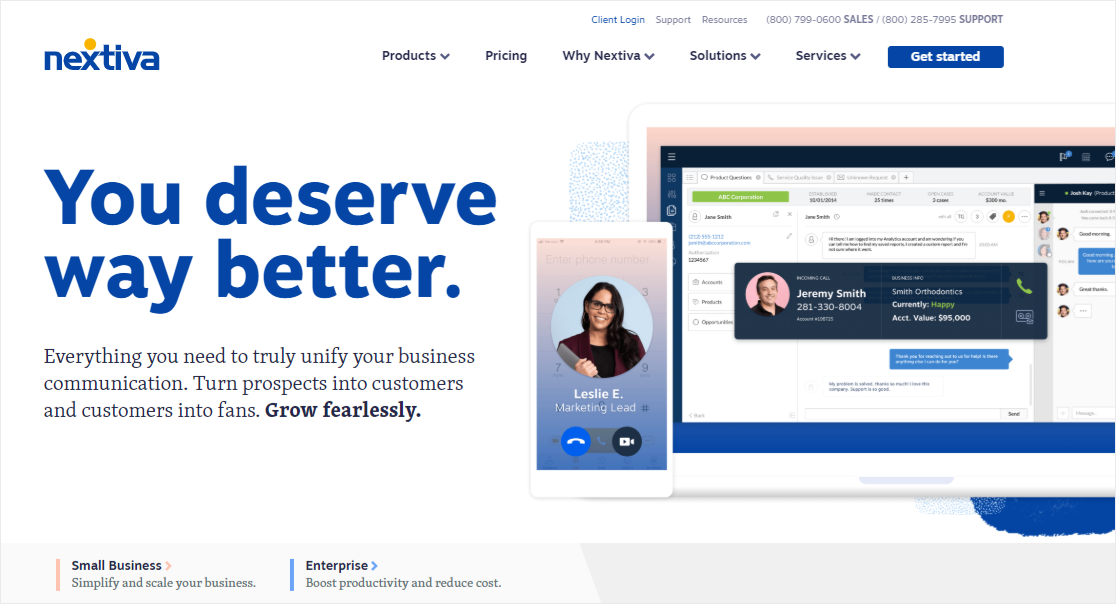
Nextiva earned the top spot on this list because it does almost everything well without forcing you onto a long-term contract. It’s the one I’d recommend if you walked into my office and asked, “Just tell me which one to pick.”
A few specific things keep me with Nextiva. The interface inside the NextivaOne app is clean and you don’t need a training session to find your call logs, voicemails, or chat threads.
The unified communications setup means voice, video, text, and team messaging all live in one place. So you stop bouncing between apps when a customer calls and then asks you to email them something during the call.
Key features:
- Unlimited calling in the US and Canada with no per-minute charges
- HD voice with 99.999% uptime reliability
- Real-time AI call transcription and call summaries
- Mobile and desktop apps that stay synced
- Auto-attendant, call routing, and call queues
- Unlimited internet faxing
- Free toll-free number with every plan
- Team chat and video conferencing built in
What I liked:
- The AI transcription feature is one of the few I’ve used that’s actually useful in a real conversation. You can read what someone just said while they’re still on the line, which means fewer “sorry, can you repeat that” moments.
- Customer support is fast and the agents actually know the product. I’ve never been bounced through three reps to get an answer.
- The free toll-free number is a small thing but it adds up to real savings for a small business that would otherwise pay extra.
Where it could be better:
- The mobile app’s search box can be hard to find when you’re trying to dig up an old conversation thread.
- Starting price is higher than budget options like Phone.com or Zoom Phone, so it’s not the cheapest if you only need basic calling.
Pricing: Plans start at $18 per user per month with annual billing. The mid-tier Engage plan adds AI features and team chat, while the Power Suite tier adds full sales pipeline tools. All plans include a 7-day free trial.
Best for: Small businesses that want a single reliable phone system without piecing together separate apps for voice, video, and messaging.
2. RingCentral
Best for Team Collaboration and Video
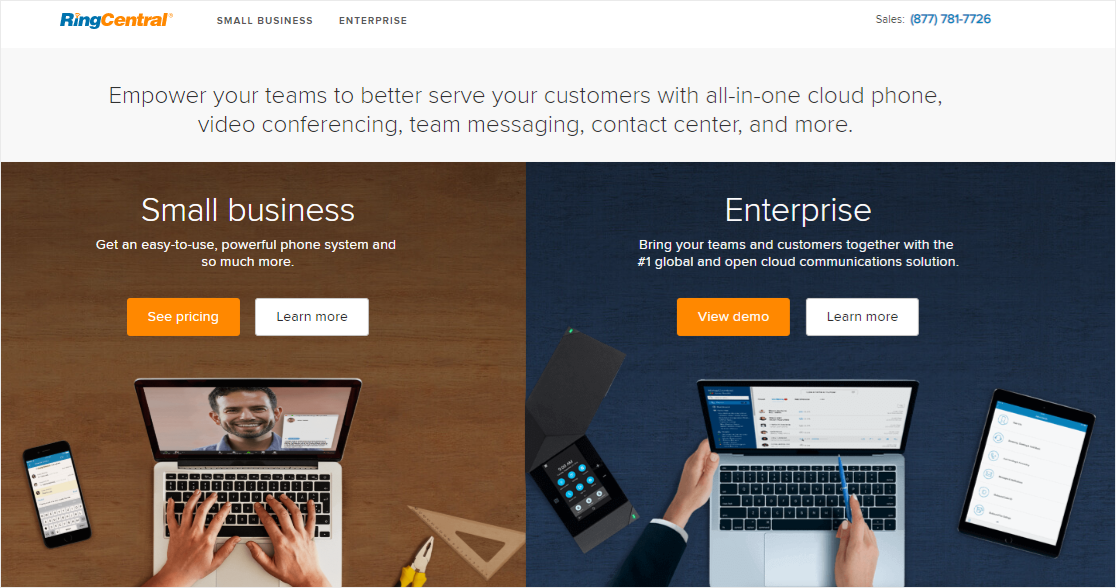
RingCentral is the provider I’d pick if my team did most of its work over video and screen-sharing instead of straight voice calls. RingCentral was one of the first cloud phone services to seriously combine voice, messaging, and video meetings into a single product, and that pedigree shows.
So if you’re running a team that hops between client calls, sales demos, and internal meetings all day, RingCentral keeps everything in one app. You can start a chat, escalate it to a voice call, then jump to video without ever opening a new window.
Key features:
- Unlimited inbound and outbound calls in the US and Canada
- Toll-free or local number with all plans
- Voicemail-to-text transcription
- Cloud PBX with call recording and call monitoring
- Unlimited audio and video conferencing
- AI assistant that takes notes and summarizes calls
- Strong integrations with Salesforce, HubSpot, Microsoft 365, and Google Workspace
- Mobile, desktop, and web apps
What I liked:
- The AI assistant is genuinely useful for sales calls. It captures action items so you don’t have to scramble for notes between meetings.
- Video conferencing quality is on par with Zoom, which means you can skip a separate Zoom subscription if your team only meets internally.
- The integration lineup is one of the strongest in this list. If you use a major CRM, RingCentral probably already has a deep integration with it.
Where it could be better:
- The app can feel dense at first because there are so many features. Plan to spend an hour or two getting your team comfortable with the layout.
- Pricing leans higher than Nextiva, especially if you want all the AI and analytics features unlocked.
Pricing: Core plan starts at $20 per user per month, with mid and top tiers adding more meeting capacity, advanced analytics, and unlimited storage. A 14-day free trial covers all plans.
Best for: Distributed teams that rely on voice, video, and chat about equally and want a single subscription to cover all three.
3. Ooma Office Phone
Best for Plug-and-Play Setup
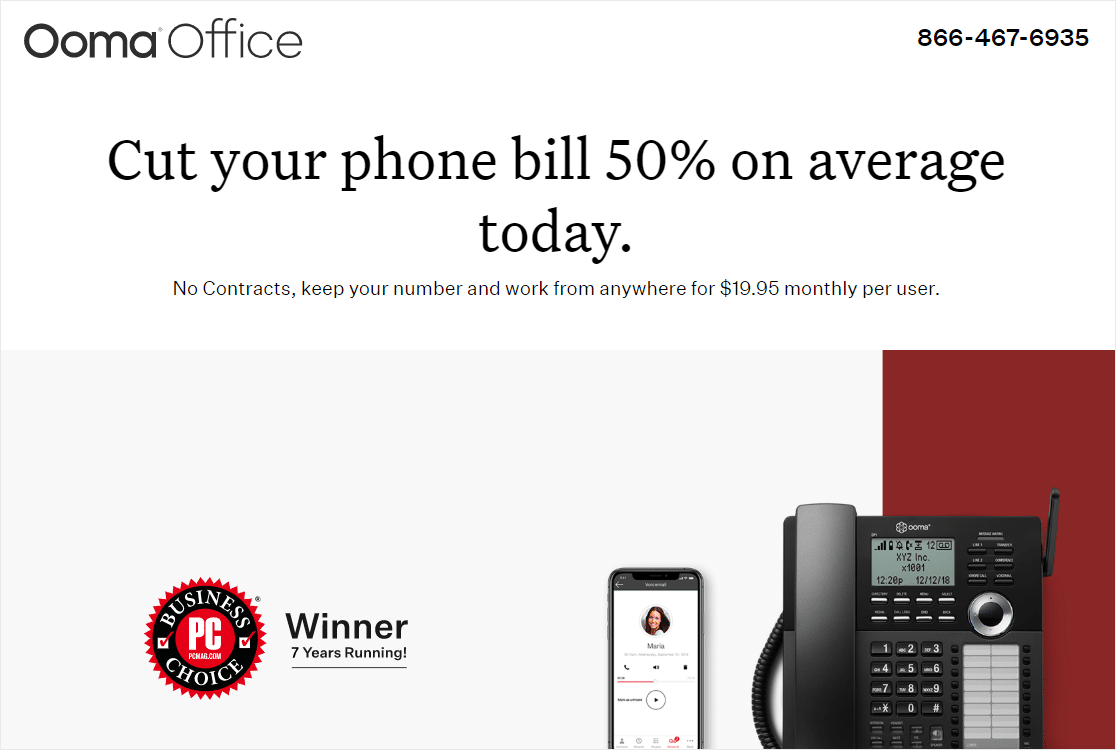
Ooma Office Phone is the one I’d hand to a friend who runs a small retail shop and just wants a phone system that works. Setup is genuinely simple, and Ooma includes some thoughtful touches you don’t usually get at this price.
The thing I like most about Ooma is the virtual receptionist. You can record professional greetings, route callers by extension, and set up business hours without paying for an upgrade. For a small storefront or one-location service business, that alone is worth the monthly fee.
Key features:
- Free toll-free number with every plan
- Virtual receptionist with menu routing and after-hours messages
- Extension dialing across all employees and devices
- Mobile apps for iOS and Android
- On-hold music for call queues
- Voicemail to email
- Call park and transfer
- Multi-ring (a single call rings every device at once)
What I liked:
- The hardware-included plans take the friction out of switching. Ooma ships you the phones and base station ready to plug in.
- Free toll-free number is a real perk. Most providers charge extra for toll-free.
- The virtual receptionist is intuitive to set up. I had a multi-extension menu running in about 20 minutes.
Where it could be better:
- The base plan doesn’t include video conferencing or call recording. You’ll need to upgrade to the Pro plan for those.
- Reporting and analytics are lighter than what you get from Nextiva or RingCentral.
Pricing: Essentials plan starts at $19.95 per user per month. The Pro tier at $24.95 adds video conferencing, call recording, and desktop apps. Pro Plus at $29.95 includes call queuing and team chat. Ooma offers a 30-day money-back guarantee instead of a free trial.
Best for: Small retail, service, or hospitality businesses that want a turnkey phone system without a learning curve.
4. Phone.com
Best Cheap VoIP for Tight Budgets
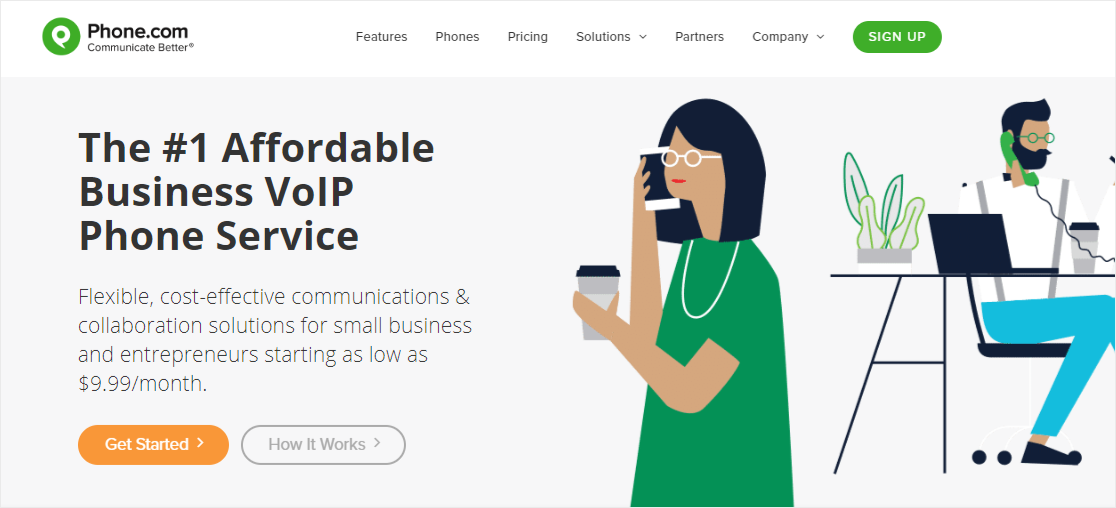
If you’re starting out and every dollar matters, Phone.com is hard to beat on price. It’s the most affordable serious VoIP service in this list, and the basic plan covers the essentials you actually need to look professional on a customer call.
That said, the lowest tier has a 500-minute monthly cap, so this isn’t the right pick if your team makes hundreds of calls a day. But if your call volume is light and you mostly need a real business number with caller ID and voicemail, Phone.com gets the job done for less than $20 a month.
Key features:
- Call forwarding, call waiting, and caller ID
- Voicemail with email delivery
- SMS and text messaging
- One local or toll-free number with every plan
- Video conferencing on higher tiers
- Mobile and desktop apps
- 50+ standard features at no extra cost
- HIPAA-compliant tier for healthcare providers
What I liked:
- The basic plan is genuinely affordable. A solo founder can run a full business phone presence for around $15 a month.
- The caller analytics give you a quick look at where your callers are coming from, which is unusual at this price.
- HIPAA-compliant plans are available if you work with health data, which is rare for budget VoIP.
Where it could be better:
- The 500-minute basic plan cap means you’ll likely upgrade as your business grows. Factor that into the long-term cost.
- The interface feels older than the apps from Nextiva or RingCentral. It works fine, but it’s not as polished.
Pricing: Plans start at $14.99 per user per month for the Basic tier. Plus is $21.99 and Pro is $31.99, both with unlimited minutes and more advanced features. Phone.com offers a 30-day money-back guarantee.
Best for: Solopreneurs and very small teams who want a professional phone presence on a strict budget.
5. Grasshopper
Best for Solopreneurs and Side Hustles
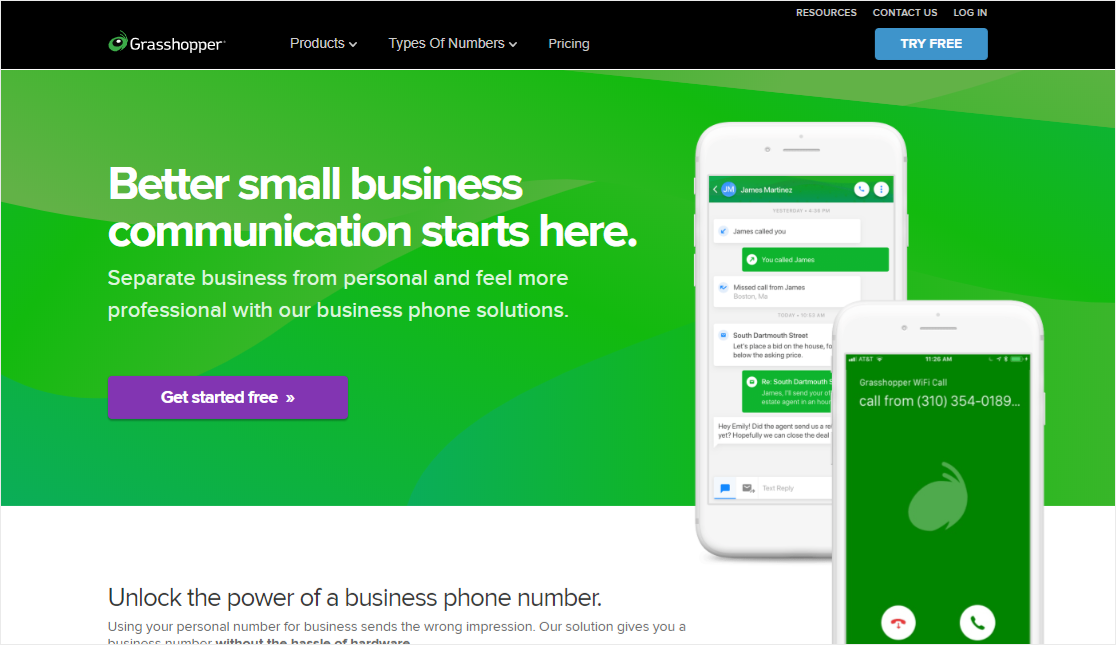
Grasshopper isn’t a full phone system. It’s more like a smart business line that lives on your existing cell phone. And that’s exactly why I like it for solopreneurs and side-hustle founders. You get a separate business number, a professional voicemail greeting, and call handling without the overhead of running a real phone system.
So if you’re a freelance consultant, photographer, or contractor and you want to keep your personal number private without buying a second phone, Grasshopper is the cleanest way to do that.
Key features:
- Choose a local, toll-free, or vanity business number
- Custom greetings and business voicemail
- Simultaneous call handling on a single number
- Call forwarding to any device
- VoIP and Wi-Fi calling
- Voicemail transcription
- Business texting (SMS) from your business number
- Mobile and desktop apps
What I liked:
- Setup takes minutes. You pick a number, install the app, and you’re answering calls on your own phone with a professional voicemail in between.
- The flat-rate pricing is refreshing. You’re not paying per user, just per plan.
- Simultaneous call handling means a single number can ring multiple team members, which is great for a small partnership.
Where it could be better:
- No video conferencing, no team messaging, no advanced PBX features. This is a virtual phone, not a full unified comms system.
- The mobile-first design means it’s not the right pick if your team mostly works from desk phones.
Pricing: Solo plan starts at $14 per month flat for one phone number and three extensions. Partner is $25/month for three numbers and six extensions. Small Business is $55/month for unlimited numbers and extensions. A 7-day free trial is available.
Best for: Solopreneurs, freelancers, and small partnerships who want a business line without buying a second phone or signing up for a full phone system.
6. GoToConnect
Best for International Calling

GoToConnect, formerly known as Jive, is part of the broader GoTo family of business apps. It comes with over 100 features baked in, including a strong international calling feature set that’s harder to find on most small business VoIP plans.
What I noticed when comparing GoToConnect to others is the depth of international support. You can dial into and out of many countries without extra add-ons, and the international rates are competitive. If your business deals with clients overseas, that’s a meaningful difference.
Key features:
- Unlimited extensions and call queues
- International calling to 50+ countries
- Voicemail transcription
- Team messaging and video meetings
- Auto-attendant with multi-level routing
- Music on hold and ring groups
- Integrations with G Suite, Microsoft Outlook, Salesforce, and GoToWebinar
- Mobile and desktop apps
- Call analytics and reporting
What I liked:
- The international calling rates are some of the best I’ve seen in small business VoIP. If you’re calling clients in Europe or Asia weekly, this matters.
- The integration with GoToWebinar is useful for agencies and consultancies that run webinars alongside sales calls.
- The reporting dashboard gives you a clear view of call volume, peak hours, and missed calls without forcing you onto an enterprise plan.
Where it could be better:
- Starting price is higher than Nextiva and RingCentral, so it’s not the right pick if international calling isn’t a real need for you.
- The interface has a slight learning curve. It’s powerful but takes a few hours to get comfortable.
Pricing: Basic plan starts at $26 per user per month. Standard at $35 adds unlimited international calling to select countries. Premium at $43 adds call analytics, contact center features, and unlimited storage. A 14-day free trial covers all plans.
Best for: Small businesses that regularly call international clients and need a feature-rich system without jumping to enterprise pricing.
7. Vonage
Best for Flexible Per-Line Pricing
Vonage is one of the few VoIP services that bills you per line instead of per user. So if you’re running a small team with one or two phone lines that several people share, this can work out cheaper than the per-user pricing models from most competitors.
Vonage also has a long history in consumer VoIP, which means their app and infrastructure are stable. I’ve never had a Vonage line go down on me unexpectedly, even during weather events.
Key features:
- Unlimited calling and SMS in the US and Canada
- Mobile apps for iOS and Android
- Microsoft Teams integration
- 40+ standard VoIP features including call screening, call blocking, and file sharing
- Caller ID, voicemail to email
- Call forwarding and follow-me
- Call center features on higher tiers
- Voicemail transcription on higher plans
What I liked:
- The per-line pricing is unique in this space. If you only need a couple of business lines that ring everyone on your team, Vonage is hard to beat on price.
- Microsoft Teams integration is well-built. Your team can take Vonage calls inside Teams without leaving the app.
- Reliability has been consistent in my experience. No surprise outages or dropped calls.
Where it could be better:
- The basic plan strips out features you’d expect at this price, like call recording and voicemail transcription. You need to upgrade to get them.
- The setup wizard is straightforward, but porting your existing number takes longer than competitors. Plan a week or two for the port to complete.
Pricing: Mobile plan starts at $13.99 per line per month. Premium is $20.99 per line, and Advanced is $27.99 per line. Pricing scales differently based on team size, so check the calculator on Vonage’s site for an accurate quote. A 30-day money-back guarantee is offered.
Best for: Small teams that want shared business lines without paying for one per user, especially if you already live inside Microsoft Teams.
8. CallHippo
Best for CRM-Heavy Sales Teams
CallHippo is built for outbound sales and lead-generation workflows where your team is making dozens of calls a day and every contact needs to land in a CRM.
If that sounds like your operation, CallHippo’s native integrations are deeper than most VoIP services aimed at general small businesses.
What stood out to me when testing CallHippo is the call reminder and contact management features. You can set follow-up reminders that surface inside the dialer, which means your sales reps stop forgetting to call back warm leads.
Key features:
- Contact management and call notes inside the dialer
- Native integrations with Pipedrive, Salesforce, HubSpot, Zoho CRM, and Zendesk
- Call reminders and follow-up scheduling
- Welcome messages and IVR
- Call recording and call analytics
- Power dialer on higher tiers
- Local numbers in 50+ countries
- Mobile and desktop apps
What I liked:
- The CRM integrations are deeper than competitors aimed at general small business use. Calls log automatically with the right contact, which is a big time saver for sales teams.
- The call reminder system is genuinely useful. Reps stop dropping balls on warm leads.
- Power dialer on the Platinum tier lets you queue up dozens of numbers and dial through them with no manual lookup.
Where it could be better:
- The basic plan is light on features. You’ll likely need to upgrade to Silver or Platinum to get the integrations and analytics that make CallHippo worthwhile.
- Voice quality has been hit or miss for me on international calls. Domestic calls are fine.
Pricing: Bronze plan starts at $18 per user per month. Silver is $30 per user, and Platinum is $50 per user. A 10-day free trial covers all paid plans, and a free starter plan with very limited features is also available.
Best for: Outbound sales teams and lead-gen agencies that need their phone system to write call notes directly into the CRM.
9. Google Voice
Best Free VoIP for Solo Use
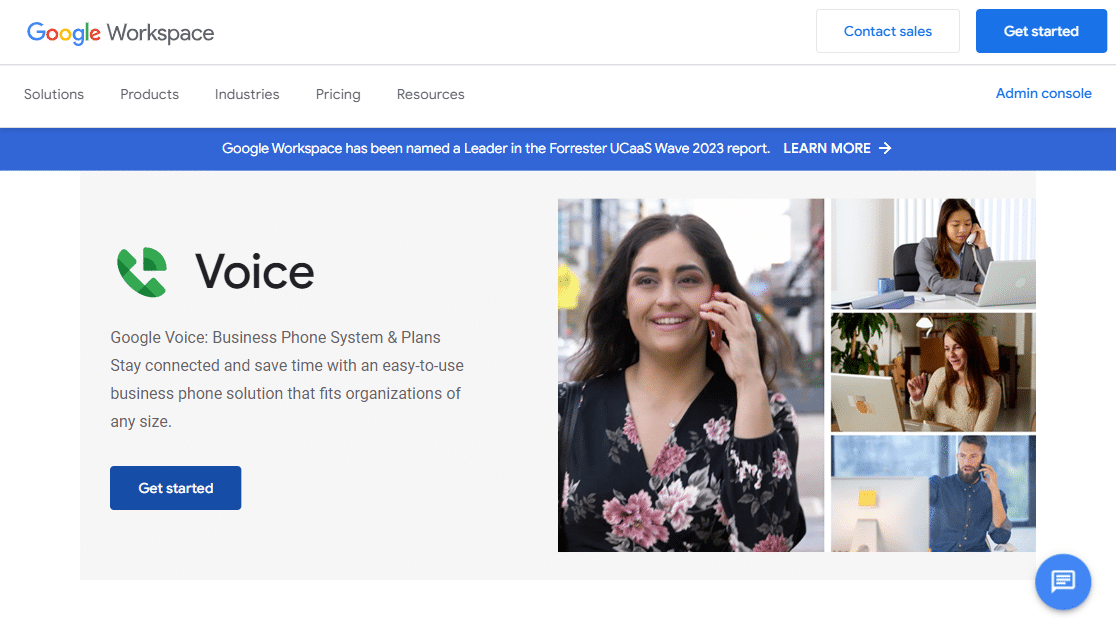
Google Voice is the only truly free option in this list, at least for personal use. So if you’re a solo founder testing the waters and you just need a separate business number that links to your phone, you can sign up for Google Voice without paying a dime.
For business use, you need a Google Workspace subscription. But if your business already runs on Gmail and Google Drive, Google Voice slots in cleanly and the integration with Calendar and Contacts is tight.
Key features:
- Free for personal use
- Smart call screening, blocking, and routing
- Voicemail to text
- Integration with Google Workspace (Calendar, Contacts, Drive)
- Call forwarding to any device
- SMS and MMS messaging
- Web, mobile, and desktop apps
- Spam filtering powered by Google’s algorithms
What I liked:
- The free personal tier is unmatched. You get a real second number with voicemail-to-text and call screening for nothing.
- Call screening is the best in this list. Google’s spam filtering catches robocalls that other services miss.
- Tight integration with Google Workspace means calendar events, contacts, and call logs all stay in sync without third-party connectors.
Where it could be better:
- The business plans require an active Google Workspace subscription, so you can’t use it standalone if you don’t already use Gmail and Google Drive for work.
- Limited international calling. If your business calls clients overseas, look elsewhere.
- Customer support is slim compared to Nextiva or RingCentral. You’re mostly relying on documentation and forums.
Pricing: Free for personal use. Business plans require Google Workspace and start at $10 per user per month for Starter, $20 for Standard, and $30 for Premier. No standalone free trial is available for paid plans.
Best for: Solo founders, freelancers, and very small teams who already use Google Workspace and want the simplest free or cheap business line option.
10. Zoom Phone
Best for Existing Zoom Customers
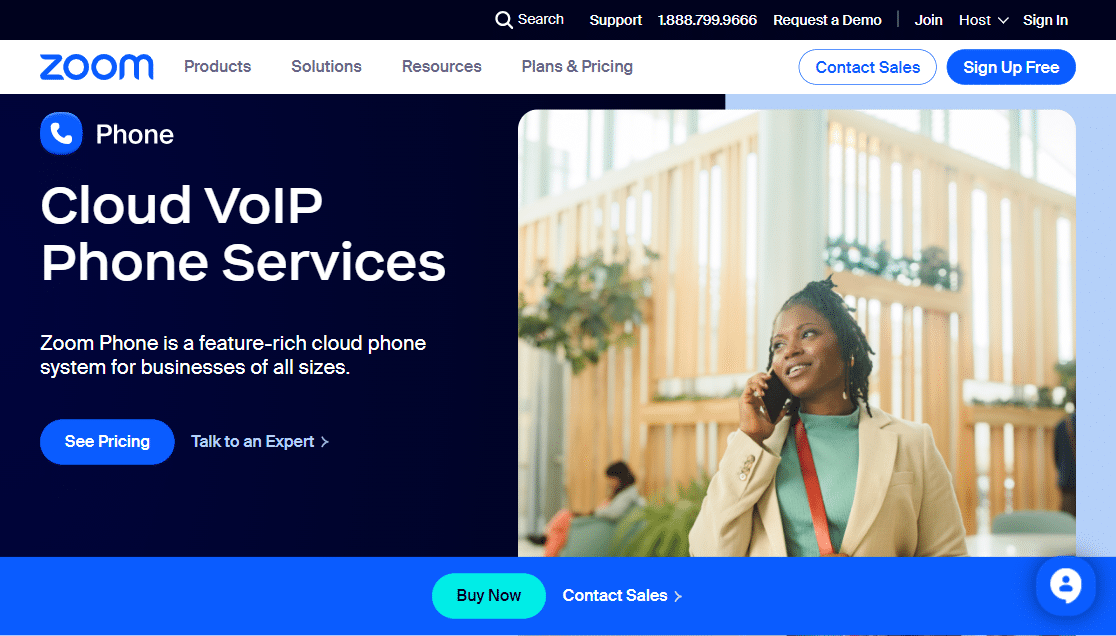
Zoom Phone is the natural choice if your team already lives inside Zoom for video meetings. It bolts onto your existing Zoom setup so your phone number works inside the same app you use for daily standups and client video calls.
What I noticed using Zoom Phone alongside Zoom Meetings is how little friction there is. A meeting can pivot from a scheduled video call to an unscheduled phone call to a customer without switching apps or breaking concentration.
Key features:
- Native integration with Zoom Meetings and Zoom Chat
- Domestic and international calling
- Call recording with cloud storage
- Voicemail with transcription
- Auto-attendant and IVR
- Call queues and call routing
- Mobile, desktop, and web apps
- Strong administrative controls and analytics
What I liked:
- The integration with Zoom is genuinely smooth if your team is already on Zoom. You’re paying one subscription, opening one app, and managing everything in one workspace.
- Pricing on the metered plan is the lowest in this list at $10 per user. If your team makes light call volume, that’s hard to beat.
- Administrative dashboards are detailed, which is helpful for IT-conscious small businesses tracking usage.
Where it could be better:
- If you’re not already on Zoom, the integration upside doesn’t apply, and the standalone phone experience isn’t a clear winner over Nextiva or RingCentral.
- The metered plan looks cheap until you start hitting the call cap. Heavy users will want the unlimited plan, which puts pricing more in line with the competition.
Pricing: Metered plan starts at $10 per user per month. Unlimited Regional is $15 per user. Pro Global Select is $20 per user. Zoom typically doesn’t offer a standalone free trial, but trial credits are often available with paid Zoom Meetings subscriptions.
Best for: Teams already using Zoom Meetings who want a phone system that lives inside the same workspace.
Which Business VoIP Is Right for Your Small Business?
After comparing all 10, my top overall pick stays with Nextiva. It does the most things well for the most kinds of small businesses, and the no-contract pricing means you’re not locked in if your needs change. That said, the “best” service really depends on your situation:
- You want everything in one app (voice, video, chat): Go with Nextiva or RingCentral.
- You’re a solopreneur on a tight budget: Google Voice (free) or Phone.com is your best bet.
- You just need a business line on your existing phone: Grasshopper is the simplest path.
- Your team makes a lot of international calls: GoToConnect wins on international rates.
- You want a turnkey setup with hardware included: Ooma Office Phone is the easiest to install.
- You’re running an outbound sales operation: CallHippo ties calls to your CRM the best.
- Your team already lives in Zoom: Add Zoom Phone and skip the app-switching.
- You share phone lines instead of having one per user: Vonage per-line pricing fits.
Once you’ve picked your provider, the next thing to think about is how customers will reach you when they don’t catch you live. The right form on your website can recover those missed calls and turn them into scheduled conversations.
FAQs on the Best Business VoIP for Small Business
Picking the right business VoIP comes with a lot of questions. Here are the ones I get asked most often about cost, setup, security, and reliability of small business VoIP services.
How much does VoIP cost for small business?
Most small business VoIP plans cost between $10 and $45 per user per month. Entry-level plans in the $10 to $20 range cover basic calling, voicemail, and texting. Mid-tier plans from $20 to $45 add call recording, CRM integrations, and AI features like call summaries. Premium plans above $45 include advanced analytics, multi-site support, and dedicated account management. Most providers also charge taxes and regulatory fees that add another 10 to 25 percent to your monthly bill.
What is VoIP?
VoIP, which stands for Voice over Internet Protocol, lets you make and receive phone calls using your internet connection instead of a traditional landline. It converts your voice into a digital signal that travels over the same network you use to browse the web. From the caller’s perspective, it sounds like a regular phone call.
Why is VoIP useful for your business?
VoIP is cheaper than traditional landlines and bundles in features like caller ID, call forwarding, voicemail, video calls, and team messaging at no extra cost. For small businesses, that means you get more professional capabilities without the bill of a traditional phone system. It also scales easily, so adding a new team member doesn’t require new hardware or a technician visit.
What are the advantages and disadvantages of using VoIP?
The main advantages are flexibility, scalability, lower costs, and access to features that landlines simply don’t offer. You can take business calls from your laptop, phone, or tablet anywhere with an internet connection. The biggest disadvantage is that VoIP depends on your internet. If your connection is slow or unstable, your calls will be too. VoIP also doesn’t automatically share your location with 911 emergency services the way landlines do, so you need to set up E911 separately.
Is VoIP cheaper than a landline?
Yes, VoIP is almost always cheaper than a traditional business landline. Landlines often charge setup fees around $100 and monthly fees per line that can climb to $100. They also charge extra for features that VoIP includes for free, like voicemail-to-text, video conferencing, and call analytics. For most small businesses, VoIP cuts the phone bill by at least 40 to 60 percent.
Is VoIP worth it for small businesses?
VoIP is one of the easiest tech upgrades for a small business. You don’t need to set up complicated equipment or hire an IT person to manage it. All you need is a reliable internet connection with decent bandwidth, and you’re good to go. The flexibility, lower cost, and feature set make it a clear win for almost any small business making the switch from a landline.
Can VoIP work without internet?
No, VoIP requires an active internet connection because it routes calls over the internet rather than copper phone lines. If your internet goes down, your VoIP calls will too. Some VoIP providers offer call forwarding to a cell phone or backup number, which helps you stay reachable during an outage, but the VoIP service itself can’t function without internet.
How do I choose a good VoIP provider?
Focus on three things. First, features that match your actual business needs. Don’t pay for video conferencing if your team only makes phone calls. Second, reliability. Check uptime guarantees and read third-party reviews about service quality. Third, customer support. When something breaks, you want a real human on the other end, not a chatbot loop.
Can I keep my landline number with VoIP?
Yes, you can port your existing landline phone number to almost any business VoIP provider. Most providers handle the porting process for you, though it can take one to two weeks to complete. Nextiva, for example, lets you port your existing numbers into their service so your customers can keep calling the same line.
Can VoIP providers be hacked?
Like any internet-based service, VoIP can be a target for hackers. The reputable providers on this list invest heavily in encryption, network security, and fraud monitoring. To stay safe, pick a provider with a strong security reputation, use strong unique passwords on your accounts, watch your call logs for suspicious activity, and keep your apps updated.
How reliable is VoIP as a business phone system?
Modern business VoIP services run on cloud infrastructure with 99.99 percent or better uptime. Nextiva guarantees 99.999 percent. The reliability depends on two things: your provider’s infrastructure and your own internet connection. As long as both are solid, you can expect call quality and uptime that matches or beats a traditional landline.
Which is the best business VoIP service overall?
For most small businesses, Nextiva is the best overall pick. It balances pricing, features, AI tools, and customer support better than the alternatives. RingCentral and Ooma round out my top three for teams that need stronger video collaboration or a simpler plug-and-play setup, respectively.
Next, Make a Request a Call Back Form for Your Customers
Once you’ve picked your business VoIP service and got your new line up and running, the next step is making it dead simple for prospects to ask for a callback.
Even with a great phone system, people will land on your site after hours, get distracted, or just prefer to leave their number rather than dial.
The fastest way to capture those leads is with a request a call back form right on your site. Combine it with a proper lead capture form, and you’ve got an easy way to turn missed calls into scheduled conversations.
If you’re already thinking about workflow automation alongside your new phone system, our roundup of the best marketing automation software is worth a read too.
WPForms makes it stupid simple to build forms like these in minutes, with drag-and-drop fields, pre-built templates, and a powerful AI-powered form builder that can spin up a callback form in seconds.
Ready to build your form? Get started today with the easiest WordPress form builder plugin. WPForms Pro includes lots of free templates and offers a 14-day money-back guarantee.
If this article helped you out, please follow us on Facebook and X (Twitter) for more free WordPress tutorials and guides.





Nice article, good summary of some of the best services. Another one to consider is CallCentric.
Hi Mark,
Thanks for the positive feedback and for the suggestion! I’m glad you found the article helpful. 🙂
Good article, another to consider is VitalPBX
Nowadays, everyone is discussing Powerful VoIP Solutions (cloud-communications) as it making ripples in the communication industry.
All things considered, a portion of the individuals are hesitant to redesign their conventional telephone system to VoIP as they get familiar with the advances they grow up with.
What about Monster viop
Hi John! I’m sorry, but we don’t currently have any details regarding Monster VOIP, but I can take your interest in it as a suggestion for a future article or future update of this one 🙂