


AI Summary
If you’ve heard of SeedProd, you probably know it as a landing page plugin. That’s how I thought of it too, right up until I built a few pages with it and realized how much bigger the plugin has become.
You can still spin up a single landing page in a few minutes, but you can also design an entire site, headers, footers, and archive pages included, without touching a line of code or hiring a developer.
I’ve spent enough time inside the SeedProd builder to know where it shines and where it gets in your way. So in this SeedProd review, I’ll walk you through what it does, what it costs in, and whether it’s the right website builder for you.
- SeedProd Review: Is SeedProd the Best WordPress Website Builder?
- What Is SeedProd?
- Drag-and-Drop Visual Builder
- Build an Entire Website With the Theme Builder
- The AI Website Builder
- Landing Page Templates and Website Kits
- Easy Customization Options
- Font Themes and Color Palettes
- Advanced Page Blocks
- WooCommerce Blocks
- Ready-Made Page Sections
- Undo, Redo, Save, and Reuse
- 1-Click Page Modes
- Access Controls
- Domain Mapping
- Works With Any WordPress Theme
- Mobile Preview
- Lightning Fast and Lightweight
- How Much Does SeedProd Cost?
SeedProd Review: Is SeedProd the Best WordPress Website Builder?
SeedProd started life as a coming soon and maintenance mode plugin, grew into a landing page builder, and is now marketed as a complete website builder for WordPress.
That evolution is the whole story of this review, because a lot of the older write-ups you’ll find still treat it like a one-trick landing page tool.
Before I get into the individual features, here’s a quick snapshot of where SeedProd stands today.
What Is SeedProd?
SeedProd is a drag-and-drop builder that lets you create landing pages, full WordPress themes, and complete websites from inside your dashboard.
You buy and install the plugin, activate your license, and start building with a visual editor that shows your changes live as you make them.
Default WordPress pages are fine for blog posts, but they aren’t built to sell, capture leads, or greet a visitor with a polished first impression.
SeedProd fills that gap, and it does it without the steep learning curve you get with heavier builders.
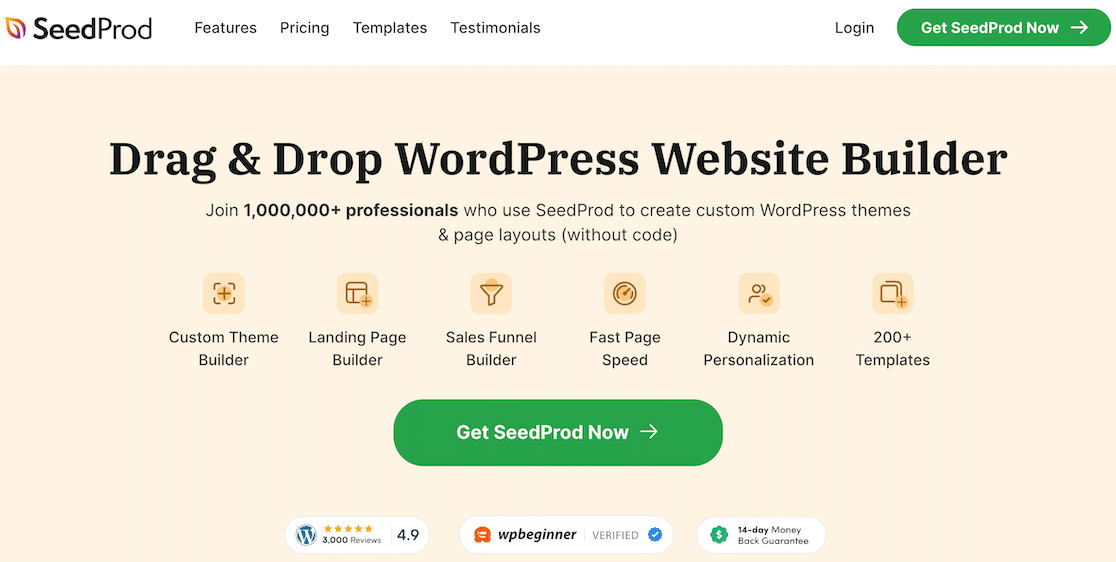
SeedProd comes from the same family of WordPress products as WPForms, and it has grown into one of the best website builders for a small business that wants results without complexity.
With 700,000+ active installs and a 4.9-star rating, it has the track record to back up the marketing. So if you’re wondering whether you actually need SeedProd, the features below should help you decide.
Drag-and-Drop Visual Builder
The heart of SeedProd is its drag and drop page builder. You pick a block from the panel on the left, drag it onto your page, and edit it right there on the live preview.
There’s no switching back and forth between an editor and a preview tab, so what you see while you work is what your visitors get.

You move things around, click to edit text, and adjust settings in a sidebar. Someone who has never touched WordPress design can still lay out a clean page in their first session.
Build an Entire Website With the Theme Builder
This is the feature that changed how I think about SeedProd. The Theme Builder lets you design every part of your WordPress site, not just standalone pages.
You can build custom headers, footers, sidebars, single post templates, archive pages, and even your 404 and search results pages, all in the same visual editor.
You go to SeedProd » Theme Builder, start from a template or a blank canvas, and SeedProd generates the theme template files for you.
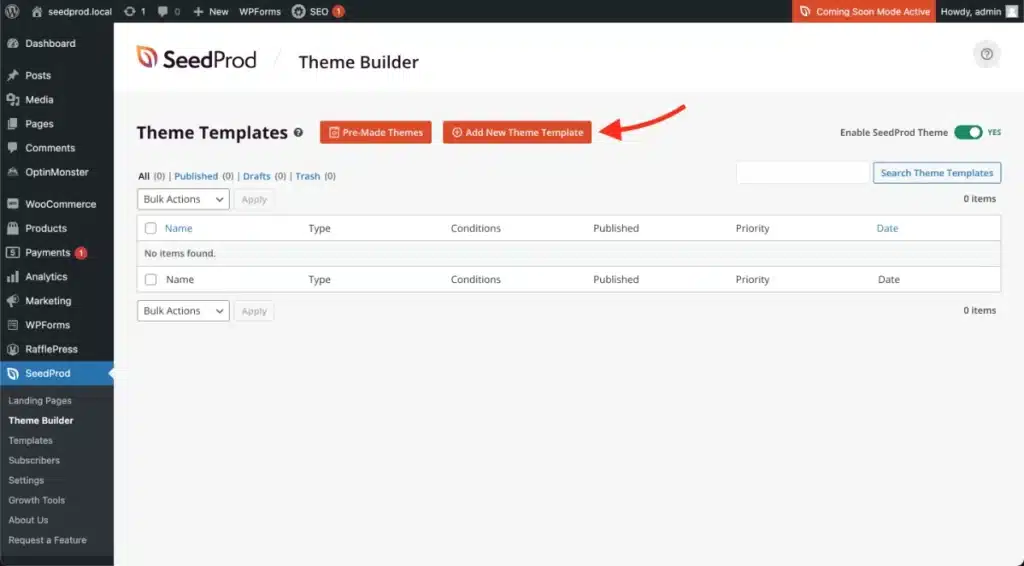
Your header and footer then stay consistent across the whole site, which is normally the kind of thing that sends people looking for a developer.
If you’ve ever felt boxed in by a theme that almost fits but never quite matches what you pictured, the Theme Builder is the answer.
The AI Website Builder
SeedProd has also added AI tools that speed up the early, blank-page stage of a project. The AI website builder can generate a starting design for you.
And, the AI assistant helps with individual pieces like images and copy so you’re editing something real instead of staring at an empty screen.

When I use it, I describe the kind of site or page I want, let SeedProd generate a first draft, and then refine it in the drag-and-drop editor.
It won’t replace your judgment about layout and messaging, but it removes a lot of the friction at the start, and it’s a genuine time-saver when you’re building several pages at once.
Landing Page Templates and Website Kits
SeedProd ships with more than 300 professionally designed landing page templates, so you rarely start from scratch. There’s a design for almost any goal you can think of, and each one is fully editable in the builder.
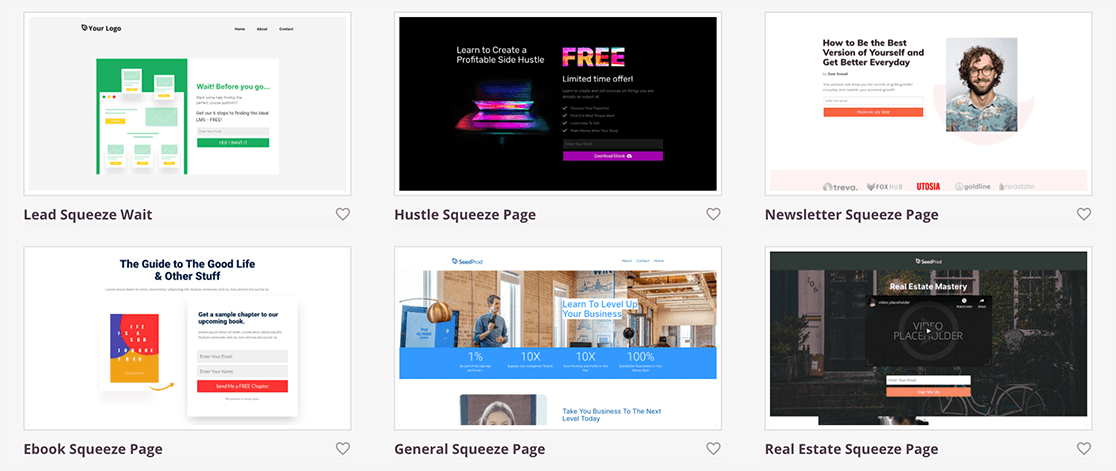
You’ll find templates for these kinds of pages and more:
- Sales pages
- Squeeze and opt-in pages
- Coming soon and maintenance pages
- 404 pages
- Login pages
- Thank you pages
- Webinar and video pages
On top of individual templates, SeedProd offers Website Kits. A kit is a set of matching page designs, a home page, about page, contact page, and so on, that share the same style.
You pick a kit, and you’ve got the bones of a whole site in one click instead of designing each page separately. If you’re weighing your options here, it holds up well against the other best landing page plugins for WordPress.
Easy Customization Options
A good builder should let you customize pages yourself without hiring anyone, and this is where SeedProd earns its beginner-friendly reputation. Every change is point-and-click, and you see the result instantly.
Block templates are a good example of this, because many of the blocks that make up your page, such as headlines, feature boxes, and calls to action, come with several ready-made designs.
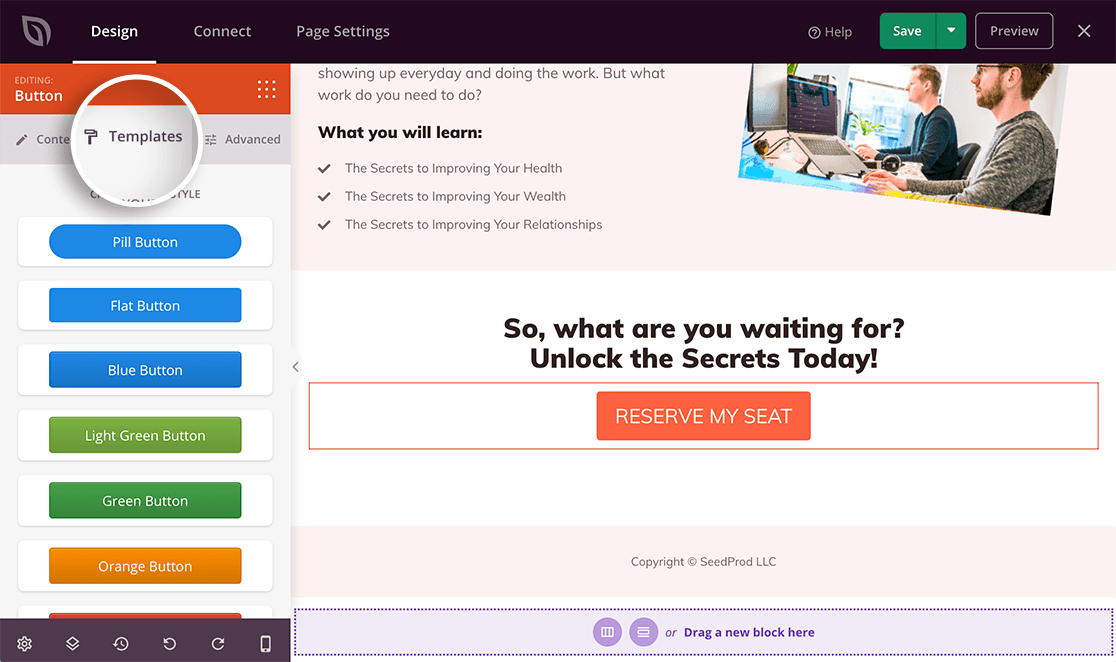
You click a block, open the Templates tab, and choose a style you like. That style is applied to your page right away, so you get a polished look without designing every element by hand.
Font Themes and Color Palettes
To make styling even quicker, SeedProd’s designers have done a lot of the hard work for you. Instead of picking colors and fonts one element at a time, you can apply whole color palettes and font pairings to your entire page at once.
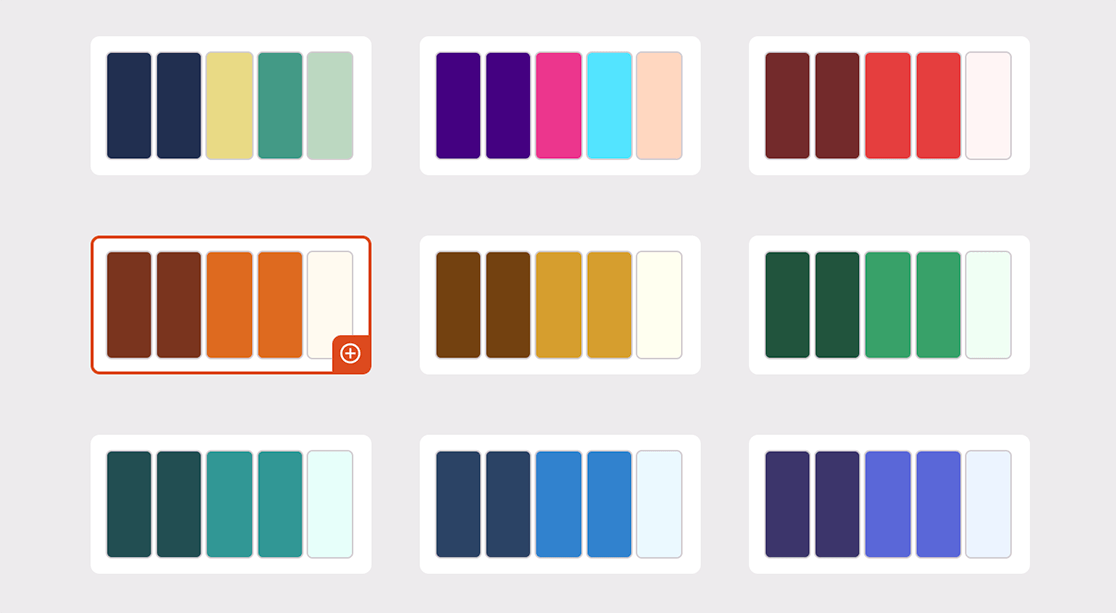
There’s no guesswork about which colors or fonts sit well together. You click a palette you like, and the page updates in front of you.
SeedProd includes more than 20 built-in color schemes, and you can always create your own if you have brand colors to match.
Advanced Page Blocks
Most site owners want more leads and sales, and SeedProd’s advanced blocks are built specifically for that. Each one is designed to drive action rather than pad out the page.
With a quick drag and drop, you can add:
- RafflePress giveaways
- WPForms contact forms
- Opt-in forms
- WordPress login forms
- Countdown timers
- Star ratings
- Call-to-action buttons
- Progress bars
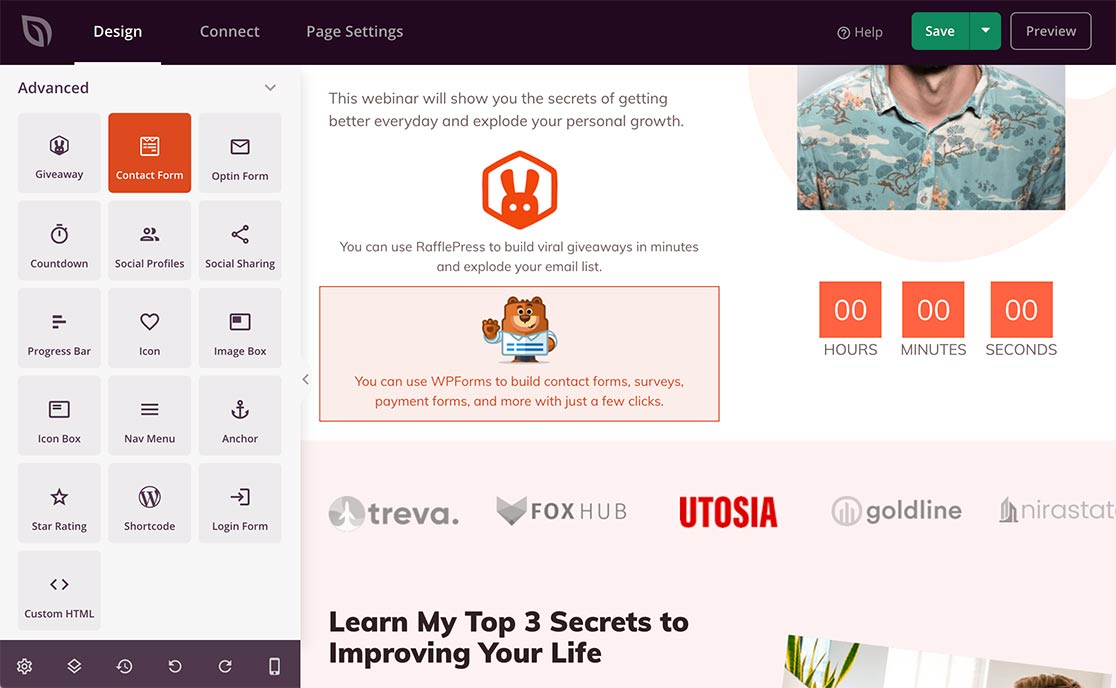
There are more than 90 blocks in total, covering both static content and dynamic elements.
SeedProd also includes Dynamic Text, which lets you pull in personalized content like a visitor’s name or the current date, so your pages don’t have to feel generic.
WooCommerce Blocks
If you run an online store, SeedProd gives you custom WooCommerce blocks so you can build product-focused pages and full shop layouts.
You can create custom cart and checkout pages too, again without a developer. The WooCommerce blocks include options like:
- Add to cart button
- Checkout
- Cart
- Products grid
- Recent products
- Sale products
- Best selling products
- Featured products
- Top-rated products
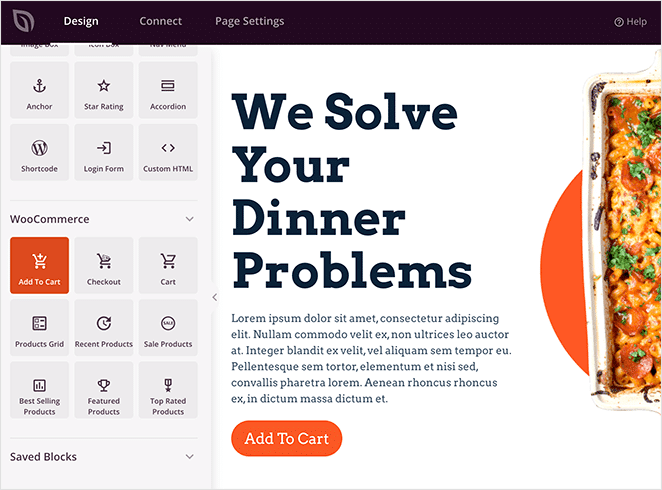
This kind of control over your store pages usually means custom code or a bulky theme, so having it in the same builder is a real advantage. WooCommerce building sits on SeedProd’s Elite plan.
Ready-Made Page Sections
Some pages need more than a template provides, whether that’s a FAQ area to answer common questions or an extra call-to-action section that reminds visitors about your offer.
Normally you’d build those areas block by block, but SeedProd’s page sections skip that step by giving you pre-built groups of blocks you can drop in with a single click.
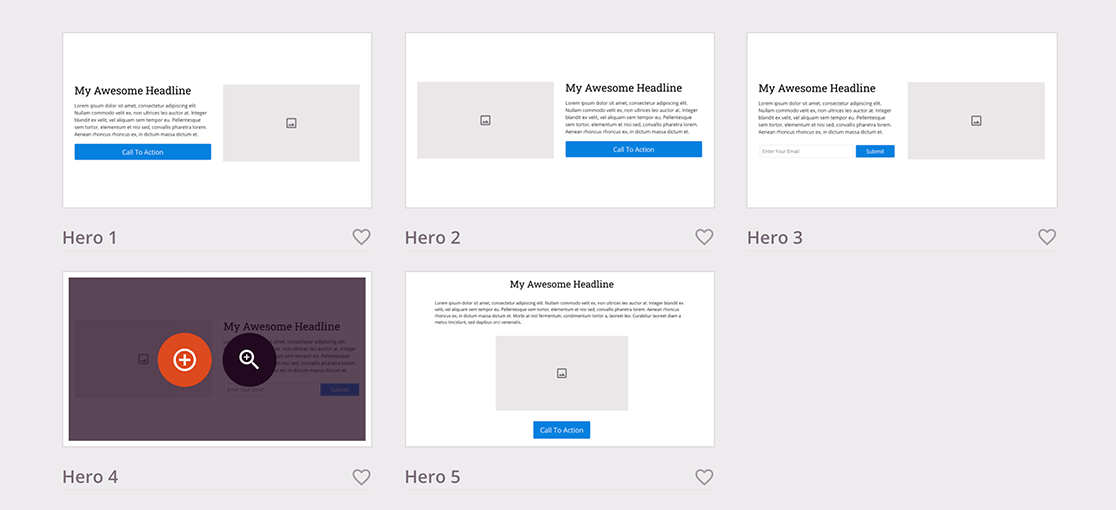
Once a section is on your page, you customize it exactly like any other block. It’s a small feature that saves a surprising amount of time once you start using it regularly.
Undo, Redo, Save, and Reuse
You’ll try a design idea, decide you don’t like it, and want to go back. SeedProd has full undo and redo, so you can roll back a change without losing the rest of your progress.
You can also save any block or template you’ve customized and reuse it on other pages, which keeps your designs consistent across the site. If you want to get comfortable with the safety net that version control gives you, this guide on how to undo changes in WordPress is a good companion read.
1-Click Page Modes
One of SeedProd’s most useful features is its built-in page modes. These are special pages you can switch on across your whole site with a single toggle, and each one solves a common problem.
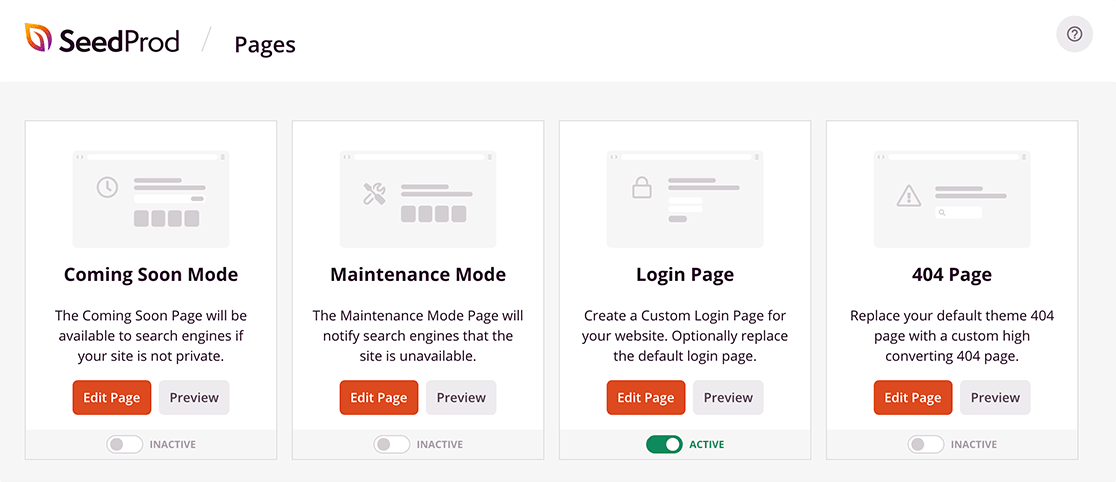
Since this is an in-depth review, here’s what each mode does.
Coming Soon Mode
Coming soon mode shows a friendly “launching soon” page while you build the rest of your site behind the scenes. It keeps your unfinished work private from the public while still giving search engines something to index, which gives your new site an early head start.

It’s the fastest way I know to create a coming soon page that actually looks good rather than the plain placeholder most plugins produce.
Maintenance Mode
When you need to take your site down for updates, maintenance mode shows visitors a clear message that you’ll be back shortly.
You can add a timeframe so people know when to check in again, and you skip installing a separate maintenance plugin to do it.

404 Page Mode
The 404 mode replaces the standard “page not found” screen with something useful. Instead of a dead end, you can point lost visitors toward your popular pages or your homepage.

A well-designed 404 page keeps people on your site longer and lowers your bounce rate, so it’s more than a cosmetic touch.
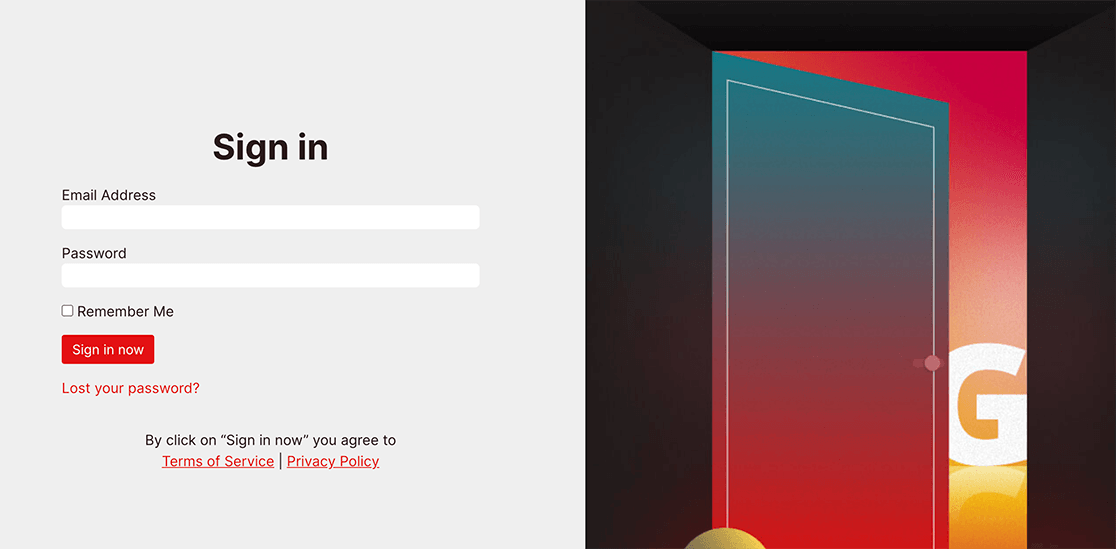
Login Page Mode
The default WordPress login screen is functional but bland, and it carries WordPress branding rather than yours.
With login page mode, you can create custom login pages that match your brand and even cross-promote your products right on the login screen.
Access Controls
As your site grows, you may want to keep certain pages away from the public. Maybe you’re building a site for a client and want to hide it, but still give that client a preview of your progress. SeedProd’s access controls handle exactly this.
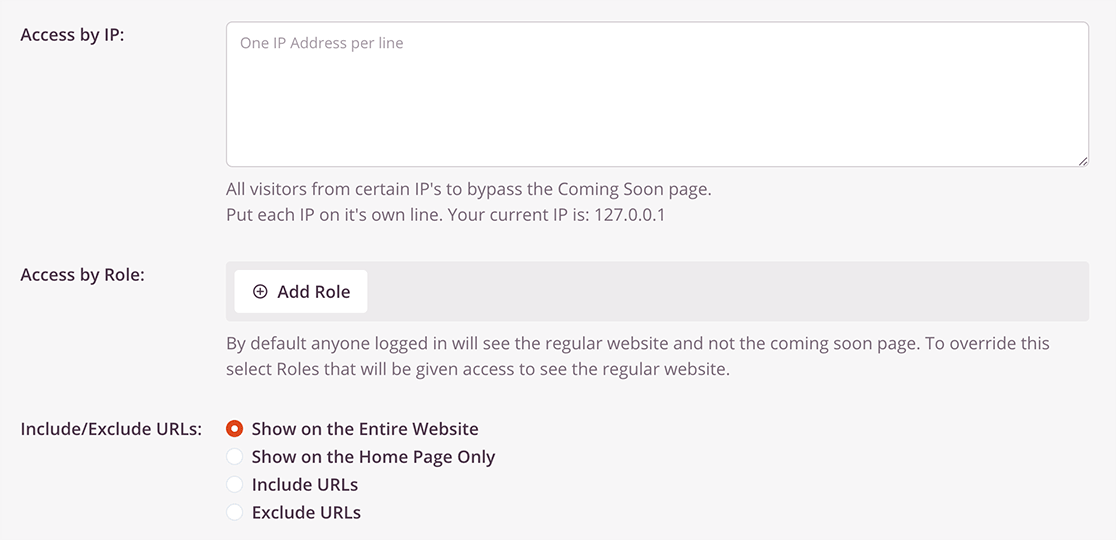
You can:
- Create a bypass link that skips your coming soon page when someone clicks it
- Grant access based on a visitor’s WordPress user role
- Include or exclude specific pages from your coming soon or maintenance notice
- Allow access based on a visitor’s IP address
That gives you control over who sees the work-in-progress version of your site and who sees the polished pages.
Domain Mapping
Ever wanted to give a landing page its own domain name that’s different from your main site? Say you run mysite.com but want a course to live at bestcourse.com. SeedProd’s domain mapping makes that possible.
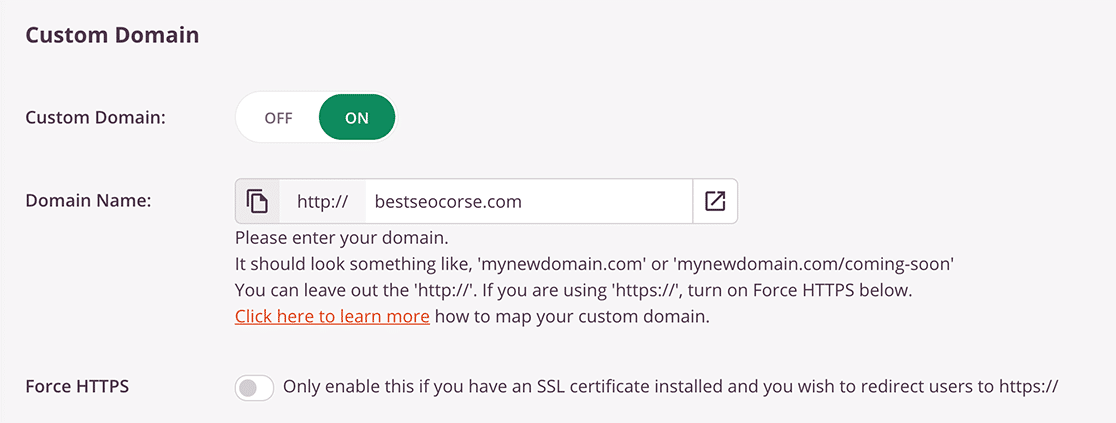
You build the page in WordPress, point the domain you own to it, and publish. You get to run multiple microsites without installing WordPress on every domain. Domain mapping is part of SeedProd’s Elite plan.
Email Marketing Integrations and Subscriber Management
If your pages exist to grow your email list, you’ll want them connected to your email provider. SeedProd integrates with the popular email marketing services, so managing subscribers stays simple.
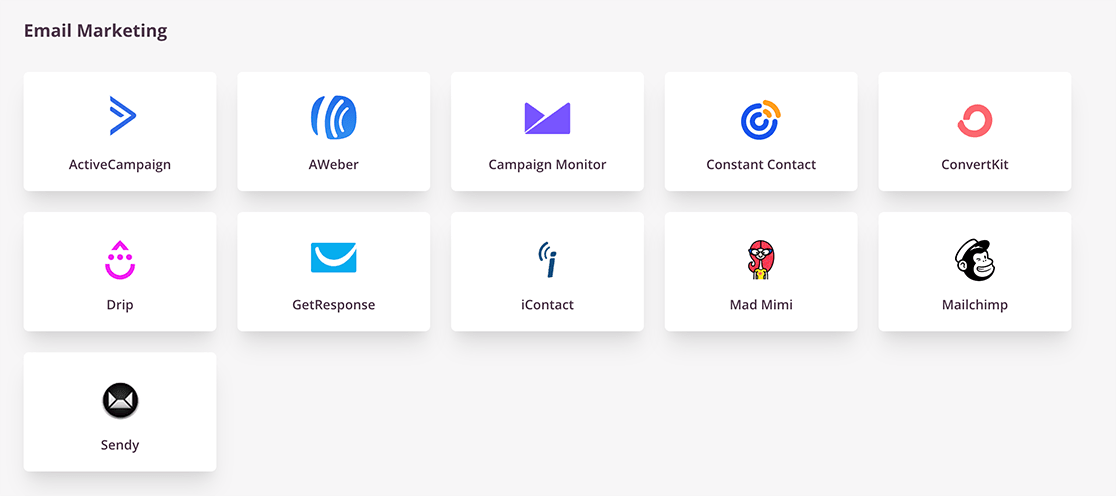
You can connect your pages to services like Constant Contact, ActiveCampaign, AWeber, Campaign Monitor, Kit, Drip, GetResponse, and more.
Don’t have an email provider yet? SeedProd still records every signup for you, and anyone who subscribes through your page shows up on the Subscribers overview where you can see your new leads at a glance.
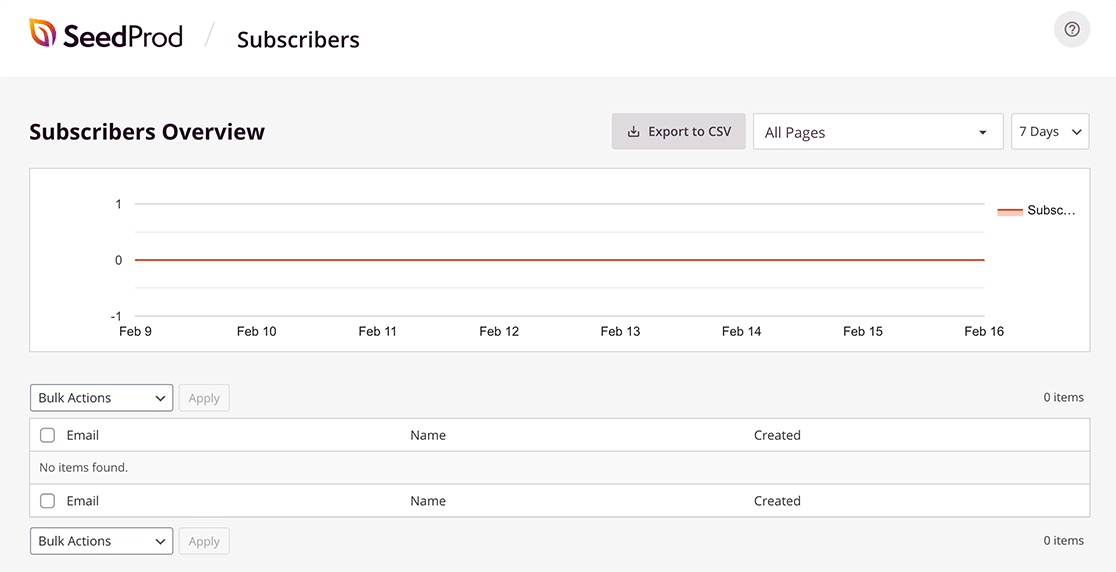
When you’re ready to move that list into an email service, you can export it as a CSV file in a couple of clicks.
Works With Any WordPress Theme
A common headache with page builders is fighting your theme to get a page to display correctly. Some themes need a special full-width template before a landing page looks right.
SeedProd sidesteps this because it works independently from your theme. Your pages render the way you designed them no matter which theme you’re running, and nothing breaks on the rest of your site. That independence is also what makes the Theme Builder possible, since SeedProd isn’t relying on your theme in the first place.
Mobile Preview
More people browse on their phones than on desktops now, so your pages need to look right on small screens. SeedProd includes a live mobile preview that shows your page exactly as a phone visitor would see it, and you can flip between desktop and mobile views while you design.
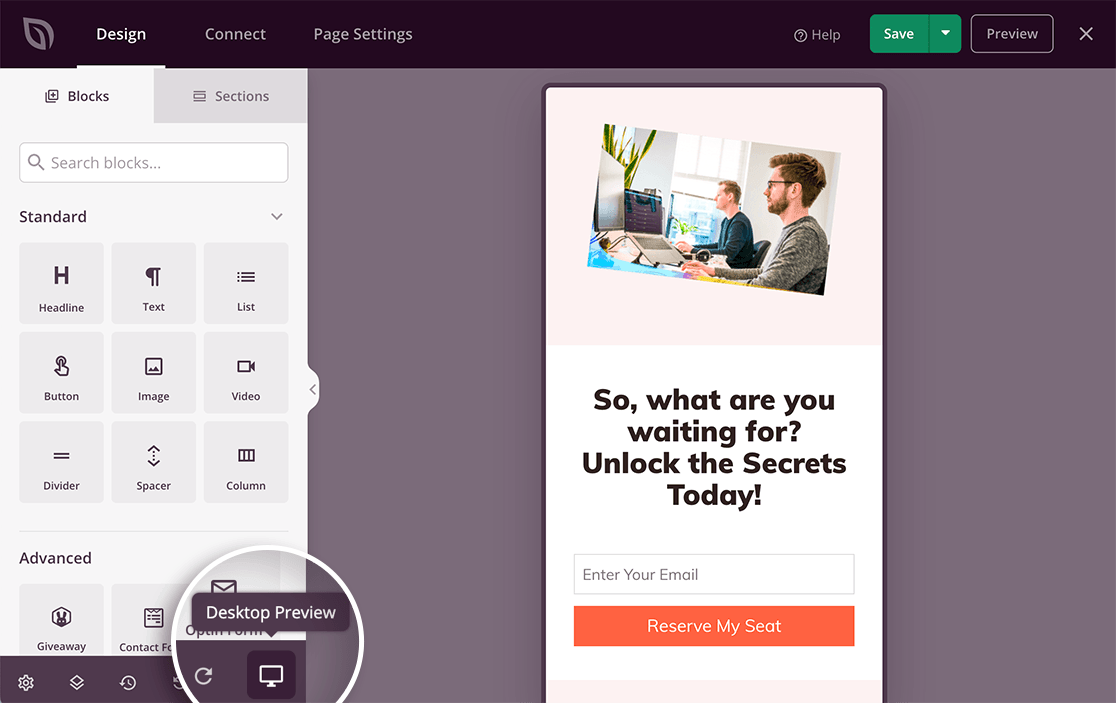
You adjust the layout until it looks right on both, and your changes save automatically for each view. It’s a small feature that saves you from publishing a page that looks great on your laptop and broken on a phone.
Lightning Fast and Lightweight
With this many features, you might expect SeedProd to slow your site down, but it stays lightweight and consistently posts some of the fastest page speeds among WordPress builders.
The reason is that it focuses on the lead-generating tools that matter and skips the bloat that heavier builders pile on. You get clean, fast-loading pages, which is good for both your visitors and your search rankings.
How Much Does SeedProd Cost?
Given everything it does, SeedProd is reasonably priced, and there’s a free version to start with. SeedProd Lite is available on WordPress.org and gives you enough to build a functional landing page or coming soon page.

Here’s how the paid plans break down at regular annual pricing:
- Basic: $79 per year for 1 site, with the drag-and-drop builder, 90+ blocks, and subscriber management
- Plus: $199 per year for 3 sites, which adds the Theme Builder, Website Kits, and email marketing integrations
- Pro: $399 per year for 5 sites, the most popular plan, adding 300+ templates, Dynamic Text, and Zapier connections. This is the sweet spot for most people
- Elite: $599 per year for 100 sites, adding WooCommerce building and domain mapping
SeedProd almost always runs an introductory discount of up to 50% off your first year, so you’ll often see Basic closer to $39.50 when you sign up.
Renewals come in at the regular rate, so it’s worth budgeting for that second year. Every paid plan is backed by a 14-day money-back guarantee.
Get Started With SeedProd Today
My Verdict on SeedProd
SeedProd is the website builder I’d recommend first to anyone who wants professional pages, or a full site, without the bloat and learning curve of a heavyweight builder.
If you want the Theme Builder, Website Kits, and AI tools, the Pro plan is the sweet spot, and the whole thing is backed by a 4.9-star rating from a lot of happy users.
FAQs About SeedProd
SeedProd is one of the most popular website and landing page builders for WordPress, so it comes up with a lot of questions. Here are the answers I get asked most often.
Is SeedProd worth it?
For most WordPress site owners, yes. If you want to build landing pages, custom themes, or a full website without code, SeedProd does it quickly and keeps your site fast. The value is strongest on the Pro plan, which unlocks the templates, Dynamic Text, and integrations most people end up wanting.
Is there a free version of SeedProd?
Yes. SeedProd Lite is free on WordPress.org and lets you build a working landing page or coming soon page. The paid plans add the Theme Builder, Website Kits, more templates, and the advanced blocks.
Can SeedProd build an entire website, not just landing pages?
It can. The Theme Builder lets you design headers, footers, single post templates, and archive pages, which means you can replace your WordPress theme and build a complete site inside SeedProd.
Does SeedProd have AI features?
Yes. SeedProd includes an AI website builder that generates a starting design and an AI assistant that helps create images and copy, so you spend less time on a blank page.
Is SeedProd good for beginners?
It’s one of the friendliest builders I’ve used. The drag-and-drop editor, ready-made templates, and one-click page modes mean you don’t need any design or coding experience to get a professional result.
Next, Add Powerful Forms to Your SeedProd Pages
SeedProd handles the design, and WPForms integrates directly with SeedProd so you can drop a powerful contact, survey, or payment form onto any page you build.
If you’re putting together your toolkit, it’s also worth browsing our roundup of the best WordPress plugins to grow your business alongside SeedProd.
Create Smarter WordPress Forms Now
Ready to build your form? Get started today with the easiest WordPress form builder plugin. WPForms Pro includes lots of free templates and offers a 14-day money-back guarantee.
If this article helped you out, please follow us on Facebook and X (Twitter) for more free WordPress tutorials and guides.





We do some consider this not a site builder and only a landing page builder? It seems like a full site builder to me.
Hi Brent- Yes you are correct! You can check out the complete list of SeedProd features here.
Hope this helps! 🙂
I downloaded Seedprod and changed my mind. I deactivated it and deleted it. BUT it will not go away. How can I get it out of my WP site? I have removed it via FTP and it looks gone, but it remains in my administration column.
Hey Maeve, we are sorry for any trouble. I would recommend following along the following guide
If you are not still able,
Would you mind reaching out to us with additional details so that we can help you further on this case?
Thanks.
Seed prod no longer works after upgrading to latest version of WordPress. All my sites using Seedprod no longer work! The seedprod team cannot figure out the issue
Hi there. I’ve spoken to the SeedProd support team and they would like to help you out. Please log in to your account and open a new ticket. The Team Leads are looking for your ticket and will prioritize it when it comes in.