



AI Summary
Do you need help thinking of survey questions for your website?
I always like to run surveys to get a feel for what site visitors and customers are thinking. It’s important to ask the right questions so you have actionable data at the end.
I’ve put together an example of survey questions you can ask to obtain meaningful responses from your audience.
Build Your Survey With Custom Questions
The Best Survey Questions to Ask, by Question Type
The nine types below cover every question you are likely to need, from a simple yes or no to a ranking question.
Multiple Choice/Radio Field Examples
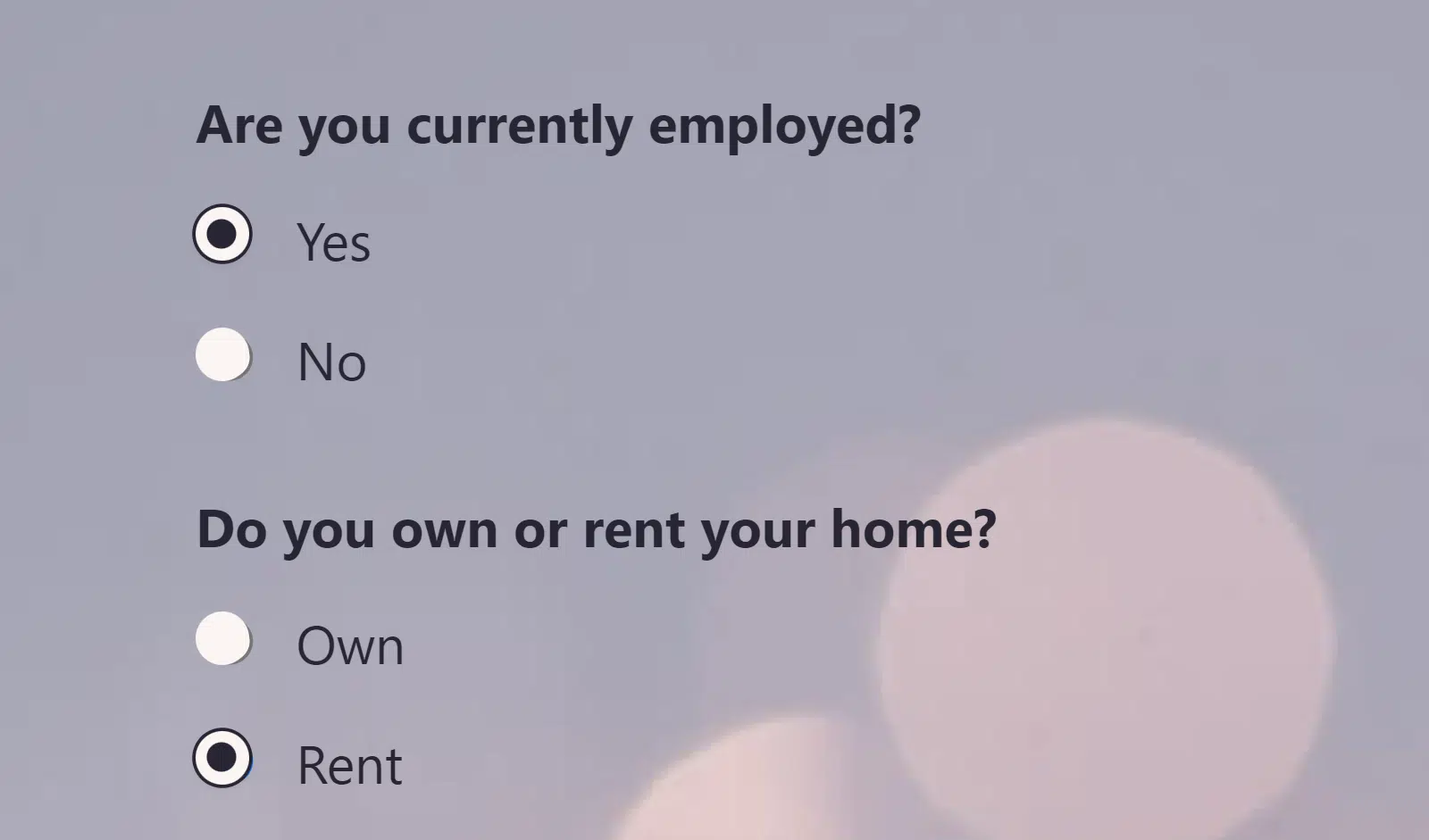
- Are you currently employed?
- Do you own or rent your home?
- Have you ever purchased a product from our website?
- How often do you work out?
- How did you discover our website?
Multiple choice questions (also known as the radio field) allow respondents to select one of several options.
It’s one of the most basic types of questions you can ask in a survey to collect zero-party data, and it’s also one of the easiest to respond to.
When to use: Multiple choice questions can be used when you want to give 2 or more possible answer choices, each being mutually exclusive.
They’re commonly used to obtain information about demographics, product or service usage, behavioral tendencies, user preferences, and the like.
Dropdown Questions
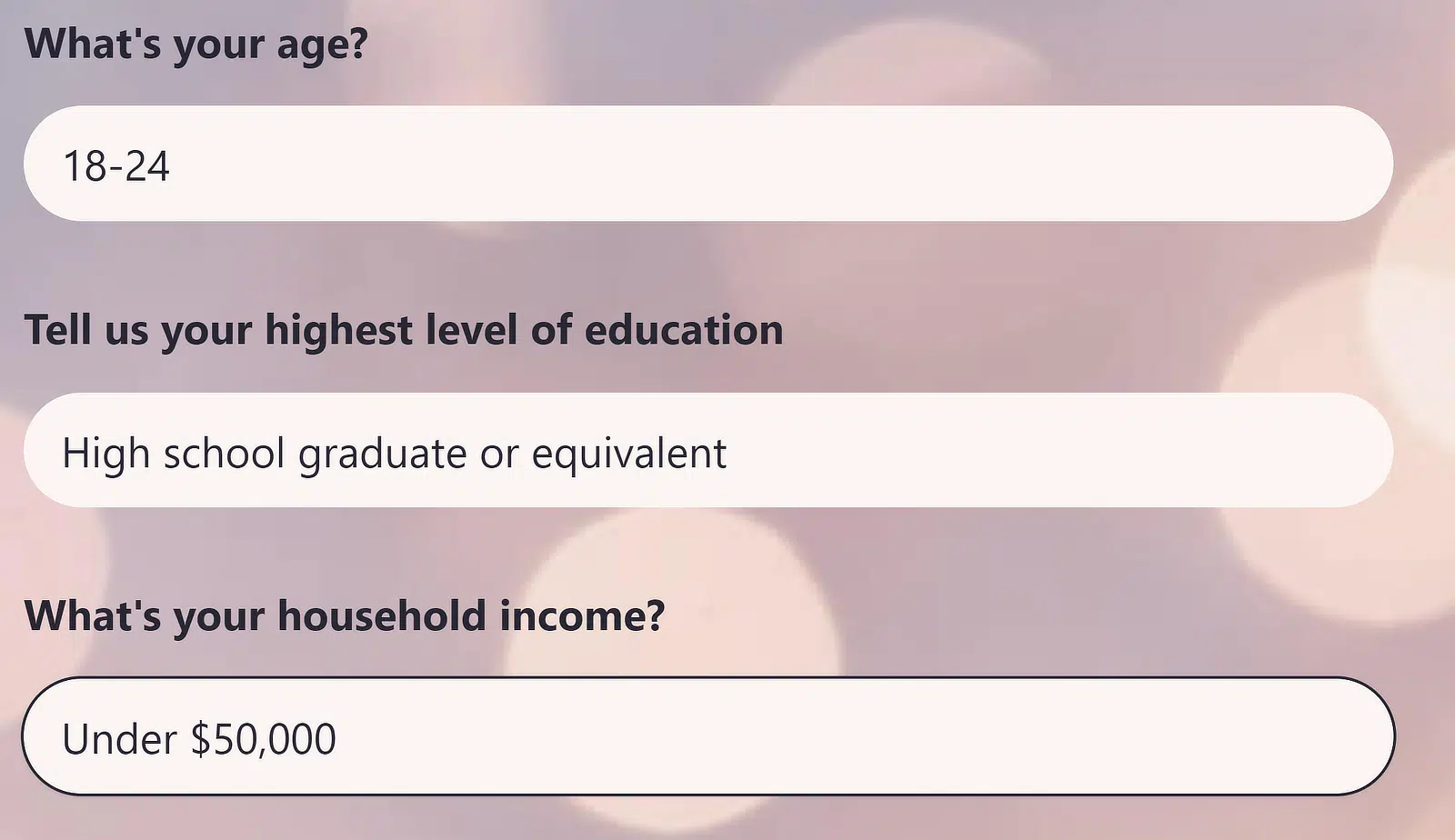
- What’s your age?
- Tell us your highest level of education?
- What’s your household income?
- What industry do you work in?
- How many people live in your household?
Dropdown questions are another type of close-ended questions commonly used in surveys. They’re similar to Multiple Choice questions but are more visually concise.
When to use: Dropdowns are excellent for demographic questions. They’re particularly useful for wordy choices or when a long list of options might otherwise make a survey appear longer if presented as multiple choice.
Checkbox Question Examples
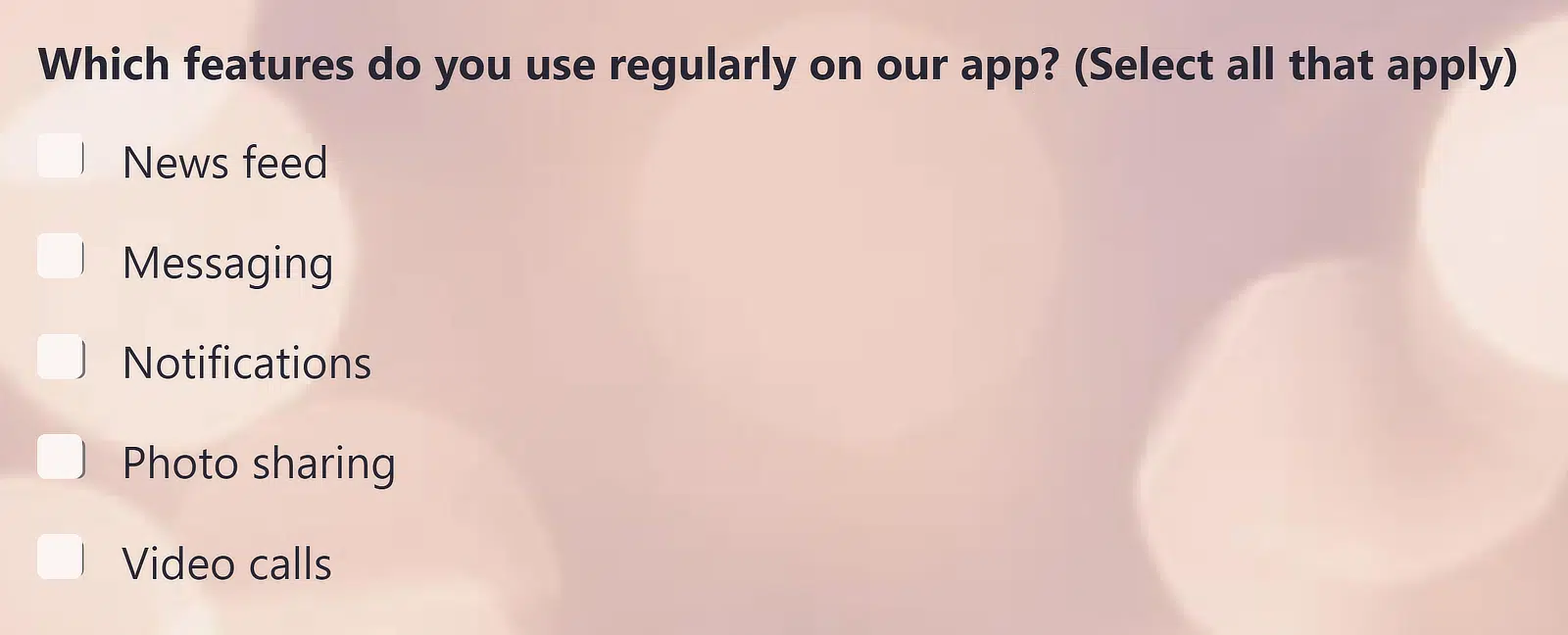
- What factors influence your purchasing decisions?
- Which features do you use regularly on our app?
- What activities would you be interested in at the retreat?
- What aspects of your job do you find most satisfying?
- What are your preferred types of travel accommodation?
Checkbox questions are excellent when you need to allow respondents to select any number of options for the question. The ability to select more than one option is what distinguishes a Checkbox field type from a Radio or Multiple Choice field.
When to use: Checkbox questions make survey completion faster for respondents and minimize the effort required. Respondents can simply click all the options that apply and move on to the next steps. This format is usually used when the surveyor wants to collect information about user interests and preferences.
Net Promoter Score (NPS) Question Examples
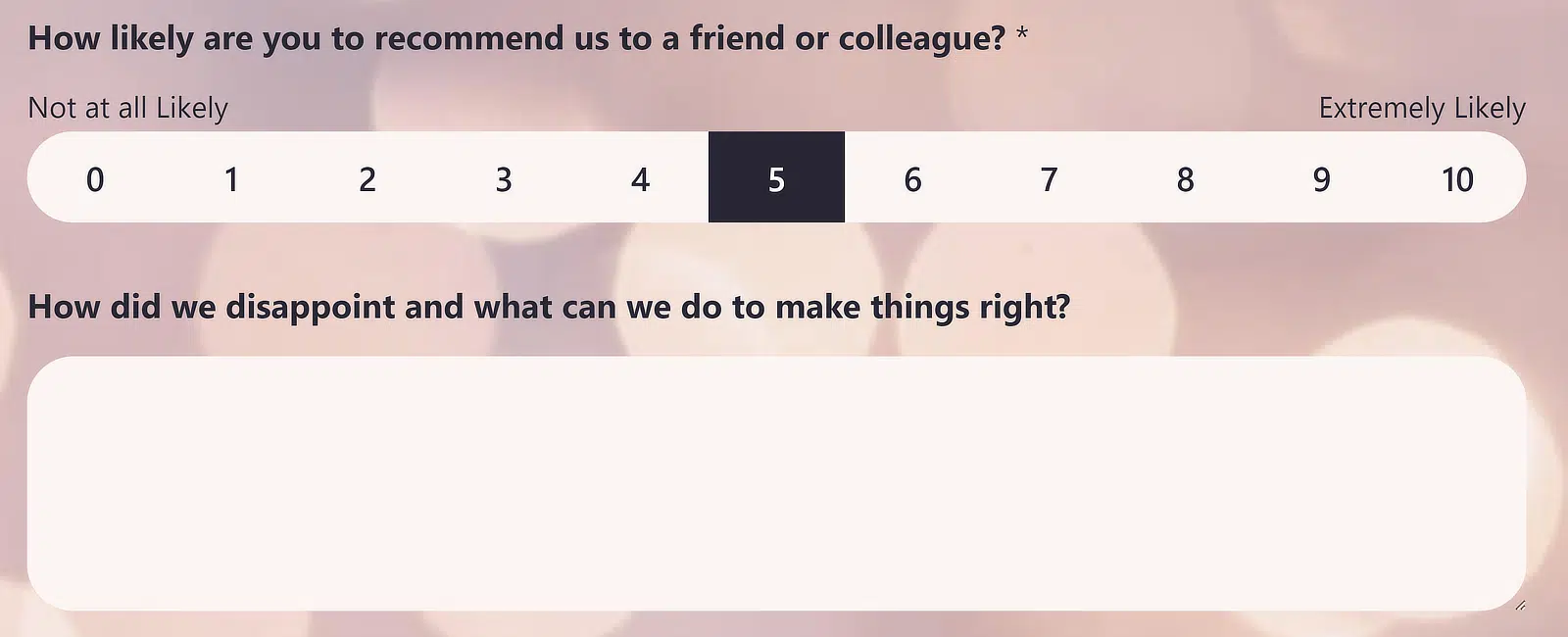
- How likely are you to recommend our store to a friend or family member?
- How likely are you to recommend our software to a colleague or peer?
- Based on your recent stay, how likely are you to suggest our hotel to someone else?
- How likely are you to recommend our clinic to friends and family?
- How likely are you to recommend our university to prospective students?
Rating scale questions like NPS surveys usually have only one purpose – to learn if your customers are likely to spread positive word about you based on their experience. It’s a good measure of a customer’s loyalty to your brand too.
NPS questions are usually paired with a follow-up question to gather insights about why the respondent chose to give you a particular score.
For example, let’s say you’re asking about the quality of your customer service and someone rates it at a 2 out of 10. You can set up your form so that it automatically displays a question focused on learning where you went wrong and how you can improve.
With WPForms, you can easily set up conditional logic to ask different questions based on how low or high a particular rating is.
When to use: NPS questions are great for feedback forms and customer surveys. Use these to evaluate customer loyalty, gather post-event feedback, conduct a period relationship check with customers, and more.
Rating Scale Question Examples
- How would you rate the quality of your recent support experience?
- How would you rate the value for money of your current plan?
- How would you rate the ease of checkout on our website?
- How would you rate the speed of delivery on your last order?
- How would you rate your overall satisfaction with our service?
A rating scale question asks respondents to score one thing on a fixed range, usually 1 to 5 or 1 to 10. Where NPS asks how likely someone is to recommend you, a rating scale asks directly about how good one specific thing was. That makes it the right pick when you want a score for one part of the experience rather than a loyalty measure.
Net Promoter Score and Likert Scale both need the Surveys and Polls addon at Pro, so a rating scale is the cheapest of the three.
The Rating field works on Basic and above, and you can set the scale anywhere from 2 to 10 icons.

The Advanced tab is where you swap the default star for a heart, a thumb or a smiley face. Fill in the Lowest Score Label and Highest Score Label so nobody has to guess whether 1 means terrible or excellent.
When to use: Rating scales suit post-purchase and post-support surveys, where you want a number attached to one moment the customer just lived through. The WPForms docs cover how to add a Rating field if you need the setup walkthrough.
Likert Scale Example
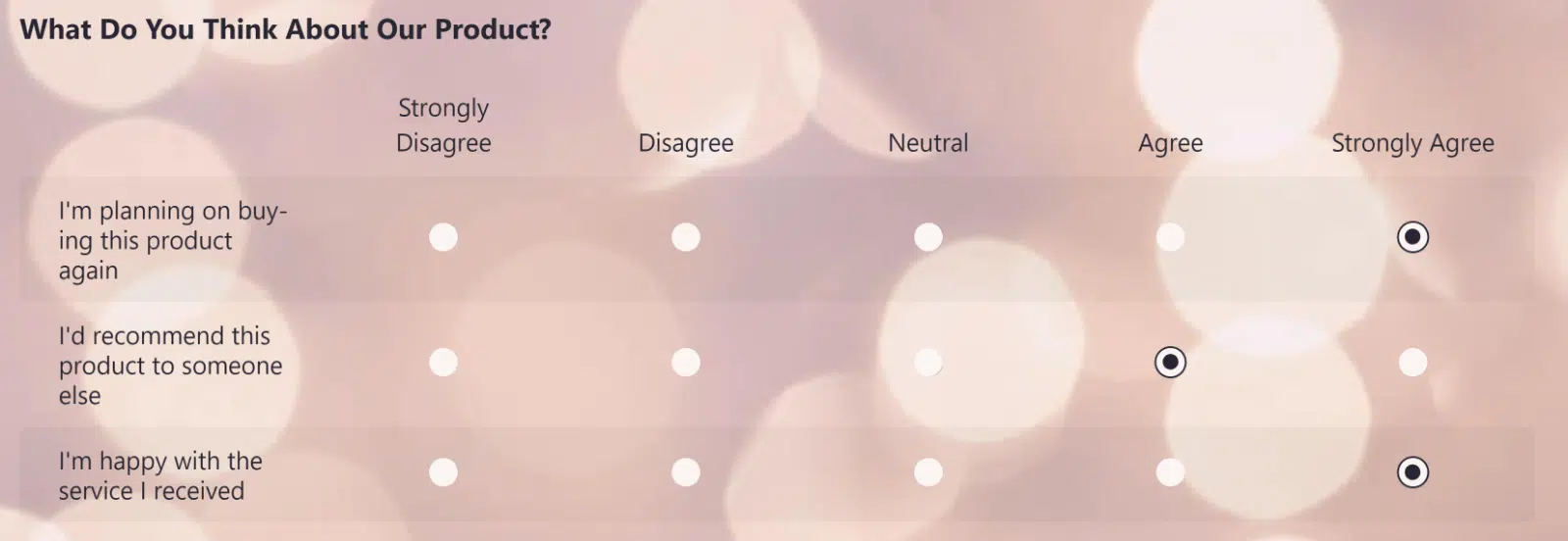
- The product meets my needs.
- How much do you feel valued by your company?
- I’d recommend this company to friends and family.
- I’m happy with the service I received.
- How effective was the onboarding process?
Likert scales, another form of rating scale questions, are great to use on many types of WordPress surveys. You’re probably already familiar with these “do you agree or disagree” type of questions. They’re sometimes called matrix questions.
An effective Likert scale will include a series of questions with around 5-7 balanced responses users can choose their answers from. It often comes with a ‘neutral’ midpoint.
Unlike most other types of question formats, a Likert scale question doesn’t have to be written in an interrogative form. It can simply be a statement with options for the respondent to indicate their level of agreement or disagreement with it.
When to use: Likert scales are ideal for measuring the attitudes and opinions of your customers. They’re also very useful for assessing the satisfaction levels in a more nuanced way than simple “Yes or No” radio fields.
To set up a Likert scale, head over to how to add a likert scale to your WordPress forms.
Ranking Question Examples
- Rank these features from most to least useful to you.
- Put these four plan tiers in order of how well they fit your budget.
- Order these support channels by the one you would reach for first.
- Rank these content formats by how much you want to see more of them.
- Put these three delivery options in order of preference.
A ranking question asks respondents to put a list of options in order of preference.
It tells you what people value most when they cannot simply pick everything, which is exactly where multiple choice and checkbox questions fall short. Ask it once you already know which options matter and need to learn their priority.
WPForms handles this with the Ranking field, which needs Pro because it arrives with the Surveys and Polls addon. Respondents drag options into position or move them with arrow buttons.

You can lay the choices out as a list or as a grid of 2 to 6 columns, and turning on choice randomization stops the order you typed from nudging the result.
WPForms tracks how often each choice landed at number 1 and what its average rank was across every response.
Those two numbers are what make a ranking question worth the setup, because they separate a divisive option from a consistently middling one.
When to use: Ranking questions suit roadmap and pricing research, where everything on the list is wanted and the only useful answer is what comes first.
Open-Ended Question Example

- What improvements would you like to see in our product?
- What do you like most about our product?
- What are the biggest challenges you face in your role?
- Provide your thoughts on the effectiveness of our recent marketing campaign.
- How do you think our company can better support your needs?
Open-ended questions play an important role in every survey. These are the questions that invite more complex answers than what you can capture with a simpler close-ended field like a Dropdown or Multiple Choices.
To get around this, you can run open questions in a pilot survey, then turn them into closed questions when you run the real survey. Our article on questionnaire examples and templates talks about this in more detail.
When to use: These work great as follow-ups to close-ended questions, giving respondents a chance to elaborate on their choices.
Open-ended questions can be easily created by simply turning a Paragraph text field into any question you’d like. But be careful not to ask ambiguous questions or bad survey questions, which we review next in our FAQ.
Yes or No Question Examples
- Have you contacted our support team in the last 6 months?
- Did you find what you were looking for today?
- Would you buy this product again?
- Are you currently using a competing product?
- Did anyone else help you decide on this purchase?
A yes or no question, which researchers call a dichotomous question, offers exactly two answers and is the fastest question a respondent can complete. Use one where the answer genuinely has two states and you do not need to know how strongly anyone feels about it.
There is no separate yes or no field in WPForms, because you build one with the Multiple Choice field set to two options.
That works in free Lite, as do the dropdown, checkbox and open-ended types above. Rating, NPS, Likert and ranking are the four that need a paid license.
Keep it for facts rather than opinions, because forcing a shade of grey into a binary produces data nobody trusts.
When to use: Yes or no questions work best as screeners at the top of a survey. One also makes a good gate on a follow-up you show only some respondents.
How to Write a Good Survey Question
A good survey question asks about exactly one thing, in words every respondent will read the same way. The eight rules below are the ones worth checking a draft against before the form goes live.
- Ask specific questions: If you want to get good data from people, you need to be as precise and specific as possible to lead them to an honest and helpful answer.
- Be clear and concise: Be direct and get to the point so you don’t lose your visitors’ attention.
- Avoid subjective verbiage: How often is ‘regularly’ in the question “Do you exercise regularly?”
- Don’t force answers: Be selective about which questions you require on your surveys, so you don’t lose respondents who are looking for privacy or want to skip a question.
- Avoid double-barreled questions: An example of this would be “Was this the fastest and friendliest customer service you’ve ever received?”
- Lean toward closed-ended questions: Try and keep it to less than 3 open-ended questions on longer surveys like multi-step surveys, and 1-2 on shorter ones.
- Avoid leading questions: Don’t set up a question with bias like “How much fun was that event?!”
- Don’t make questions too similar: Make sure you’re using the survey taker’s time wisely by asking a variety of questions.
Once the wording is settled, the Surveys and Polls addon turns the answers into charts you can read at a glance.
And there it is! Examples of the best survey questions to ask. Hopefully, this post helped you fine-tune your survey strategies for your small business website and find the best types of survey questions for you.
FAQs on Survey Questions
The world of online surveys can be overwhelming, but we’re here to make it simple for you. Here are some answers to the most frequently asked questions about asking survey questions on the web.
What are some good demographic questions to ask?
- What’s your age?
- What’s your date of birth?
- Which gender are you?
- What’s your ethnicity?
- Tell us your highest level of education.
- What’s your current employment status?
- Where do you live? (City, State, Country, etc)
- What’s your marital status?
- Tell us your household income.
Demographic survey questions are some of the most effective basic survey questions to ask people. Online surveys aren’t done in person, so sometimes you need to ask the user obvious questions about themselves for your data.
However, some of these can be sensitive questions, so ask for only what you absolutely need. Keep in mind you can also track site visitors to learn some of these demographic details, but not the specific ones.
What are 5 good survey questions?
A reliable five question survey uses a different question type for each one, so no single format carries all the weight. This set works for most businesses.
- How would you rate your overall experience with us?
- How likely are you to recommend us to a friend or colleague?
- Which of these products did you use most in the last month?
- Did you find what you were looking for today?
- What is the one thing we could do better?
Five is a deliberate number. Response rates fall as surveys get longer, so a short set that people finish beats a thorough one they abandon halfway through.
How do you write a good survey question?
A good survey question covers exactly one topic and uses plain words that do not nudge the respondent toward an answer. The eight rules worth checking a draft against are in the section on how to write a good survey question above.
The shortcut is to start from a template when you create a survey online. WPForms Pro has survey templates that follow the rules and examples in this post, which makes it easy for anyone to run a survey on their WordPress website.
What is a bad survey?
In some ways, a bad survey is subjective. But when you’re running a website and a business online, a bad survey is one that doesn’t convert well and doesn’t get you good data.
This is most often caused by asking too many bad survey questions, and not enough good survey questions. Let’s take a look at some examples of bad survey questions next, so you know which ones to avoid.
What are some examples of bad survey questions?
Here are some examples of bad survey questions to watch out for.
“Why are we the best t-shirt company on the planet?”
This is a leading question and should be avoided, even if you feel the statement is true. Leading questions are a bad idea to put on your surveys. It shows bias which will end up giving you poor data.
“What is your age and your birthday?”
Don’t ask for the same thing more than once. This could be considered a waste of time by the person taking your survey. Make sure to only ask for the data you need.
“How would you rate our product and our customer service?”
Try to avoid asking double-barrelled questions that ask for more than one thing at a time.
“If you could pick our next product, what would it be, what would it do, what would you call it, how much would it cost, and what color would it be?”
Did you even finish reading that sentence? Don’t ask long-winded questions and remember to keep your survey tight, concise, and to the point.
“What do you think of our website?”
This is a pretty vague and ambiguous question, so make sure you get way more specific on your survey.
“Is your favorite color blue or green?”
Don’t offer too few options for people when way more options exist. If you don’t know the other options, include an ‘other’ box with a line text field to let people input their answers. You may end up getting more accurate answers than you would’ve if you hadn’t included the other field.
What are ambiguous questions?
If you’re expecting respondents to answer ambiguous questions, you are going to be surprised when you check out your reporting dashboard. You might see a lot of traffic on your site but few responses to your survey.
That’s because ambiguous questions, which are vague and have more than one meaning, are confusing. They break one of the biggest rules about writing a good survey and they aren’t concise or direct.
How do you analyze the results?
You can analyze survey results in different ways depending on the question fields that you used. Closed questions are normally easier to analyze than open questions.
If you use Likert scales, it’s a good idea not to use tons of answer choices so you can draw a stronger conclusion.
If you need help, we have some pro tricks on how to write survey results summary that will help you to present your findings in the best way.
Next, Turn Your Survey Questions Into a Live Form
Now that you know what to ask, the next step is getting the questions in front of people.
WPForms is the most beginner-friendly WordPress form builder, and every question type on this page is a field you drag into place. Once responses start arriving, how to analyze survey results in WordPress picks up from there.
Also, chatbots are becoming more popular lately for collecting feedback. If you’re wondering if you should use one over a web form, we recommend reading our guide on choosing between chatbots vs forms.
Ready to build your survey? Get started today with the easiest WordPress form builder plugin. WPForms Pro includes lots of free templates and offers a 14-day money-back guarantee.
If this article helped you out, please follow us on Facebook and Twitter for more free WordPress tutorials and guides.





If was had the questions:
* How would you rate your ability to read and comprehend the English language? and the check box was “Not at All” to “Fluently”. What would be 3 more middle ratings?
Hi Robin, to achieve this I would recommend adding a fluency scaling as:
Not at all
Beginner
Intermediate
Expert
In case it helps, please know that you can add scale to your choice and here is our great article on the same.
I hope this helps!