



AI Summary
Picking the right WordPress membership plugin is one of those decisions that quietly shapes everything else about your site, your pricing model, your content workflow, even how easy it is to keep paying members happy long-term.
The market is crowded, and most “best of” lists feel interchangeable. So I went through the leading WordPress membership plugins and put together this honest comparison, with each plugin’s real strengths, where it falls short, and the use case it actually fits.
By the time you finish reading, you’ll know which plugin matches your goals, whether that’s selling courses, gating premium content, running a paid newsletter, or building a paid community.
What Is the Best WordPress Membership Plugin?
Comparison of Best WordPress Membership Plugins
Before we get into the full reviews, here’s a side-by-side comparison of every plugin covered in this post. You can read about the full feature breakdowns of each plugin below.
| Plugin | Free version | Pricing | Best for |
|---|---|---|---|
| MemberPress | No | $179.50/yr | Beginners, multiple income streams |
| Paid Memberships Pro | Yes | $277/yr | Best free option, subscription businesses |
| Thrive Apprentice | No | $149/yr | Course-focused membership sites |
| MemberMouse | No | $199.50/yr | Enterprise-level sites |
| WishList Member | No | $149.50/yr | All-in-one paywall solution |
| LearnDash | No | $199/yr | Full Learning Management System |
| Teachable | Free trial | $39/mo | Hosted LearnDash alternative |
| Ultimate Member | Yes | $249/yr | Community-focused membership sites |
| Restrict Content Pro | No | $99/yr | Bloggers and other publishers |
| WooCommerce Memberships | No | $199/yr | Established WooCommerce stores |
| SureMembers | Yes | $97/yr | Beginners, modern paywalls |
| aMember Pro | No | $149/lifetime | MemberPress alternative for developers |
| s2Member | Yes | $89/lifetime | Free option, advanced users |
1. MemberPress
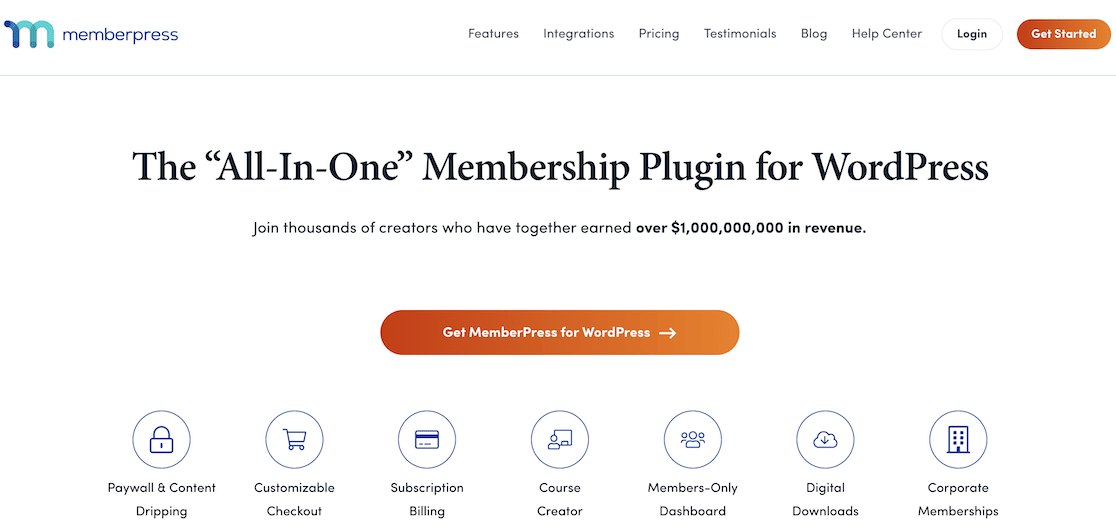
MemberPress is one of the easiest to use WordPress membership plugins out there. It comes with a ton of features and integrates smoothly with WordPress, so you can turn your website into a powerful membership site with ease.
Plus, it’s the best alternative to MemberMouse and ARMember on the market. We were super impressed with MemberPress’s range of features and flexibility.
You can use it to create a full-fledged members-only site that’s accessible to subscribers, add a paywall for restricted content on specific sections of your site, and even sell courses.
MemberPress offers a built-in Courses addon that turns it into a Learning Management System so you can create, manage, and sell online courses.
You can use the drag and drop builder to easily build your course curriculum, automatically style your course with Classroom Mode, track learners’ progress, and more.
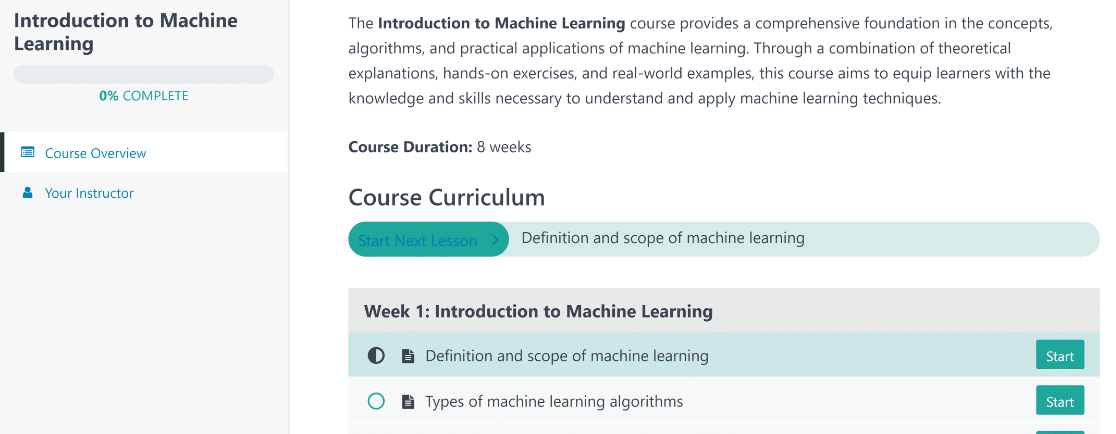
I built a simple course page on a very plain WordPress theme, and it still looked absolutely fantastic. To summarize, there’s a lot to admire about MemberPress.
Features:
- Easy Setup: To get started all you need to do is install the plugin, configure your payment gateways, create different membership levels, and add some products. Then start inviting people to join.
- Content Restriction: Restrict user access to pages, posts, custom post types, categories, tags, and much more. Maintain control over what members can see using customizable membership plans.
- Course Builder: Create courses that mimic the style and functionality of professional online course platforms like Udemy and Coursera.
- Integrations: MemberPress integrates with popular email marketing services such as AWeber, Mailchimp, Constant Contact, MadMimi, and GetResponse. You can also integrate with BuddyPress for creating a forum, and Amazon Web Services for organizing and growing your business.
- Widgets: Login widgets for sidebars to make it easy for your members to sign in.
- Payment Gateways: MemberPress supports both PayPal and Stripe payment gateways. The Pro and Plus plans also support Authorize.net.
- Documentation: Tons of helpful walkthrough tutorials.
And using MemberPress, you’ll also enjoy features such as coupon generation, dynamic pricing, content dripping, and detailed analytics for monitoring the success of your membership site.
Cost: Pricing for MemberPress paid plans starts at $179.50/year for a single site license.
2. Paid Memberships Pro

Paid Memberships Pro is the most popular free WordPress membership plugin on the market, with more than 100,000 active installations on WordPress.org and a strong reputation for flexibility.
The core plugin is fully open-source, which means you get unlimited members, unlimited membership levels, content restriction by post or page, and basic Stripe and PayPal payments without paying anything.
That’s rare in this category, and it makes Paid Memberships Pro the obvious starting point if you’re testing a membership idea before committing budget.
What I like is that the upgrade path doesn’t punish you. The paid plan unlocks dozens of add-ons (custom checkout fields, advanced reporting, 50+ integrations, multiple payment gateways), but you can launch and run a real membership site on the free version for as long as you want.
Features:
- Unlimited Membership Levels: Build as many tiers as your business needs, with custom pricing, billing intervals, and access rules per level.
- Content Access Control: Restrict posts, pages, categories, custom post types, and even individual sections of pages to specific member levels.
- Discount Codes and Drip Content: Run promotions with discount codes, schedule content releases, and offer free trials on any membership level.
- Reports and Member Dashboard: Track revenue, signups, cancellations, and churn from a built-in analytics dashboard.
- Add-On Library. 50+ add-ons in the paid plans cover Mailchimp, ConvertKit, BuddyPress, Affiliate WP, custom levels, and more.
Paid Memberships Pro is also the most heavily reviewed free membership plugin on WordPress.org, which means you’re betting on a project with serious staying power.
Cost: Free for the core plugin. Paid plans start at $277/year.
3. Thrive Apprentice

Plugins by Thrive Themes are always incredibly flexible and give you outstanding customization freedom. Thrive Apprentice is no different.
It’s a powerful membership plugin and course builder that lets you create courses, assessments, and other course-related products using a highly customizable visual editor.
It’s perfect for offering instructional content to your users. You can see all your members’ information in an easy-to-read dashboard, create custom content dripping schedules, and more.
When it comes to custom course building, Thrive Apprentice gives you tons of options. You can choose how to divide up your classes, what format they’re available in (text, video, or audio), and whether you want to include additional downloadable materials and certificates.
I had a fantastic experience using the course builder from the backend. When you’re creating a course for the first time, Thrive Apprentice walks you through all the steps with a user-friendly setup wizard.
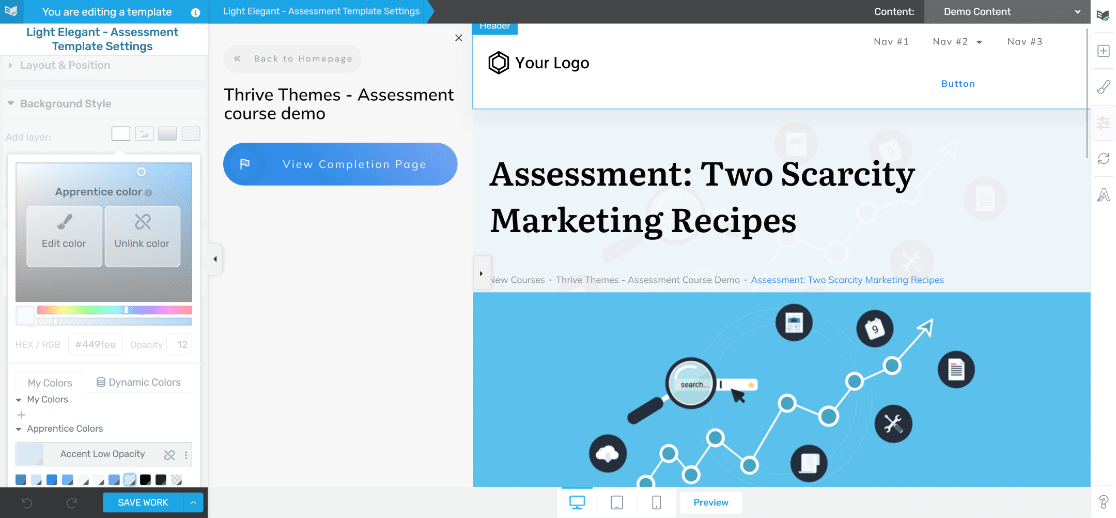
My favorite feature offered by Thrive Apprentice is content drip. This allows you to drip feed your course content to customers over a specific period of time or by using other user actions as triggers.
Features:
- User Friendly: Thrive Apprentice is beginner friendly and even provides a handy setup wizard to walk you through the process of creating your first course.
- Content Dripping: Set a custom schedule to determine when students can access new lessons. You can even create multiple schedules for the same course or use trigger actions to personalize the experience.
- Member Management Dashboard: Keep track of all your members from the member dashboard and easily set access rules for individual users.
- Visual Course Builder: Create unique online courses with ease using the drag-and-drop course builder. It comes with over 55 templates.
- Personalized Content: Use conditional display rules to show different courses to different types of users and increase your engagement rates.
- Reports: Measure course performance with enrollments, completion, average course progress, and more.
I strongly recommend Thrive Apprentice as one of the most feature-rich membership plugins for WordPress.
Cost: Thrive Apprentice starts at $149/year.
4. MemberMouse
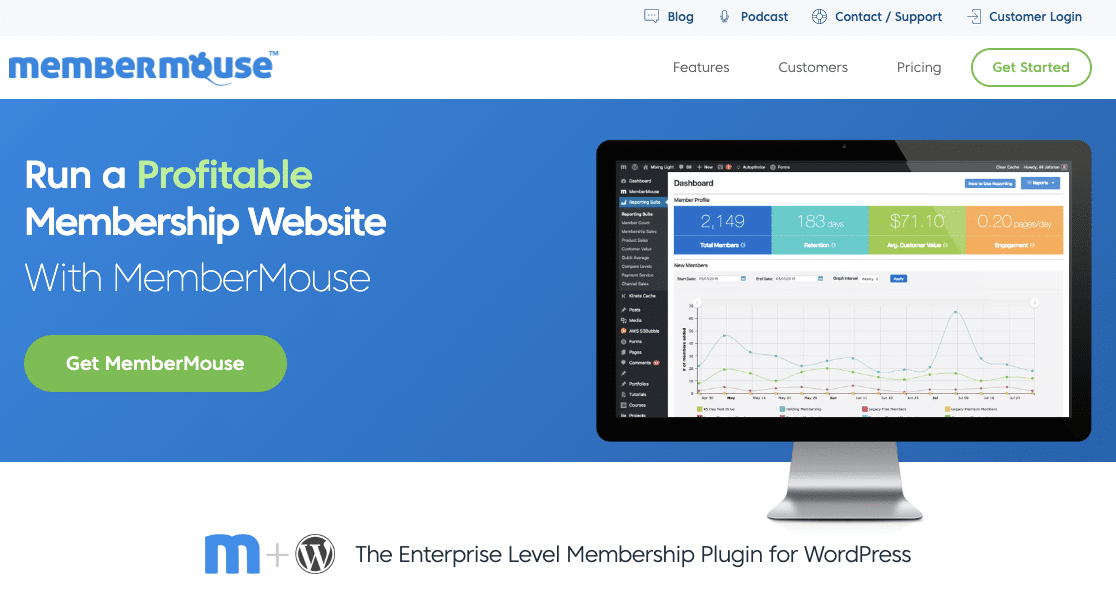
MemberMouse is a popular enterprise-level membership plugin. It offers lots of advanced features for creating gated content, managing your members, and generating revenue.
Although it’s not as beginner-friendly as MemberPress or Thrive Apprentice, it can be a great solution for large membership sites.
The one area where MemberMouse really stands out is its advanced analytics features. It generates charts to illustrate important metrics like total members, retention, engagement, average customer value, and more in an easy-to-understand way.
I were also very glad to find convenient features like push notifications, which can be really handy for admins. You can create various kinds of notifications that trigger when a new member is added, a membership level is changed for a user, a refund is issued, and so on.
These allow you and your team to immediately learn of user events as they happen. MemberMouse also integrates with popular payment gateways and email marketing platforms as well. Plus, you can offer prorated upgrades and upsells to your members to increase your revenue.
Features:
- Create Multiple Membership Levels: Set up different types of memberships with increasing price ranges.
- Content Protection: Lock content for non-members or members who don’t have the right subscription.
- Content Dripping: Release content on a pre-set schedule.
- One-Time Product Sales: Sell physical products in addition to your membership subscriptions.
- Advanced Member Dashboard: Manage your members and view advanced analytics right in your WordPress admin dashboard.
I rate MemberMouse highly for its excellent range of features. The only minor drawback is that it’s a bit more expensive than alternatives like Thrive Apprentice and MemberPress.
Cost: MemberMouse starts at $199.50/year.
5. WishList Member
WishList Member is one of the longest-running membership plugins for WordPress, and it’s still a strong, trusted option for managing content access and paid memberships.
What keeps it on top lists year after year is the steady stream of feature updates. The team behind it has shipped a course builder, a stack of integrations, and a much cleaner admin experience than most plugins in this space.
From quick onboarding to integrations with payment processors and email tools, WishList Member has matured well. Like MemberPress and Thrive Apprentice, WishList Member has its own dedicated course builder add-on, CourseCure.
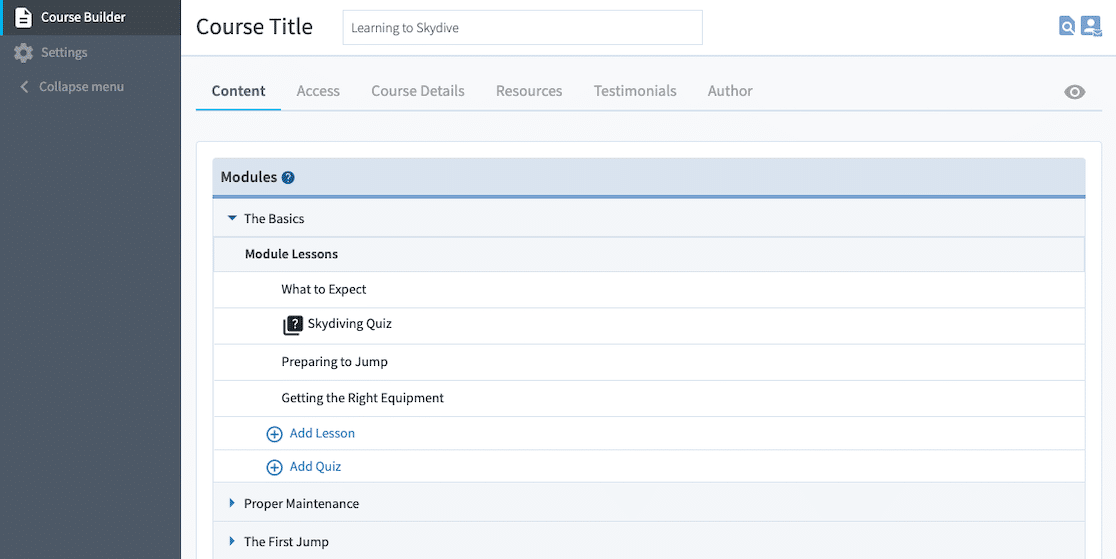
Its flexible course template makes building and selling courses pretty painless, especially if you’ve felt overwhelmed by other LMS tools.
Features:
- Unlimited Membership Tiers: Add as many membership levels as you wish.
- Swift Content Protection: Control access to pages and posts with a single click. Just select the Protect option directly from the WordPress editor.
- Drip and Schedule Content: Stagger your content releases to new members to manage engagement and incentivize continuous membership.
- Teaser Previews: Display brief previews of your content to non-subscribers, enticing them to register and discover the full content.
- Integrated Course Creation: WishList Member’s own course builder, CourseCure, lets you create lessons with the option to add quizzes, points, and badges to maximize engagement.
- Multiple Payment Options: Process transactions with over 20 trusted payment platforms, including Stripe, PayPal, and WooCommerce.
WishList Member is also priced competitively compared to most of the all-in-one membership plugins on this list.
Cost: WishList Member’s Starter plan for 1 site license comes in at just $149.50/year.
6. LearnDash

LearnDash is a WordPress membership and popular LMS plugin designed to help you create and sell online courses on your website.
It’s an extremely easy-to-use tool that comes with lots of integrations, membership modules, and powerful administration capabilities.
Features:
- Advanced Course Builder: If selling online courses is the main goal of your membership site, LearnDash has you covered. Their drag and drop course builder lets you create multi-layer courses with categories, lessons, topics, assignments, and quizzes.
- Easy Payment Structure: You create any pricing model you want, which includes one-time sales, subscriptions, and membership bundles. You can also use any of 300+ available payment gateways. Which is great since the goal here is to generate the most money and make the process super easy on your users.
- Comprehensive Member Management: You have complete control over your students as they progress through courses. Features include frontend user profiles for users, detailed reporting, and automatic email notifications to encourage engagement.
- Advanced Technology: LearnDash supports the latest technology and it’s WordPress multisite compatible. Use this membership plugin on any WordPress theme, without the need to code. Plus, insert tons of different media types and know your courses will look great on mobile devices.
Also, additional features in LearnDash include drip content, forums, restrict content, and the ability to award learners with certificates and badges.
Cost: Pricing for LearnDash starts at $199/year for a single site license.
7. Teachable

Teachable is an all-in-one platform that lets you create and sell online courses with a few simple clicks. It comes with built-in member management, payment gateways, and even sales and marketing tools to help you grow your business fast.
Features:
- Membership Site Design: Create a stunning membership site with Teachable using their built-in customization tools. Add video, images, text, audio, and PDF files with ease. Plus, use the drag and drop builder to create new pages. You can use Teachable’s domain, a subdomain connecting to your site, or work with your existing WordPress website’s domain.
- Learning Tools: Create quizzes, surveys, and discussion forums for students. In addition, integrate with Zapier to connect to nearly every known support tool to stay organized and on track. Lastly, issue course completion certificates as people progress through your programs.
- Marketing Tools: With Teachable, you can easily incentivize people with coupons or promotions. Also, you can start your own affiliate program and create fully customized sales landing pages. On top of that, you can define varying prices such as one-time, membership subscriptions (recurring), or bundled services.
- Easy Member Management: Take advantage of the useful dashboard for monitoring members. You can access detailed analytics about signups, membership types, and revenue. Plus, you can even give others access to create courses and manage students.
And with Teachable, you’ll also get features such as flexible drip content functionality and international payment gateways and multiple currency acceptance. Plus, it offers automated email marketing to boost engagement and segment users.
Cost: Teachable paid plans start at $39/month billed annually.
8. Ultimate Member

Ultimate Member is the WordPress plugin to reach for if your priority is community, member profiles, and user directories rather than selling courses or paywalling articles.
The free version on WordPress.org is genuinely usable on its own. You get a full user profile system, a member directory, custom registration and login forms, and the ability to assign user roles based on which form somebody signs up through.
What I’d watch for is the trade-off. Ultimate Member is lighter on payment and content-restriction features compared to MemberPress or Paid Memberships Pro.
If your monetization model relies on tiered paid access to articles or courses, you’ll want one of those plugins. But if you’re building a membership site that runs on community, profiles, and segmented access, Ultimate Member punches well above its price.
Features:
- Free Core Plugin: A real free version with custom forms, profiles, and member directories. Most premium add-ons are optional, not required to launch.
- User Roles and Forms: Assign different WordPress user roles depending on which form someone fills out. Useful for separating, say, free members from paid contributors.
- Member Directories: Build searchable directories of your members on the front end. A nice fit for niche communities, alumni networks, and professional groups.
- Profile Customization: Members can edit their own profiles with a flexible field system. Pair this with conditional logic to show different content to different segments.
- Email Templates: Customize all the transactional emails members receive on signup, password reset, profile update, and more.
Ultimate Member also has a healthy add-on library covering BuddyPress, MailChimp, MyCred (for gamification), and more.
Cost: Free core plugin. Premium pricing starts at $249/year for the standard bundle of add-ons.
9. Restrict Content Pro
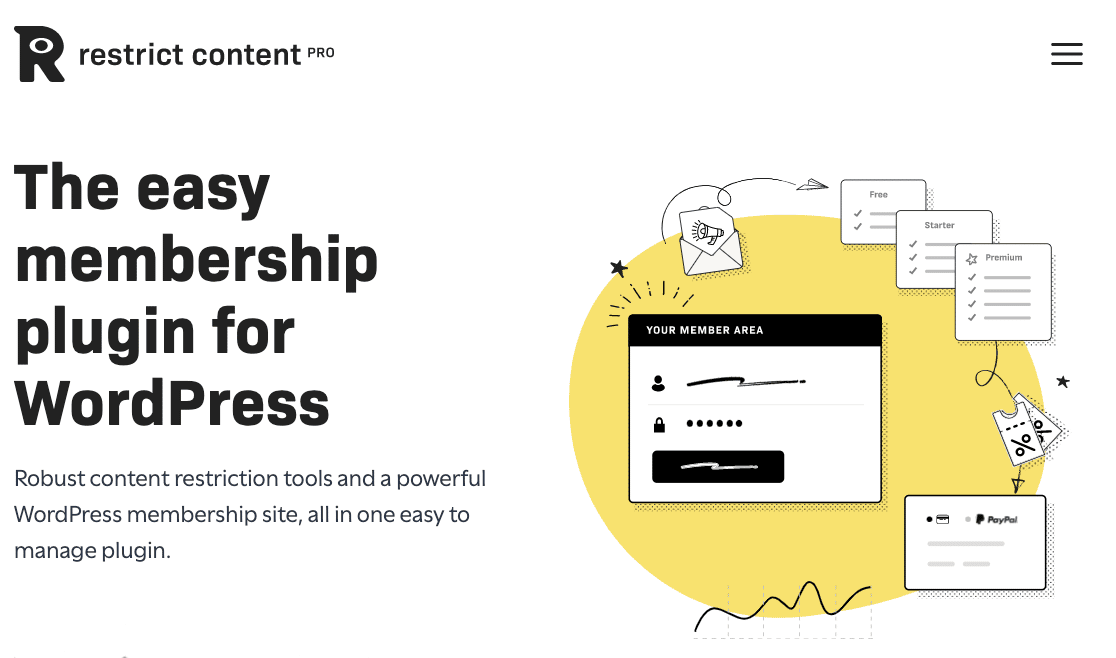
Restrict Content Pro is a lightweight WordPress membership plugin that gives you all the features you need to create a full-featured membership site.
Features:
- Built-In Payment Integrations: Restrict Content Pro comes with popular payment gateways such as PayPal, Stripe, Braintree, 2Checkout, and Authorize.net.
- Easy to Use: It’s built to work smoothly with the WordPress interface. So it works perfectly with all WordPress themes and plugins. It’s easy to use so even beginners can figure it out quickly.
- Flexible Subscription Levels: Create any number of subscription levels and assign them a price, optional signup fee, frequency, and a user role that members will receive when they register for your membership site. Members can easily upgrade and downgrade, and new subscriptions will be prorated automatically.
- Promotional Tools: Give your registered users exclusive discount codes to use on their subscriptions when they register for your membership site. So you can create an unlimited number of discounts, set them up as a flat rate discount or a percentage, set expiration dates, and even limit the number of uses.
Restrict Content Pro also comes with great features like a comprehensive customer dashboard and detailed earnings reports.
Plus, the ability to export member data to 3rd-party tools as well as automated emails sent out based on member behavior.
Cost: Pricing for Restrict Content Pro starts at $99/year for a single site license and includes dozens of free addons.
10. WooCommerce Memberships

WooCommerce Memberships is a WooCommerce subscriptions plugin that lets you limit the sale of products and services to registered users on your eCommerce site.
But it’s not an all-in-one solution since you’ll have to use WooCommerce Subscriptions to accept recurring payments for paid member subscriptions on your site. It does still give you the ability to create locked content and products.
Features:
- Membership Flexibility: Since memberships are created separately from your WooCommerce products, you have the flexibility to create different kinds of memberships. This includes standalone products, part of a product purchase, or as a monthly or yearly subscription. You can even assign memberships manually as part of an invite-only members area (exclusive to members only).
- Content Dripping: Easily schedule when members see your content as part of a drip campaign. Restrict access to WordPress posts or pages so you can control how members use your site. You can even set up a free trial and then lock content when the trial periods are over and require payment to continue accessing it.
- Member Rewards: Those paying for access to your WooCommerce shop and content are often your most loyal customers. Extend free shipping and other special discounts to people that are a part of your membership site. Then, require non-members to meet certain criteria, such as having a coupon or a minimum order amount.
- Easy Member Management: WooCommerce Memberships makes managing memberships easy for both site owners and their users. So members can view their accessible content, discover future access dates, and see all details regarding their membership status in the exclusive Members Area.
And you’ll also get features like the ability to export member information into email marketing tools and communicate with members by sharing notes you’ve created.
Cost: WooCommerce Memberships starts at $199/year for a single site license.
11. SureMembers

SureMembers is a newer entry from the team behind SureCart and SureFeedback, and it’s quickly become one of my recommendations for site owners who don’t want to wrestle with a heavyweight membership plugin just to gate a few articles.
The setup is fast and you can get a working paywall up and accepting Stripe payments in under an hour, which is the kind of thing the older plugins on this list don’t make easy. The interface stays out of your way, and the free version covers basic content protection, drip content, and email tool integrations like ConvertKit and Mailchimp.
Where SureMembers gets interesting is how it fits into the wider Sure suite of plugins. It pairs natively with SureCart for checkout, SureForms for member onboarding, and PrestoPlayer for protected video. If you’re already using any of those, the integration story is genuinely tight.
Features:
- Fast Setup: Designed to launch a paywall in minutes, not days. The default settings cover most simple membership models.
- Drip Content: Schedule lessons or articles to release to members over time, with per-level rules.
- Email Integrations: Native connections to Mailchimp, ConvertKit, ActiveCampaign, and a few others. Useful for syncing new members straight into your nurture sequences.
- SureCart Integration: If you sell digital or physical products, SureCart and SureMembers together cover both checkout and member access without taping plugins together.
- Free Version: The free version on WordPress.org is enough to launch a small paywall site without paying anything upfront.
Cost: Free version available. Paid plans start at $97/year for a single site.
12. aMember Pro
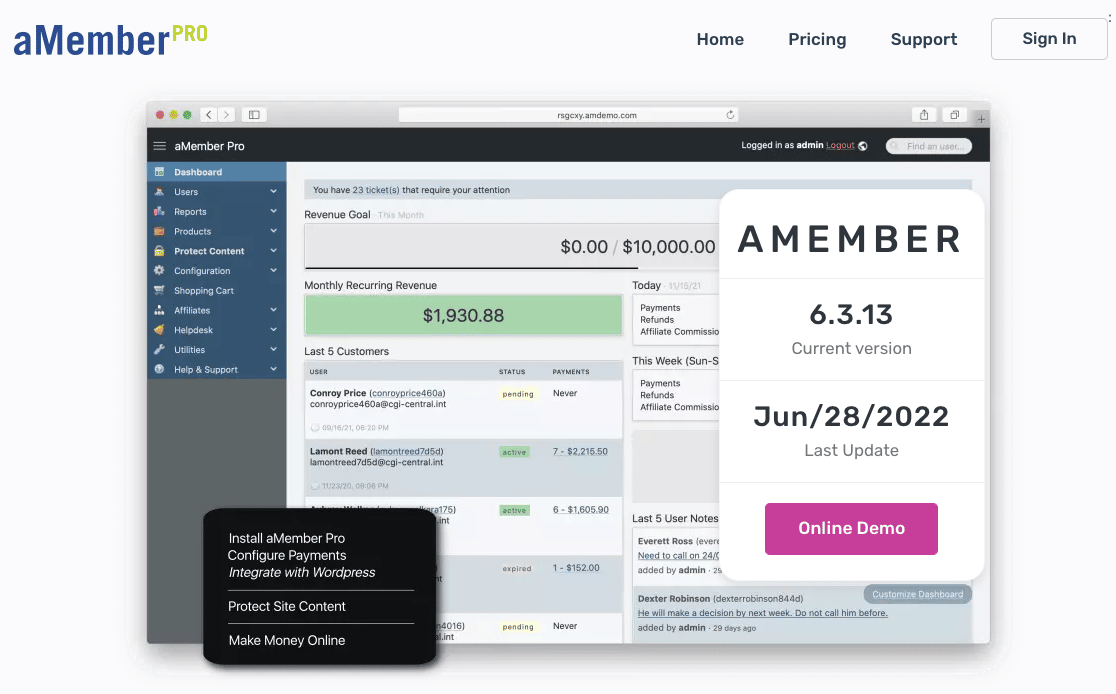
aMember Pro is another feature-packed membership plugin designed to help you create any type of membership site you want. Keep in mind that it’s not a native WordPress membership plugin (which may cause some compatibility issues with your plugins and theme). And despite its somewhat dated interface, this solution makes it easy to create a fully functioning membership site.
Features:
- Multi-Level Memberships: Create unlimited membership levels, add as many products as you want, and set dynamic prices for products and subscriptions for WordPress users to pick from.
- Complete Member Management: Manage members in the easy to access admin panel. Add, edit, or delete customers and their subscriptions. View detailed reports and run batch operations, saving yourself tons of time and hassle.
- Integrated Modules: Modules in aMember Pro include an email newsletter optin, a helpdesk, affiliate management, and a shopping cart, plus many more.
- Automated Processes: Save time by automating customer signups. Set the product and payment gateways to offer during the initial sign up and let aMember Pro do the rest.
And with aMember Pro, you’ll also get membership features like access to dozens of payment gateways, content dripping, and coupon codes. On top of that, it has 6 translations (German, Spanish, Greek, Russian, French, and Chinese) for both the admin interface and the frontend of your site.
Cost: The cost of aMember Pro is a one-time payment of $149 which gives you access to support and updates for up to 6 months.
13. s2Member

S2Member is a long-standing free WordPress membership plugin that comes packed with features. It’s not the most beginner-friendly option here, and the interface shows its age compared to newer plugins on this list.
That said, once you get the hang of it, s2Member is still a workable choice if you want a free, code-flexible membership plugin for selling physical and digital products.
It’s a solid free alternative to WP-Members or older builds of Ultimate Member, particularly if you’re comfortable working with shortcodes for content restriction.
Features:
- Registration Flexibility. s2Member can restrict registrations to paying customers. Or, allow open registrations so free subscribers can create accounts too. This way you can limit your content the way you want and for who you want.
- Content Restriction: Restrict access to entire posts, pages, categories, tags, and more. Or, lock portions of content to encourage people to join your membership site. Using s2Member’s simple shortcode conditionals, you can restrict content in creative ways that boost signups and retain existing users.
- Email Marketing: Customize transactional emails such as signup confirmations, upgrade or downgrade actions, and checkout behavior. Add customer names for a personalized touch and include all transaction details for your customer’s records. Plus, integrate with email service providers Mailchimp, AWeber, and GetResponse.
- Multiple Membership Levels: Create 4 membership levels with the free version of s2Member. With the pro version of this WordPress membership plugin, you can have an unlimited number of users.
In addition, s2Member offers site owners features like popular payment gateway integrations and brute force attack monitoring. It’s also got bbPress and BuddyPress support, content dripping, and coupon/gift card redemption functionality.
Cost: s2Member’s free plugin doesn’t cost anything. If you want additional features, the premium version of s2Member is available for a one-time fee of $89 for a single site license.
Which WordPress Membership Plugin Is the Best Choice For You?
After comparing every plugin on this list, here’s the short version of which one to pick depending on what you’re building.
- Best overall: MemberPress gets the top recommendation. It’s the most comprehensive option, the easiest to set up, and the best choice for almost every use case from gated content to courses to recurring subscriptions.
- Best free option: Paid Memberships Pro. The free core plugin is fully usable, with unlimited members and unlimited tiers.
- Best for online courses: Thrive Apprentice for design-led course sites, or LearnDash if you need a heavyweight LMS with advanced quizzes and reporting.
- Best for community sites: Ultimate Member, especially if you need member profiles and directories more than paid content.
- Best for WooCommerce stores: WooCommerce Memberships, the natural fit if you already run a WooCommerce store.
- Best lightweight option: Restrict Content Pro. Good for bloggers and publishers who want a clean, simple paywall without the kitchen sink.
If you’re specifically after a pure paywall rather than a full membership system, our roundup of the best paywall plugins is a better fit.
Whatever you pick, the best plugin for you is the one that matches your business model, not the one with the longest feature list.
FAQs About the Best WordPress Membership Plugins
Choosing the right WordPress membership plugin comes down to a handful of recurring questions about pricing, free options, switching plugins, and security. Here are quick answers to the most common ones.
Is MemberPress free to use?
No, MemberPress is a premium plugin only. It doesn’t offer a free version. That said, all paid plans are backed by a 14-day money-back guarantee, so you can try MemberPress completely risk-free.
What is the best free WordPress membership plugin?
Paid Memberships Pro is the best free WordPress membership plugin overall.
The core plugin is fully open-source, supports unlimited members and membership levels, and includes basic Stripe and PayPal payments at no cost.
Ultimate Member is another strong free option if your priority is community profiles and member directories. For a free plugin focused on paywalls and digital products, s2Member is also worth a look.
Can I switch membership plugins later?
Yes, but plan for it carefully. Most membership plugins store member data, levels, and content restrictions in their own custom tables, which means migrating to another plugin usually requires manual user import, re-mapping membership levels, and reconfiguring restricted content.
Some plugins offer importers (Paid Memberships Pro has importers for several competitors), and your members’ WordPress user accounts carry over since those live in WordPress core.
The trickier piece is your active subscriptions on the payment gateway side, which often need to be cancelled and re-created on the new plugin.
What are the benefits of creating a membership website?
A membership site lets you monetize your site by limiting access to your site’s content to paid users only. This content can include downloads, forums, support, and more.
There are a lot of ways to make money online, but creating a membership website using a WordPress membership plugin is one of the most effective. With a membership site, you can do the following:
- Generate Steady Income: By requiring site visitors to pay for access to your membership site, you generate a consistent stream of recurring income that increases as more people register.
- Build a Bigger Email List: All small business owners look for ways to improve their email marketing strategies. And that all begins with building a bigger email list, so adding registered users keeps your list full of active members that are more likely to respond (and convert) to your email campaigns.
- Deliver More Value: The great thing about creating a membership site is that the premium content you limit access to is evergreen, meaning it will be valuable to people forever. It’s also packed into one convenient location for everyone to see.
- Automation: If you do all the work upfront and create a membership site for your target audience to enjoy, you technically don’t ever have to do anything else. Unless you want to update content from time to time, the content on your membership does all the work for you.
Do membership plugins allow one-time and recurring memberships?
Most membership site plugins will allow you to create a one-time subscription or a recurring membership. It’s best to research your options before choosing a plugin so you can be sure your preferred plugin includes that feature.
How do membership plugins compare to membership site builders?
Membership plugins give you more ability to customize, but they require you to have some technical skill and know-how. By contrast, membership site builders are often easier to use, but don’t offer as many options for customization.
What should I consider for security measures with my membership site?
To keep your membership site secure, use SSL and strong passwords. It’s also a good idea to limit how many people have admin access to your site. Also be sure to keep on top of your site maintenance by keeping your WordPress core, theme, and plugins updated.
Next, Build a Custom Registration Form for Your Membership Site
We hope this article helped you find the best WordPress membership plugin for your needs. From what we’ve seen, MemberPress is the best one out there.
Once you’ve set up your membership site, you’ll want a way to actually onboard members. That’s where custom user registration and user login forms come in.
WPForms ships a User Registration addon that turns any contact form into a member signup flow, complete with role assignment, email verification, and conditional approval.
If your membership site also plans on running paid events, our roundup of the best event registration plugins is a useful next read.
Build Your Membership Site With WPForms Today
Ready to build your form? Get started today with the easiest WordPress form builder plugin. WPForms Pro includes lots of free templates and offers a 14-day money-back guarantee.
If this article helped you out, please follow us on Facebook and Twitter for more free WordPress tutorials and guides.


Hi,
After I created a membership website which usually ask the client to create his own user name and password, then what is the use of WPform?
For me, I created a form from WPform where clients would pay and register their info. My question is how to link WPform data with a membership website such as memberpress.com
Thanks
Maysan
Hi Maysan,
Currently we don’t offer any integration with membership websites such as memberpress.com. I apologize for the inconvenience!
You can view the list of features and integrations we currently do offer on our features page.
Thanks!
Hi,
I thought MemberPress would be a good membership plug-in for our WordPress site. MemberPress.com provides a form for asking Pre-Sales questions. I’ve send questions twice a couple of months ago and have heard nothing back. Do you know if MemberPress is still in business? Do you know anything about what quality of support they offer?
Thanks,
Ron
Hi Ron,
Unfortunately we don’t have that type of information about MemberPress specifically so I apologize for the inconvenience! In regards to membership plugins in general though, we often recommend Ultimate Member, which is a plugin a lot of our users have had good luck with.
I hope this helps!
Hi, I’m building a website. It’s a community based website. I need to find a plug-in that allows the members to create a paid subscription.
For example a member sells his subscription. They get 95% of earnings and I get the remaining 5%.
Or is there another solution to what I’m trying to achieve
Thanks
Hey Rhett – It seems that you’re looking for a feature wherein the members should be able to create the subscription, and the revenue should get split between you and the member. You can check with the MemberPress team for more details to see if they offer this feature in the plugin.
This is great content! Thanks!
I have one question: In your opinion, what would be the best membership plug-in for a non-profit?
We do donations (which I will use another plug-in for) but we highly rely on people buying Memberships. There are about 10 memberships levels that you can choose from. Some are for individuals (i.e. students) or families, but most are for small to large businesses plus other non-profits. We handle a fairly large amount of money as well.
That being said, what do you recommend? I have been going over so many membership plug-ins but I can’t really find any information about non-profits and the best membership program.
I was debating between MemberPress and aMemberPro but I want to know what you think is best.
Thanks!!
Hi Anna,
Unfortunately I don’t have a lot of expertise or knowledge of membership plugins overall (normally we recommend Ultimate Member to our users who are looking for more membership type features that we don’t offer with WPForms).
You may want to check out this article from WPBeginner that compares 5 of the best membership plugins right now and see if that might help you in making your decision.
I hope this helps! 🙂
i want a plugin that i can use for an ads site. such as PTC site. in such a way that i can place a number of ads per day, then when they are clicked, members get rewarded a certain amount of points
Hi Ismail,
I apologize, but we can’t recommend any plugin for this.
I would advise asking this question to the WordPress community instead.
Have a good one 🙂
Hi, I have an educational website and want to add subscription facility for tutor. A tutor can choose subscription package for 1, 3, 6 and 12 months and accordingly they will pay the fee. Once subscribed, their profile will be visible on website under the premium tutors category. And they will be able to see all posted jobs on the portal which plugin is suitable for the above scenario?
Hi Rimzan- Great question!
You can absolutely configure your user registration forms to accept payments using our payment addons Stripe and Authorize.Net. You’d need to start with this tutorial.
Stripe is available with our Pro license level or higher, and the Authorize.Net addon is available with the Elite license (https://wpforms.com/pricing).
I also see that you’ve got a question about displaying the registered users on the frontend of your website so that you can achieve a customized workflow — WPForms currently does not have the ability to do this but we’ll definitely keep this suggestion on our radar! Meanwhile, I’d recommend you to choose a membership plugin and check out this this tutorial from WPBeginner.
I hope this helps! If you have any other questions, please let us know 🙂
Hi ,i need to create a membership certificate .I had already created a form for members joining our services and now i need to generate a and send them a membership certificate automatically .Could anyone please help me sort this out
Hey Aira- Currently, we do not have a full-blown formatting feature to create a certificate and send them to the form submitter. However, you can easily achieve this by designing a certificate using the HTML tags in the Message section of the Notification Settings.
For any further help on this, please drop us a line in support so we can assist.
If you have a WPForms license, you have access to our email support, so please submit a support ticket. Otherwise, we provide limited complimentary support in the WPForms Lite WordPress.org support forum.
Thanks, and have a good one! 🙂
Hi Team,
We are planning to incorporate PMPro plugin in our learndash environment which will fetch members reports enrolling into our courses. Currently, from the screenshots of PMPro reporting we could see member details like email Id, last visit date, #visit this week etc. But, we would also like to know the details of current course (name, percentage completed etc.) which the member will enroll for in the platform. Is it feasible fetching these details at a member level using PMPro? Please let us know if any other membership plugin can give course detail information for each member in reporting.
Hi Ajit! I’m sorry but we’re not intimately familiar with PMPro and it’s features so we’re unable to provide the details that you’re looking for. Please reach out to the PMPro team regarding these questions as they would be in a better position to answer them for you.
Thanks!
Our customers want to build a streaming video website like Netflix, can you please advise which plugin works best for this case
Hi Hai! I apologize, but we’re not aware of any plugin that would be helpful for building a streaming website similar to Netflix.
You may want to try taking a look through https://www.wpbeginner.com/ to see if they have any recommendations 🙂
Sorry for not being able to provide you with any helpful information on this!
Kindly,