


AI Summary
Survey data is only as powerful as your ability to understand it.
And here’s the hard truth: if you’re staring at rows of raw responses trying to make sense of what your audience is actually telling you, you’re wasting time you DON’T have.
That’s exactly why we built the original Surveys & Polls addon. And today, we’re making it dramatically better, so you can get better insights, faster!
Introducing the All-New Surveys & Polls Reporting Experience
I’m thrilled to announce a major upgrade to our Surveys & Polls addon, one that completely reimagines how you view, filter, export, and share your survey results!
The fields you already love are still here like NPS, Likert Scale, Star Rating, and Poll fields, but the entire reporting and analysis layer has been rebuilt from the ground up.
What’s New And Why It Matters to You
With the new Survey Results page, you open your form’s Entries tab, click Survey Results, and every question renders as a filterable chart with its own export menu.
Here’s a breakdown of everything that’s been upgraded:
- Powerful Filtering System: Want to see only responses from people who gave you a 5-star rating? Done. Want to isolate a specific time period before a product launch? Easy. The filters let you slice your data exactly the way you need it.

- Graph Style Settings: You’re no longer stuck with a one-size-fits-all chart. The new graph style settings menu lets you choose how your data is visualized, giving you full control over how results are displayed for different audiences and use cases.

- All Your Questions, One Results Page: Get a clean, consolidated view of every single survey response in one place. You don’t have to worry about piecing together the big picture manually. It’s all right there.

- Advanced Export Options: You can now export your survey results in the format that works best for you. If you’re sharing data with a client, dropping it into a spreadsheet, or archiving responses, exporting is fast, flexible, and just takes a few clicks.

- Print Preview with Custom Layouts: This one deserves a special mention. You can adjust graph sizes, change graph styles, and apply filters specifically for your print layout, and those print settings won’t override your actual entry settings.

What This Looks Like for You
Imagine finishing a client survey on a Friday afternoon, pulling up your WPForms dashboard, applying a quick filter, customizing your print layout, and handing your client a polished, professional report, all in under five minutes.
That’s exactly what this upgrade makes possible.
Who Is Going to Love the New Results Page
WPForms Surveys & Polls is built for anyone who collects feedback and needs to do something meaningful with it.
Here’s who will benefit most from these upgrades:
- Agency Owners & Freelancers: Impress clients with clean, filtered, exportable reports that look like they came from an enterprise tool.
- Small Business Owners: Run customer satisfaction surveys and actually understand what your customers are saying, without needing a data analyst.
- Marketers & Growth Teams: Use filters and graph customization to zero in on the segments that matter most for your campaigns.
- Educators & Course Creators: Collect student feedback and present results in a format that’s easy to review and share with stakeholders.
- Event Planners: Survey attendees after your events and export polished reports for sponsors or future planning.
Get Your First Report Out in Four Clicks
Already using WPForms Surveys & Polls? Great news! This upgrade is already waiting for you. Here’s how to access all the new features:
Step 1: Open the Survey Results Page
From your WordPress admin, go to WPForms, open the Entries page for your form, and click Survey Results.

Step 2: Apply Filters to Focus the View
Click the Filters button in the header, pick a date range (Today, Last 7 days, Last 30 days, Last 90 days, Last year, or a custom range), check the answer choices you want included, and Save the view as a preset you can rerun next month.

Step 3: Customize the Charts
Click the Settings icon on any question card. Pick line, bar, horizontal bar, or pie. Pick a size (SM, MD, LG, or XL), a color from the palette, or a custom hex. Hit Save Changes to propagate the style across every question on the page.

Step 4: Export or Print Your Report
Click Export on any card. Pick the scope (Current Question or All Questions), the content (Graph + Data or Graph Only), the format (JPG, PDF, or Print), and hit the Export Results button.

Four clicks from your Entries page to a report you can share with the team. And that is it!
How to Enable Survey in WPForms
Not yet using the Surveys & Polls addon? You don’t need to start from scratch.
You can enable survey reporting on any existing WPForms form, and it will work with data you’ve already collected.
Here’s how to turn it on:
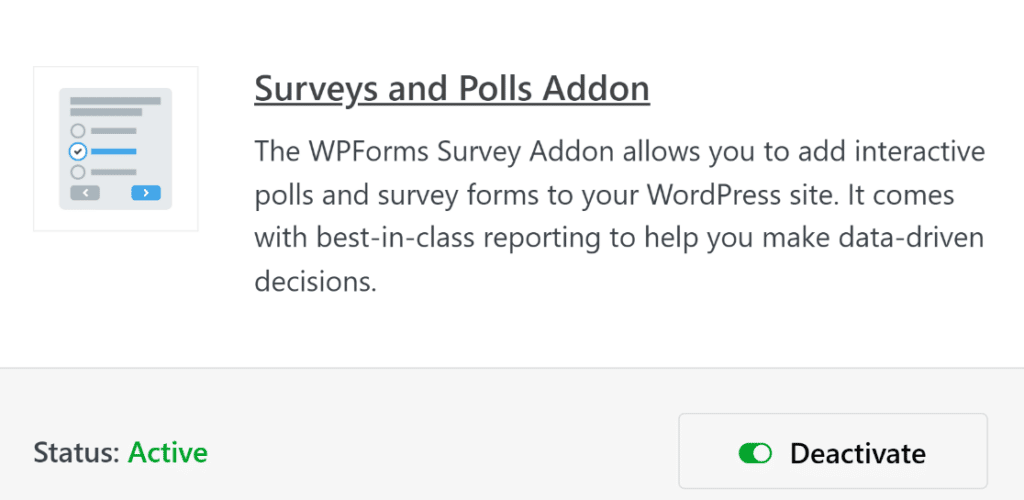
Step 1: Install and Activate the Surveys & Polls Addon
From your WordPress admin, go to WPForms » Addons. Find the Surveys & Polls addon and click Install. Once installed, click Activate.
Step 2: Enable Survey Reporting on Your Form
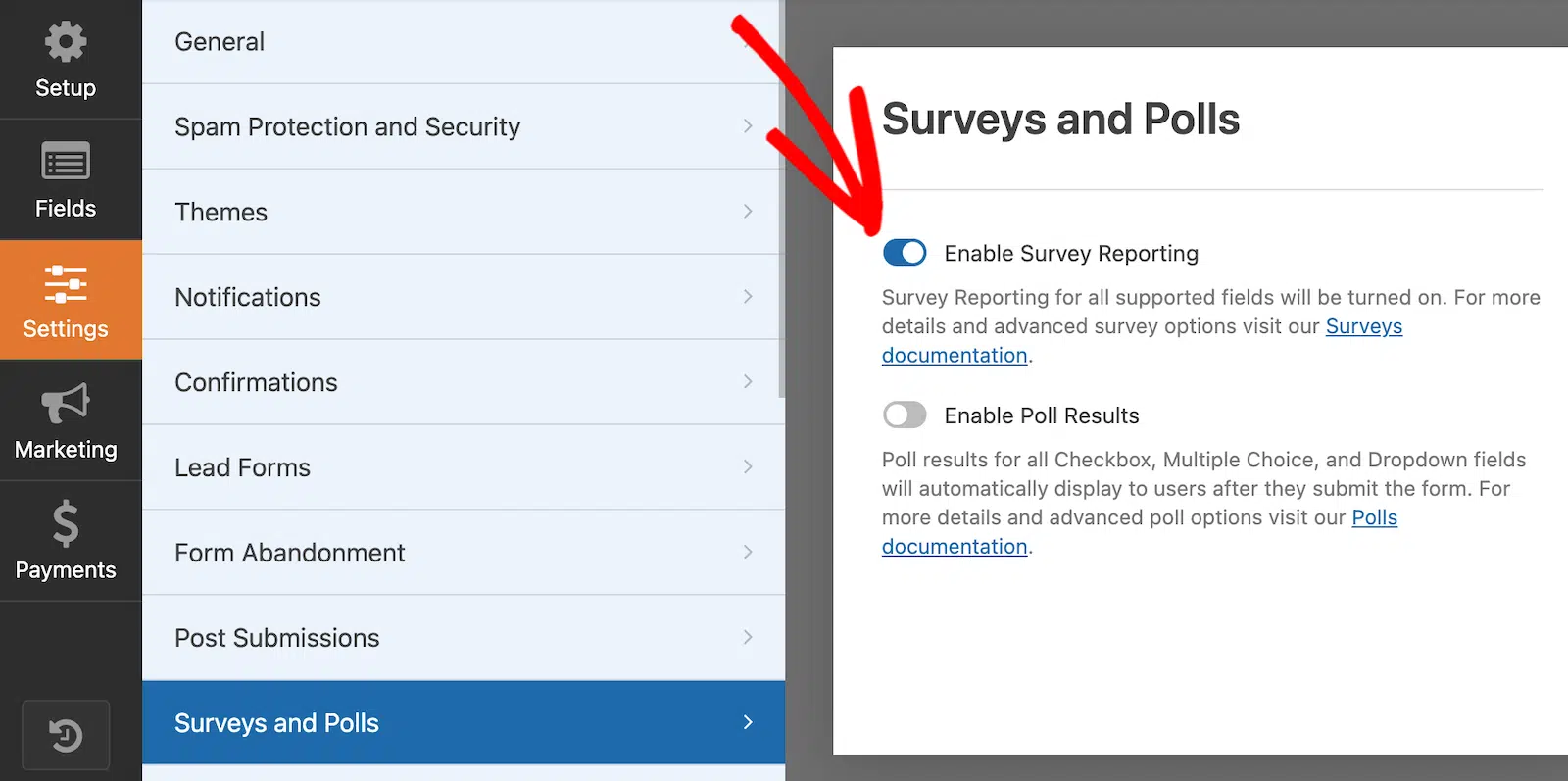
Open any existing form in the WPForms form builder. Go to Settings » Surveys and Polls and Polls. Toggle on Enable Survey Reporting and save your form.
Now, head back to your form’s Entries page, click Survey Results, and every question you’ve ever collected responses for is now rendered as a fully filterable, exportable chart, including all your existing data.
Just instant reporting on everything you’ve already collected.
Why Your Survey Data Belongs in One Place
While other survey tools charge you a premium monthly fee just to get decent reporting, the Surveys & Polls addon is included with WPForms Pro.
You get enterprise-level reporting features without the enterprise-level price tag.
And unlike standalone survey platforms, all of this lives right inside your WordPress dashboard, connected to your existing forms, entries, and workflows.
Think about it: How much time are you spending manually piecing together survey data each month? What could you do with that time back?
Ready to Turn Survey Responses Into Decisions?
Give the new Surveys & Polls reporting experience a try today and see how much faster and easier it is to turn raw responses into real insights.
If you’re already a WPForms Pro user, just update your plugin and addon. You’re good to go!
Not on WPForms Pro yet? Click here to upgrade and unlock Surveys & Polls, and see why over 6 million website owners trust WPForms to power their online forms.
As always, thank you for your continued support. We build every feature with you in mind, and we can’t wait to hear what you think of this one.
Syed and the WPForms team
P.S. Still manually exporting and sorting survey data the old-fashioned way? Don’t spend another hour doing it the hard way. Upgrade to WPForms Pro today and put the new Surveys & Polls reporting tools to work for you immediately.





