


WPForms Changelog

Latest Updates, Features & Fixes!

Every week, WPForms picks up new features, refinements, and behind-the-scenes improvements. This page records all of them in one place.

Want the full story behind what we’re building? Make sure to visit our blog. And to get these announcements sent directly to you, subscribe here.

Last updated: October 6, 2026

2026
IntegrationNew FeaturePayments

Paystack Addon

Introducing the WPForms Paystack Addon: Accept Payments in Nigeria, Ghana, South Africa, and Kenya

The Paystack addon brings card, bank transfer, and mobile money payments to your forms for buyers in Nigeria, Ghana, South Africa, and Kenya.

Buyers click submit and pay in the Paystack popup in naira, cedis, rand, or Kenyan shillings, with no new field to add to your form.

Bank transfer and mobile money payments are saved as Pending, and WPForms can hold your notification emails until Paystack confirms the payment, then completes the order on its own.

Every Paystack payment shows up in WPForms » Payments, and full refunds can be issued without leaving WordPress.

New Feature

WPForms Dashboard

Dark blue hero with a circular bear logo on the left, large headline'Introducing the New WPForms Dashboard' and an ANNOUNCEMENT badge; a dashboard mockup is visible on the right.

The WPForms Dashboard is a new home screen that opens the moment you click WPForms in your admin menu. Stat cards across the top total up your forms, entries, payments, views, and spam across the whole site.

An Entries widget charts activity over your chosen date range with a per-form table of entries, views, interactions, and conversion rate, and a payments widget totals everything collected once a gateway is connected.

With the Geolocation addon active, Top Locations ranks the countries your visitors come from, and a Suggested Next Steps panel points to features worth turning on.

Nothing to install, as it comes with every plan, including Lite!

New Feature

WPForms QR Code

Announcement banner: dark blue background with headline'Say Hello to WPForms QR Code: One Scan Opens Your Form' and a large QR code on the right.

Every form now has its own built-in QR code generator, with nothing extra to install or buy.

Open a form’s General settings, choose the page the form lives on or paste its URL, and click Generate QR Code to copy it or download it as a PNG or a print-ready SVG.

Put it on menus, packaging, event badges, or business cards, and every scan opens your form instead of a page that only hands people something to read.

Included with every plan, including Lite; Pro and Elite plans can keep, remove, or replace the WPForms logo in the center with their own.

New Feature

Ranking Field for Surveys & Polls

Announcement hero: dark blue background, bear avatar left, large'Introducing the New WPForms Ranking Field' text, and three stacked white option cards with 'Movies' highlighted.

The Surveys & Polls addon gains a Ranking field!

Instead of scoring each option separately, respondents drag options (or tap arrow buttons on a phone) into the order they prefer, so one option always has to come first.

WPForms tallies every response into a “Times at #1” count and an average rank for each option, with a chart that makes the winner obvious.

Lay options out as a vertical list or a grid, and use Image Choices or Icon Choices in place of plain text labels.

IntegrationNew FeaturePayments

Mercado Pago Addon

Introducing the WPForms Mercado Pago Addon: Card Payments Built for Latin America

The Mercado Pago addon brings on-page card payments built for Latin America to your forms.

Buyers enter their card details into secure, Mercado Pago-hosted fields inside the form, choose an installment plan, and pay in ARS, BRL, CLP, COP, MXN, PEN, or UYU without leaving your page.

An approved charge fires your confirmation, notifications, and integrations at the moment money actually moves, and full or partial refunds can be issued from WPForms » Payments.

WPForms takes no transaction fee, and it works with Quantities, Coupons, multi-page forms, Conversational Forms, Lead Forms, and Form Pages.

AINew Feature

WPForms Analytics

Dark blue hero with a bear avatar left, large WPForms v2.0 headline and a form analytics screenshot on the right.

WPForms 2.0 adds a complete form performance tracking suite inside your WordPress dashboard.

The All Forms page now shows Views, Entries, and Conversion Rate for every form, and each form gets its own analytics dashboard with views, interactions, conversion rate, abandonments, and errors over the last 7, 30, or 90 days or a custom range.

A field-by-field table shows interactions, time spent, errors, and abandonment for every field, so you can see exactly where people give up, and you can set a conversion goal to track progress.

There’s also a built-in AI chat reads your form data and tells you what is working, what is hurting conversions, and what to fix first.

IntegrationNew Feature

SendGrid Addon

Announcement banner: Introducing SendGrid Marketing Integration for WPForms, with mascot on left and blue mosaic logo on right.

The new SendGrid addon gives your leads a direct line into SendGrid Marketing.

When someone submits a form, WPForms creates or updates them as a SendGrid contact, mapping form fields to email, name, phone, address, and any custom fields you have created, and drops them into the lists you choose from the form builder.

A form can also remove a contact from a specific list or delete a contact entirely, so your lists reflect real opt-outs. No Zapier, bridge plugin, or CSV export required.

AINew Feature

AI Assistants Can Now Build and Edit Your Forms (Abilities API Write Support)

WPForms now lets AI assistants build and edit your forms

WPForms was one of the first plugins to build on the WordPress Abilities API introduced in WordPress 6.9, and AI assistants such as Claude, ChatGPT, and Cursor could already read your forms, fields, and entries.

With WPForms 1.10.2 the same connection can build and change forms. Ask for a contact form with name, email, and a file upload and it appears in WPForms ready to publish

Ask to add a phone field, rename a label, or change the submit button text and it is done in seconds. It works with any MCP-compatible client and is free in WPForms Lite.

AIImprovementNew Feature

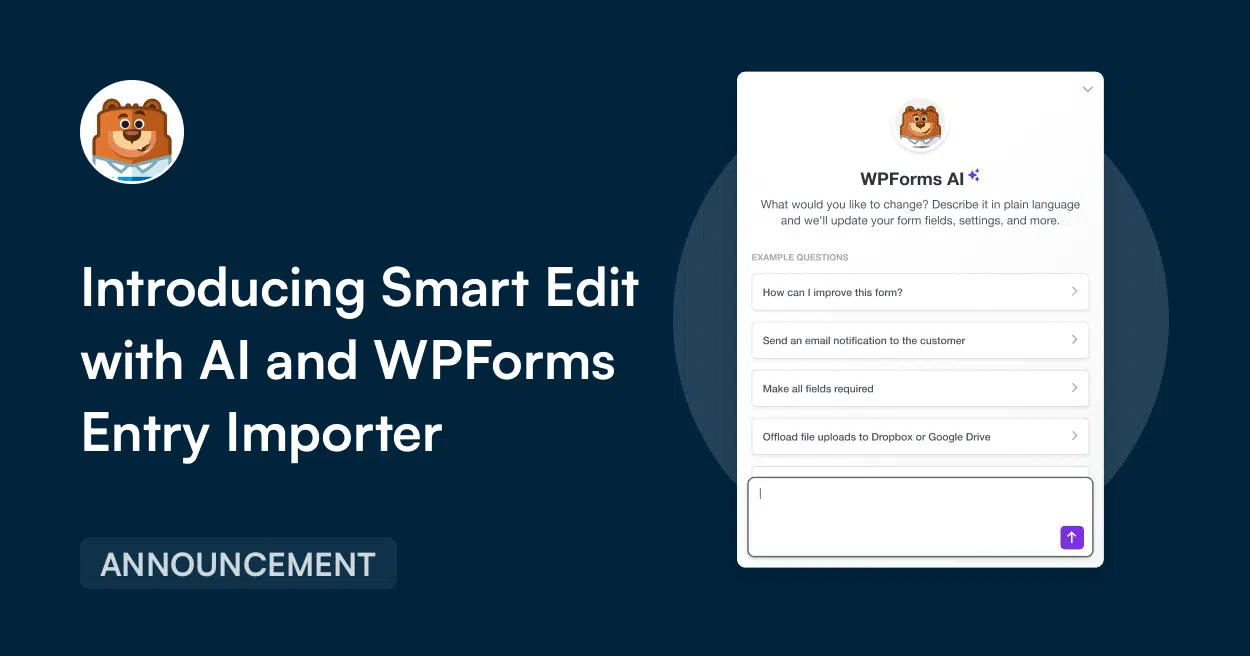
Smart Edit and Entry Importer (WPForms 1.10.1)

Smart Edit with AI and WPForms Entry Importer

I’m thrilled to introduce WPForms v1.10.1, which ships two brand new features that extend what WPForms can already do while making your workflow even easier.

I know a lot of you have been asking for these, and our team has done an incredible job in making it happen. Here’s what’s new:

  • Smart Edit: The newest addition to our growing suite of WPForms AI features. Edit any existing form using plain English, right inside the form builder. Available to every WPForms user including Lite.
  • Entry Importer: Bring your form entries into WPForms from any CSV file or directly from another WordPress form plugin with smart field mapping and real-time validation. Available to all paid WPForms users.
IntegrationNew Feature

Klaviyo Addon

The moment someone submits one of your forms, their data flows into Klaviyo as a profile, a list member, or a subscriber in real time, with no Zapier bridge, custom webhook, or CSV import in between.

Add a Klaviyo connection to any form, choose whether it should create a profile, unsubscribe a contact, or remove someone from a list, map your fields to Klaviyo properties, and save.

Improvement

Reimagined Surveys & Polls Reporting

The Surveys & Polls addon’s reporting layer has been rebuilt from the ground up.

Open a form’s Entries tab, click Survey Results, and every question renders as a filterable chart with its own export menu.

Filter responses by answer (only the 5-star ratings, for example) or by time period, choose graph styles per question, export results in the format you need, and use print preview for sharing.

The fields you already use, NPS, Likert Scale, Star Rating, and Poll, are unchanged.

ImprovementPayments

PayPal for All WPForms Users

PayPal is now available to every WPForms user, including Lite!

Connect your PayPal account, drag the PayPal field into a form, and you are live, with PayPal’s standard processing fees plus a 3% WPForms transaction fee on the Lite plan.

The Integration also expands beyond PayPal checkout to Pay Later, Google Pay and Apple Pay, Venmo, and Fastlane, PayPal’s accelerated checkout that auto-fills payment details for returning buyers.

New Feature

Map Field for the Geolocation Addon

The Geolocation addon has always answered one question: where is the person filling out this form? The new Map field now adds your locations too!

Drag it into any form to display an interactive map with your stores, offices, venues, or pickup spots pinned on it, each with a custom marker chosen from over 2,000 icons, any color, or your own uploaded image.

Turn on location selection and the map becomes an input: visitors click a pin, and the selected location’s name, address, and coordinates land in the entry, with no more dropdowns full of street addresses.

New Feature

Quiz Addon

The new Quiz addon builds three kinds of quiz without hand-wiring conditional logic or scoring formulas.

Graded quizzes mark correct answers and grading scales for assessments and training.

Personality quizzes map answers to outcomes and personalized recommendations for lead generation

Weighted quizzes assign point values to answers and route people by score range.

Results display instantly, quickstart quiz templates get you going, and it all lives in WordPress alongside your other forms and integrations.

2025
IntegrationNew Feature

Notion Addon

Form submissions now flow straight into your Notion databases, with no copy-and-paste and no third-party automation subscription in the middle.

Connect your workspace, map form fields to Notion properties, and the moment someone hits Submit a new, properly formatted entry appears in your database.

Every entry arrives exactly as submitted, so the typos, transposed digits, and forgotten transfers of manual data entry disappear.

AIIntegrationNew Feature

n8n Addon

Connect your forms to n8n, the open-source automation platform, and let a submission trigger workflows across 500+ apps such as Trello, Jira, Discord, ClickUp, and Asana.

Build multi-step automations in n8n’s visual drag-and-drop editor, hand form data to ChatGPT, Claude, or other AI services to process it and generate personalized responses.

Skip the copy-the-data, update-the-spreadsheet, ping-the-team routine that follows every entry.

New Feature

Camera Field

The new Camera field lets visitors take a photo or record a video with their device camera right inside the form, with an instant preview, a retake button, and a 3-2-1 countdown before recording starts.

Every existing File Upload field also gains a capture option alongside upload.

It works in the browser on phones, tablets, and desktops with no extra apps, which turns warranty claims, inspections, ID checks, and contest entries into a single step.

IntegrationNew Feature

Airtable Addon

Send form data directly into your Airtable bases and tables the moment a form is submitted, with no Zapier in between.

Map form fields to the exact Airtable columns you want, connect different forms to different bases and tables, and watch entries appear in real time in the project tracker, CRM, or inventory base your team already works in.

IntegrationNew Feature

Google Calendar Addon

Turn form submissions into Google Calendar events.

Map form fields to event start and end times or set a fixed duration.

Fill in the event title, description, and location with Smart Tags, enable daily, weekly, monthly, or custom recurrence, and add the submitter and other contacts as guests.

Connect several calendars and choose where each event goes, and use conditional logic to decide which submissions create events at all.

New Feature

PDF Addon

Our most requested feature ever: generate PDFs from form submissions!

Choose from seventeen templates across Notifications, Documents, Financial, and Certificates, customize in a live-preview editor with 40+ themes, your logo, decorative backgrounds, and A4, Letter, or Legal paper in portrait or landscape.

Smart Tags pull in any field’s data, PDFs can be generated only when conditions are met, and you can password-protect them or restrict access to specific user roles.

Improvement

Form Themes for Everyone

Form Styles and Themes, previously tied to the block editor and Elementor, now live inside the form builder for everyone.

Open Settings » Themes, pick from more than forty preset themes with a live preview, or build your own with custom colors and stock or uploaded background images.

No CSS, no page builder required.

IntegrationNew Feature

Zoho CRM Addon

Send form entries straight into Zoho CRM as new contacts or leads, or update and delete existing records from a form.

Map form fields, including custom fields, to your Zoho CRM fields within WPForms.

Pass uploaded files through to CRM records, control when data is sent with conditional logic, and connect securely through Zoho’s official OAuth permissions.

New Feature

Entry Automation

Schedule entry exports and deletions instead of running them by hand.

Export a form’s entries daily, weekly, or monthly, pick the fields and entry details to include, filter to only the entries you need (or only those new since the last run), and have the file delivered to your inbox.

Separate rules can automatically delete old entries to keep your database lean, and each form can run its own schedule.

Improvement

Form Themes for Elementor

The Form Themes that block editor users have enjoyed now work inside Elementor.

Pick a professionally designed theme and your form instantly matches your Elementor page.

When a preset is not quite right, fine-tune individual elements without touching CSS.

IntegrationNew Feature

Google Drive Addon

Automatically sync files uploaded through your forms to Google Drive, so marketing can review contest photos, HR can read job applications, and clients can see project files without anyone needing a WordPress login.

Uploads land in the Drive folders you specify, organized your way, and fit into the Google Workspace sharing permissions your team already uses.

IntegrationNew Feature

Make Addon

Trigger Make scenarios from form submissions and connect WPForms to 2,000+ apps through Make’s visual, no-code workflow builder.

Use WPForms conditional logic and Make filters to decide which entries start which automations, from CRM updates to spreadsheet rows to AI tools, with data moving securely through the Make API.

IntegrationNew Feature

Pipedrive Addon

Send new leads straight into your Pipedrive pipeline.

Map form fields to Pipedrive deals, contacts, and organizations, set deal titles, values, and owners from form data.

Choose the pipeline or stage each form feeds, and use conditional logic so only qualified leads reach your sales team.

ImprovementPayments

Square Payments for All, With Real-Time Statuses

Square payments are now available to every WPForms user, and Square webhooks bring live payment statuses into WPForms so completed and refunded payments show up without switching to the Square dashboard.

Recurring payments arrive too, so one form can take a one-time charge or a subscription. After connecting Square under WPForms » Settings » Payments, flip on webhooks and the statuses take care of themselves.

New Feature

File Upload Restrictions

Decide who can open the files people upload through your forms.

In a File Upload field’s Advanced tab, enable File Access Restrictions and limit access to specific WordPress roles or individual users.

You can even add password protection for sensitive documents such as applications, contracts, and IDs.

It works on any existing form and is available to everyone, including Lite.

IntegrationNew Feature

Twilio Addon

Send SMS or WhatsApp messages from your forms through Twilio.

In the form builder, choose SMS or WhatsApp, pick the phone field to send to, and write the message that goes out moments after submission.

Use personalized with Smart Tags for the visitor’s name, order summary, appointment time, or booking confirmation.

Conditional logic can route each person to the channel they prefer.

2024
IntegrationNew Feature

Dropbox Addon

Send files uploaded through your forms straight to Dropbox.

Connect your account, choose the folder each form’s uploads go to, and map individual File Upload fields to different subfolders so résumés stay apart from cover letters and signed contracts have a home of their own.

Conditional logic routes files by the submitter’s choices, such as job applications by department, and your WordPress media library stays clutter-free.

AINew Feature

AI Form Builder

Describe the form you need in a sentence or two and WPForms AI generates the complete form, from an event RSVP to a customer feedback survey.

Keep the conversation going to refine it: add a dropdown, reword a label, apply conditional logic, or write a calculation formula for sales tax or a mortgage estimate.

Review the result and publish, or customize it further in the drag-and-drop builder.

IntegrationNew Feature

Slack Addon

Connect your forms directly to Slack, with no third-party automation tool.

When someone submits a form, a notification with the form data lands in the channel or direct message of your choice so your team can discuss, assign, and act without leaving Slack.

You can also have a submission create a Slack reminder at a time set in plain language, such as “in 30 minutes” or “next Tuesday at 9am”.

AINew Feature

AI Choices

Populate dropdowns, checkboxes, and multiple choice fields by describing the list you need and clicking a button.

Ask for US states ordered by population, grade levels with typical ages, or the most widely spoken languages in India ranked by speakers, and WPForms AI writes the options in seconds.

Prompt it to reorder, trim, or refine the list until it is right, and edit anything by hand before you publish.

Improvement

Conditional Logic for the Layout Field

Apply conditional logic to an entire Layout field so whole sections of a form show or hide based on earlier answers, instead of configuring every field one by one.

A new single-column layout option lets you keep your original layout while using the field’s logic.

WPForms 1.9.0 also strengthens the built-in anti-spam protection.

New Feature

Repeater Field

The Repeater field lets visitors add as many copies of a group of fields as they need: extra attendees on an event registration, previous jobs on an application, features on a property listing.

Display repeated fields as compact rows or as blocks with as many fields as you like, and rename the “Add” button to suit the form (“Add family member”, “Include another project”) or go minimal with icons.

New Feature

Form Themes and Custom Templates

WPForms 1.8.8 adds form themes: a curated library of more than 40 styles, each combining colors, borders, background images, and button styles.

These controls allow you to fine-tune with advanced styling options to match your brand.

The release also lets you save any form as a custom template and build your own template library, so the layouts you reuse are one click away.

ImprovementPayments

Product Quantities and Order Summaries

Order forms get a quantity selector on payment fields, so customers can buy several of an item without workarounds in the Calculations addon.

A new order summary shows the quantity of each item, subtotals, any coupon discount, and the total right before payment.

The same itemized summary is also included in the notification email as a receipt.

Improvement

Right-Click Menu and Column Management

A right-click menu in the form builder puts common actions a click away: mark a field required or optional, hide or show its label, and more.

On the Forms Overview and Entries pages you can now choose which columns appear and in what order.

Thereo’s also a search box to find fields quickly, so forms with many fields no longer produce cluttered tables.

ImprovementIntegration

Google Sheets Addon 2.0

The Google Sheets addon sends form entries straight to a spreadsheet the moment they arrive, with no third-party connector.

Map form fields to the exact columns you want, or map a column to a custom value such as a Smart Tag or a Google Sheets formula, and use conditional logic to filter which entries are sent.

Each form can feed its own sheet, giving your team a live, shareable copy of every submission.

2023
IntegrationNew Feature

ConvertKit Addon

ConvertKit joins the WPForms family of email marketing addons, so ConvertKit users no longer need Zapier or manual imports to get form leads onto their lists.

Install the addon, connect one or more ConvertKit accounts, and map the fields on any signup, contact, or order form to your ConvertKit subscriber list.

Every new entry is synced automatically.

ImprovementNew Feature

Email Notification Templates, WPCode Snippets, and Better Exports (WPForms 1.8.5)

Form notification emails get six professionally designed templates: Plain Text, Classic, Compact, Modern, Elegant, and Tech.

Add a logo or header image and adjust its size, change the typography, and pick a color scheme, with every template tested across screen sizes and email clients and improved dark mode support.

WPForms 1.8.5 also builds WPCode integration into the plugin so you can add code snippets to your forms without editing theme files, and improves form data exports.

New Feature

Calculations Addon

The Calculations addon turns any form into a calculator for dynamic quotes, bulk pricing, shipping discounts, or fees passed on to donors.

Turn on calculations for a field with a switch, then write a formula in our custom calculation language using your field names as variables.

Choose fields from a dropdown instead of remembering IDs, and hit Validate to check it before saving.

Months in the making, and by far the fastest-growing feature request of the year.

ImprovementIntegration

Sendinblue Addon Becomes the Brevo Addon

Following Sendinblue’s rebrand, the WPForms Sendinblue addon is now the Brevo addon.

Everything you already use is unchanged: connect any form to Brevo, map form fields to Brevo attributes, subscribe, unsubscribe, or delete contacts from a form.

You can also segment subscribers with conditional logic, and track events to trigger automations in Brevo.

ImprovementPayments

Stripe Webhooks and Conditional Recurring Payments (WPForms 1.8.4)

Enable Stripe webhooks with a toggle when you connect your account, and every payment stays synchronized: a refund or cancellation made in Stripe updates the payment status in WPForms.

And, you can also refund payments and cancel subscriptions right from your WPForms dashboard.

Conditional logic now applies to recurring payments, so one form can offer different subscription plans based on the customer’s answers.

The payments overview gains new stats, and you can search forms by ID.

Improvement

Elementor Form Styles and Entry View Settings (WPForms 1.8.3)

The no-code form styling that arrived for the block editor in 1.8.1 now works in Elementor: customize field, label, and button styles directly in the Elementor editor so your form matches the page, with no CSS.

The same release adds entry view settings, so a single entry can show section dividers, page breaks, and content fields the way the form does, which makes long entries far easier to read and process.

New FeaturePayments

Coupons Addon

Run a sale on any payment form by creating coupons in the new Coupons tab with a fixed or percentage discount.

Generate random one-time codes for store credit, refunds, or new-customer offers, remove shipping costs with a fixed discount, and schedule seasonal coupons with start and end dates.

Usage is tracked so you can see how each offer performs at a glance.

ImprovementPayments

Stripe Payments for Everyone (WPForms 1.8.2)

Stripe payments are now live for every WPForms user, including Lite.

Connect your Stripe account, drag the Stripe credit card field into a form, and take one-time or recurring payments for orders, donations, memberships, and subscriptions, 100% no-code.

The release also adds a new Payments screen for all users to see every transaction in one place, and lets you print form entries in bulk.

New Feature

Form Styling in the Block Editor (WPForms 1.8.1)

Style your forms without CSS.

With modern markup enabled, the WPForms block in the block editor gains styling controls for the three components of a form: field size, border radius, and colors; label typography and color; and button colors and shape.

Match your forms to your theme in a few clicks.

New Feature

Cloudflare Turnstile Anti-Spam (WPForms 1.8.0)

WPForms 1.8.0 adds Cloudflare Turnstile as a CAPTCHA option alongside Google reCAPTCHA and hCaptcha.

Turnstile is a free, CAPTCHA-like service that confirms visitors are human without showing them puzzles, and it can run in Managed, Non-interactive, or Invisible mode.

Select it under WPForms » Settings » CAPTCHA, paste in your Cloudflare keys, and add it to any form.

New Feature

Lead Forms Addon

The Lead Forms addon turns any form into a sleek, embeddable lead form that shows one field at a time.

Flip on Lead Form Mode and WPForms inserts a page break after every field; drag related fields together when you want them on the same step.

Advanced styling options add a container with visual effects around the form and let you recolor the progress bar to match your site.

New Feature

Icon Choices (WPForms 1.7.9)

Checkboxes, Multiple Choice fields, and their payment-field counterparts can now show an icon next to each option, chosen from a library of more than 2,000 icons.

It is a lighter alternative to Image Choices that makes order forms, surveys, and lead forms look sharper with no image uploads, and it is available on every license, including Lite.

🔔 Subscribe to get our latest updates
📧 Subscribe to Emails

Email Subscription

Join our Newsletter

We won’t spam you. We only send an email when we think it will genuinely help you. Unsubscribe at any time!
Integration New Feature Payments

Paystack Addon

Introducing the WPForms Paystack Addon: Accept Payments in Nigeria, Ghana, South Africa, and Kenya

The Paystack addon brings card, bank transfer, and mobile money payments to your forms for buyers in Nigeria, Ghana, South Africa, and Kenya.

Buyers click submit and pay in the Paystack popup in naira, cedis, rand, or Kenyan shillings, with no new field to add to your form.

Bank transfer and mobile money payments are saved as Pending, and WPForms can hold your notification emails until Paystack confirms the payment, then completes the order on its own.

Every Paystack payment shows up in WPForms » Payments, and full refunds can be issued without leaving WordPress.

New Feature

WPForms Dashboard

Dark blue hero with a circular bear logo on the left, large headline'Introducing the New WPForms Dashboard' and an ANNOUNCEMENT badge; a dashboard mockup is visible on the right.

The WPForms Dashboard is a new home screen that opens the moment you click WPForms in your admin menu. Stat cards across the top total up your forms, entries, payments, views, and spam across the whole site.

An Entries widget charts activity over your chosen date range with a per-form table of entries, views, interactions, and conversion rate, and a payments widget totals everything collected once a gateway is connected.

With the Geolocation addon active, Top Locations ranks the countries your visitors come from, and a Suggested Next Steps panel points to features worth turning on.

Nothing to install, as it comes with every plan, including Lite!

New Feature

WPForms QR Code

Announcement banner: dark blue background with headline'Say Hello to WPForms QR Code: One Scan Opens Your Form' and a large QR code on the right.

Every form now has its own built-in QR code generator, with nothing extra to install or buy.

Open a form’s General settings, choose the page the form lives on or paste its URL, and click Generate QR Code to copy it or download it as a PNG or a print-ready SVG.

Put it on menus, packaging, event badges, or business cards, and every scan opens your form instead of a page that only hands people something to read.

Included with every plan, including Lite; Pro and Elite plans can keep, remove, or replace the WPForms logo in the center with their own.

New Feature

Ranking Field for Surveys & Polls

Announcement hero: dark blue background, bear avatar left, large'Introducing the New WPForms Ranking Field' text, and three stacked white option cards with 'Movies' highlighted.

The Surveys & Polls addon gains a Ranking field!

Instead of scoring each option separately, respondents drag options (or tap arrow buttons on a phone) into the order they prefer, so one option always has to come first.

WPForms tallies every response into a “Times at #1” count and an average rank for each option, with a chart that makes the winner obvious.

Lay options out as a vertical list or a grid, and use Image Choices or Icon Choices in place of plain text labels.

Integration New Feature Payments

Mercado Pago Addon

Introducing the WPForms Mercado Pago Addon: Card Payments Built for Latin America

The Mercado Pago addon brings on-page card payments built for Latin America to your forms.

Buyers enter their card details into secure, Mercado Pago-hosted fields inside the form, choose an installment plan, and pay in ARS, BRL, CLP, COP, MXN, PEN, or UYU without leaving your page.

An approved charge fires your confirmation, notifications, and integrations at the moment money actually moves, and full or partial refunds can be issued from WPForms » Payments.

WPForms takes no transaction fee, and it works with Quantities, Coupons, multi-page forms, Conversational Forms, Lead Forms, and Form Pages.