


AI Summary
Right now, someone is filling out a form on your website.
Maybe they finish it. Maybe they are starting it but giving up halfway through. Or maybe one field is creating more friction than you realize.
You have no way of knowing which.
Because until now, figuring that out usually meant setting up a separate analytics tool, digging through event tracking, or making your best guess from the entries you received.
And the entries you never received? Those were the ones holding the answers.
So the reasons stayed buried, and every visitor who gave up walked away without ever telling you why.
That changes today.
Say Hello to WPForms Analytics
I’m incredibly excited to announce WPForms Analytics, a complete form performance tracking suite inside your WordPress dashboard!
Now, the moment someone sees a form, starts typing, runs into an error, or leaves before submitting, WPForms tracks it and helps you understand what happened.
And when you want answers instead of charts, just ask.
WPForms Analytics comes with a built-in AI chat that reads your form data and tells you what’s working, what’s hurting your conversions, and what to fix first.
Everything WPForms Analytics Can Do For You
Update WPForms to v2.0, and it starts measuring how every form performs, from simple contact forms to Lead Forms and Conversational Forms:
- See Every Form’s Health at a Glance: Your All Forms page now shows Views, Entries, and Conversion Rate for every form on your site. One look tells you which forms are pulling their weight and which ones need attention.

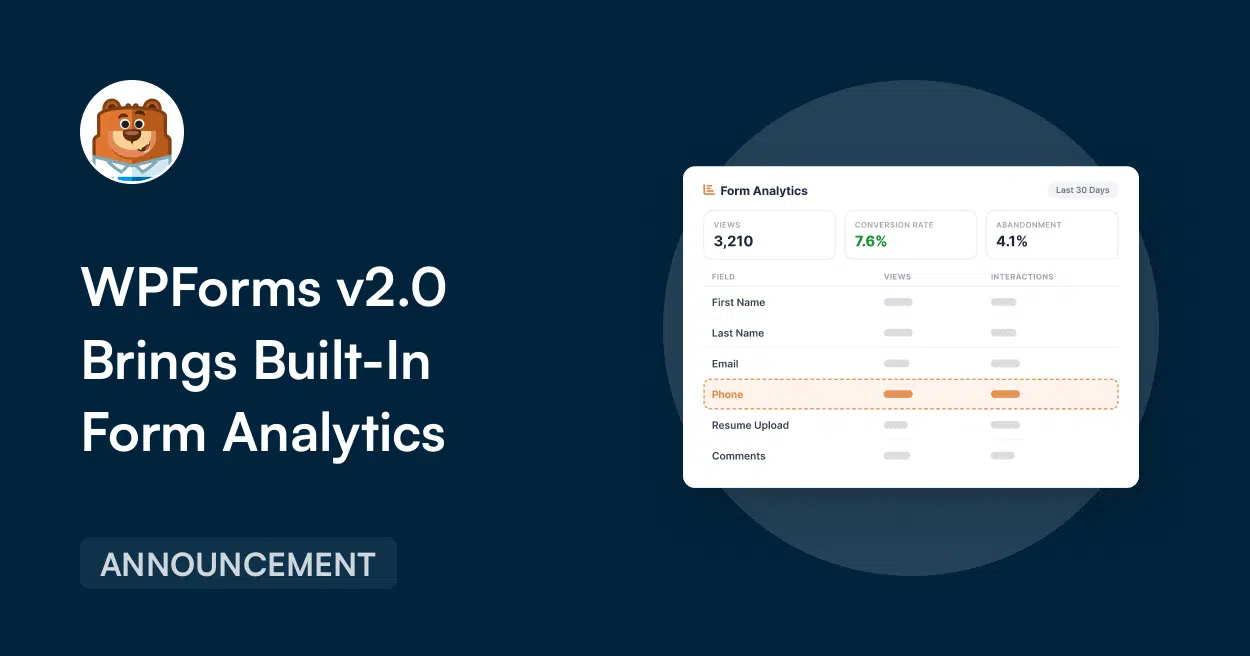
- A Dedicated Analytics Dashboard: Open any form’s analytics and you’ll find stat cards for views, interactions, conversion rate, abandonments, and errors. Filter everything by the last 7, 30, or 90 days, or set a custom range.

- Find the Exact Field Where People Give Up: A field-by-field table shows interactions, time spent, errors, and abandonment for every field. Pair it with the Form Abandonment addon to capture those visitors’ partial entries.

- Set a Conversion Goal and Watch Your Progress: Set a target conversion rate for any form and track your progress over time. The built-in goal tracker makes it easy to see how close each form is to hitting the number you care about.

- Built-In AI Chat for Form Insights: Instead of digging through charts yourself, ask WPForms AI what is hurting conversions, which form is underperforming, or where people are dropping off, and get answers based on your real form data.

- CSV Export and Print Reports: Need to share the numbers with a client, your team, or your own records? You can export your analytics report as a CSV or print it directly from the dashboard.
What This Looks Like for Your Business
Imagine you run a quote request form that gets steady traffic but fewer submissions than it should.
You open its analytics page and the field table tells you the story in seconds: people are spending nearly a minute on your Project Details field, and a third of them abandon right there.
So you ask the AI chat what to do, and it suggests making the field optional or splitting it into two smaller questions.
You make the change in your form builder, or since WPForms connects to assistants like Claude and ChatGPT through the Abilities API, you can just ask your assistant to make it for you.
A couple of weeks later that form’s conversion rate is climbing toward your goal, and the leads that used to disappear are landing in your inbox instead.
Who Is WPForms Analytics Perfect For?
WPForms Analytics is built for anyone who wants to understand how their forms are performing without setting up a separate analytics tool.
- Small business owners who want to see which forms are bringing in leads and which ones need attention, without digging through Google Analytics or setting up custom tracking.
- Marketers and growth teams who wish to find the exact fields where people slow down, make errors, or drop off, then use those insights to improve conversions.
- Agencies and developers who manage multiple client sites and want to scan every form’s Views, Entries, and Conversion Rate in one screen, with the data stored in each site’s own database.
- eCommerce store owners who collect orders, quotes, and inquiries through forms and want to see where buyers hesitate, before that friction costs another sale.
Real-World Use Cases Include:
- Checking your All Forms page each Monday and spotting the form whose conversion rate dipped last week, before it becomes a lost month.
- Asking the AI chat “Which field type causes the most errors across all forms?” after a redesign, and catching a broken field the same day instead of weeks later.
- Pulling up a client’s form analytics before a monthly review, exporting the report to CSV, and walking in with proof of exactly what improved.
See Your First Form Insights in Minutes
There’s nothing to install separately and nothing to configure. Update WPForms to v2.0, and tracking starts on its own. Here’s where to look:
Step 1: Check Your All Forms Page
Go to WPForms » All Forms and you’ll see three new columns: Views, Entries, and Conversion Rate.

Step 2: Open the Analytics Dashboard
Click View Analytics in the form builder’s menu to see the full picture for any form: stat cards, the field-by-field breakdown, date filters, and export options.

Step 3: Ask the AI Chat Your First Question
Once a few days of traffic have rolled in, open your form’s analytics page, and dive deeper into the data, or click the AI Chat button and ask away. A good starter: “How does the conversion rate compare to last month?”.

Why Built-In Analytics Actually Matters
Most analytics tools can tell you how many people visited a page. But form performance is different.
You need to know if visitors saw the form, started filling it out, ran into errors, abandoned it, or made it all the way to submit.
WPForms Analytics brings those insights into the same place where your forms already live, right in your WordPress dashboard!
All tracking data stays in your WordPress database, and WPConsent pairs with WPForms to handle visitor consent site-wide, keeping GDPR-compliance simple.
And because it’s built by the team that builds your forms, the numbers are engineered to be trustworthy:
- Form previews are never counted, so testing your own form won’t inflate its views and performance.
- Your own clicks don’t pollute the stats, as logged-in admins, editors, and authors are excluded from tracking automatically.
- WPForms blocks spam before it ever counts as an entry, so junk also never skews your stats, and ActiveLayer adds extra protection for sites when you need it.
- A field only counts as viewed when it actually appears on the visitor’s screen, so long forms report honest numbers.
It sees inside the form, down to the individual field, which is a level of detail external tools simply can’t reach from the outside.
Ready to See How Your Forms Are Performing?
If you’re on a WPForms Pro or Elite plan, simply update to WPForms v2.0 and your forms start reporting for duty immediately.
The analytics dashboard, the field-level breakdown, the conversion goals, and the AI chat, are all included, at no extra cost.
On Lite, Basic, or Plus? You’ll see the new analytics columns appear on your All Forms page after updating, with a preview of what’s being measured.
To unlock the full picture, upgrade to WPForms Pro and join over 6 million website owners who trust WPForms to power their online forms.
As always, thank you for your continued support of WPForms. We are constantly working to make form building not only easier, but smarter, so you have the insights you need to grow with confidence.
We can’t wait to hear what your numbers tell you.
Syed and the WPForms Team
P.S. Somewhere in your forms right now, there’s a field quietly costing you leads. WPForms Analytics will show you exactly which one. Upgrade to WPForms Pro today and find it in minutes.





