










WordPress Quiz Plugin

Turn Visitors Into Leads with Smart Quizzes

While SaaS quiz tools charge per response, you’ll have a quiz builder for higher engagement, more leads, and qualified buyers. No SaaS fees or coding needed.

Everything You Need to Build Smarter Quizzes

Forget expensive quiz software with monthly per-response fees. The Quiz Addon comes built into WPForms Pro.

AI-Generated Quizzes

Generate full quizzes from a single prompt in seconds.

Drag-and-Drop Builder

Build any quiz with no code or design skill.

Three Quiz Types

Graded tests, personality quizzes, and scored assessments.

Smart Conditional Logic

Branch questions and personalize outcomes by answer.

Live Result Reports

See answers, scores, and pass rates inside WordPress.

Email Capture Gate

Require an email before quiz takers see results.

2,100+ Templates

Pick a quiz template and go live in under 5 minutes.

Mobile-Ready Quizzes

Every quiz looks beautiful on phones and tablets.

Email Marketing Sync

Push leads to Mailchimp, ActiveCampaign, or Kit.

One Quiz Builder. Built for Every Use Case.

From classroom assessments to lead-gen quizzes, WPForms covers every quiz format your team will ever need.

Lead Generation

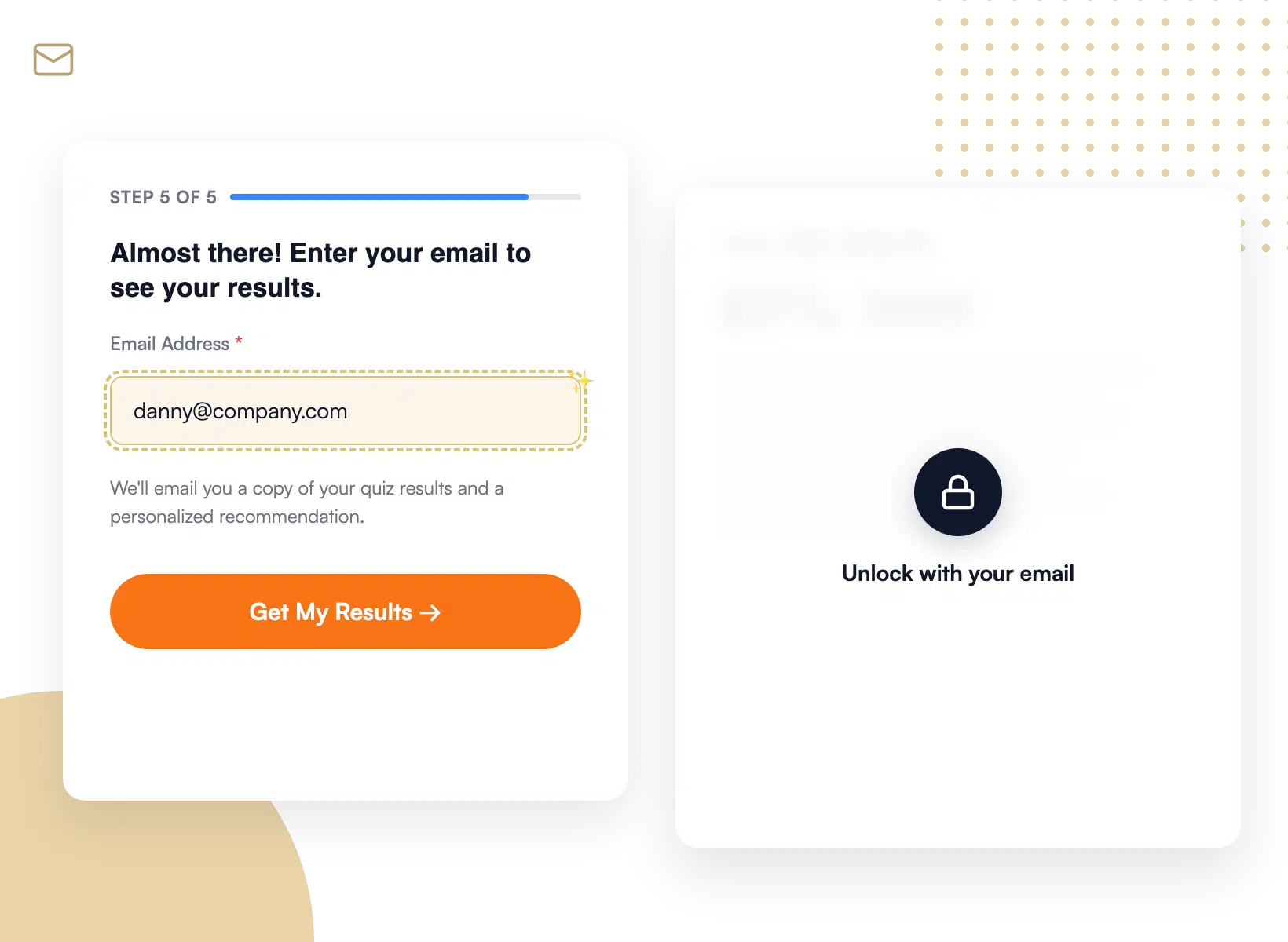
Gate quiz results behind an email field, then push every qualified lead into Mailchimp, HubSpot, or your favorite CRM the moment they finish.

Lead generation quiz with an email gate in WPForms

Course Assessments

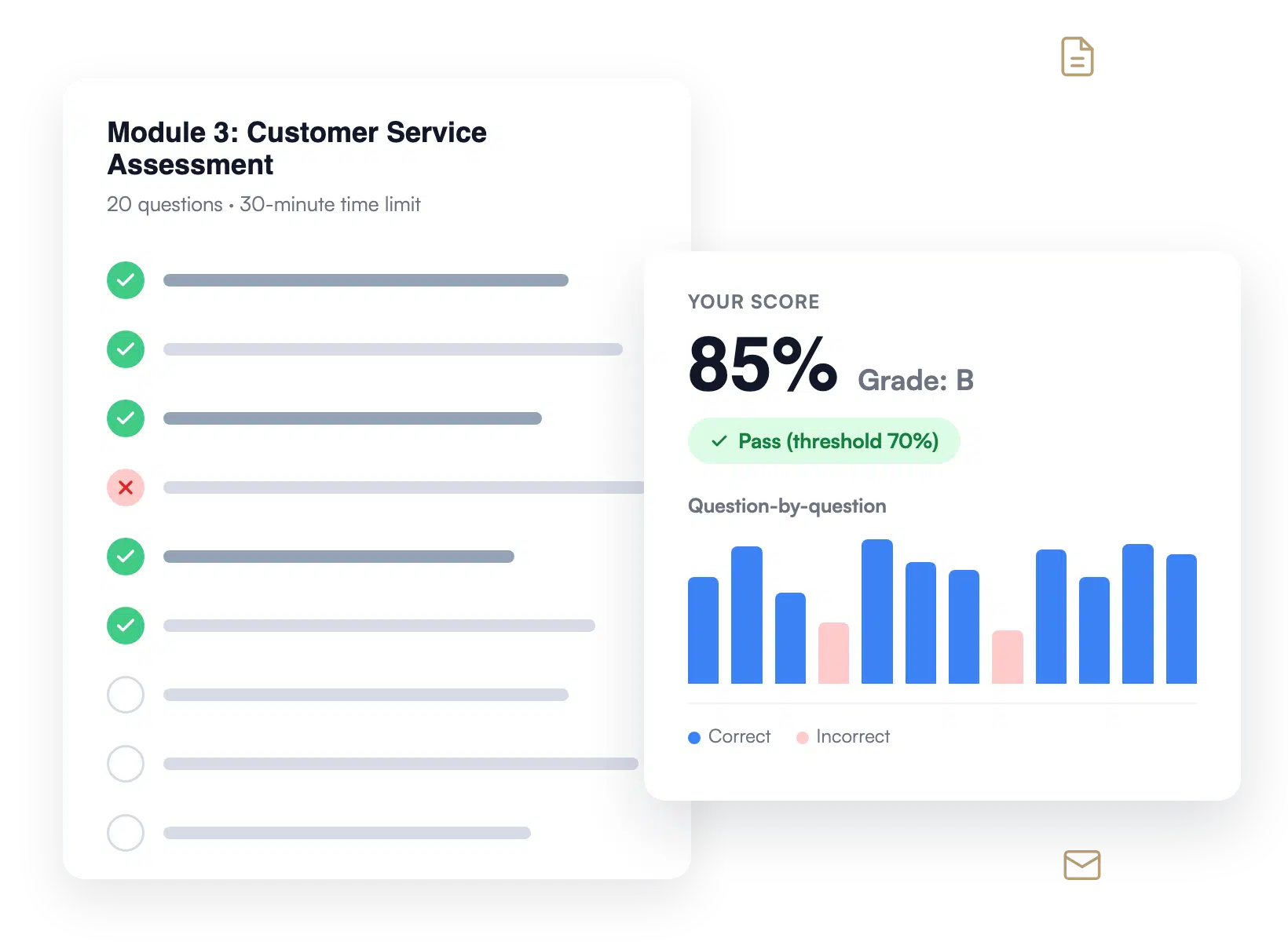
Build graded quizzes with automatic A to F scoring, custom pass/fail thresholds, and instant feedback so students always know where they stand.

Graded course assessment quiz with score breakdown in WPForms

Product Quizzes

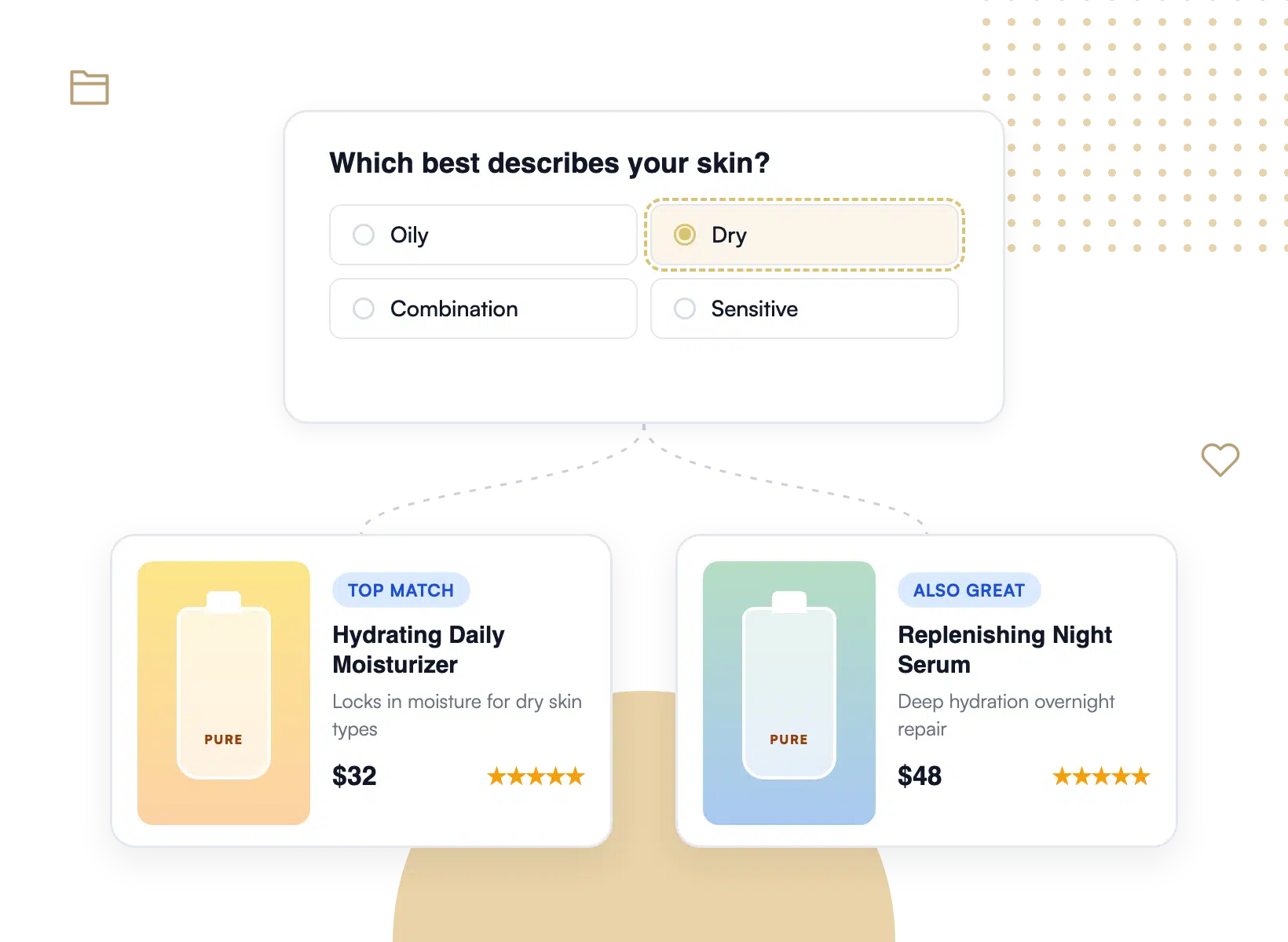
Help shoppers find the right product with a personality-style recommendation quiz that segments answers and delivers a tailored result.

Product recommendation quiz result page built with WPForms

Employee Training

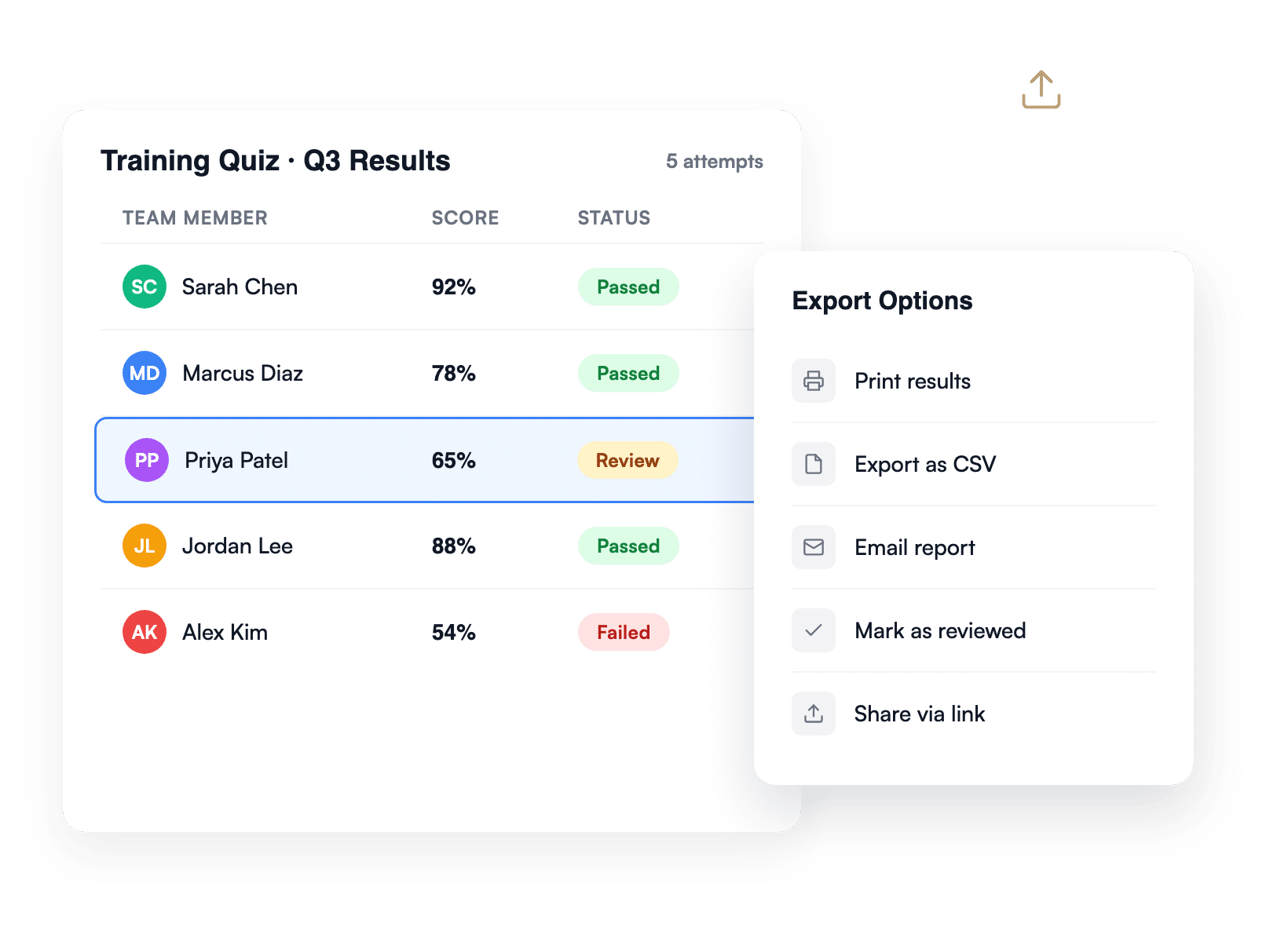
Test what your team retained from training with multi-question quizzes, scored attempts, and exportable results for HR records.

Employee training quiz dashboard with team scores in WPForms

Audience Engagement

Run BuzzFeed-style personality quizzes that earn shares, grow your email list, and keep visitors clicking through to find their result.

Personality quiz with a shareable result card in WPForms

Why 6 Million+ Websites Trust WPForms

From AI-generated quizzes to lead-gen funnels, the Quiz Addon turns visitors into measurable business outcomes.

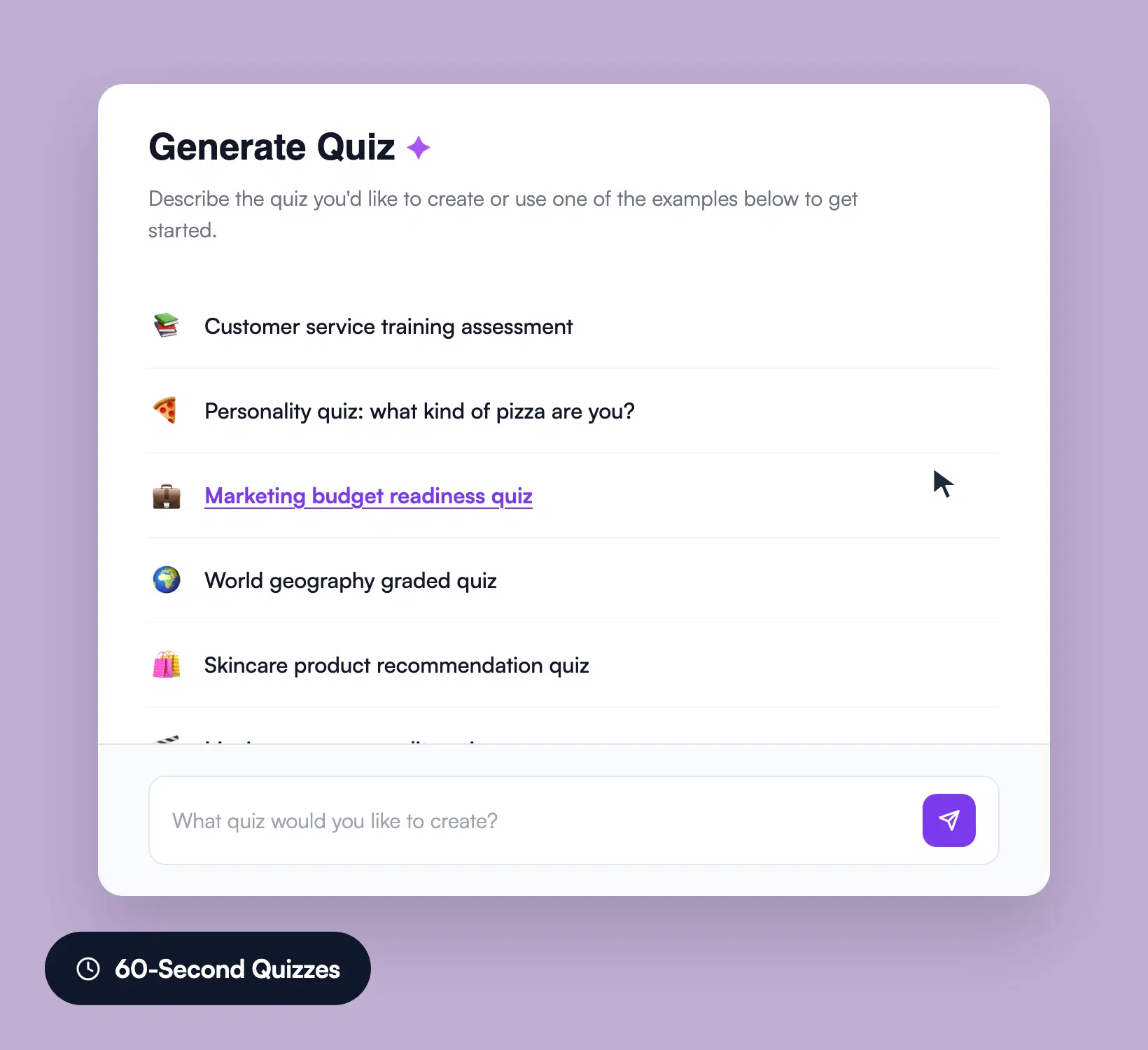
WPForms AI quiz generator turning a prompt into quiz questions

Generate Quizzes With One AI Prompt

Type a topic into the WPForms AI quiz generator and watch it write the questions, answer choices, and grading rules for you. The new lead-magnet quiz that used to take a copywriter an afternoon is now a 60-second job. Edit anything you want before publishing, the AI hands you a starting point, not a black box.

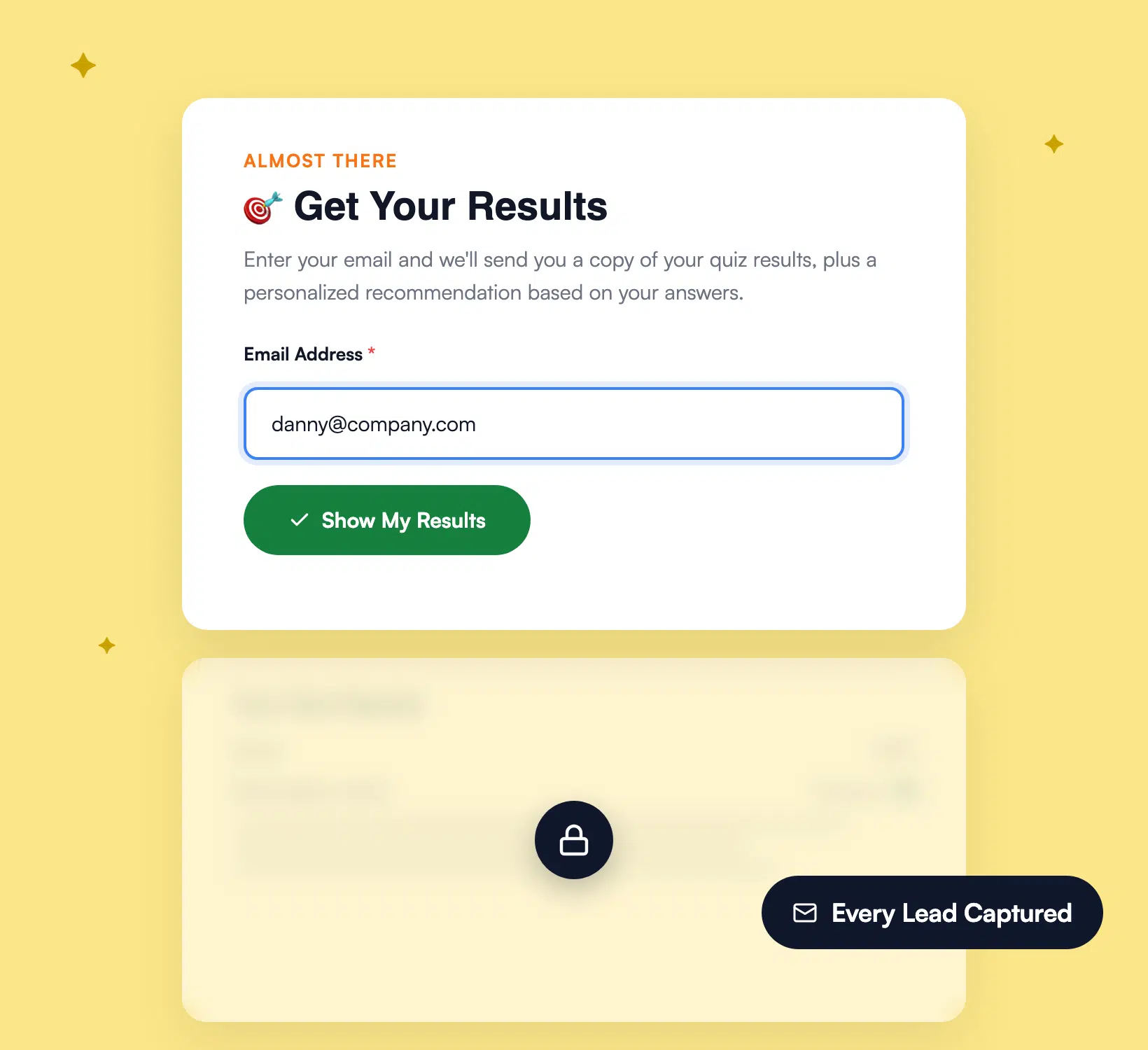
Capture Every Lead Before They See Results

Most quizzes leak attention. Quiz takers arrive, finish, and bounce without ever giving you their email. The Quiz Addon flips the script. Add a required email field anywhere in your quiz flow, and visitors must submit their address before the results screen shows their score, personality type, or product match.

Required email field shown before a WPForms quiz results screen
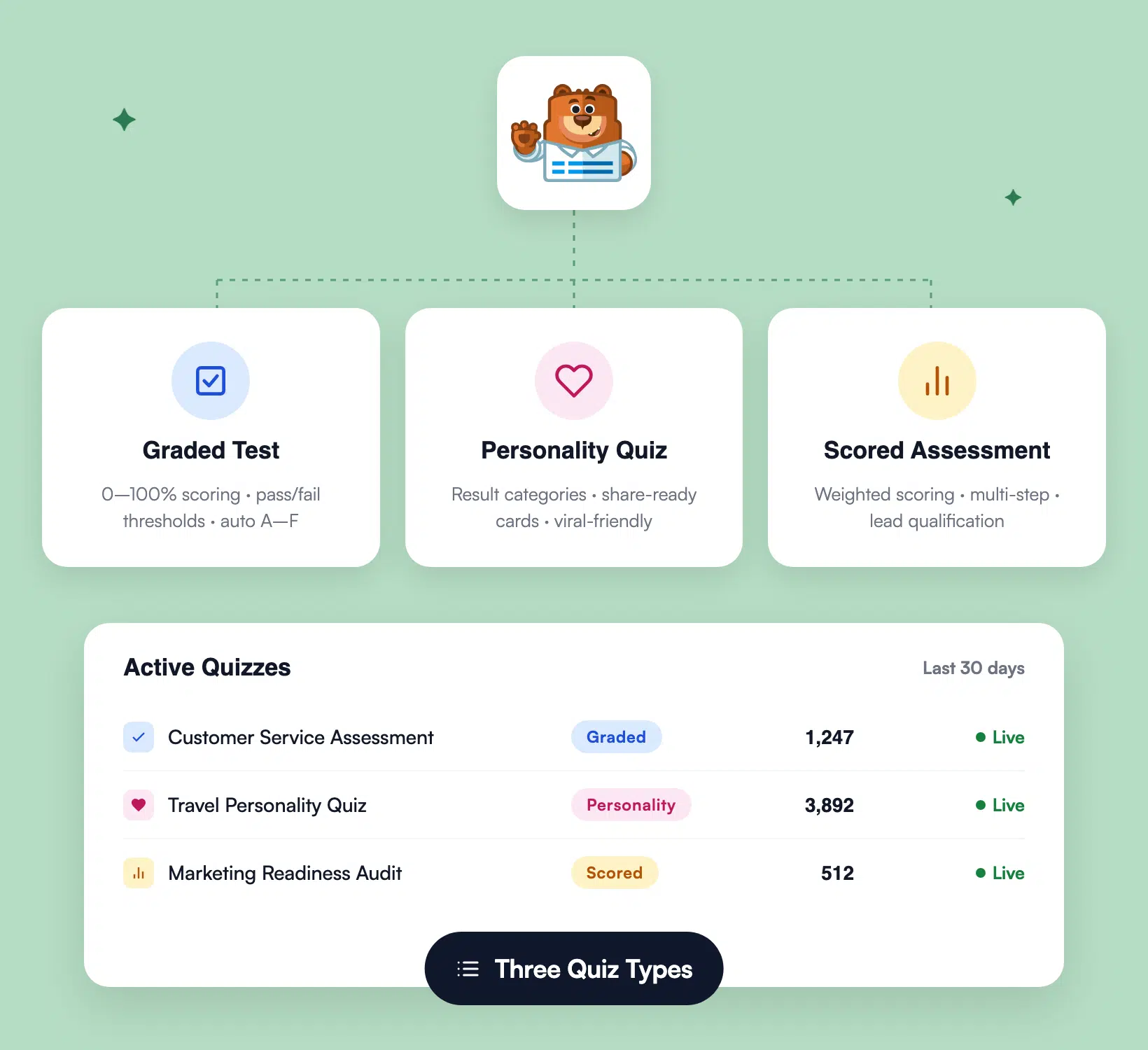
WPForms dashboard showing graded, personality, and scored quiz types

Three Quiz Types. One Single Plugin.

Graded tests for course assessments. Personality quizzes for product recommendations and BuzzFeed-style engagement. Scored assessments for health checks, readiness audits, and lead qualification. Every quiz type runs inside the same WPForms dashboard, so you only learn one tool to cover every quiz use case across your business.

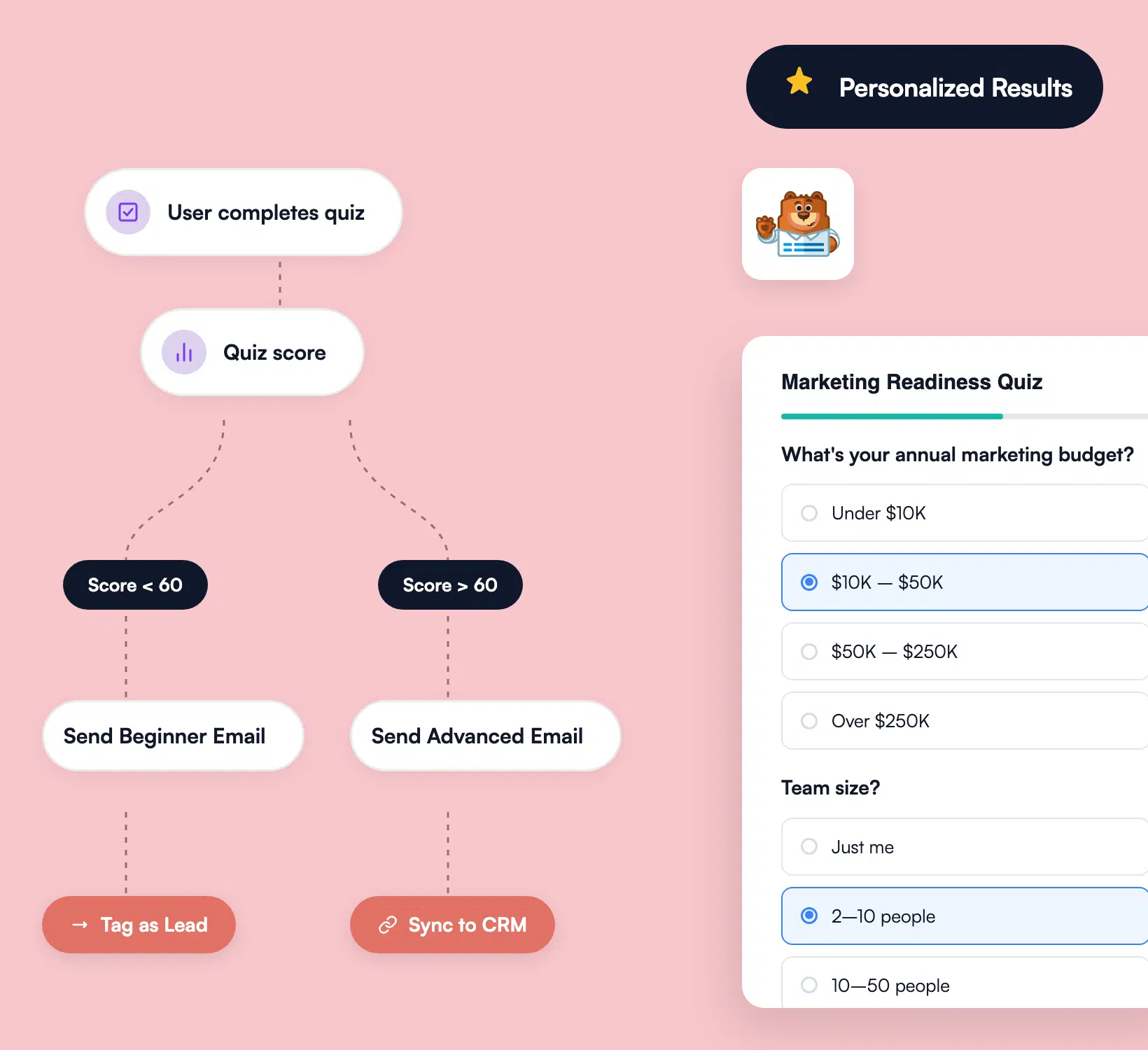
Personalize Every Result Automatically

Smart conditional logic shows the right follow-up question based on what the user just clicked, and serves up a tailored result the moment they finish. Tag the entry by quiz score or personality type, then route each lead to the email automation that fits them. No two quiz takers have to see the same generic ending.

Conditional logic flowchart branching a WPForms quiz by answer
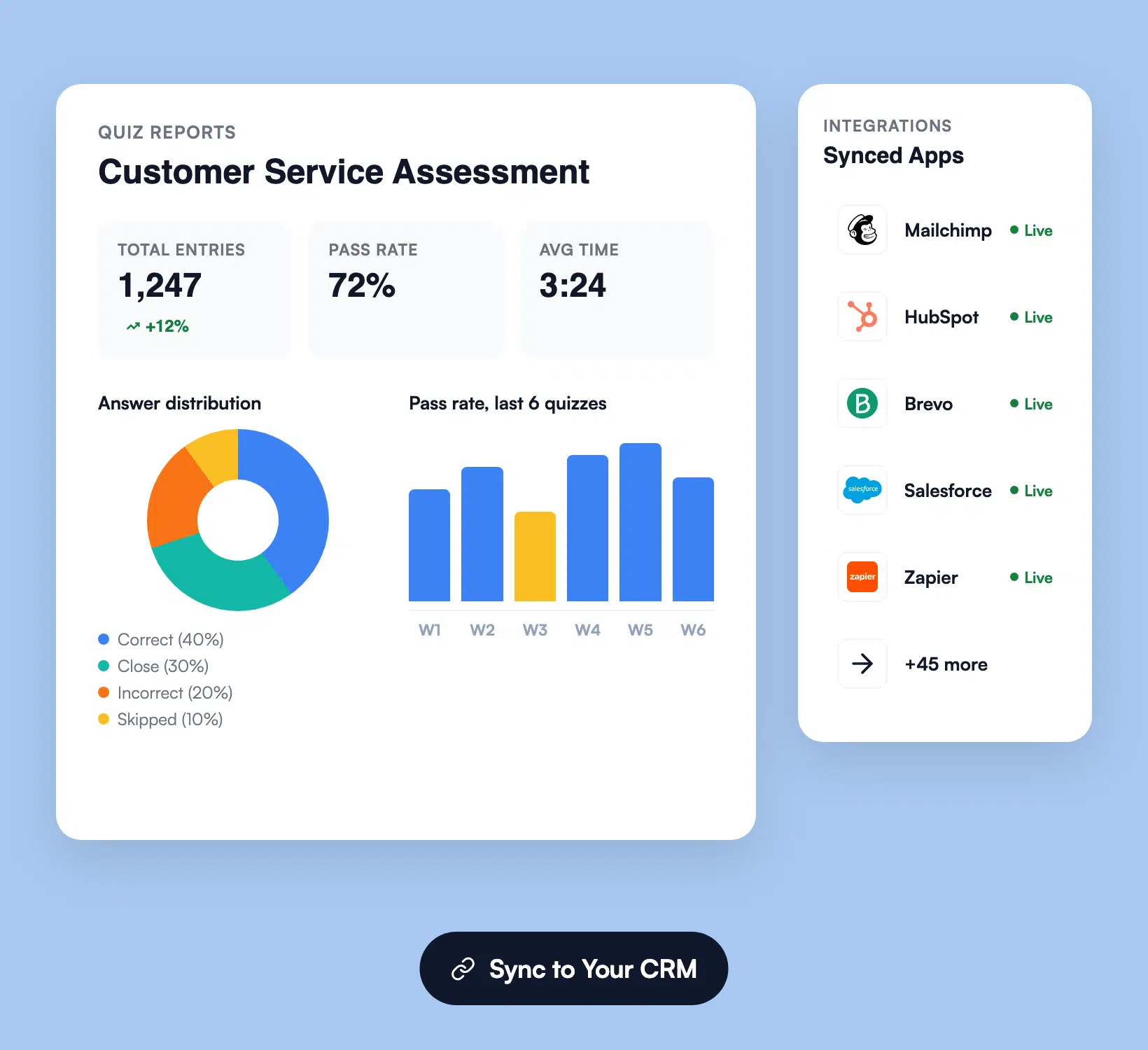
WPForms quiz reports dashboard with charts and CRM integrations

Track Answers, Score Results, Sync to Your CRM

Every quiz attempt lands in the WPForms entry dashboard with answers, score, time spent, and contact data. The reporting view turns raw entries into pie charts, bar charts, and pass-rate stats you can share with your team. Connect the addon to Mailchimp, HubSpot, ActiveCampaign, Salesforce, Zapier, and 50+ other tools to push every qualified lead into your funnel automatically.

One Addon. Three Quiz Types. Zero Code.

Pick your quiz style and build it right inside WPForms. Publish quickly, collect results, and use the answers to guide what happens next. Trusted by 6,000,000+ WordPress sites.

Graded Quizzes

Test Knowledge. Score Automatically.

Perfect for: Course assessments, employee training, certification tests, and classroom quizzes.

  • Auto-grading
  • Time limits
  • Instant feedback with explanations
  • Pass/fail thresholds

Personality Quizzes

Match Visitors to Outcomes.

Perfect for: Product recommendations, “What type are you?” engagement, and service matching.

  • Unlimited personality types
  • Custom result messages
  • Page redirects by outcome
  • Built-in lead capture

Weighted Quizzes

When Some Answers Matter More.

Perfect for: Lead qualification, readiness assessments, risk scoring, and pricing recommendations.

  • Flexible point values (0-99)
  • Score range outcomes
  • Lead segmentation
  • Qualification scoring

The Best WordPress Drag & Drop Form Builder Plugin

Create and publish forms in minutes… What are you waiting for?

View all

Frequently Asked Questions and Resources

Have questions about the WPForms Quiz Addon? We’ve got answers.

How does the WPForms Quiz Addon work?

The WPForms Quiz Addon adds three quiz types to your WordPress form builder. You can build graded tests, personality quizzes, and scored assessments, plus generate full quizzes from a prompt with the built-in AI. Drag fields onto your form, set scoring rules, and publish. The addon handles answer scoring, branching logic, and result delivery without any code. Learn more in the Quiz Addon documentation.

Which WPForms plan includes the Quiz Addon?

The Quiz Addon is included with the WPForms Pro and Elite plans. Once you upgrade, install the Surveys and Polls Addon (which now includes quiz functionality) from your WPForms dashboard, then enable Quiz mode on any form. Compare WPForms plans on our pricing page.

Can I generate quiz questions with AI?

Yes. The AI quiz generator inside the WPForms Quiz Addon writes full quizzes from a single prompt. Type a topic like “Customer service training assessment” and the AI returns the questions, answer options, and scoring rules ready to edit. See how AI-generated quizzes work.

Are WPForms quizzes mobile-friendly?

Yes, every quiz built with WPForms is fully responsive. Quiz takers can answer questions, see their score, and submit their email on phones, tablets, and desktops without any extra setup. The form layout, progress bar, and results screen all scale to the device automatically.

Where do quiz responses get stored?

All quiz responses are stored inside your own WordPress database, not on a third-party server. You own every email address, score, and answer your quiz collects. Export entries as CSV, view live reports inside the WPForms dashboard, or push results to your CRM through the Mailchimp, HubSpot, or Zapier integrations.

Can I capture leads with a quiz?

Yes, and it’s the most popular use of the Quiz Addon. Add a required email field anywhere in your quiz, and visitors must submit before they see their results. WPForms then syncs the email to your email marketing platform automatically. See how to build a lead generation quiz.

Does the Quiz Addon work with conditional logic?

Yes. Smart conditional logic is built into every WPForms quiz, so you can show different questions based on previous answers, route users to different result screens, and email different follow-ups based on score or personality type. Learn how conditional logic works in WPForms.

How long does it take to build a quiz?

Most quizzes go live in under 5 minutes. Pick a quiz template from the 2,100+ template library, edit the questions to match your topic, set the scoring or personality logic, and publish to any page. With the AI quiz generator, you can launch a brand-new quiz with zero questions written from scratch in about 60 seconds.

Do I need to know how to code to build a WordPress quiz?

No coding required. The WPForms Quiz Addon uses the same drag-and-drop form builder as the rest of WPForms. Marketers, course creators, store owners, and agency clients can all build a working quiz without touching a line of code.

Can I sync quiz leads to my email marketing platform?

Yes. The Quiz Addon connects to Mailchimp, Kit (formerly ConvertKit), Brevo, ActiveCampaign, Drip, AWeber, Constant Contact, MailerLite, and HubSpot, plus 5,000+ more apps via the Zapier integration. Every quiz finisher who hands over their email lands in your list automatically, tagged by quiz score or personality type so you can run targeted follow-up campaigns.

Capture More Leads. It’s That Simple.

Join the 6,000,000 professionals who use WPForms to build smarter quizzes and grow qualified leads.

✓ 14-Day Money-Back Guarantee · ✓ Setup in Under 5 Minutes · ✓ No Coding Required · ✓ Used on 6,000,000 Sites