


AI Summary
One of the toughest decisions of running a business, especially in these times of changing search algorithms, AIO, AEO, GEO, and a huge list of other acronyms is that how much should you actually spend on marketing?
The best way to answer that question is to understand which of your marketing channels is bringing you leads. And, not just a list of contacts! But, actual leads with high-conversion potential!
Search for help with this and you’ll mostly find guides written for teams who already own an enterprise attribution platform and a full CRM, and that can be difficult to afford for most small-to-medium sized businesses.
So, in this guide, I will be focusing more towards the WordPress side of things, and just a heads up that I will be mentioning several of WPForms’ features that can help you out.
Three Ways to Measure Which Channels Send Your Leads
Each of the three measurement methods below has a blind spot the other two cover, which is why running only one of them leaves you with a confident answer built on partial data.
Click-Based Tracking
Tagged links and referrer data record the path a visitor took, and that path gets stored with their submission. WPForms Pro includes the User Journey addon for this.
It attaches the pages a visitor viewed, and the campaign parameters they arrived with, to the entry they created. You get the actual referrer for one specific person rather than an average across everybody.

Self-Reported Attribution
I personally always like using this one as it asks the visitor directly, on the form itself, a short question about how they heard about a particular business.
It captures what your potential customers believe brought them to you and that information is really invaluable in terms of determining your best lead channel.
This is the only method that can see a recommendation from a colleague, a mention on a podcast, or a link pasted into a private chat.

Aggregate Site Analytics
Google Analytics and similar tools group all your traffic into channels and report totals. This is where you go for trends over time and for traffic that never filled out anything.
If you want form submissions counted as events in there, our walkthrough on how to send form submissions to Google Analytics covers the setup.
Set side by side, the coverage of the three methods looks like this.
| Method | What it sees | What it misses | What it asks of you |
|---|---|---|---|
| Click-based tracking | The exact referrer, campaign, and page path behind each individual lead | Anything arriving without a tagged link or a surviving referrer | UTM discipline on every link you publish |
| Self-reported attribution | Word of mouth, podcasts, and private shares that leave no digital trail | Accuracy, because people misremember and pick the first option they see | One extra field on your form, plus answer-list upkeep |
| Aggregate site analytics | Totals and trends across all traffic, with channel groupings already built | Which specific lead came from where | An analytics account and tolerance for session-level data |
However, if you read them together, it forms a picture about your leads.
When 30% of your leads say they heard about you from a friend but your click data shows almost no referral traffic, you have just measured how much of your growth happens in places you cannot measure.
Build UTM Links That Don’t Break Your Channel Report
Click-based tracking only works if the links you publish carry the information you want back. UTM parameters are the small tags you add to the end of a URL to say where a click came from.
What Each UTM Parameter does
There are five, and in practice you’ll use the first three constantly.
- utm_source: the specific place the click came from, like
facebook,newsletter, orpartner-site - utm_medium: the type of channel, like
cpc,email, orsocial - utm_campaign: the specific push the link belongs to, like
spring-promo - utm_term: the paid keyword, mostly used in search ads
- utm_content: which creative or link was clicked, useful for A/B tests
A finished link carrying the three common parameters looks like yoursite.com/contact/?utm_source=facebook&utm_medium=cpc&utm_campaign=spring-promo.
If you’d rather not assemble these by hand, our guide to how to build trackable campaign links walks through generating them consistently.
Pick One Naming Convention
Analytics platforms treat UTM values as plain text and they’re case sensitive, so Facebook, facebook, and fb become three separate sources in three separate rows, splitting one channel’s performance into thirds.
Research from HubSpot found that 64% of companies have no documented UTM naming convention at all, and the resulting fragmentation costs them an average of 22% of their data.
The fix is purely clerical, so write your source and medium values down in a shared document, keep everything lowercase, and never invent a new label when an existing one fits.
See the Full Path a Lead Took Before Converting
Once tagged links are landing on your site, the next question is what a single lead’s route actually looked like. Per-entry journey data answers that, showing you the whole sequence rather than a single source label.
What the Entry-Level Journey Shows
You go to WPForms » Entries, pick your form, then click View on a submission and scroll down to the User Journey section.
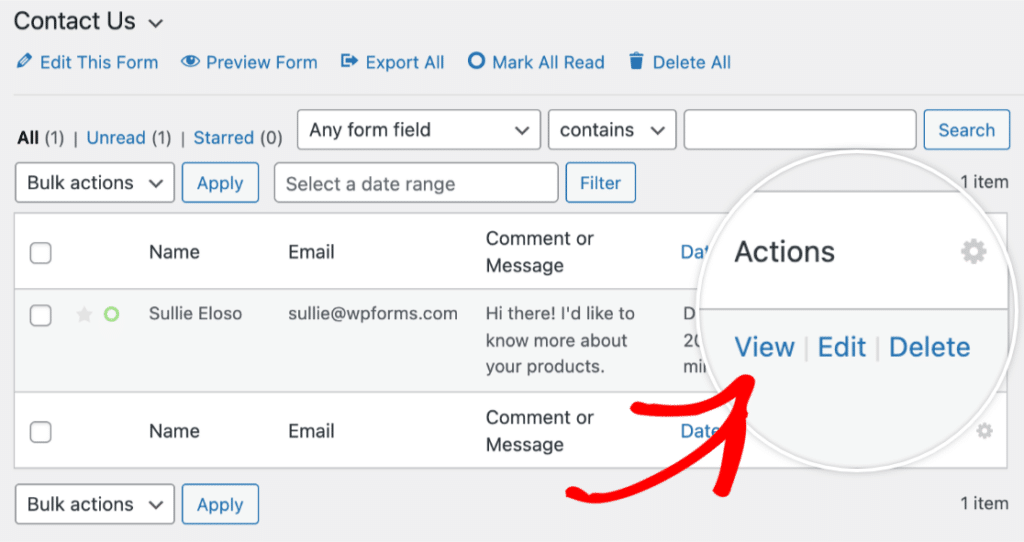
What you get is a row for every page that person visited before submitting, with the date, the time, and how long they stayed on each page after the first.

Once you start reading a few of these, you’ll start to notice which blog post keeps appearing two steps before a conversion.
Additionally, you’ll find that people from one channel land on a pricing page and submit within a minute while people from another wander for twenty.
The channel information itself sits one click deeper, as rows that arrived with URL parameters carry an Info icon that reveals them, which is where your utm_source value shows up.

The User Journey addon gives you a detailed record per lead and requires WPForms Pro, but it does not give you a dashboard that ranks your channels, which is why the next section exists.
If you haven’t switched it on yet, the addon’s setup documentation covers installation.
When the Referrer Goes Missing
Referrer data isn’t guaranteed to arrive, and it’s better to know the gaps than to trust a report that has them. Two situations account for most of the losses you’ll run into.
If a visitor comes from a site running on plain HTTP and yours runs on HTTPS, browsers drop the referrer on the way over. And plenty of people run privacy settings or extensions that strip referrer information as a matter of course.
Now, this is a good argument for tagging your own links rather than relying on referrers you don’t control. A UTM parameter sits in the URL itself, so it survives situations where the referrer header doesn’t.
Start Tracking Lead Sources With WPForms Pro 📈
Roll Per-Lead Journeys Up Into a Channel Report
Individual journeys are interesting, but to answer which channel is performing, you need those records grouped and counted, and that means getting them out of the entries screen.
Export Your Entries with Journey Data Included
The roll-up starts from your Entries list, which holds every submission the form has taken.

To get them into a spreadsheet, go to WPForms » Tools » Export and pick the form you want.
There’s an option to include User Journey data alongside the standard fields, and you’ll want it checked, because without it the export gives you the submissions with no origin attached.

Group by Source to Get Leads Per Channel
With the file open, the actual work takes only a few minutes, as you can pull the source and medium values into their own column.
Then, force everything to lowercase so your naming inconsistencies collapse together, and group by that column and count the rows. The result looks something like the table below.
| Channel | Leads | Share |
|---|---|---|
| google / organic | 41 | 34% |
| facebook / cpc | 33 | 27% |
| newsletter / email | 22 | 18% |
| linkedin / social | 15 | 12% |
| No source recorded | 11 | 9% |
That last row matters as much as the others because those 11 leads are your dark social and stripped-referrer cases. And if that number climbs past roughly a fifth of your total, your tagging has a hole in it worth finding.
Ask Leads How They Heard About You
Everything so far depends on a digital trail, and the cheapest way to see the traffic that leaves none is to add one question to your form.
Write the Question So the Answers Stay Usable
Ask this as a dropdown with a short list of options because a text box will hand you forty spellings of Instagram and a lot of blank submissions, none of which groups cleanly.

Keep the list to five or seven choices that map to channels you actually invest in, and make one of them a catch-all.
If you want help deciding what belongs there, we’ve collected the answer options worth offering for different types of business.
Where Self-Reported Answers Go Wrong
The first has to do with the order of your options, and one study found that 47% of leads who selected the first option in a list had been attributed incorrectly
This happens most likely because people pick the top choice to move on quickly, so rotating your option order, where your form allows it, spreads that noise around instead of dumping it on one channel.
The second bias comes down to how memory works, as people recall the most recent thing that reminded them of you rather than the thing that introduced them.
To read the answers in aggregate rather than one entry at a time, WPForms Pro includes the Surveys and Polls addon, which turns a question like this into a visual breakdown of how your leads say they found you.

Set that breakdown next to your click-based channel report and compare them, and where the two agree, you can trust both readings.
A channel that shows up strongly in one and barely at all in the other is reaching people through shares and conversations your tracking code never sees.
Turn Your Channel Data Into a Budget Decision
You now have leads per channel, quality per channel, and a self-reported cross-check. The last question is when a difference in those numbers is big enough to act on.
How Much Data Before You Trust the Split
Small samples produce dramatic-looking differences that mean nothing at all. A channel that closed two out of three leads last month has a 67% close rate on paper and no useful information in it.
Wait for a few dozen leads from a channel before you rank it against another, and match your measurement window to how long your sales actually take.
If deals close in a week, monthly numbers work, but if they take a quarter, judging a channel on last month’s leads means judging it before most of them have had a chance to convert.
And treat narrow gaps as noise, because two channels within a few percentage points of each other are comparable, not ranked.
When the Expensive Channel is the Better Buy
Volume rankings and revenue rankings pull in opposite directions here, and the revenue ranking is usually the one to follow.
If the paid channel’s leads close at twice the rate and carry three times the deal size, its higher cost per lead is buying you something real.
Moving budget toward the channel with the worse-looking efficiency metric is often the correct call.
When the channel is fine and the form is the problem
A channel sending plenty of engaged traffic that produces very few submissions may not have a traffic problem at all.
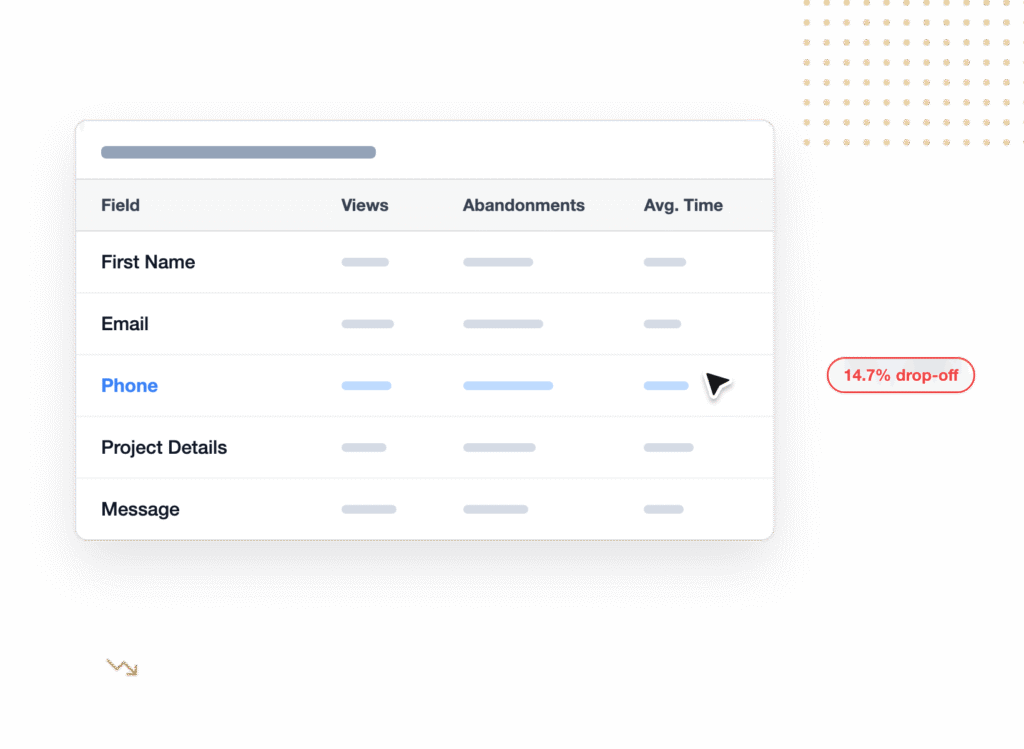
WPForms Pro includes form analytics that separates these two failures, showing views, interactions, conversion rate, and abandonments for each form.
If views are healthy and conversions aren’t, the channel is doing its job and your form is losing people, which makes a budget cut exactly the wrong response.

FAQs on Tracking the Marketing Channels That Generate Leads
Working out which marketing channels generate leads brings up a fairly consistent set of questions about lead source tracking, attribution, and what you can measure without expensive tooling. These are the ones that come up most often.
What is a lead source?
A lead source names where a person came from before they became a lead, whether that was a search, an ad campaign, or a referral from someone they know.
In practice it’s stored as a value on the lead record itself, often as a source and medium pair like google / organic or facebook / cpc.
How do you track which marketing channel generated a lead?
Tag the links you publish with UTM parameters, capture those parameters with the submission, then group your submissions by source to get a count per channel.
Adding a “How did you hear about us?” question covers the traffic that arrives without any trackable parameters.
Do I need a CRM to track lead sources in WordPress?
No, and you don’t need a paid attribution tool either. You can capture the source on every submission and roll it up from an entry export without a CRM at all.
A CRM becomes useful once you want revenue and close rates per channel, since that information lives after the form submission rather than at it.
Can I export lead source and user journey data?
Yes, and both travel together in the same export file. Go to WPForms » Tools » Export, choose your form, and select the option to include User Journey data.
There’s also a Google Sheets route if you’d prefer the data to keep itself current instead of exporting manually.
Does user journey tracking work for abandoned form entries?
It does, as long as both the User Journey and Form Abandonment addons are active.
Entries with the Abandoned status include the same journey information, so you can see which pages someone visited before deciding not to finish.
How much traffic do I need before the channel data is trustworthy?
Aim for a few dozen leads per channel before you compare channels against each other, and set your reporting window to match your sales cycle. Differences of a few percentage points between two channels are usually noise rather than a result.
Next, Improve the Forms Your Best Channels Land On
Once you know which channels send your best leads, the obvious follow-up is making sure the form they land on isn’t leaking any of them.
Small changes to field count and wording often move conversion rates by a surprising amount, and our beginner’s guide to form conversion optimization is a good starting point for that work.
From there, keep rebuilding your channel report on a schedule. Three or four months of the same table side by side tells you which channels are trending in the right direction.
Get WPForms Pro and Track Your Lead Sources 🚀
Ready to build your form? Get started today with the easiest WordPress form builder plugin. WPForms Pro includes lots of free templates and offers a 14-day money-back guarantee.
If this article helped you out, please follow us on Facebook and X (Twitter) for more free WordPress tutorials and guides.





