


AI Summary
Most site owners spend months worrying about traffic, but when the traffic actually arrives, the contact form sits there, and the leads never show up.
After working on a lot of WordPress forms, for my own projects and for clients, I’ve found the form itself is almost always what’s holding things back.
Small changes to how your form looks, asks, and follows up can move a 2 percent conversion rate into double digits, and you don’t need a CRO specialist to pull it off.
In this beginner’s guide, you’ll learn what form conversion optimization actually is, why most forms quietly lose leads, and the five practical pillars you can use to start fixing yours today.
A Beginner’s Guide to Form Conversion Optimization
Quick disclosure before anything else. Yes, you’re reading this on the WPForms blog. I work with the product, and the examples below lean on WPForms because it’s the plugin I know best.
What is Form Conversion Optimization?
Form conversion optimization is the practice of improving every part of your form, the layout, the fields, the copy, the follow-up, so that more of the people who start it actually finish it. It covers what happens before the form, inside the form, and after someone hits submit.

How to Calculate Your Form Conversion Rate
Before you change anything, you need a clean baseline. Your form conversion rate is the percentage of people who see the form and actually submit it.
Form conversion rate = (form submissions ÷ form views) × 100
If 200 people land on the page with your form and 14 of them submit, your conversion rate is 7 percent. That’s your starting point.
For reference, lead generation research and benchmarks put the average cross-industry conversion rate around 1 to 3 percent for a typical inbound form.

Multi-step forms often report 10 to 15 percent and high-intent forms, like a demo request on a pricing page, can run even higher.
But the benchmark you really care about is your own trend line. If the number has been flat for a year, the form needs attention.
A single focused change a month, tracked against a clean baseline, will get you further than a dozen random tweaks done in the same afternoon.
Why Most Forms Don’t Convert (And What To Fix)
Most forms don’t underperform because they’re broken. They underperform because of a handful of common problems that are easy to miss when you’re the one who built the form. Go through this list honestly and you’ll usually find two or three that apply to you right now.
Your Form Asks for Too Much, Too Soon
A typical underperforming form has 10 or 11 fields. The site owner needs all of them in theory. The visitor doesn’t know yet why they’d hand any of it over, so most of them leave before they’ve filled in the third one.
Cutting fields helps, but staggering what you ask, and collecting the rest later, often works even better.

Your Form Feels Like a Chore, Not a Conversation
A lot of forms are visually cramped, with every field on one screen and no room to breathe. The form reads like a tax return, which is a tough sell on a landing page where the visitor came to learn about your offer.
Forms that feel like a short, guided exchange convert better. That usually means breaking the form up or changing the format entirely.

You’re Losing the People Who Start But Never Finish
People who start a form are your warmest leads. Something between the first field and the submit button made them stop, and on most forms they just disappear.
Most form plugins leave these visitors as a blank spot in your data. Good form conversion optimization gives you a way to recover them.

You’re Not Giving People a Reason to Complete
On payment forms and longer forms, motivation slips as fields pile up. If the visitor can’t see a discount, can’t tell what the final price will be, or can’t predict how long the form will take, they bail.
The reason to finish has to be visible inside the form itself, before the visitor gets anywhere near the submit button.

You Have No Idea What Happens After Submit
Data that lands in an email and stops there is wasted. Forms that push submissions directly into the tools you actually use, like your spreadsheet, email list, or CRM, let a submission become the first step of a real follow-up instead of a dead end.

The 5 Pillars of Form Conversion Optimization
Each of those failure modes maps to a specific fix. I’ll call out the WPForms addons that address each pillar so you can see how the pieces connect, but the principles apply whatever form plugin you’re using.
All of the addons mentioned below require WPForms Pro or higher. If you’re on Lite, you can still tighten the form and rewrite the copy before you think about upgrading.
Pillar 1: Reduce Friction With Smart Form Formats
The format of the form matters as much as the fields inside it. Three options tend to outperform the default “everything on one screen” approach.
Multi-step forms break a 10-field form into three pages of 3 or 4 fields. The visitor commits to the first page, and the progress bar gives them a sense of how close they are to finishing.

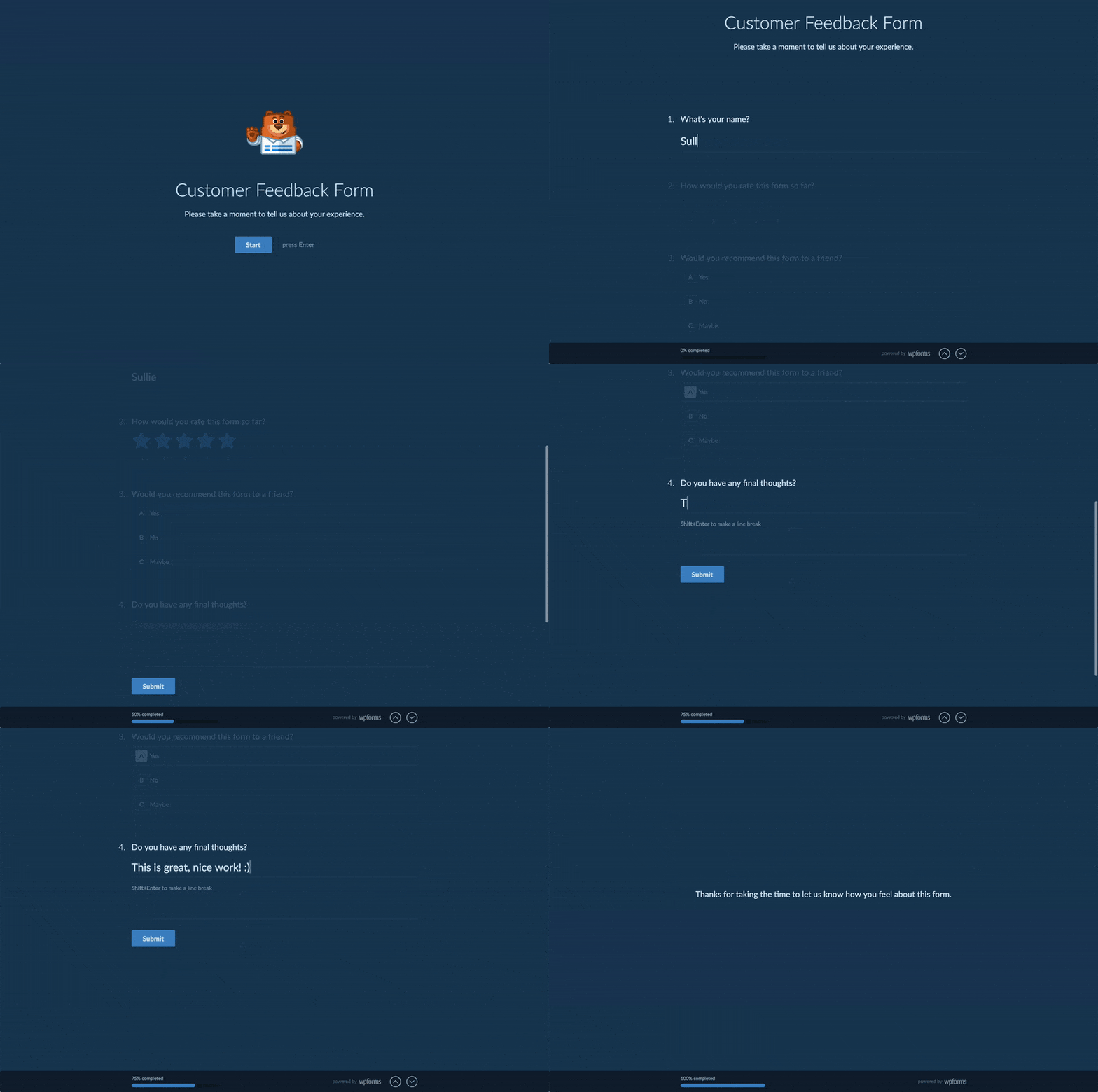
Conversational Forms turn your form into a one-question-at-a-time, chat-style experience that works well on mobile. I’ve swapped standard intake forms over to this format, and completion rates went up by 20 to 30 percent.
Lead Forms and dedicated form landing pages solve a different problem. Lead Forms converts an existing form into a higher-conversion capture format with a cleaner layout and built-in CTA.

Pair it with a distraction-free landing page (the Form Pages addon handles this, and you can also read about landing page best practices that convert) and your form stops competing with your site navigation, blog sidebar, and cookie banner for attention.
Pillar 2: Recover the Ones That Got Away
Without abandonment tracking, the people who start a form and leave are simply gone. The Form Abandonment addon captures partial submissions the moment a visitor moves past the email field, even if they never hit submit.

You get a partial entry with the email address, any other fields they filled in, and a timestamp. Say your contact form gets 50 visits a day and you’re used to getting 5 or 6 submissions.
With Form Abandonment turned on, another 6 or 7 visitors a day will leave a usable email address before walking away. A short, honest follow-up email to that group often recovers a third of them.
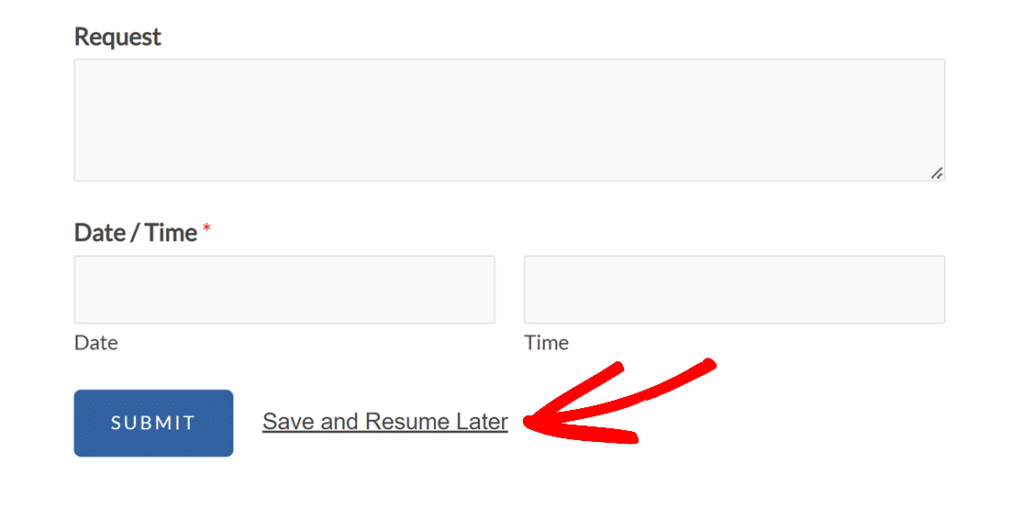
For longer forms where the visitor wants to come back later, Save & Resume sends them a resume link by email so they can pick up where they left off. It’s a good fit for any form that needs more than two minutes of attention.
Pillar 3: Add Motivation at the Moment of Decision
On payment forms, calculators, and anything where the visitor is being asked to commit real money, their motivation slips as fields pile up. You need a visible reason to complete the form while the visitor is still committed to the purchase.
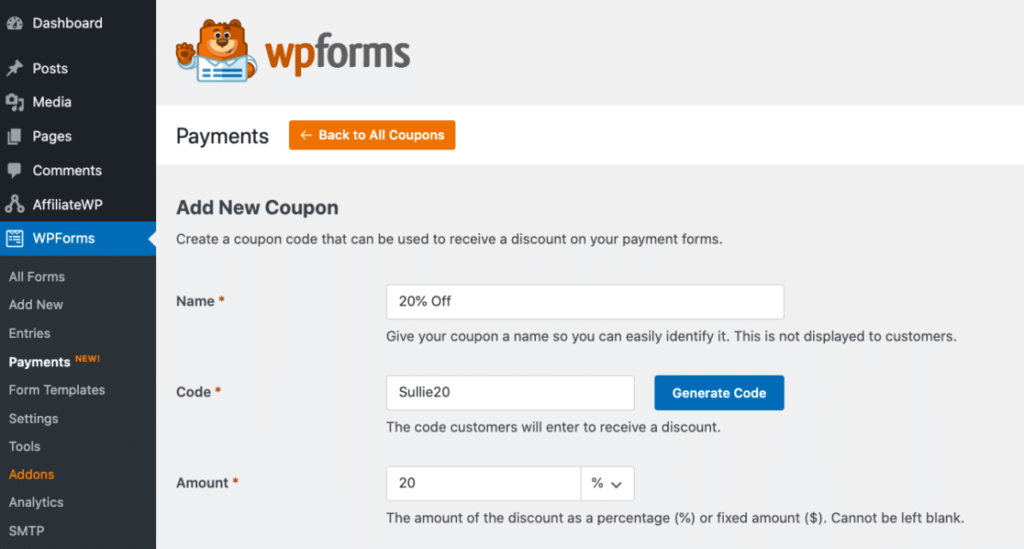
The Coupons addon lets you add fixed or percentage discount codes to any payment form. A coupon field sitting on a checkout form gives the visitor a reason to complete the purchase right now, especially if you’re promoting a discount through email or an ad campaign.
The Calculations addon solves the pricing transparency problem. Instead of the visitor wondering what the final price will be, they see the number update as they make choices.
That works for shipping calculators, service quote forms, booking forms, and anything where the total depends on what the visitor selects.
Pillar 4: Build Feedback Loops with Surveys and Polls
The fastest way to improve your forms is to ask the people who use them. The Surveys & Polls addon turns a form into a feedback-gathering tool with NPS scoring, Likert scales, and interactive reports that give you structured data back.

Two practical uses for form conversion optimization. A short post-submission survey on your thank-you page, two or three questions about why the visitor filled out the form, tells you more about intent than most analytics tools will.
A quick poll on your top-performing landing page asking what almost stopped visitors from filling out the form usually produces specific answers you can use the same week.
Quizzes belong in this pillar too. A well-built quiz form can qualify leads, capture email addresses, and give the visitor something they’d actually want to share, all in the same flow.
Pillar 5: Track, Follow Up, and Improve
Form submissions are only useful if something happens with them afterwards. Tracking and follow-up automation make sure the data moves somewhere you’ll actually see it, instead of sitting in an inbox nobody checks.

WPForms Analytics track views, interactions, conversion rate, abandonments, and errors for every form. It also breaks those numbers down field by field, so you can tell exactly which question makes people give up.

That field-level view is the part most basic tracking misses, and the complete guide to form analytics walks through every metric.
Analytics shows you where people drop off, while the Form Abandonment addon from Pillar 2 captures the partial entries those people leave behind.
With actionable data in place, you also set a conversion rate goal. Click Set Goal on the Conversion Rate card, type in the percentage you’re aiming for, and click Save Changes.

From then on, the card compares your goal against your live conversion rate, with a green arrow when you’re beating the target and a red one when there’s work to do.
Each form carries its own goal, so you can hold a quick newsletter signup and a long application form to different standards.
How to Start Optimizing Your Forms Today
Trying to apply all five pillars at the same time is the quickest way to ship nothing. Go ahead and run this three-step plan instead. It takes about an hour.
- Measure your baseline: Add form tracking, the Google Analytics guide linked above walks through it, and let it run for one full week without touching anything. You need a clean number before you change anything.
- Make one change: Pick the single biggest issue from the five failure modes and make one focused change for that problem. One change at a time, nothing else touched.
- Wait two weeks, then check the number: Two weeks is usually enough to see whether the change moved the conversion rate. If it did, pick the next issue and repeat. If it didn’t, revert and try something different.
For a more formal approach you can A/B test your forms, but for most small sites the one-change-at-a-time method gets you most of the way there without any testing setup to maintain.
Frequently asked questions about Form Conversion Optimization
These are the questions that come up most often when people start working on form conversion rates in WordPress.
What is a good form conversion rate?
It depends on the form and the traffic source. A cold contact form on a blog post typically converts at 1 to 3 percent. A multi-step lead form on a focused landing page often lands between 10 and 15 percent.
A high-intent form like a demo or quote request can push past 20 percent. Track your own baseline and try to move it month over month rather than comparing yourself to an industry average.
Do multi-step forms really convert better than single-page forms?
In most cases, yes. Breaking a long form into steps reduces visual weight and builds commitment as the visitor moves through.
Case studies commonly report multi-step conversion rates two to three times higher than single-page versions of the same form. The exception is very short forms of two or three fields, where adding steps just adds friction.
How do I measure form conversion in WordPress?
The simplest approach is to use MonsterInsights with WPForms. For deeper insight into visitor behavior before the submission, the User Journey addon shows the full path a visitor took before filling out the form.
Which WPForms addon should I start with first?
Form Abandonment, in most cases. It captures leads you’re already losing invisibly, which makes it the highest-return single change most sites can make.
After that, Conversational Forms or Lead Forms if your format needs work, and Calculations if you have any payment or pricing forms on the site.
Next, Build a High-Converting Form with WPForms
If you’re ready to apply any of this, the fastest place to start is a multi-step form tutorial or a quick walk through survey form setup. Both take under 20 minutes and give you something measurable to test against your baseline.
Multi-step forms, Form Abandonment, Coupons, Calculations, Surveys & Polls, Google Sheets, and the CRM integrations all live on WPForms Pro or higher. For conversion work, Pro is usually the right tier because that’s where the addons you actually need unlock.
Ready to build your form? Get started today with the easiest WordPress form builder plugin. WPForms Pro includes lots of free templates and offers a 14-day money-back guarantee.
If this article helped you out, please follow us on Facebook and X (Twitter) for more free WordPress tutorials and guides.





