


AI Summary
Most WordPress sites need a contact form from day one.
Visitors expect a way to reach you, and without a form, you’re either pasting your email address on the page (hello, spam bots) or losing leads to whoever made it easier to get in touch.
The catch is that WordPress doesn’t include a contact form out of the box. So let me walk you through how to create a simple contact form in WordPress using WPForms, the form plugin I reach for every time.
How to Create a WordPress Contact Form
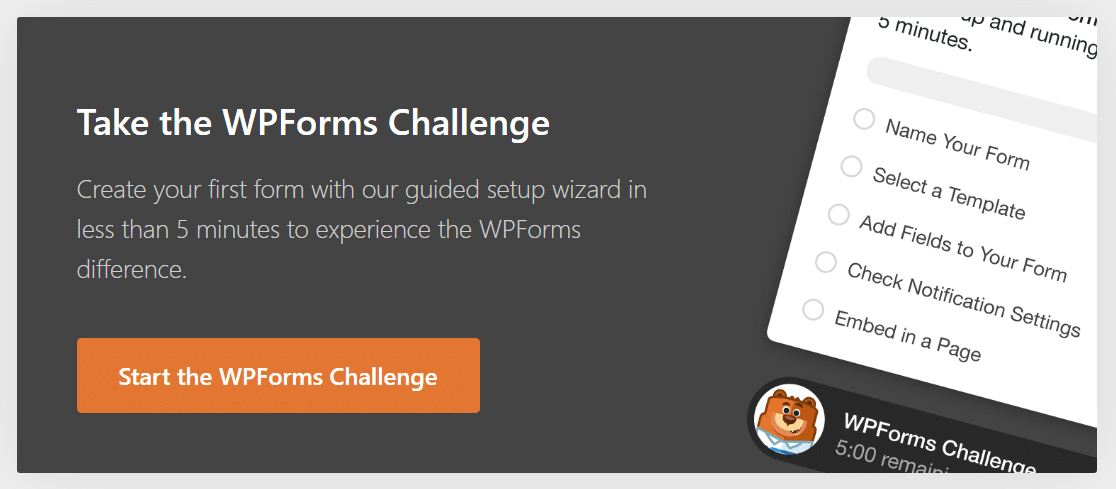
To prove just how easy it is to use WPForms to make a contact form in WordPress, we’ve made the WPForms Challenge. This fun and user-friendly Setup Wizard walks you through everything you need to do to create your first form a.
You have 5 minutes to complete it. But we think you’ll have a finished form even sooner than that. The WPForms Challenge is just for fun, and it only appears the first time you make a form.
If you’re using Elementor, you might want to check out this alternative guide to making an Elementor contact form with WPForms. Ready to start? Let’s begin!
Step 1: Install the WPForms Lite Plugin
The first thing you’ll need to do is install and activate the WPForms plugin. WPForms is rated as the best WordPress form plugin, and it’s the ideal solution for building contact forms.
What I like most about WPForms for contact forms is the Simple Contact Form template. It comes pre-loaded with the fields most sites actually need (Name, Email, Subject, Message), so for a basic contact form, you can install, drop in the template, embed it on a page, and be done.
To get started, download WPForms Lite from WordPress.org or buy a paid license. If you need help installing a plugin, follow this step-by-step guide on how to install a plugin in WordPress.
Once activated, you’ll see the WPForms Setup Wizard display the option to take the WPForms Challenge. By the time you’re done with this challenge, you’ll have your first form ready and will be able to create a contact us page in WordPress. Click Start the WPForms Challenge to get started.
Step 2: Select the Simple Contact Form Template
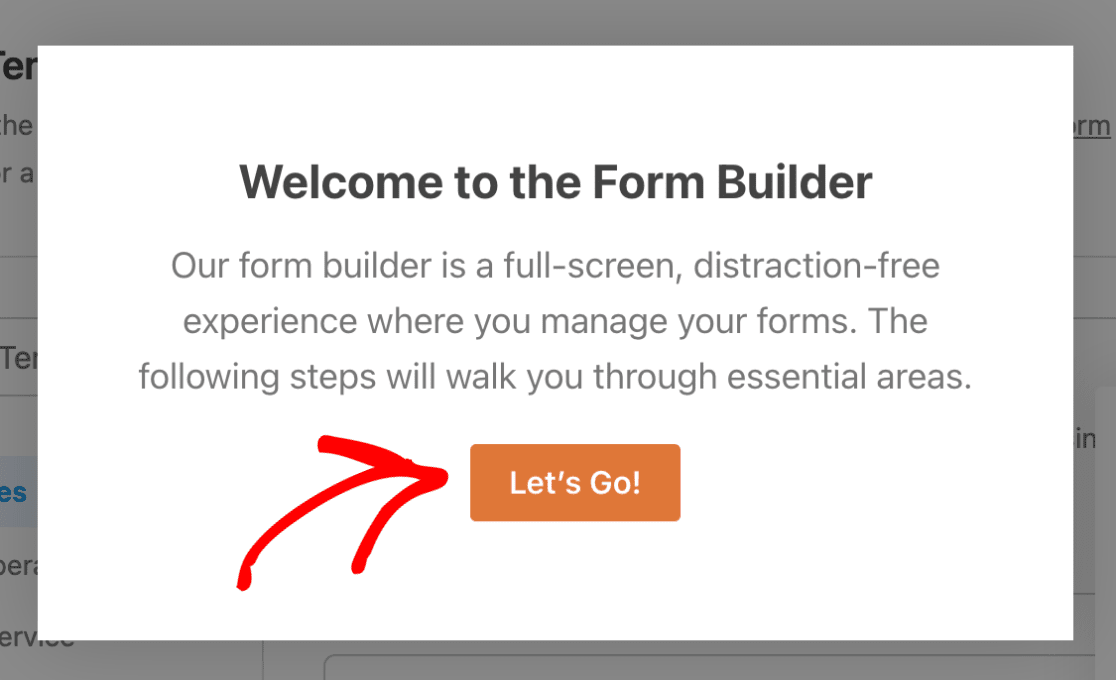
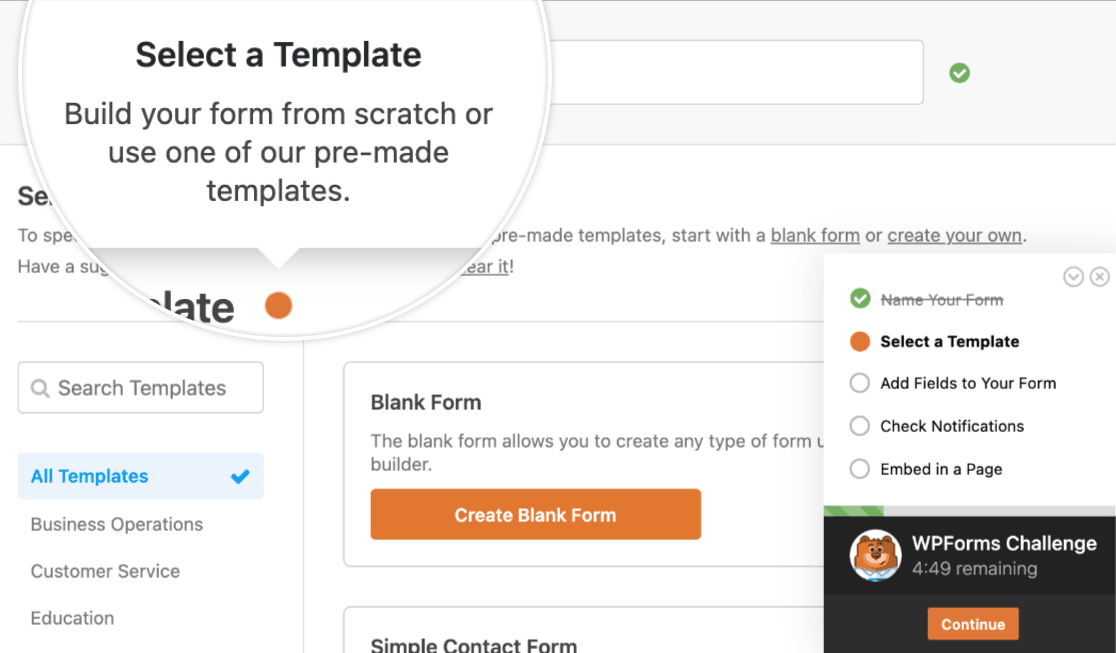
After you click Start the WPForms Challenge, you land on the form setup screen. This is where you name your form and pick a template to start from. Click Let’s Go to proceed.
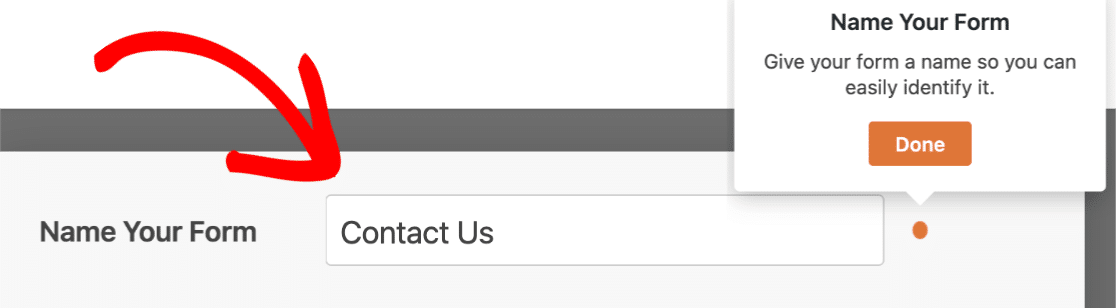
Give your form a name. I usually go with something obvious like “Contact Form” or “Get In Touch” so it’s easy to find later in WPForms » All Forms. Click Done to continue.
Next, you’ll pick a template. WPForms has 2,100+ form templates covering everything from event registrations to surveys to job applications, but for a contact form, you only need one.
Select the Simple Contact Form template. That puts you inside the form builder with the template already loaded. You’ll see the Name, Email, Subject, and Message fields ready to go.
If you’d rather skip the template browsing entirely, you can use WPForms AI to generate a custom form by describing what you want in plain English.
Step 3: Customize Your First Contact Form
Once you’re inside the form builder, you’ll see a popup message instructing you about the next step:
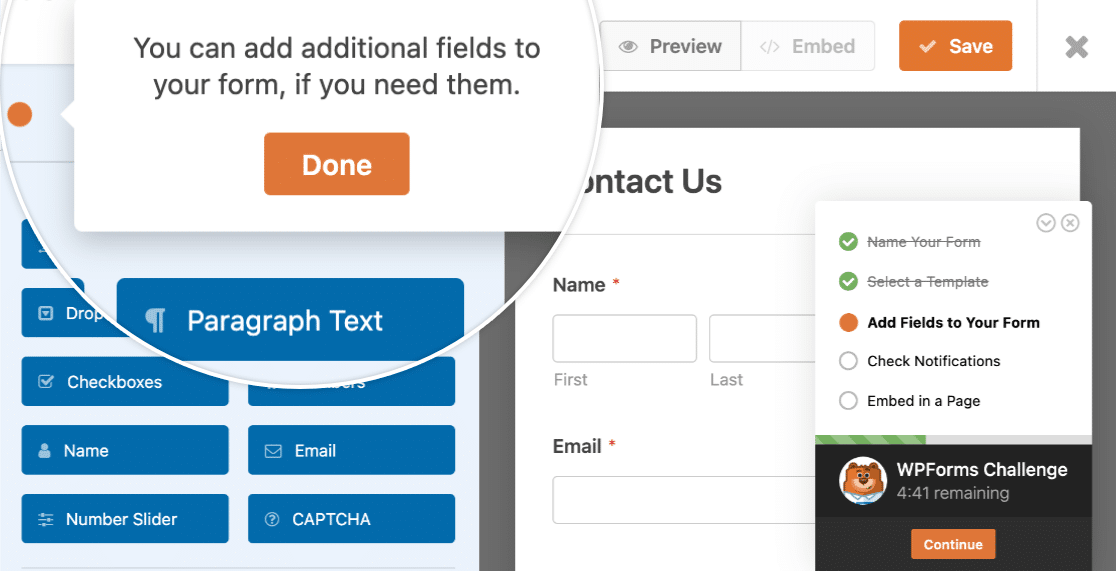
Customizing form fields in WordPress is really easy using the WPForms drag and drop form builder. You can add new fields to your contact form by dragging them from the left-hand panel to the right-hand panel.
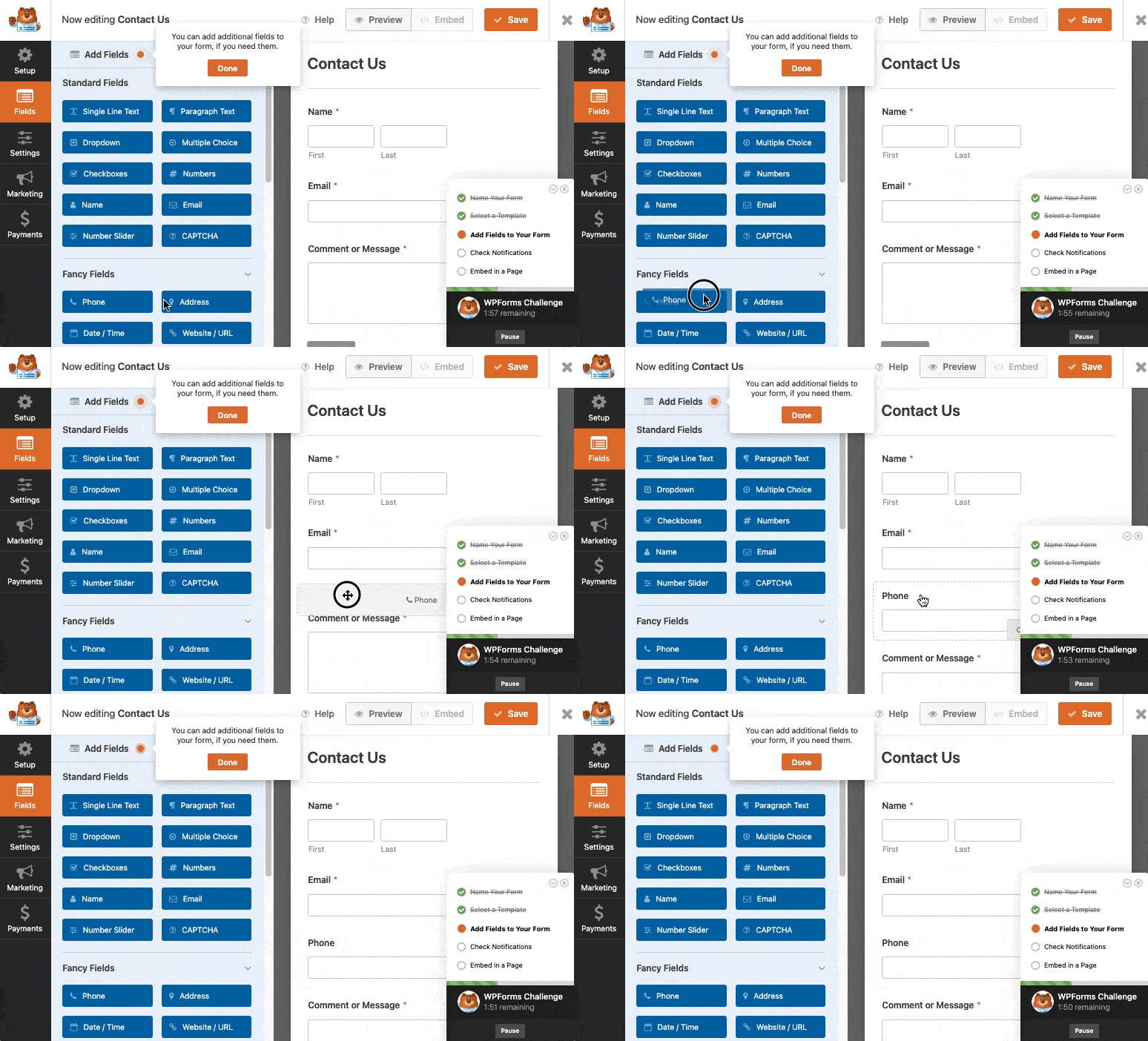
The Simple Contact Form template starts with four fields, and for most use cases, that’s all you need. If you want to add more, here’s what I typically reach for and when:
- Phone field: For sales-oriented contact forms where you want the option to follow up by phone. Available in Basic and above.
- Address field: For service-based businesses (plumbers, designers, anyone who travels to the customer). Available in Basic and above.
- File Upload: For support inquiries where someone needs to attach a screenshot or document. Available in Basic and above.
- Dropdown: Useful for letting people pick a department or topic. Available in all tiers, including Lite.
For inspiration, take a look at these contact us page examples to see what other sites include in their forms.
You can also dig into advanced field types like conditional logic, calculations, and payment fields, but those require the Pro tier and aren’t necessary for a basic contact form.
When your form is set up the way you want it, click Done.
Step 4: Check Contact Form Notification Settings
The next step in the WPForms Challenge deals with your form’s notification settings. Most beginners gloss over notification settings, then wonder why they aren’t getting emails.
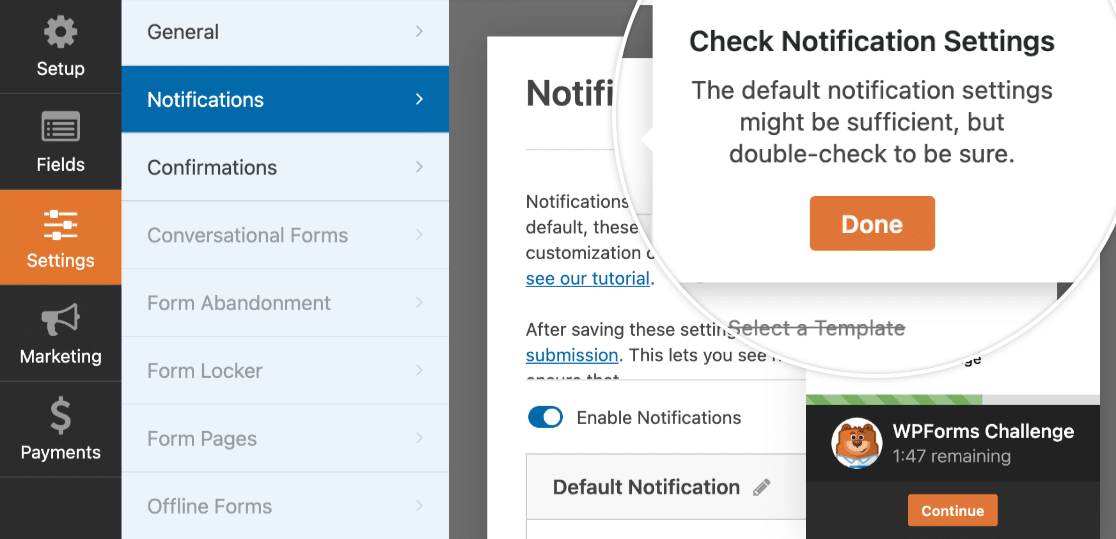
By default, WPForms sends a notification email to your WordPress admin email address every time someone submits the form. The email contains the full entry, and only one recipient gets it.
But what if you also want to send email notifications to the person submitting the form?
That’s easy to care of. In WPForms, you can create multiple form notifications and send them to different members of your team as well as your customers upon form submission.
Adding to this, if you want to keep branding across your emails consistent, you can check out this guide on adding a custom header to your email template.
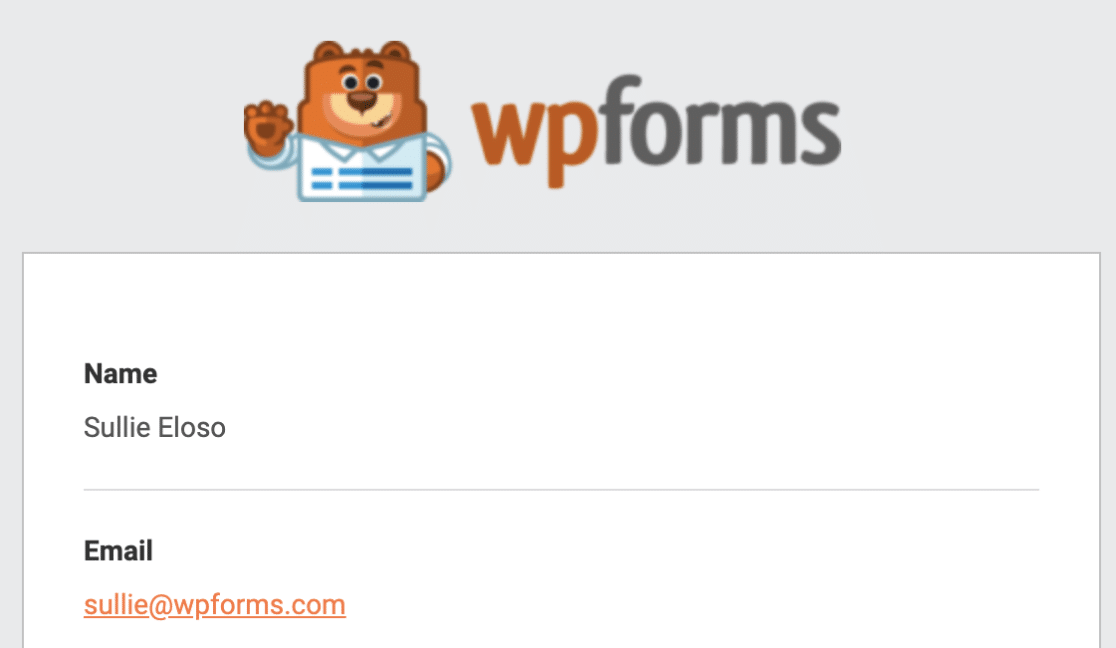
WordPress’s default mail function (PHP mail) is unreliable on a lot of hosts, which is why some form notifications never arrive. If your test email in Step 6 doesn’t show up, the FAQ at the bottom has the fix.
When notifications are set up the way you want them, click Save and move on.
Step 5: Embed Your Simple Contact Form on a WordPress Page
You’re now ready to add a contact us page to your WordPress website. The embed functionality is super beginner-friendly as it doesn’t require using shortcodes directly.
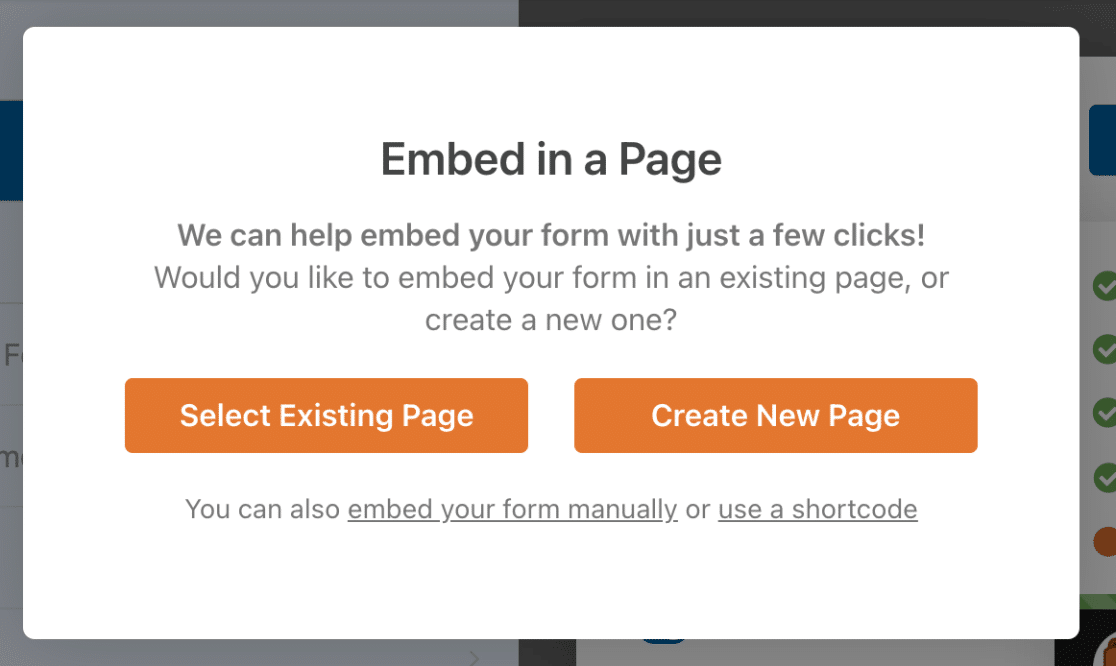
To start, click on the Embed button at the top of the form builder.

You can click Select Existing Page, or Create New Page. Let’s go ahead and create a new page here.
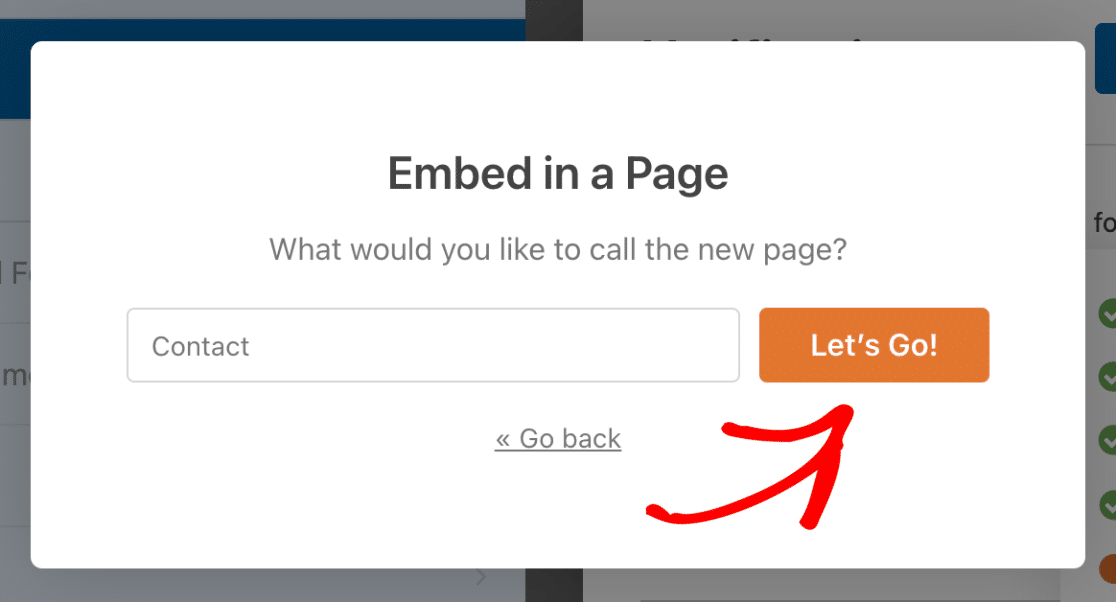
Now, you’ll need to type in a name for your page. We called our page Contact.
Now WPForms will place your form right on the page. Here, you can also style your form fields, labels, and submit buttons using simple color pickers and style settings.
See our guide on styling contact forms for more details. Just don’t forget, you’ll need to click Publish for your form to go live on your site.
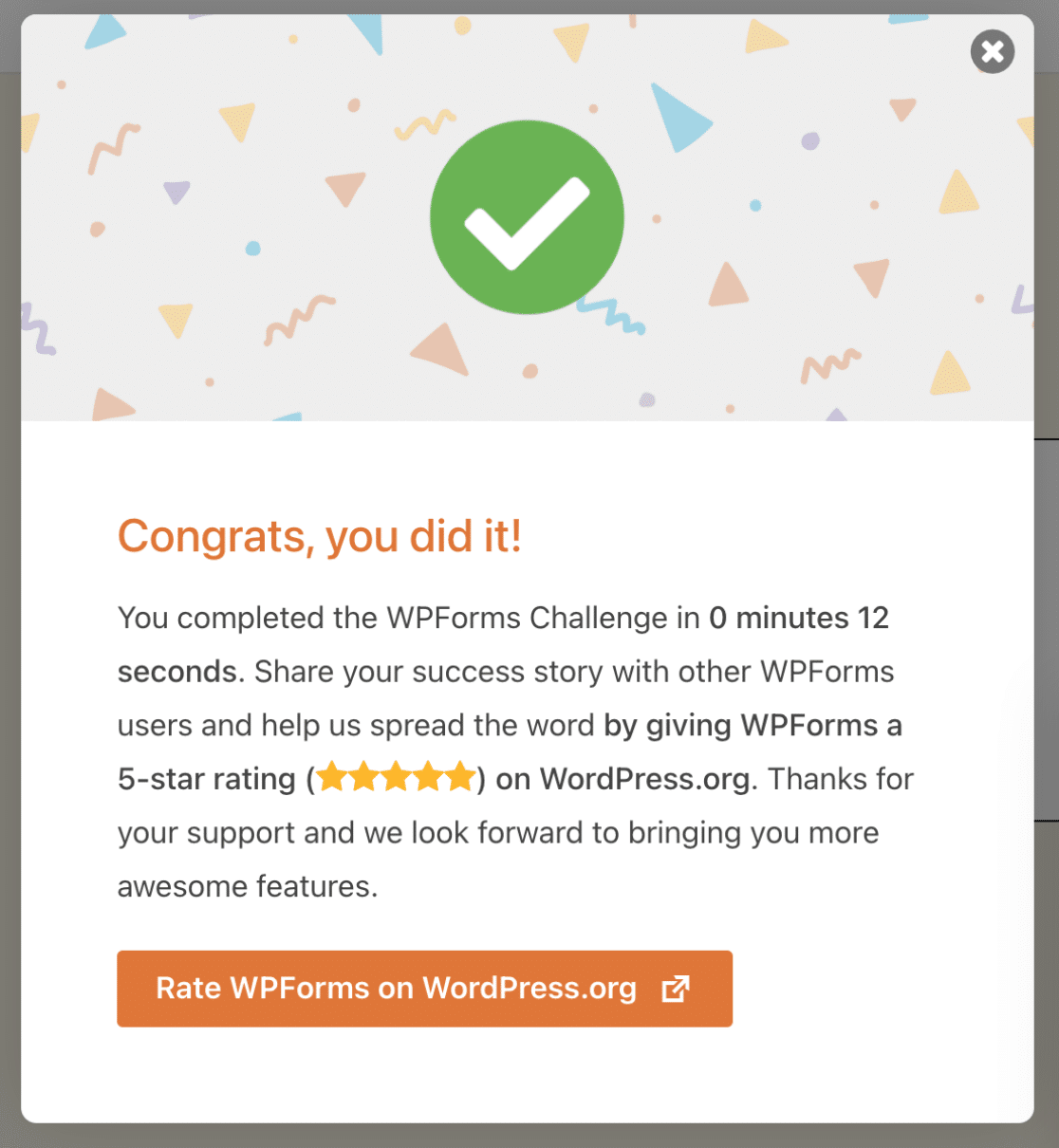
And you’re done! You can see the time it took to create your form at the bottom-right. You can also embed your contact form in the sidebar of your site.
And there you have it! You now know how to create a simple WordPress contact form.
FAQs on Creating Simple Contact Forms in WordPress
These are the most common questions I get from people creating a simple contact form in WordPress, plus the ones I see asked most often online.
Does WordPress have a built-in contact form?
WordPress.org (the self-hosted version that runs most websites) does not include a built-in contact form. You’ll need a plugin like WPForms to add one.
WordPress.com (the hosted version) does include a basic Form block in its block editor, but it’s limited compared to a dedicated plugin and isn’t available to self-hosted WordPress.org sites.
For most contact form needs, a plugin is the better path. If you’re considering older free options, WPForms vs Contact Form 7 covers the main differences.
What’s the easiest way to create a contact form in WordPress?
The easiest way is to install WPForms Lite (free), open the form builder, pick the Simple Contact Form template, and embed the form on a page. The whole thing takes about five minutes and requires no code.
Can I create a contact form in WordPress for free?
Yes. WPForms Lite is free and gives you the Simple Contact Form template, all standard field types, basic spam protection, and one email notification per form. It’s at the top of our roundup of the best free WordPress contact form plugins.
What are the essential fields to include in a contact form?
For most sites, four fields are enough. The standard set is Name, Email, Subject, and Message. The WPForms Simple Contact Form template includes these by default, so you don’t need to add anything.
If your form is for a specific purpose (sales lead capture, support request, booking inquiry), you might add a phone field, a dropdown for topic selection, or a file upload field, but resist the urge to ask for everything up front. Shorter forms convert better.
What if I’m not receiving email notifications from my contact form?
This is the single most common contact form issue, and the cause is almost always WordPress’s built-in mail function (PHP mail) being blocked or dropped by your hosting provider.
The fix is to install WP Mail SMTP and connect it to a proper email service like SendLayer, Gmail, or Outlook. WPForms has a step-by-step walkthrough on how to fix WordPress contact form not sending email that covers this exact scenario.
How do I add spam protection to my WordPress contact form?
WPForms Lite includes a built-in anti-spam honeypot that catches most basic bot submissions.
For more protection, you can add reCAPTCHA, hCaptcha, Cloudflare Turnstile, or a custom CAPTCHA field at the Basic tier or above. Akismet integration is also available.
For the full setup, see how to build spam-free WordPress contact forms.
Is it possible to track and manage contact form submissions?
Yes. With WPForms Pro and above, every submission is stored in your WordPress dashboard under WPForms » Entries. You can view, search, export, and reply to entries from one place.
With WPForms Lite (free), submissions are sent to your inbox via email notifications, but they aren’t stored inside WordPress.
How can I back up and export contact form data?
The cleanest way is to connect your form to a spreadsheet. WPForms Pro includes a native Google Sheets integration that automatically adds every new submission to a Google Sheet in real time.
You can also manually export entries from the WordPress dashboard as CSV, Excel, or PDF at any time.
Next, Style and Customize Your WordPress Contact Form
With your form live, you’re ready to make it look at home on your site.
To give the form a polished, on-brand appearance that matches the rest of your design, check out the guide on styling contact forms in WordPress.
If you want to take your forms further, learn how to build a multi-step form to break long forms into bite-sized pages.
Create Your WordPress Contact Form Now
Ready to build your form? Get started today with the easiest WordPress form builder plugin. WPForms Pro includes lots of free templates and offers a 14-day money-back guarantee.
If this article helped you out, please follow us on Facebook and X (Twitter) for more free WordPress tutorials and guides.





Hello, I’m looking for a form like this
[URL Removed]
Please click ‘contact us about this product’ button and we will be able to find a form.
In that form, we will be able to see the product name and product url, and I’m sure they will be sent to admin email too.
Can you do that?
Please don’t display my comment, just reply by email would be fine. Thanks.
Hey Bill – I had already responded to your previous comment by the time I checked this one but I had already removed the URLs from that message, if that is why you wanted not to post the comment. Please let me know if that helps, or if you want me to remove your comments, I can do that.
Thanks 🙂
I got an email saying I have people who have filled out my simple contact form but I don’t know where to see the entries. Please help!
Hey Annie – If you are on a paid version of WPForms, you can go entries section in the WordPress dashboard, and here you can see the entries. Please follow this detailed guide on viewing entries in WPForms.
I hope this helps!
Hey Bill – Great question! Yes, something like this can be achieved with WPForms. First, you need to use our dynamic field population method where you can pass the product URL, name etc to automatically fill some fields in the form. To open the form in a popup, you can follow this tutorial
For further questions on this, I would suggest contacting our support team. If you have a WPForms license, you have access to our email support, so please submit a support ticket. Otherwise, we provide limited complimentary support in the WPForms Lite WordPress.org support forum.
Thanks 🙂
Can i use this even though I have a free wordpress account (can not use plugins unless i upgrade to business and I can’t do that right now)
Hey Nicole- You’ll need an upgrade your WordPress account to Business as the WPForms Plugin would require installation.
I hope this helps! Thanks! 🙂
I am using the form, i have given my email notification, but still when the form is submitted i dont receive any email about the form data,
Hey Rakshith – I’m sorry you’re having an email delivery issue! To resolve this issue, please check that form notification settings are set up correctly. If they’re correct, the issue is likely because the emails sent from your site are not authenticated. In which case you’d need to configure an SMTP plugin on your site so that emails are sent as authenticated.
For any further help on this, please feel welcome to reach out to our support team. If you have a WPForms license, you have access to our email support, so please submit a support ticket.
Otherwise, we provide limited complimentary support in the WPForms Lite WordPress.org support forum.
I hope this helps!
Hi WP,
Thanks for the help. I set up my CONTACT form, and when I test it on the website it does send and say THANK YOU FOR THE EMAIL. But I’m not receiving the email the email notification at the email address I entered in the SEND TO EMAIL ADDRESS field at the top of the Notifications settings.
Any idea how I solve this? Thanks
Andreas
Hi Andres- We’d be happy to help 🙂
When you get a chance, please refer to this guide to troubleshoot email notifications
I hope this helps! If you have any questions, please feel free to get in touch with our team.
Thanks, and have a good one 🙂
Hello, how can i add the contact form to a button?
I copied the shortcode to the button URL, but it gets blocked when clicked…I want to add the form either as a pop up or for it to appear on the same page as the button, without having to create a new page or use a pop up plugin, how can i go about it?
Thanks
Hey Danny- I am sorry for the confusion! We do not have a feature to display the form as you’ve mentioned. However, the closest option that I could suggest is embedding the form on a page or create a popup form (our customers have given positive feedback on this integration as shown in this article)
I hope this helps! If you have any questions, please feel free to get in touch with our team.
Thanks! 🙂
Can I send email to my wpform contact with the free version of wpform. And can I create a sales form to tell customers/visitors about new updates in my blog and shop?.
Hi Danny, I’m sorry I’m not sure I completely follow you.
Our plugin has a Notifications feature which would automatically send emails to your users who’ve successfully submitted a form. Details about this can be found in this article.
You could certainly create any kind of form you’d wish with our plugin. The form builder lets you build custom forms from scratch, and according to your own requirements. You’re not stuck with a templated form. Form’s however are generally for collecting information, and not so much for sharing. Could you please contact us and share some more details on what you meant for a sales form to tell customers and visitors about updates to your blog and site?
Thanks!
Hi there,
I am able to add a WP From to my wordpress page and when i am logged in i can submit the form and i receive notification email.
However the Contact form works does NOT work when i sign out of wordpress as i get an error when trying to submit my Contact form.
Can someone please help me with what i can do next?
Thanks,
Sophie
Hey Sophia, — We are sorry for any trouble. In order to make sure we answer your question as thoroughly as possible, could you please contact our team with some additional details about the issue you are facing?
If you have a WPForms license, you have access to our email support, so please submit a support ticket. Otherwise, we provide limited complimentary support in the WPForms Lite WordPress.org support forum.
Thanks.
Hi, we are looking at creating a T’s&C’s form, the main wording of which needs some of the words to be as a URL link to an additional General T’s & C’s page. If we purchase the Lite version, can we embed a URL within the wording of the T’s&C’s, or is that not possible? Wanting to check we can do what we are trying to achieve before we purchase the Basic Lite version first. Many thanks
Hey Janice — In order to make sure we answer your question as thoroughly as possible and avoid any confusion, please allow us to get back to you via our email.
Thanks.
Hello when I tested the contact form I created it says this on email:
“New Entry: Simple Contact Form”
How can I change that?
Thanks
Hey Michael – Sure, you can absolutely change it by adding your desired texts in the Email subject line under the notification.
Hope this helps. Thanks 🙂
I purchase professional email and use it to wpform but not receiving any email . I created cpanel email and setup smtp this cpanel email receive email but i want my professional email for contact form . any way to setup smtp for professioanl email ? or any other step to resolve this problem ?
Hey Uroosa – When you get a chance, please drop us a line with more details about the issue you are facing in support so we can assist further.
If you have a WPForms license, you have access to our email support, so please submit a support ticket.
Otherwise, we provide limited complimentary support in the WPForms Lite WordPress.org support forum.
Thanks 🙂