


AI Summary
If you’re trying to pick between WPForms and Contact Form 7, you’re not alone. These are two of the most popular form plugins in the WordPress ecosystem, and they couldn’t be more different in how they work.
I’ve used both extensively, and I’ll be upfront: I’m writing this on the WPForms blog, so you should expect my perspective leans that way. But I’ll do my best to give you an honest comparison so you can decide for yourself.
In this article, I’m comparing both the free and paid versions of WPForms against Contact Form 7 across every category that matters.
WPForms vs Contact Form 7: Which Form Plugin Is Best?
I’ve tested both plugins side by side across every category that matters: ease of use, features, payments, integrations, spam protection, support, and pricing.
Below you’ll find a quick verdict if you’re in a hurry, followed by the full breakdown with screenshots and honest pros and cons for each plugin.
Quick Verdict: WPForms vs Contact Form 7
Contact Form 7 has been around for over 15 years and powers 5+ million WordPress sites. It’s free, it’s reliable, and it has a loyal following.
WPForms launched in 2016 and is now used by over 6+ million professionals. It offers a free version (WPForms Lite) and paid plans that go much further.
Here’s the short version if you don’t want to read the full breakdown:
| Category | WPForms | Contact Form 7 |
|---|---|---|
| Form builder | Visual drag-and-drop | Text-based code editor |
| Ease of use | Beginner-friendly, no code needed | Requires HTML/code knowledge |
| Templates | 2,100+ (Pro), dozens free | 1 default template |
| Conditional logic | Yes (Basic+) | No |
| Spam protection | 6+ built-in options | reCAPTCHA v3 only |
| Entry storage | Yes (Basic+), backups in Lite | No (requires third-party plugin) |
| Form analytics | Built-in, no setup (full reports in Pro) | None (relies on Google Analytics) |
| Payments | Stripe in Lite, 3 gateways in Pro | None |
| Integrations | 39 addons, 10,000+ via Zapier | Constant Contact + limited third-party |
| Pricing | Free + paid plans for extra features | 100% free |
| Support | Docs, forums, Facebook group, YouTube, priority support | Forums and docs only |
Build Your WordPress Form Now! 🙂
Form Builder Interface
This is the biggest difference between these two plugins, and it’s the one that matters most for your day-to-day experience.
WPForms
WPForms uses a visual drag-and-drop form builder that runs in a full-screen, distraction-free interface. You see your form exactly as it’ll look on the frontend. Want to add a field? Drag it from the left panel and drop it onto your form.
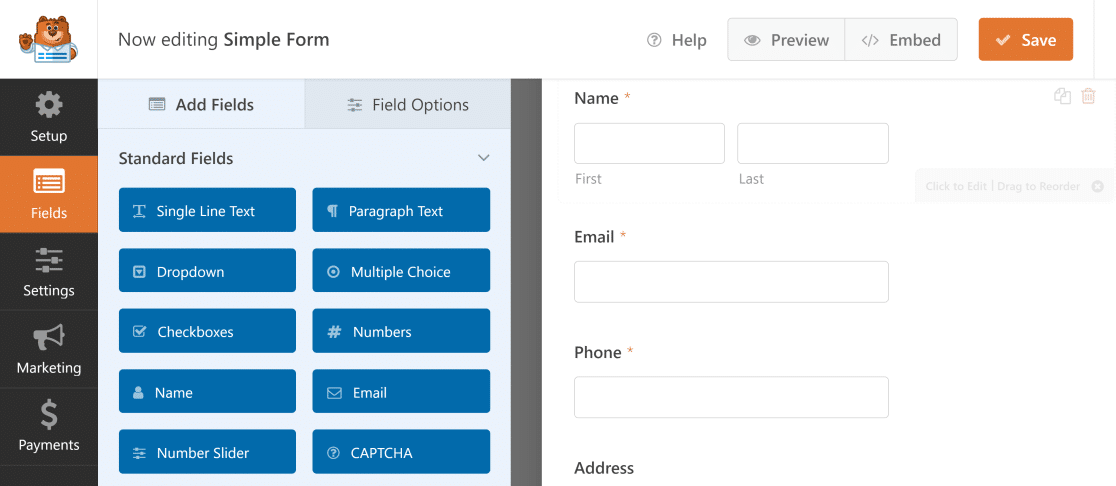
The builder is the same in every version of WPForms, including the free Lite version. You get the same drag-and-drop experience whether you’re on Lite or Pro. Every change you make shows up instantly in the preview.
Contact Form 7
Contact Form 7 uses a text-based form editor. Instead of visual fields you can drag around, you work with form tags. These are placeholder code snippets that generate HTML on the frontend.
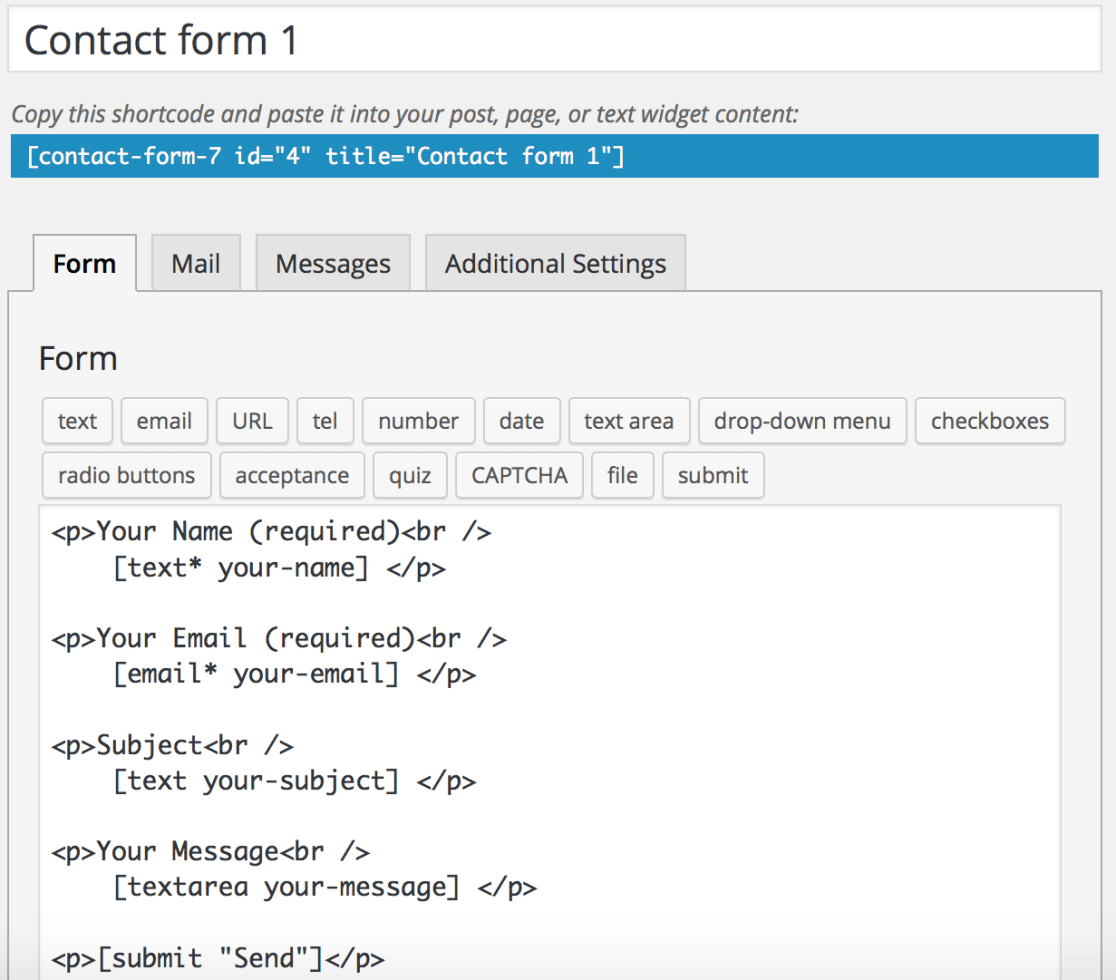
There’s no visual preview while you’re building. You write your form tags, save, and then visit the page to see how it looks.
If something’s off, you go back and edit the code. This approach works fine if you’re comfortable with HTML. But if you’re not, it can be frustrating.
Getting Started and Ease of Use
If you’re new to WordPress, the first few minutes with a plugin matter a lot. Here’s what that experience looks like with each form builder.
WPForms
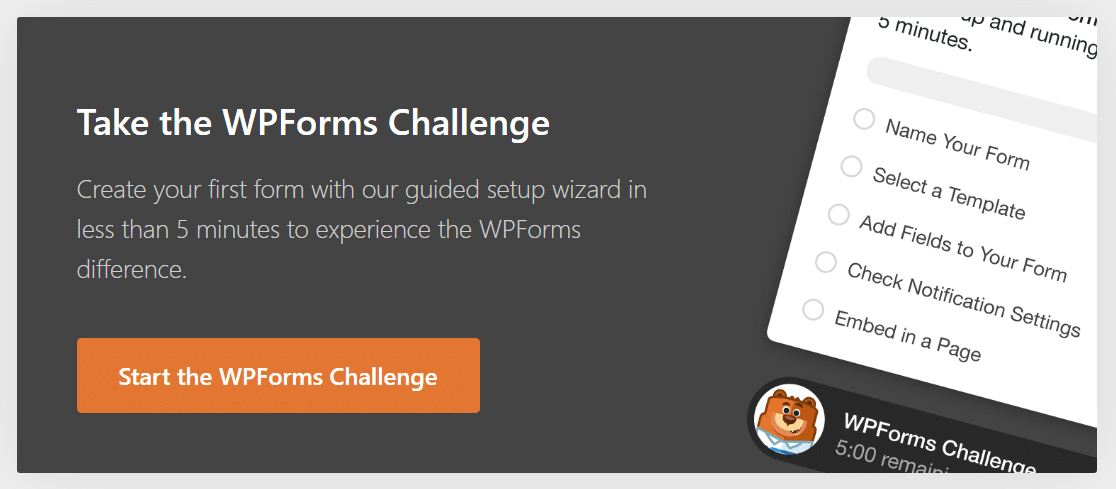
When you first install WPForms Lite, you get an onboarding wizard called the WPForms Challenge. It walks you through creating your first contact form in under 5 minutes.
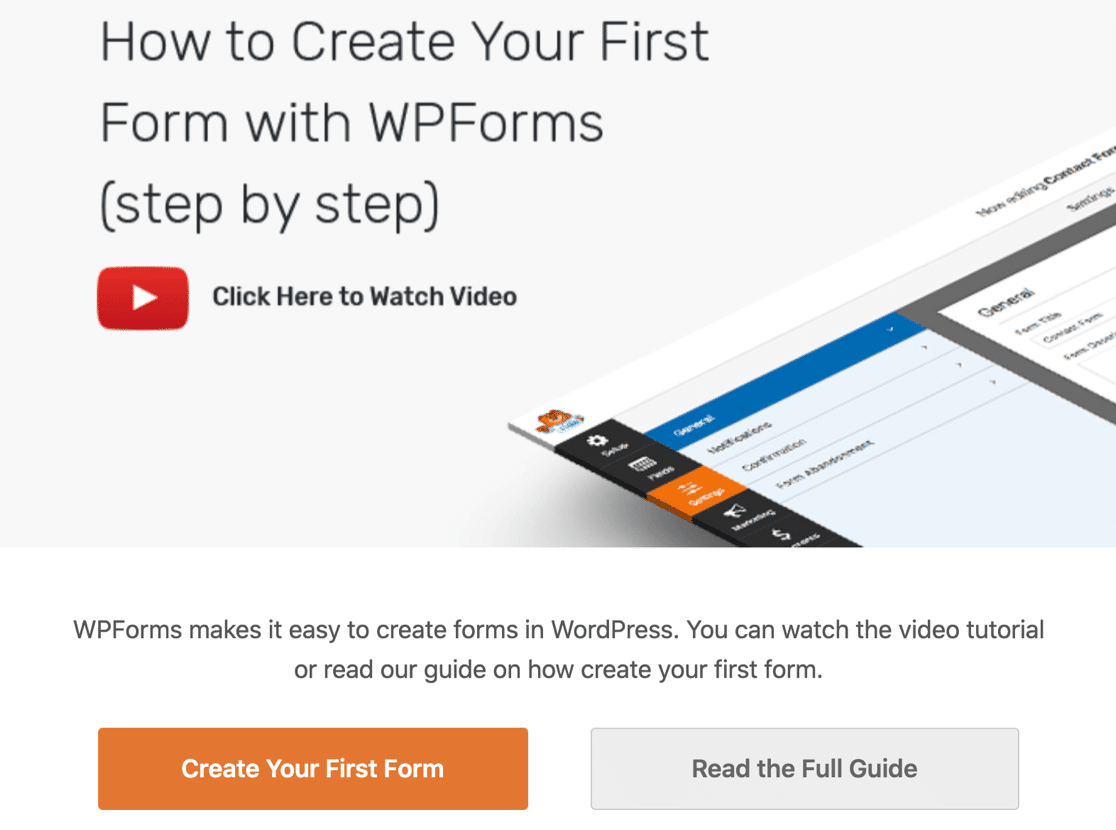
The Challenge is optional, but it’s a great way to learn where everything is. You’ll drag fields onto your form, set up notifications, and embed the form on a page, all with guided tooltips.
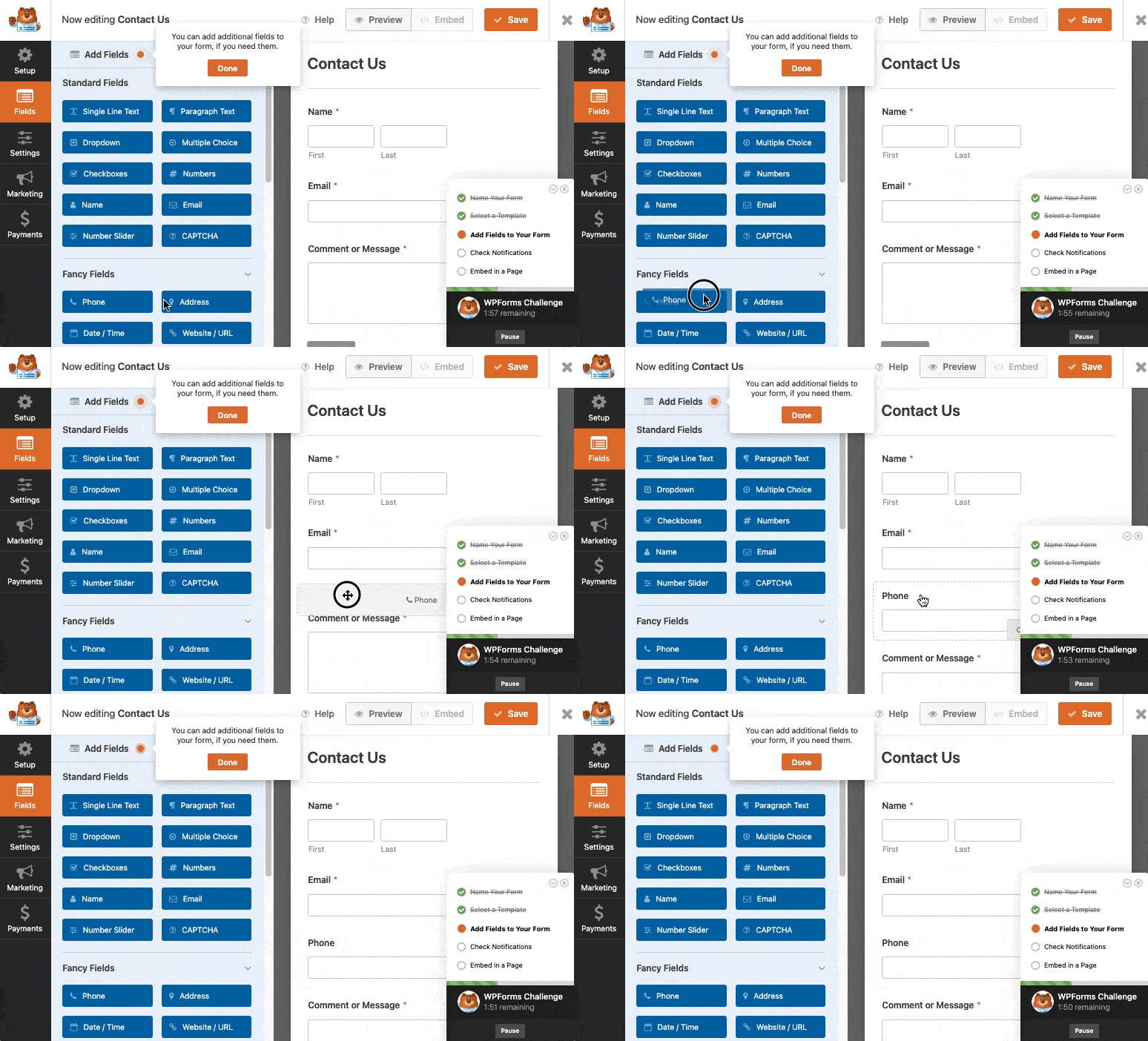
Here’s what adding a field looks like during the Challenge.
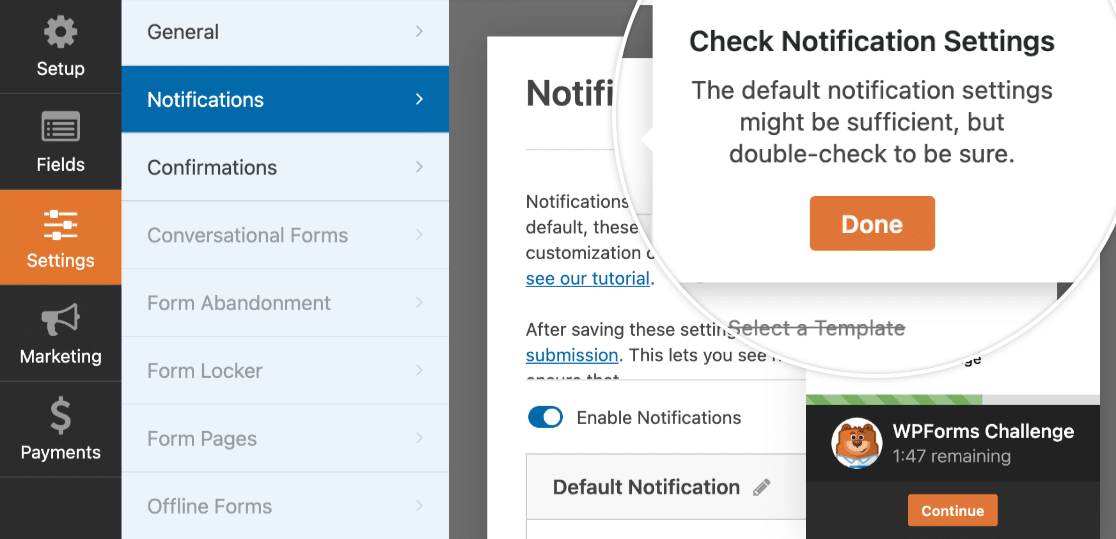
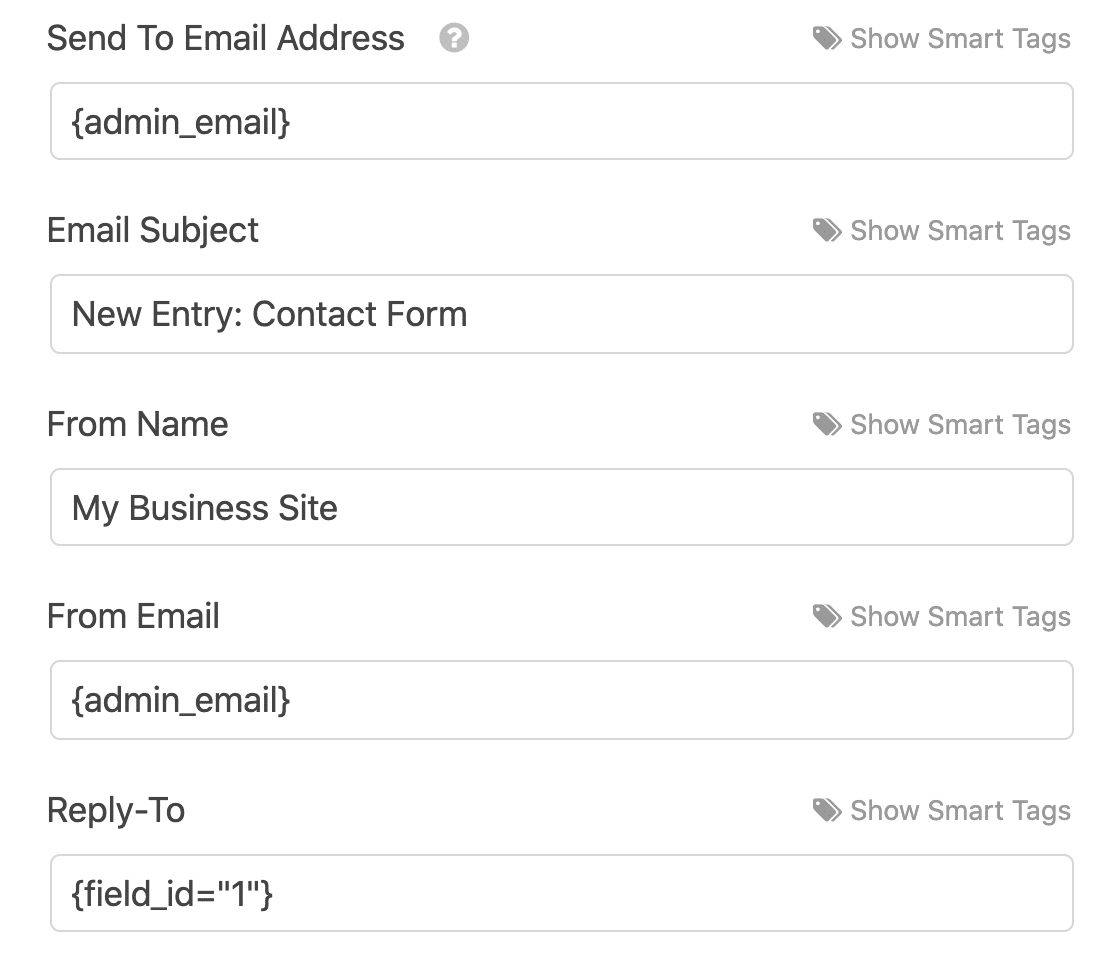
And setting up your email notifications is straightforward too. Smart Tags automatically pull in the right data without you having to configure anything manually.
If you have any issues with WPForms not sending email, you can install the WP Mail SMTP plugin to fix the issue. WP Mail SMTP is made by the WPForms team, so the 2 plugins work perfectly together.
You can also turn on entry backups during setup, which stores your form submissions in the cloud so you can unlock them if you upgrade later.
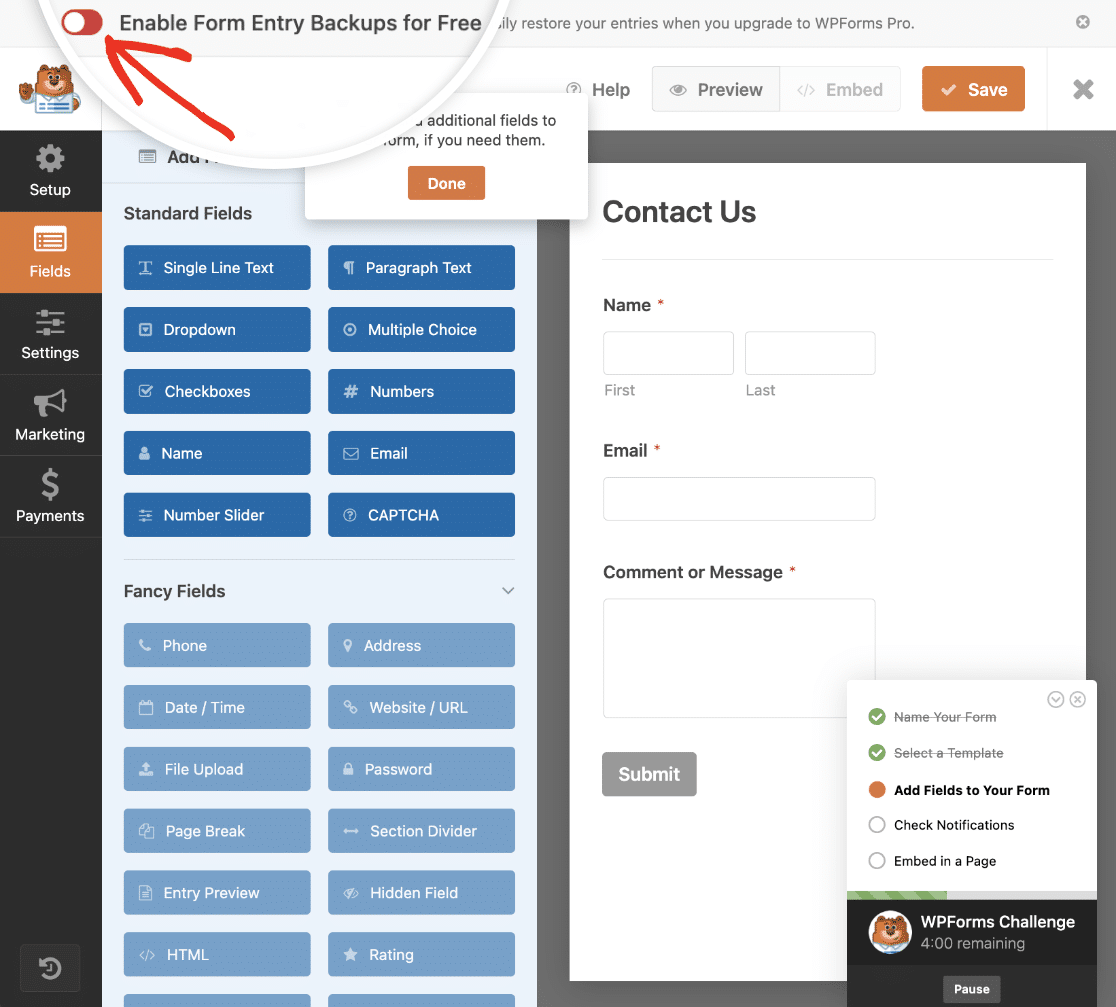
And any time you need help, there’s a context-sensitive Help button right in the form builder.

Contact Form 7
Contact Form 7 creates a default contact form for you when you install it. You’ll see a shortcode ready to copy.
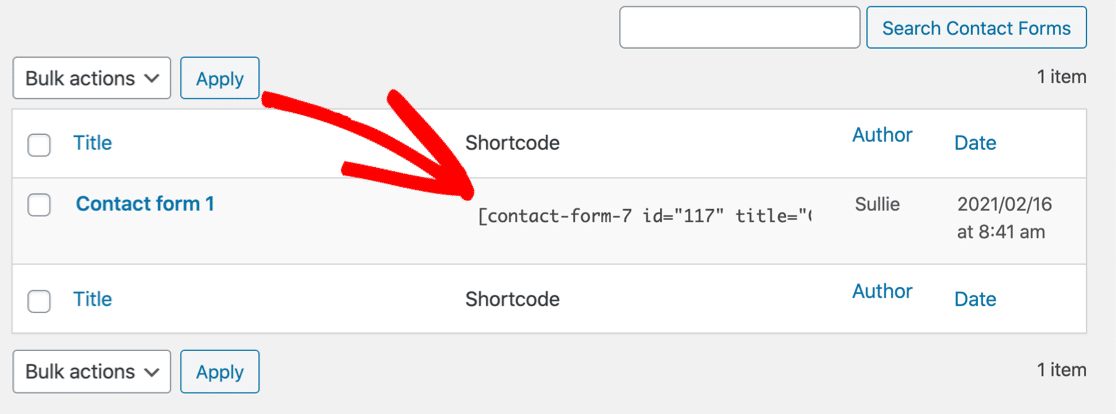
That gets you online fast. But there’s no onboarding wizard, no guided setup, and no explanation of how your notifications work. You need to figure that out yourself by navigating to the Mail tab.
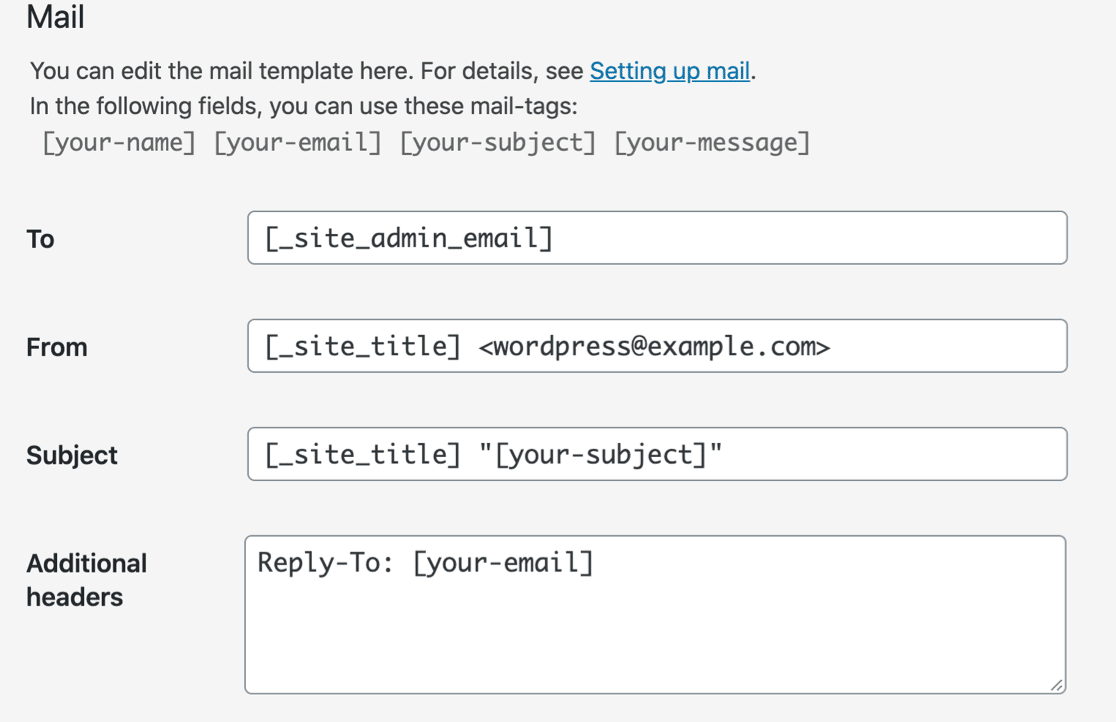
The notification template uses mail tags that you need to match to your form fields manually. It’s not hard once you understand the system, but there’s nothing guiding you through it.
Form Templates
Templates save you from building every form from scratch. Here’s how the two plugins compare on pre-built options.
WPForms
WPForms Lite comes with dozens of free form templates you can use as a starting point for any form. Contact forms, feedback forms, newsletter signups. They’re all ready to customize with the drag-and-drop builder.
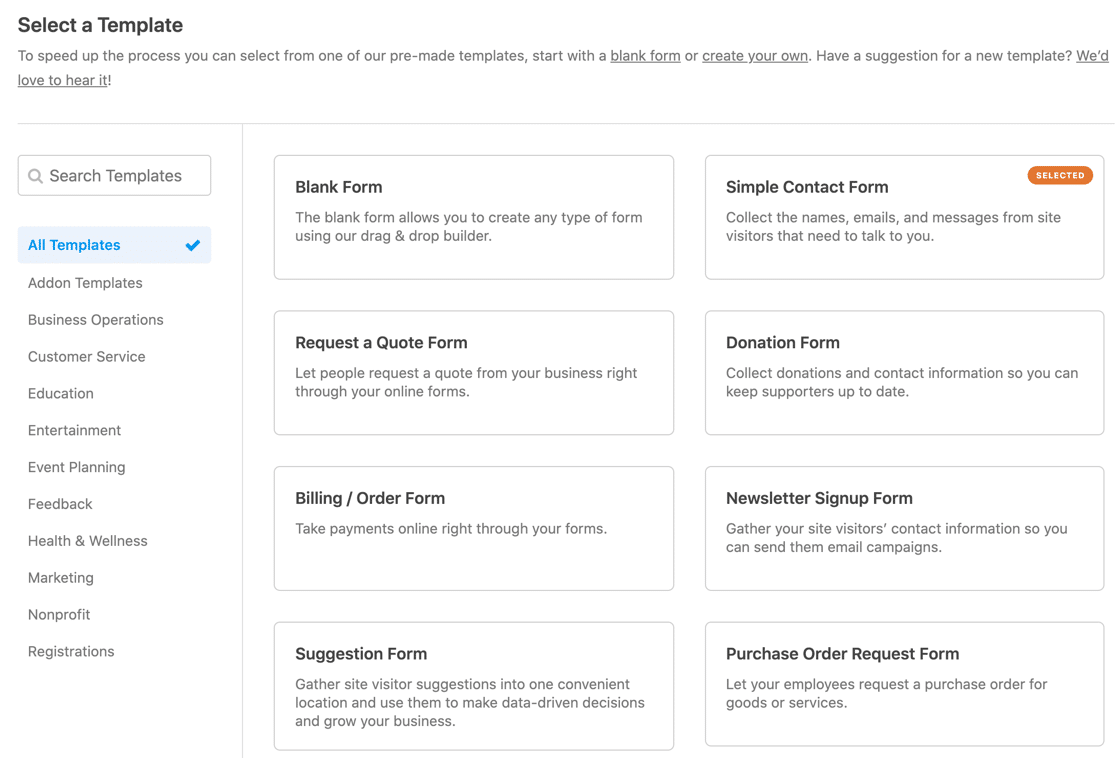
If you upgrade to WPForms Pro ($199.50/year), you get access to over 2,100 pre-built templates covering business, customer service, marketing, registrations, events, non-profit, healthcare, education, and more.
Contact Form 7
Contact Form 7 ships with exactly one template: a basic contact form. If you want anything else (a feedback form, a registration form, a survey), you’re building it from scratch using form tags.
Form Fields and Customization
The fields available and how easily you can customize them will determine what kinds of forms you can actually build. Let’s compare.
WPForms
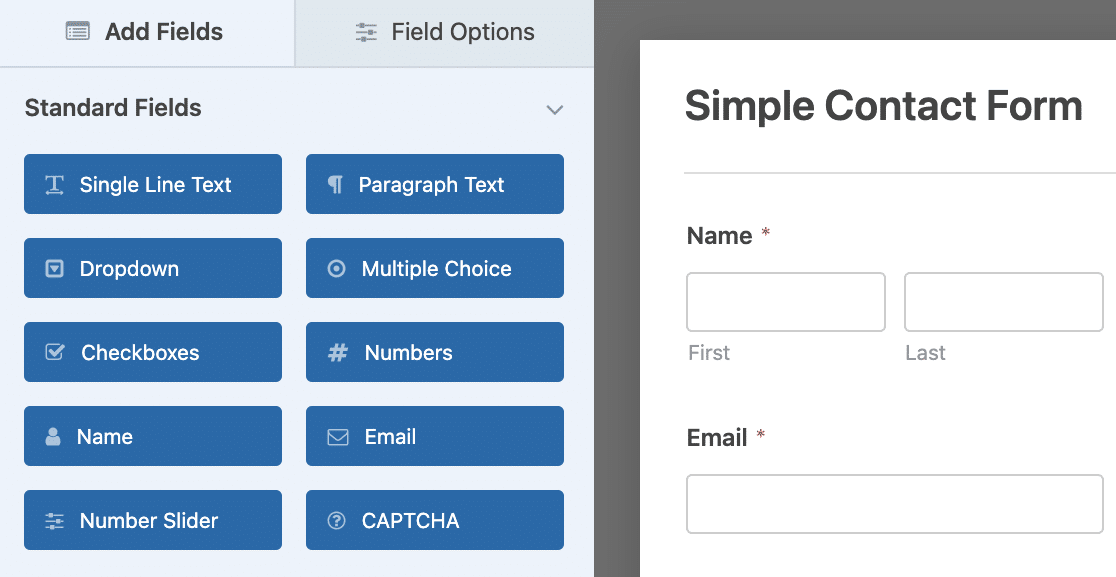
WPForms Lite gives you a solid set of standard fields right out of the box:
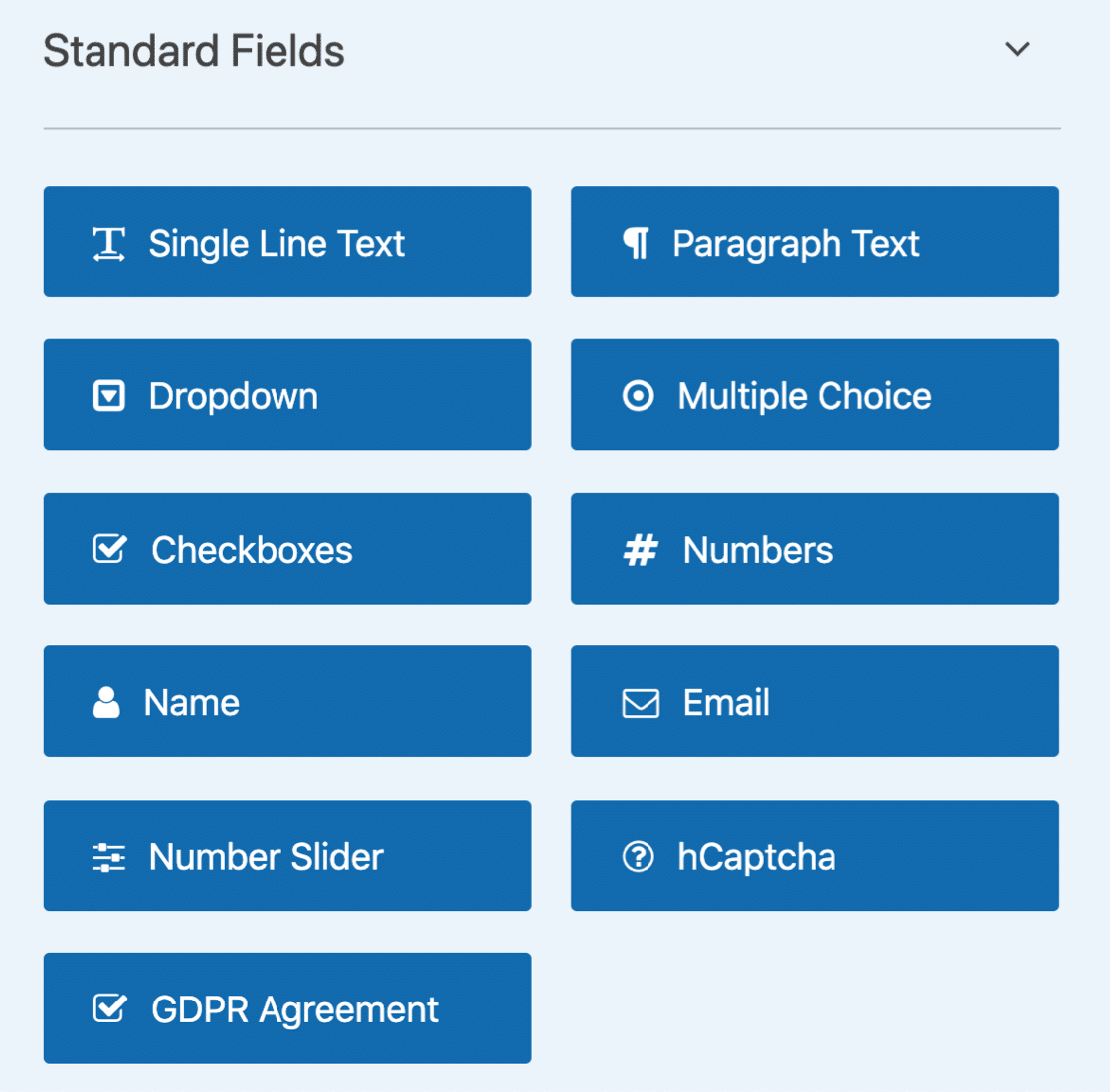
These include Name, Email, Single Line Text, Paragraph Text, Dropdown, Multiple Choice, Checkboxes, Numbers, Number Slider, and GDPR/Consent fields.
You also get payment fields (Single Item, Multiple Items, Total). And probably the most impressive, a Stripe and PayPal Credit Card field, even in the free version!
WPForms Lite also includes an AI form builder that lets you describe the form you want in plain language and have it generated for you. This is a relatively new feature that makes form creation even faster.
Every field has options you can customize visually. For example, a Dropdown field lets you:
- Mark it as required
- Add placeholder text
- Allow multiple selections
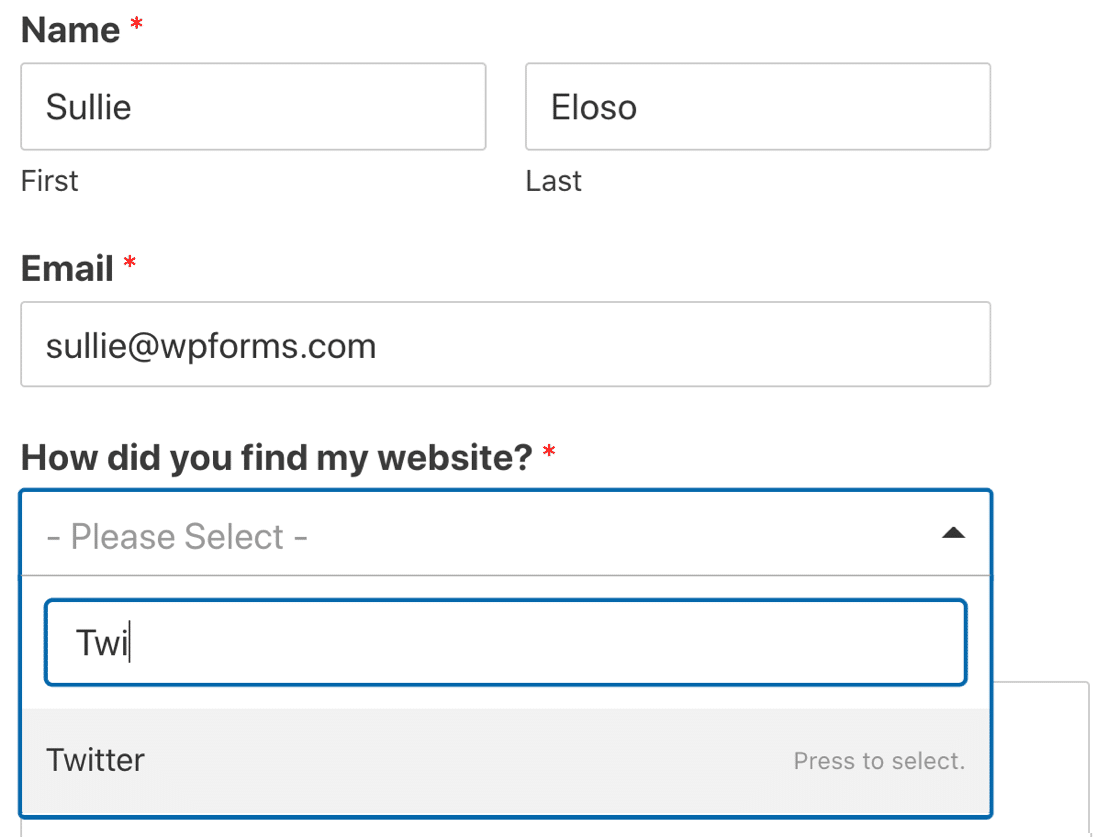
- Choose between Classic or Modern style with a search box
- Pick from 3 field sizes
- Bulk add choices like countries, US states, or months
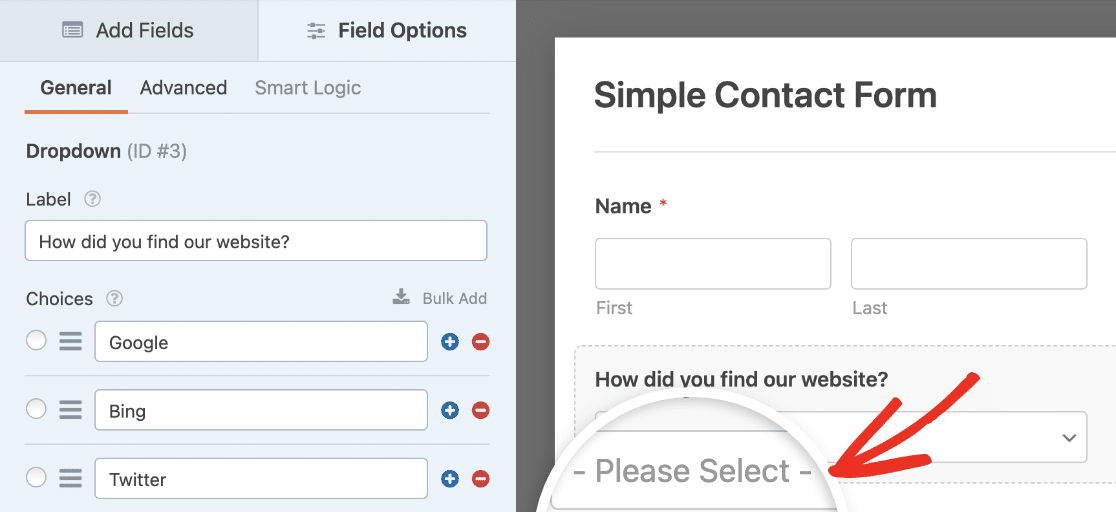
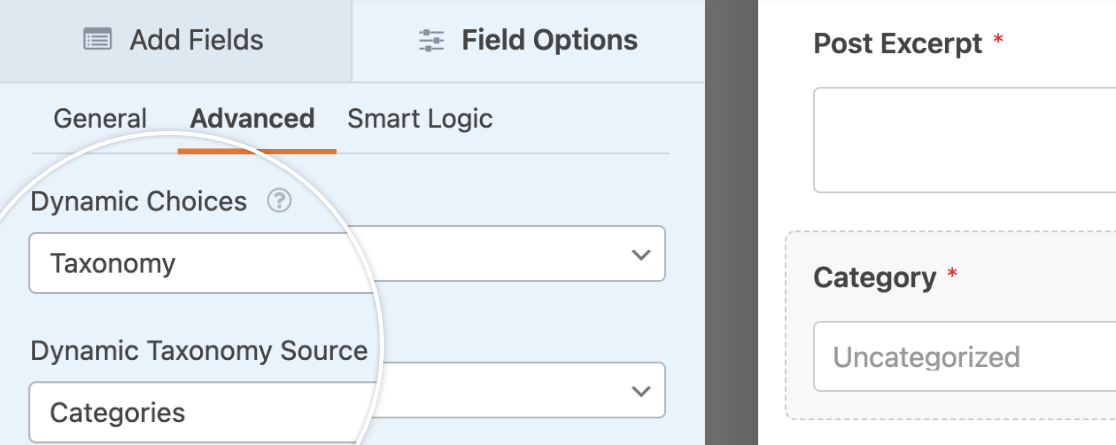
You can even auto-populate dropdown fields dynamically based on your WordPress categories, tags, posts, or pages.
Here’s what a published form looks like with a modern dropdown:
If you upgrade to WPForms Basic ($49.50/year), you unlock advanced fields like Smart Phone (with country detection), Address, Date/Time, Hidden Fields with smart tags, and a Repeater field.
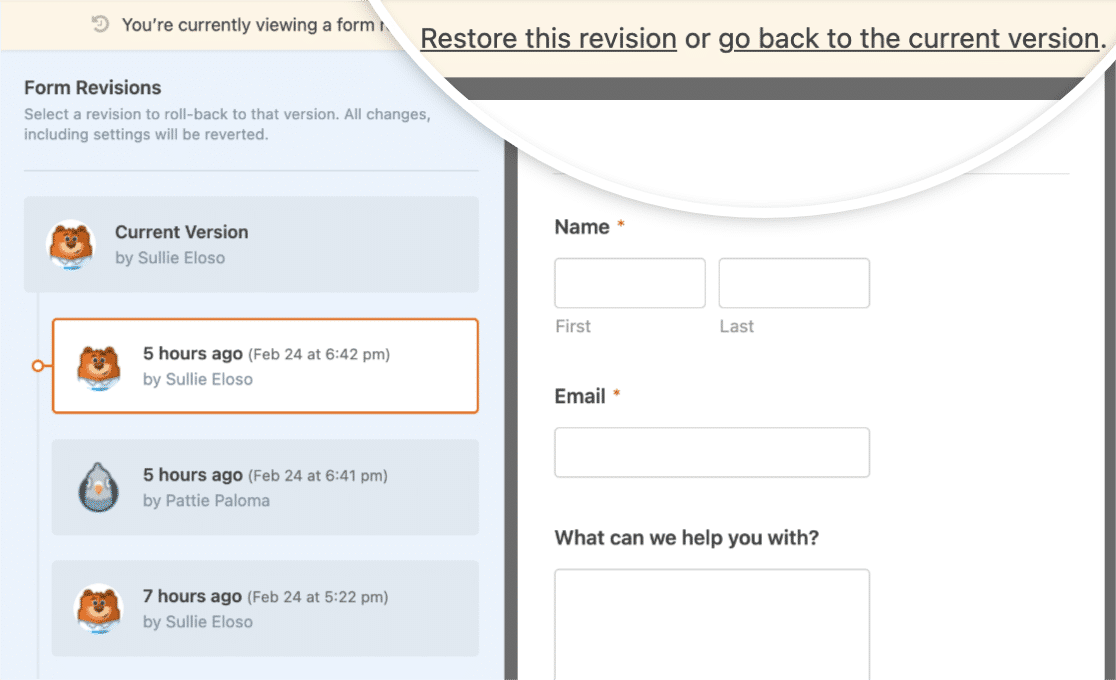
WPForms Pro adds even more, including digital signatures, file uploads, and geolocation. It also supports form revisions, so you can easily roll back to a previous version if you make a mistake.
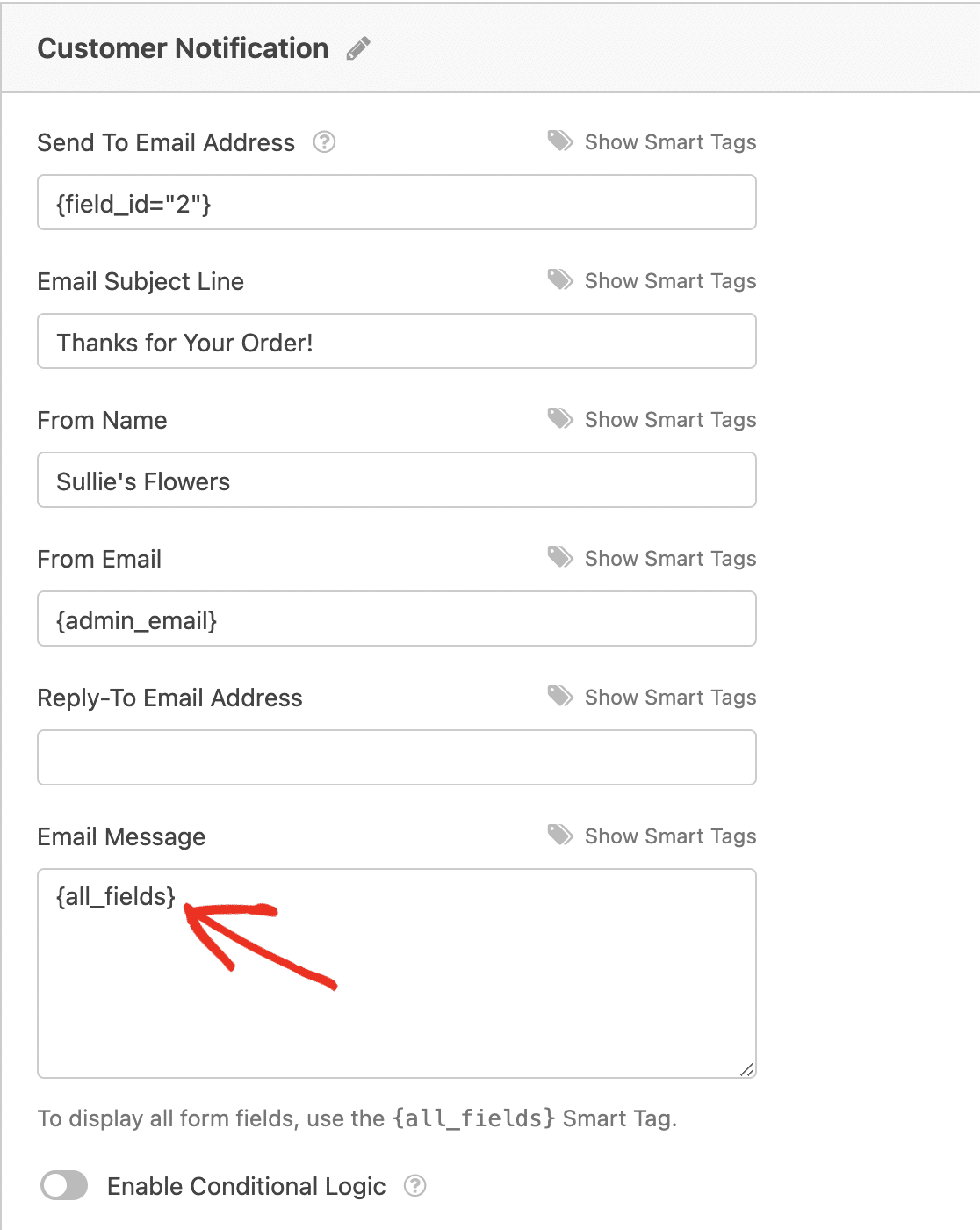
And the {all_fields} Smart Tag automatically includes every field in your email notifications. No need to update your notification template every time you add a new field.
Contact Form 7
Contact Form 7 provides standard field types (text, email, URL, phone, dropdown, checkboxes, radio buttons, file upload, date), but adding them is a manual process. You click a button to generate a form tag, then insert it into your template.
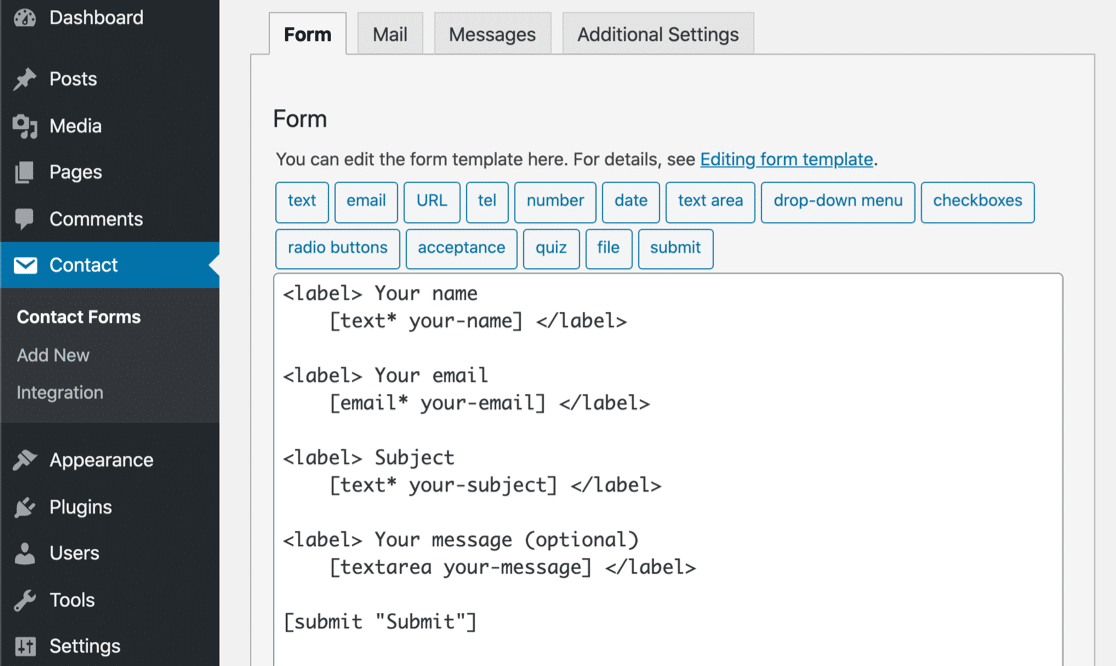
Here’s what adding a dropdown looks like in CF7. There’s no placeholder option, no modern search-enabled dropdown style, and far fewer customization options per field.
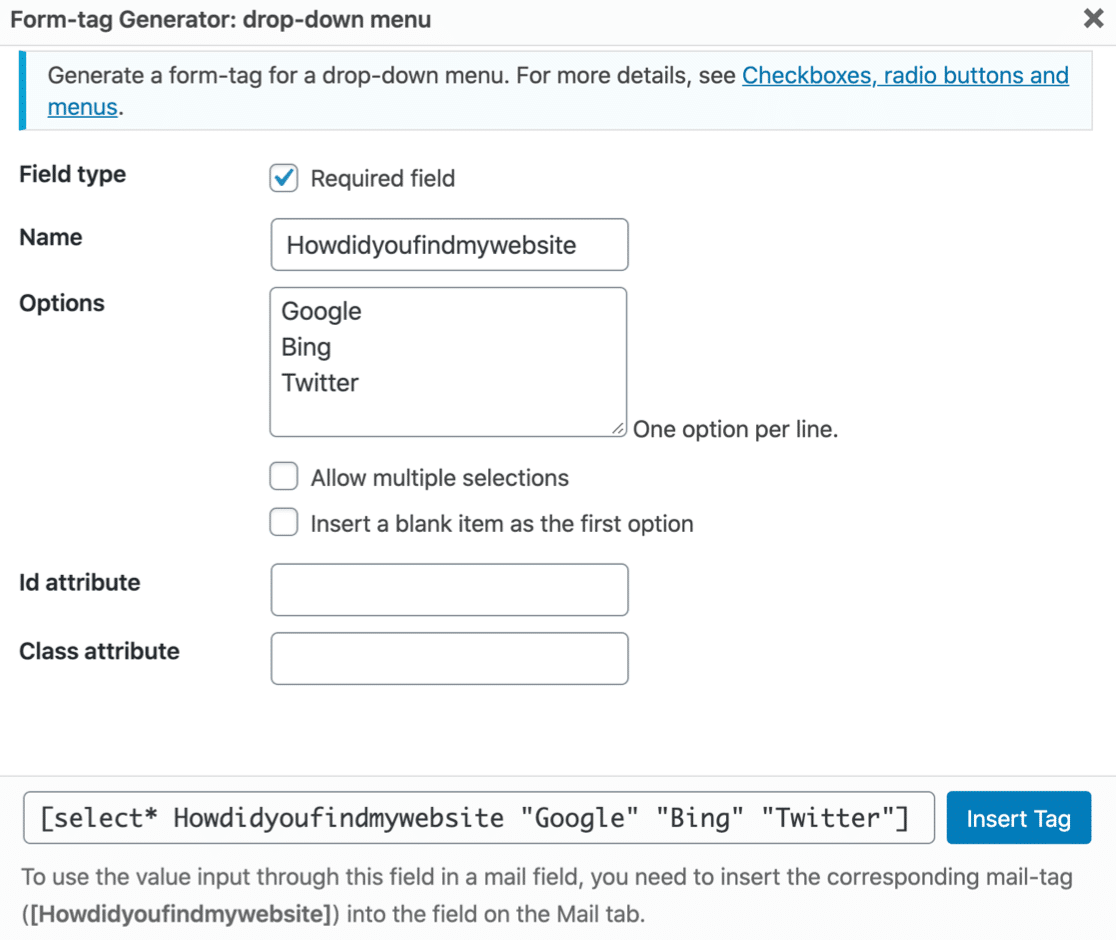
You also have to manually update your email notification with each new field’s tag. Forget to do that, and the data won’t appear in your notification emails.
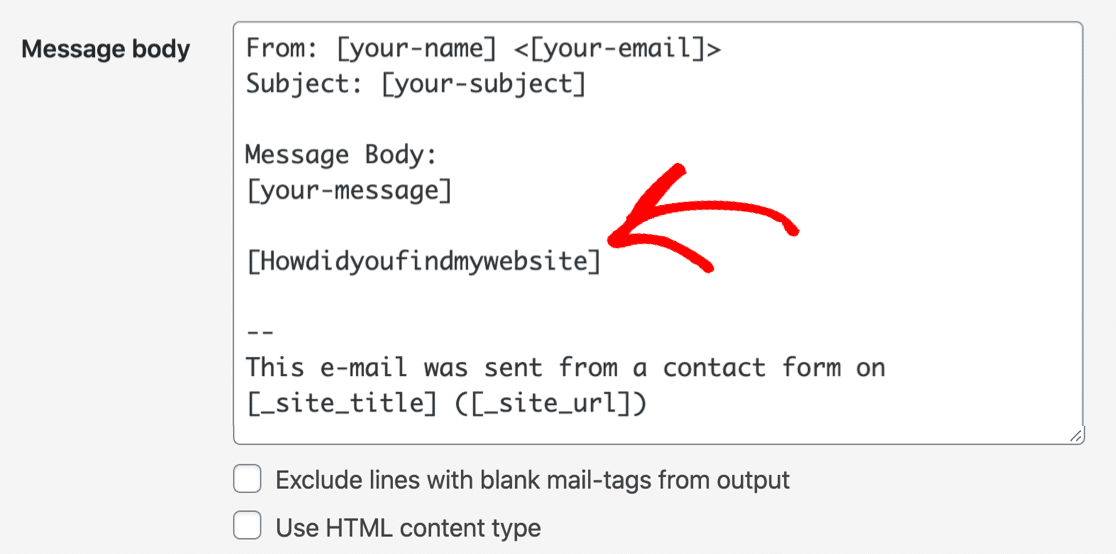
There’s no visual preview during editing, so you’re working blind until you view the page. Contact Form 7 also has no form revisions. If you make a mistake, you’ll need to fix it manually.

Conditional Logic
Conditional logic lets your form dynamically show or hide fields, sections, or entire pages based on what the user selects. It’s essential for building smart, personalized forms.
WPForms supports conditional logic starting at the Basic tier ($49.50/year). You can use it to:
- Show or hide fields based on user input
- Show or hide entire form pages
- Send different email notifications based on selections
- Redirect users to different confirmation pages
Contact Form 7 has no built-in conditional logic. You’d need a third-party plugin to add this functionality, and those plugins vary in quality and reliability.
Spam Protection
Spam is inevitable with any public form. How your form plugin handles it makes a big difference.
WPForms
WPForms Lite includes built-in modern anti-spam protection that runs automatically on every form. You don’t have to configure anything. It’s enabled by default.

On top of that, WPForms Lite supports multiple spam protection features you can layer together:
- Google reCAPTCHA v2
- Google reCAPTCHA v2 Invisible
- Google reCAPTCHA v3
- hCaptcha
- Cloudflare Turnstile
- Email address filtering (allow/deny lists at Basic+)
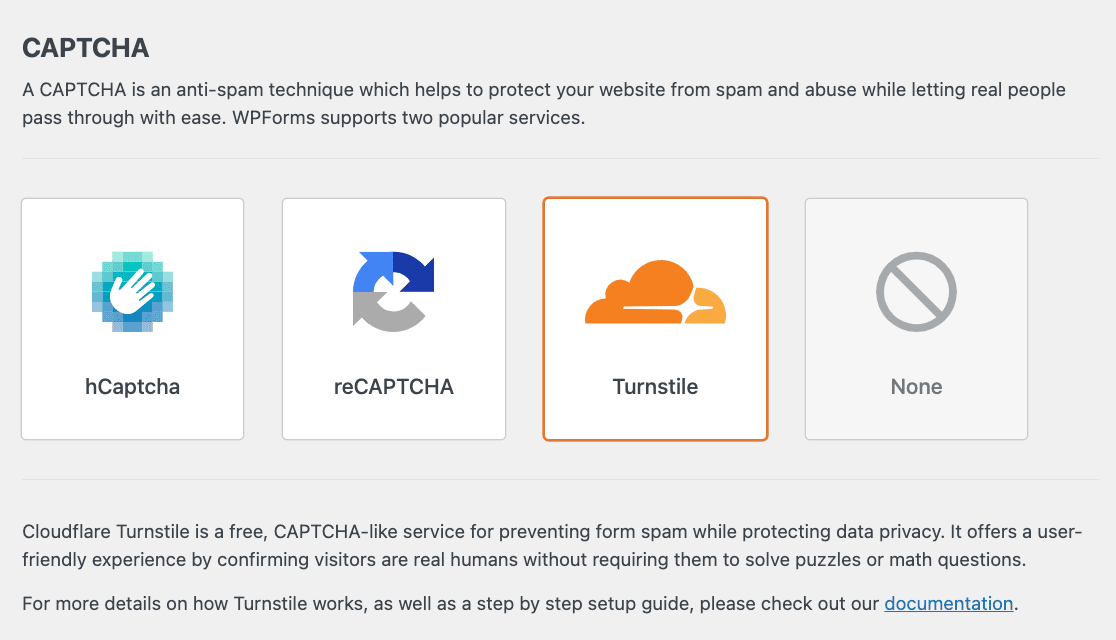
For a deeper dive, check out the full guide to stopping contact form spam.
Contact Form 7
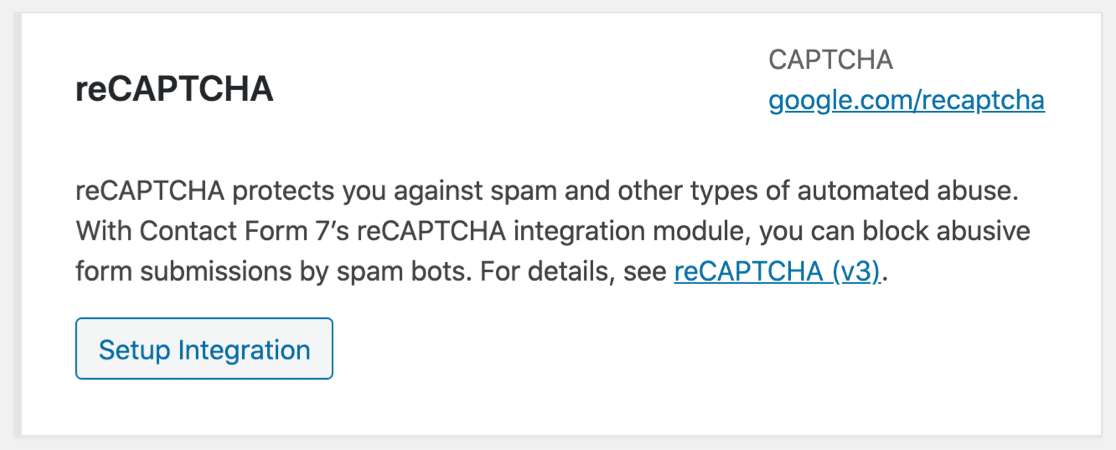
Contact Form 7 supports one anti-spam option: Google reCAPTCHA v3, which works in the background and scores visitors, which is convenient.
However, it can also be too aggressive, blocking real users from submitting your form. If that happens, there’s no easy fallback within CF7 itself.
Form Entry Management
This is one of the most important differences between these two plugins, and it’s one that often gets overlooked.
WPForms
With WPForms Basic ($49.50/year) and higher, every form submission is stored in your WordPress dashboard through the entry management system. You can view, search, star, mark as read/unread, and export entries as Excel, PDF, or CSV files.

Even on WPForms Lite, you get entry backups through Lite Connect. Your submissions are stored securely in the cloud, and you can unlock them anytime by upgrading. So you never lose a lead, even on the free version.
WPForms Basic also lets you set up multiple email notifications per form with conditional routing. You can send different notifications to different team members based on what the user selects.
Contact Form 7
Contact Form 7 does not store form entries. At all. When someone submits your form, CF7 sends an email notification. That’s it.
If the email fails to deliver (and this happens more often than you’d think), that submission is gone forever. There’s no record of it.
You can install a third-party plugin called Flamingo to add basic entry storage, but it’s a separate plugin with its own maintenance and compatibility concerns.
Form Analytics
A working form is only the starting point, and improving it means understanding how it actually performs. You want to know how many people see your form, how many finish it, and where they drop off before hitting submit.
WPForms
WPForms comes with built-in form analytics that start tracking every form you publish automatically. What I like here is that there’s nothing to switch on, no tracking code to paste, and no Google Analytics account to connect.
It tracks the numbers that actually matter for a form, including views, interactions, conversion rate, abandonments, and errors.

It also breaks the data down field by field, so you can see exactly where people stall and how long they spend on each field. If one question is quietly costing you submissions, the reports point right to it.

The tracking is privacy-friendly too, since WPForms doesn’t use cookies, load third-party scripts, or send data to any outside service.
All of it stays in your WordPress database, which is reassuring if you’d rather not route visitor data through Google Analytics.
The full Form Analytics experience requires a Pro license or higher. Users on the free version, or with a Basic or Plus license, see form view counts only.
Contact Form 7
Contact Form 7 offers no analytics at all, so it won’t track views, conversions, or drop-offs for you. And because it doesn’t store entries in the first place, there’s no submission data for it to report on even if you wanted it.
To get any performance data from a CF7 form, you’d have to set up Google Analytics event tracking yourself. And even then, you’d only see page-level events, not the field-level detail that shows you why a form isn’t converting.
Payment Processing
If you want to collect payments through your forms, this is where the two plugins diverge completely.
WPForms
Here’s something that surprises a lot of people: WPForms Lite (the free version) lets you accept Square, Stripe and PayPal payments directly through your forms.
There are additional WPForms processing fees on the Lite and Basic tiers, but the functionality is there from day one. With WPForms Pro ($199.50/year), payment processing gets significantly more powerful:
- Stripe Pro with no additional processing fees
- Square Pro with no additional processing fees
- PayPal Commerce with no additional processing fees
- Recurring subscriptions for automatic payments via Stripe or PayPal
- Coupons to create discount codes for your payment forms
- Calculations to build real-time calculator forms for pricing, shipping, quotes
WPForms charges zero additional transaction fees at the Pro and Elite tiers. You only pay your payment processor’s standard fees.
Contact Form 7
Contact Form 7 has no built-in payment processing. None. If you need to accept payments, you’d have to find a third-party addon, and those are generally less reliable, less secure, and harder to maintain than a native integration.
Integrations
Connecting your forms to email marketing, CRM, payment, and automation tools is where a form plugin really earns its keep. Here’s what each plugin offers.
WPForms
WPForms Lite includes a built-in Constant Contact integration for growing your email list directly from your forms. And when you upgrade to paid plans, the number of integrations available increase massively!

- The Plus is the sweet spot for content creators, bloggers, and small businesses focused on growing an email list. With 10 email marketing integrations, covering every major platform from Mailchimp to Constant Contact.
- You can also pipe form submissions directly into your preferred email tool. Slack and Twilio notifications keep your team in the loop in real time, and Notion support helps you organize submissions without ever leaving your workspace.
- The Pro plan builds on that foundation with cloud storage and automation muscle. Google Sheets and Drive let you automatically log submissions into spreadsheets or store file uploads in the cloud.
- The real power here is Zapier, Make, and n8n. Three automation platforms that connect WPForms to thousands of other apps without writing a single line of code. If your workflow involves moving data between multiple tools, Pro pays for itself quickly.
- The Elite plan is built for agencies and businesses that run on a CRM. Direct integrations with Salesforce, HubSpot, Pipedrive, Zoho CRM, and ActiveCampaign mean every lead captured through your forms lands exactly where your sales team needs it.
- Airtable adds a flexible database layer, and Webhooks open the door to any custom API connection your dev team wants to build.
| Plan | Price | Integrations |
|---|---|---|
| Plus | $99.50/yr | Mailchimp, MailPoet, AWeber, GetResponse, Campaign Monitor, Kit (ConvertKit), Drip, Brevo (Sendinblue), MailerLite, Constant Contact, Slack, Twilio (SMS & WhatsApp), Notion, Klaviyo, and SendGrid |
| Pro | $199.50/yr | Everything in Plus + Google Sheets, Google Drive, Google Calendar, Dropbox, Zapier (10,000+ apps), Make, n8n |
| Elite | $299.50/yr | Everything in Pro + Salesforce, HubSpot, Pipedrive, Zoho CRM, ActiveCampaign, Airtable, Webhooks |
Across all tiers, WPForms offers 39 addons spanning payments, marketing, automation, and advanced form features. Start with Plus if email marketing is your priority. Move to Pro when you need automation workflows. Go Elite when your sales pipeline demands direct CRM integration.
Contact Form 7
Contact Form 7 integrates with Constant Contact out of the box. Beyond that, you’re relying on the third-party plugin ecosystem. There are community-built extensions for some services, but they vary in quality, update frequency, and support.
Embedding Forms
Once your form is built, you need to put it on your site. Both plugins offer embed options, but the experience is quite different.
WPForms
WPForms Lite lets you embed forms using an Embed button right in the form builder, a dedicated WPForms block in the block editor, or a shortcode. The block shows a live preview of your form as you edit.

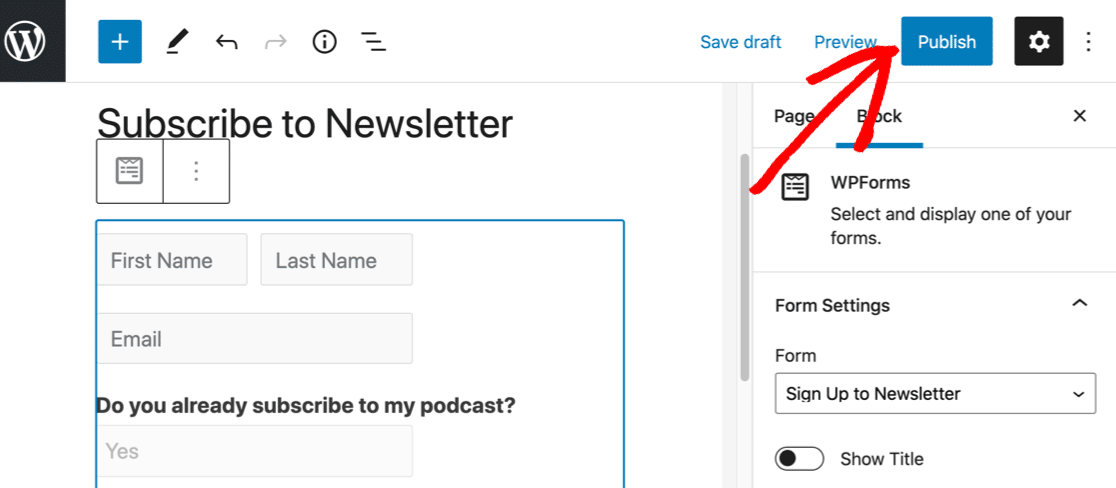

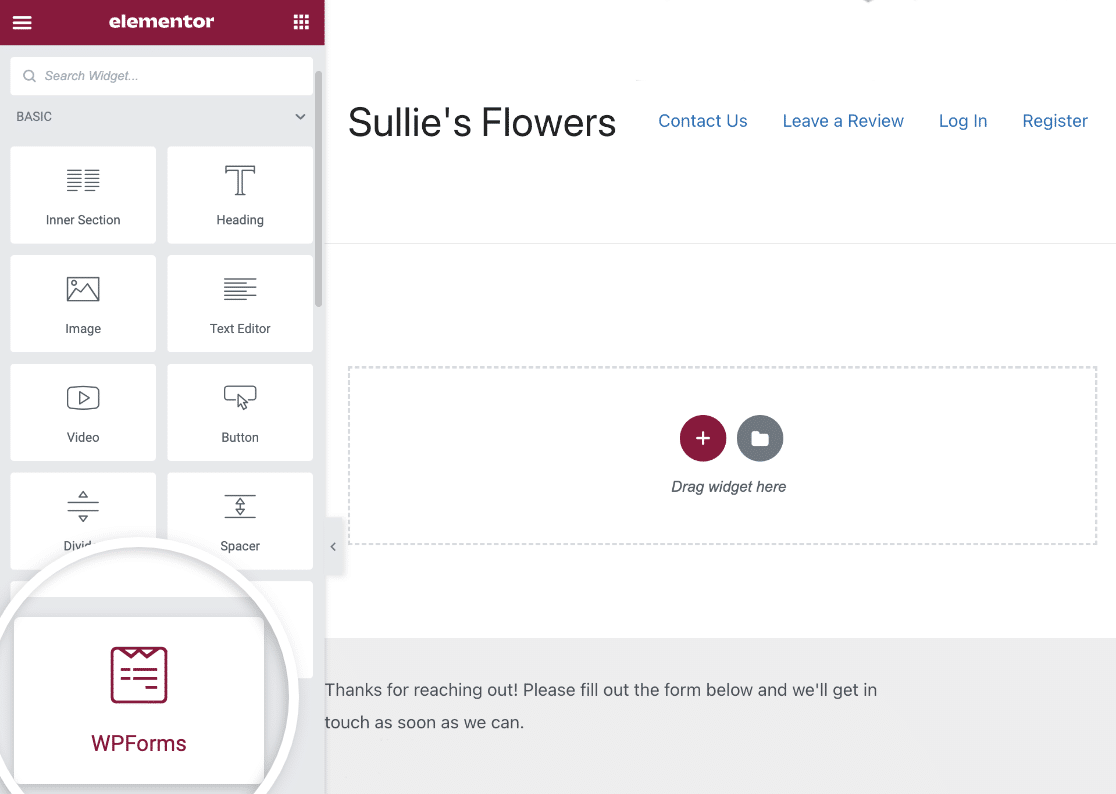
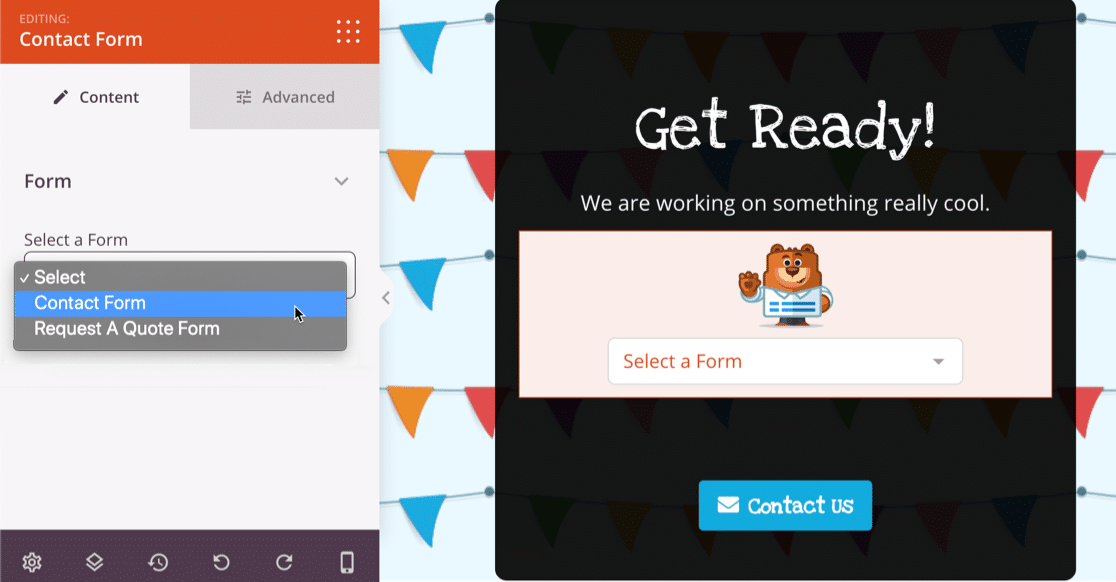
There are also native modules for Elementor, Divi, and SeedProd, so you can embed forms directly in your page builder without shortcodes.
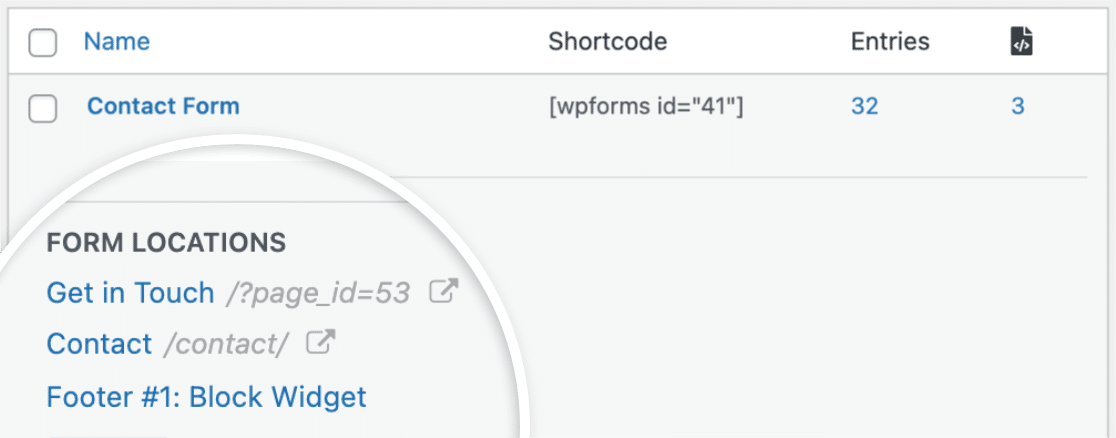
WPForms even shows you exactly which pages on your site have forms embedded, right in the dashboard.
Contact Form 7
Contact Form 7 offers two embed methods: a shortcode and a block for the WordPress block editor.

The block doesn’t show a preview of your form, so you can’t see how it fits in your layout until you preview or publish the page. There are no native integrations with page builders like Elementor or Divi.
Support and Resources
When you run into an issue or need help setting something up, the support available to you matters. Here’s what each plugin provides.
WPForms
WPForms Lite users get access to:
- WordPress.org support forums
- Comprehensive plugin documentation
- The WPForms blog with tutorials
- A YouTube channel with video guides
- The WPForms VIP Circle Facebook group (open to all users)
- Context-sensitive help button in the form builder
WPForms paid plans include dedicated support from the WPForms team, with Priority Support at the Pro and Elite tiers.
Contact Form 7
Contact Form 7 offers:
- WordPress.org support forums
- Plugin documentation
- A link to paid development services for custom work
There’s no blog, no video guides, no community group, and no dedicated support team.
Pricing
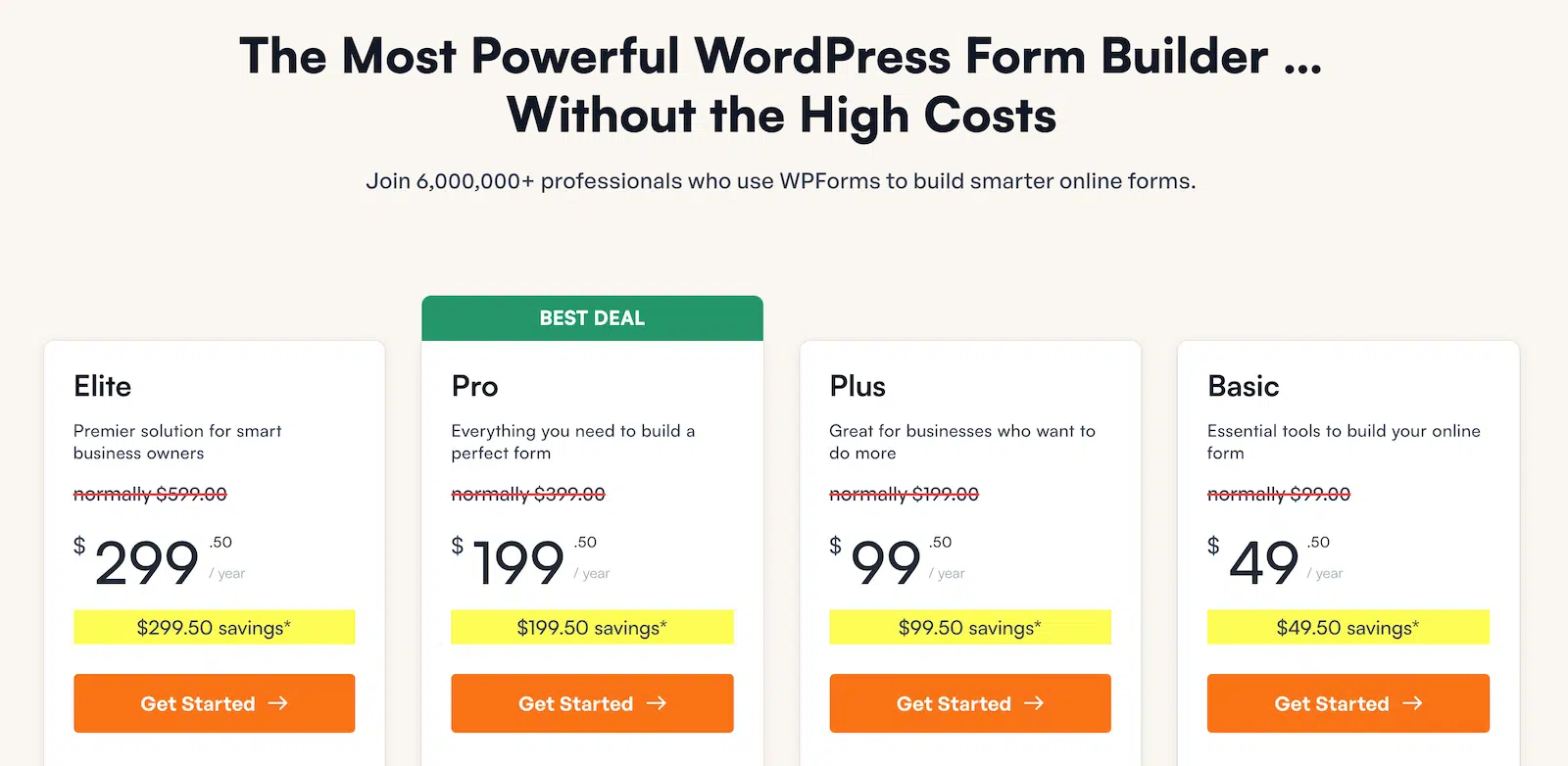
Contact Form 7 is 100% free. There’s no premium version, no paid tiers, no upsell. You get what you get. WPForms offers a free version (WPForms Lite) plus four paid tiers:
| Tier | Price/Year | Sites | Key Unlocks |
|---|---|---|---|
| Lite | Free | Unlimited | Drag-and-drop builder, standard fields, Stripe (with fees), AI form builder, Constant Contact |
| Basic | $49.50 | 1 | Conditional logic, advanced fields, entry management, file uploads, custom CAPTCHAs, multi-page forms |
| Plus | $99.50 | 3 | 10 marketing integrations (Mailchimp, Brevo, etc.), Slack, Twilio, Notion, Smart Workflows |
| Pro | $199.50 | 5 | Stripe Pro (no extra fees), Square, PayPal Commerce, Surveys, Zapier, Google Sheets, Conversational Forms, and more |
| Elite | $299.50 | Unlimited | Salesforce, HubSpot, Webhooks, multisite support, client management |
Prices shown are introductory (50% off). All plans renew at full price. Every paid tier includes unlimited forms, submissions, and users.
Here’s the thing: yes, CF7 is free. But WPForms Lite is also free, and it already gives you more features than CF7: a visual builder, payment processing, AI form generation, and more spam protection options.
The paid tiers are for when you need entry management, conditional logic, advanced integrations, or payment gateway flexibility. If you check out the WPForms Lite vs Pro comparison, you’ll see exactly what each upgrade unlocks.
WPForms vs Contact Form 7: The Verdict
After going through every comparison category, here’s my honest take:
Choose Contact Form 7 if:
- You’re a developer comfortable with HTML and form tags
- You only need a basic contact form with no bells and whistles
- Budget is your absolute top priority and you don’t want to consider paid options
- You don’t need entry storage, payments, or conditional logic
Choose WPForms if:
- You want to build forms visually without writing code
- You need your form submissions stored and searchable (not just sent via email)
- You want to accept payments through your forms
- You need conditional logic, surveys, file uploads, or multi-page forms
- You want reliable spam protection with multiple options
- You value documentation, tutorials, and responsive support
For the vast majority of WordPress users, WPForms is the better choice. The free version alone outperforms CF7 on ease of use, spam protection, and payment capability. And the paid tiers open up a level of functionality that CF7 simply can’t match.
WPForms is trusted by over 6,000,000+ professionals, rated 4.8 stars from 13,000+ reviews, and recognized as a G2 Leader. It’s used by brands like GoDaddy, HubSpot, and SAP.
Build Your WordPress Form Now! 😀
Switching from Contact Form 7 to WPForms
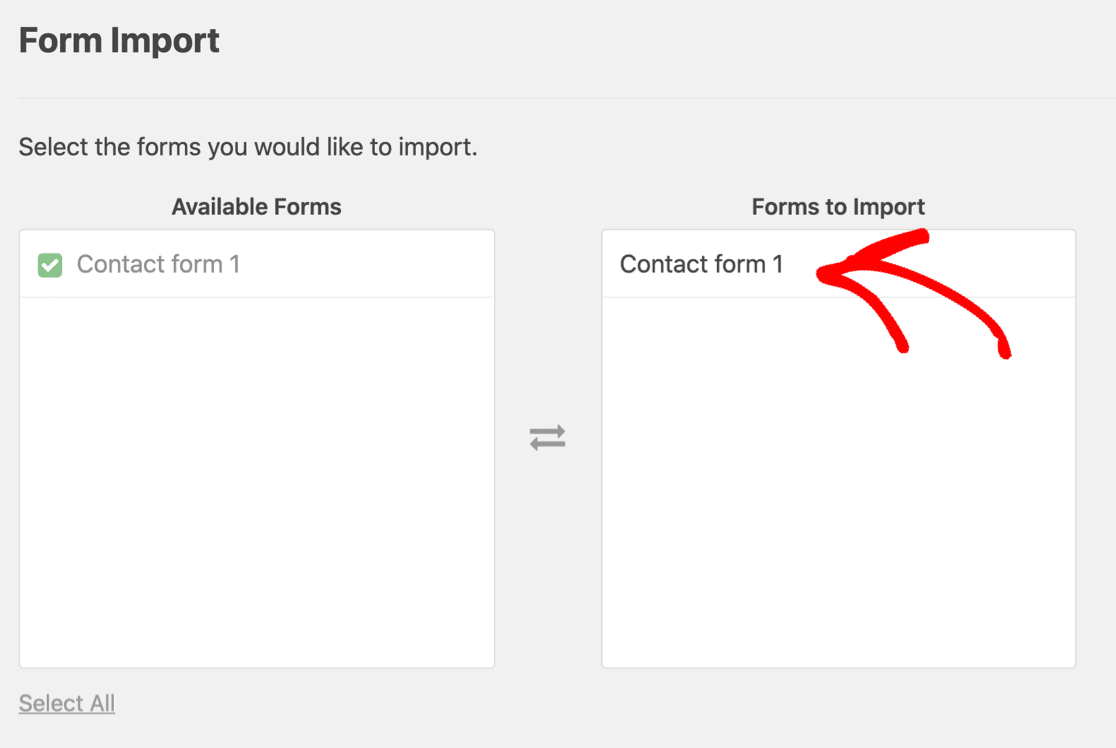
If you’re ready to move from CF7 to WPForms, the transition is simple. WPForms has a built-in importer that brings your Contact Form 7 forms directly into WPForms automatically.
Install WPForms Lite from WordPress.org, head to the Import tool, and select Contact Form 7. Your forms will be converted to the WPForms format so you can start editing them visually.
FAQs on Contact Form 7 vs WPForms
Contact Form 7 vs WPForms is a popular comparison among WordPress users looking for the best form plugin. Here are answers to the most common questions about both plugins.
Is Contact Form 7 still good in 2026?
Contact Form 7 is still a functional plugin that gets the job done for basic contact forms. It’s free, lightweight, and reliable. But it hasn’t evolved much in recent years. I
t still lacks a visual builder, entry storage, conditional logic, and payment processing. These are features that most modern form builders include. If you need more than a simple contact form, CF7 will hold you back.
Which is better, Contact Form 7 or WPForms?
For most WordPress users, WPForms is the better option. It’s easier to use, more feature-rich, and offers both a free and premium version.
Contact Form 7 is a reasonable choice only if you’re a developer who prefers working with code and only needs a basic contact form.
Is WPForms free?
Yes. WPForms Lite is 100% free and includes a drag-and-drop form builder, standard and payment fields, Stripe credit card processing, an AI form builder, Constant Contact integration, and built-in spam protection. You can use it on unlimited sites with unlimited forms and submissions.
Can I switch from Contact Form 7 to WPForms without losing my forms?
Yes. WPForms has a built-in importer specifically for Contact Form 7. It converts your CF7 forms into WPForms format so you can edit them in the visual builder.
Your existing form shortcodes will need to be updated on your pages, but the form data and structure transfer automatically.
Does WPForms work with Elementor and other page builders?
Yes. WPForms Lite includes native embed modules for Elementor, Divi, and SeedProd. You can add forms directly in your page builder without using shortcodes. It also works with the WordPress block editor and any theme that supports shortcodes or widgets.
What features does WPForms Pro add over the free version?
WPForms Pro ($199.50/year) adds Stripe Pro (no extra fees), Square Pro, PayPal Commerce, Surveys & Polls, Conversational Forms, Save & Resume, Digital Signatures, Google Sheets, Zapier (10,000+ apps), Form Abandonment tracking, User Journey Reports, and much more. You can see the full breakdown on the WPForms pricing page.
Can you track form views and conversions in Contact Form 7?
On its own, Contact Form 7 can’t track views or conversions, because it has no built-in analytics and doesn’t store entries for it to report on.
To get even basic numbers, you’d have to set up Google Analytics event tracking yourself.
WPForms handles this automatically instead, tracking views, conversion rates, and field-level drop-off with no Google Analytics account required.
Next, Compare More Form Builder Plugins
And that’s it! Now you know all the key differences between WPForms and Contact Form 7. We hope this comparison has helped you decide which form plugin is the right fit for your site.
If you’re interested in seeing how WPForms stacks up against other popular form builders, check out these comparisons for more clarity:
- Ninja Forms vs WPForms
- Gravity Forms vs WPForms
- Elementor Forms vs WPForms
- Best Free WordPress Contact Form Plugins
Ready to build your form? Get started today with the easiest WordPress form builder plugin. WPForms Pro includes lots of free templates and offers a 14-day money-back guarantee.
If this article helped you out, please follow us on Facebook and Twitter for more free WordPress tutorials and guides.





