



AI Summary
Divi’s built-in contact form module gets the job done for simple messages. But if you’ve tried adding file uploads, collecting payments, or even just storing submissions in your WordPress dashboard, you’ve probably run into its limitations.
Divi 5 brought real improvements to the form module, including conditional logic and better styling options. That said, the built-in form still lacks key features that most business websites need. There’s no entry storage, payment processing, and even spam protection features are limited.
WPForms is a dedicated WordPress form builder that fills all of those gaps and plugs directly into Divi through a native module. You get a real drag-and-drop builder with AI form generation features, 2,100+ templates and every form you create drops right into the Divi visual builder from a simple dropdown.
Create a Divi Contact Form with WPForms! 🙂
How to Create a Divi Contact Form With WPForms
Below, I’ll cover the key differences between Divi’s form module and WPForms, then walk through the full setup from installing the plugin to publishing your form on a Divi page.
I’ll also show you how to customize the form’s appearance using Divi’s design controls and explore some advanced form types you can build once everything is connected.

Why Use WPForms Instead of Divi’s Built-In Contact Form
Divi’s contact form module handles the basics well enough. You get text fields, email fields, dropdowns, and conditional logic if you’re on Divi 5. But the moment you need anything beyond collecting a name, email, and message, the limitations start to stack up.
There’s no way to accept file uploads, no built-in payment processing, and form submissions go straight to email with no way to view or manage them inside WordPress. Here’s a quick side-by-side comparison to show where the two options differ.
| Feature | Divi Built-In Form | WPForms |
|---|---|---|
| Basic contact fields | Yes | Yes |
| Smart conditional logic | Yes, since Divi 5 | All paid plans |
| File upload field | No | Basic and above |
| Payment processing | No | Stripe, PayPal Commerce, Square (Pro) |
| Entry management dashboard | No (entries go to email only) | Yes |
| Multi-page forms | No (requires third-party plugin) | Yes |
| Spam protection | Basic captcha, plus reCAPTCHA | reCAPTCHA, hCaptcha, Turnstile, custom CAPTCHA, built-in anti-spam |
| Pre-built templates | Build from scratch | 2,100+ form templates |
| AI Form Builder | No | Yes (free, even in Lite) |
If a simple “Name, Email, Message” contact form is all you need, Divi’s module handles that fine on its own. But for anything more complex, WPForms covers all of those gaps in a single plugin instead of requiring you to bolt on three or four extras.
Step 1: Install the WPForms Plugin
WPForms is a drag-and-drop form builder made specifically for WordPress. It comes with 2,100+ form templates covering everything from contact forms and payment forms to surveys, registration forms, and calculator forms.
What I like most about WPForms for Divi sites is the native module integration. I’ve set up forms on both Divi and Elementor sites, and the Divi module is genuinely the smoother experience.
For a basic contact form, WPForms Lite (free) gets you started. If you need file uploads, conditional logic, or entry storage, go with the Pro plan.
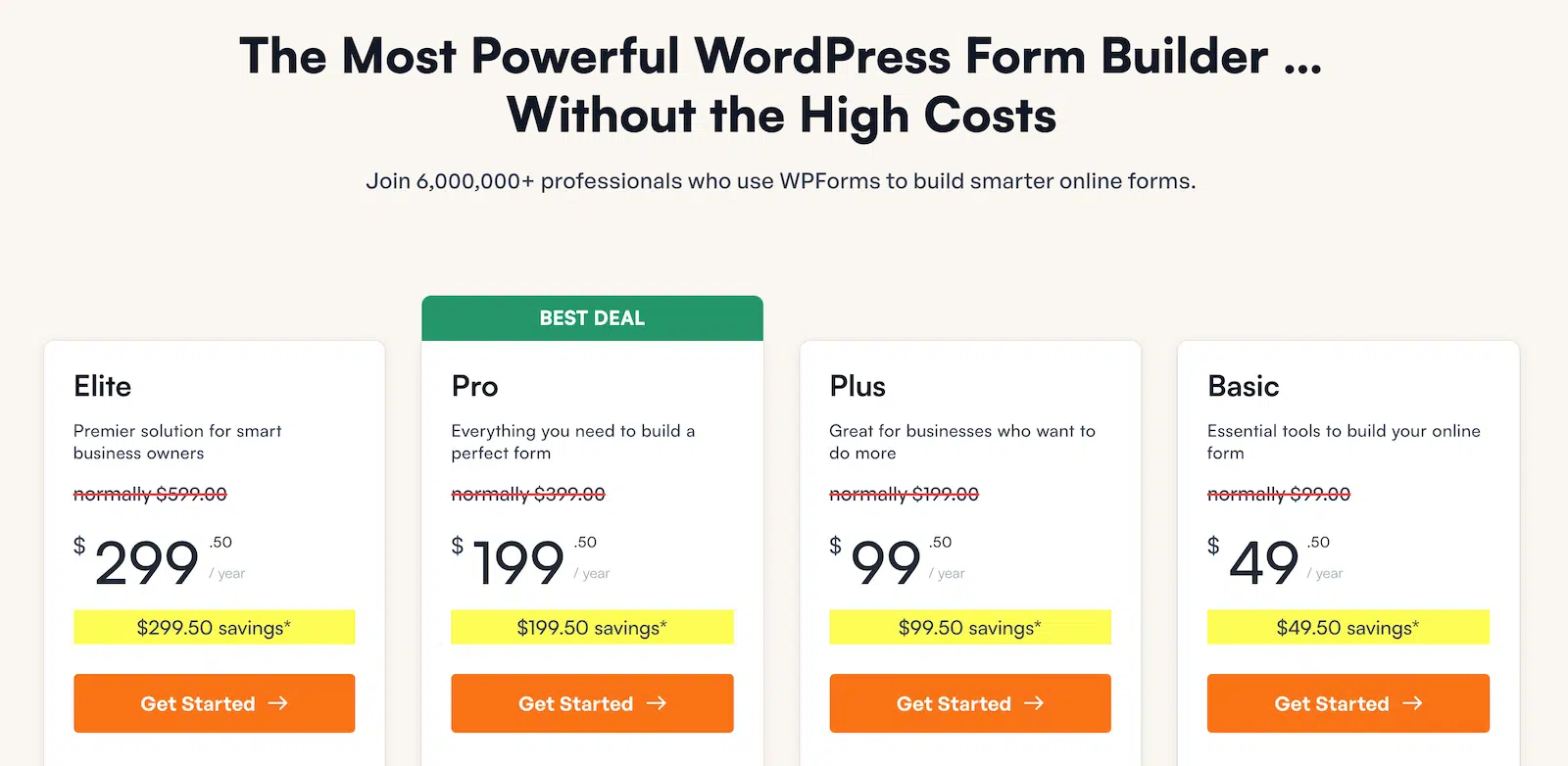
To get started, buy the Pro license. Then, install WPForms on your website. If you need help, follow these instructions on how to add a plugin to WordPress.
Step 2: Create Your Divi Contact Form
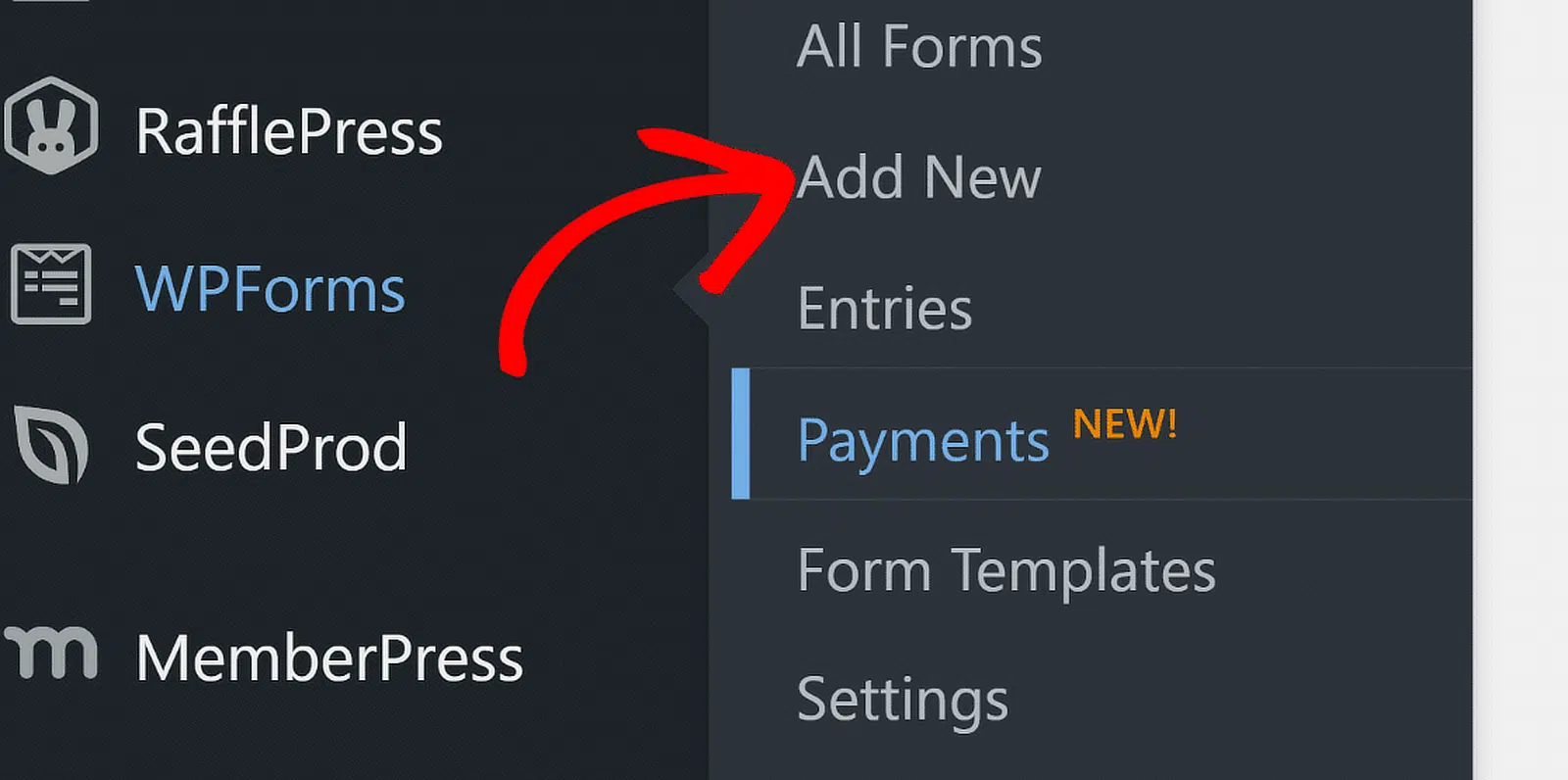
With WPForms active, head to WPForms » Add New to create your first form. You have two ways to get started here. The traditional route is the template library, which loads with hundreds of pre-built forms organized by category.
Search for “Simple Contact Form” and click Use Template to get a clean starting point with Name, Email, and Comment/Message fields already in place.

The faster option is the AI form generator, which allows you to describe what your form should do like “I need a contact form with name, email, phone, a dropdown for department, and a message field” and WPForms builds it for you.
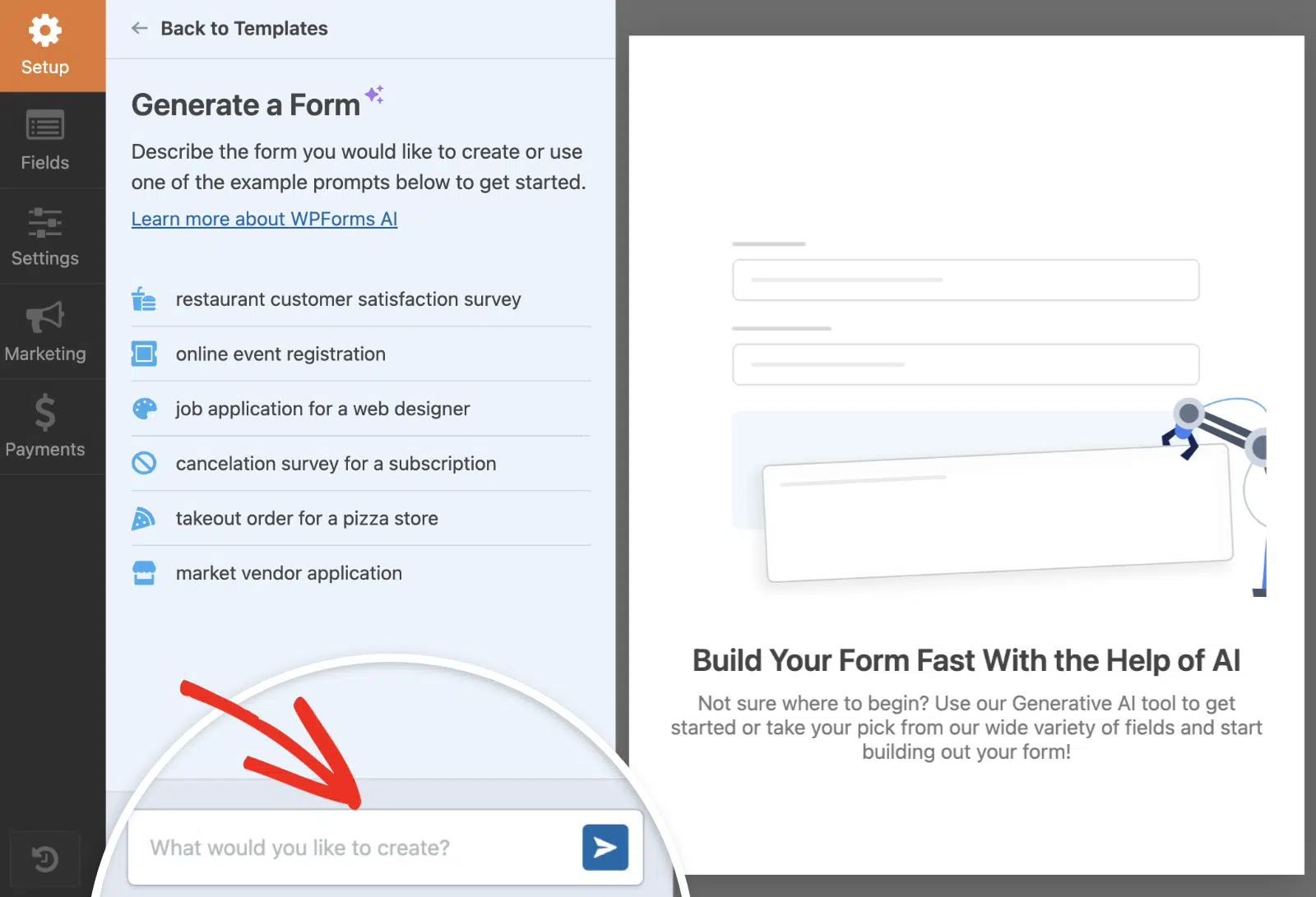
The AI also works for populating field choices. If you add a dropdown for “How did you hear about us?” and don’t feel like typing out all the options, AI Choices will generate a relevant list you can edit.

Once you have your fields in place, the drag-and-drop builder lets you rearrange, rename, and configure everything visually.
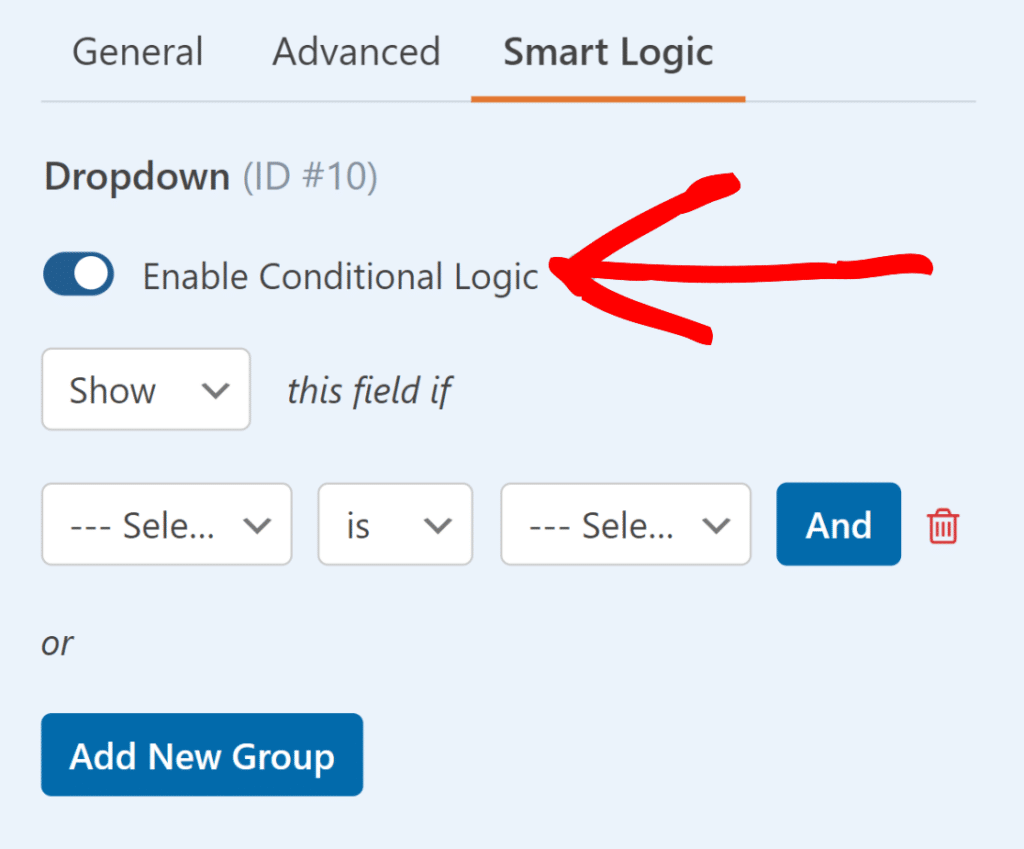
You can set fields as required, add placeholder text, adjust field sizes, and use conditional logic to show or hide fields based on what the visitor selects.
When your fields are ready, click the Settings tab to configure your form notifications. This controls which email address receives submissions, what the notification email looks like.
Take a minute to check these settings before going live, because the default sends notifications to your WordPress admin email, which may not be the right inbox.
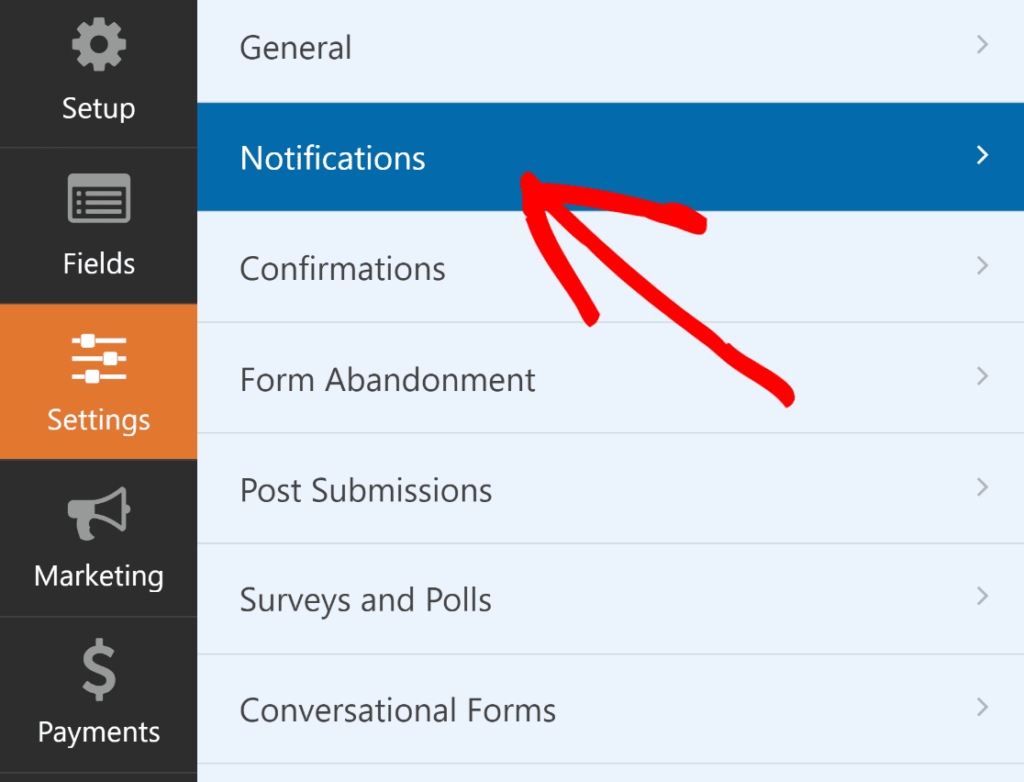
One thing to keep in mind with WordPress email delivery. WordPress uses PHP’s built-in mail function by default, and a lot of hosting providers block or throttle it.
If you’ve had form submissions that never showed up in your inbox, that’s almost certainly the cause. The WP Mail SMTP plugin fixes this by routing your emails through an authenticated SMTP server.
I’d recommend setting it up before your form goes live, because troubleshooting missing emails after the fact is frustrating. Click Save in the top-right corner when everything looks good.

Step 3: Open the Divi Builder
Once you create your new Contact Page (or whichever page you want your contact form on), you’ll want to click on the Edit With The Divi Builder button to launch the Divi WordPress page creator.
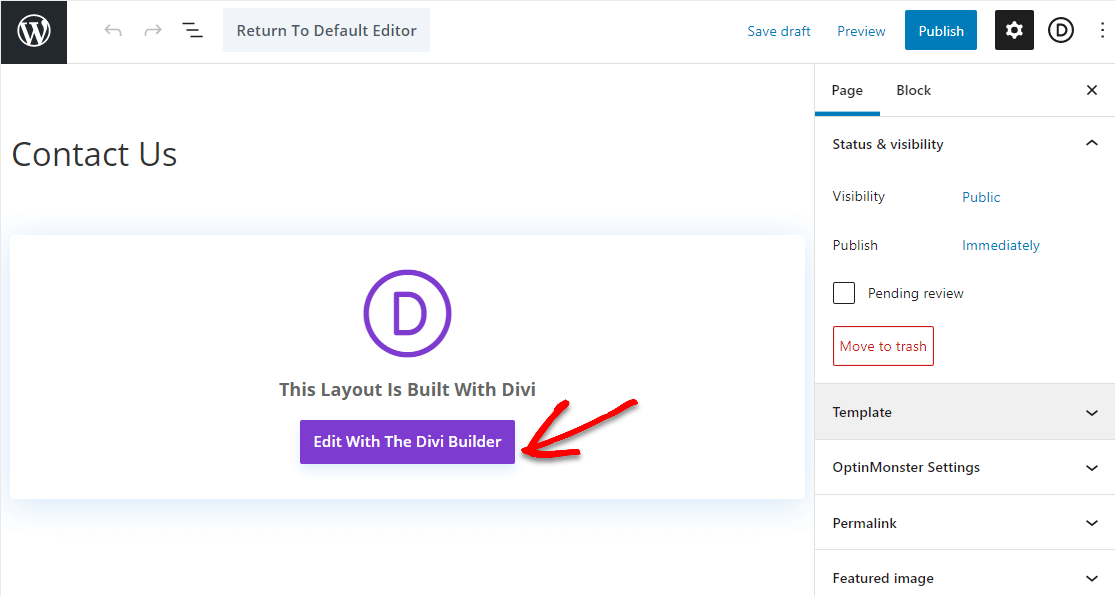
If it’s an existing page, it might look a tad different. If so, simply click on the Use Divi Builder to launch it. Either one gets you into the same visual editor.
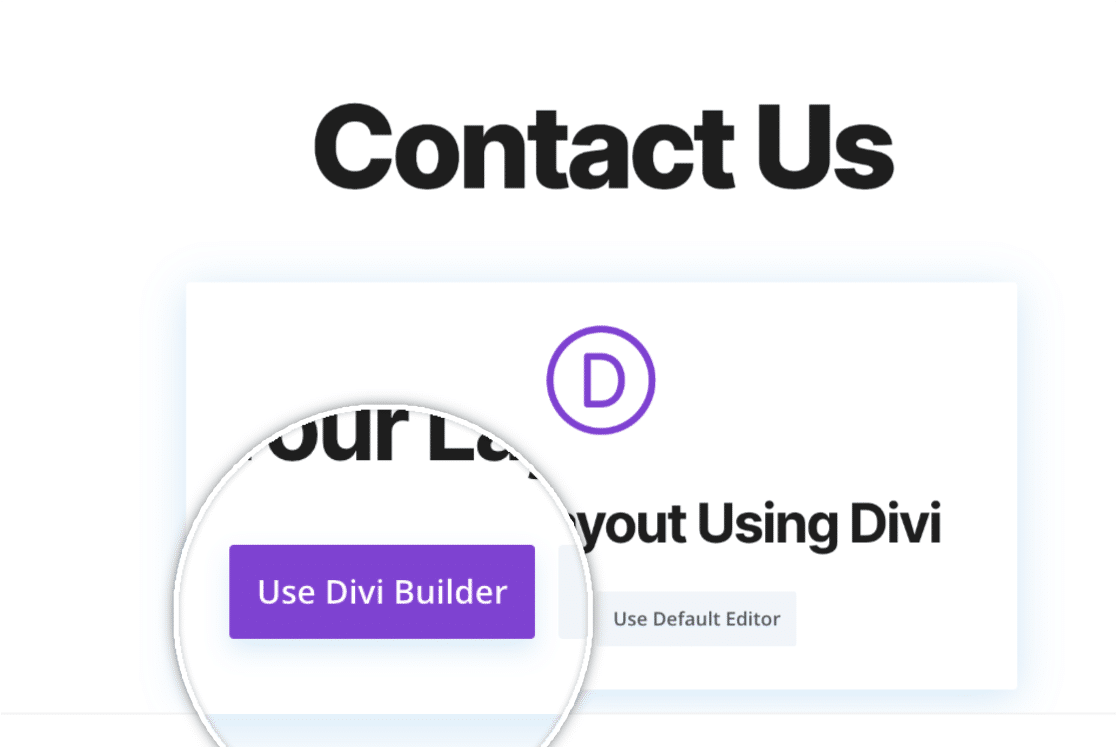
Once the builder is open, you’ll be asked about your page’s layout.
Step 4: Pick Your Divi Contact Form Page Layout
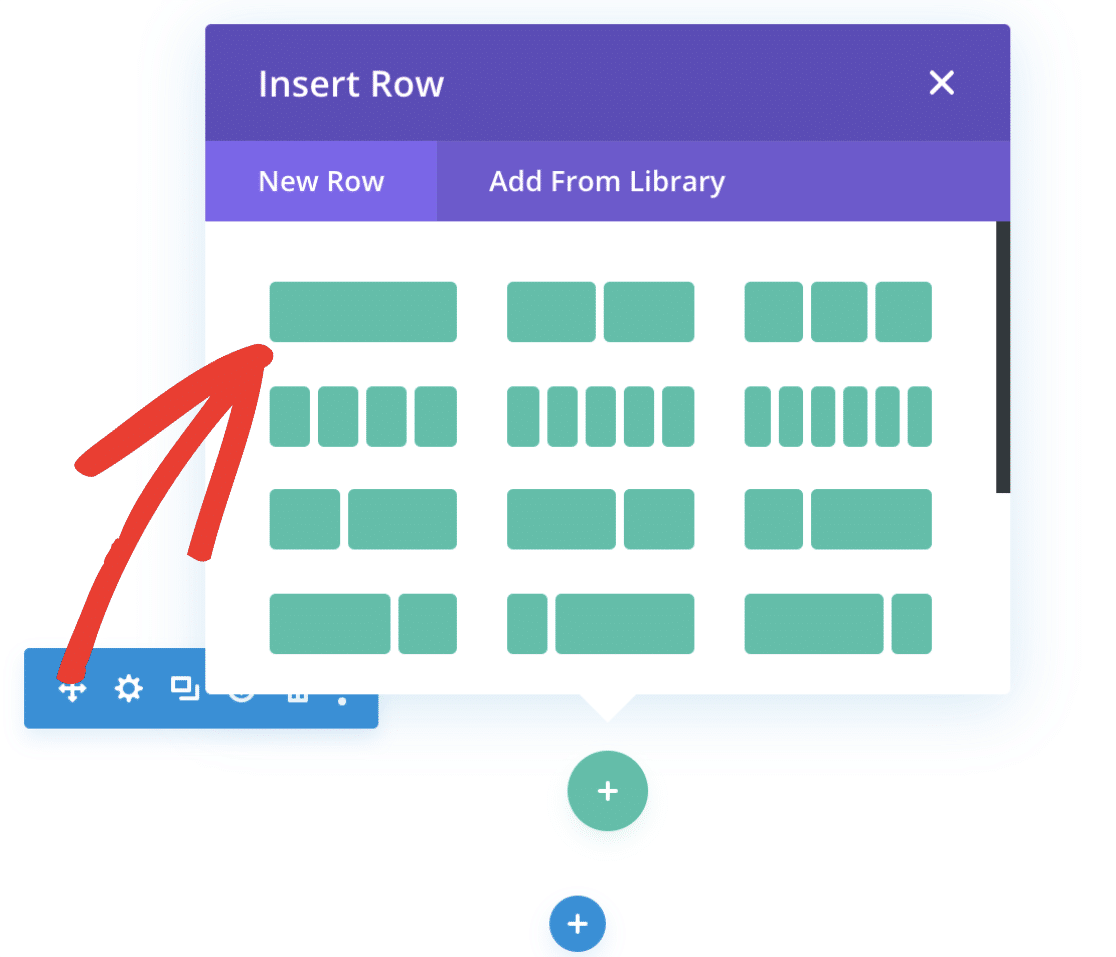
Once the builder loads, click Start Building to open a blank canvas. Divi will prompt you to choose a row layout for your first section. I’d go with the single-column row here.
It gives the contact form full width and keeps the visitor’s attention focused on filling it out, rather than splitting the layout with other content that competes for attention.
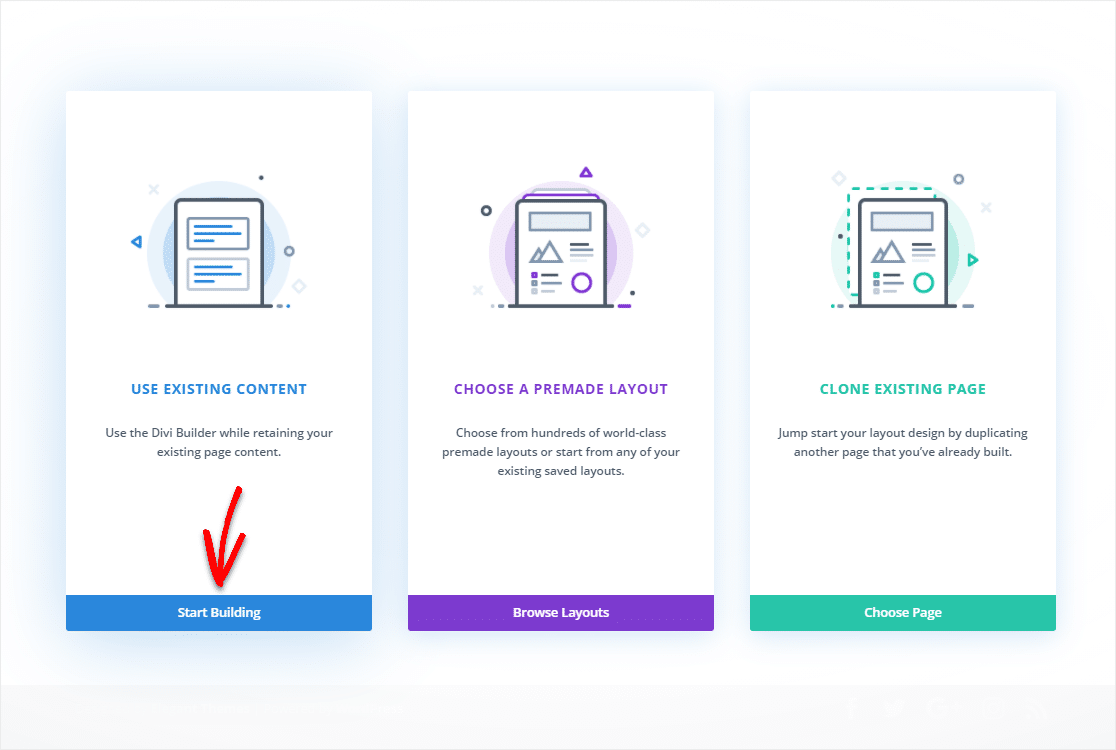
Next, you’ll see a blank page appear. This is your space to create! And, it’s how you’ll decide how you want your Divi page to look and where you want your WPForms contact form to be.
You’ll see a popup that asks which kind of layout (using rows) you’d like to add to your Divi page. For this post, let’s pick the 1st choice.
This will make the contact form be the only ‘object’ that goes into that row, so it gets lots of attention and people fill it out. Go ahead and select the first option (the single row) for your rows.
Now, you’ll be invited to insert a module. Let’s get your awesome WPForms form in there next.
Step 5: Insert the WPForms Divi Module
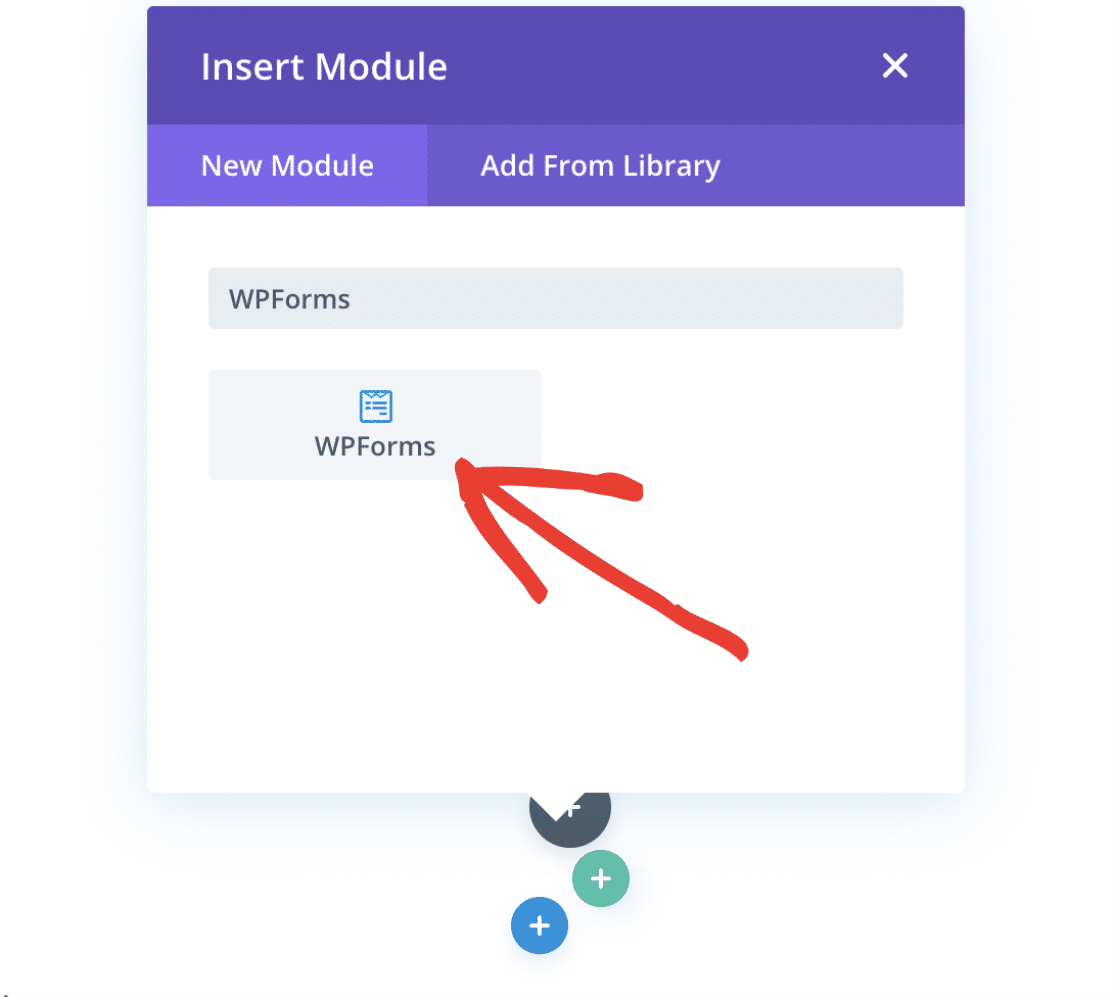
WPForms ships its own native Divi integration, so there’s a dedicated module already waiting for you rather than a shortcode to copy around. Search the module list for WPForms and select the module that appears.
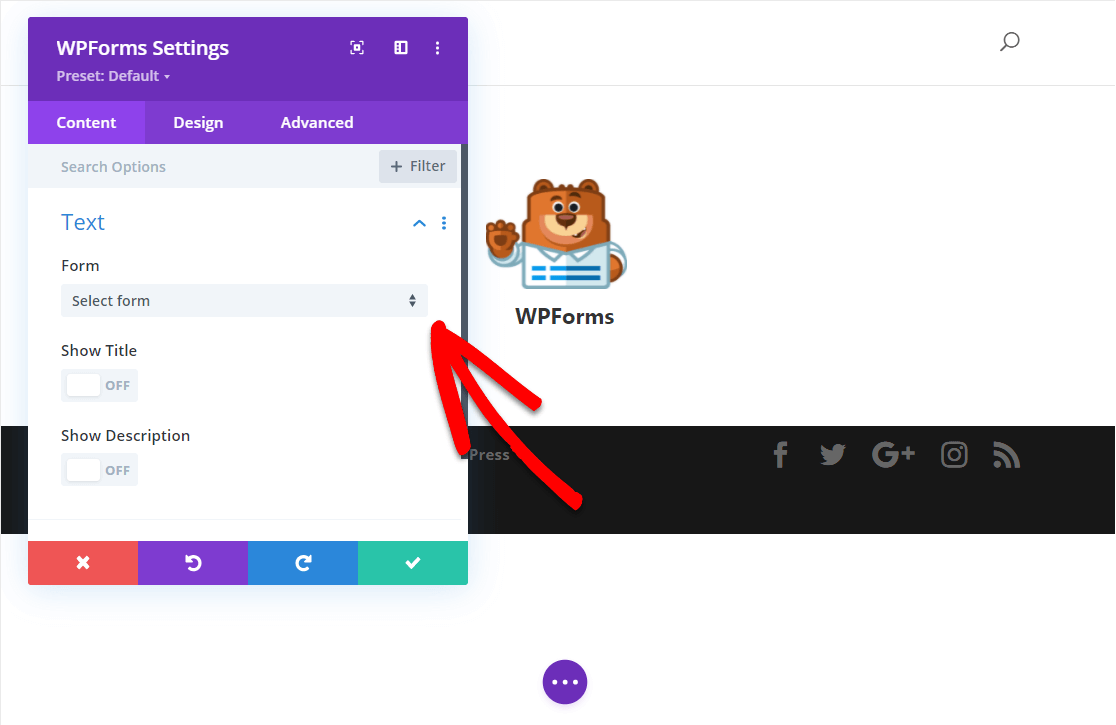
Under the Content tab, choose your contact form from the Form dropdown. This lists every form you’ve built in WPForms.
You can also toggle the form title and description on or off, though most people turn those off for a cleaner look on the page.
The form renders on the page immediately, so you can see exactly how it fits your layout before publishing. If everything looks right, click the green checkmark to save the module.
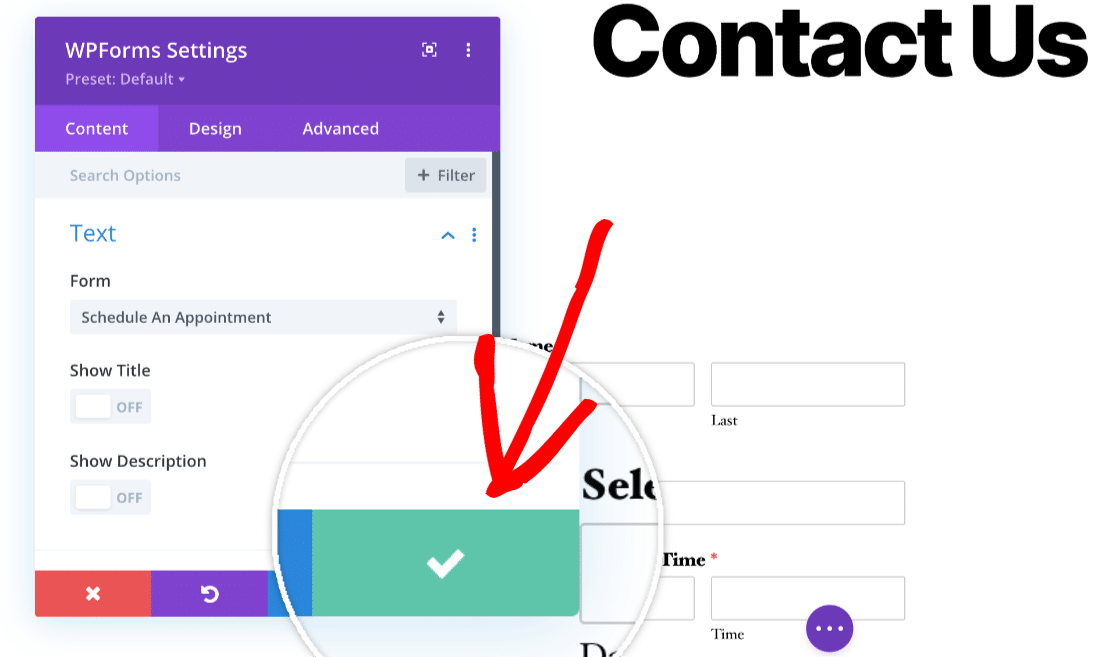
Nice job, your contact form is embedded and ready. Now, you can publish it in the same way you publish any page in Divi. Click on the 3 dots at the bottom of the page builder to display some additional Divi settings.
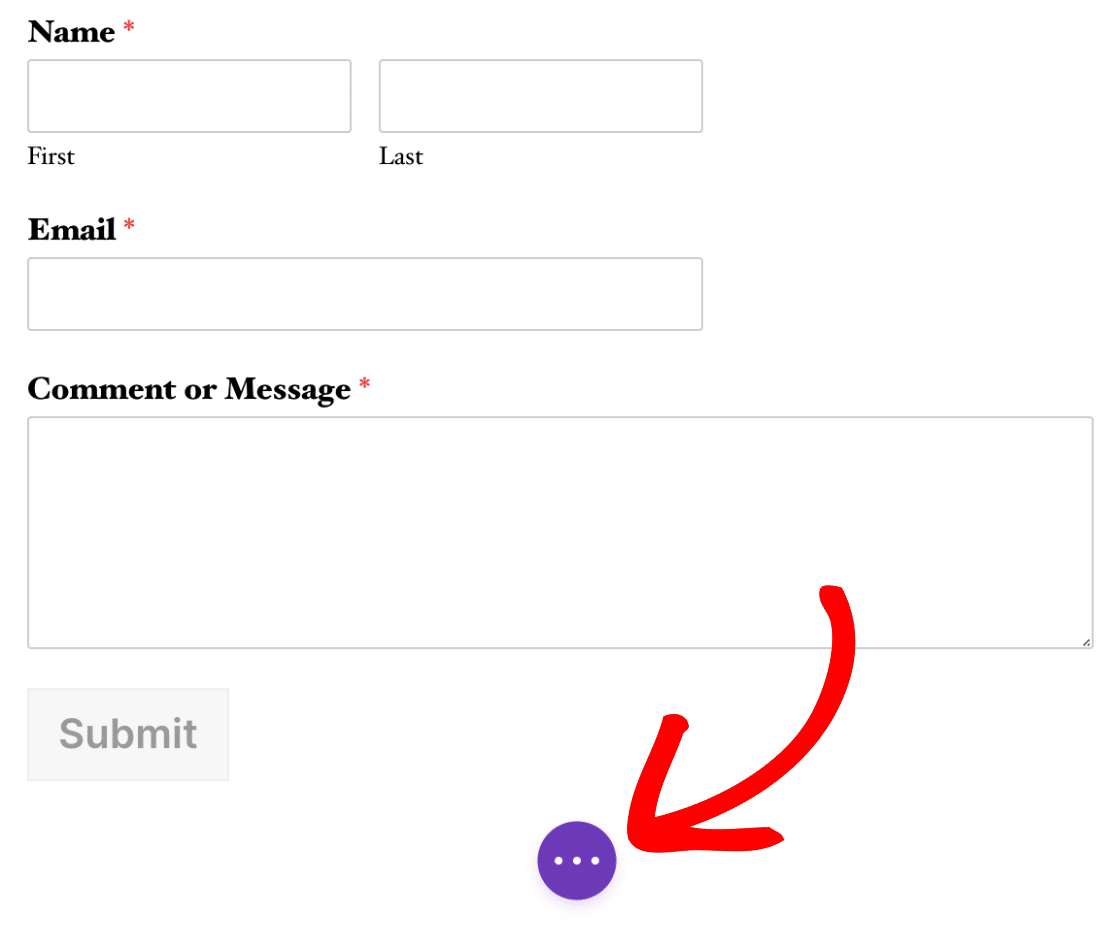
Next, select the Publish button to see it live. Your Divi contact form is live. Submissions will flow into both your notification email and the WPForms » Entries dashboard.

This is where you can view, search, star, export, and manage every submission from inside WordPress. That alone is a major upgrade over Divi’s built-in form, which sends entries to email and then they’re gone.
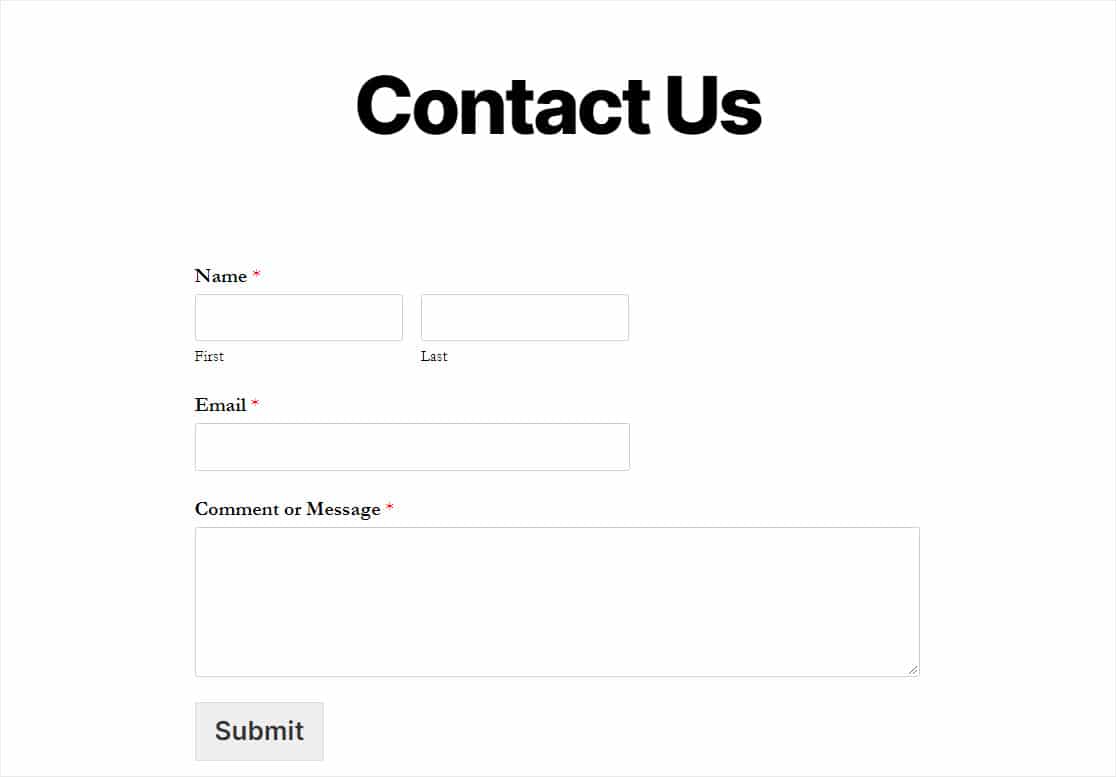
Style Your Divi Contact Form to Match Your Theme
Your form works at this point, but it may still look like a stock form sitting on a page you spent real time designing. WPForms handles styling from inside its own builder, which means the design travels with the form instead of living on one page.
Open the form and head to Settings » Themes, where you’ll find over forty ready-made themes to start from. The panels underneath let you adjust the details:
- Field Styles: border, background, size and corner radius on the inputs
- Label Styles: typography and color for your field labels
- Button Styles: the submit button’s fill, text and hover state
- Container Styles: padding and border around the form as a whole
- Background Styles: a background color or image behind the form

Anything you set here saves with the form itself and applies everywhere that form is embedded, your Divi module included.
Style it once and the same form looks right on a Divi page, in a block, or in a shortcode elsewhere on the site. The full styling reference walks through every panel in detail.
Going Beyond a Contact Form
The WPForms Divi module works for any form type you build, not just contact forms. Once the plugin is installed and the module is available in Divi, here are some of the more popular form types that Divi users tend to set up.
Payment and order forms
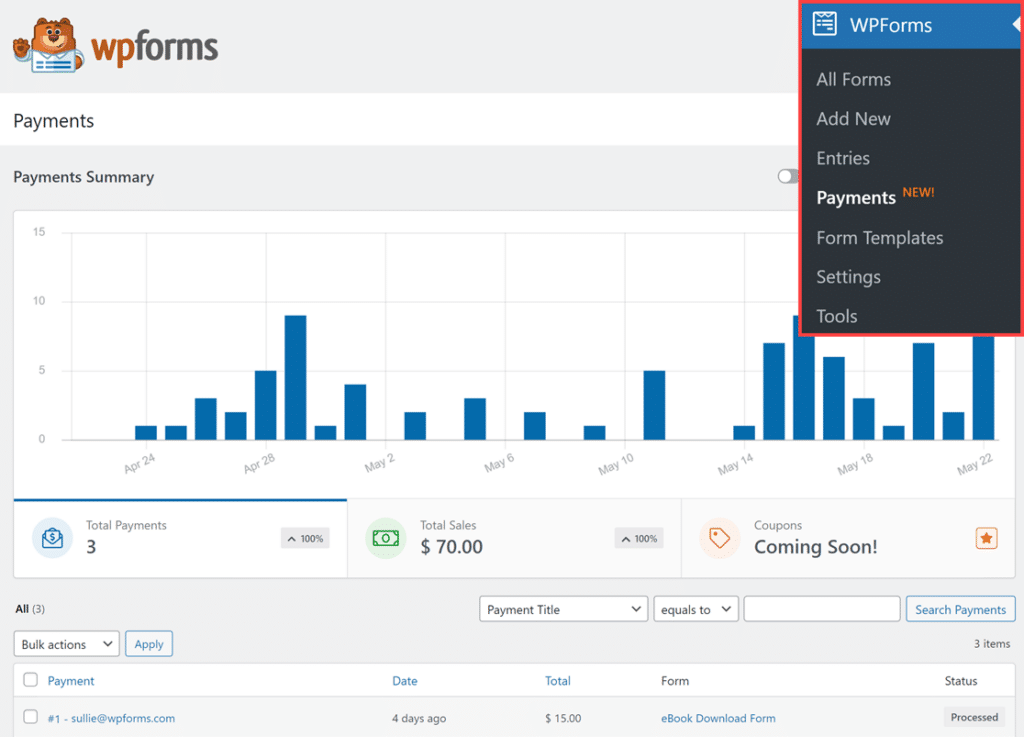
You can accept payments with Stripe, PayPal Commerce, or Square directly from any form. I’ve seen freelancers use this for project deposit collection and small businesses use it for simple order forms with quantity selectors and coupon codes. If you’re running a Divi site for a service business, this is one of the most practical upgrades you can make.
File Upload Forms
WPForms includes a drag-and-drop file upload form field that supports multiple file types, live camera capture, configurable size limits, and automatic cloud storage syncing to Google Drive or Dropbox.
Divi’s built-in form has no file upload capability at all, which is one of the most common reasons Divi users end up looking for a separate form plugin in the first place.

Multi-Step Lead Forms
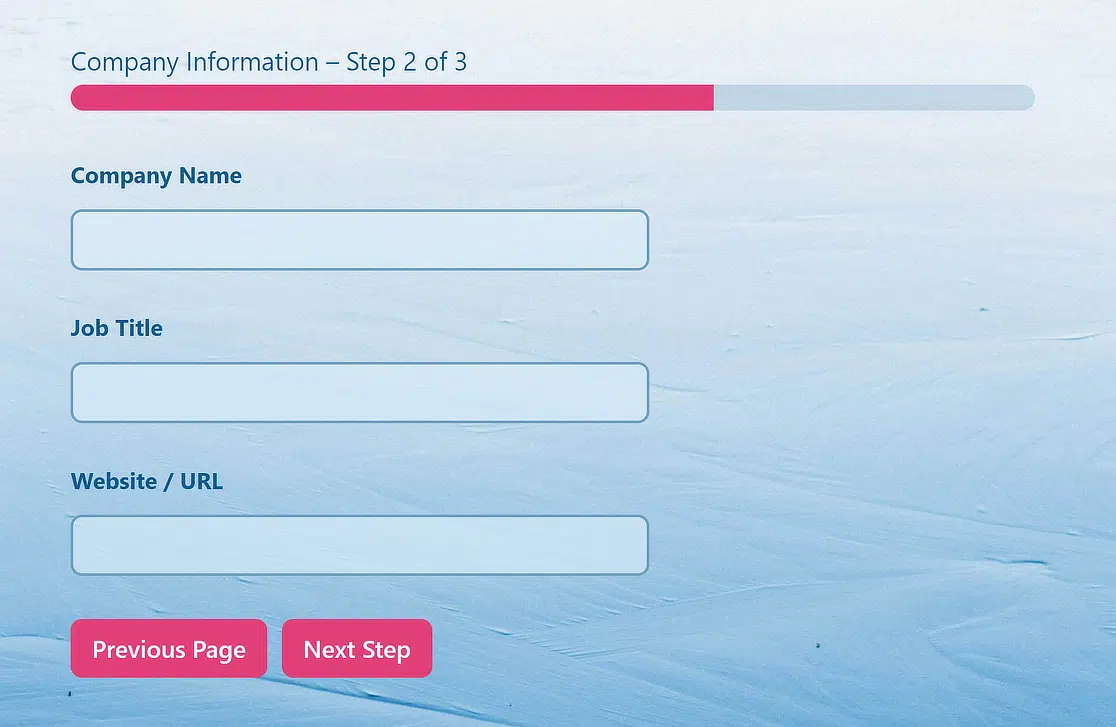
Long forms with a dozen fields on one page tend to get abandoned. With multi-step forms, you can split those fields across multiple pages with a progress bar so visitors see one manageable section at a time.
I put together a full guide on how to create a multi-step form with page breaks, progress indicators, and conditional page logic if you want to dig into the setup.
Survey and Feedback Forms
WPForms Pro includes NPS scoring, Likert scale fields, a Ranking field and interactive survey reports that give you visual breakdowns of every response.
If you’re collecting customer feedback, running satisfaction surveys, or doing market research on a Divi-powered site, this replaces the need for a separate survey tool entirely.

FAQs About Divi Contact Forms
WPForms and Divi are a popular combination for building WordPress forms. Here are answers to the questions that come up most often about using them together.
Does WPForms work with Divi 5?
Yes. WPForms has a native Divi module that works with both Divi 4 and Divi 5. You search for WPForms in the Divi module library, select your form from a dropdown, and it embeds directly in the visual builder. Nothing extra is required for Divi 5 compatibility.
Is WPForms free for Divi?
WPForms Lite is completely free and includes the drag-and-drop builder, AI form generator, AI Choices, basic Stripe payments, and full Divi module integration.
You can build and embed a working contact form without spending anything. For advanced features like file uploads, conditional logic, entry management, and multi-page forms, paid plans start at $49.50/year.
Why is my Divi contact form not sending emails?
WordPress relies on PHP’s built-in mail function by default, and many hosting providers either block it, throttle it, or route it through servers that end up triggering spam filters on the receiving end.
Installing an SMTP plugin like WP Mail SMTP fixes this by sending your form emails through an authenticated mail server. That resolves the issue for both Divi’s built-in form and WPForms.
Next, Take Your Divi Forms Further
Now that your Divi contact form is live, you might want to fine-tune how it looks on your site. Check out our guide on how to style contact forms in WordPress for tips on matching your form’s design to your Divi theme’s colors, fonts, and spacing.
If you’d rather have your contact form appear as an overlay instead of sitting on a dedicated page, here’s how to create a contact form popup in WordPress. It keeps your pages clean while making the form accessible from any page on your site through a button or link trigger.
Create Your Divi Contact Form Now
Ready to build your form? Get started today with the easiest WordPress form builder plugin. WPForms Pro includes lots of free templates and offers a 14-day money-back guarantee.
If this article helped you out, please follow us on Facebook and X (Twitter) for more free WordPress tutorials and guides.





My 1st experience combining WPForms with Divi is disappointing. I can’t style the text size or color, can’t make the fields have rounded corners, nor control the color of the fields. I’ll try again tomorrow, but so far it doesn’t meet my expectations for design control.
Hi Ed! I apologize for any misunderstanding here. The Divi Module is meant to ensure that WPForms forms can be embedded on sites built with Divi without issue. It does not have the ability to grant Divi’s styling features to be applied to the embedded forms.
To style your forms, please refer to our guide here: https://wpforms.com/docs/how-to-style-wpforms-with-custom-css-beginners-guide/
I hope that this helps! If you have any further questions about this, please contact us if you have an active subscription. If you do not, don’t hesitate to drop us some questions in our support forums.
Hi, I’m an administrator of a charity website and not the host, but, I am having problems receiving empty Contact Us emails repeatedly daily. I know that the WordPress theme is ‘active DIVI’ and the empty email received displays as:Email enquiry from the Canal Trust Website:
Name: %%Name%%
Email: %%Email%%
Message: %%Message%%
This looks the form configuration settings.
Is our website just being HIT by BOTS or is there anything I can do to stop these nuisance emails please?
Your help and advice is very much appreciated.
Julie K
https://.nwdct.org/contact-us/
Hey Julie — We are sorry for any trouble. In order to make sure we answer your question as thoroughly as possible and avoid any confusion, could you please contact our team?
If you have a WPForms license, you have access to our email support, so please submit a support ticket. Otherwise, we provide limited complimentary support in the WPForms Lite WordPress.org support forum.
Thanks.
Porque en mi Divi no aparece wpForms? lo tengo instalado y no aparece.
debo pagar para adquirirlo ?
Hey Wac, — We are sorry for any trouble. In order to make sure we answer your question as thoroughly as possible and avoid any confusion, could you please contact our team?
If you have a WPForms license, you have access to our email support, so please submit a support ticket. Otherwise, we provide limited complimentary support in the WPForms Lite WordPress.org support forum.
Thanks.
Hello, is there a way to use WP Forms set up in a product template in themes where people can ask for more info on a product then you get notified of what product they are currently clicked on? At the moment it just send the same message from whatever product they send it from?
Many thanks
Hi Vernon,
We do not have an exact feature that you are looking for. But based on selections in the form, you can absolutely set the notifications conditionally. We have a great tutorial on how to set this up here.
Hope this helps!