


AI Summary
If you’re trying to lift form completion rates on your WordPress site, you’ve probably come across two different ideas.
One approach breaks your form into a step-by-step lead capture flow where related fields share a page. Another turns your form into a chat-style experience that shows visitors only one question at a time.
Both formats genuinely work, and both can outperform a single long form by a wide margin. The catch is that the right pick depends on your specific form, your traffic source, and what the rest of your page is doing.
This article walks through what each format actually does on a WordPress site and where each one shines. By the time you’re done reading, you’ll know exactly which to pick for any form on your site.
Lead Forms vs Conversational Forms in WPForms
WPForms happens to offer both as Pro tier addons, called Lead Forms and Conversational Forms, which makes this an unusually clean comparison.
Lead Forms restructures the form you already have into a step-by-step flow that lives inside whatever page you embed it on, with your headline, social proof, and other page elements visible around it.
Conversational Forms takes the same form and turns it into a standalone page at its own URL, where one field appears on screen at a time and nothing else competes for attention.
Lead Forms vs Conversational Forms at a Glance
The most important rows are the first two, since where your form sits in your site structure and how many fields you want on screen at once decide everything else about how the addon behaves for you.
| Dimension | Lead Forms | Conversational Forms |
|---|---|---|
| Where the form lives | Embedded inside any page or post | Standalone page with its own URL |
| Fields per page | 1 to 3 (you decide) | Always 1 |
| Surrounding page context | Visible (headline, social proof, hero) | None |
| Customization controls | Accent color plus 4 advanced color pickers, container styling | Single color scheme, header logo, hideable WPForms branding |
| Keyboard navigation | Standard tab-through | Full keyboard support with field-specific shortcuts |
| Layout fields | Not supported | Not supported |
| Entry Preview field | Not supported | Supported |
| Date Picker | Standard picker | Hidden by default (keyboard-friendly typed entry) |
| Best for | Marketing landing pages | Dedicated survey or campaign pages |
| Pro tier required | Yes | Yes |
What Are Lead Forms?
The Lead Forms addon is a WPForms feature that converts any existing form into a step-by-step lead capture flow.
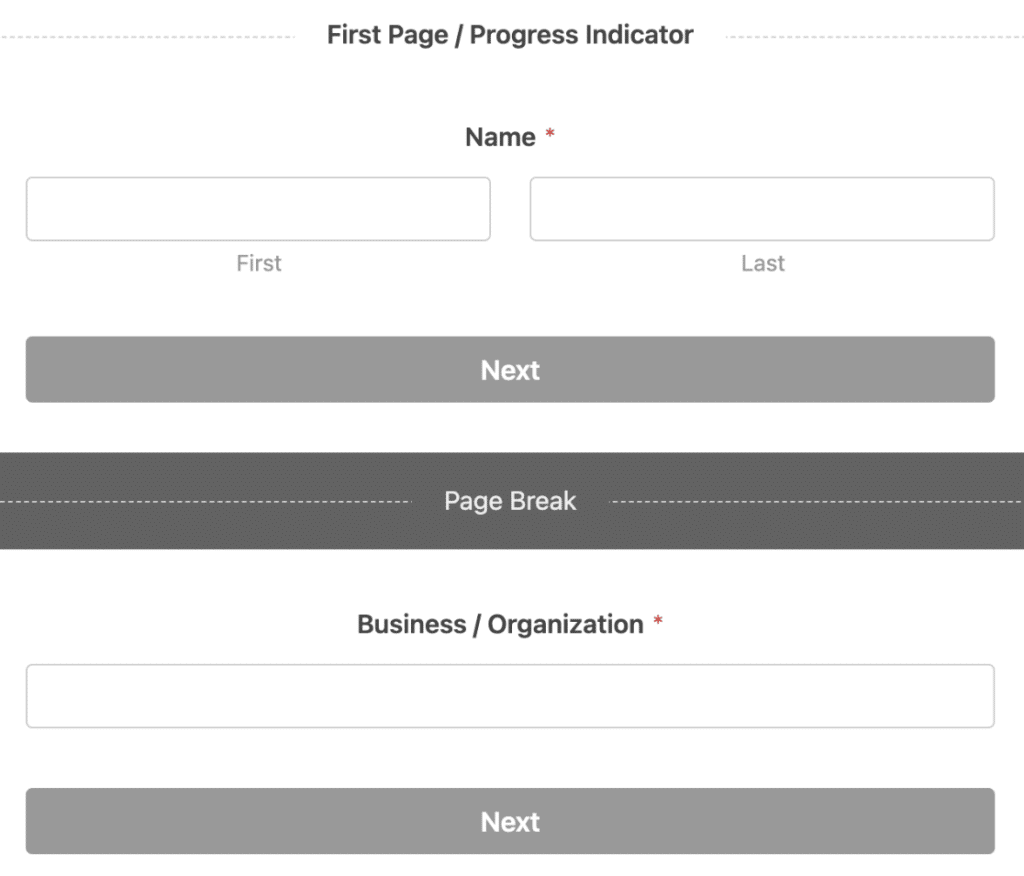
Once Lead Form Mode is on, page breaks are added between fields automatically, every field aligns center, and the whole form takes on a clean stacked look.
The host page around the form stays exactly where it was, which means you keep your headline, your hero image, your social proof, and your CTA copy.
How Lead Forms Work in WPForms
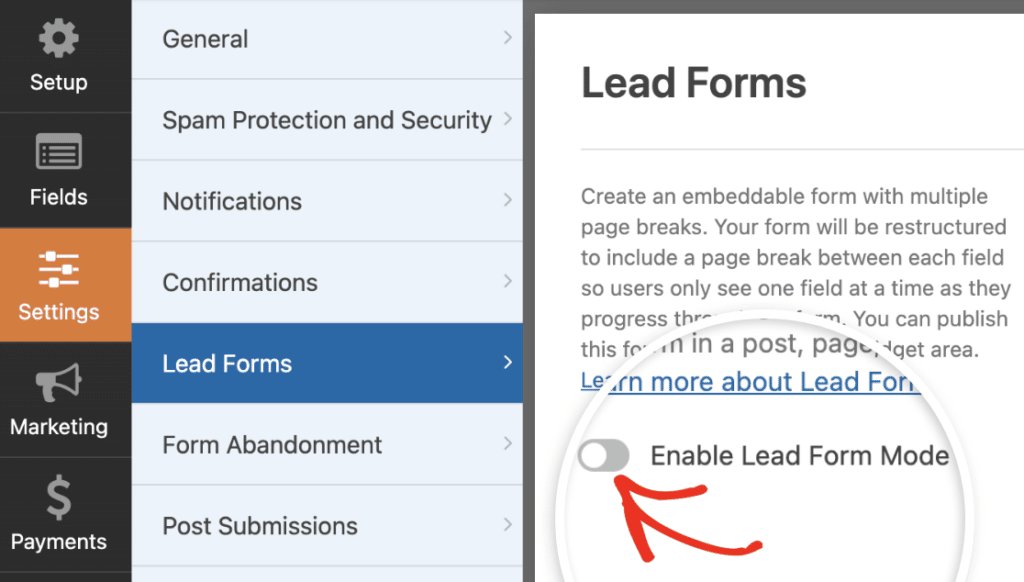
Inside the form builder, you turn on Lead Form Mode in Settings » Lead Forms. WPForms then restructures your form, places a Page Break between each field, and applies its own central style.
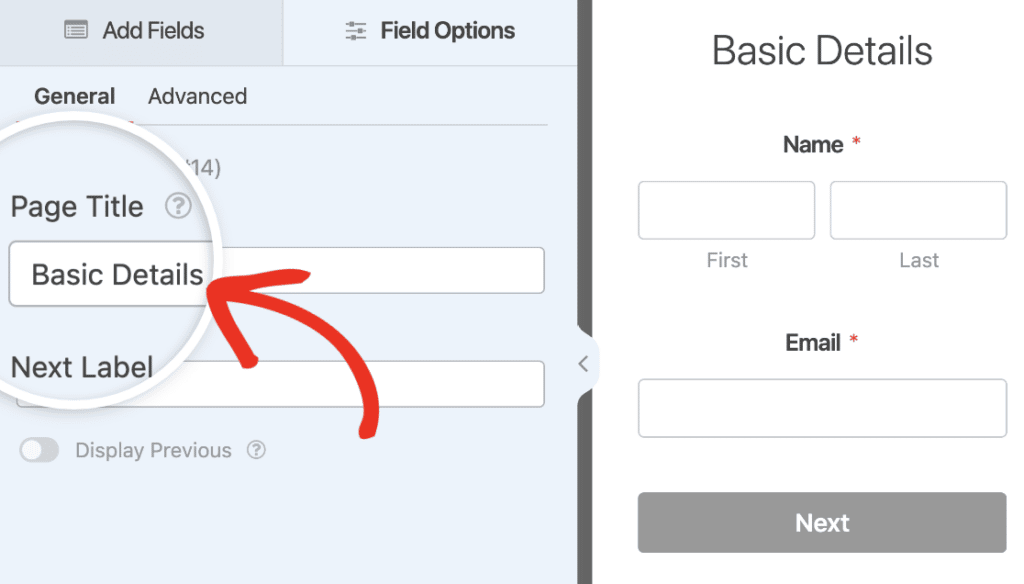
You can group related fields onto the same page and also give each page break a Page Title, so the heading reads as a friendly prompt rather than as a list of field labels.
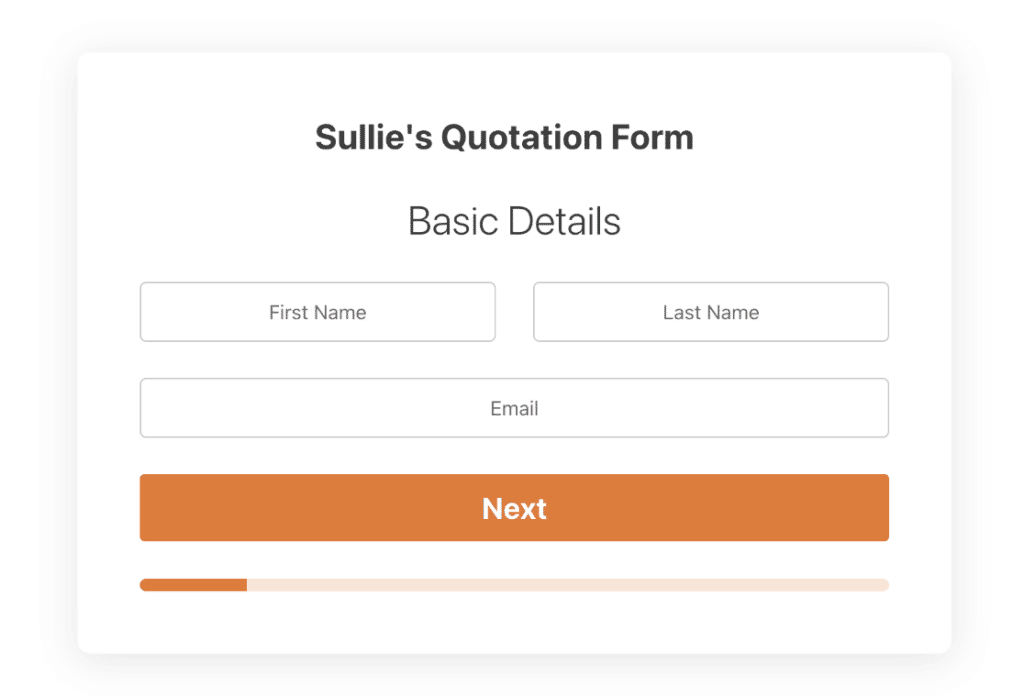
You customize the look of the form on the Lead Forms settings page. From there you set a Lead Form Title at the top, pick an Accent Color, toggle Advanced Style Settings, and then control four more colors independently.

There’s also a Form Container option that adds a drop shadow and rounded corners around your form so it stands out against the page it lives on. WPForms keeps all this in one panel so you don’t have to fight with field-level styling for each input.
Best Lead Form Use Cases
Lead Forms shines in places where the form is one part of a bigger marketing experience. Here are the cases where it’s the cleanest fit.
- Sales inquiry forms on a services landing page
- Mortgage or loan application forms with social proof underneath
- Consultation request forms on a webinar replay page
- High-intent contact forms below a video demo
- Affiliate or referral lead capture forms on a campaign-specific page
- Any form that lives next to testimonials, pricing, or trust signals you want visitors to keep seeing as they fill it out.
If you want more concrete inspiration, the lead generation form examples post has dozens of templates organized by industry, and you can even use the addon to create a really attractive quiz like the one below.

The pattern across all of these is the same, as your form needs the surrounding page to do part of the selling, and Lead Forms keeps both on screen at the same time so neither has to compete for attention.
What Are Conversational Forms?
The Conversational Forms addon is also a WPForms feature that turns any existing form into a standalone page with its own URL.
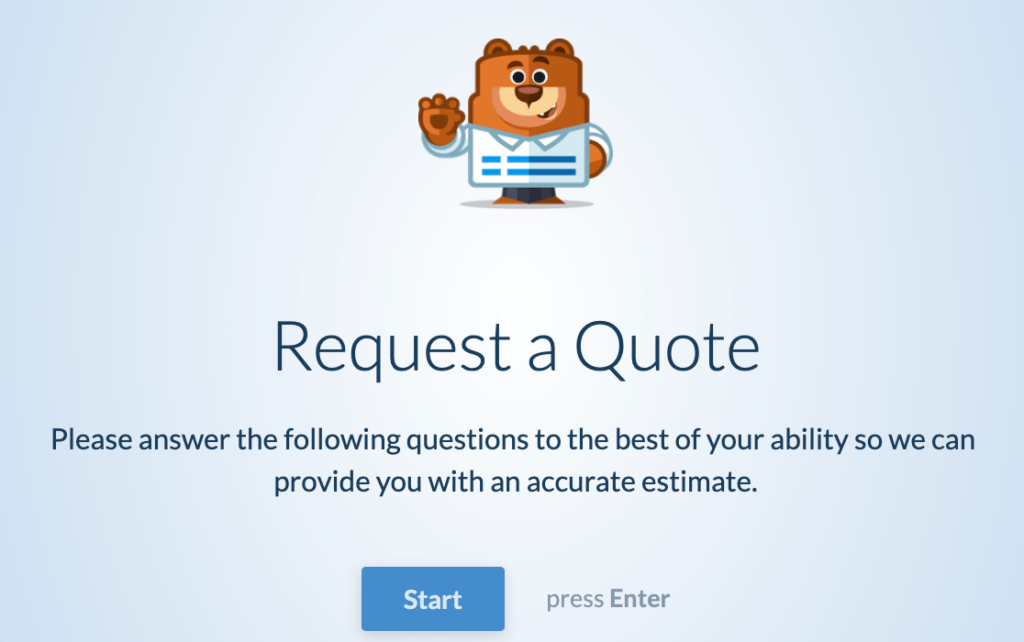
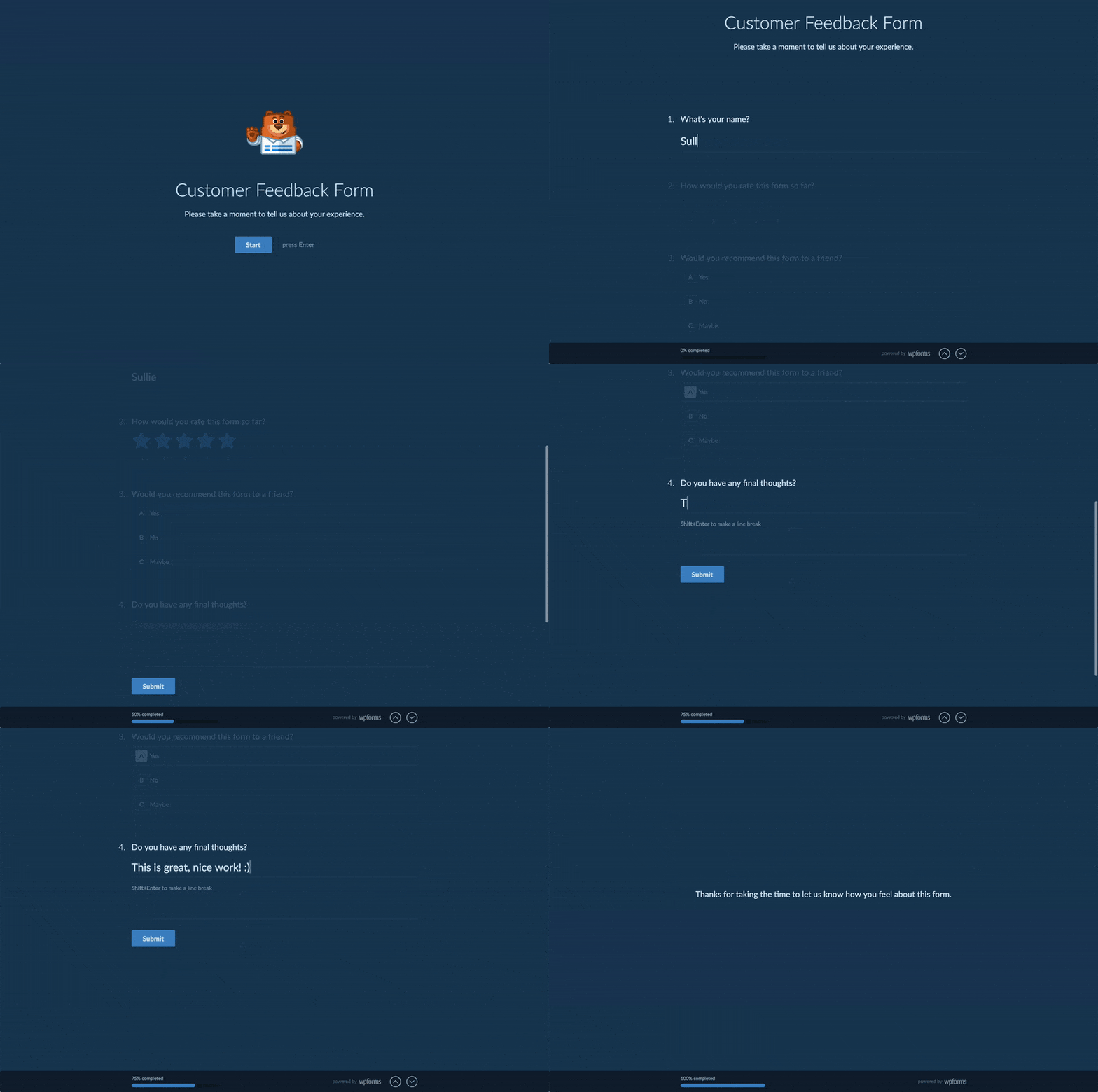
On that page, visitors see exactly one question at a time with nothing else in view. Press Enter or click Next, and the following question slides into focus.
The feel is closer to a chat than to a traditional form, which is why some teams compare it to Typeform, but the experience is much better in WPForms.
How Conversational Forms Work in WPForms
You activate Conversational Form Mode in Settings » Conversational Forms inside the form builder. WPForms then hands your form its own page on your site at a permalink you choose.
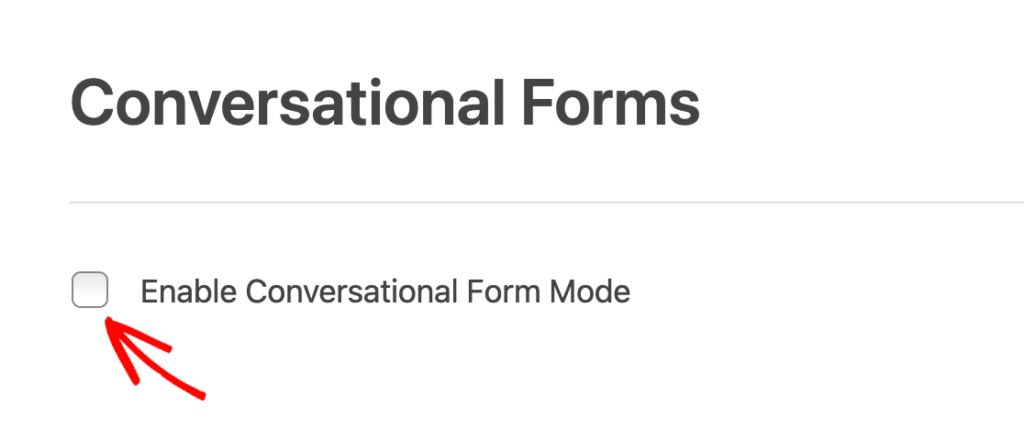
You can set a Form Title and an optional Message that appears under the title. There’s a Header Logo upload for the top of the page and a Hide WPForms Branding toggle for white-label setups.

Moreover, you have a Color Scheme picker with default palettes plus an eyedropper for custom colors, and a Progress Bar that displays either a percentage (“42% completed”) or a proportion (“2 of 7 completed”).

One of the more underrated parts is the keyboard support. Visitors can fill out the entire form without ever touching a mouse.
Enter moves forward, the up arrow goes back, and field-specific shortcuts let them pick from Multiple Choice options with letter or number keys.
That helps accessibility, and it also lets power users finish forms faster than they would on a traditional layout.
Best Conversational Form Use Cases
Conversational Forms is the right call when the form is the whole experience. Here are the situations where it shines.
- Customer surveys you’re emailing out to your list
- Quizzes used as lead magnets, especially the longer ones
- Job applications with multiple rounds of qualifying questions
- Booking forms where you’re collecting preferences plus contact details
- Onboarding intake forms for new clients or coaching students
- Any standalone form you’re driving traffic to from an ad or a newsletter
If you’ve been comparing WPForms against Typeform, the WPForms vs Typeform breakdown goes into more depth on the chat-style format and what WPForms does differently.
How to Choose Between Lead Forms and Conversational Forms
The decision usually comes down to three questions about your form. Where does it live, how many fields does it have, and what role does the surrounding page play in your visitor’s journey?
If your answers point you in different directions on different forms, that’s totally fine. There’s no rule that says your entire site has to use one or the other.
Plenty of WPForms users run Lead Forms on their pricing page and Conversational Forms on a separate quiz-type lead magnet at the same time. Different forms get different addons, and the same Pro license covers all of them.
When Lead Forms Are the Better Fit
- Your form sits inside a marketing landing page with social proof, headline copy, or a hero image you want visible
- Your form has five or fewer fields total
- You need very specific brand colors applied to individual form elements
- You want the host page’s URL and SEO signals to stay intact
- Your conversion event lives inside a content page that’s already doing other jobs
When Conversational Forms Are the Better Fit
- Your form is the whole point of the page (no other content needed)
- Your form has more than five fields, or a longer survey or quiz format
- You’re driving paid or email traffic specifically to fill out the form
- You want full keyboard support for accessibility or speed
- You need a clean dedicated URL you can share, embed in emails, or link to from ads
FAQs on Lead Forms vs Conversational Forms
Lead forms vs conversational forms is a question we hear a lot, especially from Pro users who want to get the most out of both addons. Here are answers to the most common follow-up questions.
Can I use both Lead Forms and Conversational Forms on the same site?
Yes, on the same site you can run both. WPForms Pro includes both addons, so you can have a Lead Form on your contact page and a Conversational Form on your survey page at the same time.
What you can’t do is enable both modes on the same individual form. They’re mutually exclusive at the form level, since they restructure the same form fields in different ways.
Do conversational forms convert better than lead forms?
It depends on the form’s length and the page it lives on. Conversational forms tend to win on completion rate for longer forms (six or more fields) on dedicated pages, where each screen feels light.
Lead forms tend to win on absolute lead volume for shorter forms inside marketing pages, since the surrounding context (headline, social proof) helps sell the action. Test both on similar traffic if you can.
Are conversational forms better for mobile?
For very long forms, yes. The one-question-at-a-time format avoids the scroll fatigue that hurts mobile completion rates.
For shorter forms, the difference is much smaller, and a well-built Lead Form also performs strongly on mobile. The bigger mobile question is usually total field count, not which addon you picked.
Which is better for SEO, lead forms or conversational forms?
Lead Forms keeps the host page’s URL and SEO signals intact, which makes them the safer choice for any form on a page you want to rank organically.
Conversational Forms creates a new standalone page at its own permalink, which means you’re managing the SEO of a new URL. If the form’s page doesn’t need to rank (because traffic comes from email or ads), this isn’t an issue at all.
Do I need WPForms Pro for both addons?
Yes, both addons require WPForms Pro or higher. The Pro tier also unlocks 2,100+ form templates, Stripe and PayPal with no extra fees, conditional logic on payments, and the other tools that pair well with conversion-focused forms.
Next, Boost Your Form Conversions With the Right Format
Picking the right addon is one piece of the conversion puzzle. The other piece is everything that happens around the form, like the headline that frames it, the trust signals that surround it, and the follow-up flow you trigger after submission.
If you’re ready to go deeper on the broader strategy, the best WordPress lead generation plugins overview is a solid next read for tools that complement either addon. Pairing Lead Forms or Conversational Forms with a clear offer and the right follow-up cadence is where the real conversion lift happens.
Ready to build your form? Get started today with the easiest WordPress form builder plugin. WPForms Pro includes lots of free templates and offers a 14-day money-back guarantee.
If this article helped you out, please follow us on Facebook and X (Twitter) for more free WordPress tutorials and guides.





