


AI Summary
When most WordPress users first encounter WPForms, they’re often simply looking for an easy way to add a contact form to their website. Little do they know, they’ve stumbled upon a powerful tool that can do so much more.
WPForms isn’t just a simple contact form builder – it’s a versatile platform that can be transformed into a comprehensive digital marketing toolkit. How? Through its secret weapon: addons.
In this post, I’ll walk you through the WPForms addons and integrations I’d install first, whether you want to capture more leads, get to know your audience better, or hand off repetitive tasks. I’ve also noted what’s new in WPForms v2.0 along the way, including the built-in form analytics that now pairs with several of these addons.
The Best WPForms Addons to Enhance Your Forms
I chose the addons for this list based on their ability to significantly enhance form functionality, improve user experience, and drive business results.
Whether you’re looking to boost conversions, streamline your workflow, or gather more meaningful data, there’s an addon here that can help you achieve your goals.
What Are WPForms Addons?
Think of addons as specialized plugins that extend WPForms’ core functionality. They introduce new features that go far beyond creating basic forms, opening up a world of possibilities:
- Process payments through various gateways
- Integrate with popular email marketing tools
- Create surveys and polls to gather valuable user feedback
- Implement user registration and login forms
- Add digital signatures to your forms for legal documents
- Integrate with CRM systems for better lead management
- Set up advanced automations to save time and reduce manual work
- …and more!
The beauty of this addon system lies in its flexibility. You can customize WPForms to fit your specific needs by installing only the addons you need.
This approach keeps the main plugin lightweight, speedy, and user-friendly, while still offering the power to tackle complex tasks.
People often use “addons” and “integrations” interchangeably, and that’s fair. Most WPForms integrations are delivered as addons you install, while a handful of features, like the Stripe payment field and Constant Contact, are built right into the plugin.
WPForms currently offers 39 addons, and availability varies depending on your WPForms license. You can check which license you need for specific addons on the WPForms pricing page.
Email Marketing: Build Your List Faster
After creating a contact form, the next step for many website owners is often building an email sign-up form. It’s a natural progression – you’ve made it easy for visitors to reach out, now you want to keep in touch with them. But what do you do with those email addresses once someone submits the form?

As well as its built-in Constant Contact integration, which is available on every license including Lite, WPForms offers addons that connect your forms to popular email marketing services including:
- Mailchimp
- AWeber
- GetResponse
- Drip
- Campaign Monitor
- Brevo
- Kit (formerly ConvertKit)
- MailerLite
- MailPoet
These email marketing addons unlock on the Plus license and above. Plus also covers team notifications through Slack, SMS and WhatsApp alerts through Twilio, and entry syncing to Notion databases.
And for those of us who need more robust customer relationship management, WPForms also plays well with HubSpot, Salesforce, and ActiveCampaign, which are available on the Elite license.
These addons create a bridge between your WPForms and your email marketing service or CRM. Here’s a breakdown of their primary functions:
- Data Transfer: When a visitor fills out your form, the addon automatically sends their information to your chosen email marketing service or CRM. This happens in real-time, without any manual intervention needed from you.
- Field Mapping: You can easily map form fields to corresponding fields in your email marketing service. For example, you can ensure that the “Name” field in your form matches the “Name” field in your email list.
- List Selection: If you have multiple email lists, you can specify which list a new subscriber should be added to based on the form they’ve filled out.
- Tag Assignment: Many email marketing services support tagging or categorizing subscribers based on their form responses. This is incredibly useful for segmentation and personalized marketing.
- Conditional Logic: You can set up rules to determine when a submission should be added to your email list. For instance, you might only want to add someone if they’ve checked a specific box agreeing to receive marketing emails.
- Double Opt-in Support: For services that use double opt-in, these addons ensure that the process is initiated correctly when a form is submitted.
Once installed and set up, these addons streamline your workflow and enhance your lead-capture capabilities. No more exporting and importing CSV files – new subscribers are added to your list instantly.
As this happens in real time, your email list or CRM is always up-to-date and by capturing detailed information through your forms, you can segment your list and send more targeted emails from day one.
Simplify eCommerce and Payments
While many know WPForms as a powerful tool for creating contact and lead generation forms, it’s also a secret weapon for small businesses and entrepreneurs looking to sell products or services online.
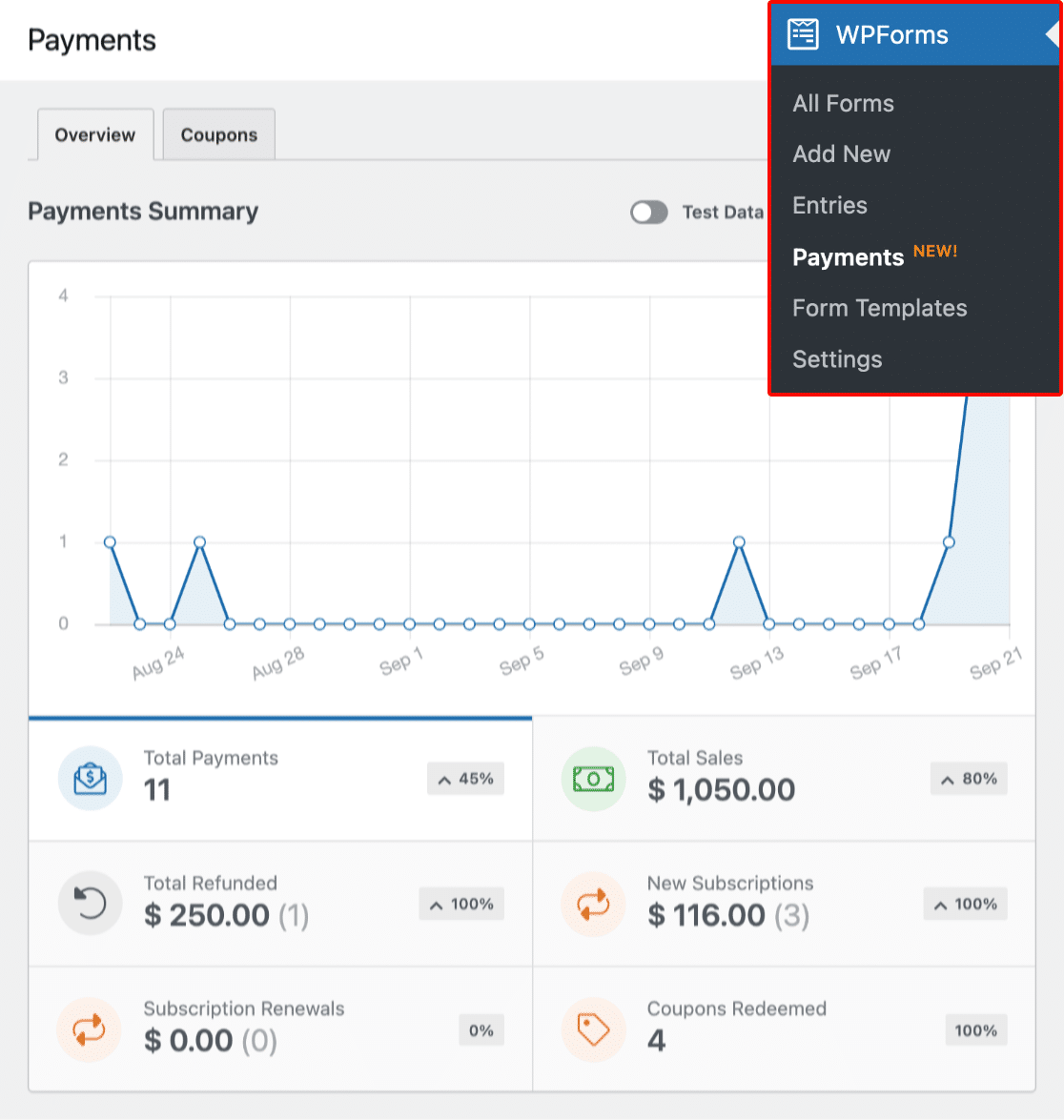
If you’re not quite ready for a full-fledged eCommerce platform, WPForms offers a lightweight, flexible alternative that might be just what you need.
It’s worth noting that all versions of WPForms come with basic Stripe integration. This means even if you’re using the free version, you can start accepting payments right away. However, the real magic happens when you tap into the Pro addons.
- Stripe: Stripe works on every WPForms license, but Lite and Basic include an additional WPForms processing fee on top of Stripe’s own fees. The Pro-level Stripe addon removes that extra fee completely and adds conditional logic on payments plus recurring subscriptions, which are perfect for subscription-based services. WPForms v2.0 also added new fraud defenses that detect and block card-testing attacks on Stripe forms, protecting you from fraudulent charges and chargebacks.
- PayPal Commerce: This addon lets you accept PayPal payments directly through your forms, opening up a whole new world of payment options for your customers. PayPal works on every license, and the Pro-level addon removes the platform fee while adding conditional logic and full refund management.
- Square: If you’re already using Square for in-person transactions, this addon lets you seamlessly integrate your online and offline sales. It now supports recurring payments too, with monthly, yearly, or custom billing cadences.
- Authorize.Net: For businesses that require a more traditional payment gateway, the Authorize.Net addon provides a trusted solution. This one is an Elite addon.
But the eCommerce capabilities don’t stop there. WPForms also offers two additional addons that can take your order forms to the next level:
Coupons Addon
The Coupons addon brings the power of promotional marketing to your forms. It allows you to create and manage discount codes directly within your WordPress dashboard, giving you a powerful tool to drive sales and customer engagement.
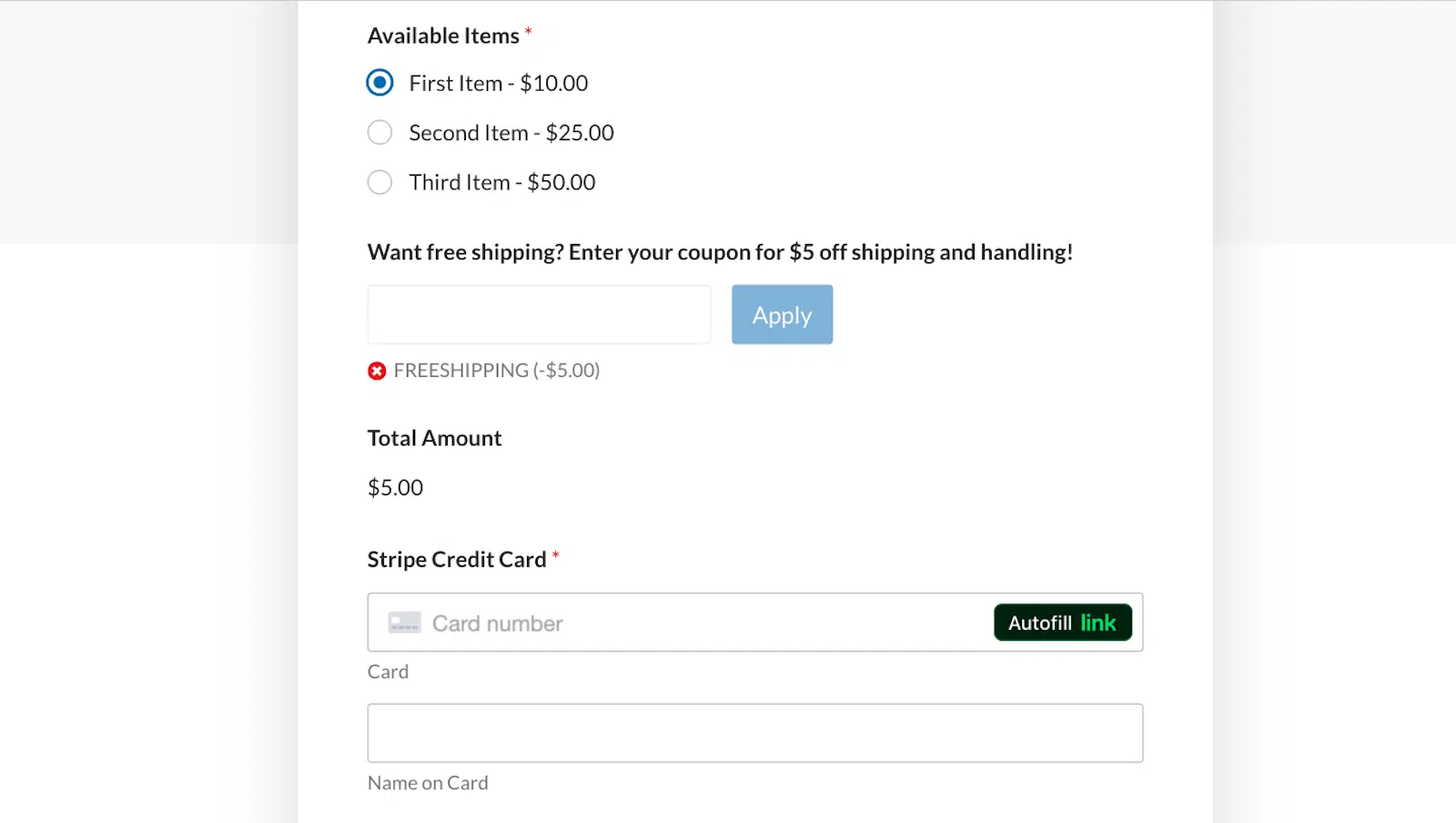
With this addon, you can create unlimited coupons, each with its own unique code. You have the flexibility to set specific discount amounts or percentages, making it easy to tailor your promotions to different campaigns or customer segments, and you can also set expiration dates and define usage limits on each coupon.
Whether you want to:
- Run seasonal sales campaigns
- Reward loyal customers with exclusive discounts
- Offer introductory rates for new products
- Boost sales during slow periods
The Coupons addon gives you the tools to implement these strategies seamlessly through WPForms.
Calculations Addon
The Calculations addon is a personal favorite of mine as it’s both incredibly powerful and a lot of fun to experiment with too!
This addon allows you to perform complex calculations based on user input, transforming your forms into interactive and responsive tools. It supports all basic mathematical operations and even includes advanced functions like rounding and absolute values. Plus, it will display calculation results in real time as users fill out the form, providing an engaging experience for your customers or users.
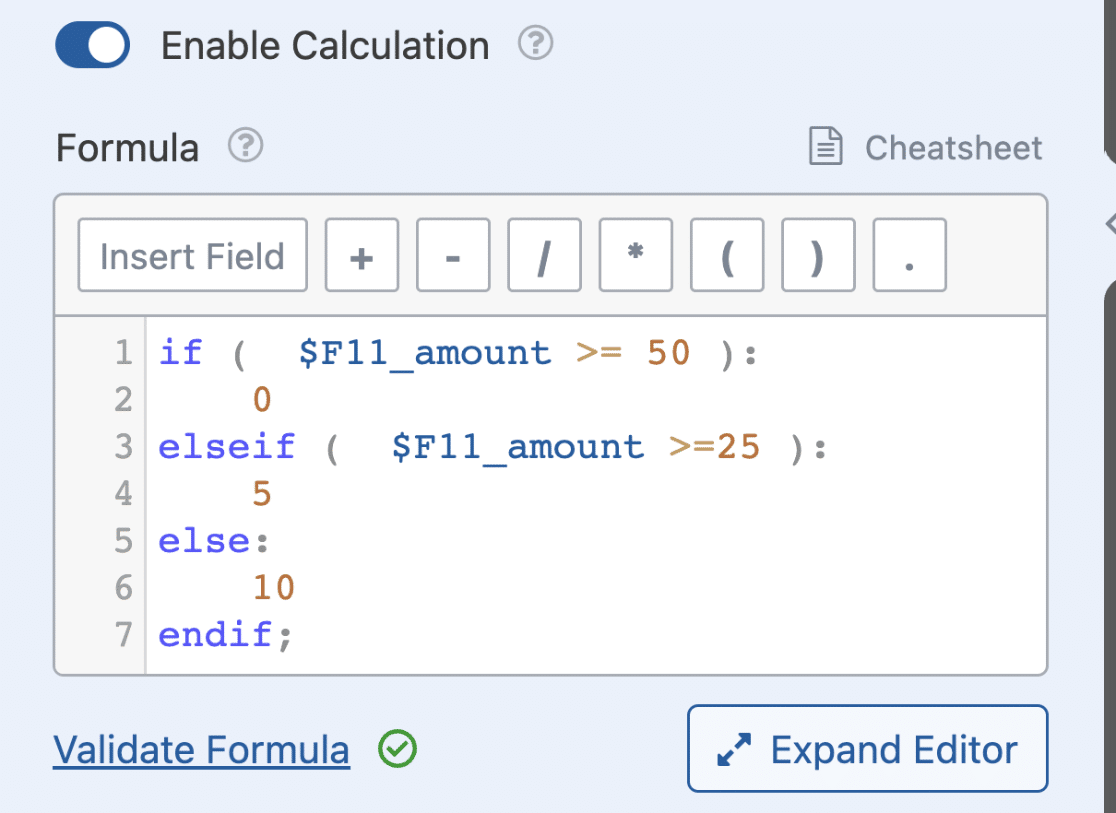
The Calculations addon is incredibly versatile. While pricing calculations are a common use case, you can also use this addon for all sorts of custom calculators and forms that use calculations:
- Service quote forms that calculate costs based on multiple factors
- Booking forms that adjust pricing based on dates, number of people, or additional services
- Financial calculators for loans, investments, or budgeting
- Health and fitness calculators that provide instant results
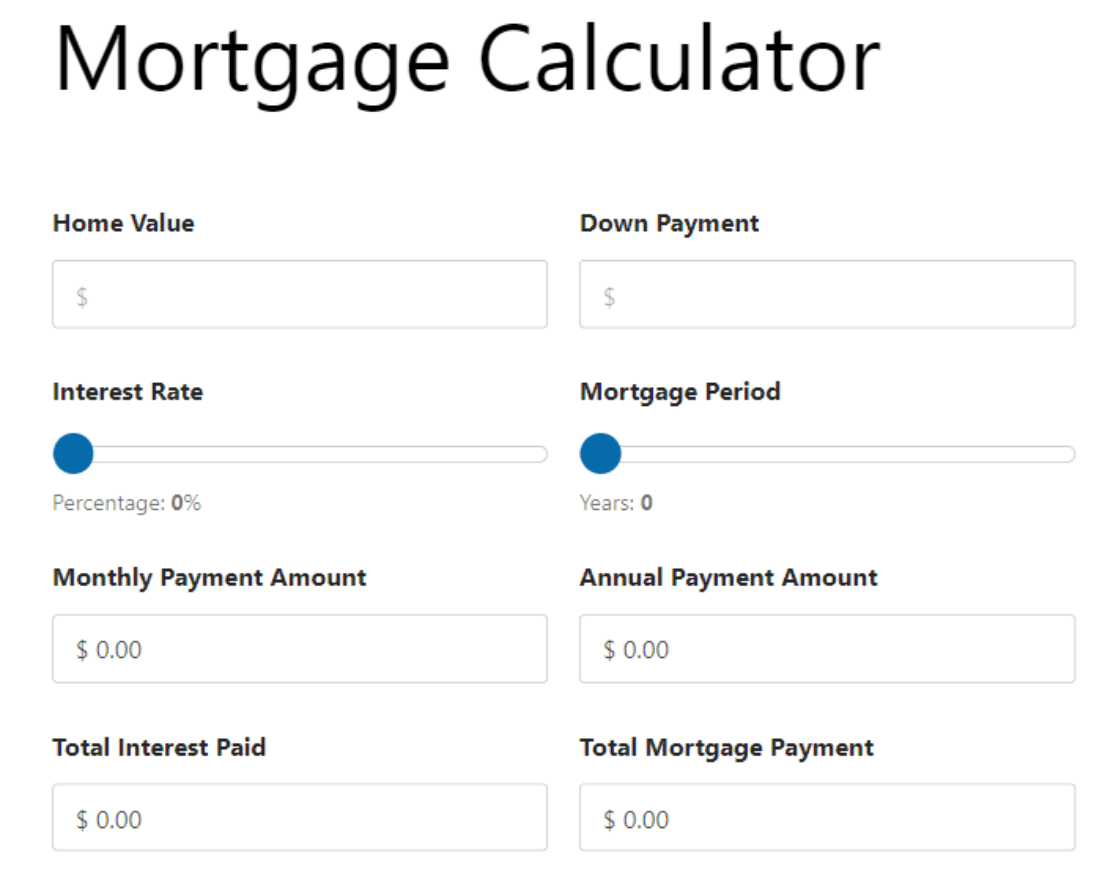
You can see some more ideas by taking a browse through our calculation form templates – all the hard work is done for you so you can start with one of these templates and make any customizations you need.
Boost Form Completion Rates
Getting site visitors to start filling out your form is the easy part. The main challenge lies in making sure they complete and submit it.
Recognizing this problem, WPForms has developed a whole suite of addons designed to reduce form abandonment rate and increase conversions to help you to capture more leads.
And since WPForms v2.0 now tracks abandonments as a built-in metric, you can see exactly where people drop off and pick the addon that fixes it, rather than guessing.
Conversational Forms
Transform your traditional forms into engaging, chat-like experiences with the Conversational Forms addon. This interactive form layout is designed to maximize conversions and make your WordPress forms feel more human.

This innovative approach presents questions one at a time, mimicking a natural conversation flow. Key benefits include:
- Reduced form abandonment by making long forms less overwhelming
- Increased user engagement through a more interactive experience
- Improved mobile responsiveness, perfect for users on the go
- Potential for higher quality responses as users focus on one question at a time
Form Abandonment
Ever wonder about all those potential leads who start filling out your form but don’t hit submit? The Form Abandonment addon has you covered.

Once activated, this allows your form to capture partial entries, allowing you to follow up with users who didn’t complete your form. This addon:
- Recovers potentially lost leads
- Provides insights into where users are dropping off in your forms
- Allows for targeted follow-up campaigns based on partially completed information
It also pairs naturally with the new built-in form analytics. The analytics dashboard shows you the exact field where people give up, and Form Abandonment captures those visitors’ partial entries so you can follow up.
Offline Forms
Don’t let a poor internet connection stand between you and your valuable form submissions. The Offline Forms addon enables users to submit forms even when they’re not connected to the internet. Once they’re back online, the form data is automatically sent.
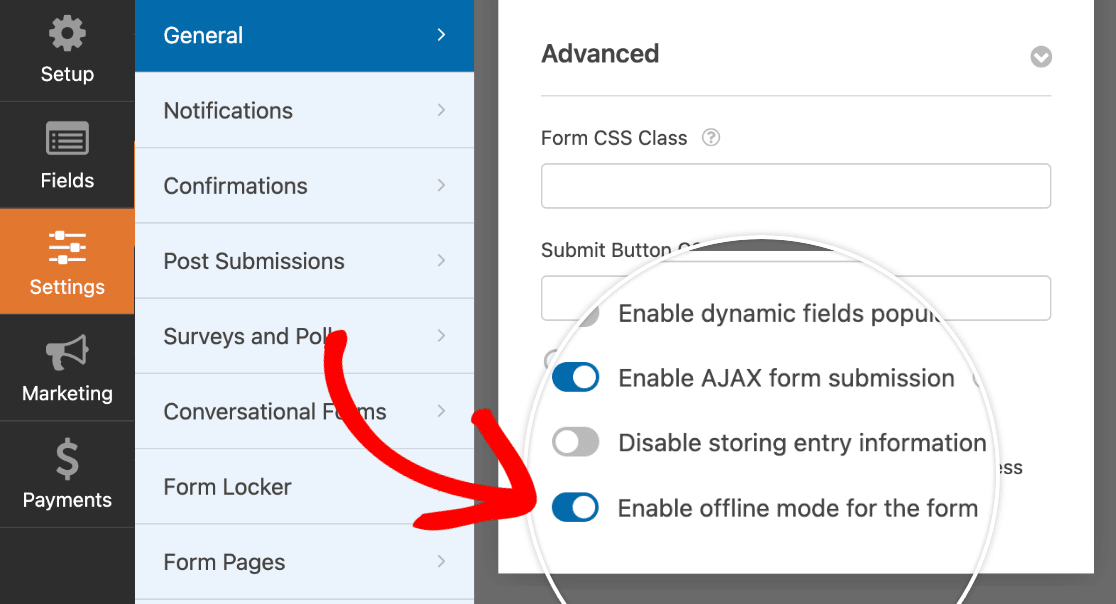
This is particularly useful for:
- Field work or remote locations with unreliable internet
- Events or trade shows where Wi-Fi might be spotty
- Improving user experience by eliminating frustration from lost submissions
Lead Forms
Capture leads quickly and efficiently with the Lead Forms addon. This tool allows you to create multi-step forms that are optimized for lead generation.
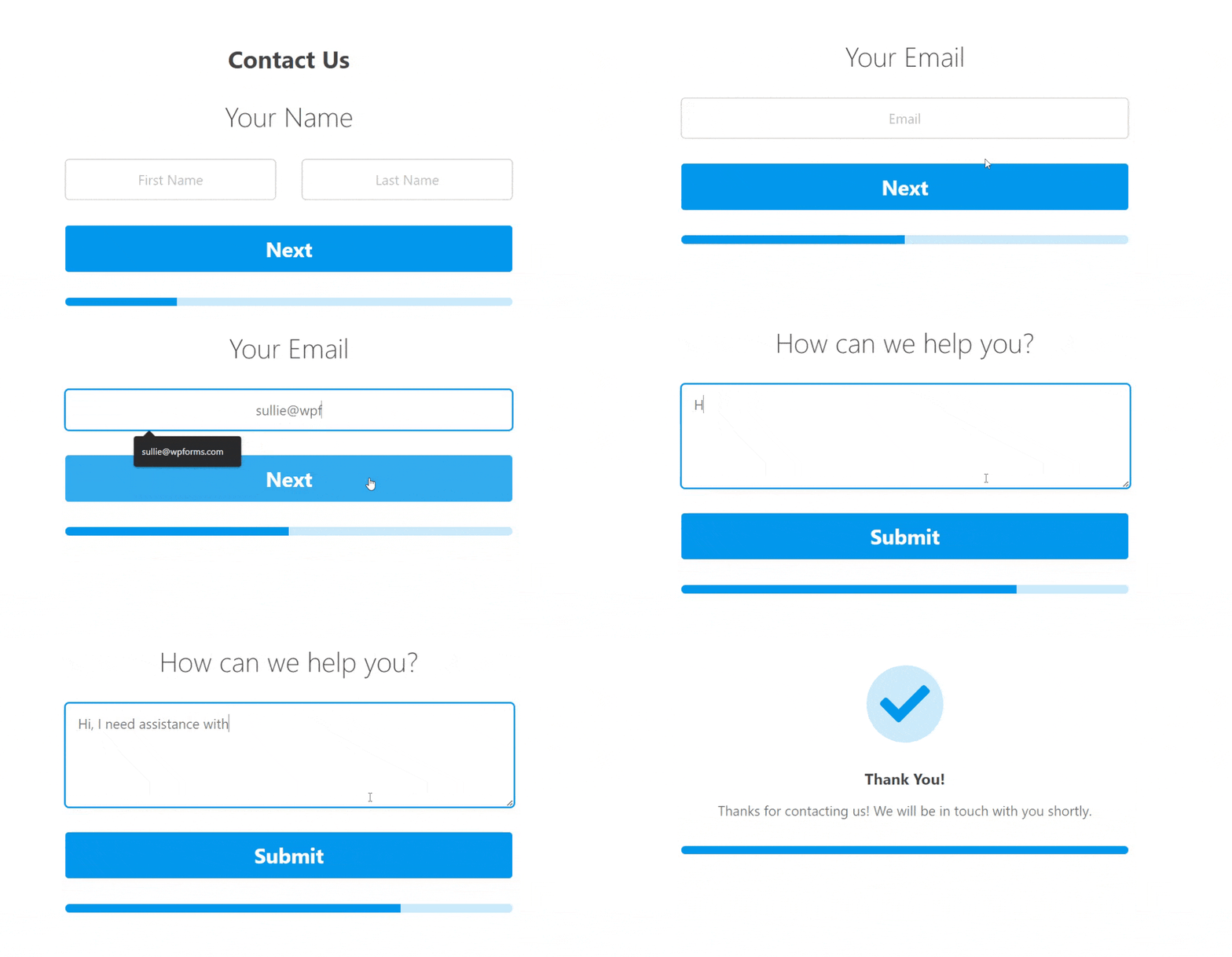
Embed forms created with the Lead Forms addon on any page or post and easily convert existing forms into a Lead Form if you wish. Features include:
- Progress indicators to encourage form completion
- Custom styling to match your WordPress theme
- Integration with popular CRM and email marketing tools using other addons for seamless lead management
Form Pages
Sometimes, you want your form to be the star of the show. The Form Pages addon allows you to create distraction-free, dedicated pages for your forms.
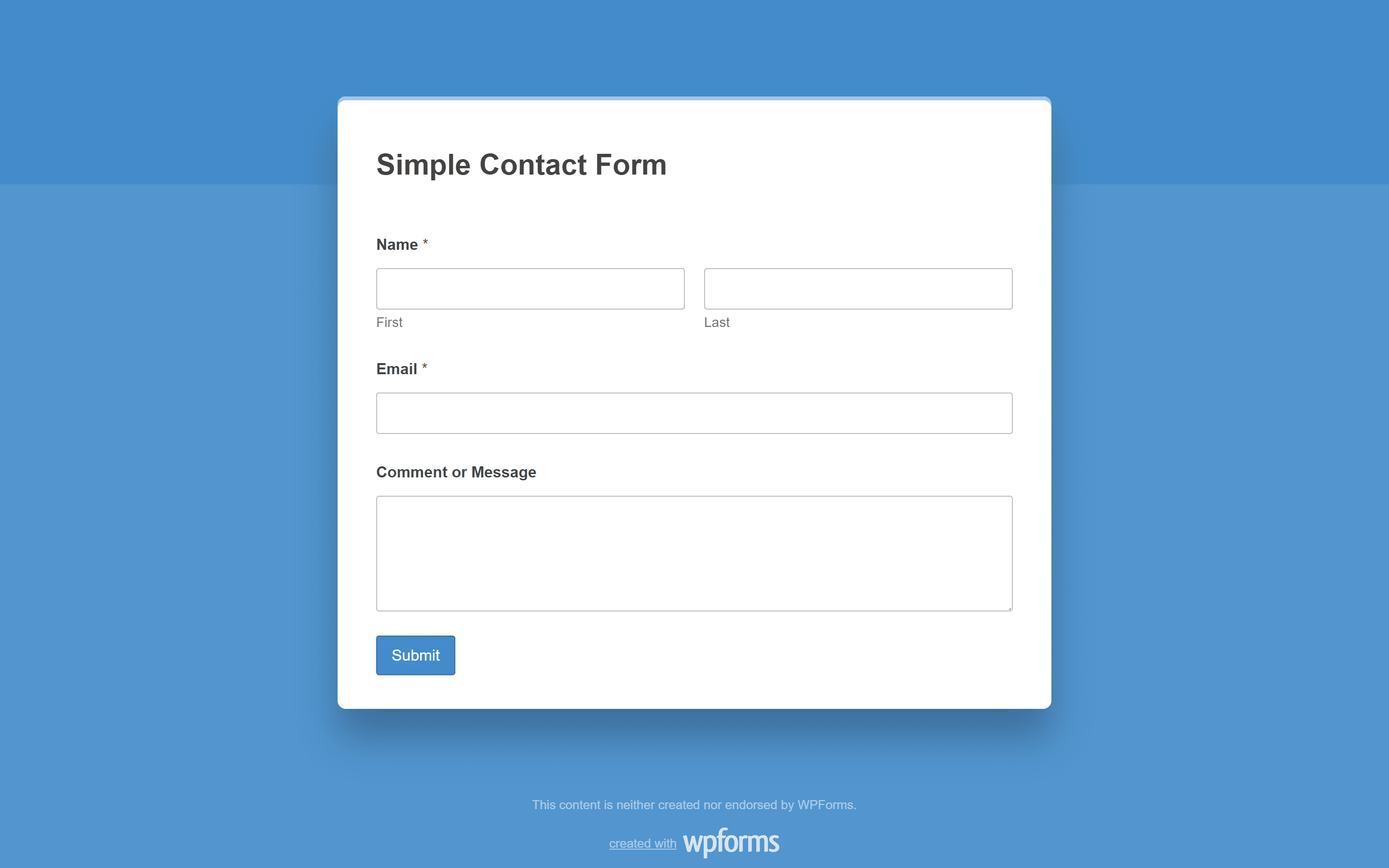
Now there’s no need to pay for a separate landing page builder to collect leads. Simply install the Form Pages addon, customize your form as needed, and publish. Benefits include:
- Increased focus on form completion without website navigation or other distractions
- Customizable designs to match your brand
- Perfect for landing pages, surveys, or any form that requires full attention
Save and Resume
Long, complex forms can be daunting for users to complete in one sitting. The Save and Resume addon allows users to save their progress and return later to finish the form.

This helpful feature offers several benefits to website owners and users:
- Reduces form abandonment rates for lengthy forms
- Improves user experience by accommodating busy schedules
- Allows users to gather necessary information before final submission
Remember, the key to maximizing form completions is understanding your audience and choosing the right combination of these addons to meet their needs and preferences.
Data Management and Tracking
In my experience, effective data management can make or break a business. That’s why I’m excited to share some WPForms addons that can really improve how you collect, manage, and analyze data. These tools will not only save you time but also provide insights that will help you make better business decisions.
Built-In Form Analytics (New in WPForms v2.0)
Before we get to the addons themselves, WPForms v2.0 deserves a mention here. It added built-in form analytics that track how every form on your site performs, right inside your WordPress dashboard, with nothing extra to install.
For each form, you get five core metrics, covering views, interactions, conversion rate, abandonments, and errors. A field-by-field table shows where visitors spend the most time and which fields cause them to give up, and you can set a conversion rate goal for each form to measure your progress against. There’s even an AI chat that reads your form data and answers questions like “which fields have the most drop-offs?” in plain language.
I also appreciate how the tracking itself is handled. All the data stays in your own WordPress database, with no cookies and no personal information collected, and your own testing never skews the numbers because form previews and logged-in admins aren’t counted.
The full analytics experience, including the field-level table, goals, CSV exports, and AI insights, comes with Pro and Elite licenses. On Lite, Basic, or Plus, you’ll see view counts for each form on your Forms Overview page. For a closer look at everything it tracks, check out the complete guide to Form Analytics.
Google Sheets Addon
For those of us who rely on spreadsheets, the Google Sheets addon is a lifesaver. While WPForms offers an easy-to-use data management system and the option to export form data as a .csv file, sometimes working in a standalone spreadsheet offers useful flexibility.
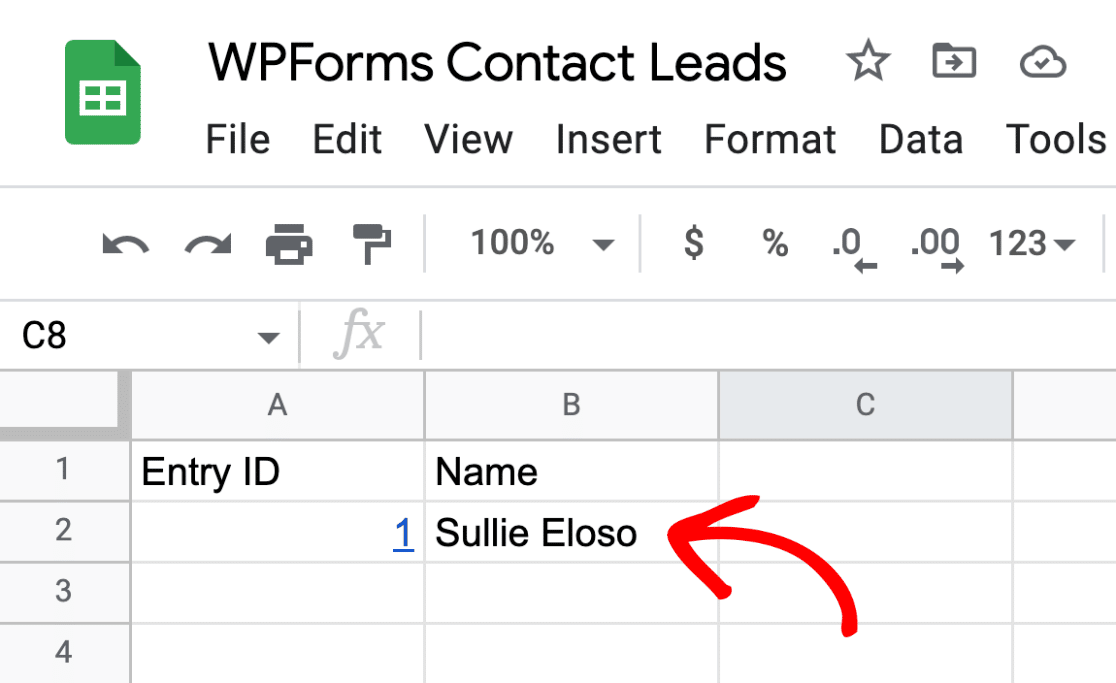
The addon allows you to:
- Automatically send form submissions to Google Sheets in real-time
- Organize and analyze data using familiar spreadsheet tools and formulas
- Easily share data with team members for collaborative analysis
- Use Google Sheets’ powerful features like pivot tables and charts for advanced data analysis
If you use Google Sheets regularly in your day-to-day workflow, this addon can significantly reduce data entry time and give your whole team the ability to act quickly on the data you collect. Whether you’re tracking sales leads, event registrations, or customer feedback, this addon keeps your data organized and accessible.
File Uploads Addon
The File Uploads addon streamlines your document collection process by allowing users to upload multiple files of varying file types with their form submission.
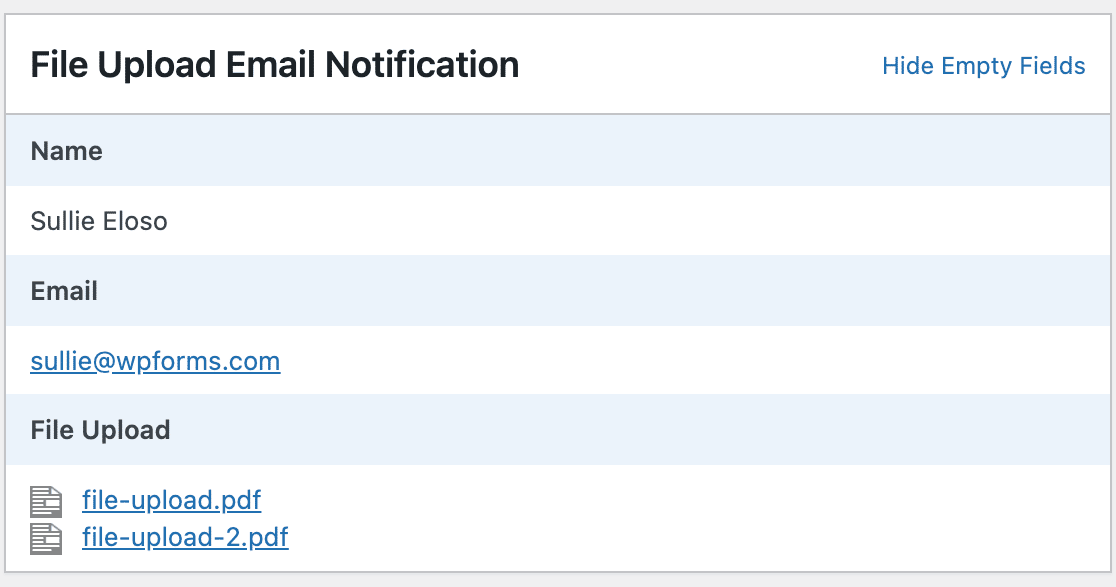
When form uploads are activated in your form, you can:
- Allow users to submit files directly through your forms
- Set file type and size limitations for better management and security
- Store files securely in your WordPress media library
- Use conditional logic to request files only when relevant
- Automatically receive the submitted files as email attachments
This addon is particularly useful for job applications, customer support documentation, project submissions, or any situation where you need to collect more than just text-based information from your users.
Surveys and Polls Addon
The Surveys and Polls addon is your key to understanding your customers better. It creates beautiful interactive reports to help you understand the results of your surveys and quickly make data-driven decisions.

With it, you can:
- Create engaging surveys with various question types, including multiple choice, rating scales, and open-ended questions
- Visualize results with interactive charts and graphs, making data interpretation a breeze
- Export data for deeper analysis in your preferred tools
- Use conditional logic to create dynamic surveys that adapt based on respondents’ answers
This addon allows you to gather valuable feedback on products, services, or customer satisfaction. You can use it to inform product development, improve customer service, or even gauge interest in new offerings before investing resources.
User Journey Addon
The User Journey addon allows you to track each visitor’s journey through your site to the point where they completed the form, providing valuable context to each form submission.
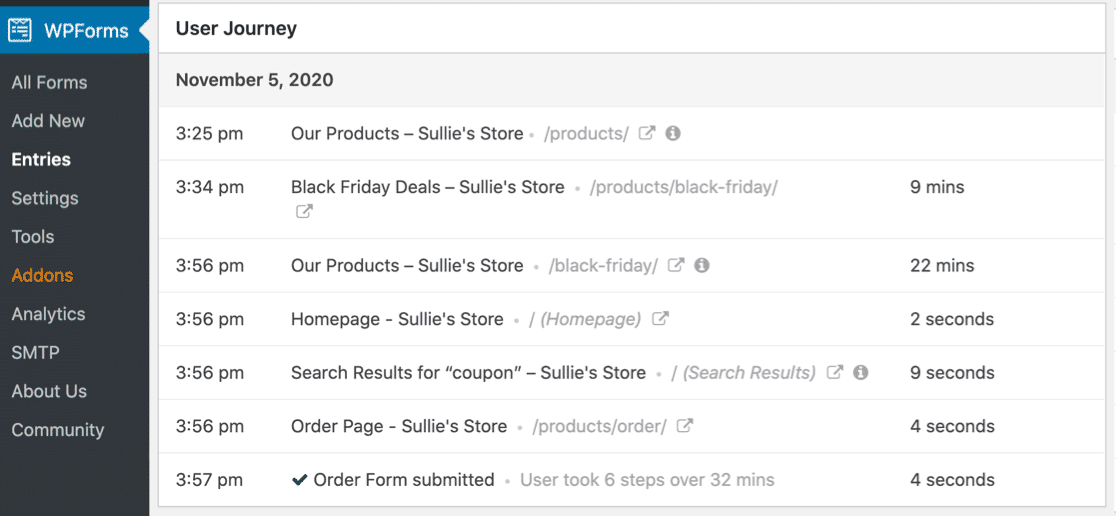
This helps you:
- Track user interactions across your website before form submission
- Understand which content drives conversions and engages your audience
- See the URL that referred them to your site
- Identify potential roadblocks in your user experience that might be preventing form completions
If you’re wondering how this differs from the new built-in analytics, they’re complementary. Form Analytics shows what happens on the form itself, while User Journey shows the pages a visitor viewed before they got there.
This information can be crucial in optimizing your website structure, content strategy, and overall user experience. By understanding the path users take before submitting a form, you can refine your marketing efforts and improve conversion rates.
Geolocation Addon
The Geolocation addon automatically detects the form submitter’s geographical location and adds an extra layer of data to your form submissions.
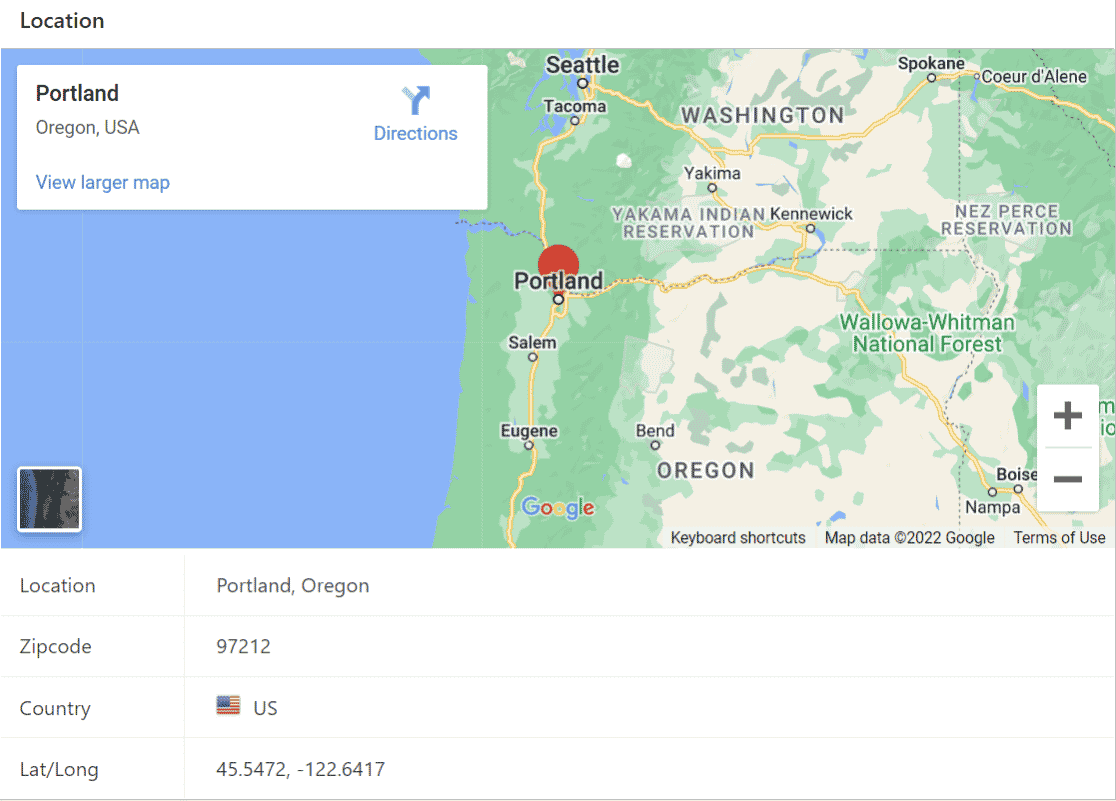
Using the Geolocation addon can provide a better user experience and help you to make more informed business decisions and segment your leads by location.
- Automatically capture the location of form submissions: Track visitor location data with every entry.
- Address autocomplete: Help users fill out address fields faster with Google Maps or Mapbox integration.
- Select location with map pin: Let visitors pinpoint their exact address by dragging a map pin.
- Interactive Map field: Embed maps directly in forms to display multiple locations.
- Location selection: Enable radio buttons so visitors can choose their preferred location.
- Auto-fill address fields in forms: Speed up form completion and reduce errors.
- Make location-based decisions and analyses: Use geographical data to understand regional trends.
- Use conditional logic based on user location: Show or hide form fields based on visitor location.
This can be particularly useful for understanding regional trends, optimizing local marketing efforts, or providing location-based services. The Map field alone makes it easy to create location-based forms. You can:
- Display multiple locations with customizable markers (icons or uploaded images).
- Let customers select their nearest store or office location.
- Show service coverage areas visually.
- Enable “Find Nearby Location” to use browser geolocation.
- Control zoom levels and map display options.
Whether you’re managing a multi-location business or trying to understand your customer base better, this addon provides valuable geographical insights.
More Powerful User and Access Control
Managing user access, streamlining content creation, and ensuring proper authentication can significantly improve your website’s functionality, security, and user experience.
Let’s explore four powerful WPForms addons that can help you achieve this: Form Locker, User Registration, Post Submissions, and Digital Signatures.
Form Locker Addon
The Form Locker addon gives you more control over who can access your forms and when.
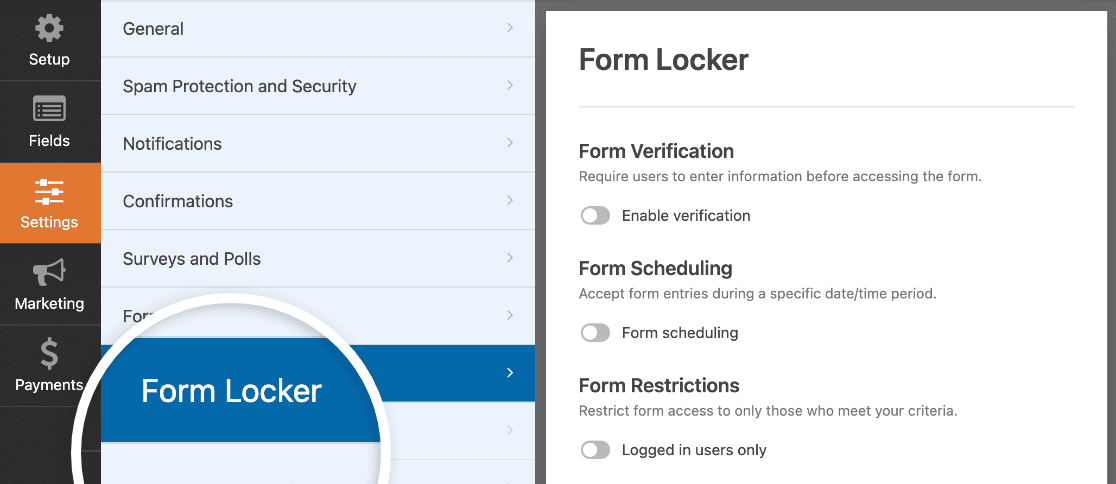
The plugin settings offer various types of form restriction suitable for different purposes so you can easily restrict access to different forms as needed.
- Password protect sensitive forms to ensure only authorized individuals can submit
- Schedule forms for specific time periods, perfect for limited-time offers or events
- Limit the number of entries a form can receive, ideal for contests or exclusive offers
- Restrict form access to logged-in users or specific user roles
- Customize messages for when forms are locked or entry limits are reached
This addon is great for managing exclusive offers, time-sensitive promotions, and limited-entry events. It adds an extra layer of control and exclusivity to your forms.
User Registration Addon
For membership sites or online communities, the User Registration addon is invaluable. Rather than manually registering users on your WordPress site, you can use the User Registration addon with WPForms to enable users to create an account on form submission.
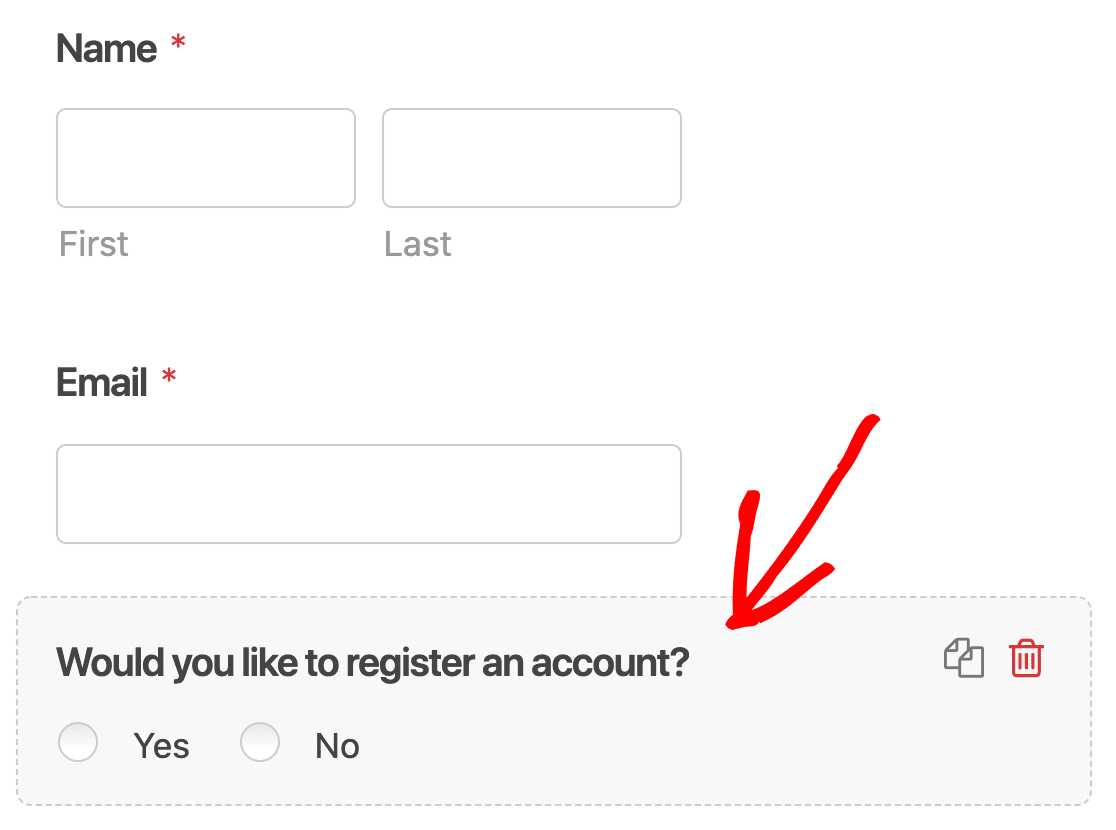
It allows you to:
- Automatically create WordPress user accounts upon form submission
- Collect additional user data beyond standard WordPress fields
- Customize user roles and capabilities based on form submissions
- Integrate with membership plugins for advanced functionality
- Set up email notifications for new user registrations
This addon can significantly simplify your user onboarding process, reduce administrative workload, and provide a seamless experience for new members joining your site or community.
Post Submissions Addon
The Post Submissions addon turns your forms into a powerful tool for collecting user generated content such as guest posts and directory listings.
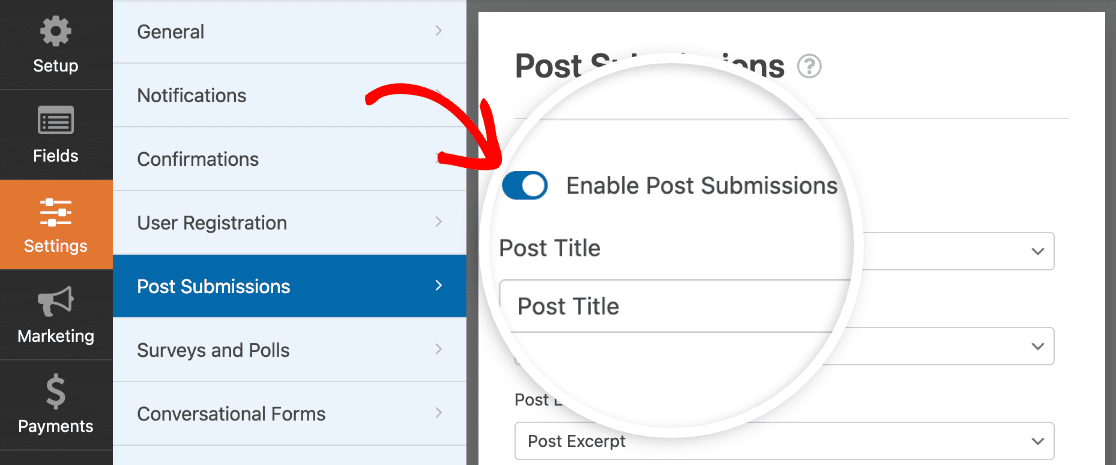
With this addon, you can:
- Allow users to submit content directly from the frontend of your website
- Automatically create posts, pages, or custom post types from form submissions
- Set default post status (draft, pending review, or published) for submissions
- Include custom fields in your forms to populate post meta data
- Enable file uploads to set featured images for posts
- Use conditional logic to customize the submission process based on user input
This addon is perfect for websites that rely on user-generated content, such as community blogs, job boards, real estate listings, or event calendars. It streamlines the content creation process while giving you full control over what gets published.
Digital Signatures Addon
The Signatures addon brings an extra layer of authenticity and legal compliance to your forms. If you’ve been reluctant to switch from paper to online forms because you couldn’t collect a signature, this addon takes care of it.

This addon is invaluable for forms that require a legal signature, such as contracts, waivers, or official applications. When activated, you can:
- Allow users to draw their signature directly on the form
- Let signers type their name instead, a type-to-sign option added in WPForms v2.0
- Customize the appearance of the signature field to match your form’s design
- Use conditional logic to show the signature field only when necessary
The type-to-sign option was one of the most requested improvements to the Signature field, and it makes signing much easier on a desktop, where drawing with a mouse can feel clumsy.
Digital signatures are essential in certain situations for legal compliance and using this addon can save you time and resources by reducing the need for physical paperwork.
Bonus: Advanced Integrations and Automation
The ability to integrate your forms with other tools and automate your workflows can be a game-changer.
WPForms makes this easy with two powerful addons: Zapier and Webhooks. These addons can take your form functionality to the next level, allowing you to create sophisticated automation and integrate with thousands of third-party applications.
Zapier Addon
The Zapier addon opens up a world of possibilities by connecting your forms to over 10,000 web applications. This means you can automate tasks, sync data, and create workflows that were previously impossible or required extensive custom coding.
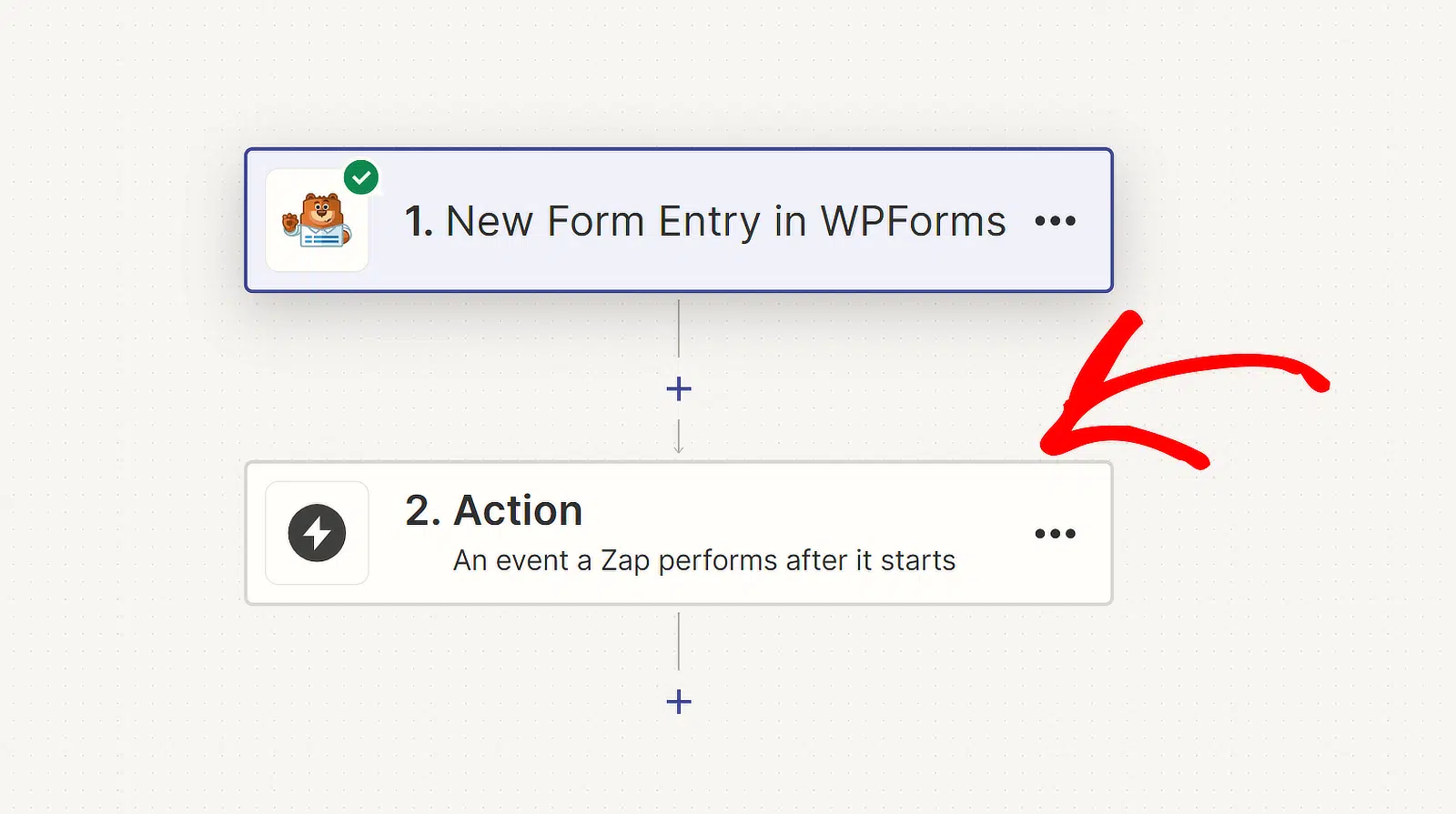
When a user submits a form on your website, Zapier can trigger actions in other apps automatically. For instance, you could:
- Create tasks in your project management tool when a client fills out a brief
- Add event attendees to a Google Sheet and send them a calendar invite
- Create invoices in your accounting software when a client places an order
The beauty of Zapier is its flexibility and ease of use. You don’t need to be a programmer to set up these integrations. With a user-friendly interface, you can create “Zaps” (automated workflows) that suit your specific business needs.
If you prefer a visual automation builder or want to keep your automations on your own server, the Make and n8n addons cover those workflows too.
The time-saving potential of the Zapier addon is enormous. Tasks that might have taken hours of manual data entry and coordination can now happen automatically in the background, allowing you to focus on more strategic aspects of your business.
Webhooks Addon
While Zapier covers a vast array of popular applications, there may be times when you need to integrate with a custom-built system or an app that’s not available on Zapier. This is where the Webhooks addon comes into play.
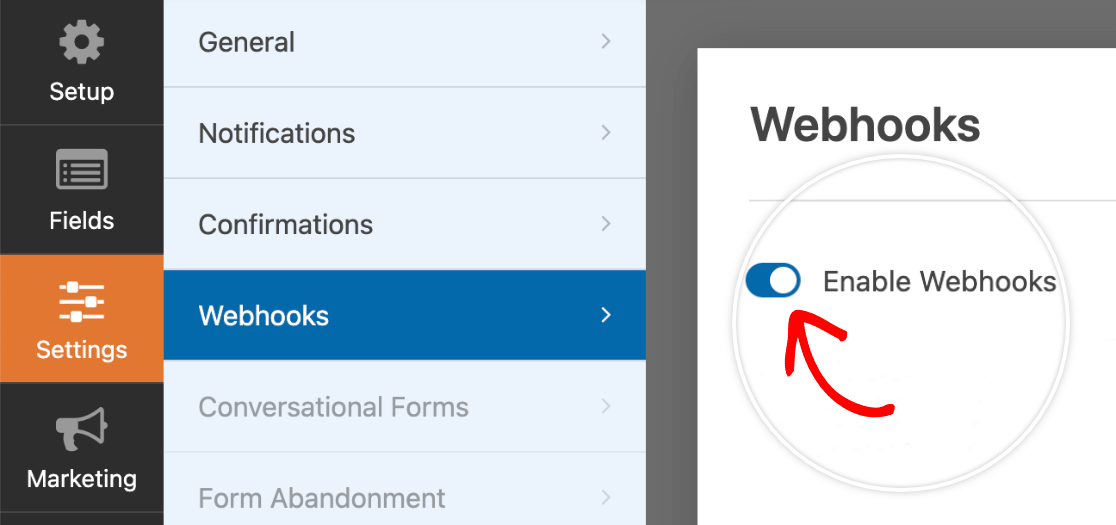
Webhooks allow your forms to communicate directly with other web services in real-time. This opens up endless possibilities for advanced users to create custom integrations.
For developers, this addon is a powerful tool that allows for complex, custom solutions. You’re no longer limited by pre-built integrations – if you can imagine it and code it, you can make it happen with webhooks. Webhooks is an Elite-level addon.
WPForms is already a powerful tool for creating WordPress forms, but its addons take it to a whole new level. From streamlining data collection and gaining valuable insights to enhancing user management and automating complex workflows, these addons offer solutions for virtually every form-related challenge you might face.
FAQs About WPForms Addons
Still have questions about WPForms addons and integrations? Here are the answers to the questions I hear most often.
How do I install WPForms addons?
Log in to your WordPress dashboard and go to WPForms » Addons. Find the addon you want, click Install Addon, and it will activate automatically. Our guide on how to install and activate WPForms addons covers every step, including what to do if an addon doesn’t appear for your license.
Which WPForms license do I need for addons?
It depends on the addon. Basic unlocks core features like conditional logic and entry management, Plus adds the email marketing addons, Pro covers payments, surveys, and most of the addons in this post, and Elite includes premium integrations like Salesforce, HubSpot, and Webhooks. Each addon’s feature page lists the license it requires.
Are WPForms addons free?
Addons require a paid license, but WPForms Lite includes a lot for free. You can accept Stripe and PayPal payments (with a small platform fee), connect forms to Constant Contact, and build forms with the AI form builder without paying anything. Paid licenses start at $49.50 per year at the introductory rate.
What’s the difference between WPForms addons and integrations?
Addons are installable extensions that add features to WPForms, and integrations are connections between your forms and outside services. Most WPForms integrations, like Mailchimp or Google Sheets, come as addons you install. Others, like Constant Contact, are built into the plugin itself. In practice, if WPForms connects to a service you use, there’s usually an addon that makes it happen.
Next, Save Time Working in WPForms
When it comes to time, I can almost guarantee you don’t have enough of it! But luckily, if you’re a WPForms user, there are lots of ways you can streamline your workflow and build forms more quickly.
Check out these time-saving tips for WPForms to find some useful ways to reduce the time you spend creating forms and managing data.
Ready to build your form? Get started today with the easiest WordPress form builder plugin. WPForms Pro includes lots of free templates and offers a 14-day money-back guarantee.
If this article helped you out, please follow us on Facebook and Twitter for more free WordPress tutorials and guides.





Boa Noite, qual o add-ons devo usar para modificar o Layout do formulario criado, por exemplo colocar dois campos junto, tipo nome e telefone, lado a lado.
Grato
Hi Antonio, you actually don’t need any add-ons to place fields side by side in WPForms. You can use the built-in Layout field to display the fields side by side. For all the details, please check out our guide here: Using the Layout Field.
For personalized advice on any specific layout, you can get in touch with our Trusted Advisors in the support team if you have a WPForms license. Please submit a support ticket and they will get back to you as soon as possible (usually within 1 working day).