


AI Summary
It’s that time of year! Fresh starts, new goals, and for many organizations, a surge in hiring. If you’re an HR manager gearing up for recruitment season or a business owner looking to bring on new team members, you know the drill: stacks of applications, endless spreadsheets, and that nagging feeling that there has to be a better way to manage it all.
There sure is! And it doesn’t require expensive enterprise software or a complete overhaul of your systems. If your company website runs on WordPress, WPForms can transform how you handle recruitment and onboarding.
Let me walk you through exactly how it works and why so many HR teams are making the switch to digital forms this year.
Using WPForms for Recruitment and Onboarding
- 1. Start with 2,000+ Templates
- 2. Creating Application Forms That Actually Work
- 3. Smart Forms That Adapt to Each Candidate
- 4. Connecting to the Tools You Already Use
- 5. Digital Signatures for the Modern Workplace
- 6. Breaking Long Forms into Manageable Pieces
- 7. Let People Save and Come Back Later
- 8. Storing Everything Securely and Organized
- 9. Security and Compliance (It Does Matter)
- FAQ
1. Start with 2,000+ Templates
One of the best parts about WPForms is that you don’t have to stare at a blank screen wondering what fields to include. Our template gallery offers over 2,000 professionally designed form templates, including a whole subcategory just for Employment.

Need a job application form? There’s a template for that. Employee information forms for new hires? Covered. New hire orientation surveys, training requisition forms, even exit interview forms are all ready to go. You can literally have a professional-looking application form live on your website in under ten minutes.

Plus, every template is fully customizable with our drag-and-drop builder. Don’t like a particular field? Remove it. Need to add something specific to your industry or company? Drop it right in. Want to match your company branding? Adjust the colors and styling. No developer required and no coding knowledge needed!
2. Creating Application Forms That Actually Work
Your job application form is often the first real interaction a candidate has with your company. A form built with WPForms makes it easy to collect everything you need while keeping the experience pleasant for applicants.
You can add all the standard fields like contact information, work authorization, work history… but you can also include file upload fields for resumes and portfolios.

That means candidates aren’t emailing documents separately or trying to figure out where to send things. Everything arrives in one place, attached to their application.
Want to ask position-specific questions? Add custom screening questions. Need to know salary expectations or start date availability? Include those fields too. Our drag-and-drop builder makes it incredibly simple to craft exactly the application you need.
3. Smart Forms That Adapt to Each Candidate
Here’s something that might surprise you: your application forms don’t have to show the same fields to everyone! With Conditional Logic, you can create dynamic forms that adapt based on what candidates tell you.

For example, if someone selects “Marketing Manager” from your position dropdown, you might show them questions about campaign experience and marketing tools. But if they select “Software Engineer,” completely different technical questions appear instead.
Or if a candidate indicates they’re applying from outside the country, you can automatically show fields about visa sponsorship needs.
This kind of smart personalization does two things: it makes the application feel more relevant to each candidate, and it helps you collect the right information for each role without overwhelming people with irrelevant questions.
4. Connecting to the Tools You Already Use
This is my favorite thing about WPForms for HR teams. You’re probably already using tools like Google Sheets to track candidates, a CRM to manage your pipeline, or Slack to communicate with your team. WPForms connects to all of them.
When a new application comes in, it can automatically create a row in your Google Sheets tracking spreadsheet, save the resume to a Google Drive folder, send a notification to your Slack channel, and add the candidate as a contact in your CRM. All of this happens instantly and automatically. You set it up once, and then it just works.
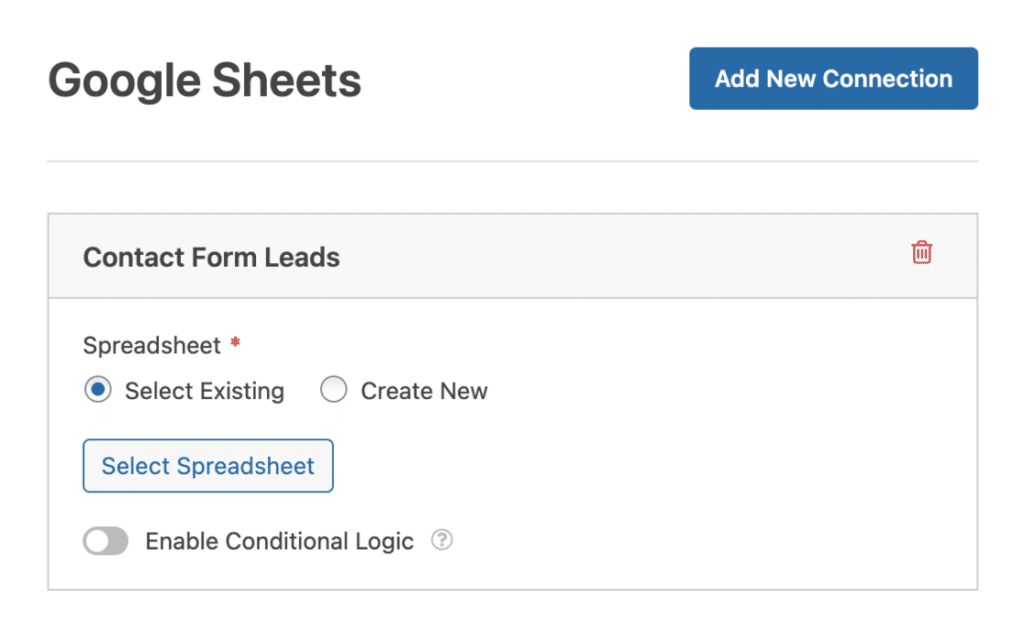
And if you use something more specialized? WPForms integrates with Salesforce, HubSpot, Zoho CRM, and THOUSANDS of other applications through Zapier.
Whatever tools your team relies on, chances are WPForms can connect to them.
5. Digital Signatures for the Modern Workplace
Remember printing documents, signing them, scanning them, and emailing them back? Your new hires don’t want to do that either.
Digital Signatures with WPForms lets employees sign documents electronically right from their phone, tablet, or computer.

Offer letters, employment agreements, NDAs, policy acknowledgments, benefits confirmations… anything that needs a signature can be handled digitally.
It’s faster, more secure, and really just feels more professional these days.
6. Breaking Long Forms into Manageable Pieces
Nobody enjoys filling out a form with 50 fields on one page. It’s overwhelming, and people often abandon them. So our multi-page functionality solves this by breaking long onboarding forms into logical sections.

Page 1 might cover personal information. Page 2 handles emergency contacts. Page 3 deals with tax information. And so on. Each page shows a progress indicator so new hires can see they’re making progress, which dramatically improves completion rates.
It’s the same information, just organized in a way that feels manageable rather than daunting.
Read Also: The Complete Guide to Creating Multi-Page Forms
7. Let People Save and Come Back Later
Sometimes new hires need time to gather information. Maybe they need to check their spouse’s social security number for benefits enrollment. Whatever the reason, forcing someone to complete everything in one sitting creates stress.
The Save and Resume feature lets new hires start their onboarding forms, save their progress with a unique link, and come back to finish whenever they’re ready.

This small feature makes a huge difference in how welcomed and respected new employees feel from the start.
Read Also: The full guide to using the Save and Resume addon
(Ok, but don’t get me started on how resume — as in the work experience document, is spelled the same as resume — the thing you do when you return to a task…)
8. Storing Everything Securely and Organized
Once someone completes their onboarding forms, where does everything go? With WPForms, you have options. Integration with Google Drive means you can automatically create a folder for each new hire and store all their submitted documents there. Same with Dropbox if that’s what your team uses.
The PDF addon is particularly handy. It can take form submissions and automatically generate professional PDF documents.

Imagine instantly creating a formatted offer letter or employee handbook that includes the new hire’s specific information. Automation at its finest!
9. Security and Compliance (It Does Matter)
I know security and compliance aren’t the most exciting topics, but they’re crucial when you’re handling employee data. WPForms takes this seriously with certifications for GDPR, CCPA, and PCI compliance.
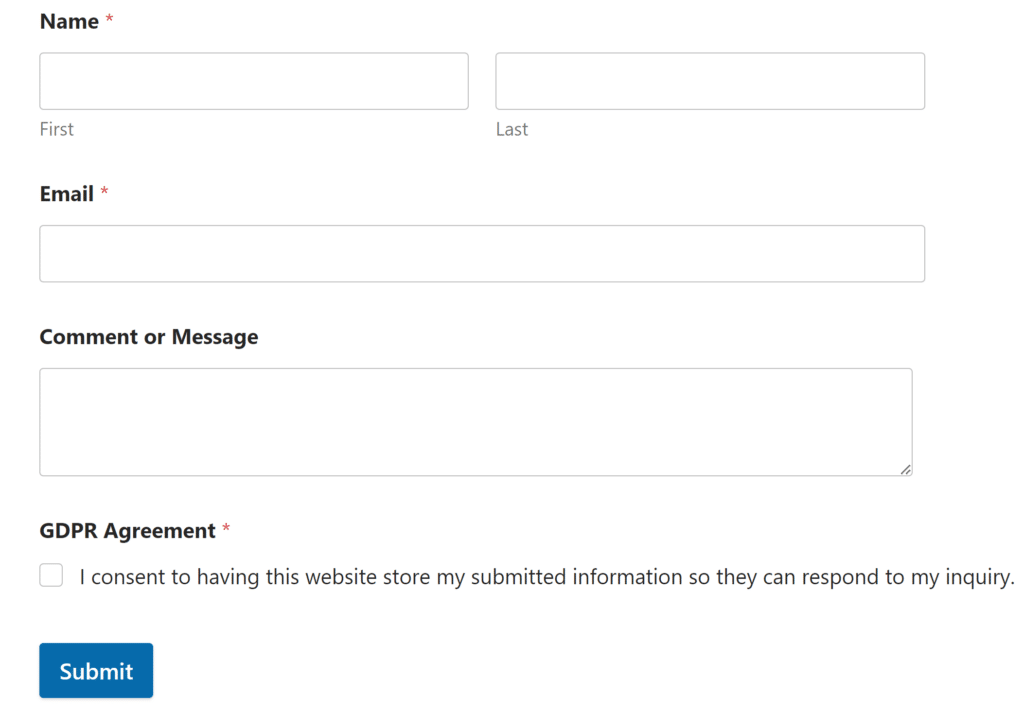
Beyond certifications, you get practical security features like advanced access controls. Perhaps only certain HR team members should see submitted applications. Maybe some forms should only be accessible to logged-in employees. Or you might want to password-protect forms that contain sensitive information. WPForms gives you granular control over all of this.
Whether you’re hiring your first employee or your hundredth, or whether you’re a solo HR manager or part of a larger team, WPForms scales to exactly what you need.
Your future self (and your candidates and new hires) will thank you for making it easy! Check out our HR solutions page and see just how simple modern recruitment and onboarding can be.
FAQ
How secure is candidate and employee data in WPForms?
Very secure. WPForms is fully GDPR, CCPA, and PCI compliant, which means it meets strict international standards for data protection.
All data transmission is encrypted, file uploads are secure, and you have granular control over who can access submitted information. You can restrict form access to logged-in users, limit viewing permissions by user role, password-protect sensitive forms, and more.
Plus, when you integrate with services like Google Drive or Dropbox, you’re leveraging their enterprise-grade security as well. For HR data, this is exactly the level of protection you need.
Do I need to know how to code to use WPForms?
Not at all. That’s actually one of our biggest selling points! WPForms is specifically designed for people who don’t code.
Our drag-and-drop builder is genuinely intuitive. You click to add fields, drag them to reorder, and click to configure options. It’s more like arranging furniture than building something technical. Even features like conditional logic are set up through dropdown menus and checkboxes, no code required.
Can candidates save their application and finish it later?
Yes! This is one of the most candidate-friendly features. With the Save and Resume functionality (available on Pro plans and higher), applicants can start filling out your application, save their progress with a unique link, and come back to complete it whenever they’re ready.
This is particularly helpful for longer applications or when candidates need to gather documents like references or writing samples. It significantly reduces form abandonment and creates a much better experience for people who might be applying during their lunch break or on mobile.
Next, Turn Your Form Submissions Into Contracts and Invoices
We don’t have to stop at hiring and onboarding… WPForms offers countless additional tools for your small business’s HR needs. Up next, find out how you can turn your form submissions into contracts and invoices (among other things) automatically.
Ready to build your form? Get started today with the easiest WordPress form builder plugin. WPForms Pro includes lots of free templates and offers a 14-day money-back guarantee.
If this article helped you out, please follow us on Facebook and Twitter for more free WordPress tutorials and guides.


