


AI Summary
When signing up subscribers to your email list, there are two primary methods every business has to choose between: single optin and double optin.
But how do you make that decision?
At the start of my career, I didn’t think that optin methods were anything important to lose my sleep over. I was wrong.
Over time, I’ve learned that it’s absolutely worth thinking about which optin approach you should use for your website. This can affect important things like your email domain reputation, unsubscribe rates, engagement rates, and even your spam score.
In this article, I’ll explain single optin vs double optin signup methods and describe which alternative suits your specific business goals.
Create Your Custom Signup Form Now 🚀
- Single Opt-in vs Double Opt-in: A Closer Look
- What Is Single Optin Signup?
- What Is Double Opt-in Signup?
- How Your Opt-in Choice Affects Email Deliverability
- Single vs Double Opt-in and Legal Compliance (GDPR & CAN-SPAM)
- How to Decide Between Single and Double Opt-in
- No Opt-in Strategy Is Set in Stone
- How to Set Up Single or Double Opt-in in WordPress
- What Is Single Optin Signup?
Single Opt-in vs Double Opt-in: A Closer Look
Below, I break down each method on its own, then compare them on deliverability, compliance, and the kind of list you’re trying to build. If you just want the fast version, here’s how the two methods line up side by side.
| Single opt-in | Double opt-in | |
|---|---|---|
| How it works | Subscriber joins right after submitting the form | Subscriber must confirm by email before joining |
| Setup speed | Fastest, works out of the box | One extra step to configure |
| List growth | Faster, more people finish | Slower, some never confirm |
| List quality | More invalid or uninterested addresses | Cleaner, verified addresses only |
| Deliverability | More bounces and spam risk over time | Stronger sender reputation |
| Legal compliance | Workable with the right consent records | Easier to prove consent for GDPR and CASL |
| Best for | New sites focused on fast growth | Established brands focused on engagement |
What Is Single Optin Signup?
Single optin is the simpler of the two methods. When a visitor fills out your form and clicks “Subscribe” they are instantly added to your email list. It’s straightforward, simple, and preferred by many marketers who want their lists to grow quickly.
Here’s how it typically works:
- A visitor lands on your website and sees your signup form.
- They enter their email address and click “Subscribe.”
- They’re added to your email list instantly, ready to receive your emails.
When to Use Single Opt-in
If you’re a new website focused on rapidly growing your email list, you should consider using single optin. Because it involves fewer steps than double optin, the subscription process is faster and that naturally increases the rate at which new people join your email list.
But it’s also important to consider your audience, industry, and any legal requirements that apply to your company. If you’re collecting sensitive information and your audience expects a high level of data privacy, then single optin wouldn’t be the ideal choice.
You’re also subject to email marketing laws depending on where your subscribers are located. Single optin might not be an option for you if the law requires you to use double optin for your subscribers.
Pros and Cons of Single Opt-in
| Pros of Single Optin 👍 | Cons of Single Optin 👎 |
|---|---|
| Faster list growth: With fewer steps, more people are likely to complete the signup process. | Lower quality list: You might end up with more invalid emails or uninterested subscribers. |
| Immediate engagement: You can start sending emails right away. | Potential for spam complaints: If someone forgets they signed up, they might mark your emails as spam. |
| Higher subscription rate: The simplicity often leads to more signups overall. | Legal concerns: In some regions, single optin might not comply with email marketing laws. |
What Is Double Opt-in Signup?
Double opt-in adds one more step, though it stays simple for the person signing up. After someone submits their email address, they get a confirmation email and have to click a link to finish joining your list.
That extra click does two useful things at once, confirming the address is real and confirming the person actually wants to hear from you, similar to building a progressive profile.
The process typically looks like this:
- A visitor enters their email address in your signup form.
- They receive a confirmation email with a link to verify their subscription.
- The visitor clicks the link to confirm.
- They become a subscriber to your list.
When to Use Double Opt-in
Double opt-in is the way to go if you’re a trusted and well-recognized brand with an audience that knows they can expect high-quality emails from you. Marketers who are aiming to build a highly engaged list of genuine readers often prefer using double optin signup.
While your list might grow a little slower this way, you’ll also see a reduced unsubscribe rate (so fewer people leaving after they’ve subscribed).
However, my favorite advantage of using double optin is that it eliminates spam and fake signups. Every subscriber you acquire is a real person with a validated email, so you’re reducing the risk of having your emails bounced or sent to an uninterested audience.
As a result, it’s easier to maintain a low spam score if you have double optin in place.
Pros and Cons of Double Opt-in
| Pros of DOUBLE Optin 👍 | Cons of DOUBLE Optin 👎 |
|---|---|
| Better engagement rates: Confirmed subscribers are more likely to open and click your emails. | Slower list growth: Some people may not complete the confirmation step. |
| Lower spam complaints: Subscribers that go through the extra step of signing up are less likely to report you as spam. | Additional step in setup: You may need to edit your signup confirmation email. |
| Legal compliance: Double optin is the safer choice for complying with email laws in many jurisdictions. | Lower signup rate: The extra confirmation step can lead to some users dropping off, resulting in a slightly lower initial signup rate. |
How Your Opt-in Choice Affects Email Deliverability
Your opt-in choice has a direct effect on email deliverability, or how reliably your messages reach the inbox instead of the spam folder.
Mailbox providers like Gmail, Yahoo, and Outlook watch how people interact with your emails, and a list full of real subscribers who open and click keeps your sender reputation strong.
A list padded with typos, fake addresses, and people who forgot they signed up produces bounces and spam complaints that pull that reputation down for everyone you email.

Without a confirmation step, a mistyped or fake address lands on your list straight away, and enough of those can trip spam traps and hurt delivery. Double opt-in filters most of them out before they become a problem.
The stakes went up in early 2024, when Gmail and Yahoo started requiring bulk senders to keep their spam complaint rate below 0.3 percent, authenticate their email, and offer one-click unsubscribe.
A confirmed list makes that threshold much easier to stay under, because subscribers remember opting in.
If you’ve noticed your messages slipping into the promotions tab or the spam folder, it’s worth reading up on why your emails land in spam and tightening your list hygiene.
Single vs Double Opt-in and Legal Compliance (GDPR & CAN-SPAM)
Depending on where your subscribers live, the law may have an opinion about how you collect consent. This is general guidance rather than legal advice, so check the rules for your own situation, but here’s how the two methods usually sit with the major regulations.
Under the GDPR in the European Union, you need clear, active consent before you email someone. Single opt-in can meet that bar if you have the right consent language and keep good records, but double opt-in makes your proof cleaner, since you have a timestamped record that the subscriber confirmed.
- If you serve an EU audience, it’s smart to add a GDPR agreement field to your forms so consent is explicit and documented.
- In the United States, CAN-SPAM is less strict about how people join your list and cares more about honest subject lines, a working unsubscribe link, and a real mailing address.
- Canada’s CASL sits closer to the GDPR and leans toward documented, express consent, which double opt-in handles well.

If most of your audience is in the EU or Canada, double opt-in is the safer default. If you’re mostly emailing people in the US, single opt-in with solid consent records is often enough.
How to Decide Between Single and Double Opt-in
With the trade-offs in mind, the right choice usually comes down to four questions.
- What’s your main goal? If you want fast list growth and top-of-funnel reach, single opt-in gets more people in the door. If you care most about engagement and deliverability, double opt-in wins.
- Who’s your audience? For sensitive or regulated topics, or a B2B list where every contact counts, lean toward double. For casual content and lead magnets where volume matters, single can work.
- Where do your subscribers live? An EU or Canadian audience points to double opt-in. A mostly US audience gives you more room for single.
- Where does your traffic come from? Cold traffic from paid ads brings more junk signups, so double opt-in protects your list. Warm traffic from existing customers is cleaner, so single opt-in carries less risk.
Your email marketing service matters here too, since some make one method far easier to set up than the other. If you haven’t settled on a provider yet, compare the best email marketing services before you commit.
No Opt-in Strategy Is Set in Stone
My advice for anyone just starting out is to not agonize over this. Think it through, make a reasonable choice, and move on, because it isn’t a permanent one.
You can switch between single and double opt-in later without much trouble. So if you’re unsure, I’d start with single opt-in where it’s legally fine to do so, then keep an eye on your numbers.
If you run into poor engagement, frequent spam complaints, or a high unsubscribe rate, switch to double opt-in and see if things improve.
How to Set Up Single or Double Opt-in in WordPress
Implementing single optin and double optin are both very easy with the right tools. You’ll just need the WPForms Pro plugin on your WordPress site and a top email marketing service like ConvertKit.
I’ll use the WPForms ConvertKit addon to sync a signup form with ConvertKit, so make sure you have WPForms installed on your website.
Adding Double Opt-in Signup With the WPForms Kit Integration
With your WordPress admin menu opened, navigate to WPForms » Add New.
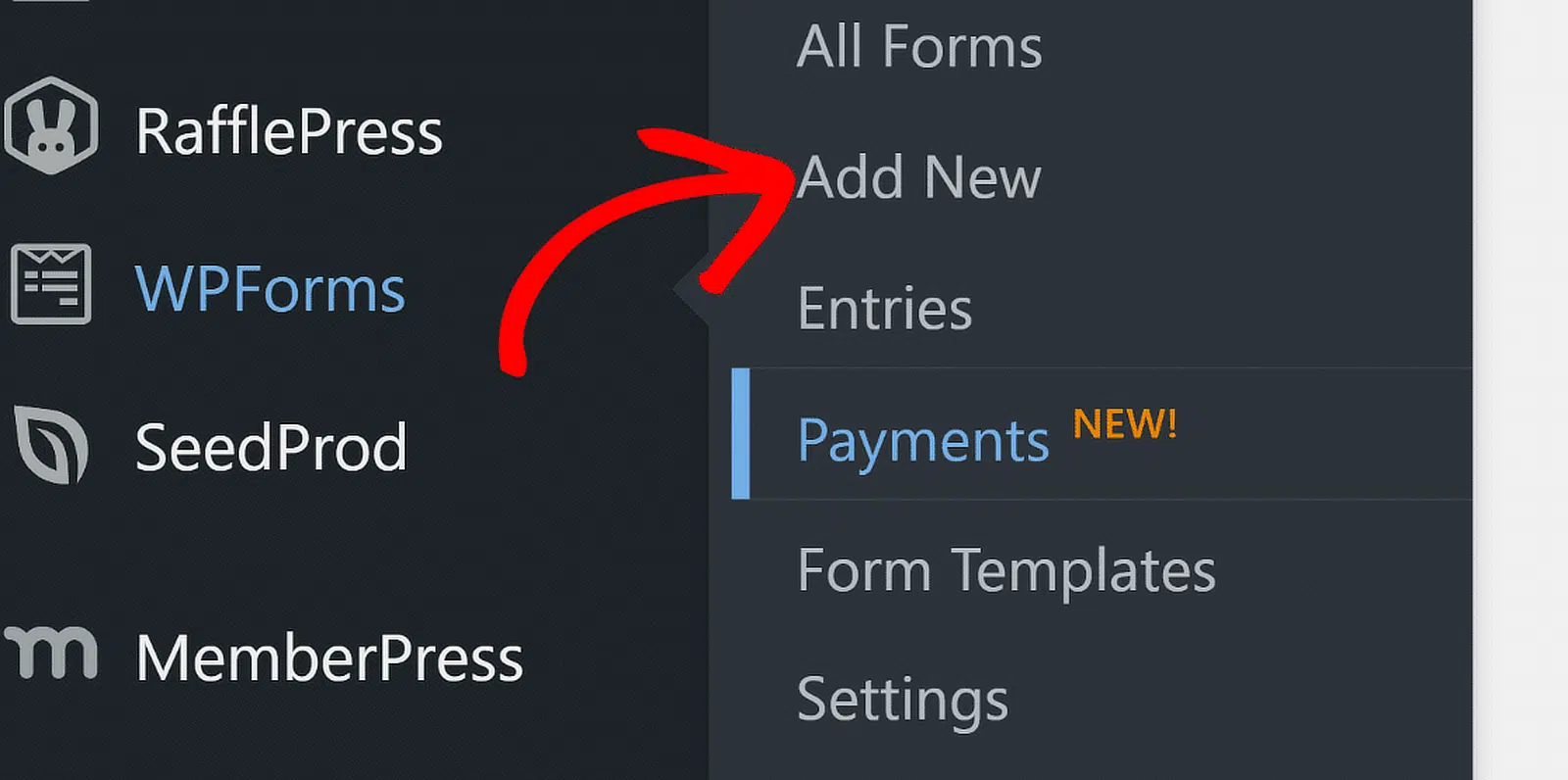
You should see the form setup screen appear, with the options to enter a name for the form you’re about to create and select a suitable template.
I’ll use the Newsletter Signup Form template, which is a super simple form that’s ideal for this scenario.

When the form template opens, you can edit it if you want to change anything by inserting new fields or adjusting the settings for current fields.
A signup form is supposed to be very simple, so I’ll just use this template as-is with the two fields that come pre-loaded with it.
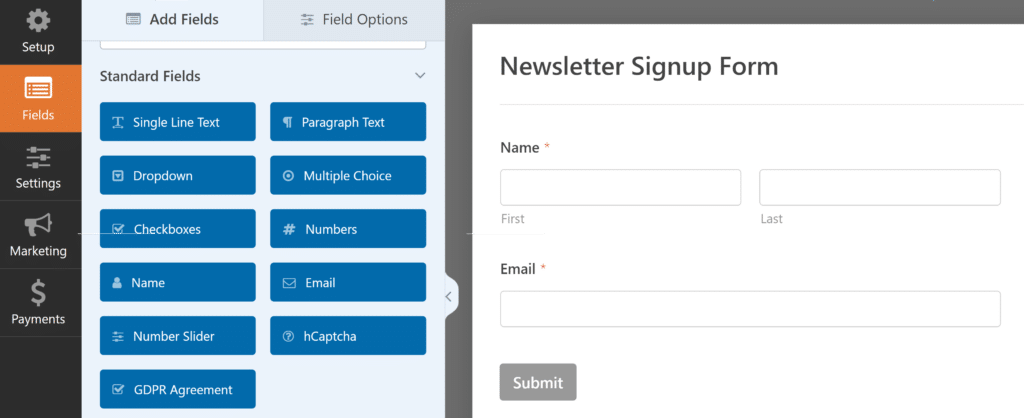
Next, click on the Marketing tab from the sidebar on the left and then select ConvertKit.

After that, click on the Add New Connection button on the top-right corner.

You’ll now be asked to provide a name for the connection. Press OK after entering the connection name.

At this point, you’ll see additional options appear on the screen. Start by selecting your ConvertKit account using the dropdown menu. After that, simply continue using the dropdowns to select an Action to Perform and map your signup form fields with your ConvertKit account.
It’s important to note that, to make this integration work, you’ll need two forms:
- The form that you’ve just built in WordPress using WPForms
- A form saved in your ConvertKit account that you’ve made using ConverKit’s form builder.
You’ll then need to select the ConvertKit form in the Form dropdown menu while configuring the WPForms ConvertKit addon settings. In my case, I built a form in ConvertKit called “Lead Gen (Test)”. This is what I’ll select when mapping fields inside WPForms.

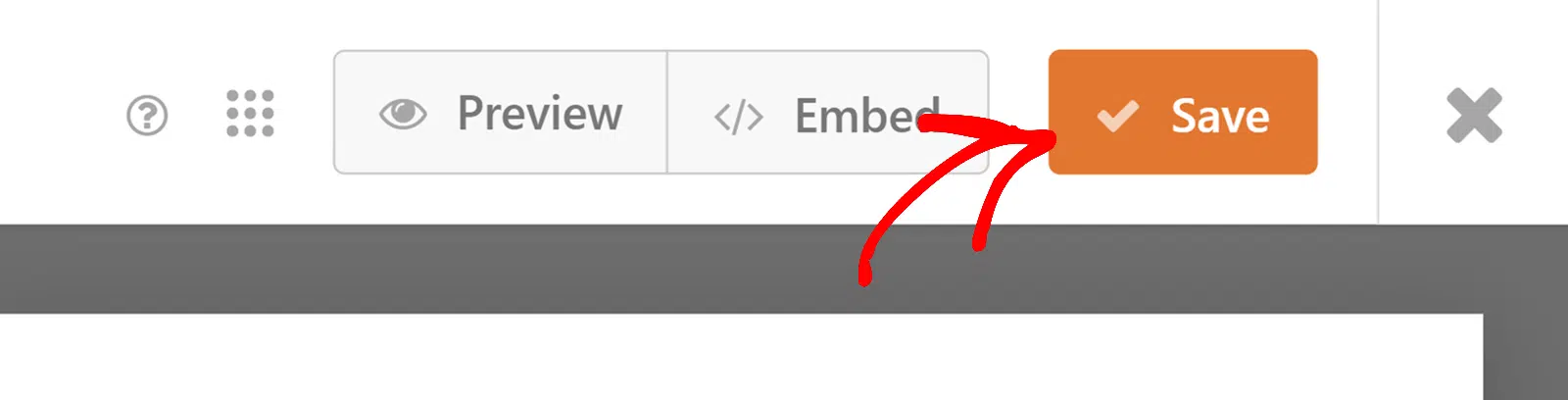
Now, you can go ahead and save your form and proceed to embed it.
When you’ve published the form, go ahead a fill it out yourself to ensure that contacts are properly passing through from your WordPress forms to your ConvertKit account.

Since ConvertKit uses double optin by default, submitting the form will send a confirmation email to the address you provided when filling out the form. Go ahead and open the email and click the “Confirm your subscription” button.

After completing this action, head into your ConvertKit account dashboard. You’ll find a new subscriber created with the details you provided when filling out the form.

Well done! You’ve just created a double optin signup form on your WordPress site that’s synced seamlessly with your ConvertKit account.
Changing the Opt-in Method in Kit
Remember that WPForms will only follow the optin method that’s configured with the ConvertKit form it’s connected to. If you want to use single optin instead, go to your ConvertKit account and open the form that you’ve integrated with WPForms.
Then, click on Settings.

Select the Incentive menu and then uncheck the box next to Send incentive email. Make sure to press Save after making these changes.

Now, visitors will be immediately added as subscribers to your ConvertKit as soon as they submit your WordPress form. They’ll no longer receive a confirmation email that needs to be clicked in order to become a subscriber.
The process for selecting the optin method varies by email service provider, so make sure to check with your particular provider if you need to configure single or double optin for your subscribers.
FAQs About Single Opt-in vs Double Opt-in
Single opt-in vs double opt-in comes up a lot when people set up their first email list in WordPress. Here are quick answers to the questions I hear most often.
Is double opt-in better than single opt-in?
Neither is better in every case. Double opt-in produces a cleaner, more engaged list with fewer spam complaints, while single opt-in grows your list faster with less friction. If deliverability and compliance are your priorities, choose double. If early growth matters more, single opt-in is a fine place to start.
What is the downside of double opt-in?
The main downside is slower growth. Some people never open the confirmation email or forget to click the link, so a share of your signups never make it onto your list. You’re trading a bit of volume for a list where nearly everyone is a real, interested subscriber.
Is single opt-in GDPR compliant?
It can be. The GDPR requires clear, active consent and good records, and single opt-in can meet that if your form language is explicit and you store proof of consent. Double opt-in gives you a stronger, timestamped record of confirmation, which is why many EU-focused senders prefer it.
Do Mailchimp and Kit use single or double opt-in by default?
Kit uses double opt-in by default, and you can switch to single opt-in in your Kit form settings. Mailchimp defaults to single opt-in and lets you turn on double opt-in per audience. Always check your provider’s current settings, since defaults change from time to time.
Next, Grow Your Email List the Right Way
Your opt-in method is one piece of a healthy email list. The next piece is a signup form people actually want to fill out, plus content that’s worth confirming for once they do.
To keep going, see how to create an email newsletter your subscribers actually open, and read our guide on lead forms to capture more signups in the first place.
Build Your Signup Form With WPForms
Ready to build your form? Get started today with the easiest WordPress form builder plugin. WPForms Pro includes lots of free templates and offers a 14-day money-back guarantee.
If this article helped you out, please follow us on Facebook and X (Twitter) for more free WordPress tutorials and guides.





