


AI Summary
Looking for Facebook giveaway ideas that won’t get your post flagged or your page penalized? I’ve helped run my share of small contests over the years, and the part that trips most people up isn’t the prize or the post copy.
Meta’s rules have tightened up on what you can and can’t ask people to do, and the older “like, share, and tag three friends” formula is officially against the guidelines now.
So in this post, I’ve put together 16 Facebook giveaway ideas that actually work in 2026, complete with real brand examples, templates you can copy, and a quick rundown of how to pick a winner.
- How to Run a Facebook Giveaway Without Breaking Meta's 2026 Rules
- Why Use RafflePress to Run a Giveaway on Facebook?
- Best Facebook Giveaway Ideas + Examples
- 1. Like and Share Facebook Contest
- 2. Leave a Comment to Enter
- 3. Facebook Selfie Contest
- 4. Join Email Newsletter
- 5. Caption Contest
- 6. Click to Win
- 7. Answer a Question
- 8. Submit a Photo
- 9. Submit a Video
- 10. Voting Contest
- 11. Tag Friends
- 12. Join a Facebook Group
- 13. Refer a Friend
- 14. Name the Product
- 15. Use a Feed Widget
- 16. Guess the Product
- 4 More Facebook Giveaway Ideas Worth Testing
- 2 Facebook Giveaway Post Templates You Can Steal
How to Run a Facebook Giveaway Without Breaking Meta’s 2026 Rules
Meta’s promotion guidelines have changed a lot since these posts first became popular, so this section is worth reading before you set anything up. Below is what’s allowed and what isn’t, as of 2026.
The cleanest way I’ve found to follow all of this is to not run the giveaway on Facebook at all. Run it on your website using a contest entry form, then use Facebook to promote it.
Why Use RafflePress to Run a Giveaway on Facebook?
RafflePress is the best WordPress giveaway plugin I’ve used for this exact setup. You build the contest, drop it on a giveaway landing page, and link to that page from your Facebook post.
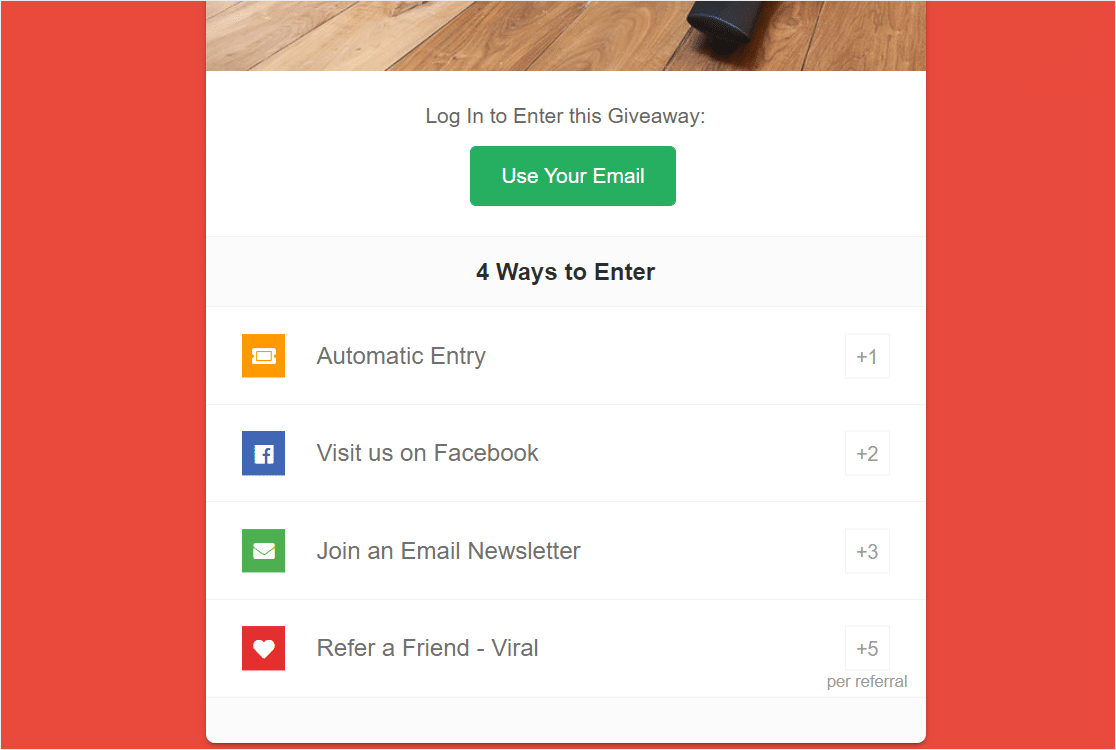
A few things I keep using it for:
- Compliant Facebook entry actions (visit page, follow page, submit content)
- Random winner picker so you’re not eyeballing comments
- Refer-a-friend entries that hand each entrant a unique tracking link
- Pre-built giveaway templates so I don’t start from scratch every time
- Email marketing integrations to push entrants into a list
If you’re already running forms with WPForms on your site, the two tools play nicely together. Use WPForms for the surveys, polls, or signature collection, and RafflePress for the giveaway scaffolding.
For the full setup, RafflePress has a step-by-step guide on how to run a Facebook giveaway that’s worth bookmarking.
Best Facebook Giveaway Ideas + Examples
Ok, so now that you know exactly how to run a Facebook giveaway, let’s check out the best Facebook giveaway ideas to help you create your own.
1. Like and Share Facebook Contest
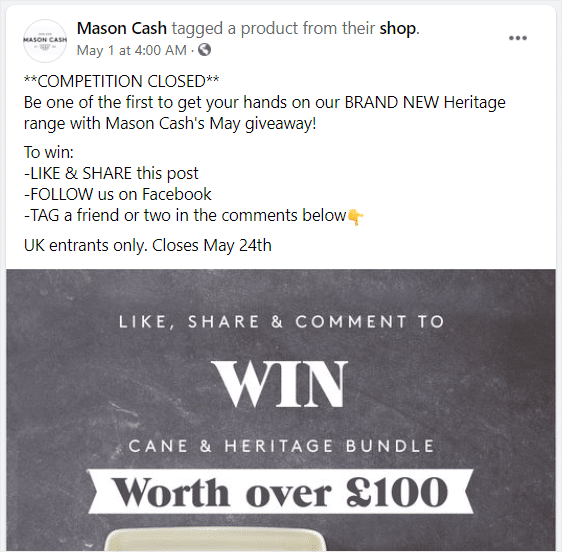
A like-and-share contest is the simplest format, and it still pulls reach because Facebook’s algorithm rewards engaged posts. The trick now is that you can’t require the share, you can only invite it as a bonus.
What I do is ask people to like the post and visit a landing page to enter, then mention that sharing the post helps the giveaway reach more people.
For a real example, the WordPress hosting brand Pressable has run quarterly like-and-comment giveaways tied to their plan tiers.
They give away a year of hosting, ask people to comment with what kind of site they’d build with it, and pin the post to the top of their Page for a week.
Set this up in RafflePress using the Visit a Page entry action, and give a bonus entry for the Share on Facebook action. Here’s a guide on the like and share contest on Facebook that actually stays within the guidelines.
2. Leave a Comment to Enter
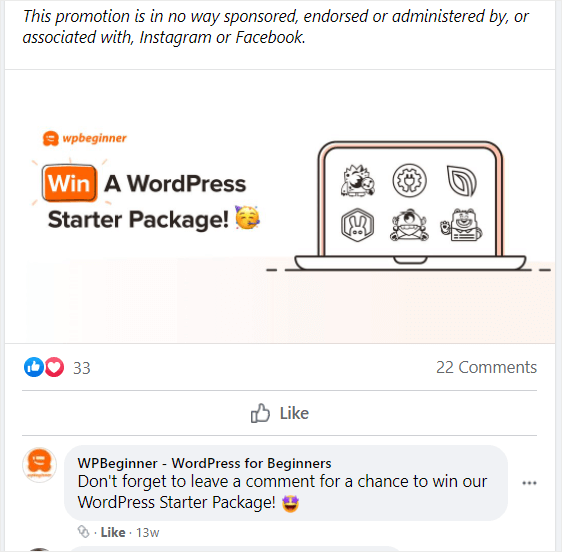
Comment-to-enter is the format I recommend the most for first-time giveaway runners. It’s the lowest-friction ask, and comments give you something the algorithm loves more than likes.
The smarter version of this isn’t a generic “comment to enter.” Ask a question. “Comment with the one thing you’d change about your morning routine” pulls way more useful entries than “comment to win.”
A skincare brand I follow runs comment giveaways where they ask people to name the moisturizer they’d most like to try from the new line.
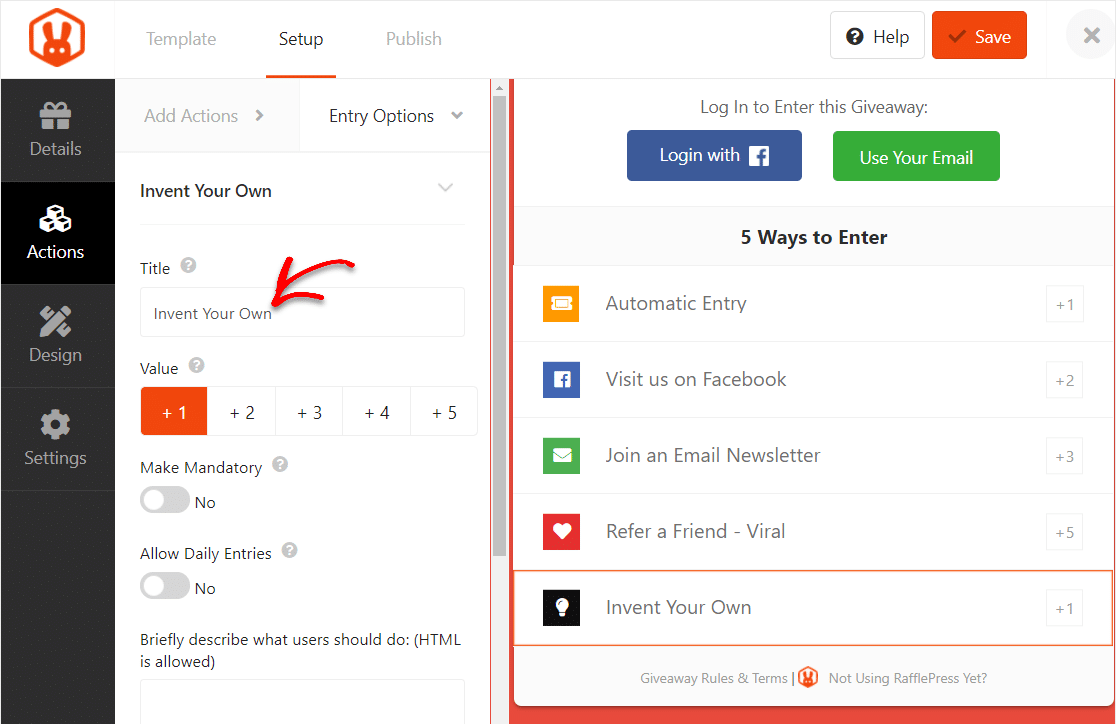
The comments double as product preference data, and they use the winning answer to inform what they restock first. To do this with RafflePress, use the Invent Your Own action under Add Action.
3. Facebook Selfie Contest
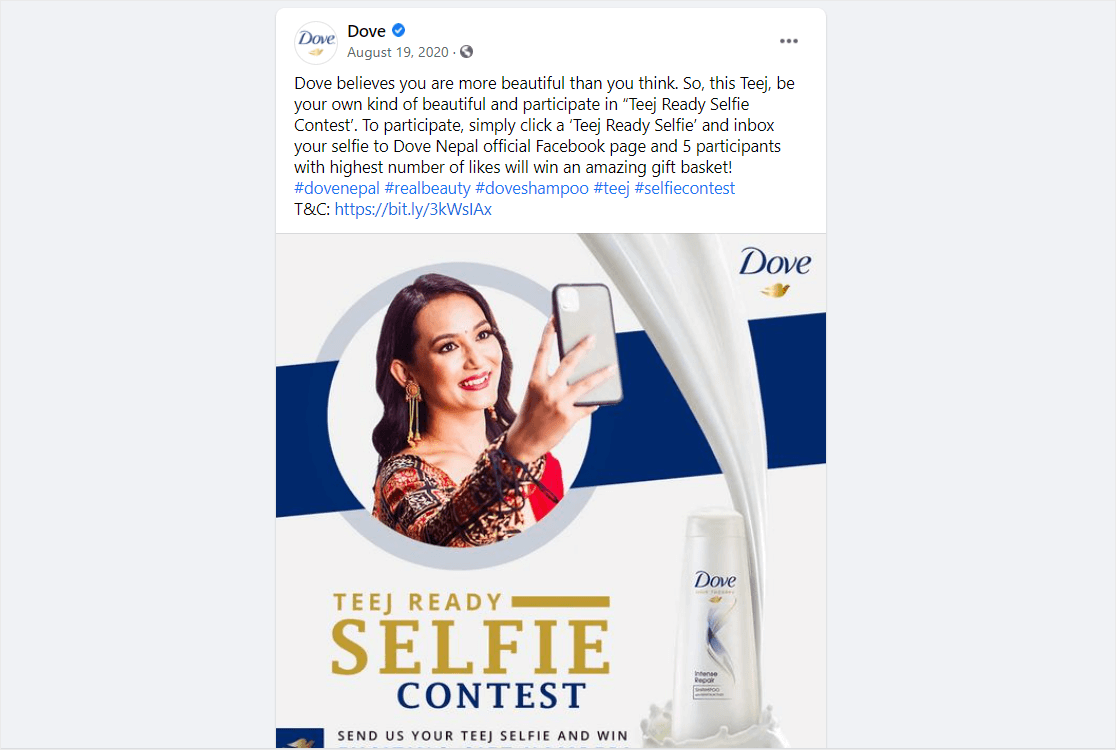
Selfie contests put real customers in front of your audience, and I’ve found they convert leads better than any branded marketing photo. People trust other people more than they trust your photographer.
The format that works best is asking customers to post a selfie using or wearing your product, with a specific branded hashtag so you can find the entries.
Then you re-share the best ones from your Page, which gives entrants free exposure and you free user-generated content.
A small fitness apparel brand I came across, Vuori, ran a “Selfie Sunday” series where they reposted customer selfies in their gear every weekend. Engagement on the reposted photos consistently beat their own product photography.
Use the Submit a Photo action in RafflePress to collect entries on your site. There’s a good walkthrough on how to run a selfie contest if you want the step-by-step.
4. Join Email Newsletter
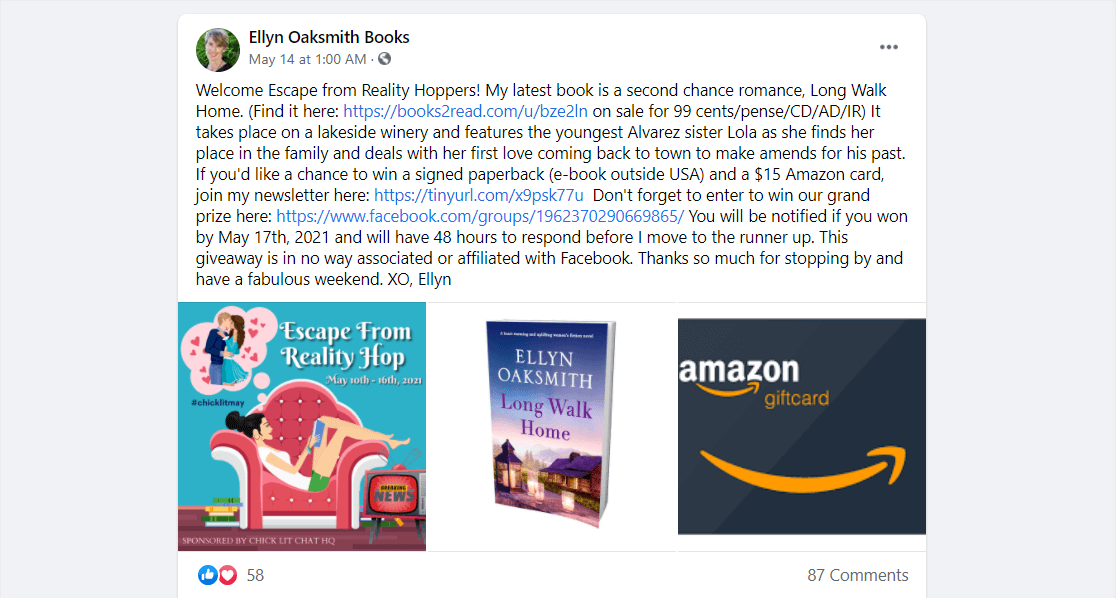
If your main goal is list growth, this is the format I’d reach for first. You’re trading a prize for an email address, which is a fair exchange and usually pulls a great cost-per-subscriber.
Link your Facebook post to a contest form on a landing page, and use RafflePress’s Join a Newsletter action to ask people to sign up in exchange for an entry.
What I like most about this setup is that RafflePress links directly to your email tool, so entrants are added to your list the moment they enter.
Turn on the Trigger on Signup option, and they get added as soon as they log in to enter, before they’ve even completed all the actions.
The catch is the prize has to be relevant, so a generic $100 gift card pulls a list full of giveaway hunters. A free year of your software, or a high-value product from your own line, pulls a list of people who actually want what you sell.
5. Caption Contest
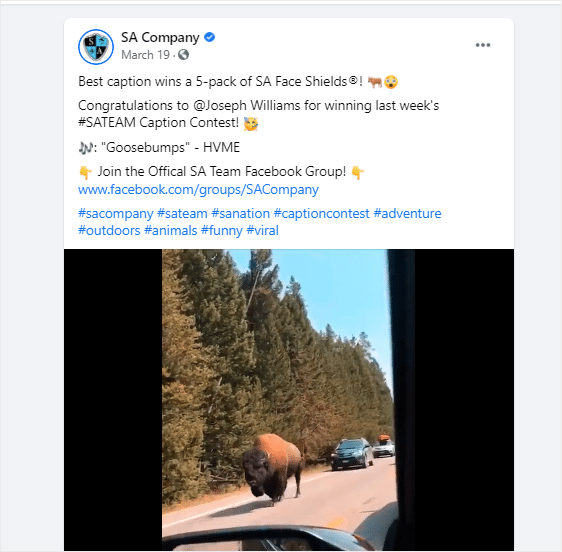
A caption contest is one of the easier creative formats. You post a photo, ask people to caption it, pick the funniest or smartest one as the winner.
The photos that pull the best captions are weird, ambiguous, or behind-the-scenes shots from your business. A clean product photo doesn’t give people much to work with. A photo of your dog wearing your warehouse manager’s name tag does.
For the post copy, I keep it short. “Caption this for a chance to win $50 in store credit. Winner picked Friday.” That’s it. The shorter the ask, the more entries you get.
Use the Answer a Question action in RafflePress, with the question set to “What’s your caption?” That way the entries collect on your site instead of getting buried in Facebook comments.
6. Click to Win
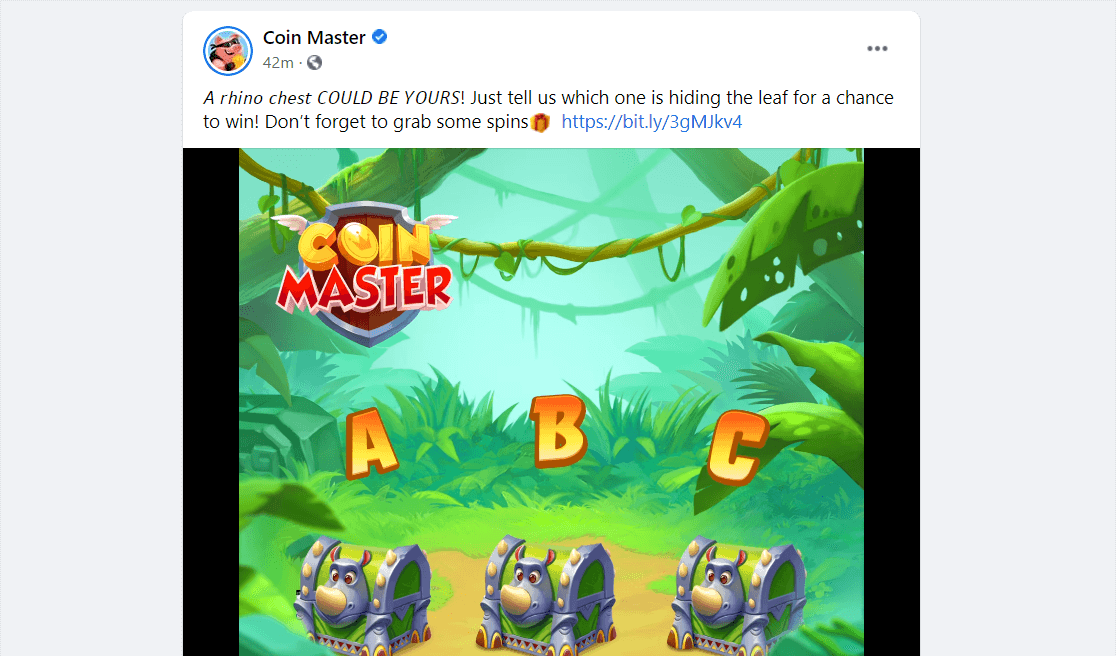
Click-to-win is exactly what it sounds like. You post on Facebook, people click through to your contest page, and clicking counts as the entry. It’s the lowest possible friction.
This format is great for traffic-driving campaigns when your goal is just to get more eyeballs on a specific page, like a new product launch or a piece of cornerstone content.
What I’ve seen work is pairing the click with a small product reveal on the landing page. People click expecting a contest form, see the product first, and a percentage of them convert before even entering the giveaway.
Set this up in RafflePress with the Visit a Page action, or the Automatic Entry action if you want anyone who lands on the contest form to be entered automatically.
7. Answer a Question
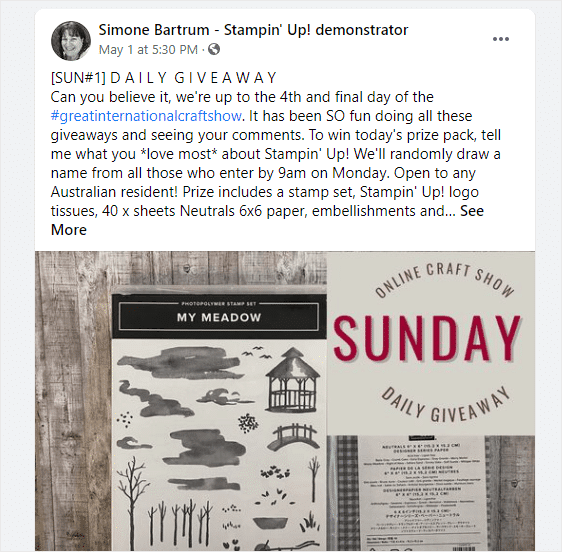
Question-based contests turn entries into market research. The right question doubles as a survey while also collecting entries, which is two outputs for one prize.
The questions I’ve gotten the best response to are specific and personal. “What feature would you most want us to build next?” pulls better than “What do you think of our product?” Vague gets vague answers.
You can also mix in different types of poll questions if you want to A/B test what your audience actually cares about.
In RafflePress, the Answer a Question action handles this directly. For longer or multi-question entries, send people from Facebook to a WPForms survey on your site and use the form completion as the entry trigger.
8. Submit a Photo
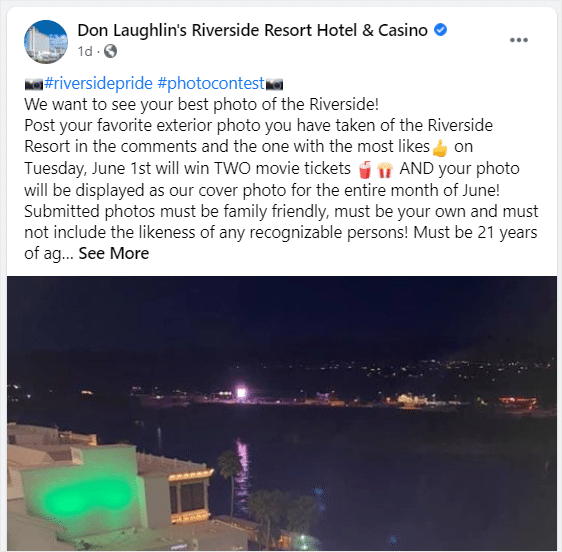
Photo contests pull user-generated content (UGC) at scale, which solves the chronic “we need more content for the feed” problem most small marketing teams have.
I’ve found that photos from customers also work as social proof, so the entries do double duty as a content library and a trust signal.
A coffee brand called Lifeboost ran a “Your Morning Cup” photo contest where customers submitted pictures of their setup with the coffee in frame.
They picked one winner for the prize and used the rest of the entries across their Instagram for the next two months.
Use the Submit an Image action in RafflePress. Collecting photos on your own site beats scrolling through Facebook comments to find the entries.
9. Submit a Video
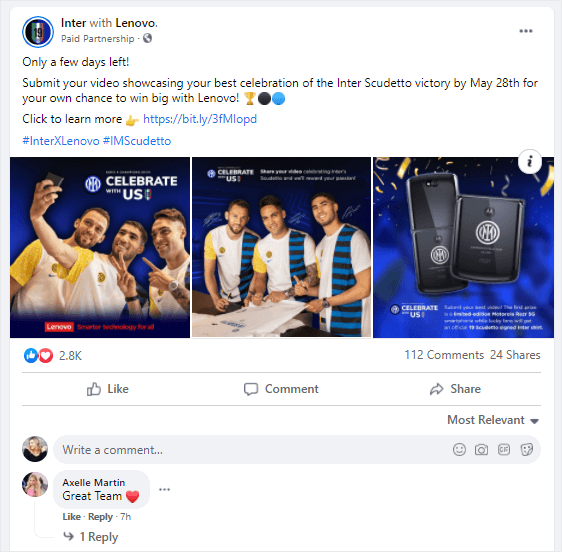
Video entries are the high-effort version of a photo contest, so they make sense when the prize is worth the work.
The format I’ve seen succeed is asking customers to film a 30-to-60-second video of themselves using your product. Not a polished review, just an honest moment. That tone is exactly what scrolling Facebook users respond to.
A small kitchen tool brand asked customers to submit videos of “the dumbest thing I’ve used this gadget for” and got a wave of weirdly funny entries. The winning video had three million views after they re-posted it from the brand Page.
Ask entrants to upload the video to YouTube or Vimeo and submit the link through the Invent Your Own action in RafflePress. Public hosting saves you the storage headache.
10. Voting Contest
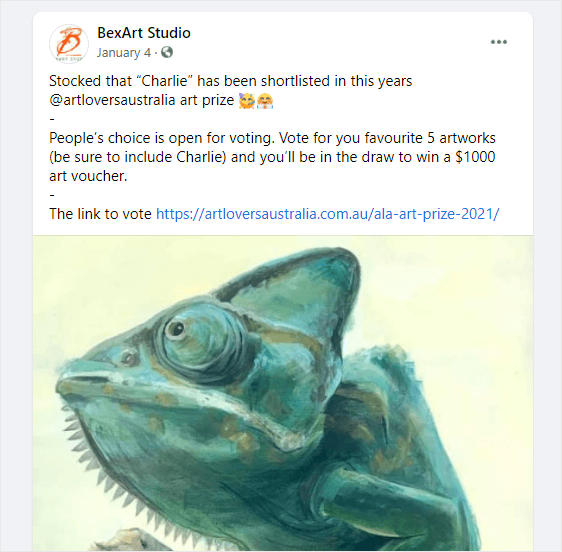
A voting contest gives your audience a say in something real, like which product variant launches next or which customer story gets featured.
The reason this works is that people love sharing their opinion, and a vote-style entry is engaging without being demanding. It’s also a great way to expose your Facebook followers to new products without it feeling like a sales push.
You can run this with the Surveys and Polls addon in WPForms if you want the data to sit inside your form builder, or with the survey form template. RafflePress also has a Polls and Surveys action that handles the entry side directly.
A meal kit company I follow used voting contests to pick their “fan favorite” recipe each season. The winning recipe gets a permanent spot on the menu, and the customers who voted for it get a free week of meals.
11. Tag Friends
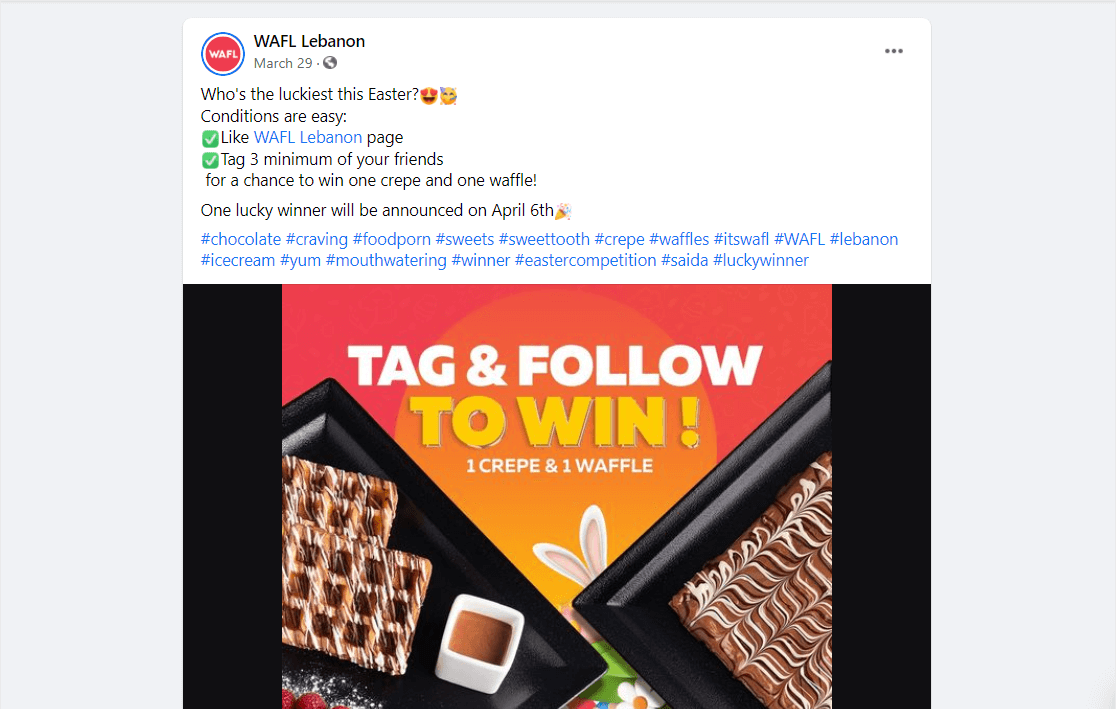
Tag-a-friend used to be the most popular Facebook giveaway format. It’s also the one Meta cracked down on hardest. You can’t require people to tag friends as their entry.
What you can do is invite them to mention a friend who might also like the prize, as an optional bonus action. The mechanic survives, you just can’t make it mandatory.
In RafflePress, use the Answer a Question action and ask “Who would you split this prize with?” People naturally drop a name or a tag, and it stays inside the rules.
The reach you used to get from forced tagging now comes from genuinely shareable prizes. If the prize is worth talking about, people tag friends without being told to.
12. Join a Facebook Group
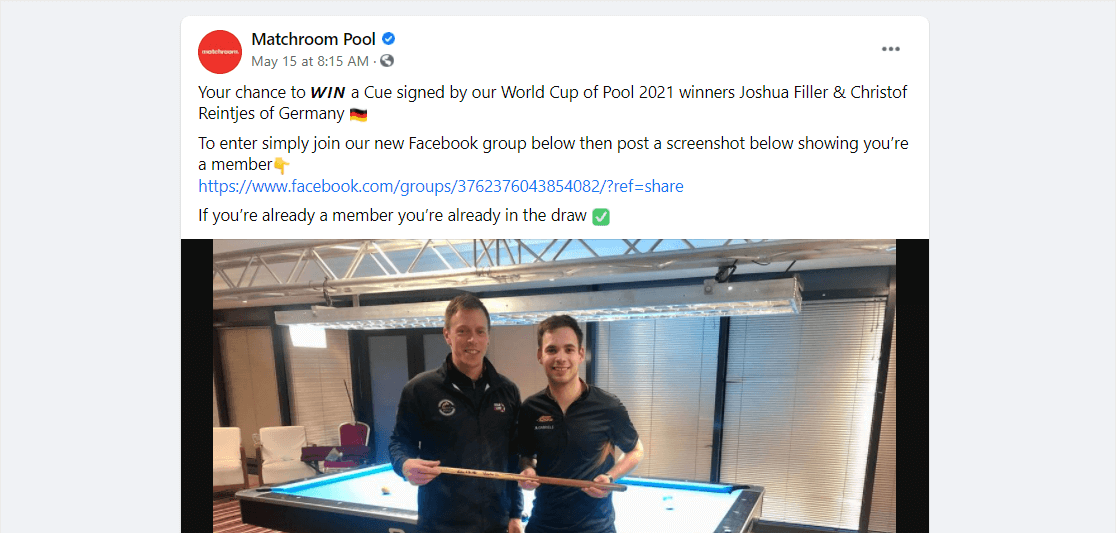
If you’ve built (or are building) a Facebook group around your business, this is one of the most underused giveaway formats out there.
Groups beat Pages on organic reach right now, so growing your group is a direct investment in your future content distribution.
A giveaway that rewards group membership gets people through the door, and the better content keeps them there.
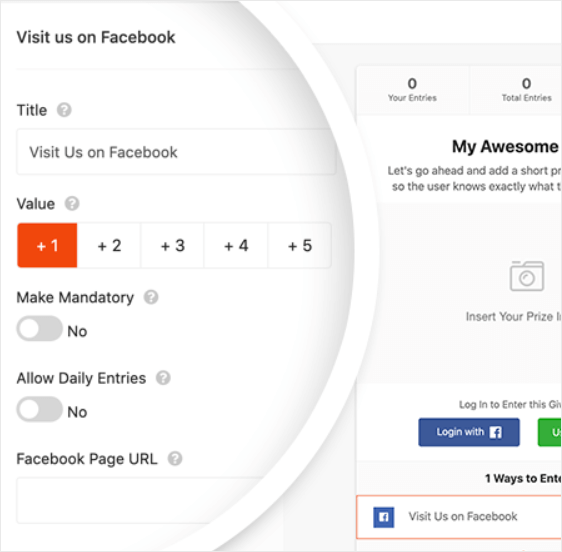
To set this up in RafflePress, take the Visit a Facebook Page action, change the label to Visit a Facebook Group, and drop in your group’s URL.
The follow-up matters more than the giveaway. New group members who get value in their first week stick around. Greet them in the group, point them to your best posts, and the giveaway pays itself off in long-term engagement.
13. Refer a Friend
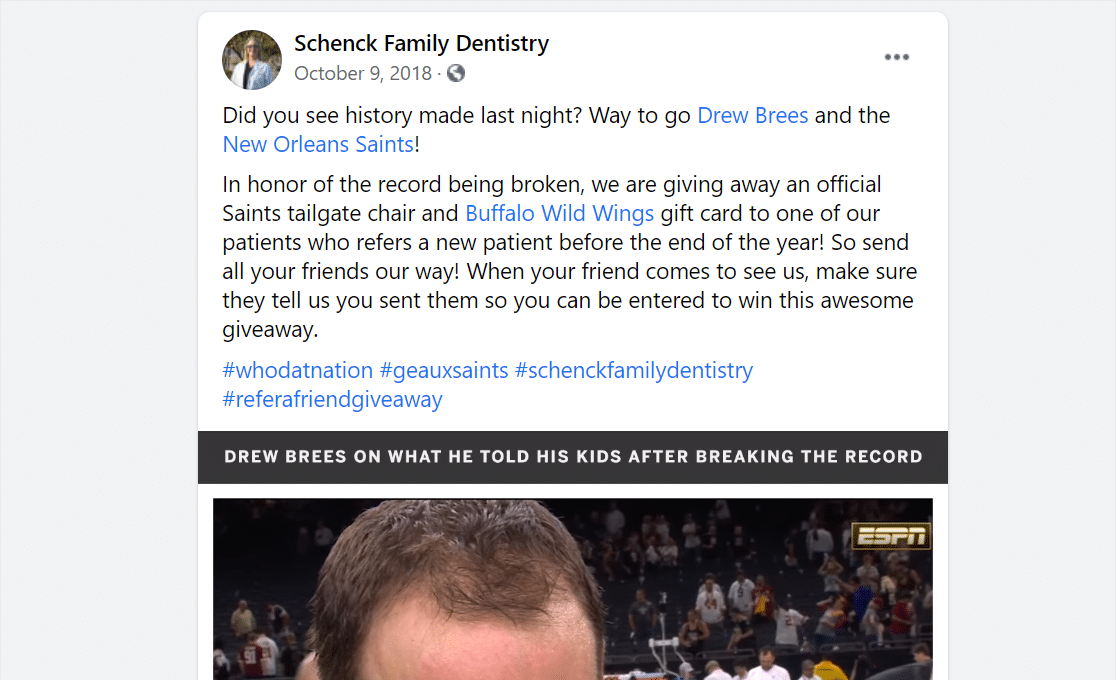
Refer-a-friend is the format that has the biggest viral upside. The trick is that the referral has to be incentivized, not required.
What I do is set a base entry (visit a page or sign up for the list), then give bonus entries for each friend who enters using a unique tracking link. The more friends, the more entries, but the base entry doesn’t depend on referrals.
That structure stays inside Meta’s rules and still drives the same viral loop you’d get from a traditional referral contest. A SaaS tool I follow runs a yearly “refer your team” giveaway where the prize scales with the number of teammates who sign up.
Five teammates joins a basic prize tier, fifteen teammates joins a much bigger one. They pulled 8,000 new signups from a single 30-day campaign.
Use the Refer-a-Friend action in RafflePress to handle the unique link generation and tracking.
14. Name the Product
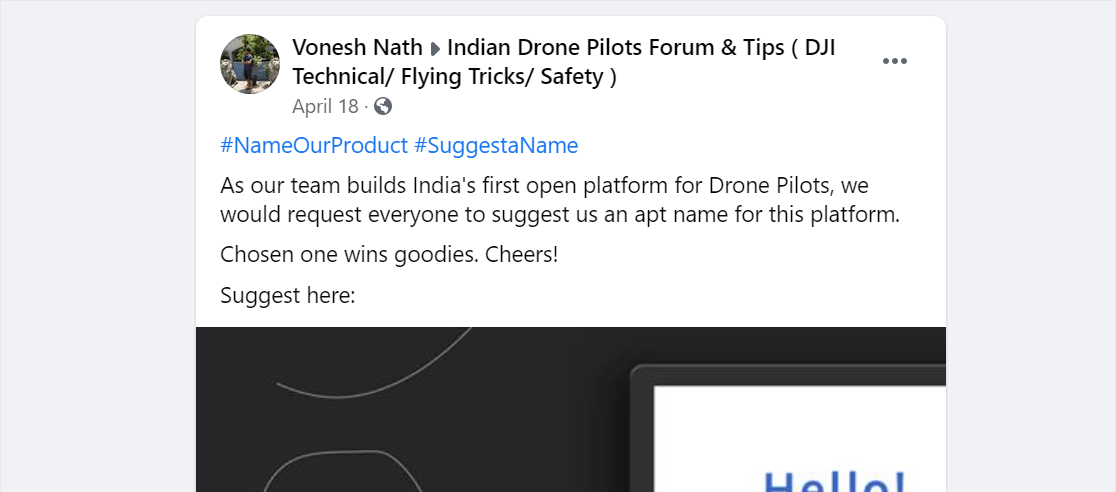
Naming contests turn your audience into your product team for a week. You ask people to suggest a name for an upcoming product, and the person whose name you pick wins.
A few things I’ve found make this format work better. First, give context. “We’re launching a no-foam dish soap, what should we call it?” pulls more useful entries than a vague “name our new product.”
Second, show the product. A photo or short video of the prototype gives entrants something concrete to react to. A naming contest with no visual is a naming contest with bad entries.
A small craft brewery I came across ran a “name our next IPA” contest, and the winning name was used for the actual seasonal release. The winner got a year’s worth of free beer, and the brewery got a name plus a wave of press from local food bloggers.
Use the Invent Your Own action in RafflePress, and ask for the proposed name in the response field.
15. Use a Feed Widget
A Facebook feed widget puts your live Facebook feed directly on your website using the Smash Balloon plugin. It’s not a giveaway by itself, but it pairs with one in a useful way.
When you’re running a giveaway on Facebook, embedding your feed on a high-traffic page (homepage, sidebar, blog) sends your existing site visitors straight to the contest post. It also keeps your Facebook activity visible to people who don’t follow you yet.
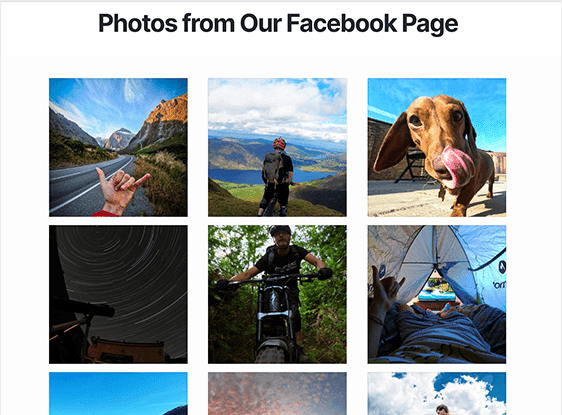
For the setup, here’s the official guide on how to create a Facebook feed widget on WordPress.
I’d also recommend pinning the giveaway post on your Page during the contest period so that whatever appears at the top of the embedded feed is the giveaway itself. That way your website visitors aren’t scrolling past a week-old promo to find it.
16. Guess the Product
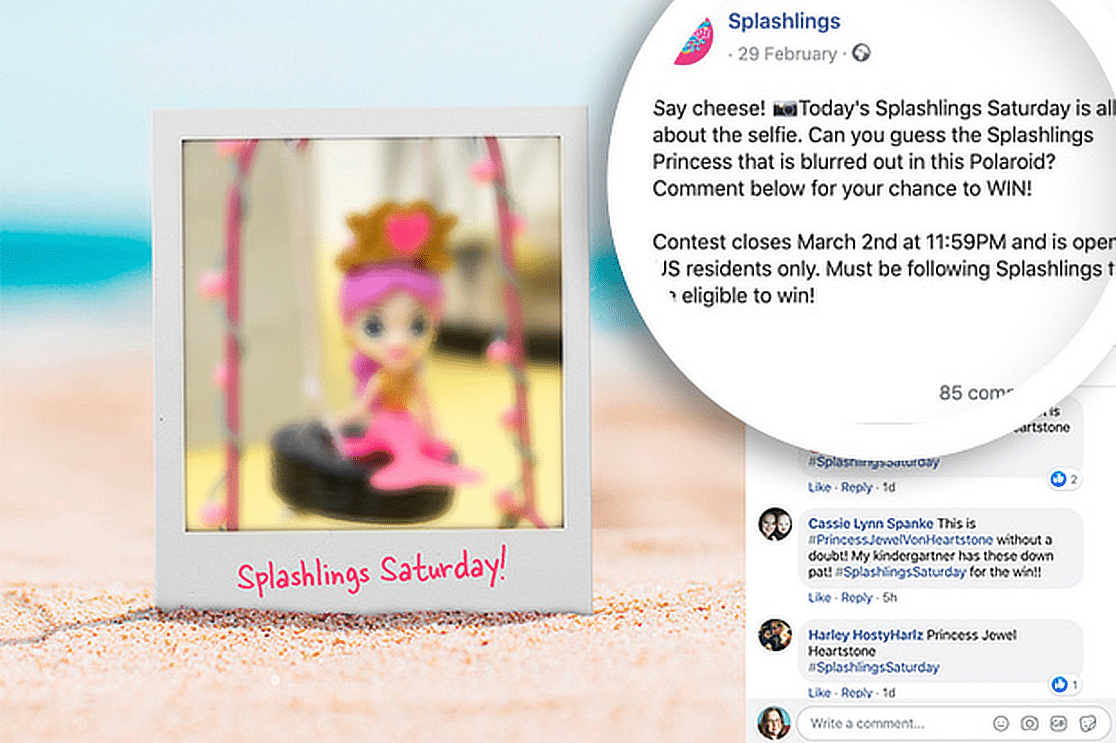
A “guess the product” contest works because it taps into curiosity, which is the strongest free attention mechanic on Facebook. You post a partially hidden, zoomed-in, or obscured product photo, and ask people to guess what it is.
The variations I’ve seen work include guess the new flavor, guess the upcoming product category, guess what’s inside the box. Each one gives the audience a reason to comment without feeling like a chore.
A kids’ toy brand ran a guessing contest with a covered “mystery box” photo and gave away the contents to a randomly picked correct guesser. The post hit triple their normal engagement and tipped off a small fan-theory thread in the comments.
This pairs well with comment entries, since the guess itself is the comment. Use the Answer a Question action in RafflePress with the question set to “What do you think it is?”
4 More Facebook Giveaway Ideas Worth Testing
The sixteen formats above are the ones I keep coming back to, and they cover most of what a business needs. These four are worth testing once you’ve run a giveaway or two and want something with more moving parts.
- Facebook Live Giveaway: Announce the giveaway a few days ahead, collect entries through a contest form on your site, then reveal the winner during the stream.
- Branded Hashtag Challenge: A branded hashtag challenge asks people to post their own content using your hashtag, so it doubles as a giveaway and a content engine.
- Pick Your Own Prize Giveaway: Let entrants choose their own prize and perceived value goes up, plus you get a free read on which product your audience actually wants.
- Milestone or Anniversary Giveaway: A milestone giveaway ties the contest to something you’re genuinely celebrating, like a business anniversary or hitting a follower count you’ve been chasing.
2 Facebook Giveaway Post Templates You Can Steal
Most giveaway posts fail at the copy, not the format. Either they bury the prize, miss the entry steps, or skip the disclaimer that keeps Meta from flagging them.
These two templates fix all three at once. Paste either one into a fresh Facebook post, swap the brackets for your details, and you’re ready to run.
Two notes that apply to both that you must keep the post under 100 words on Facebook itself.
The full rules go on your landing page, not in the post. And the Meta disclaimer needs to be there every single time, even if it feels redundant.
How to Pick a Winner and Measure Your Results
Picking a winner and measuring whether the giveaway was worth it are the two steps most contest posts skip. They’re also the two that decide whether your second giveaway is better than your first.
Picking a winner
Use a random selector tool, not your gut. RafflePress has a winner picker built in, but if you ran the contest on Facebook directly, there are free random comment pickers that let you paste the post URL and pull a winner.
Once you have the winner, do three things. Screenshot the picker output so the draw is verifiable. Announce the winner on your Page (and tag them if they’re okay with it).
And post a follow-up image of the winner with the prize once they receive it. The follow-up post often pulls more engagement than the giveaway itself.
What to measure
The metrics that tell you whether the giveaway worked are different from the vanity numbers.
- Email signups or form completions. If your goal was list growth, this is the only number that matters
- Reach and impressions on the post. Useful for benchmarking against your regular content
- Engagement rate. Comments and reactions divided by reach. A healthy giveaway sits above 5%
- Follower growth in the contest window. Track before and after, not just the total at the end
- Sales attributed to the campaign. Use a unique discount code or track entries with Facebook Pixel to see who bought something within 30 days of entering
The deeper story is in customer engagement metrics, which tell you whether the entrants stuck around after the contest ended.
A giveaway that gets 5,000 entries and zero repeat engagement isn’t a win. A giveaway that gets 800 entries and turns into 200 long-term followers is.
FAQs About Facebook Giveaway Ideas
Facebook giveaway ideas come up a lot in our reader questions and the WPForms support inbox. Here are the questions I get most often, with quick answers you can act on.
How do you do a fun giveaway on Facebook?
Pick a format that fits the audience and the prize. A caption contest or “guess the product” giveaway works well for playful brands. A photo or video submission contest works well for product-based brands that want UGC. The format matters more than the prize, since a small prize with a fun format pulls more engagement than a big prize with a boring entry step.
How do you write a catchy giveaway post?
Lead with the prize in the first line. Spell out the entry steps in a numbered list of two or three actions. Include the deadline. Add the “not affiliated with Meta” disclaimer. Keep it under 100 words, and put the longer rules on a landing page instead of in the post. The two templates earlier in this article cover the structure.
How do you pick a winner on a Facebook giveaway?
Use a random selector tool, not manual picks. RafflePress has one built in, and there are free third-party tools if you ran the contest natively on Facebook. Screenshot the result so the draw is verifiable, then announce the winner publicly on your Page and follow up with a “winner received their prize” post a few days later.
What are good prizes for a Facebook giveaway?
The best prize is something only your business can give. Free product, a free year of your service, store credit, or an experience tied to what you sell. A generic gift card pulls a list full of giveaway hunters who’ll never buy from you. A free month of your software pulls people who actually want what you make.
Next, Use Social Proof to Boost Conversions
Once your giveaway is live and you’re collecting entries, the next thing worth dialing in is how you’re using social proof on the pages those entrants land on. Customer photos, review counts, and recent signups all push people from “I’ll enter” to “I’ll also check out the product.” Take a look at our roundup of social proof examples for patterns that actually work.
Build Your Contest Entry Form Now
Ready to build your form? Get started today with the easiest WordPress form builder plugin. WPForms Pro includes lots of free templates and offers a 14-day money-back guarantee.
If this article helped you out, please follow us on Facebook and Twitter for more free WordPress tutorials and guides.





I would like to get WPForms Lite Now
Hi Tina! You can obtain a copy of our WPForms Lite plugin at it’s WordPress page here – https://wordpress.org/plugins/wpforms-lite/
I hope that helped!🙂 If you have any further questions about this, please contact us if you have an active subscription. If you do not, don’t hesitate to drop us some questions in our support forums.