Category: Marketing

Recent Posts

get-50-percent-discount-on-typeform-alternative_g

What’s the Best Typeform Alternative?

Are you trying to find the perfect Typeform alternative for your WordPress website?

Using a Typeform alternative like WPForms can help you save lots of money, give you better control over your web forms, and more.

In this post, we’ll cover why WPForms is the best alternative to Typeform.

Continue Reading

is-wpforms-worth-it

Is WPForms Worth It? (In-Depth Review for 2025)

WPForms is the top-rated form builder plugin for WordPress. But is it really worth it?

There are many different contact form plugins for WordPress, but not all are created equal.

In this WPForms review, we consider all the features that make WPForms unique and easy to use so you can decide whether it’s the right fit for you.

Continue Reading

surveymonkey-vs-googleforms-vs-wpforms-which-is-the-best_o

SurveyMonkey vs Google Forms vs WPForms: Which Is Best?

Are you looking for easy ways to create forms online? In this article, we’ll compare SurveyMonkey vs Google Forms vs WPForms so you can decide which one is best for your website. To save you time, we’ve analyzed their features, ease of use, support, and pricing.

Check out which form builder is the right solution for your needs.

Continue Reading

The Best WordPress Drag and Drop Form Builder Plugin

Easy, Fast, and Secure. Join over 6 million website owners who trust WPForms.

excellent-multi-page-form-examples-for-your-inspiration_b

5 Excellent Multi-Page Form Examples for Your Inspiration

You land on a page, you’re genuinely interested, and then you see a wall of fifteen fields staring back at you. So you close the tab and move on.

That reaction is exactly what quietly drains leads from long forms every day. The good news is the fix is simple, and some of the biggest brands on the web already use it.

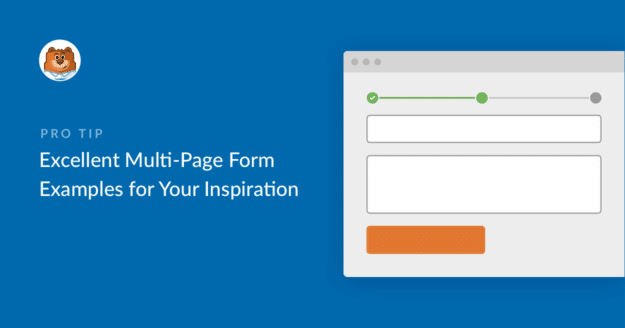
Multi-page forms are a great way to get more people to finish filling out their info, so you can get more leads and make more money online.

So in this article, I’ll show you some great multi-page form examples so you can get inspired and start creating effective multi-part forms for your website.

Continue Reading

benefits-of-hiring-remote-workers_b

6 Benefits of Hiring Remote Workers (+ How to Find Them)

Hiring remote workers can be hugely beneficial to your business. From cost savings to increased productivity, you have a lot to gain by employing people from across the country or even the entire globe.

In this post, we’ll discuss some of the benefits of hiring remote workers for your business. We’ll also cover some frequently asked questions about remote employees, including how to find them and let them apply for positions with your company.

Continue Reading

🔔 Subscribe to get our latest updates
📧 Subscribe to Emails

Email Subscription

Join our Newsletter

We won’t spam you. We only send an email when we think it will genuinely help you. Unsubscribe at any time!
New Feature Payments

Start Your Stripe Subscriptions With a Trial Period

Left-aligned hero text: “Add a Trial Period to Stripe Subscriptions in WPForms,” with a bear avatar and an ANNOUNCEMENT badge on dark blue background.

A Stripe subscription sold through WPForms can now begin with a trial period: the subscriber signs up today, and their first payment waits until the trial is over.

The card is collected and checked at signup, held by Stripe, and charged automatically on the day the trial ends.

The length is a number of days, weeks, months, or years, chosen in the form builder’s Payments tab for each Stripe subscription you sell.

Each trial shows up in WPForms » Payments with a Trialing status until that first payment lands.

Improvement

Weekly Email Summary

Hero banner announcing the WPForms Weekly Email Summary with a mascot circle on the left and a white analytics card on the right, on a dark blue background.

The weekly summary WPForms emails you now opens with stat tiles for entries, views, and spam, each marked with how it moved against the previous week.

Beneath them, a table gives every form its own line, and when the data earns it the headline changes to call out a best week, a milestone, or a form that has gone quiet.

A single button takes you from the email back into WPForms, so the thing worth checking is one click away.

Integration New Feature Payments

Paystack Addon

Introducing the WPForms Paystack Addon: Accept Payments in Nigeria, Ghana, South Africa, and Kenya

The Paystack addon brings card, bank transfer, and mobile money payments to your forms for buyers in Nigeria, Ghana, South Africa, and Kenya.

Buyers click submit and pay in the Paystack popup in naira, cedis, rand, or Kenyan shillings, with no new field to add to your form.

Bank transfer and mobile money payments are saved as Pending, and WPForms can hold your notification emails until Paystack confirms the payment, then completes the order on its own.

Every Paystack payment shows up in WPForms » Payments, and full refunds can be issued without leaving WordPress.

New Feature

WPForms Dashboard

Dark blue hero with a circular bear logo on the left, large headline 'Introducing the New WPForms Dashboard' and an ANNOUNCEMENT badge; a dashboard mockup is visible on the right.

The WPForms Dashboard is a new home screen that opens the moment you click WPForms in your admin menu. Stat cards across the top total up your forms, entries, payments, views, and spam across the whole site.

An Entries widget charts activity over your chosen date range with a per-form table of entries, views, interactions, and conversion rate, and a payments widget totals everything collected once a gateway is connected.

With the Geolocation addon active, Top Locations ranks the countries your visitors come from, and a Suggested Next Steps panel points to features worth turning on.

Nothing to install, as it comes with every plan, including Lite!

New Feature

WPForms QR Code

Announcement banner: dark blue background with headline 'Say Hello to WPForms QR Code: One Scan Opens Your Form' and a large QR code on the right.

Every form now has its own built-in QR code generator, with nothing extra to install or buy.

Open a form’s General settings, choose the page the form lives on or paste its URL, and click Generate QR Code to copy it or download it as a PNG or a print-ready SVG.

Put it on menus, packaging, event badges, or business cards, and every scan opens your form instead of a page that only hands people something to read.

Included with every plan, including Lite; Pro and Elite plans can keep, remove, or replace the WPForms logo in the center with their own.