About Our Team

Introducing our proficient content writer with extensive expertise.

Renee DeCoskey

Content Editor

Expertise

  • WordPress
  • Content Marketing
  • Blogging
  • SEO
  • Digital Marketing for Nonprofits

Highlights

Renee is a Content Editor for WPForms and WP Mail SMTP. She graduated from Susquehanna University with a BA in English and earned her MA in English from George Mason University.

As a high school English teacher, Renee was interested in how she could use blogging and social media as classroom tools. She’d been blogging consistently across different platforms since 2001 and started using WordPress in 2007. After a few years teaching, she made the decision to pursue digital content full-time, took on some freelance roles, and created her first hosted WordPress site.

Prior to joining WPForms in 2022, Renee spent 11 years as the managing editor of one of the top independently-owned business and marketing news sites, managing original and syndicated user-generated content from contributors around the world, all within WordPress.

In her free time, Renee enjoys reading and the Philadelphia Phillies. She’s also heavily involved with both her club and district as a member of Rotary International.

Stripe vs. Square

Stripe vs. Square: What’s Best for Your Small Business?

Do you want to compare Stripe vs. Square to determine the best payment solution for your business? Stripe and Square are both trustworthy and reliable payment gateways. In this post, we'll compare and contrast the most important points to help you easily determine which is right for you based on your business needs.

Continue Reading

How to Create a WordPress Donation Form for Nonprofits

Raising funds for a nonprofit is no easy task, and creating a donation form that actually works can feel overwhelming, especially if you're new to WordPress.

You might be wondering if it’s possible to build an effective donation form in WordPress without getting lost in technical details. I had the same concerns!

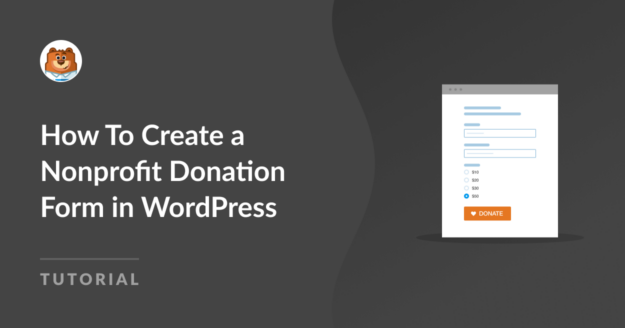
After going through the process, I realized that creating a nonprofit donation form in WordPress is much simpler than it seems. In this article, I'll show you exactly how to use a template to create a donation form in WordPress.

Continue Reading

How To Customize Your WordPress Theme Colors

Do you want to learn how to customize your WordPress theme colors? Maybe you've found a theme you love, but the color scheme is all wrong for your brand. In this post, we'll look at how you can customize your WordPress theme colors with and without code.

Continue Reading

8 Form Layout Best Practices for User-Friendly Design

Are you looking for the best form layouts to improve your contact forms? Designing form layouts for maximum conversions can be tricky if you don't have much experience to rely on. We've put together a list of 7 best practices to take your form layout designs to the next level and boost conversions.

Continue Reading

WP Mail SMTP Review: Is It RIght For You?

WP Mail SMTP Review: Will It Fix Your Emails?

Are you looking for an SMTP plugin for your WordPress website? WP Mail SMTP improves deliverability by making sure your emails are properly authenticated and sent through 3rd parties so that they don't get stuck in spam filters. In this post, we'll look at some of WP Mail SMTP's key features to help you decide if it's the right mailer plugin for you.

Continue Reading

🔔 Subscribe to get our latest updates
📧 Subscribe to Emails

Email Subscription

Join our Newsletter

We won’t spam you. We only send an email when we think it will genuinely help you. Unsubscribe at any time!
New Feature

WPForms Dashboard

Dark blue hero with a circular bear logo on the left, large headline 'Introducing the New WPForms Dashboard' and an ANNOUNCEMENT badge; a dashboard mockup is visible on the right.

The WPForms Dashboard is a new home screen that opens the moment you click WPForms in your admin menu. Stat cards across the top total up your forms, entries, payments, views, and spam across the whole site.

An Entries widget charts activity over your chosen date range with a per-form table of entries, views, interactions, and conversion rate, and a payments widget totals everything collected once a gateway is connected.

With the Geolocation addon active, Top Locations ranks the countries your visitors come from, and a Suggested Next Steps panel points to features worth turning on.

Nothing to install, as it comes with every plan, including Lite!

New Feature

WPForms QR Code

Announcement banner: dark blue background with headline 'Say Hello to WPForms QR Code: One Scan Opens Your Form' and a large QR code on the right.

Every form now has its own built-in QR code generator, with nothing extra to install or buy.

Open a form’s General settings, choose the page the form lives on or paste its URL, and click Generate QR Code to copy it or download it as a PNG or a print-ready SVG.

Put it on menus, packaging, event badges, or business cards, and every scan opens your form instead of a page that only hands people something to read.

Included with every plan, including Lite; Pro and Elite plans can keep, remove, or replace the WPForms logo in the center with their own.

New Feature

Ranking Field for Surveys & Polls

Announcement hero: dark blue background, bear avatar left, large 'Introducing the New WPForms Ranking Field' text, and three stacked white option cards with 'Movies' highlighted.

The Surveys & Polls addon gains a Ranking field!

Instead of scoring each option separately, respondents drag options (or tap arrow buttons on a phone) into the order they prefer, so one option always has to come first.

WPForms tallies every response into a “Times at #1” count and an average rank for each option, with a chart that makes the winner obvious.

Lay options out as a vertical list or a grid, and use Image Choices or Icon Choices in place of plain text labels.

Integration New Feature Payments

Mercado Pago Addon

Introducing the WPForms Mercado Pago Addon: Card Payments Built for Latin America

The Mercado Pago addon brings on-page card payments built for Latin America to your forms.

Buyers enter their card details into secure, Mercado Pago-hosted fields inside the form, choose an installment plan, and pay in ARS, BRL, CLP, COP, MXN, PEN, or UYU without leaving your page.

An approved charge fires your confirmation, notifications, and integrations at the moment money actually moves, and full or partial refunds can be issued from WPForms » Payments.

WPForms takes no transaction fee, and it works with Quantities, Coupons, multi-page forms, Conversational Forms, Lead Forms, and Form Pages.

AI New Feature

WPForms Analytics

Dark blue hero with a bear avatar left, large WPForms v2.0 headline and a form analytics screenshot on the right.

WPForms 2.0 adds a complete form performance tracking suite inside your WordPress dashboard.

The All Forms page now shows Views, Entries, and Conversion Rate for every form, and each form gets its own analytics dashboard with views, interactions, conversion rate, abandonments, and errors over the last 7, 30, or 90 days or a custom range.

A field-by-field table shows interactions, time spent, errors, and abandonment for every field, so you can see exactly where people give up, and you can set a conversion goal to track progress.

There’s also a built-in AI chat reads your form data and tells you what is working, what is hurting conversions, and what to fix first.