Introducing our proficient content writer with extensive expertise.
Renee DeCoskey
Content Editor
Expertise
WordPress
Content Marketing
Blogging
SEO
Digital Marketing for Nonprofits
Highlights
Renee is a Content Editor for WPForms and WP Mail SMTP. She graduated from Susquehanna University with a BA in English and earned her MA in English from George Mason University.
As a high school English teacher, Renee was interested in how she could use blogging and social media as classroom tools. She’d been blogging consistently across different platforms since 2001 and started using WordPress in 2007. After a few years teaching, she made the decision to pursue digital content full-time, took on some freelance roles, and created her first hosted WordPress site.
Prior to joining WPForms in 2022, Renee spent 11 years as the managing editor of one of the top independently-owned business and marketing news sites, managing original and syndicated user-generated content from contributors around the world, all within WordPress.
In her free time, Renee enjoys reading and the Philadelphia Phillies. She’s also heavily involved with both her club and district as a member of Rotary International.
Comparing Gravity Forms vs. Jotform? If you're searching for the best form builder for your website, WPForms is a similar tool that gives you loads of functionality and is also worth a look.
Are you frustrated with email delivery failures? Unreliable email deliverability can mean a loss of business and sales. In this post, we'll look at what causes email delivery failure and how you can fix it in WordPress.
Looking to drum up business? When you give visitors something for free, lead magnets bring potential sales to you. In this post, we'll look at the WPForms Lead Forms addon and some easy ways you can use it to attract business and reach new clientele.
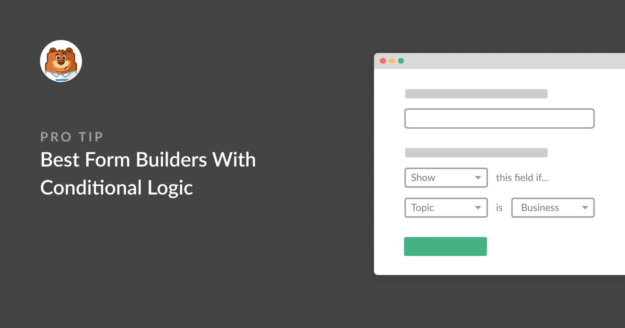
If you've ever filled out a form that asked you 20 questions when only 6 of them mattered to you, you already know why conditional logic exists.
Smart forms hide the fields that don't apply and only show what's relevant based on the answers you've already given. Done well, it cuts form abandonment and gets you cleaner data on the back end.
I've spent a fair bit of time building and breaking forms across most of the major builders out there, and conditional logic is the one feature where the differences really show up.
So I tested 7 of the most popular form builders with conditional logic side by side. Below is what I found, ranked by how well each one actually works in practice for real use cases.
Sending WordPress form submission notifications to WhatsApp can be a great way to keep an eye on your forms. But connecting a WordPress site with WhatsApp can be complex, and there aren’t many WordPress plugins that do this efficiently.
Fortunately, there’s the Twilio addon for WPForms, making it easy for you to create a form that sends notifications and messages via WhatsApp.
Do you want to create an anonymous feedback survey? Anonymous surveys provide valuable data from participants without collecting their personal identifying information. Many people avoid answering surveys because they don't want to be identified. In this post, we'll walk you through creating an anonymous feedback survey in WordPress.
The Front-End Form Themes Editor lets you restyle your WPForms forms on the pages where they’re embedded, with each adjustment showing up as you make it.
Saving from the form’s preview page sets its default look, while saving anywhere else changes that one placement only.
Open it from the admin bar’s Edit Form Theme item, or from an Edit Theme button inside the builder, the block editor, Elementor, or Divi.
Every form ends up looking at home wherever it appears.
A Stripe subscription sold through WPForms can now begin with a trial period: the subscriber signs up today, and their first payment waits until the trial is over.
The card is collected and checked at signup, held by Stripe, and charged automatically on the day the trial ends.
The length is a number of days, weeks, months, or years, chosen in the form builder’s Payments tab for each Stripe subscription you sell.
Each trial shows up in WPForms » Payments with a Trialing status until that first payment lands.
The weekly summary WPForms emails you now opens with stat tiles for entries, views, and spam, each marked with how it moved against the previous week.
Beneath them, a table gives every form its own line, and when the data earns it the headline changes to call out a best week, a milestone, or a form that has gone quiet.
A single button takes you from the email back into WPForms, so the thing worth checking is one click away.
The Paystack addon brings card, bank transfer, and mobile money payments to your forms for buyers in Nigeria, Ghana, South Africa, and Kenya.
Buyers click submit and pay in the Paystack popup in naira, cedis, rand, or Kenyan shillings, with no new field to add to your form.
Bank transfer and mobile money payments are saved as Pending, and WPForms can hold your notification emails until Paystack confirms the payment, then completes the order on its own.
Every Paystack payment shows up in WPForms » Payments, and full refunds can be issued without leaving WordPress.
This cookie is set by X to identify and track the website visitor. Registers if a users is signed in the X platform and collects information about ad preferences.
2 years
personalization_id
Unique value with which users can be identified by X. Collected information is used to be personalize X services, including X trends, stories, ads and suggestions.
2 years
external_referer
Our Website uses X buttons to allow our visitors to follow our promotional X feeds, and sometimes embed feeds on our Website.