


AI Summary
Zapier, Make, and n8n are the three names you’ll keep running into when trying to figure out which automation tool is the best option for your WordPress form. What separates them is which events each one can react to and what each does when a workflow breaks.
To keep things simple, Zapier reaches the most apps and asks the least of you, while Make gives you a visual canvas and cheaper credits once your scenarios branch. n8n is the one to pick if you need to fire on a spam entry or a completed payment, and you can self-host it.
So, which is the best option for you? Well, that depends on what you’re trying to achieve with your WordPress form. And that’s exactly what I’ll be discussing in this guide!
Zapier vs Make vs n8n for WordPress Forms
On paper, the three platforms pretty much do the same thing: accept a form input at one end and trigger an action in another app at the other end.
What distinguishes them in practice are minor practical details such as whether you configure the connection within WordPress or within the automation tool, and if the platform charges you per step or per workflow.
Do You Even Need One of These?
The tricky question now is whether you actually need any of the three. The reason why I mention this is because WPForms already offers a bunch of native addons.
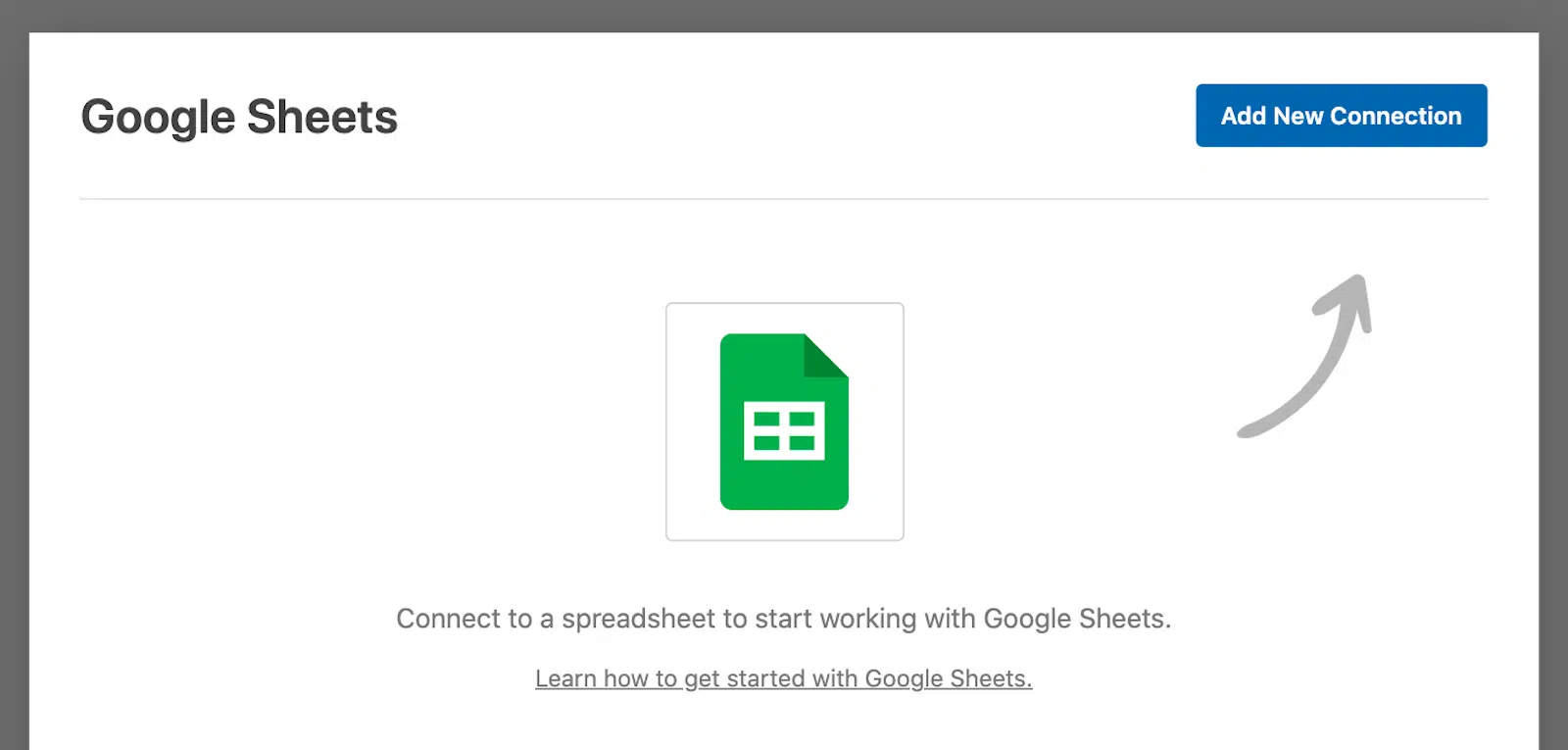
For instance, if you just want entries landing in a spreadsheet, there’s a dedicated google sheets addon already available, which you can use to sync your form submissions in realtime.
Similarly, if you want your team to see new submissions as they arrive within a digital workspace and messaging platform, you can send them straight to a Slack channel.

All this to say that it defintely pays to skim through every integration WPForms supports natively before you add a platform on top of it.
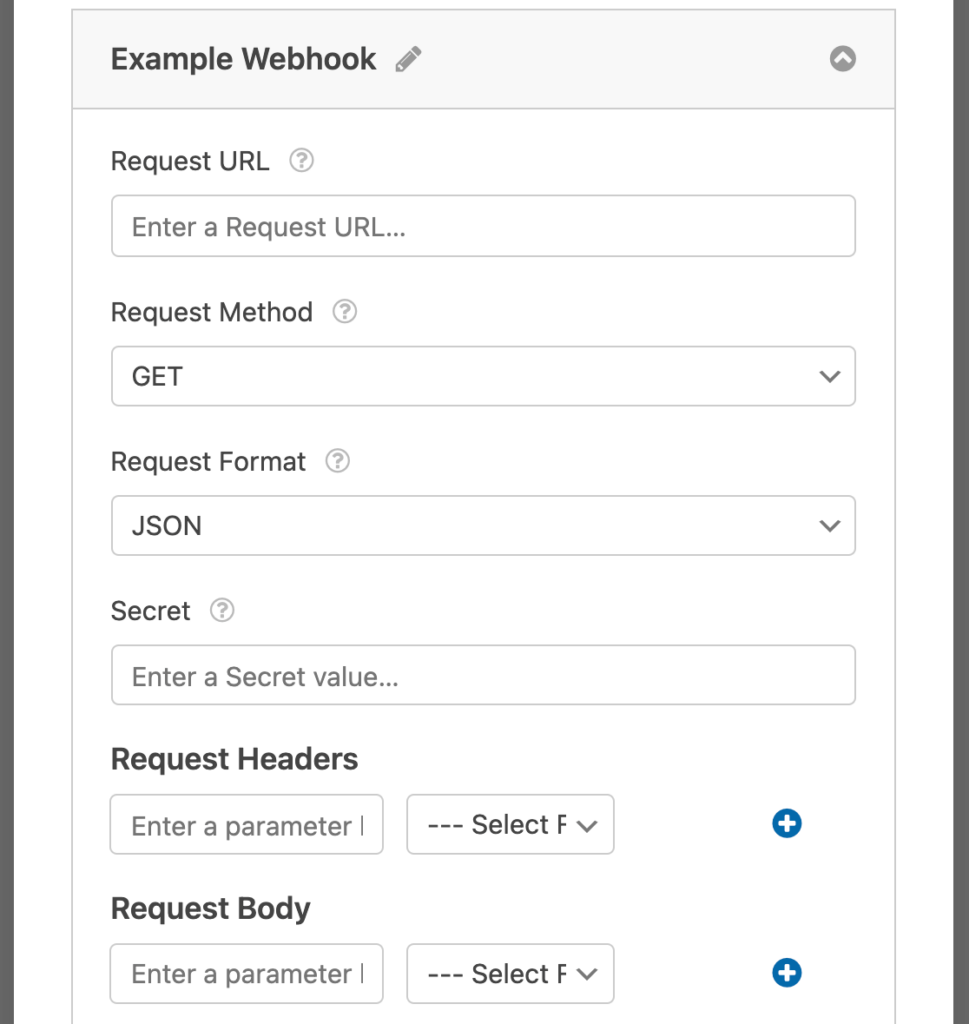
Not to mention, if you have a WPForms Elite license, you can always use the Webooks Addon to connect your WordPres form to any third-party app or plugin.
Keeping the above in mind, there are still different scenarios where an automation platform earns its place, which may lead you to consider options like Zapier, Make, and n8n:
- No native addon exists for the app you’re trying to reach.
- One submission has to fan out to several places at once, often in a particular order.
- Something has to happen to the data on the way, like reformatting a date, splitting a full name into two parts, or looking up a record in another system first.
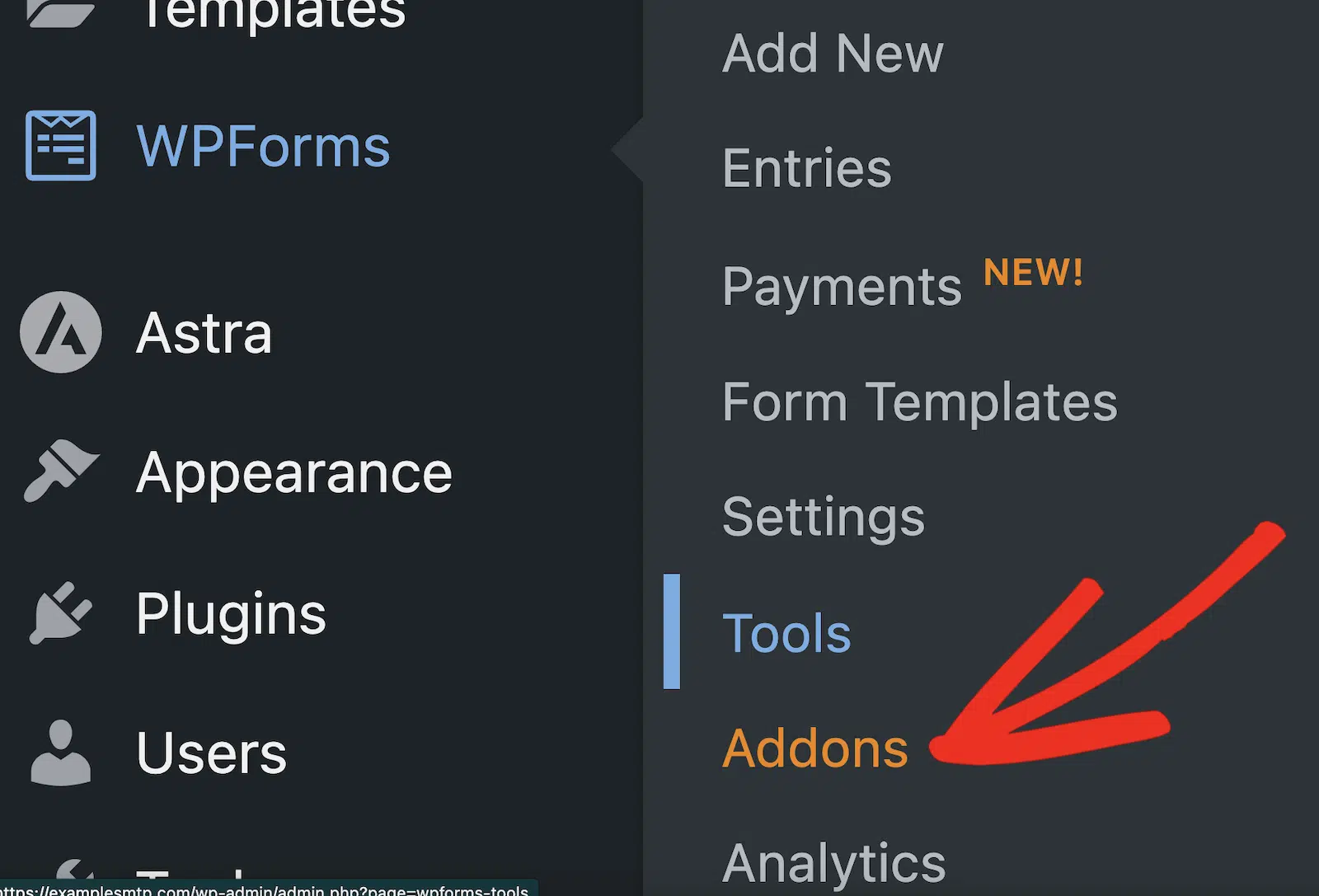
The three automation addons all come with that same Pro licence, so if you already have it they’re sitting on your addons screen under WPForms » Addons, waiting to be activated.
Zapier vs Make vs n8n at a Glance
Since all three addons ship with the same licence tier, the WPForms side of the decision isn’t a tiebreaker. So, here’s a comparison table that can help you understand which option is the best choice for you:
| Zapier | Make | n8n | |
|---|---|---|---|
| WPForms addon tier | Pro and above | Pro and above | Pro and above |
| Where you configure it | Almost entirely in Zapier | Per form, in the form builder | Per form, in the form builder |
| What links the two | A site-wide API key | A webhook URL from Make | A webhook URL plus a secret key |
| Trigger events available | New Form Entry | Watch New Form Entries | Three, covering submissions, spam, and payments |
| Field mapping | Inside the Zap | In the form builder | In the form builder |
| Conditional logic in WordPress | No | Yes | Yes |
| Abandoned form entries | Yes | No | No |
| User Journey data | Yes | No | No |
| Apps you can reach | 10,000+ | 3,000+ | 1,000+, plus any REST API |
| How you’re billed | Per task, meaning per action step | Per credit, meaning per module action | Per workflow execution, steps unlimited |
| Free plan | 100 tasks a month, two-step workflows only | 1,000 credits a month | Community Edition, free to self-host |
| Cheapest paid plan | From $19.99 a month | From $12 a month at 10,000 credits | From $20 a month at 2,500 executions |
| Self-hosting | No | No | Yes |
The Zapier addon, Make addon and n8n addon pages carry the full feature lists if you want to go deeper on any one of them.
Where You Actually Set Each One Up
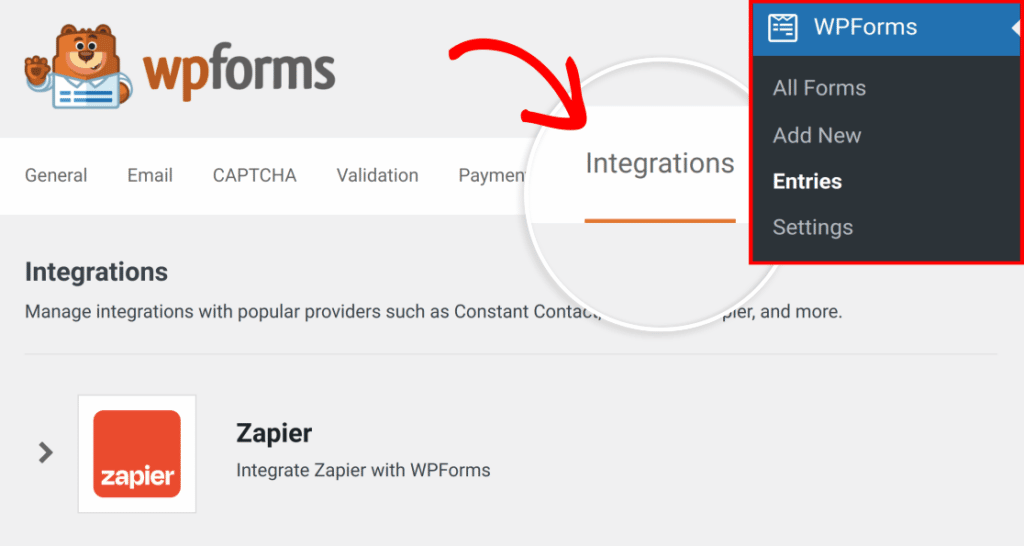
Zapier runs off a single API key for your whole site, which you copy out of WPForms » Settings » Integrations once and paste into Zapier.
After that everything happens on Zapier’s side, and even choosing which form a Zap listens to is a dropdown inside the Zap editor rather than a setting in WordPress.

Make and n8n work the other way around, giving each form its own settings tucked into the Marketing panel of the form builder next to your email marketing integrations.

You enable the integration on that particular form, paste in its webhook URL, and map its fields there, while the rest of the workflow happens in Make or n8n.

Zapier’s approach is friendlier when somebody other than you builds the automations, since a marketer can create and edit Zaps all day without ever logging into WordPress, and one key covers every form on the site.
The Make and n8n approach is friendlier when you want the connection visible where the form lives. Nothing fires on a form you didn’t deliberately configure.
What Gets Sent and When
Once the connection is set up through WPForms, the three platforms differ in ways that directly limit or expand what your workflows can do.
Only the Fields You Map Leave your Dite
With Make and n8n you build the payload yourself by typing a parameter key, which is the name the receiving app will see, then pick the matching form field from the dropdown beside it.
Anything you don’t map stays in WordPress and never crosses the wire. That’s genuinely useful when a form collects more than the destination needs.

And if you ever want to send more information, you can always visit the form later and map it, keeping you in control of the entire workflow.
Zapier works the other way round, receiving the whole entry so that you decide what to do with it inside the Zap, which means a newly added field turns up on the Zapier side as soon as you re-test the trigger.

The Three Do Not Listen for the Same Events
As mentioned earlier, Zapier gives you only one trigger for a New Form Entry, and its app directory marks it as instant. This means, a zap starts running the moment someone hits the submit button.
On the other hand, Make uses a Watch New Form Entries trigger through the webhook you create for it, and then you can use that to connect to over 2,000+ apps.

n8n gives you more options than Make and Zapier through WPForms and the Trigger Event dropdown in the form builder lets you decide when to trigger the workflow:
- Form Submitted: Runs the workflow each time a user submits your form.
- Entry Marked as Spam: Runs the workflow when a submission is flagged as spam.
- Payment Processed: Runs the workflow after a successful payment is completed.
| WordPress form scenario | Zapier | Make | n8n |
|---|---|---|---|
| Trigger events from WPForms | New Form Entry only | Watch New Form Entries only | Form Submitted, Entry Marked as Spam, Payment Processed |
| Conditional logic on the connection | Not available | Yes, in the form builder | Yes, in the form builder |
| Fires on a spam-flagged entry | No | No | Yes |
| Fires on a completed payment | No | No | Yes |
| Abandoned and partial entries | Yes, with Form Abandonment | No | No |
| User Journey data in the payload | Yes | No | No |
| What leaves your site | The whole entry | Only the fields you map | Only the fields you map |
| What links the two | A site-wide API key | A webhook URL | A webhook URL plus a secret key |
What Happens When a Workflow Fails Halfway
Every decision about what happens when a destination app goes down belongs to the automation platform you picked, because none of the three addons retry from the WordPress side.
WPForms hands your entry off exactly once, and after that the three platforms answer that question very differently. The workflows where this matters most are the ones where a mistake costs money rather than a missed notification.
A refund request form writes to your payment processor. An order form decrements stock. Running twice on either is worse than not running at all.
| When something goes wrong | Zapier | Make | n8n |
|---|---|---|---|
| Automatic retry | Autoreplay, up to 5 attempts | Break directive, 1 to 10 attempts | Retry On Fail, set per node |
| Retry schedule | 5 min, 30 min, 1 hr, 3 hrs, then 6 hrs | An interval you set, in minutes | Wait Between Tries, set per node |
| Where a failed run waits | Zap history, for a manual replay | The Incomplete Executions queue | An error workflow, via Error Trigger |
| A retry picks up from | The step that failed | The module that failed | The node that failed |
| Auto retry plus custom error handling | No, a published handler turns Autoreplay off | Yes | Yes |
| What a human approval pause costs | Every step is a billed task | Every module is a billed operation | Nothing, billing is per execution |
Zapier
Zapier calls its retry feature Autoreplay, and it attempts a failed step up to five times on a fixed, widening schedule.
The gaps run 5 minutes, then 30 minutes, then an hour, then three hours, then six, which puts the final attempt roughly ten and a half hours after the first failure.
Autoreplay needs a paid plan, so it’s off on the free tier, and it skips any run sitting in an on-hold status rather than an errored one.
Zapier also lets you build a custom error handler, a branch that runs when a step fails. Publishing one turns Autoreplay off for that Zap.
You get automatic retries or your own error handling on a given Zap, never both. On anything that writes a payment, that’s a decision you have to make up front.
Make
The Break directive pulls the failing bundle out of the scenario entirely and stores it as an incomplete execution, one that keeps its error message and the rest of the unfinished flow, mappings included.
A retry then resumes from the module that broke rather than replaying the scenario from the top. Two settings control it, a Retry attempt limit you can set anywhere from 1 to 10 and an Interval between retries in minutes.
Failed runs pile up somewhere you can actually open and reprocess once you’ve fixed whatever broke, which is what I like about this one.
The scenario’s store-incomplete-executions setting has to be switched on for any of that to happen. Errors that are usually transient, like a rate limit or a dropped connection, retry on their own with a widening gap between attempts.
n8n
n8n puts the retry setting on the node itself, so opening any node’s settings gets you Retry On Fail with Max Tries and Wait Between Tries underneath it.
That split lets you be generous with a flaky API call and strict with the step that charges a card.
The Error Trigger node sits above all of it and catches failures from any workflow, routing them into one dedicated error workflow. That gets you a single alert instead of notifications wired into every branch.
If you switch on Retry On Fail and also set On Error to one of the continue options, your Max Tries and Wait Between Tries values get ignored.
When a Human Has to Approve It First
An approval pause costs nothing on n8n, because n8n bills per workflow execution rather than per step. A run that stops, waits for someone to look at a refund request, and then resumes is still a single execution, and the waiting itself is free.
Zapier counts every step as a task, so an approval branch bills on each run alongside the steps around it. Make treats an approval module exactly like any other operation, which adds up fast on a scenario that already runs a dozen of them.
On duplicates, the honest answer is that none of the three will dedupe a form submission for you. What differs is how much a retry replays.
On all three, an automatic retry picks up at whichever step or node actually failed rather than re-running the ones that already worked.
A manual re-run is a different story and will replay the write on any of them. On a workflow that moves money, the guard belongs in the destination app, either as an idempotency key or as a lookup before the write.
What Each One Actually Costs You
Zapier
Zapier counts tasks and a task is one action step that runs, so a Zap that takes a submission and creates a CRM contact burns one task per submission.
With that in mind, if you get 500 submissions in a month that equals to 500 tasks. Add a Slack message to the same Zap and you’re at 1,000.
The free plan gives you 100 tasks a month and holds you to two-step workflows, which covers a single destination and nothing beyond it, while Zapier’s paid plans start at $19.99 a month.
Make
Make counts credits, and a credit is one module action. Credits accumulate with the length of your scenario much the way Zapier’s tasks do, so a longer scenario costs more per submission.
What differs is the price of each one, since Make’s Core plan starts at $12 a month for 10,000 credits, and the free plan includes 1,000 credits a month rather than 100.
n8n
n8n counts full workflow executions and pays no attention to how many steps sit inside each one. A submission running through a nine-node workflow costs precisely the same as one running through a single node.
This is why n8n gets relatively cheaper the more complicated your automation becomes.
Cloud plans start at $20 a month for 2,500 executions, and self-hosting the Community Edition removes the metering altogether.
So Which Should You Use?
Small business owners whose forms feed one CRM or one spreadsheet will get furthest with Zapier. Whatever you use is almost certainly in the app catalogue, the setup lives in one place, and the free tier will carry a low-traffic form for a while before you need to pay anything.
Marketers running workflows that branch should take Make and accept the slightly steeper learning curve, because a scenario laid out on a canvas is far easier to reason about than the same routing written as a vertical list of steps. The credit pricing also gives you more headroom for the same money.
For developers, agencies, and anyone pushing serious volume, n8n is the one whose bill doesn’t climb in step with your workflows. Per-execution pricing rewards long workflows, self-hosting keeps client data on infrastructure you control, and the HTTP Request node covers any API that doesn’t have a node yet.
FAQs on Zapier vs Make vs n8n for WordPress Forms
Zapier vs Make vs n8n comes up constantly among WordPress users setting up form automation for the first time, so here are straight answers to the questions that come up most.
Do I need Zapier to connect WordPress forms to Make or n8n?
WPForms has separate addons for Make and n8n, so entries travel straight from your site to your scenario or workflow. Zapier isn’t involved and you don’t need an account with it.
Is n8n really free?
The self-hosted Community Edition is free to run on your own server, and there’s no cap on how many workflow executions you get.
What you take on instead is hosting, updates and uptime. n8n Cloud starts at $20 a month if you’d rather they handled that side of it.
Is Make the same thing as Integromat?
They’re the same platform. Integromat rebranded to Make back in 2022, so any older tutorial you come across describing Integromat is describing Make under its previous name.
Which is cheapest for a form that gets a lot of submissions?
Self-hosted n8n, by a comfortable margin, because you’re not metered at all.
Among the hosted options, n8n Cloud tends to win once workflows have several steps, since it charges per execution rather than per step.
Make is usually cheaper than Zapier for the same work.
Do I have to map every field on my form?
With Make and n8n only the fields you map are included in the request, so you can send a name and email while leaving everything else in WordPress.
Zapier receives the full entry regardless and lets you choose which parts to use inside the Zap.
Can I use more than one of these at the same time?
The addons are independent of each other, so a single form can feed a Zap and a Make scenario at the same time if that’s genuinely what you need.
Each platform bills you separately for its own runs though, so duplicating a workflow across two of them doubles what it costs you.
Can I stop WordPress storing entries if the data already goes somewhere else?
You can, though the order matters if you’re using Zapier. Open the form for editing, go to Settings » General, expand the Advanced section and switch on Disable storing entry information in WordPress.
With Zapier, build and test the Zap before you turn that setting on, because the trigger test needs at least one stored entry to work with.
Next, Send Your Form Entries Somewhere Useful
Once your entries are flowing into the right app, the next thing to look at is everything else you can do with them inside WordPress.
Our complete guide to form entries covers exports, filtering, notes and the rest of the tools on the entries screen like Analytics for monitoring your form performance.
We’ve also rounded up other WordPress automation tools that handle jobs the three platforms here aren’t really built for, like scheduled site tasks and on-site follow-up.
Start Automating Your Forms With WPForms Pro
Ready to build your form? Get started today with the easiest WordPress form builder plugin. WPForms Pro includes lots of free templates and offers a 14-day money-back guarantee.
If this article helped you out, please follow us on Facebook and X (Twitter) for more free WordPress tutorials and guides.





