



AI Summary
Are you looking for the best product review plugins for your WordPress site? Product reviews are fantastic for building social proof and trust to boost your conversion rate.
They’re also a great way to increase engagement with your existing customers, especially if you offer customer loyalty rewards or incentives in exchange for reviews.
In this roundup of the best WordPress review plugins, we take a look at the highest-rated options that will encourage more customers to leave reviews, boosting your SEO and giving you an edge over competitors.
Create Your WordPress Product Review Form Now 📝
Why Use a WordPress Product Review Plugin?
Customer reviews and ratings do a lot of quiet work for an online store. They give shoppers the confidence to buy, and they hand you honest feedback about what’s working and what isn’t.
A good product review plugin makes it easy for customers to leave that feedback, and it often adds schema markup so search engines can show your ratings as star snippets. Here are the benefits I’d focus on:
- More sales: Shoppers trust other shoppers. Seeing that other people bought and liked a product makes the decision easier.
- Better SEO: Reviews add fresh, keyword-rich content to your product pages, and review schema can earn you star ratings in Google.
- Real feedback: Reviews tell you what customers actually think, which helps you improve your products and your descriptions.
- Fewer returns: Honest reviews set expectations, so people are less likely to buy something that isn’t right for them.
- Repeat customers: Inviting reviews keeps people engaged with your brand, and a wall of social proof makes you look more established than a competitor with none.
WooCommerce has a basic review system built in, but plain WordPress has nothing, so a review website or a non-WooCommerce store needs a plugin.
Best Product Review Plugins for WordPress
Different review plugins are built for very different jobs, so I’ve noted the ideal use case for each one. Here’s a quick comparison before the full reviews.
| Plugin | Best for | Free version | Photo & video reviews | Review schema |
|---|---|---|---|---|
| WPForms | Collecting reviews with custom forms | Yes | Yes | No (pair with an SEO plugin) |
| AIOSEO | Review and product schema for SEO | Yes | No | Yes |
| Smash Balloon Reviews Feed | Displaying Google, Yelp & Facebook reviews | Yes | Yes (from source) | Yes |
| EDD Reviews | Digital product stores | No (paid) | No | Yes |
| WP Review Pro | Editorial & affiliate review sites | Yes | Yes | Yes |
| Customer Reviews for WooCommerce | WooCommerce stores | Yes | Yes | Yes |
| Site Reviews | Flexible reviews anywhere with blocks | Yes | Yes | Yes |
| Schema Engine AI | Reviews plus AI-generated schema | Yes | Yes | Yes |
| WP Customer Reviews | Free, basic review collection | Yes | No | Yes |
1. WPForms
WPForms is the best form builder plugin for WordPress because it’s incredibly easy to use and comes with a huge range of features, including various types of rating fields and pre-built review forms.
Once you’ve installed and set up WPForms, you can start accepting user reviews on your WordPress site in just a few minutes.
Get started with one of the pre-made review form templates, such as the product review form template, book review form, or restaurant review form.
You can easily customize the form with the drag-and-drop form builder, which comes with various field types and rating systems for collecting reviews, including:
- Paragraph text
- Star rating
- Likert scale
- Net Promoter score
- Multiple choice fields with icons such as smiley faces or thumbs up.
WPForms even includes a file upload field so reviewers can upload product images or unboxing videos from the front end of your site. This can be a very effective way to increase customer trust when you’re selling physical products.

The post submissions feature allows you to automate the review process so that user reviews can be approved and posted directly to your WordPress website at the click of a button.
And that’s not all! The WPForms plugin also has dozens of useful addons to extend its functionality.
For example, you can use the Form Locker addon to restrict access to a form with a password or by email. This could come in really handy if you want to allow only users who have completed a purchase to leave a review.
My Experience
We designed WPForms to be as easy to use as possible so that you won’t find a more user-friendly plugin. Although creating a form for users to submit product reviews is quick and simple, WPForms is incredibly powerful behind the scenes.
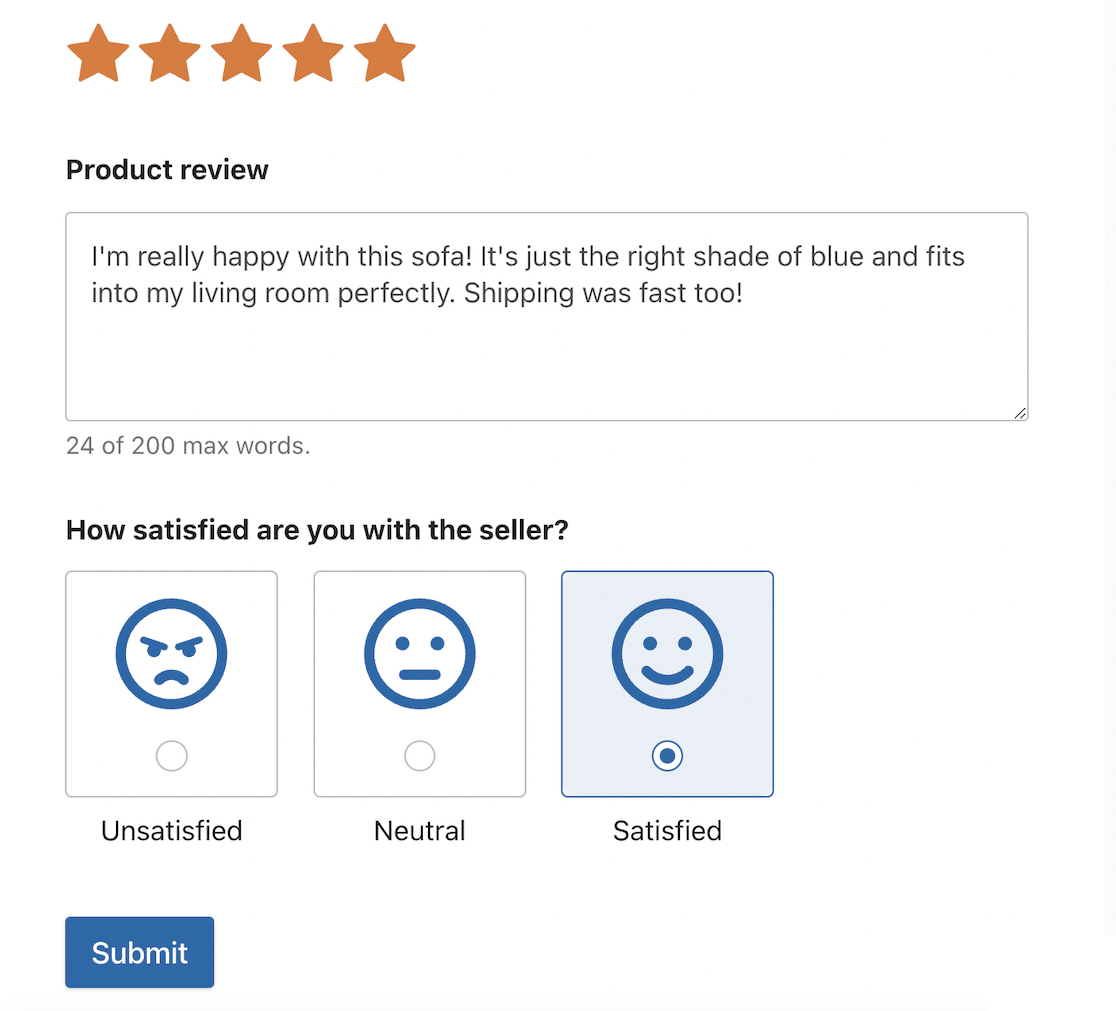
With conditional logic and dozens of built-in integrations and addons, you can create advanced workflows for reviews in WPForms.
For example, you could use conditional logic to display a field asking for further feedback if a user gives a rating below a set level.
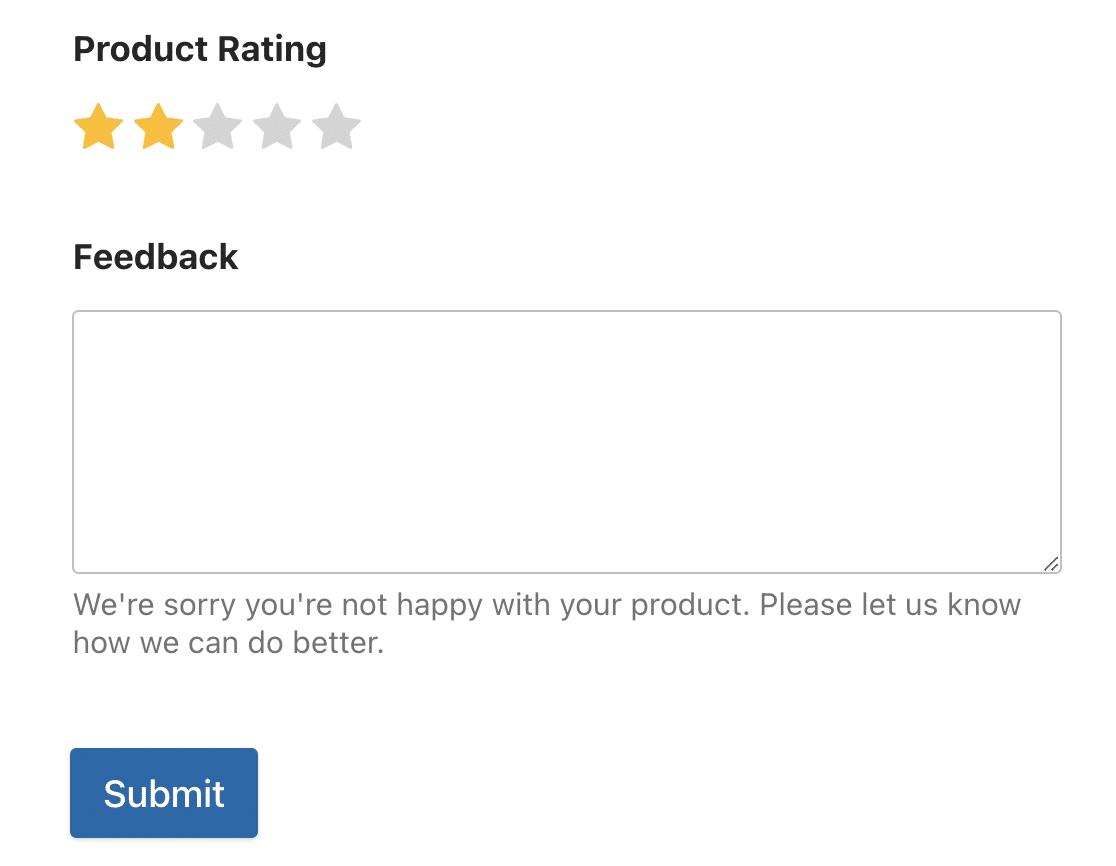
And with the coupons addon, you can easily offer customers discount coupon codes as an incentive for leaving a review.
What I Liked
- Drag-and-drop builder: Complete beginners can put together a review form with custom fields in minutes.
- Ready-made templates: Over 2,100+ form templates, including several review forms.
- Rating fields: Star ratings, Likert scales, and NPS fields built for feedback.
- Photo and video reviews: The file upload field lets customers add real images and clips.
- Full styling control: Match the form to your theme without touching CSS.
- Easy embedding: Drop a review form anywhere with a block, shortcode, or Elementor widget.
Plans and Pricing
WPForms has a free Lite version to get you started. Paid plans begin at $49.50 per year, and the review-collection addons like Post Submissions, Surveys and Polls, Form Locker, and Coupons are part of the Pro plan at $199.50 per year.
Collect Product Reviews With WPForms Now 📦
2. All In One SEO (AIOSEO)

AIOSEO is primarily an SEO plugin, so you may not have considered it for creating product reviews. But AIOSEO’s powerful SEO features are precisely what makes it one of the best product review plugins available.
AIOSEO includes a schema generator that makes it easy to add properly structured product and review schemas to your online store.
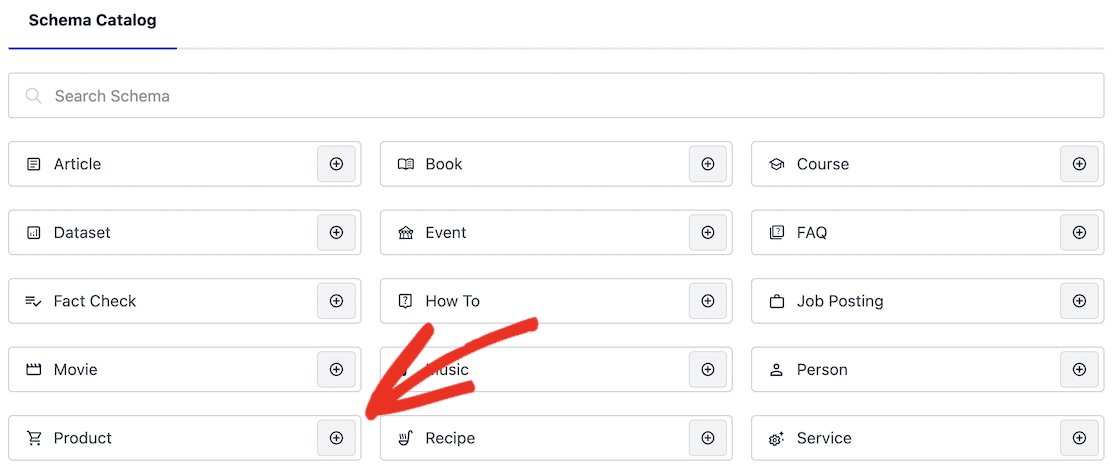
If you’ve ever searched for products on Google, you’ll have seen product schemas in action.
Google uses product schemas to display rich snippets that include useful information about products for consumers, such as price, brand, and image of the product.
Information from review schemas is often displayed alongside product schema, particularly the product rating, which is illustrated as stars.
In the Google results, products displaying a high star rating are instantly more attractive to online shoppers and are more likely to attract clicks and drive sales. So, using AIOSEO to generate review schema is well worth it to improve SEO and make your products more visible.
My Experience
We already use AIOSEO to optimize content on the WPForms site, so I’m very familiar with how easy it is to use.
Creating a product review is as simple as filling out a form with your product details. For most of these fields, I found we could just copy and paste from the product page.
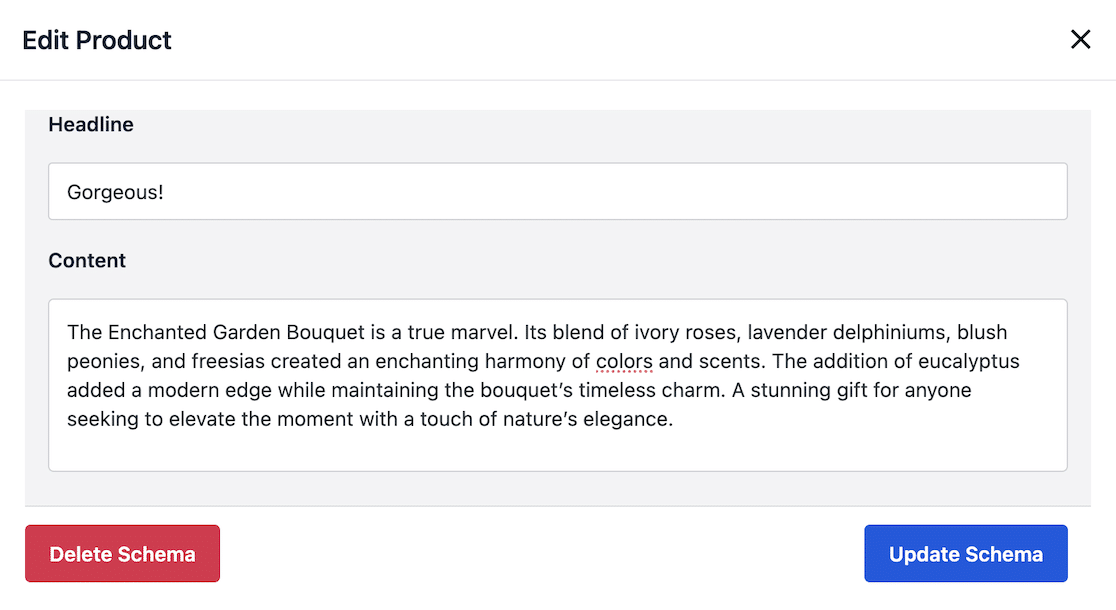
I also liked how AIOSEO automatically fills some of this information from the product page, which makes it really quick to complete the schema.
The plugin includes a handy link to Google’s schema validation tool and preview, which we found really helpful when getting started with product schemas.
The main limitation of using AIOSEO for reviews is that it doesn’t generate reviews to be displayed on your site – only schema, which allows them to be shown in Google results.
But it’s a fantastic companion for an eCommerce plugin like WooCommerce, which has reviews built into the platform.
What I Liked
- Product and review schema: Add rich-result markup to posts, pages, custom post types, and WooCommerce products.
- Google Merchant listings: Supports the schema Google uses for product rich snippets.
- Auto-generation: Pulls product schema from WooCommerce product pages automatically.
- Broad SEO toolkit: Everything else AIOSEO does helps your reviews and products get found in the first place.
Plans and Pricing
AIOSEO has a free version, and paid plans start at $49.50 per year for the Basic plan, which already includes the schema generator you need for product and review markup.
3. Smash Balloon Reviews Feed

Smash Balloon Reviews Feed takes a different angle from the rest of this list. Instead of collecting new reviews, it pulls the reviews you’ve already earned on other platforms and displays them beautifully on your WordPress site.
If your happy customers are leaving reviews on Google, Yelp, or Facebook, those reviews are doing nothing for the people browsing your website.
Reviews Feed fixes that by fetching them and showing them in a customizable feed, so your best social proof lives where it counts.
My Experience
Setup is about as fast as review plugins get. You connect a source, pick a layout, and embed the feed, and it inherits your theme styles so it looks at home right away.

What I found most useful is being able to combine several sources into one feed, so a page can show Google and Facebook reviews side by side.
The visual moderation tools also let you hide the odd off-topic review, and you can lay the feed out as a list, a carousel, or a masonry grid depending on the page.
What I Liked
- Six-plus review sources: Pulls from Google, Yelp, Facebook, Trustpilot, TripAdvisor, WordPress.org, and WooCommerce.
- Combined feeds: Show reviews from more than one platform in a single feed.
- 100-plus customization options: Match the feed to your branding without code.
- Moderation tools: Filter out reviews you don’t want to display.
- Review schema: Adds markup so your displayed ratings can help SEO.
Plans and Pricing
Reviews Feed has a free version on WordPress.org. Reviews Feed Pro, which unlocks the extra sources and customization, starts at $49 per year and is billed annually.
4. Easy Digital Downloads (EDD) Reviews

If you’re selling digital products, Easy Digital Downloads is a complete online store solution that makes it easy for you to sell digital products directly from your WordPress site without the need for a third-party service.
The pro version of the plugin comes with a Reviews extension that provides an easy way to publish reviews on your digital products.
You can limit reviews to verified customers or logged-in users, and there’s also the option to moderate reviews before publication.
Installing the Reviews extension also adds a new section to the email settings page.
Here, you can enable review notifications, send an automatic email requesting a review after purchase, and automatically send a discount coupon to a customer after they submit a review.
My Experience
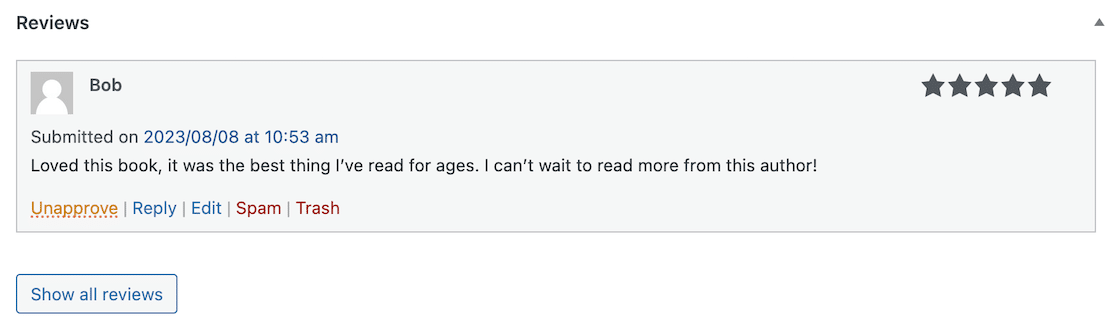
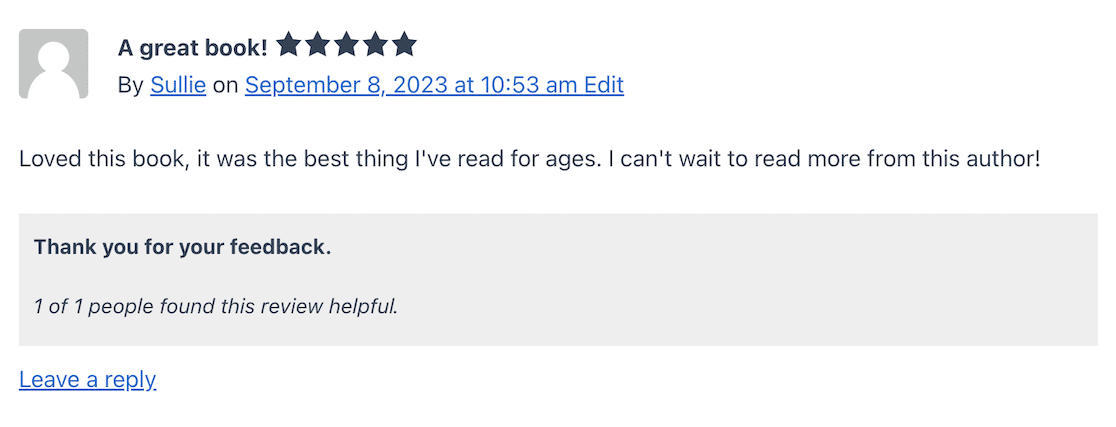
I found EDD reviews simple and easy to use as it’s integrated seamlessly into the EDD product page. After users submit their reviews on the front end of the site, they’re visible in the WordPress dashboard, where you can approve, edit, or delete them.
I also liked the built-in integration for FrontEnd Submissions (EDD’s extension to turn your site into a multivendor marketplace.) This enables customers to rate and review vendors as well as the actual products.
What I Liked
- Post-purchase requests: Automatically email customers to ask for a review.
- Coupon incentive: Send a discount code after someone leaves a review.
- Per-product control: Close or disable reviews on individual products.
- Vendor feedback: Enable ratings for vendors on marketplace sites.
- Product schema: Built-in markup for review rich snippets.
Plans and Pricing
You need a paid EDD license to use extensions. Reviews is part of the Extended pass, which is $199.50 per year. The core Easy Digital Downloads plugin is free.
5. WP Review Pro

If you’re looking for a plugin designed specifically for creating product reviews, WP Review Pro could be a great fit.
WP Review Pro comes with a library of customizable review templates, so you have complete control over the look and style of the reviews on your site.
There’s loads of flexibility when it comes to getting your reviews to look just right, and you can choose from a variety of rating styles and customize them in various styles and colors to match your site.
While this may be less relevant to eCommerce sites, this plugin also lets you import reviews from other sites like Facebook reviews, Yelp reviews, and Google reviews.
My Experience
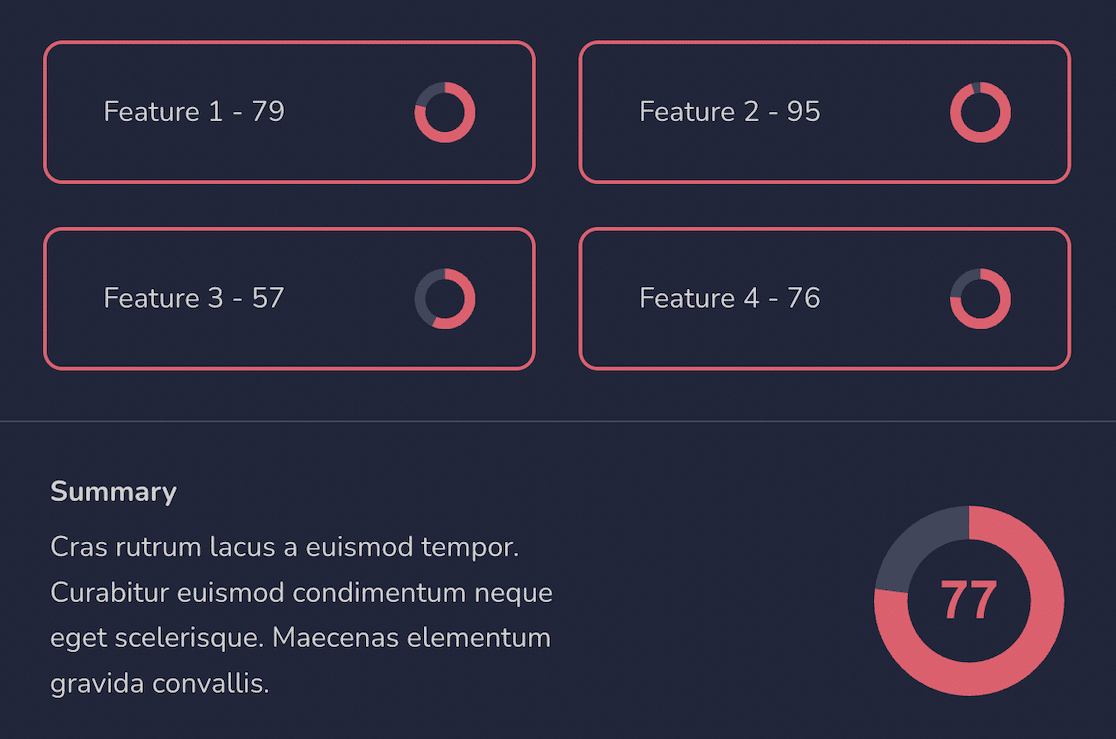
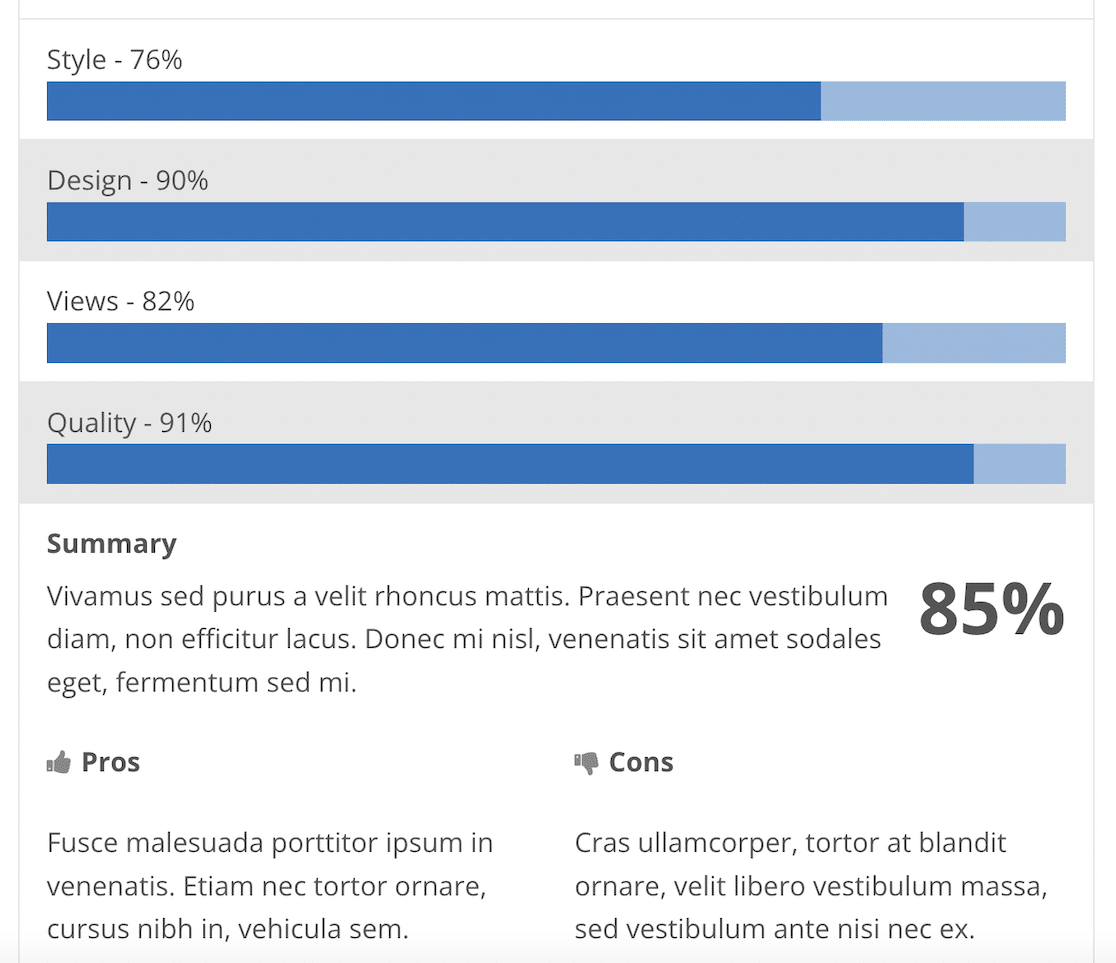
I found the reviews created by this plugin to offer more style variety than any other plugin I tested. As well as choosing colors and fonts, you can set ratings as stars, points, thumbs up, and percentage circles to create eye-catching reviews.
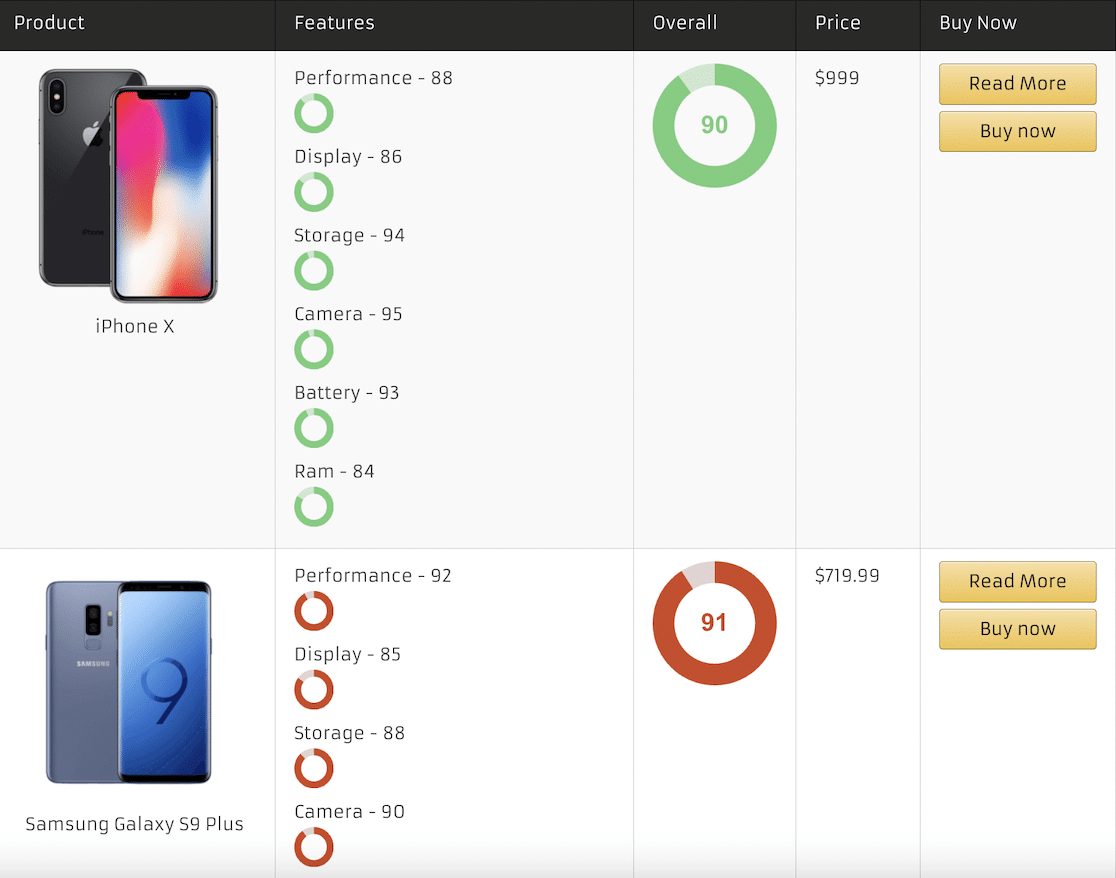
Another useful feature I esd impressed with was the option to create comparison tables. This could be really effective for stores that want to make it easier for their customers to compare products or for affiliate sites displaying reviews of multiple products on one page.
I also found the plugin very user-friendly from an end-user perspective. Review forms are quick to complete and submit, and we liked the click-and-drag action to fill percentage sliders and circles.
What I Liked
- Many rating styles: Stars, points, thumbs, and percentage circles, with custom icons.
- Comparison tables: Put several products side by side on one page.
- WooCommerce ratings: Show ratings on store product thumbnails.
- Pros and cons: List them right in the review box.
- Popups and bars: Draw attention to specific product reviews.
Plans and Pricing
WP Review Pro costs around $67 per year, though MyThemeShop often discounts it from $77. There’s also a free WP Review plugin with a smaller feature set.
6. Customer Reviews for WooCommerce

WooCommerce has a built-in review system that allows customers to leave a written review and star rating, but it’s very basic.
The Customer Reviews for WooCommerce plugin extends the review features of WooCommerce with photo and video reviews, review voting, review filtering, customer questions, and more.
Built-in schema markup and Google Shopping integration help to improve your online store’s SEO and display your products directly in Google search results.

My Experience
I found Customer Reviews for WooCommerce to be easy to use and full of useful features. It builds on the integrated product reviews in WooCommerce, so all you have to do to get started is adjust the settings.

But what I really liked about this plugin is that it allows you to automatically send a personalized email to customers after they make a purchase, asking them to leave a review (and optionally offer them a discount in exchange for a review.)
This feature alone will surely help you get more reviews on your online store.
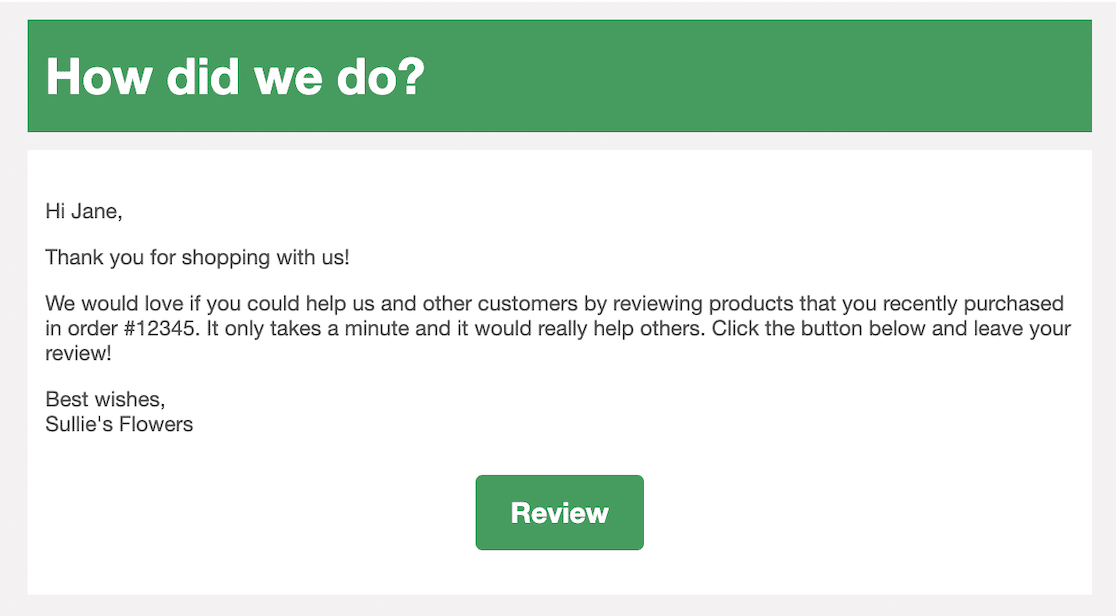
I was able to activate this feature just a couple of minutes after installing the plugin, as a setup wizard walks through the settings of choosing an email delay and optionally restricting it to specific product categories or user roles.
What I Liked
- Review reminder emails: Automatically follow up after a purchase.
- Verified reviews: Third-party verification that reviews are authentic.
- Spam protection: reCAPTCHA support to cut fake reviews.
- Discount incentive: Offer a coupon for leaving a review.
- Customer questions: Shoppers can ask about a product and others can answer, much like Amazon.
Plans and Pricing
The plugin is free, and CusRev’s paid plans start at around $60 per year.
7. Site Reviews

Site Reviews makes it easy to add reviews to any page or post on your site with WordPress Gutenberg blocks. The plugin has multiple pre-built blocks for displaying your latest reviews, a review section, or a review form.
It also integrates directly with WooCommerce and generates valid product schema, so it fits both review sites and stores.
My Experience
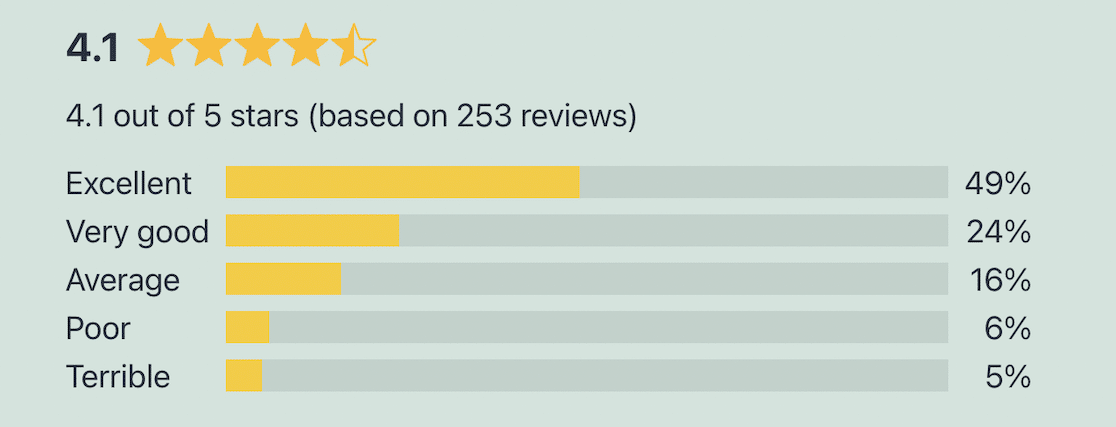
Site Reviews is a simple plugin with some advanced review features. I liked how the included blocks for displaying review submission forms, single reviews, or review summaries make it so quick to get reviews on your site.
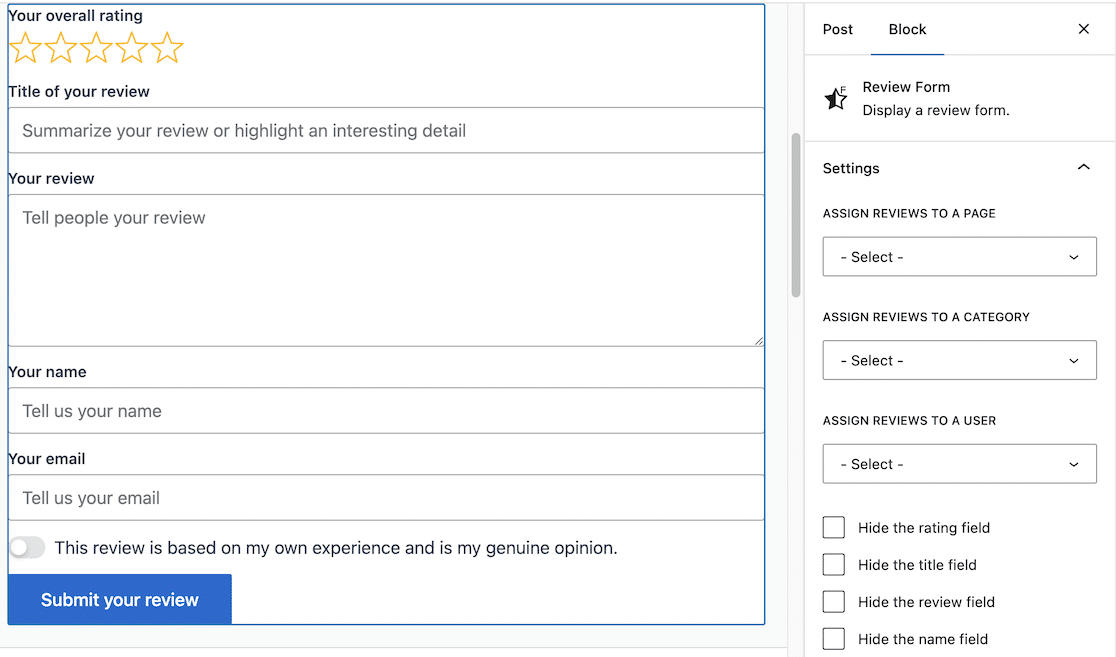
However, when it comes to using the more advanced functionality of the plugin, such as creating a custom form with specific review criteria, there is a bit of a learning curve.
This plugin includes some very attractive template themes, and it was nice not to have to play around with color palettes and custom CSS to create reviews that look professional.
The live preview that lets you see design changes as you make them is also a nice touch.
What I Liked
- Block-based: Add review forms, single reviews, or summaries anywhere.
- Photo uploads: A drag-and-drop uploader for customer images.
- Layouts: Carousel and grid views for displaying reviews.
- Sorting and filtering: Sort, filter, and search through reviews.
- WooCommerce ready: Easy integration and valid product schema.
Plans and Pricing
Site Reviews is free on WordPress.org, and Site Reviews Premium bundles the paid add-ons for around $90 per year.
8. Schema Engine AI

Schema Engine AI is a lightweight plugin that makes it easy to generate Schema.org structured data for your product reviews so that search engines like Google will display star ratings, product images, and other rich results when a user searches for your products.
This freemium product review plugin automatically generates product schema for your posts, pages, and WooCommerce products.
It also creates attractive, customizable reviews to display on your site with some useful features such as video and image reviews, product pros and cons, and the option to vote reviews up or down.
My Experience
I found Review Schema easy to use and intuitive from the start, as the interface is very similar to the standard WordPress post composer.
A visual review styler makes it simple to choose how you want your reviews to look and behave, and settings such as allowing image uploads can quickly be toggled on and off.
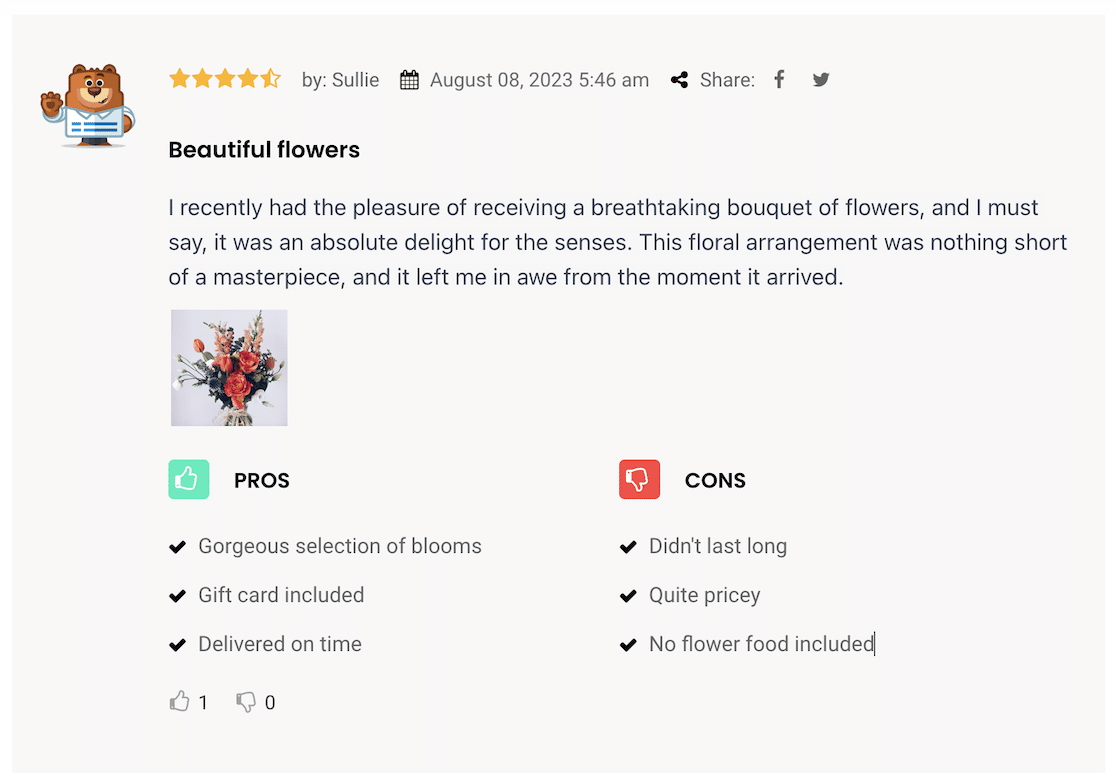
I also liked that a custom CSS editor is included so you can fully customize reviews to match your site.
If you want to get the most out of this plugin, you really need to install the premium version, as we found the free plugin quite limited.
For example, you’ll need to upgrade to get access to product schema for WooCommerce plugins, as well as a lot of other features such as video reviews, likes and dislikes for reviews, purchase badges, and advanced styling options.
What I Liked
- AI schema generation: Create schema for articles, FAQs, and products with AI.
- Multi-criteria ratings: Score products across several criteria.
- Media reviews: Let users upload images and video.
- Pros and cons: Collect them within each review.
- WooCommerce ready: Product schema for your store (pro).
Plans and Pricing
There’s a free version on WordPress.org. Pro plans start at $34 per year, or $89 for a lifetime license.
Bonus: WP Customer Reviews

If you’re looking for a free product review plugin, it’s worth trying WP Customer Reviews.
This open-source plugin lacks some of the bells and whistles of the premium plugins, but it’s a solid choice if you’re looking for a basic WordPress product review plugin on a budget.
My Experience
This no-frills plugin lacks the user-friendly drag-and-drop editors and extensive settings pages of the premium versions of other product review plugins.
The plugin can be activated on any page or post of your WordPress site by scrolling down and clicking a checkbox to accept reviews.
You can also add a shortcode to any page or post to display a review submission form or a number of reviews that you specify.
As I’m an experienced WordPress users, I’m familiar with using shortcodes. But this could be confusing for less technical users, and there are much more user-friendly options out there.
A critical issue with using a free plugin like this is that there’s pretty much no support apart from a basic bug report and feature request form.
What I Liked
- Completely free: No paid tier to worry about.
- Paged reviews: Spread reviews across pages to keep load times down.
- Customizable form: Adjust the review submission form and add custom fields.
- Anti-spam: A built-in anti-spam feature.
Plans and Pricing
WP Customer Reviews is a free plugin.
My Final Verdict on Product Review Plugins
Every plugin here will improve how you collect or display reviews, but the flexibility and simplicity of WPForms make it hard to beat when you want to gather reviews on your own terms.
It isn’t limited to reviews either, so the same plugin can handle every other form on your site. To get the most from those reviews, make sure your product pages are set up for Google rich snippets.
Any of the schema plugins above will do it, or you can install a general SEO plugin like AIOSEO and cover your whole site at once.
Create Your Product Review Form Now
FAQs About WordPress Product Review Plugins
Product review plugins come up a lot when store owners want more social proof. Here are quick answers to the questions I hear most about choosing and using a WordPress product review plugin.
How do I add product reviews to WooCommerce?
WooCommerce has reviews built in. Make sure the Enable product reviews option is checked in your product settings, and customers can review your products. To go further with photo reviews, reminders, and schema, add a plugin like Customer Reviews for WooCommerce, or an SEO plugin like AIOSEO for the rich snippet side.
Do product review plugins help with SEO?
Yes. Reviews add fresh, keyword-rich content to your pages, and most review plugins add review schema. That schema is what lets Google display star ratings next to your listing, which tends to lift click-through rates.
Can I collect product reviews with a form?
You can, and it’s my preferred approach when I want control over the questions. A form builder like WPForms lets you gather ratings, written reviews, and even photo or video uploads, then publish approved submissions with the Post Submissions addon.
What is the best free WordPress product review plugin?
For a completely free option, WP Customer Reviews and the free version of Site Reviews are both solid. WPForms Lite is a good free choice if you’d rather collect reviews through a form.
What are rich snippets?
Rich snippets are the extra details, like star ratings, prices, and images, that search engines show right in the results. A review plugin that outputs schema markup is what makes your products eligible for them.
Next, Add a Customer Feedback Form to Your Website
Reviews are only one kind of customer feedback, and sometimes you want to hear from people before they post anything publicly.
A customer feedback form on your WordPress site lets you catch issues early and improve your products before they turn into a public complaint.
You can also browse our marketing ideas for small and local businesses for more ways to promote your products and drive sales.
Ready to build your form? Get started today with the easiest WordPress form builder plugin. WPForms Pro includes lots of free templates and offers a 14-day money-back guarantee.
If this article helped you out, please follow us on Facebook and X (Twitter) for more free WordPress tutorials and guides.





