


AI Summary
Everyone loves a good quiz. They’re one of the most powerful ways to boost engagement and capture new leads on your website.
But building a great quiz involves more than just questions. You have to nail the scoring, the logic, and the user experience to get it right.
That’s why I went on a hunt for the best WordPress quiz plugins out there. I wanted to find the tools that make the whole process feel effortless.
I’ve personally put each of these plugins to the test. This guide is a real-world look at which ones actually deliver on their promises.
The 5 Best Quiz Plugins for WordPress
Finding the right quiz plugin for WordPress can be tricky. The term “quiz” itself is incredibly broad. One person might be looking for a simple tool to create a graded test for their students. Another might need a complex personality quiz designed to go viral on social media and capture thousands of email leads.
These are two very different jobs, and not every plugin can handle both. That’s why I’ve put together the comparison table below. Before I get into my hands-on experience with each tool, I wanted to give you a quick, side-by-side look at the most important features.
| Features | WPForms | Thrive Quiz Builder | Formidable Forms | MemberPress | Interactive Quiz Maker |
| Quiz Types | Graded, Personality, Weighted | Number, Percentage, Personality | Graded (Scored) | Graded (Multiple Choice, True/False) | Personality, Scored, Assessment |
| AI Quiz Generation | Yes | No | No | No | Yes |
| Conditional Outcomes | Yes | Yes | Yes | No | Yes |
| Time Limits | Yes | No | No | Yes | Yes |
| Lead Capture / Email Gate | Yes | Yes | Yes | (Via Membership) | Yes |
| Detailed Reporting | Yes | Yes | Yes | Yes (Gradebook) | Yes |
| Starting Price for Quiz | Pro Plan | $99/year | Plus Plan | Launch Plan | $27/month (billed annually) |
1. WPForms
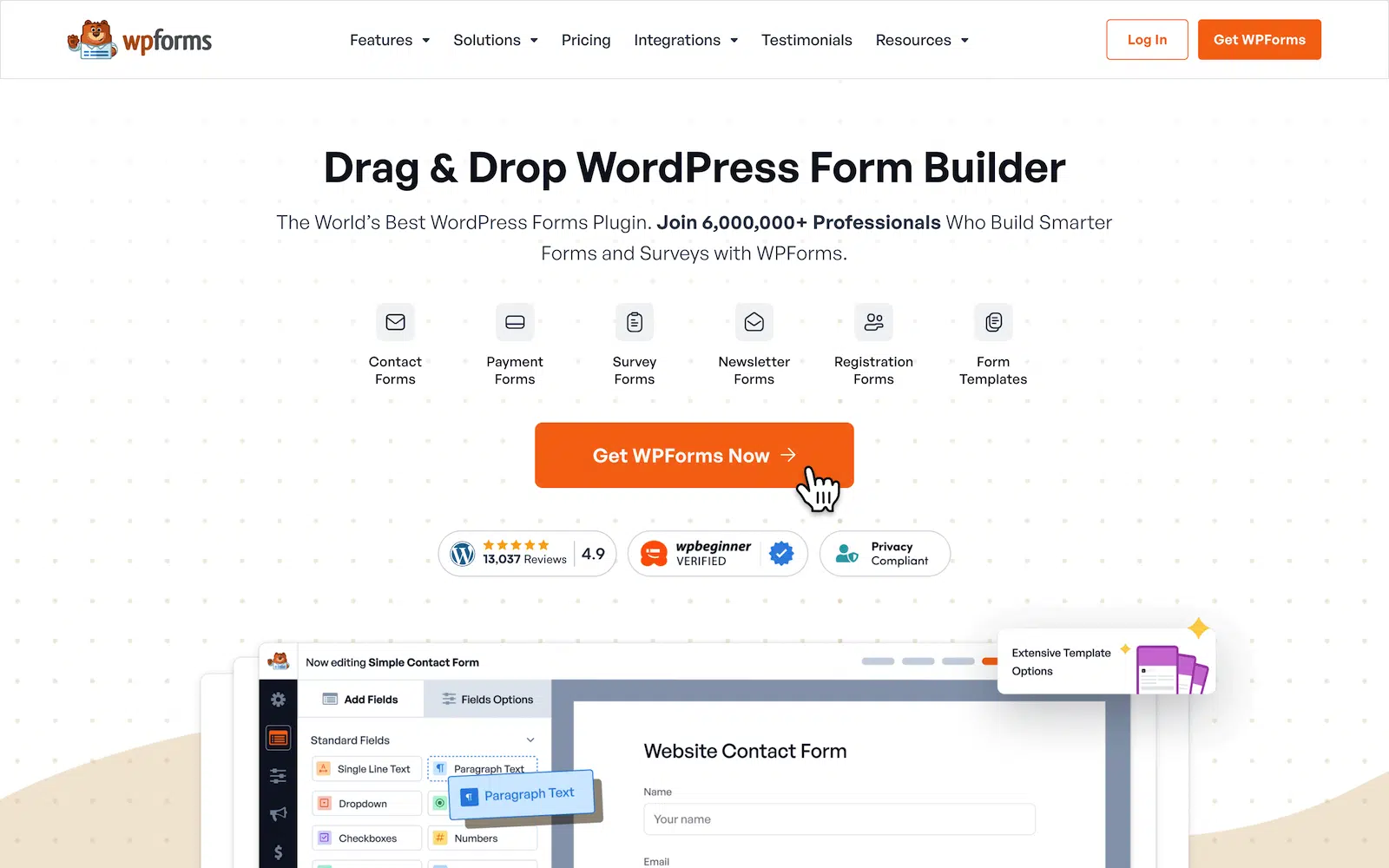
If you’ve spent any time with WordPress, you already know WPForms. It’s built a massive user base by making the process of creating powerful forms incredibly simple and intuitive.
The drag-and-drop builder is famously easy to use, and it’s backed by a ton of features that handle just about any scenario you can think of.
- WordPress.org Rating: 4.9 out of 5 stars
- Active Installs: 5+ million
My Experience
Getting started was incredibly simple. After installing the main WPForms plugin, I just had to activate the Quiz Addon. From that point on, a new Quiz tab appeared in the settings for any form I built.
My first step was to enable quiz mode, which immediately presented me with a crucial choice. I had to pick between three distinct quiz types.

There was a Graded Quiz for right-or-wrong answers, a Personality Quiz for sorting users into different types, and a Weighted Quiz for scoring answers on a scale.
Seeing these options laid out so clearly made it obvious how much thought has gone into the Quiz Addon. This isn’t a simple grader, but a complete system.

To see how it worked, I decided to build a weighted quiz using the AI form builder. I typed a quick prompt for a weighted quiz, and a complete quiz with questions and logic appeared in seconds.
For each multiple-choice question, I could set a weight for each choice based on how much I want that option to contribute to the final result.

Curious, I switched the quiz type over to Graded to see what would change. The mapping dropdowns were replaced by simple radio buttons to mark the single correct answer.
I also found settings to provide instant feedback, letting me write custom messages for correct and incorrect answers right after a user makes a choice.

Then I tried the Personality quiz, and again, the options changed, this time giving me a box next to each answer to assign the specific personality. The whole system is incredibly smart and context-aware.
For each multiple-choice question, I could open the options and see a simple dropdown next to each answer, allowing me to map it to a personality type like “Creative Genius” or “Data Dynamo.”

What I Liked
What really stands out to me is the customizability of the Quiz Addon. The ability to choose between graded, personality, and weighted quizzes means you can build for almost any goal.
You can create a serious certification exam just as easily as you can build a fun, viral-style personality test. The AI-powered generator is the perfect starting point for this or even the long list of quiz templates available.

The features that directly impact the person taking the quiz are also incredibly well-thought-out. The option to show instant feedback and explanations after each question is a huge plus for educational quizzes.
For graded quizzes, the ability to include a link to a full summary report is another great touch. It lets users review their answers and see exactly where they went right or wrong, which adds a lot of value to the experience.

But the real marketing power comes from the conditional outcomes. This is where you can show a “Problem-Solver” for instance, a tailored message with a specific call to action.
When you combine this with the built-in lead capture and the ability to tag subscribers based on their results, the quiz becomes a powerful engine for audience segmentation.

However, the job isn’t over when someone finishes the quiz either. After your quiz is live and collecting entries, you can view performance and answer data from the Results tab.
On the Results page, you can review charts and question breakdowns to see how users are answering each question and how results are distributed.
As you scroll, each question includes its own chart and answer counts, so you can quickly spot the most common responses.

How Much Does It Cost?
The Quiz Addon is a premium feature available on the WPForms Pro plan, which is currently priced at $199.50 per year. This plan is a complete package, so in addition to all the quiz functionality, you also get access to the full AI form builder, payment integrations with Stripe and PayPal, survey and polls features, and dozens of other powerful tools.
2. Thrive Quiz Builder
The Thrive Quiz Builder is a tool with a very clear, singular focus. It’s built from the ground up to be a list-building machine. It’s part of the popular Thrive Suite of conversion-focused WordPress tools.
The plugin is known for its powerful branching logic, A/B testing capabilities, and detailed analytics that help you optimize your quizzes for the best possible results.
- Active Installs: (Not available on WordPress.org, sold as a premium product)
- User Rating: Highly regarded in the marketing community for its conversion features.

My Experience
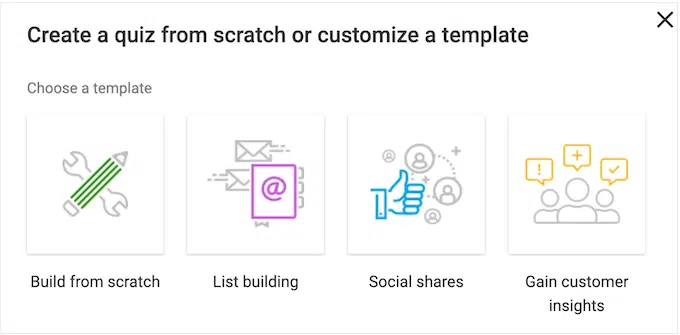
From the moment I launched the plugin, it was clear that Thrive Quiz Builder thinks about quizzes differently. I was greeted by a dedicated setup wizard.
The first step wasn’t about adding questions, it was about choosing a goal. Did I want to build my email list, get social shares, or just show a result?
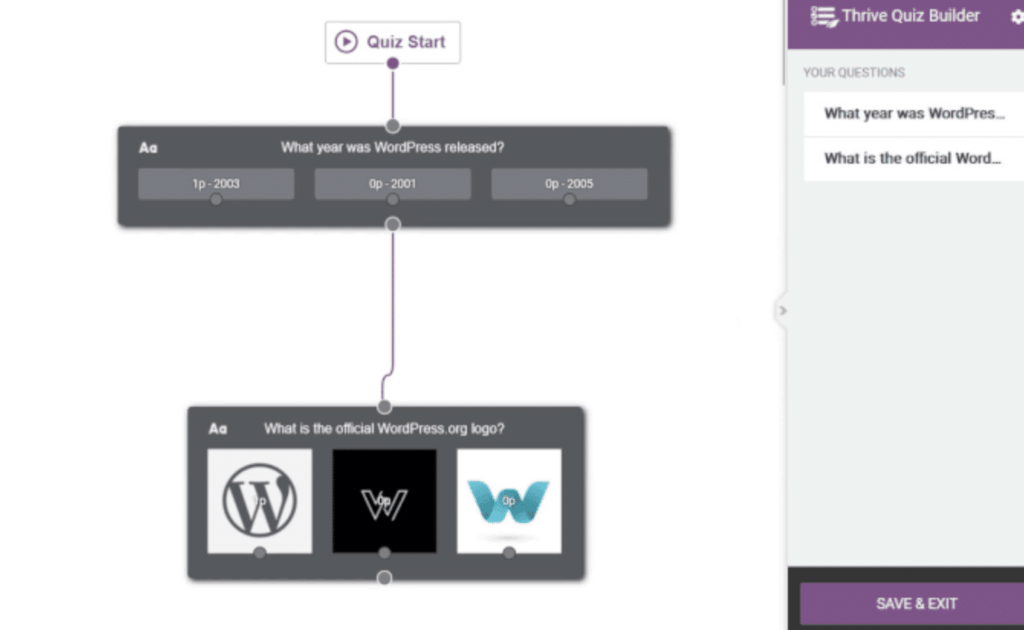
The builder itself is a visual, step-by-step map of the entire quiz funnel. It shows you every stage, from the splash page to the questions, the all-important opt-in gate, and finally, the results page.
You click on a stage in the map, and it takes you to the editor for that specific part. Adding questions was straightforward, but the real power became obvious when I started defining the logic.

I could literally draw lines from a specific answer to a specific follow-up question. This meant I could create a dynamic path where one answer could lead to a specific outcome and another answer to something else.
It’s incredibly powerful for creating highly personalized quiz experiences. It definitely felt more complex than a simple mapping system, but the visual editor made it manageable.
What I Liked
Thrive Quiz Builder’s absolute dedication to being a marketing tool is its greatest strength. The entire process is built around optimizing your quiz funnel for conversions.
The visual branching logic is a true standout feature. Being able to send users down different question paths based on their answers allows for a level of personalization that can be really useful.

The built-in analytics are also impressive and laser-focused on performance. The reports don’t just show you how people answered.
They show you exactly where users are dropping off in your quiz funnel, so you can identify weak spots and fix them. This data is invaluable for improving completion rates.

But the feature that really sets it apart for me is the A/B testing. You can test different splash pages against each other to see which one gets more people to start the quiz.
How Much Does It Cost?
Thrive Quiz Builder can be purchased in two ways. You can get the standalone plugin for a single site for $99 per year. Alternatively, you can purchase the full Thrive Suite for $299 per year.
This gives you access to Thrive Quiz Builder plus all of their other conversion-focused tools like Thrive Architect, Thrive Leads, Thrive Apprentice, Thrive Ultimatum, Thrive Ovation, Thrive Optimize, Thrive Comments.
3. Formidable Forms
Formidable Forms is known for its incredible power and flexibility, especially when it comes to data. It’s the go-to tool for developers who want to build complex, form-driven applications, like directories, listings, and advanced calculators.
True to its nature, Formidable’s approach to quizzes is handled through a dedicated Quiz Maker Addon. This feature is less about flashy quiz funnels and more about creating powerful, data-driven assessments.
- WordPress.org Rating: 4.7 out of 5 stars
- Active Installs: 300,000+

My Experience
My journey with Formidable Forms felt very different from the start. After activating their Quiz Maker plugin, I went to build a new form, but I couldn’t find any specific quiz settings in the main builder.
I added a few multiple-choice questions for a simple trivia quiz, but there was no obvious way to mark an answer as correct directly in the field options.

It took me a minute to figure out the workflow. With Formidable, you build the form first and then apply the quiz logic afterward. All the magic happens in the form’s Actions & Notifications settings.
Here, I added a new action called Quiz Score (you can also choose Quiz Outcome). This opened up a single, powerful settings panel where I could configure the entire quiz.

What I Liked
The thing that really clicked for me is how Formidable handles all the quiz logic in one clean, powerful place. For each question, I had to set up a rule.
It looked something like this. “Which cartoon character lives in a Pineapple under the sea” question, if the user’s answer is “Sponge Bob” award 1 point.

After setting up the scoring for all my questions, I configured the results message right there in the same action panel. I could use special shortcodes to display the user’s final score or the percentage of correct answers.
How Much Does It Cost?
The Quiz Maker Addon is available starting with the Plus plan from Formidable Forms, which is currently priced at $99.50 per year.
This plan also gives you access to their integrations with services like Mailchimp and Constant Contact, as well as their library of pre-built form templates.
4. MemberPress
MemberPress is a bit of a unique entry on this list because it’s not a form or quiz builder at its core. It’s one of the most powerful and popular all-in-one membership plugins for WordPress.
The quiz functionality in MemberPress is basically an integrated part of its Courses Addon This means the quizzes are designed with a very specific purpose in mind: to be used as assessments inside an online course.
- Active Installs: (Not available on WordPress.org, sold as a premium product)
- User Rating: Widely respected as a top-tier solution for membership and course creation.
My Experience
To get to the quiz builder, I first had to go through the process of creating an online course. This is because in MemberPress, a quiz is an element that you add directly into your course curriculum like a lesson.
I used their visual course builder to create a simple course outline with a few sections and lessons. Once my course structure was in place, I could simply create a quiz with the default Gutenberg editor.

I easily built the quiz by typing a question into a title field and then adding the possible answers below it using a simple “Add Answer” button.
For each answer I added, there was a simple checkbox next to it to mark it as the correct one. It’s a straightforward system designed for graded tests.

What I Liked
What I appreciate most about MemberPress is its complete focus. It knows exactly what it is, and it doesn’t try to be a do-it-all quiz tool.
The quizzes are designed for one thing and that is to support an online course. And for that specific job, the integration is brilliant.

After building out my questions, I went into the quiz settings. Here, I could set the passing grade for the quiz and customize the messages that students would see if they passed or failed.
The built-in Gradebook also gives you a clear overview of how all your students are performing on their quizzes, which is essential for managing an educational program.
How Much Does It Cost?
The quiz functionality is part of the integrated Courses Addon, which is included in all MemberPress plans. The entry-level Basic plan for MemberPress starts at $179.50 per year. This gives you the full membership platform, the course builder, and all the quiz features for use on a single site.
5. Interact Quiz Maker
Interact is not a native WordPress plugin but a dedicated, web-based platform for creating online quizzes, polls, and giveaways.
You build your quiz on the Interact website using their polished editor and then embed it into your WordPress site using a dedicated plugin.
- Active Installs: (Not a WordPress plugin. Integrates via an official plugin)
- User Rating: Very popular among marketers and creators for its visual appeal and powerful lead generation features.

My Experience
Working with Interact required stepping out of the WordPress world. The entire quiz-building process happens on their website, not in your WordPress dashboard.
After signing up, the first thing I saw was a massive library of professional-looking quiz templates. They have templates for nearly every industry you can imagine, which is a great starting point.

I picked a template for a “Product Recommendation” quiz. The builder was incredibly slick and polished. It’s a clean, left-to-right workflow that guides you through every step.
You edit the cover page, then write your questions, and then set up the results. The editor is very visual. Adding questions felt more like creating slides in a presentation than building a form.

What I Liked
The most powerful part of the experience was the results and branching logic. I could map answers to specific outcomes, but I could also create complex branching paths, similar to Thrive Quiz Builder.
After setting up the questions, I configured the lead generation settings. I was able to set up an email capture form that would appear right before the user saw their results, and I could easily connect it to my email marketing service.

Once my quiz was designed and the logic was set, getting it onto my site was the final step. I installed their official WordPress plugin, copied a shortcode from my Interact dashboard, and pasted it onto a page.
How Much Does It Cost?
Interact is a subscription-based SaaS tool, and its pricing is based on the number of leads you collect per year. The entry-level Lite plan starts at $27 per month when billed annually. This plan allows you to create unlimited quizzes and collect up to 6,000 leads per year.
What’s the Best WordPress Quiz Plugin?
After spending a lot of time building quizzes with each of these tools, one plugin clearly stands out as the best all-around choice.
While each tool has its own unique strengths, only one of them manages to do everything exceptionally well, all within a single, intuitive platform.
Thrive Quiz Builder is a fantastic tool for pure marketers, but its intense focus on funnels can be overkill for a simple quiz. Formidable and MemberPress are powerful in their own right, but they serve very specific purposes.
And while Interact creates beautiful quizzes, the entire experience happens on a separate platform, which never feels truly integrated with your WordPress site.
This is why WPForms is the clear winner for me.
It’s the only plugin that gives you the best of ALL worlds. You get the marketing power of conditional outcomes and lead capture, the flexibility to create graded, personality, or weighted quizzes, and the ease of the native WordPress interface.
Not to mention, the AI generator alone puts it in a different league. No other tool makes it this easy to get a complete, well-thought-out quiz up and running in a matter of seconds.
FAQs on Best WordPress Quiz Plugins
What is the best plugin for quizzes in WordPress?
The best all-around plugin for quizzes in WordPress is WPForms.
It stands out because it combines a user-friendly, drag-and-drop builder with a powerful Quiz Addon.
This allows you to easily create any type of quiz, including graded tests, personality quizzes, and weighted assessments.
Features like the AI quiz generator, conditional outcomes for results, and built-in reporting make it the most complete and versatile choice for any goal.
Can I create a quiz for free in WordPress?
Yes, you can create a basic quiz for free in WordPress using plugins like the free version of Watu Quiz. These tools allow you to set up simple graded quizzes with multiple-choice questions.
However, for more advanced features like personality quiz types, lead capture, detailed reporting, and conditional logic, you will typically need a premium plugin like WPForms Pro.
How do I create an interactive quiz in WordPress?
To create an interactive quiz in WordPress, you need a plugin that supports features like conditional logic and personalized outcomes.
A tool like WPForms with its Quiz Addon is ideal for this. You can build a quiz where the results page changes based on the user’s score or personality type.
For even more interactivity, you can use features like instant feedback after each question or break your quiz into a multi-page format with a progress bar to keep users engaged.
Can I make a quiz to generate leads?
Absolutely. Making a quiz to generate leads is one of the most effective marketing strategies you can use. To do this, you need a quiz plugin with lead capture or “email gating” features.
With a plugin like WPForms or Thrive Quiz Builder, you can require users to enter their email address to see their quiz results.
The best tools also let you segment those leads by tagging them based on their quiz outcome, allowing for highly targeted follow-up marketing.
Next, The Best AI Form Builder for WordPress
Using AI to instantly generate a quiz was one of the most prominent features for me in this comparison, saving tons of time on the initial setup.
To see what else this technology can do for your workflow, check out our comparison on the best AI form builders and what they can do for you.
Ready to build your form? Get started today with the easiest WordPress form builder plugin. WPForms Pro includes lots of free templates and offers a 14-day money-back guarantee.
If this article helped you out, please follow us on Facebook and Twitter for more free WordPress tutorials and guides.


