How to Fix reCAPTCHA Not Working in WordPress
Is your reCAPTCHA not working on your WordPress site? There are a handful of common reasons why this might be happening, and we can help you fix them.

Is your reCAPTCHA not working on your WordPress site? There are a handful of common reasons why this might be happening, and we can help you fix them.
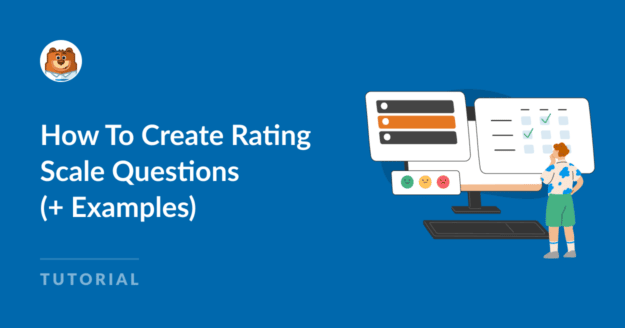
Are you looking to incorporate rating scale questions into your surveys?
Rating scale questions can offer insight into how much a respondent agrees with a statement, how satisfied they are, or how likely they are to do something.
I’ve built plenty of survey forms in WPForms, and the field you pick shapes your data more than the wording of the question does.
A star rating gives you one quick score, while a Likert grid collects six ratings in the space a single question would normally take.
This guide walks through all five field types, when to reach for each one, and how to read the results once responses start landing.
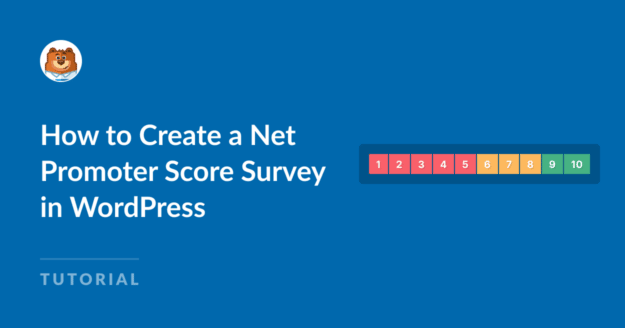
NPS surveys are vital for measuring customer satisfaction and improving as a business.
WPForms offers a ready-made template to quickly get you started on building an NPS survey form.
Click to learn how you can create a Net Promoter Score survey and embed it on your website without any code!
Are you frustrated with email delivery failures? Unreliable email deliverability can mean a loss of business and sales. In this post, we’ll look at what causes email delivery failure and how you can fix it in WordPress.
Easy, Fast, and Secure. Join over 6 million website owners who trust WPForms.
Are your contact form emails going to spam when the response is triggered? We get it. It’s frustrating to realize your messages aren’t reaching their recipients. In this post, we’ll look at issues with email deliverability, including why your emails are going to spam and the easy steps you can take to fix them.

Running contest is an excellent way to generate new leads, grow your email list, and promote important landing pages of your site.
But it’s challenging to manage a contest manually.
Thankfully, you can use some advanced plugins that will take care of your contest automatically once you set them up.
Read more to learn about creating your WordPress contest entry forms effortlessly.

The weekly summary WPForms emails you now opens with stat tiles for entries, views, and spam, each marked with how it moved against the previous week.
Beneath them, a table gives every form its own line, and when the data earns it the headline changes to call out a best week, a milestone, or a form that has gone quiet.
A single button takes you from the email back into WPForms, so the thing worth checking is one click away.

The Paystack addon brings card, bank transfer, and mobile money payments to your forms for buyers in Nigeria, Ghana, South Africa, and Kenya.
Buyers click submit and pay in the Paystack popup in naira, cedis, rand, or Kenyan shillings, with no new field to add to your form.
Bank transfer and mobile money payments are saved as Pending, and WPForms can hold your notification emails until Paystack confirms the payment, then completes the order on its own.
Every Paystack payment shows up in WPForms » Payments, and full refunds can be issued without leaving WordPress.

The WPForms Dashboard is a new home screen that opens the moment you click WPForms in your admin menu. Stat cards across the top total up your forms, entries, payments, views, and spam across the whole site.
An Entries widget charts activity over your chosen date range with a per-form table of entries, views, interactions, and conversion rate, and a payments widget totals everything collected once a gateway is connected.
With the Geolocation addon active, Top Locations ranks the countries your visitors come from, and a Suggested Next Steps panel points to features worth turning on.
Nothing to install, as it comes with every plan, including Lite!

Every form now has its own built-in QR code generator, with nothing extra to install or buy.
Open a form’s General settings, choose the page the form lives on or paste its URL, and click Generate QR Code to copy it or download it as a PNG or a print-ready SVG.
Put it on menus, packaging, event badges, or business cards, and every scan opens your form instead of a page that only hands people something to read.
Included with every plan, including Lite; Pro and Elite plans can keep, remove, or replace the WPForms logo in the center with their own.

The Surveys & Polls addon gains a Ranking field!
Instead of scoring each option separately, respondents drag options (or tap arrow buttons on a phone) into the order they prefer, so one option always has to come first.
WPForms tallies every response into a “Times at #1” count and an average rank for each option, with a chart that makes the winner obvious.
Lay options out as a vertical list or a grid, and use Image Choices or Icon Choices in place of plain text labels.