


AI Summary
You typed a question into ChatGPT, hit enter, and got back something generic. So you tried again. And again. Still not quite right.
The problem usually isn’t the AI. It’s the prompt.
A good prompt is the difference between a vague wall of text and an answer you can actually use. The good part is that writing them is a skill you can pick up in a few minutes, then reuse forever from a swipe file like this one.
Below are 40+ AI prompt examples you can copy, paste, and tweak, covering writing, marketing, business, email, SEO, social media, customer support, and forms. They work in ChatGPT, Claude, Gemini, or whatever tool you reach for. I’ll also break down what makes a prompt actually good so you can write your own.
Try the WPForms AI Form Builder
What Is an AI Prompt?
An AI prompt is the instruction you give an AI tool like ChatGPT, Claude, or Gemini to tell it what you want. It can be a quick question or a detailed brief that includes context, a role to play, a format to follow, and a few rules.
The clearer you are about what you want, the closer the output lands. Vague in, vague out.
What Makes a Good AI Prompt?
The best prompts usually include five things:
- Task: what you want the AI to do, like write, summarize, rewrite, or brainstorm.
- Context: the background it needs, like your audience, product, or goal.
- Format: how the answer should look, like a table, a bulleted list, or 100 words.
- Constraints: the rules to follow, like the tone, reading level, or what to avoid.
- Success criteria: what a good result actually looks like to you.
Here’s the difference that makes.
Weak prompt: Write a blog intro about remote work.
Strong prompt: You are a workplace productivity writer. Write a 90-word blog intro for HR managers about why remote workers lose steam after six months. Open with a surprising statistic, keep the tone authoritative but warm, and don’t ask a question in the first line.
Same topic, completely different output. The second version hands the AI a role, an audience, a length, a structure, and a tone to hit, so it has something real to work with.
AI Prompt Examples for Every Use Case
These are grouped by what you’re trying to get done. Anything in brackets is a placeholder, so swap in your own details before you run it. Start with one, see what comes back, then refine it (more on that in the tips section).
Writing and Content Prompts
AI is at its best as a first-draft partner and an idea machine. These help you get past the blank page.
- Suggest 5 blog post ideas for [insert your website or product niche], each with a one-line angle that hasn’t been done to death.
- Create a comprehensive outline for a blog post on [insert your topic]. Include an intro hook, H2 and H3 headings, and a short note on what each section should cover.
- Rewrite the paragraph below to be clearer and more concise without losing the meaning. [paste your paragraph]
- Act as an editor. Review the text below for clarity, flow, and repetition, then give me the edited version followed by a short list of what you changed. [paste your text]
- Explain [complex topic] in plain language to someone with no background in it. Use a simple analogy.
- Give me 10 punchy title options for an article about [topic]. Keep each under 60 characters.
Marketing Prompts
As a marketer, I lean on AI for the repetitive, time-eating tasks so I can spend more time on strategy. These get great results from most tools.
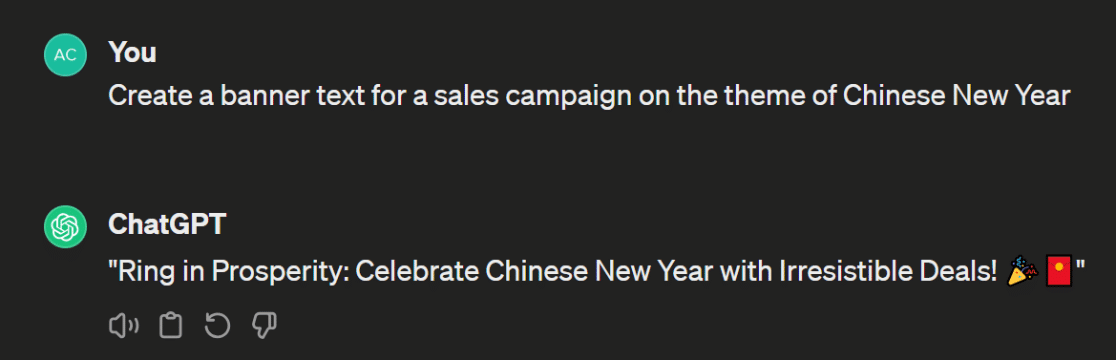
- Create banner text for a sales campaign on the theme of [insert details of the sale event or theme].
- Write copy for a landing page about [provide a topic]. The copy needs to be engaging and clearly show the benefits of [your product or topic].
- Write a concise, benefit-focused description for a product called [product name] with these features [list the features in detail].
- Create a brief description for a giveaway. The prize is [insert prize details]. Limit it to 100 words and write in an enthusiastic tone.
- Construct a URL with UTM parameters based on this information [insert your URL and the source, medium, campaign, and content values].
Business and Productivity Prompts
These are the ones that quietly save you an hour a day on admin and planning.
- Summarize the text below into 5 key takeaways and 3 action items. [paste meeting notes or a document]
- Draft a meeting agenda for a [length] meeting about [topic] with [number] attendees. Include time blocks for each item.
- Turn these rough notes into a clear, professional message I can send to [recipient]. [paste your notes]
- Create a simple project plan for [project]. Break it into phases with the main tasks and a rough timeline for each.
- Act as a devil’s advocate and poke holes in this plan. [paste your plan] Then suggest how to fix the weak spots.
Email Marketing Prompts
AI genuinely shines at email. It rarely nails a full email on the first try, but it gives you strong paragraphs and angles to build from.
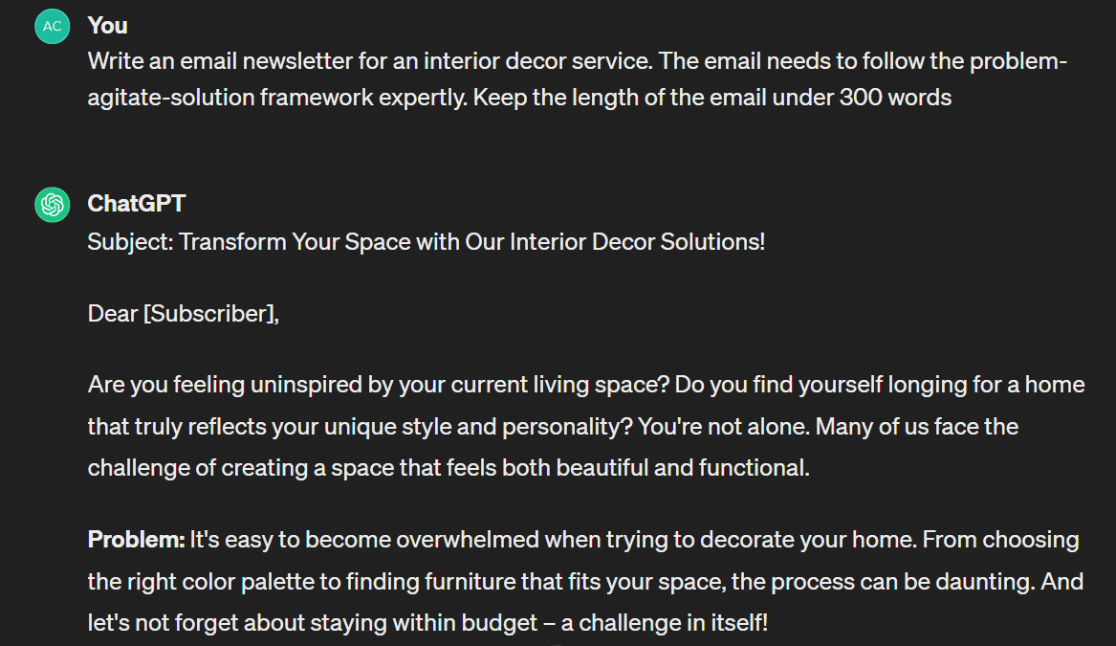
- Write an email newsletter on [your topic]. Follow the problem-agitate-solution framework and keep it under 300 words.
- Create an email newsletter about [your topic] based on the AIDA framework.
- You are an expert email marketer. Write 5 catchy, original subject lines for an email about [your topic]. Make each one feel fresh.
- Generate a cart abandonment email for [your product]. The goal is to win the customer back by leaning on FOMO, persuasive but not pushy.
- Write a short, punchy call-to-action paragraph for a sales email promoting [your product or service].
SEO Prompts
AI tools keep getting better at SEO support. They won’t replace a real strategy, but they’re a solid research assistant.
- Suggest long-tail keyword variations for the seed keyword [insert your primary keyword].
- Explain the difference in search intent between [keyword 1] and [keyword 2].
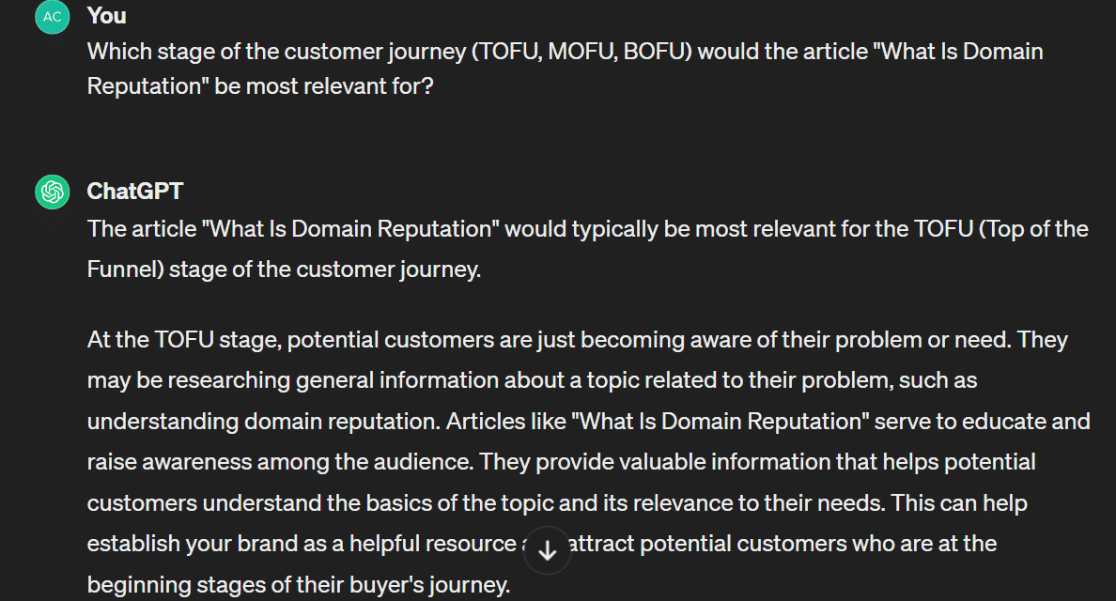
- Which stage of the customer journey (TOFU, MOFU, or BOFU) is an article about [topic] most relevant for, and why?
- Generate 5 well-optimized blog titles for an article about [topic]. Keep each under 60 characters.
- Write a meta description for a blog post about [topic]. Keep it between 120 and 155 characters and include the primary keyword.
- Produce a list of FAQ ideas I can include in an article about [topic].
Social Media Prompts
Great for turning one idea into a week of posts.
- Generate a social media post announcing the release of our new [product, feature, or service]. [Add details about the release and the problem it solves.]
- Summarize the article at [URL] and create 5 posts to promote it. Honor each platform’s character limits. (You’ll need a tool that can read URLs for this.)
- Turn this blog post into a 6-part thread. [paste post or URL] Keep each part tight and end with a hook to the next.
- Write 10 short caption options for a photo of [describe the image]. Vary the tone from playful to professional.
- Give me 15 content ideas for [your niche] that would work well as short-form video hooks.
Customer Support Prompts
Helpful for first drafts of replies and canned responses, so your team isn’t writing the same answer for the hundredth time.
- Write a friendly, empathetic reply to this customer complaint. [paste the message] Acknowledge the frustration, offer a clear next step, and keep it under 120 words.
- Turn this technical explanation into a simple answer a non-technical customer would understand. [paste the explanation]
- Create 5 canned responses for common questions about [your product]. Keep the tone helpful and on-brand.
- Rewrite this reply to sound warmer without losing the information. [paste your draft]
- Draft an apology email for [issue, like an outage or shipping delay]. Be sincere, take responsibility, and explain what you’re doing about it.
AI Prompts for Building Forms
With an advanced form builder like WPForms, there’s usually more than one way to build a form for a given purpose. AI is great for figuring out which fields and questions to include.
- We’re hiring for [job position]. Create a job application form for this role and specify the fields I should include.
- Imagine you’re creating a quote request form for [your business]. What fields should it include? Group them by field type.
- Create an employee satisfaction survey form with a reasonable mix of open-ended and closed-ended questions.
- Generate Likert scale questions for a [survey name] survey, worded for response options from strongly disagree to strongly agree.
- Write a confirmation email sent to a visitor after they submit a [form name] form. Keep it concise and friendly.
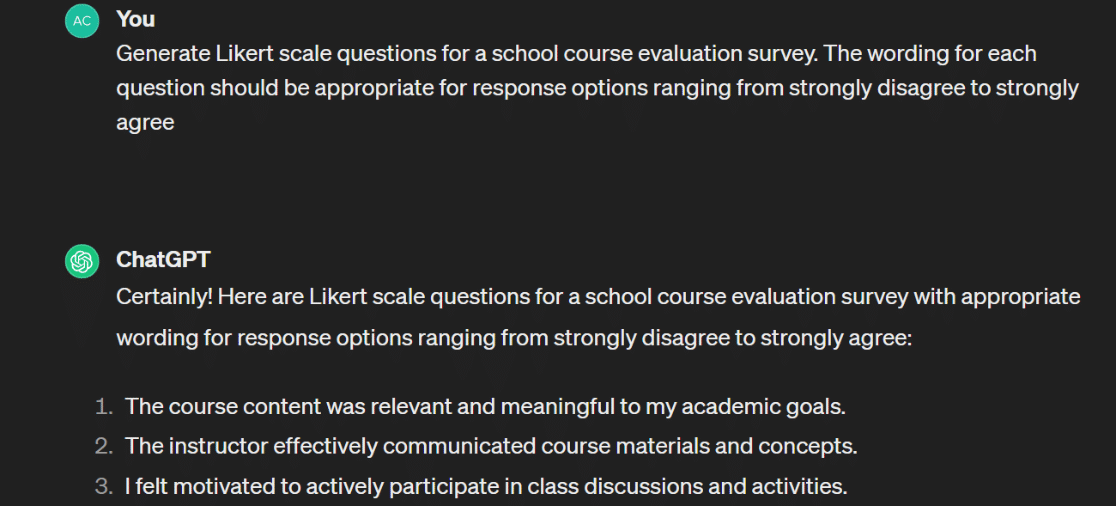
Here’s the nice part. You don’t even have to leave WordPress to use AI on your forms. AI Choices helps you generate answer options right inside the builder, and with AI-Powered Forms you describe the form you want in a sentence or two and WPForms builds it in seconds. You can chat back and forth to fine-tune it, just like a prompt. See the WPForms AI documentation for the details.
Tips for Writing Better AI Prompts
Good prompts share a few habits. Practice these and you’ll get useful results far more often.
- Be specific: The quality of the response depends on the detail in your prompt. Longer, clearer instructions almost always beat short, vague ones.
- Use follow-ups: AI rarely nails it on the first try. Treat it like a conversation, refine your instruction based on what you got back, and steer it toward the result you want.
- Show an example: If you have a style or format in mind, paste an example and ask the AI to match it.
- Assign a role: Telling the AI to act as a copywriter, analyst, or support agent gets you a more focused, expert-sounding answer.
- Set the format and limits: Ask for a table, a word count, or bullet points up front so you don’t have to reformat later.
No one is truly an expert at this yet, AI moves too fast for that. So grab the prompts that fit your work, then experiment and make them your own.
FAQs About AI Prompt Examples
Here are quick answers to the questions people ask most about writing and using AI prompts.
What is an AI prompt?
An AI prompt is the text instruction you give a tool like ChatGPT, Claude, or Gemini to tell it what you want. It can be a single question or a detailed brief with context, a role, a format, and constraints.
What is an example of an AI prompt?
A simple one is “Explain how compound interest works in plain language.” A stronger one is “You are a financial educator. Explain compound interest to a high school student in under 150 words, using one everyday example.” The second gives the AI a role, an audience, a length, and a format.
What makes a good AI prompt?
A good prompt usually defines the task, adds context, specifies the output format, sets constraints like tone or length, and describes what a good result looks like. The more of those you include, the better the output.
What are the best AI prompts for ChatGPT?
The best prompts are the ones matched to your task, like the writing, marketing, email, SEO, and support examples above. Role-based prompts that start with “You are a [role]” tend to produce the most focused results in ChatGPT.
How do I write an AI prompt?
Start with the task, add the context the AI needs, tell it the format you want, and set any rules like tone or word count. Run it, review the output, then refine with a follow-up until it’s right.
Next, Put AI to Work for Your Business
More businesses are folding AI into their daily workflows, as the latest AI statistics show. If you’re just getting started, take a look at our roundup of the best AI plugins for WordPress and our guide to using AI with WordPress.
Build Smarter Forms With WPForms AI
Ready to build your form? Get started today with the easiest WordPress form builder plugin. WPForms Pro includes lots of free templates and offers a 14-day money-back guarantee.
If this article helped you out, please follow us on Facebook and Twitter for more free WordPress tutorials and guides.





