Category: WordPress Tutorials

Recent Posts

How to Customize the WordPress Password Reset Form

The default WordPress password reset form is pretty basic. It gets the job done, but it doesn’t exactly scream “professional” or match your brand’s look and feel.

Without a custom password form WordPress solution, you’re missing out on keeping that brand consistency intact. Plus, you can’t add helpful instructions or customize the messaging to guide users through the reset process smoothly.

That’s where the WPForms User Registration addon comes in handy. It lets you create a fully customized password reset form that actually looks like it belongs on your site.

You can match your website’s colors, fonts, and overall design while providing clear, helpful instructions. So, without further ado, follow the steps in this guide to customize your WordPress password reset form!
Continue Reading

How to prevent bots from submitting your forms

How to Stop Bots Submitting Your Forms (7 Ways)

Woke up to 300 spam form submissions overnight? Bots are flooding your contact forms with garbage entries, fake email addresses, and malicious links.

You’re wasting hours deleting spam instead of responding to real customers, and your email inbox is clogged with useless notifications.

Bot attacks can crash your server from processing thousands of fake submissions, fill your database with junk data that slows your site, and even spread malware through malicious links in form fields.

Without protection, a single bot attack can take your forms offline and damage your business reputation. This guide shows you seven proven methods to stop bots from submitting your WordPress forms.

Continue Reading

How to show a confirm email address field on wordpress forms

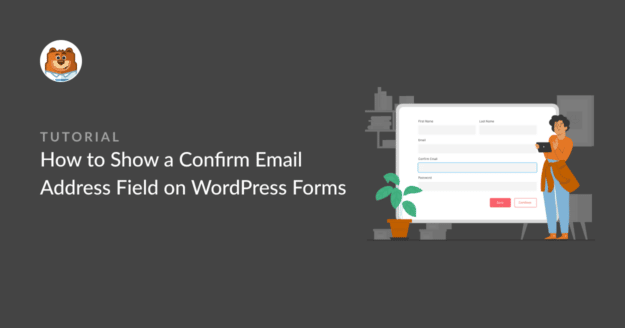
How to Show a Confirm Email Address Field on WordPress Forms

Are you wondering how to add a confirm email address field to your WordPress forms?

Users entering inaccurate email addresses when they submit forms can make it impossible for you to respond to their messages. This is bad for business and your brand.

Adding a confirm email address field is a smart way to fix this. Here’s how!

Continue Reading

The Best WordPress Drag and Drop Form Builder Plugin

Easy, Fast, and Secure. Join over 6 million website owners who trust WPForms.

how to make an online model release form in wordpress

How to Make an Online Model Release Form in WordPress (2025)

Need an easy way to process model release forms? You should try doing this online.

Online model release forms are an easy way to get the consent you need without having to go back and forth in emails, or waste paper on printing documents, and so on. You can simply use WPForms’ model release form template to get started.

This template has all the fields you’ll need. including a digital signature field to it. Jump in for all the steps!

Continue Reading

How to track user locations with WordPress form submissions

How To Track User Locations With WordPress Form Submissions

Do you want to learn how to detect user locations with WordPress form submissions?

Knowing where site visitors filling out your forms are from can help you cater to their needs and turn more leads into paying customers. In this article, we’ll show you how you can learn about the locations of your users using WPForms and the Geolocation addon.

Continue Reading