WPForms Blog

WordPress Tutorials, Tips, and Resources to Help Grow Your Business

Recent Posts

Hero banner with a bear mascot on the left and the large headline 'What’s a Good Form Conversion Rate?' on a dark gray background; a 'PRO TIP' badge bottom left and abstract right-side infographic elements convey a guidance theme.

What’s a Good Form Conversion Rate? (2026 Benchmarks by Form Type)

You published a form, the entries started coming in, and sooner or later you found yourself staring at the numbers wondering if they are any good.

I have asked myself the exact same thing, and every time I went looking for an answer, I hit the same wall. One article says a good form converts at 2%. The next says 50%. Both sound confident, and they cannot both be right.

Those numbers disagree because people use “form conversion rate” to mean two completely different things. Once you know which one you are looking at, the benchmarks start to make sense.

In this guide, I will give you real, sourced numbers for 2026, broken down by industry and by form type. Then I will show you how to find your own rate inside WordPress and what to do to move it.

Continue Reading

Bear mascot in a navy suit holding a glittering diamond on a beige hero banner that reads “The Road to WPForms v2.0.”

The Road to WPForms v2.0: Every Step That Got Us Here

If you’ve been using WPForms for a while, you’ve watched it change under your hands.

A new integration here, a smarter field type there, and the AI features quietly leveling up the whole time.

Each update made sense on its own, but it’s easy to miss how much ground they cover when you add them all up.

WPForms 2.0 is the milestone that puts the whole picture in one place.

So this is the story of how we got here, and a tour of everything you can do with WPForms today, because chances are good you own features you haven’t tried yet.

Continue Reading

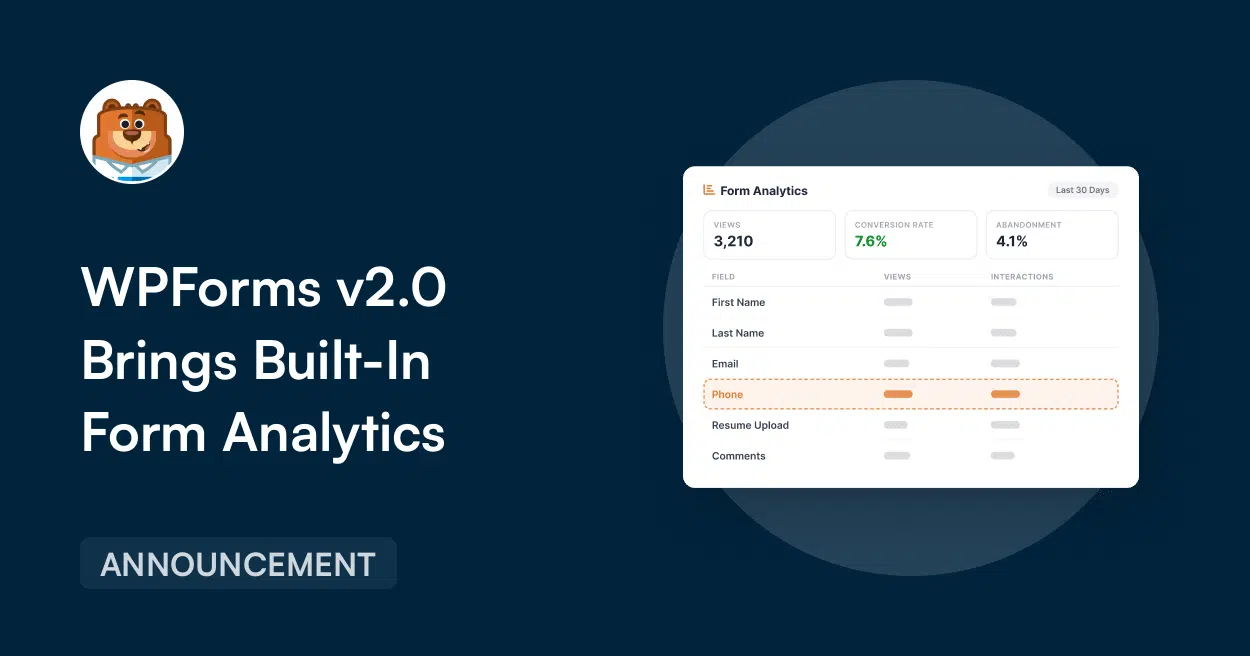
Promotional hero banner for WPForms v2.0 announcing built-in form analytics, featuring a mascot and a right-side analytics dashboard mockup with views and conversion metrics.

Introducing WPForms Analytics: Built-In Form Performance Tracking

Right now, someone is filling out a form on your website.

Maybe they finish it. Maybe they are starting it but giving up halfway through. Or maybe one field is creating more friction than you realize.

You have no way of knowing which.

Because until now, figuring that out usually meant setting up a separate analytics tool, digging through event tracking, or making your best guess from the entries you received.

And the entries you never received? Those were the ones holding the answers.

So the reasons stayed buried, and every visitor who gave up walked away without ever telling you why.

That changes today.

Continue Reading

The Best WordPress Drag and Drop Form Builder Plugin

Easy, Fast, and Secure. Join over 6 million website owners who trust WPForms.

Hero banner for a tutorial titled 'How to Add Downloadable PDFs to WordPress Form Confirmations' featuring a bear mascot top-left and a PDF icon on the right, with a 'TUTORIAL' badge bottom-left.

How to Add Downloadable PDFs to WordPress Form Confirmations

Do you want to add a downloadable PDF to your WordPress form confirmation? Handing visitors a resource the moment they submit your form is a great lead generation strategy.

Email notifications are still a great way to keep a record on file, but your confirmation message is the first thing a visitor actually sees, so it’s the perfect place to put the file front and center.

Continue Reading

Hero banner: beige background, bear avatar left, title 'How to Build an Employee Training Quiz in WordPress' with a blue checklist icon on the right.

How to Build an Employee Training Quiz in WordPress

In this guide, you’ll build an auto-graded employee training quiz right on your WordPress site. It scores itself the moment someone hits submit, shows each employee how they did, and emails you the results. You won’t need a learning management system or another login for your team to forget, and the grading handles itself.

Continue Reading

🔔 Subscribe to get our latest updates
📧 Subscribe to Emails

Email Subscription

Join our Newsletter

We won’t spam you. We only send an email when we think it will genuinely help you. Unsubscribe at any time!
Improvement New Feature

Meet the New Frond-End Form Themes Editor

Hero banner announcing the new Front-End Form Themes Editor; bear mascot on the left and stacked form illustrations on the right.

The Front-End Form Themes Editor lets you restyle your WPForms forms on the pages where they’re embedded, with each adjustment showing up as you make it.

Saving from the form’s preview page sets its default look, while saving anywhere else changes that one placement only.

Open it from the admin bar’s Edit Form Theme item, or from an Edit Theme button inside the builder, the block editor, Elementor, or Divi.

Every form ends up looking at home wherever it appears.

Integration New Feature

Grow Your Drip List Right From Any WPForms Form

Announcement banner: 'Announcing Drip for All WPForms Users' with a mascot on the left and a circular logo on the right.

Drip now works inside WPForms itself, so any form can create or update subscribers in your Drip account without a separate addon to manage.

Tags set on a connection travel with each new subscriber, which lets the Drip workflow tied to that tag pick them up straight away.

Link a Drip account in WPForms » Settings » Integrations, then set up a connection from the Marketing panel of the form builder.

Sites that ran the earlier Drip addon keep their accounts, connections, and field mappings exactly as they were.

New Feature Payments

Start Your Stripe Subscriptions With a Trial Period

Left-aligned hero text: “Add a Trial Period to Stripe Subscriptions in WPForms,” with a bear avatar and an ANNOUNCEMENT badge on dark blue background.

A Stripe subscription sold through WPForms can now begin with a trial period: the subscriber signs up today, and their first payment waits until the trial is over.

The card is collected and checked at signup, held by Stripe, and charged automatically on the day the trial ends.

The length is a number of days, weeks, months, or years, chosen in the form builder’s Payments tab for each Stripe subscription you sell.

Each trial shows up in WPForms » Payments with a Trialing status until that first payment lands.

Improvement

Weekly Email Summary

Hero banner announcing the WPForms Weekly Email Summary with a mascot circle on the left and a white analytics card on the right, on a dark blue background.

The weekly summary WPForms emails you now opens with stat tiles for entries, views, and spam, each marked with how it moved against the previous week.

Beneath them, a table gives every form its own line, and when the data earns it the headline changes to call out a best week, a milestone, or a form that has gone quiet.

A single button takes you from the email back into WPForms, so the thing worth checking is one click away.

Integration New Feature Payments

Paystack Addon

Introducing the WPForms Paystack Addon: Accept Payments in Nigeria, Ghana, South Africa, and Kenya

The Paystack addon brings card, bank transfer, and mobile money payments to your forms for buyers in Nigeria, Ghana, South Africa, and Kenya.

Buyers click submit and pay in the Paystack popup in naira, cedis, rand, or Kenyan shillings, with no new field to add to your form.

Bank transfer and mobile money payments are saved as Pending, and WPForms can hold your notification emails until Paystack confirms the payment, then completes the order on its own.

Every Paystack payment shows up in WPForms » Payments, and full refunds can be issued without leaving WordPress.