Paperform Alternative for WordPress

The Paperform Alternative That Never Closes Your Forms

While Paperform meters your submissions, payments and storage, WPForms runs on your own WordPress site, where every form stays open through your busiest month and collects unlimited entries and payments. That’s why 5+ million websites never wake up to a form that stopped working.

WPForms vs Paperform

Everything in this comparison comes back to whether your form is still open when the next visitor arrives. Paperform decides that with plan meters, WPForms leaves nothing to count.

FeatureWPFormsPaperform
SubmissionsUnlimited on every license, free Lite included30 a month on Free, 100 on Essentials, 1,000 on Pro, 10,000 on Business
Payment submissionsUnlimited. There’s no cap on how many people can pay you5 a month on Free, 20 on Essentials, 250 on Pro, 2,500 on Business
What happens at the capNothing. There is no capForms stay active for a short grace period, “after which they will be closed until the situation is remedied”
Stored submissionsEvery entry stays in your own WordPress database (Basic and up)100 / 1,000 / 10,000 / 100,000 per account; forms close when storage is full until you delete entries or upgrade
UsersUnlimited on every paid license1 on Free and Essentials, 3 on Pro, 5 on Business plus $9 a month per extra user
Where the form livesInside your WordPress site, as a block in your own pagesOn Paperform’s servers, embedded into your page or opened at a paperform.co link
Branding on the formYours only, on every license“Free Paperform branding” on Free, “Minimal” on Essentials, removable from Pro
Your own domainAlways. It’s your websitepaperform.co links by default; a custom domain is $20 a month per domain on Pro, one included on Business
Form analyticsViews, interactions, errors, drop-off and time spent for every field, plus conversion goals and AI chat (Pro)Pro and Business only: views, starts, submissions and completion rate, plus a drop-off list built from 30-day partial submissions
Payment gatewaysStripe, PayPal, Square and Mercado Pago (Pro), Authorize.Net (Elite), with Apple Pay and Google Pay through StripeStripe, PayPal Business, Square and Braintree, with Google Pay; Apple Pay isn’t supported on web forms
Platform fee on paymentsNo platform fee from Pro upward. The free version carries a 3% feeNo platform fee. Payment submissions are capped instead
Custom CSSIncluded from BasicPro and Business only
Spam protectionreCAPTCHA, hCaptcha, Cloudflare Turnstile, Akismet and built-in anti-spamreCAPTCHA
Yearly cost for analytics and fee-free payments$199.50 for Pro, unlimited users, up to 5 sites$588 for Pro with 3 users, plus $240 a year for a custom domain

What Changes When You Switch From Paperform

Your forms move onto a site you own, where entries land in your WordPress dashboard and nothing expires with a billing cycle. Here’s what the switch looks like, feature by feature.

Sales Without a Meter

Paperform’s pitch is forms that run your business, and its plans put a counter on exactly that. Payment submissions are metered separately from ordinary submissions.

5 a month on the free plan, 20 on Essentials, 250 on Pro. Cross the line and, in Paperform’s words, “only forms that include the affected feature will be closed.”

WPForms has no count, and you can accept payments through Stripe, PayPal, Square on Lite, where as upgrading to paid plans unlock Mercado Pago, Authorize.net and add recurring subscriptions and coupon codes on the same form.

The Paperform alternative with no payment cap: a take-a-number ticket dispenser feeding an unbroken roll of WPForms order tickets

Unlimited, Not Metered

Every Paperform plan meters three things at once: submissions, stored submissions and upload storage.

Its help center adds that the storage cap doesn’t reset with your billing cycle, so at 1,000 stored submissions on Essentials you delete entries or upgrade.

WPForms measures none of these, so you get Unlimited forms, unlimited submissions and unlimited users come with every license.

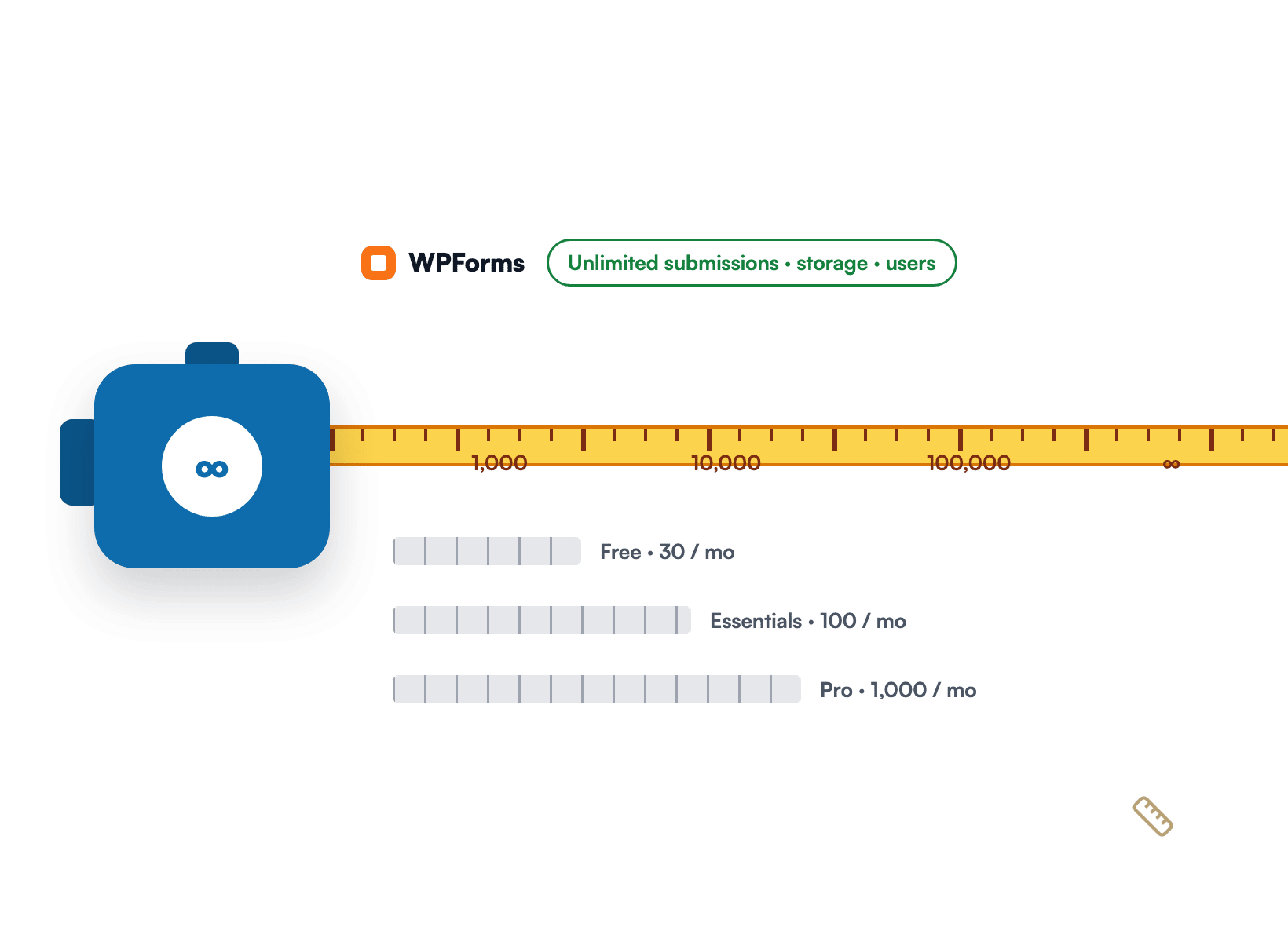
A tape measure extending past fixed hosted-plan rulers to show WPForms has no submission, storage or seat limit

See Where Buyers Stop

Paperform Analytics is a Pro and Business feature, and it reports the form as a whole: views, starts, submissions and completion rate, with a drop-off list built from partial submissions.

WPForms Analytics, included with Pro at $199.50 a year, works field by field. For every field you see views, interactions, errors, abandonments and the average time people spend in it.

A patient-monitor style readout of per-field vitals for a WPForms order form, with the Add-Ons field at 33% drop-off and 1:09

A Block, Not an Embed

A Paperform form lives at a paperform.co address. To show it on WordPress you paste Paperform’s embed code, use its iframe fallback, or install its plugin.

That plugin’s WordPress.org listing shows version 1.0.0, last updated five years ago and tested up to WordPress 5.7. WPForms is the opposite.

The form is a native block in your own editor, styled by your theme, saved to your database, and readable by every other plugin on your site.

A paint roller painting a WPForms form directly into a WordPress page, next to a framed third-party embed

Your Domain, Included

On Paperform, the brand on your form depends on the plan: “Free Paperform branding” on Free, “Minimal” on Essentials, removable only from Pro. The address depends on the plan too.

Forms open at a paperform.co link unless you buy a custom domain for $20 a month per domain on Pro, or move to Business where one is included.

WPForms forms need none of that. They live on your own domain because they are pages on your own site, and no WPForms badge appears on any license, free Lite included.

A house-number plaque showing your own domain beside a doorbell, with a WPForms order form visible through the open door

Everything Your Forms Keep When Nothing Is Metered

Six reasons switching from Paperform to WPForms is easier than it looks, and why the form you end up with does more than the one you left.

A kitchen order-ticket rail holding a growing line of WPForms order tickets with no stop marker

Accept Every Payment, Never Close the Form

With WPForms Pro there is no counter for how many submissions or payments you can accept.

Every order runs through Stripe, PayPal, Square or Mercado Pago, subscriptions and coupon codes work on the same form, and the only fee is the processor’s own.

Refunds and subscription changes happen from the Payments screen inside WordPress, so nobody opens a second dashboard to look after a customer.

Find the Field Where Buyers Give Up

When an order form has plenty of visitors and too few checkouts, WPForms Form Analytics shows the reason in one table.

You see the exact field buyers abandon, the average time they spent fighting it, and whether it threw an error first. From there the fix is usually small.

A form-level completion rate only tells you that people left. Field-level data tells you where they stood when they did, and that’s the difference between guessing and fixing. It’s included with Pro.

The Paperform alternative with field-level analytics: a footprint trail across an order form that stops at the Add-Ons field marked 33% drop-off and 1:09
An archery target with arrows landing at 15.8% on the way to a 22% ring, beside a WPForms AI chat answer

Track a Goal, Then Ask the AI What Changed

Set a conversion goal on any form and WPForms tracks it in real time, so a form climbing toward its target becomes a scoreboard the whole team can read.

When the number moves, a built-in AI chat reads your real form data and explains why in plain English, with fixes to try.

Ask why completions dipped last week and you get an answer that names the field.

Meanwhile every report exports to CSV or prints for a client, scoped to the last 7, 30 or 90 days or any custom range.

Every Order Lives in Your Own Database

Hosted builders store your submissions in their account and count how many they’ll keep.

WPForms writes every entry to your own WordPress database on every paid license, with no storage ceiling to manage.

Search, filter and star entries, add notes, export to CSV or Excel, and keep uploaded files attached to the entry they came with.

Your privacy policy lists one processor fewer, retention follows your own rules, and deleting an entry deletes it. If you ever move hosts, the entries move with the site.

A home safe with its door open, holding WPForms entry rows and an Export CSV button
A zipper joining a Paperform CSV export to a WPForms order form, with 3,118 orders imported

Bring Your Order History With You

Switching doesn’t mean starting from zero, since you can export your submissions from Paperform as a CSV, then use the WPForms Entry Importer to map each column onto a field in your new form.

Most migrations take an afternoon, and your year-over-year reports still line up. The Entry Importer is included with every paid WPForms license, from Basic upward.

Plus you can leave the old form live while you test, then swap the embed for the WPForms block once you’re happy.

Switch With a 14-Day Safety Net

Every WPForms license carries a 14-day money-back guarantee, so the switch is a test drive, not a leap.

Install the plugin, rebuild your best-performing form from one of 2,100+ templates or let WPForms AI draft it from a description, import your history, and run both forms side by side.

If it isn’t the right fit, you get your money back. Most people never ask. WPForms holds 4.8/5 stars from 13+ thousand reviews on WordPress.org, and every paid license includes support from the WPForms team.

A parachute lowering a WPForms form safely onto a WordPress page, with a 14-day money-back guarantee tag

What Comes Uncapped From Day One

Nothing below waits on a higher tier or a busier month. Everything comes with the license and treats your ten thousandth entry exactly like your first.

Unlimited Submissions

No monthly or yearly cap on entries, on every license including free Lite.

Unlimited Payments

Accept as many orders as your customers place. Nothing counts them down.

Unlimited Users

The whole team signs in with WordPress accounts. No per-seat pricing.

Your Own Database

Every entry is a row on your own site, exportable to CSV or Excel anytime.

Field-Level Analytics

Views, interactions, errors, drop-off and time spent, for every field (Pro).

Conversion Goals

Set a target rate per form and watch the dashboard climb toward it.

Built-In AI Chat

Ask what’s hurting conversions and get plain-English fixes from your own data.

Five Payment Gateways

Stripe, PayPal, Square, Mercado Pago and Authorize.Net, with recurring payments.

Entry Importer

Bring your CSV export in and keep your order history intact.

Accept Every Order Without a Meter. It’s That Simple.

Join the 5+ million professionals who use WPForms to accept payments and capture leads with no cap on submissions, right inside WordPress.

✓ 14-Day Money-Back Guarantee · ✓ Setup in Under 5 Minutes · ✓ No Coding Required · ✓ Used on 5+ Million Sites

View all

Frequently Asked Questions and Resources

Weighing a Paperform alternative for your WordPress site? Here’s what people ask first.

Is WPForms a good Paperform alternative?

WPForms is a strong Paperform alternative if your website runs on WordPress. Instead of a metered hosted account, you get unlimited forms, unlimited submissions and unlimited users on every paid license, and the form lives inside your own site.

The trade is honest: Paperform works on any website, and WPForms is built for WordPress. If WordPress is where your business lives, you gain field-level Form Analytics, payments with no cap and no platform fee on Pro, and entries in a database you own.

What are Paperform's submission limits, and what happens when I hit one?

Paperform meters submissions per plan: 30 a month on Free, 100 on Essentials, 1,000 on Pro and 10,000 on Business, pooled over the year on annual billing. Payment submissions and appointment submissions have their own smaller caps, and stored submissions are capped at 100, 1,000, 10,000 or 100,000 per account.

Paperform’s help center says that after a short grace period your forms “will be closed until the situation is remedied, or your usage limit resets.” WPForms has no submission, payment or storage cap on any license.

Is WPForms free like Paperform?

WPForms Lite is free in the WordPress plugin directory, with unlimited forms and submissions, notification and confirmation emails, spam protection, WPForms AI and no branding on your forms. Paperform’s free plan allows 30 submissions and 5 payment submissions a month and carries Paperform branding.

The honest caveat: Lite doesn’t store entries in your dashboard, and conditional logic and file uploads are paid features. Those start with Basic at $49.50 a year. Lite can accept Stripe and PayPal payments with a 3% platform fee that disappears on Pro.

Can I embed a Paperform form in WordPress, and how is WPForms different?

Yes. Paperform gives you embed code, an iframe fallback and a WordPress plugin whose block takes the form URL and loads the form from paperform.co. The form still runs on Paperform’s servers, and the plugin’s WordPress.org listing shows it last updated five years ago and tested up to WordPress 5.7.

WPForms is a native WordPress plugin. The form is a block in your editor, styled by your theme, stored in your database, and available to every other plugin on your site.

Does WPForms have form analytics like Paperform Analytics?

WPForms Form Analytics measures more than Paperform Analytics and costs less to unlock. Included with Pro, it reports views, interactions, errors, abandonments and average time for every field, tracks a conversion goal you set, exports to CSV, and answers questions through a built-in AI chat. All of it is stored in your own database.

Paperform Analytics is a Pro and Business feature that reports form-level views, starts, submissions and completion rate, plus a drop-off list built from partial submissions kept for 30 days. See the Form Analytics guide for the full breakdown.

Does WPForms accept payments like Paperform, and are there fees?

WPForms accepts payments through Stripe, PayPal, Square and Mercado Pago on Pro, and Authorize.Net on Elite, with one-time and recurring payments, coupon codes and conditional payment logic. Stripe’s Payment Element also offers Apple Pay and Google Pay when the buyer’s device supports them.

WPForms Pro charges no platform fee, so you pay only your processor’s rate. Paperform doesn’t add a fee either, but it caps payment submissions at 5, 20, 250 or 2,500 a month by plan. WPForms never counts them.

Can I move my Paperform submissions to WPForms?

Yes. Export your submissions from Paperform as a CSV, then use the WPForms Entry Importer to map each column onto a field in your new form. Your history moves with the data, so year-over-year reports still line up.

The Entry Importer is included with every paid license, from Basic upward, and you can keep the Paperform form live while you test the new one.

Will my forms show WPForms branding or use a wpforms.com link?

No. WPForms never puts its own badge on your forms, on any license, including free Lite, and your forms live at your own domain because they are pages on your own site.

Paperform’s branding depends on the plan: “Free Paperform branding” on Free, “Minimal” on Essentials, removable from Pro. Forms open at a paperform.co address unless you add a custom domain for $20 a month per domain on Pro, or move to Business where one is included.

Which WPForms plan replaces Paperform Pro?

WPForms Pro, at $199.50 a year, replaces Paperform Pro for most businesses. It includes field-level Form Analytics, payments with no cap and no platform fee, Surveys & Polls, Conversational Forms, Save & Resume, Digital Signatures and Calculations, on up to five sites with unlimited users.

Paperform Pro is $588 a year on annual billing for three users, 1,000 submissions and 250 payment submissions a month. If you only need entries in your dashboard, conditional logic and file uploads, WPForms Basic is $49.50 a year. Compare the tiers on the pricing page.

Does WPForms have AI form building like Paperform?

Yes. WPForms AI builds a form from a plain-English description on every paid license, suggests field choices, edits an existing form through Smart Edit, and generates calculation formulas. AI Choices and Smart Edit are available on free Lite too, and you can connect Claude, ChatGPT or Cursor through the free WPVibe bridge to build forms by chatting.

Paperform includes AI form creation on every plan and AI report insights on Pro and Business. Both are real. The difference is that WPForms’ assistants work on forms that live inside your own WordPress site, and its AI chat also reads your analytics.

🔔 Subscribe to get our latest updates
📧 Subscribe to Emails

Email Subscription

Join our Newsletter

We won’t spam you. We only send an email when we think it will genuinely help you. Unsubscribe at any time!
Integration New Feature Payments

Paystack Addon

Introducing the WPForms Paystack Addon: Accept Payments in Nigeria, Ghana, South Africa, and Kenya

The Paystack addon brings card, bank transfer, and mobile money payments to your forms for buyers in Nigeria, Ghana, South Africa, and Kenya.

Buyers click submit and pay in the Paystack popup in naira, cedis, rand, or Kenyan shillings, with no new field to add to your form.

Bank transfer and mobile money payments are saved as Pending, and WPForms can hold your notification emails until Paystack confirms the payment, then completes the order on its own.

Every Paystack payment shows up in WPForms » Payments, and full refunds can be issued without leaving WordPress.

New Feature

WPForms Dashboard

Dark blue hero with a circular bear logo on the left, large headline'Introducing the New WPForms Dashboard' and an ANNOUNCEMENT badge; a dashboard mockup is visible on the right.

The WPForms Dashboard is a new home screen that opens the moment you click WPForms in your admin menu. Stat cards across the top total up your forms, entries, payments, views, and spam across the whole site.

An Entries widget charts activity over your chosen date range with a per-form table of entries, views, interactions, and conversion rate, and a payments widget totals everything collected once a gateway is connected.

With the Geolocation addon active, Top Locations ranks the countries your visitors come from, and a Suggested Next Steps panel points to features worth turning on.

Nothing to install, as it comes with every plan, including Lite!

New Feature

WPForms QR Code

Announcement banner: dark blue background with headline'Say Hello to WPForms QR Code: One Scan Opens Your Form' and a large QR code on the right.

Every form now has its own built-in QR code generator, with nothing extra to install or buy.

Open a form’s General settings, choose the page the form lives on or paste its URL, and click Generate QR Code to copy it or download it as a PNG or a print-ready SVG.

Put it on menus, packaging, event badges, or business cards, and every scan opens your form instead of a page that only hands people something to read.

Included with every plan, including Lite; Pro and Elite plans can keep, remove, or replace the WPForms logo in the center with their own.

New Feature

Ranking Field for Surveys & Polls

Announcement hero: dark blue background, bear avatar left, large'Introducing the New WPForms Ranking Field' text, and three stacked white option cards with 'Movies' highlighted.

The Surveys & Polls addon gains a Ranking field!

Instead of scoring each option separately, respondents drag options (or tap arrow buttons on a phone) into the order they prefer, so one option always has to come first.

WPForms tallies every response into a “Times at #1” count and an average rank for each option, with a chart that makes the winner obvious.

Lay options out as a vertical list or a grid, and use Image Choices or Icon Choices in place of plain text labels.

Integration New Feature Payments

Mercado Pago Addon

Introducing the WPForms Mercado Pago Addon: Card Payments Built for Latin America

The Mercado Pago addon brings on-page card payments built for Latin America to your forms.

Buyers enter their card details into secure, Mercado Pago-hosted fields inside the form, choose an installment plan, and pay in ARS, BRL, CLP, COP, MXN, PEN, or UYU without leaving your page.

An approved charge fires your confirmation, notifications, and integrations at the moment money actually moves, and full or partial refunds can be issued from WPForms » Payments.

WPForms takes no transaction fee, and it works with Quantities, Coupons, multi-page forms, Conversational Forms, Lead Forms, and Form Pages.