










Fluent Forms Alternative
The Fluent Forms Alternative That Does More
Fluent Forms covers the basics, but WPForms goes further with built-in AI, form analytics, and 2,100+ templates, trusted by 6,000,000+ websites. Build your first form in under a minute.
Where WPForms Pulls Ahead of Fluent Forms
From capturing leads before visitors leave, to collecting payments without friction, to turning submissions into insights you can act on, WPForms gives you more at every step.
Ease of Use
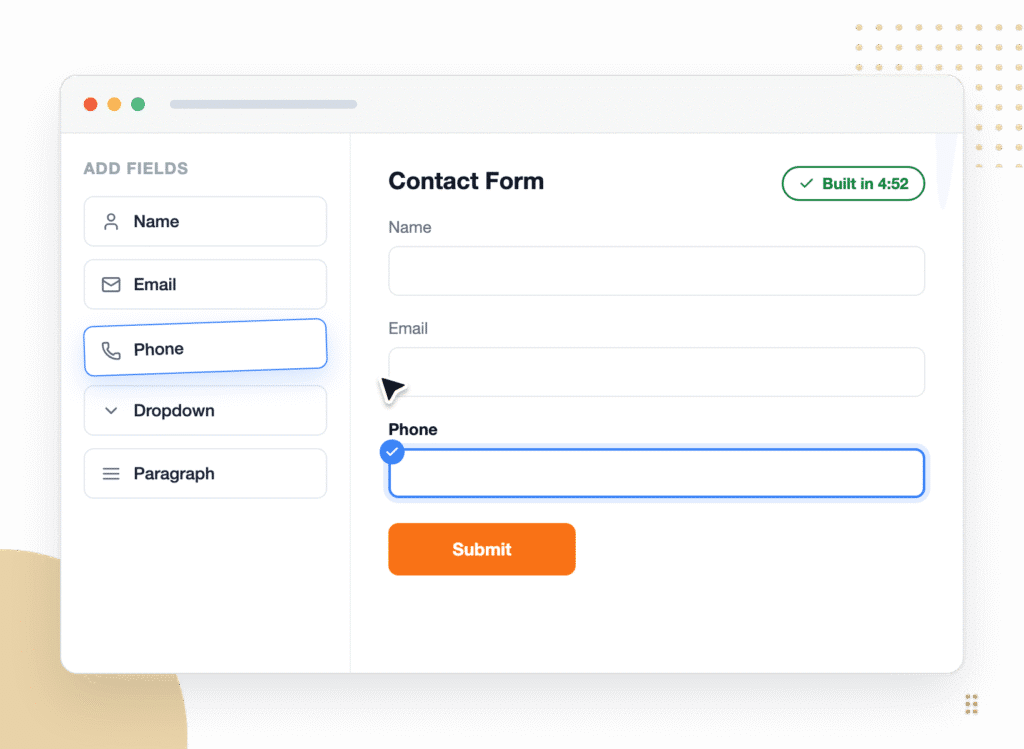
WPForms opens a dedicated, full-screen drag and drop builder. Your fields stay on the left, a live preview fills the right, and most people publish their first form in under 5 minutes. Fluent Forms is powerful, but it packs its options into a denser interface that takes longer to learn. If you want capability without the ramp-up, WPForms is the easier Fluent Forms alternative.


AI Form Building
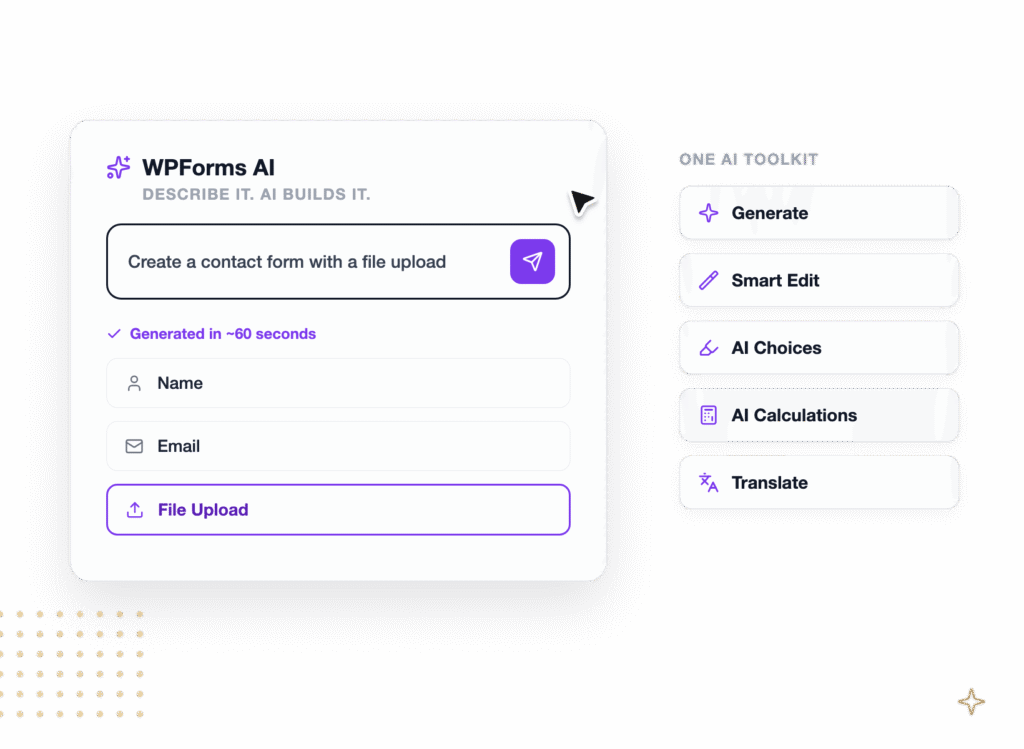
Fluent Forms AI focuses on first-draft generation, WPForms gives you a full AI toolkit. WPForms AI also edits existing forms conversationally with Smart Edit, generates dropdown and multiple-choice options with AI Choices, writes calculation formulas, and translates an entire form in one prompt.


Form Analytics
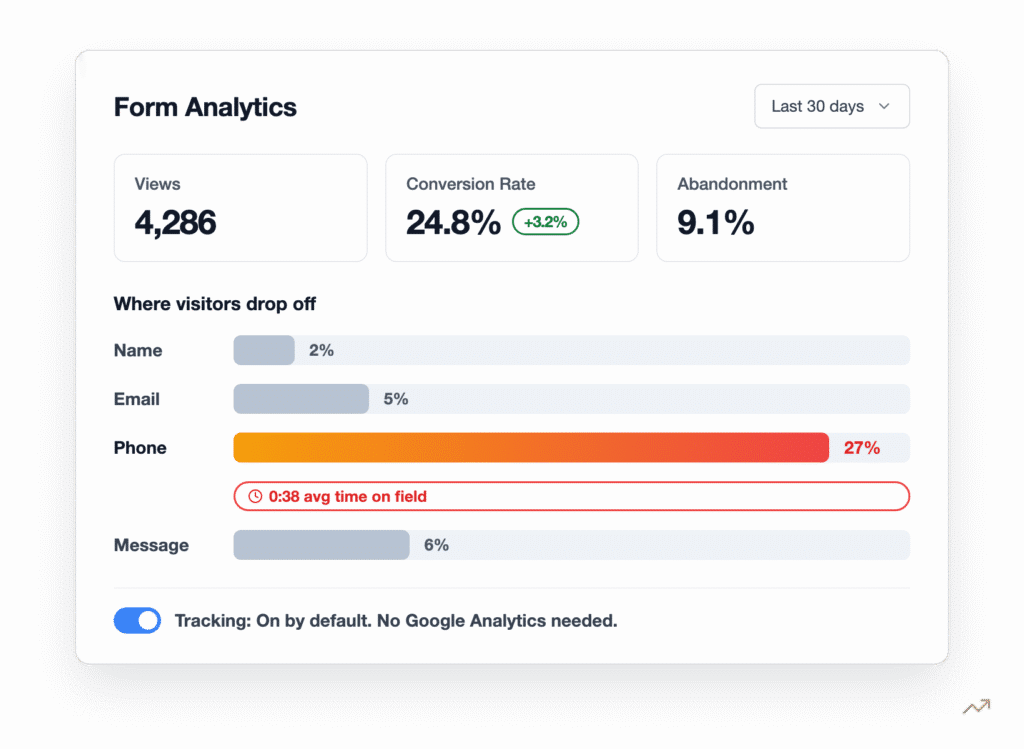
WPForms has built-in Form Analytics that track views, conversion rate, abandonment, and, most importantly, field-level drop-off and the average time spent on every field. You see the exact field where people quit, and an AI chat answers questions about what is hurting conversions. Fluent Forms offers a Pro reporting dashboard with views, submission counts, and a partial-entry completion rate.


Templates
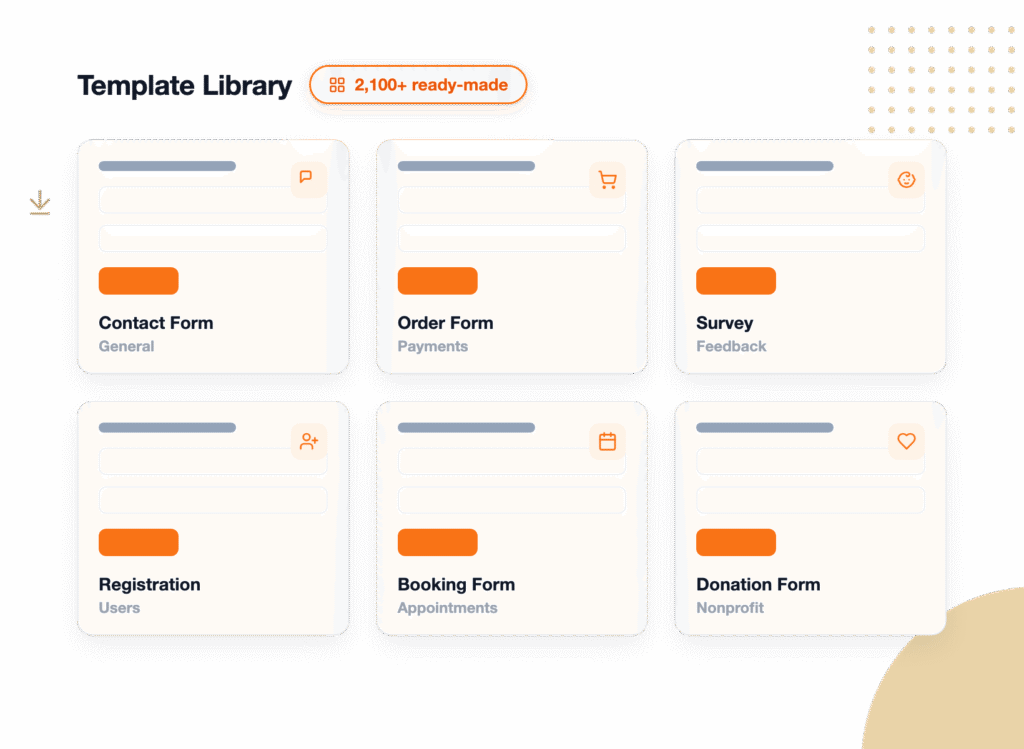
WPForms ships with 2,100+ templates templates covering contact, registration, order, survey, booking, and hundreds more use cases, so you start from a working form. Fluent Forms offers around 200 templates. More starting points means less time building from scratch, and every WPForms template is fully editable in the same drag and drop builder.


Integrations
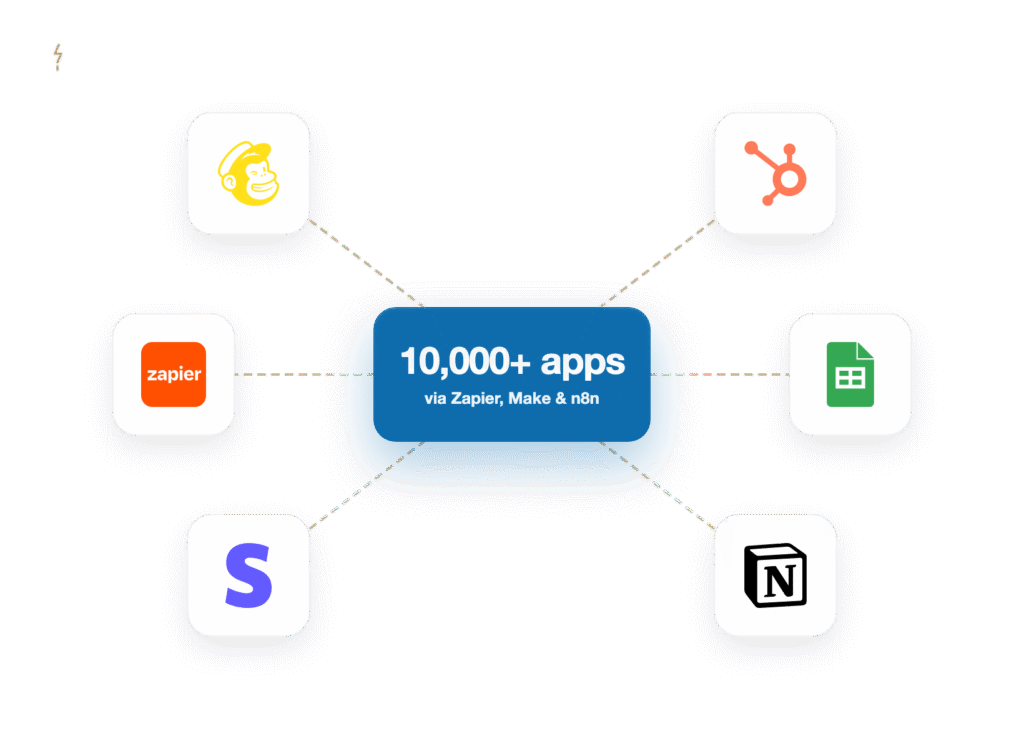
WPForms connects with many tools directly and 10,000+ apps through Zapier, Make, and n8n, covering email marketing, CRMs, payments, and automation. Fluent Forms lists 60+ integrations on Pro and 15+ on its free plan. WPForms is also part of the Awesome Motive family alongside tools you may already run, so your forms plug into a wider ecosystem out of the box.


Support and Trust
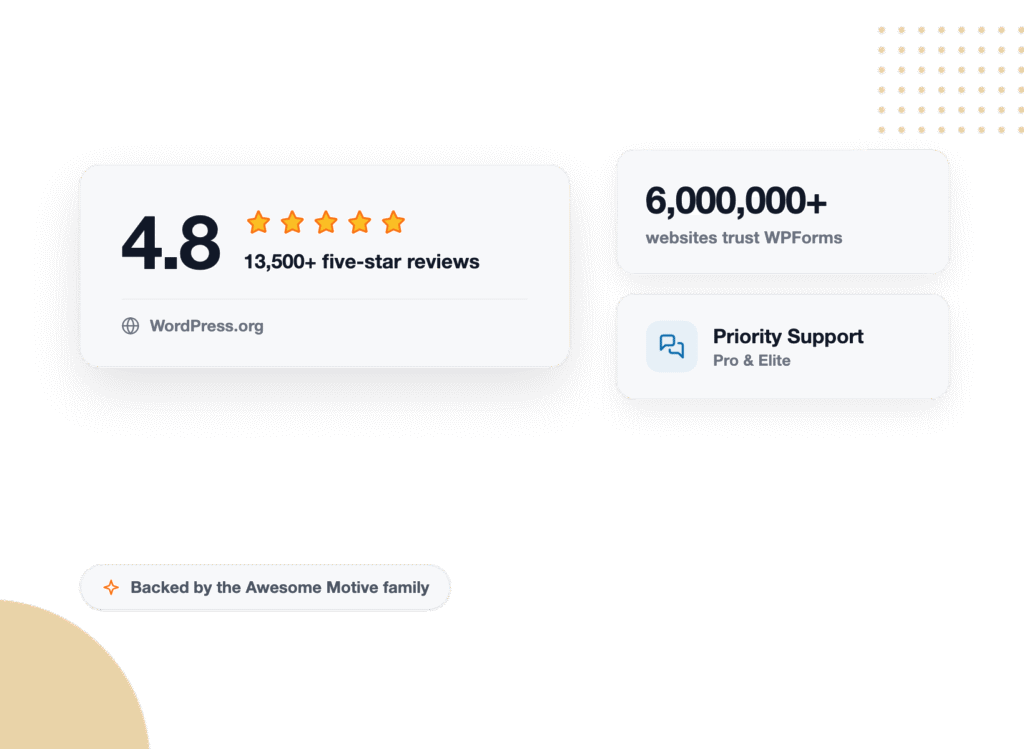
WPForms is trusted on over 6,000,000 websites and holds 4.8 stars with 13+ thousand 5-star reviews on WordPress.org. Fluent Forms is well rated too, at 4.8 stars, though from a much smaller base of around 780 reviews. Paid WPForms plans include priority support from the Awesome Motive team, plus a deep knowledge base. When you switch, you are joining the most-reviewed form builder on WordPress.


The Fluent Forms Alternative 6,000,000+ Websites Sites Trust
Every panel below is something you can do in WPForms today. Here is where switching from Fluent Forms pays off first.


Powerful Forms, Without the Learning Curve
WPForms is built to be the easiest form builder on WordPress. The full-screen editor keeps your fields on one side and a live preview on the other, so what you build is what your visitors see. Beginners publish their first form in under 5 minutes, and advanced setups still stay drag and drop.
A Full AI Toolkit, Not Just a Form Generator
Both builders can generate a form from a description. WPForms AI keeps going after that. Smart Edit changes existing forms from a chat box, AI Choices fills in dropdown and multiple-choice options, AI writes your calculation formulas, and Instant Translations localize an entire form.


See the Exact Field That Loses People
Fluent Forms can tell you how many people submitted. WPForms tells you where the others gave up. Built-in Form Analytics track views, conversion rate, abandonment, and time spent on every field. So when your checkout form’s phone field is losing 27% of visitors after 38 seconds of hesitation, you see it and fix it.
Start From 2,100+ Templates and Connect Everything
WPForms gives you 2,100+ ready-made templates versus around 200 in Fluent Forms, so you launch from a working form for almost any use case. Then connect it to the tools you already use, plus 10,000+ apps through Zapier, Make, and n8n. Your email marketing, CRM, payments, and spreadsheets all stay in sync automatically.


Bring Your Fluent Forms Entries With You
Switching does not mean starting your records from zero. Export your Fluent Forms entries to CSV, then use the WPForms Entry Importer to bring them in with automatic field detection and smart mapping. One example: 1,284 entries imported in a single pass, history intact. Rebuild the forms themselves in minutes with WPForms AI or a template, then import every submission collected.
Switch to the Most-Reviewed Form Builder on WordPress
WPForms powers over 6,000,000 websites and holds 4.8 stars with 13+ thousand 5-star reviews on WordPress.org, far more validation than any other form builder. Every paid plan comes with a 14-day, 100% money-back guarantee and priority support on Pro. And because WPForms Lite is free, you can try the switch before you spend a thing.


Frequently Asked Questions and Resources
Have questions about switching from Fluent Forms? We’ve got answers.
Is WPForms a good alternative to Fluent Forms?
Yes, WPForms is the most popular Fluent Forms alternative for WordPress, active on over 6,000,000 websites. Both are strong, self-hosted form builders with free versions, but WPForms leans further into ease of use, a deeper AI toolkit, field-level form analytics, and 2,100+ templates. For most site owners who want more capability without more complexity, WPForms is the better fit.
Is WPForms easier to use than Fluent Forms?
WPForms opens a dedicated, full-screen drag and drop builder with your fields on the left and a live preview on the right, and beginners usually publish their first form in under 5 minutes. Fluent Forms is capable, but it packs more options into a denser interface. WPForms is designed to be powerful yet beginner-friendly.
Does WPForms have AI like Fluent Forms?
Yes, and it goes further. Like Fluent Forms, WPForms can generate a complete form from a plain-English prompt. WPForms AI adds Smart Edit for conversational form editing, AI Choices for dropdown and multiple-choice options, AI-written calculation formulas, and Instant Translations for whole forms. So WPForms AI helps you build, refine, and translate forms, not just create a first draft.
Does WPForms have better form analytics than Fluent Forms?
Yes. WPForms includes built-in Form Analytics that track views, conversion rate, abandonment, and field-level drop-off, including the average time spent on each field, so you can see the exact point where visitors quit. Fluent Forms offers a Pro reporting dashboard with views, submission counts, and a partial-entry completion rate, but no per-field drop-off. WPForms analytics need no Google Analytics and no setup.
Can I migrate my Fluent Forms forms and entries to WPForms?
Your entries, yes. Export your Fluent Forms entries to CSV, then use the WPForms Entry Importer to bring them in with automatic field detection and smart mapping.
Is WPForms free like Fluent Forms?
Yes. Like Fluent Forms, WPForms has a free version, called WPForms Lite, that includes the drag and drop builder, AI form generation, Stripe payments, and spam protection.
How much does WPForms cost compared to Fluent Forms?
Both plugins are affordable and both have free versions. WPForms paid plans start at $49.50 for the first year, with Pro at $199.50 as the Best Value tier, and Fluent Forms starts around $55 a year.
Do WPForms forms work on mobile devices?
Yes, every WPForms form is responsive by default and works on phones, tablets, and desktops with no extra configuration. Templates and AI-generated forms inherit the same mobile-friendly layouts, and forms adapt to any WordPress theme automatically. You can preview and test any form on different screen sizes before publishing it.
Where is my form data stored if I switch to WPForms?
All WPForms entries are stored in your own WordPress database, on your own hosting, exactly like Fluent Forms stores its entries. Nothing routes through a third-party service, which keeps you in control for GDPR and privacy. You can export entries to CSV or Excel anytime, straight from the entries screen.


