















Contact Form 7 Alternative

The Contact Form 7 Alternative That Skips the Code

While Contact Form 7 has you typing form-tags and bolting on plugins, WPForms is the Contact Form 7 alternative that hands you a drag and drop builder for contact, payment, and survey forms. No shortcodes or coding needed.

WPForms vs Contact Form 7, Side by Side

See how the two stack up on the things that actually slow you down. For transparency, every Contact Form 7 point below is drawn from its own plugin listing and documentation.

Ease of Use

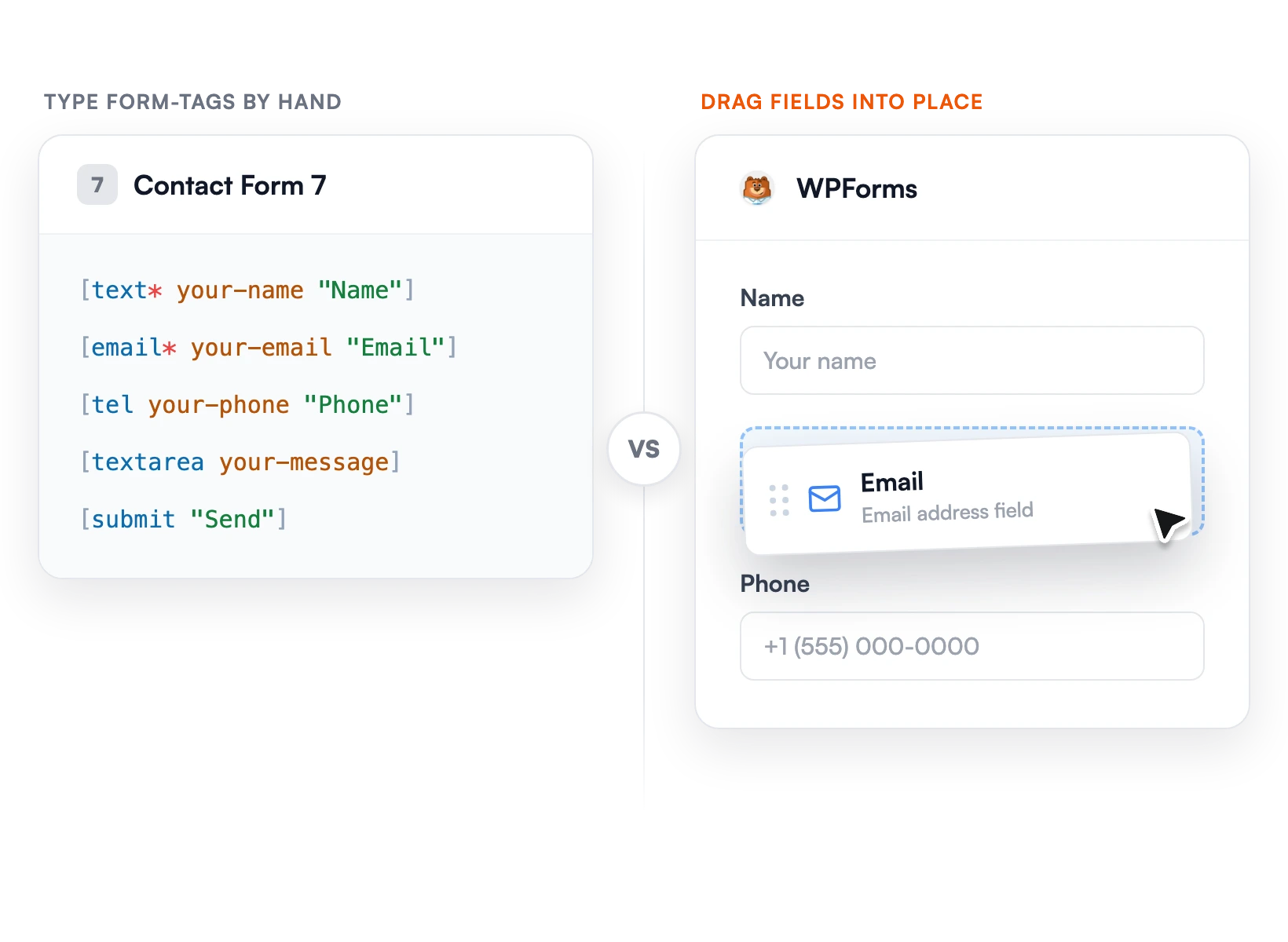
WPForms is 100% drag and drop. You drag fields from a sidebar, arrange them in a live preview, and publish in under 5 minutes with no code. Contact Form 7 builds forms by typing form-tags such as `[text* your-name]` into a Form tab, then embeds them with the CF7 block or a shortcode. There is no visual drag-and-drop builder.

WPForms drag-and-drop form builder versus Contact Form 7 form-tags

Spam Protection

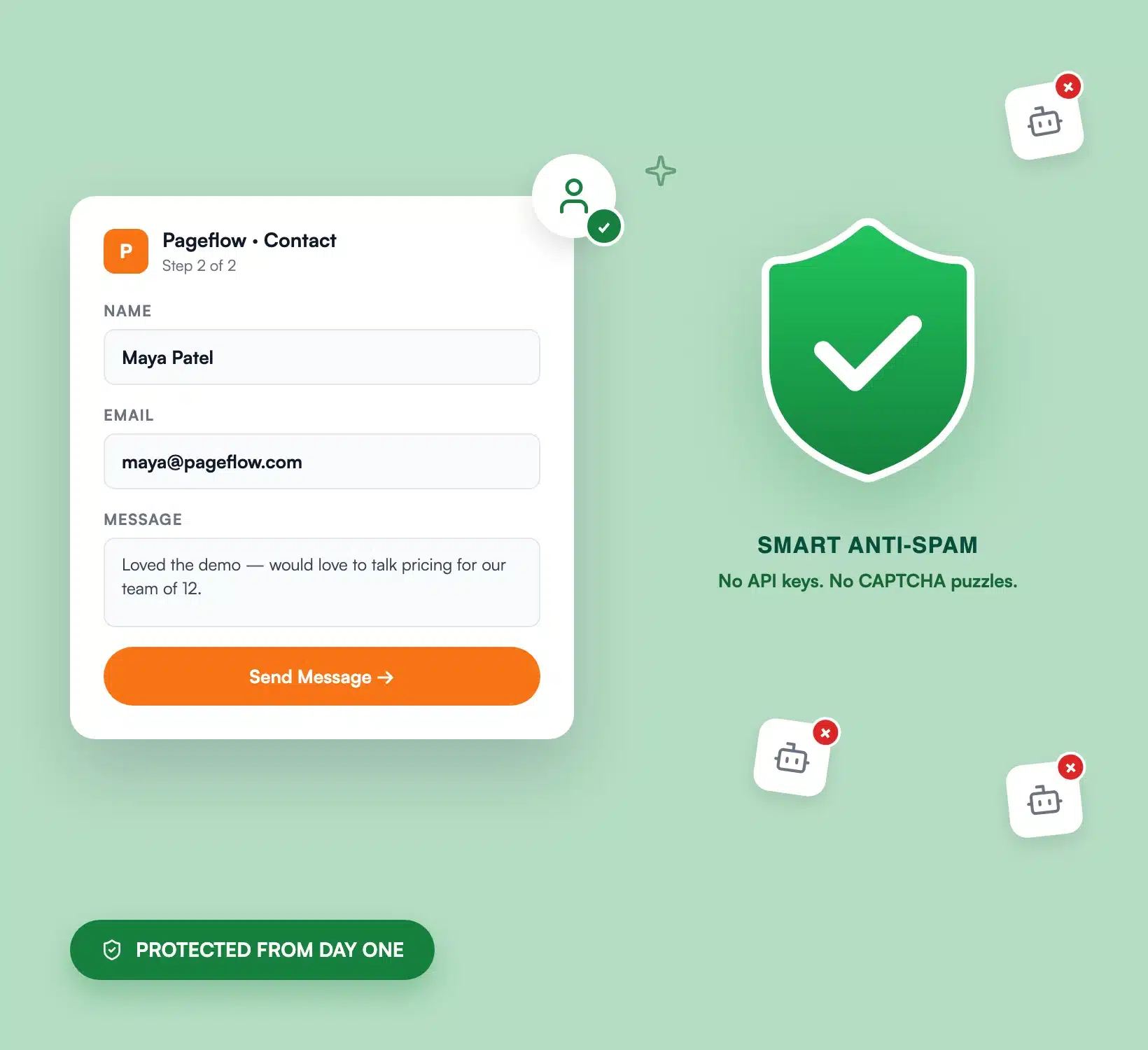
WPForms ships with smart, invisible anti-spam on by default, plus optional reCAPTCHA, hCaptcha, Cloudflare Turnstile, custom CAPTCHA, and keyword and country filters that stack. Contact Form 7 has no built-in spam filtering of its own. Its docs recommend “utilizing different types in combination,” which means setting up Akismet (an API key that is free for personal sites and paid for commercial ones), plus reCAPTCHA or Turnstile.

WPForms spam protection and security settings

Stored Entries

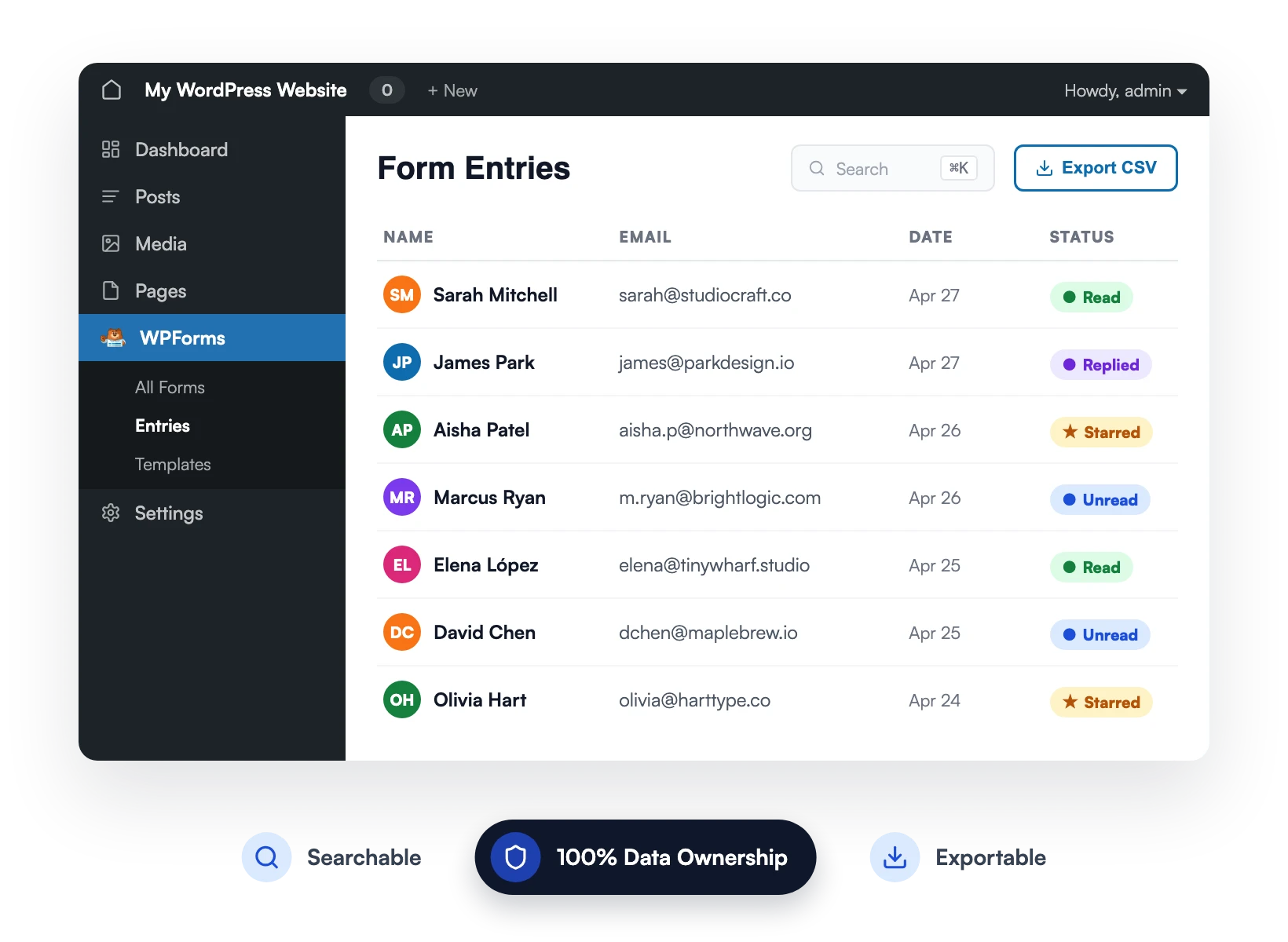
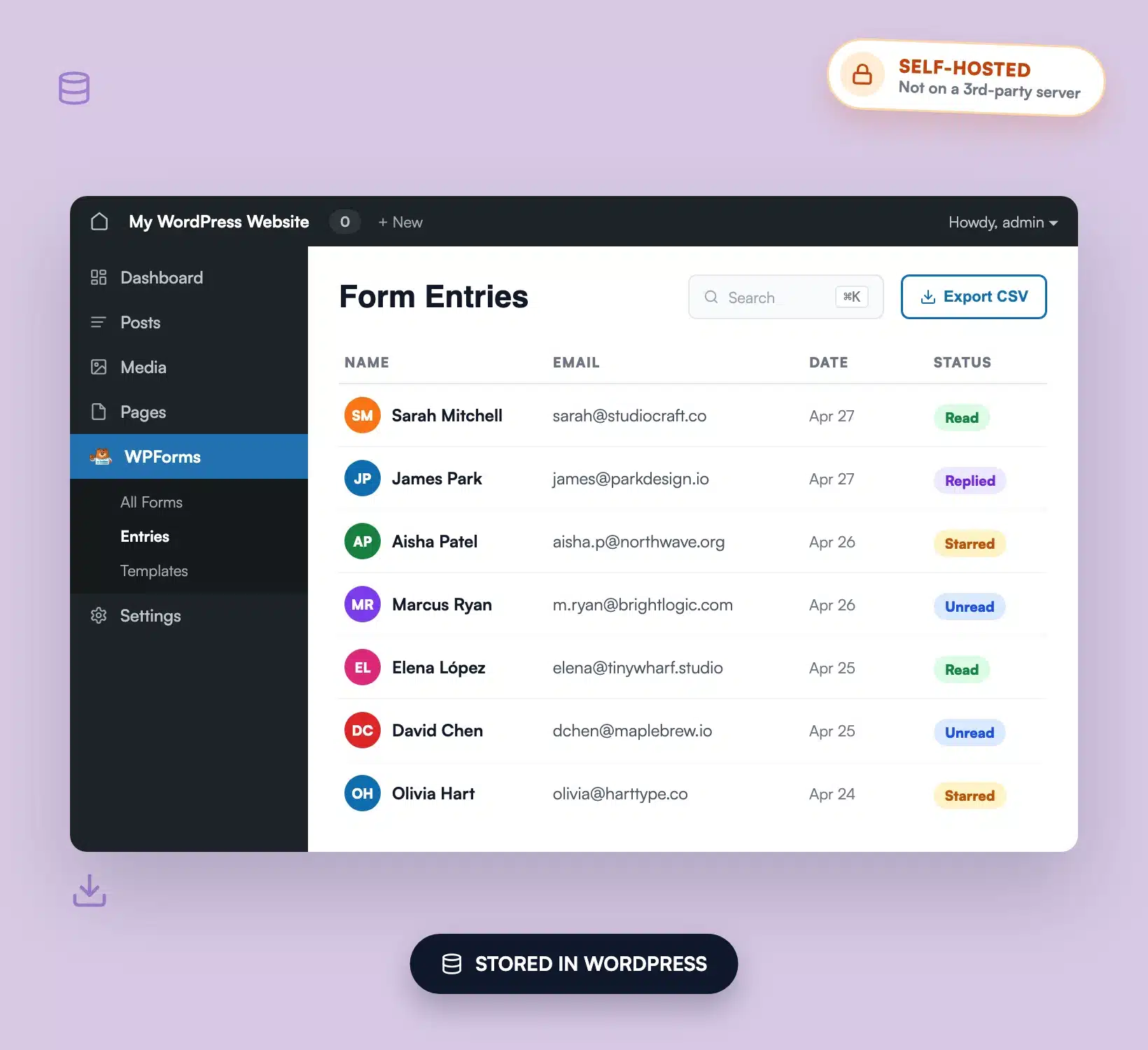
WPForms stores every submission in your own WordPress database with a full dashboard to search, filter, star, annotate, and export to CSV, Excel, or PDF. By Contact Form 7’s own documentation, it “doesn’t come with the ability to store submission data into the database,” so you must install the separate Flamingo plugin to keep a record of what comes in.

WPForms entry management dashboard

Payments

WPForms connects to Stripe, PayPal Commerce, Square, and Authorize.Net so you can accept credit cards, recurring subscriptions, and one-time payments on an order form. Contact Form 7 offers a single Stripe module that adds a credit-card widget via a `[stripe]` form-tag, with no additional fee to use the module. There is no PayPal or Square option in Contact Form 7 core.

WPForms payment forms with Stripe, PayPal, and Square

Templates

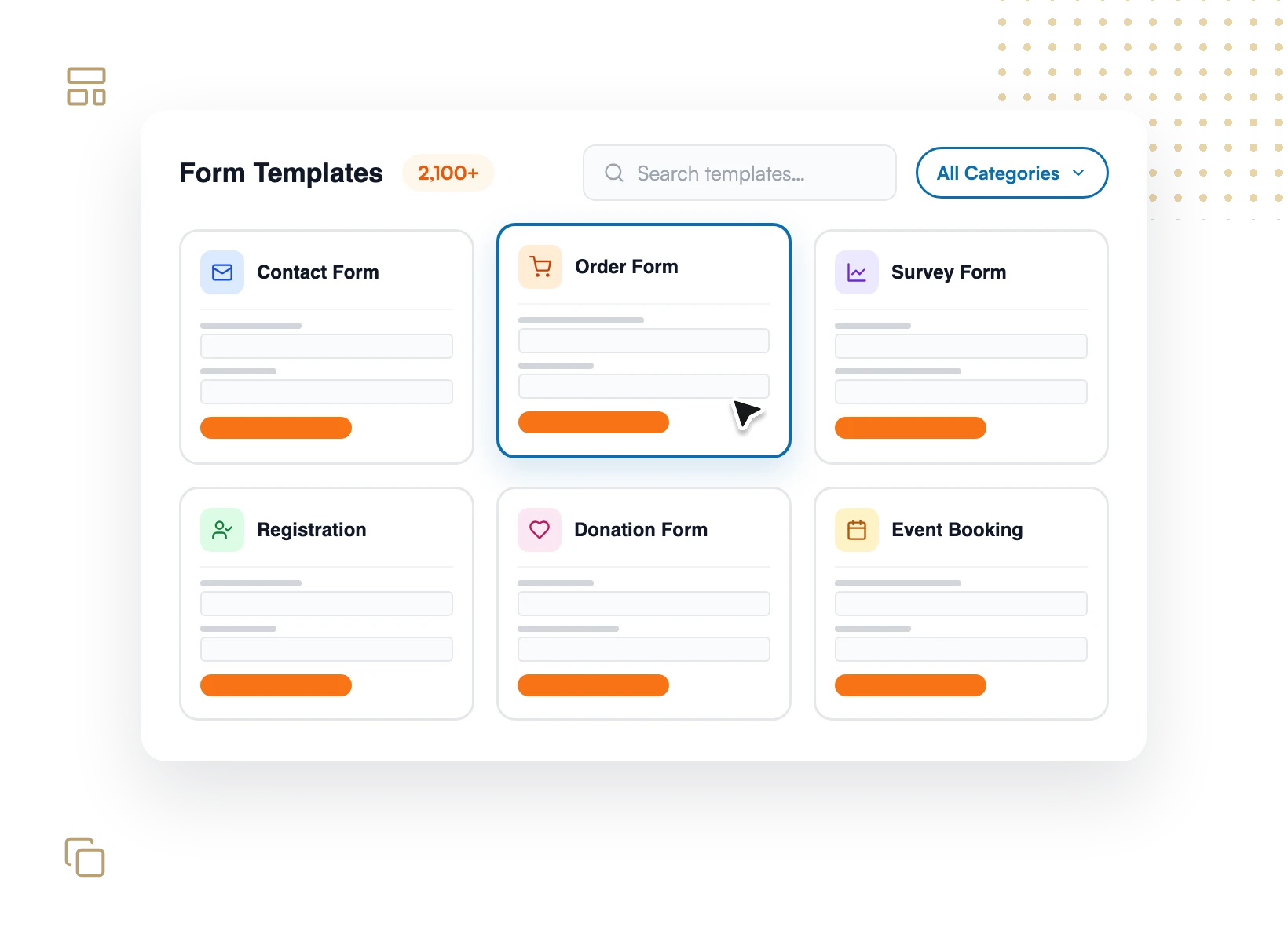
WPForms includes 2,100+ pre-built, fully customizable templates covering contact, registration, order, donation, survey, and hundreds more use cases, so you start from a working form instead of a blank page. Contact Form 7 has no template library; every form starts from a single default contact form you customize by editing form-tags.

WPForms form template library

Support

WPForms offers documented, dedicated customer support, with priority support on Pro and Elite, and a knowledge base of step-by-step guides. Contact Form 7 is free and open source, supported through community volunteers on the WordPress.org support forum. Its own listing shows 31 of 82 support topics resolved in the last two months (wordpress.org, as of May 2026).

WPForms customer support

Pricing

Contact Form 7 is free ($0). WPForms has a free Lite version too, and its paid plans start at $49.50/year (Basic), with Pro at $199.50/year as the Best Value tier. Every WPForms plan includes unlimited forms, unlimited submissions, and unlimited users, plus a 14-day money-back guarantee. You pay for built-in spam protection, stored entries, payments, and templates instead of assembling free plugins yourself.

WPForms pricing and plan flexibility

The Contact Form 7 Alternative That 6 Million+ Sites Trust

Everything Contact Form 7 makes you assemble from parts, WPForms builds in. As a result, you spend less time wiring plugins together and more time collecting submissions.

WPForms, the Contact Form 7 alternative, drag-and-drop form builder with live preview

Build Forms by Dragging, Not Typing Tags

Drag fields into place and watch the form take shape in a live preview. No `[text*]` form-tags to memorize, no shortcode hunting. What you build is exactly what your visitors see, and you can ship a working form in under 5 minutes.

Spam Defense That Works on Day One

Turn on smart anti-spam and bots are blocked invisibly, with nothing for real visitors to solve. Plus, you can add reCAPTCHA, hCaptcha, Turnstile, or keyword filters when you want more. Better yet, there is no third-party Akismet key to register before your forms are protected.

WPForms spam protection and security settings
WPForms entry management dashboard

Your Submissions Live in WordPress

Every entry is saved to your own WordPress database the moment it is submitted. From there, you can search it, filter it, add notes, and export to CSV, Excel, or PDF. As a result, you never install a separate plugin just to keep a record of who contacted you, and your data stays yours.

Accept Payments Without an Ecommerce Build

Add Stripe, PayPal Commerce, Square, or Authorize.Net to any form and accept credit cards, deposits, and recurring subscriptions. Sell a product, take a booking deposit, or collect a donation without standing up a full online store.

WPForms order form with Stripe payment fields
WPForms form template library

Start From 2,100+ Templates, Not a Blank Form

Pick a professionally built template for contact, registration, order, survey, or donation forms and customize it in a few clicks. The structure and fields are already done, so you launch faster and skip the guesswork.

Bring Your Contact Form 7 Forms With You

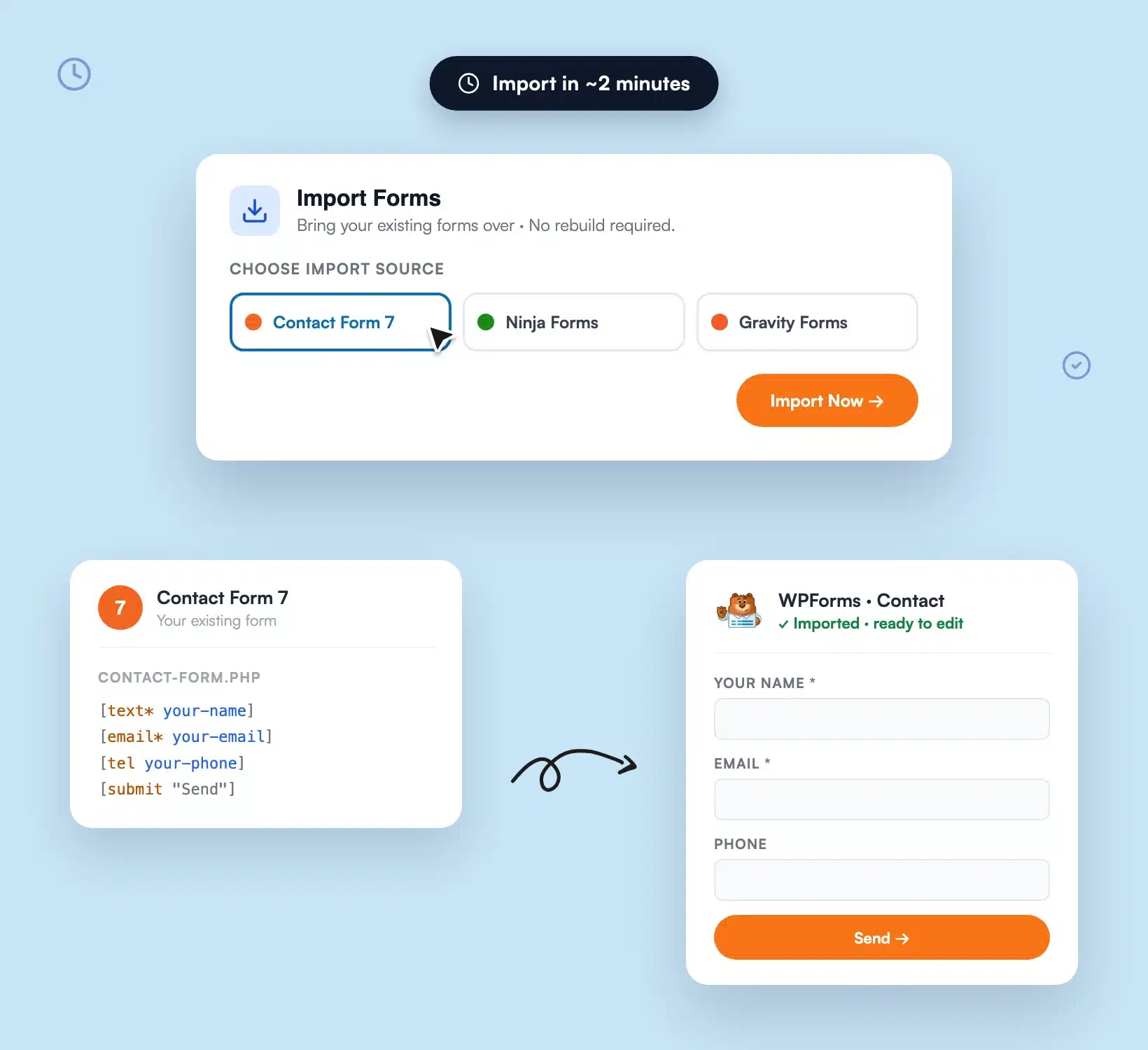
Switching does not mean rebuilding. WPForms imports forms from Contact Form 7, Ninja Forms, and Gravity Forms, so your existing forms come across without starting from scratch. The move takes minutes, not an afternoon.

Choosing Contact Form 7 as the import source in WPForms

Everything Contact Form 7 Leaves to Add-Ons, Built In

Forget stacking plugins for the basics. WPForms is the Contact Form 7 alternative that ships them in the box, so it is easier than you think.

Drag & Drop Builder

Arrange fields visually in a live preview, no form-tags required.

Built-In Anti-Spam

Invisible spam blocking on by default, with reCAPTCHA, hCaptcha, and Turnstile options.

Stored Entries

Every submission saved, searchable, and exportable inside WordPress.

Multiple Payment Gateways

Stripe, PayPal Commerce, Square, and Authorize.Net on any form.

2,100+ Templates

Start from a proven form for almost any use case.

Smart Conditional Logic

Show, hide, and route fields based on answers, no code.

Responsive by Default

Every form works on phones, tablets, and desktops automatically.

Page Builder Support

Native blocks and widgets for Elementor, Divi, the Block Editor, and more.

One-Click Import

Migrate forms from Contact Form 7, Ninja Forms, and Gravity Forms.

View all

Frequently Asked Questions and Resources

Have questions about switching from Contact Form 7? We’ve got answers.

Is WPForms better than Contact Form 7?

WPForms is the more complete Contact Form 7 alternative for most users because the features you usually need are built in. WPForms gives you a drag and drop builder, invisible spam protection, stored entries, payments, and 2,100+ templates without extra plugins. Contact Form 7 is free, lightweight, and great for a plain contact form, but it relies on form-tags and third-party add-ons for those same jobs.

Can I migrate my Contact Form 7 forms to WPForms?

Yes. WPForms includes an import tool that brings your existing forms over from Contact Form 7, Ninja Forms, and Gravity Forms, so moving to this Contact Form 7 alternative doesn’t mean rebuilding from scratch. See our step-by-step guide to importing Contact Form 7 into WPForms for the full walkthrough.

Is WPForms free like Contact Form 7?

WPForms has a free version called WPForms Lite, so you can start at no cost like Contact Form 7. Paid plans start at $49.50/year and unlock built-in spam protection extras, stored entries, payments, and the full template library. Every paid plan includes unlimited forms, submissions, and users, plus a 14-day money-back guarantee. Compare options on the WPForms pricing page.

Does WPForms store form submissions like I need a separate plugin for in Contact Form 7?

Yes, WPForms stores every submission in your own WordPress database automatically, with a dashboard to search, filter, and export entries. By its own documentation, Contact Form 7 doesn’t store submissions in the database and needs the separate Flamingo plugin to keep a record. With WPForms, entry storage and management are built in.

Does WPForms have better spam protection than Contact Form 7?

WPForms includes smart anti-spam that blocks bots invisibly the moment you turn it on, with optional reCAPTCHA, hCaptcha, Cloudflare Turnstile, and keyword filters that stack. Contact Form 7 has no spam filtering of its own and recommends combining third-party services like Akismet and reCAPTCHA, which you configure yourself. Learn more in our guide to spam-free WordPress forms.

Can WPForms accept payments without a separate ecommerce plugin?

Yes. WPForms connects to Stripe, PayPal Commerce, Square, and Authorize.Net so you can accept credit cards, deposits, and recurring subscriptions on any form. Contact Form 7 offers a single Stripe credit-card module and no PayPal or Square option in core. See how to accept payments with Stripe in WPForms.

Do I need a developer to switch from Contact Form 7 to WPForms?

No. As a Contact Form 7 alternative, WPForms is built for beginners, with a drag and drop builder, 2,100+ templates, and no code required. Where Contact Form 7 asks you to write and edit form-tags by hand, WPForms instead lets you build, edit, and publish forms visually. Most people create their first form in under 5 minutes.

Does WPForms work on mobile devices?

Yes. Every WPForms form is 100% responsive automatically, adapting to phones, tablets, and desktops with no separate mobile version to configure. Multi-column layouts stack on small screens and touch targets are sized for mobile, so forms look professional and convert wherever visitors find them.

Where is my form data stored with WPForms?

Your form data is stored in your own WordPress database, not on an external server, so you own it completely. You can view, search, filter, annotate, and export every entry from the WPForms dashboard. This self-hosted approach also helps with GDPR compliance because submissions never leave your site by default.

Build Better Forms. It’s That Simple.

Make WPForms your Contact Form 7 alternative and join the 6,000,000 professionals who use it to capture leads, accept payments, and grow without writing code.

✓ 14-Day Money-Back Guarantee · ✓ Setup in Under 5 Minutes · ✓ No Coding Required · ✓ Used on 6,000,000 Sites

🔔 Subscribe to get our latest updates
📧 Subscribe to Emails

Email Subscription

Join our Newsletter

We won’t spam you. We only send an email when we think it will genuinely help you. Unsubscribe at any time!

No announcements available at the moment.