



Resumo de IA
Se você depende de formulários online para diversas tarefas, provavelmente já sabe que escolher o construtor de formulários certo pode ser avassalador.
O Google Forms, JotForm ou WPForms podem realmente atender às suas necessidades de forma eficiente? Testei essas três ferramentas populares para ver qual delas se destaca.
Neste artigo, farei uma análise aprofundada do Google Forms vs JotForm vs WPForms para ver qual deles é o mais adequado para o seu projeto.
- Google Forms vs JotForm vs WPForms: Qual é o Melhor?
- Como Funcionam o Google Forms, JotForm e WPForms?
- Formulários Hospedados vs Formulários WordPress
- Visão Geral de Todos os Três Construtores de Formulários
- Recursos e Funcionalidades
- Como Publicar Seus Formulários
- Planos e Preços Comparados
- Suporte ao Cliente e Documentação
- Qual é o Melhor Construtor de Formulários?
- Perguntas Frequentes sobre Google Forms vs. JotForms vs. WPForms
Google Forms vs JotForm vs WPForms: Qual é o Melhor?
| Formulários Google | JotForm | WPForms | |
|---|---|---|---|
| Preços | Grátis | A partir de R$ 34/mês | A partir de R$ 49,50/ano |
| Vers ilde{a}o Gratuita | Sim | Sim | Sim |
| Modelos de Formulário | Limitado (17 modelos) | Extensivo (mais de 10.000 modelos) | Extensivo (mais de 1.800 modelos) |
| Lógica Condicional | Sim | Sim | Sim |
| Integrações | Limitado a serviços do Google | Mais de 150 integrações | Mais de 30 integrações, mais de 1000 via Zapier/Uncanny Automator |
| Assistente de Incorporação WordPress | Não | Básico, plugins não confiáveis | Sim, com várias opções |
| Limite de Formulários | Ilimitado | 25 formulários no Plano Bronze | Ilimitado |
| Limite de Respostas | Ilimitado | 1.000/mês | Ilimitado |
| Espaço de Armazenamento | 15 GB (compartilhado com apps do Google) | 100 MB no plano gratuito | Ilimitado |
| Recursos Antispam | Básico (reCAPTCHA) |
|
|
Crie Seu Formulário WordPress Agora
Como Funcionam o Google Forms, JotForm e WPForms?
Google Forms, JotForm e WPForms são construtores de formulários online. Eles permitem que você crie formulários personalizados para qualquer finalidade e receba respostas por e-mail.
Todos esses 3 construtores de formulários possuem uma interface de arrastar e soltar. Todos são muito fáceis de usar, mesmo que você não saiba programar.
A principal diferença é que Google Forms e JotForm são construtores de formulários hospedados. Isso significa que seus formulários e seus envios são armazenados nos servidores do Google ou do JotForm.
WPForms é um plugin do WordPress, então você pode escolher seu próprio provedor de hospedagem. Mas aqui está a grande questão: qual é o melhor?
Formulários Hospedados vs Formulários WordPress
Google Forms ou JotForm são voltados para pessoas que não têm um site e querem criar um formulário o mais rápido possível. No entanto, como esses formulários são hospedados pelo provedor do formulário, você não tem controle total.
Por exemplo, os clientes tiveram problemas com o JotForm após a mudança para o horário de verão. Isso fez com que alguns formulários de reserva aceitassem agendamentos em horários errados, e o JotForm não pôde voltar e corrigir isso para eles.
Com o WPForms, todas as configurações do seu formulário ficam dentro do WordPress. Isso significa que tudo está sob seu controle. Por exemplo, você não precisa se preocupar com agendamentos no fuso horário errado porque você mesmo controla o fuso horário.
E para começar, você pode usar um host acessível como Bluehost. Ele até instala o WordPress para você, então criar um site dessa forma é super fácil.

Existem muitas outras vantagens em usar o WordPress com o WPForms em vez de depender de uma plataforma hospedada:
- Escolha os recursos de hospedagem do seu formulário: Você pode escolher um provedor de hospedagem que se adapte ao seu orçamento e a quaisquer requisitos que você tenha para armazenamento de dados. Por exemplo, se você precisar manter seus dados dentro da União Europeia, pode escolher um host com servidores na UE.
- Integre seus formulários ao seu site: É *muito* mais fácil publicar formulários em seu site se você estiver usando a mesma plataforma para ambos. Com Google Forms ou JotForm, incorporar formulários em um site é bastante básico. Com WPForms, você pode incorporar qualquer formulário em uma página usando o botão Incorporar, e essa página corresponderá ao restante do seu site.
- Controle seus formulários: Com WPForms e WordPress, você configura seus próprios plugins de segurança, compartilha facilmente suas páginas de formulário nas redes sociais, garante que seus formulários estejam em conformidade com o GDPR. Você não precisa se preocupar que seu provedor tire seus formulários do ar repentinamente porque você atingiu um limite que não conhecia.
- Controle o acesso aos formulários facilmente: O WPForms usa contas de usuário do WordPress para permissões. Isso evita ter logins e permissões separadas para seu site e seus formulários.
Além disso, o WPForms foi projetado para tornar qualquer tipo de formulário fácil de criar e compartilhar. Você pode criar um formulário de contato em alguns minutos e publicá-lo facilmente em sua página de Contato.
Crie Seu Formulário WordPress Agora
O Google Forms e o JotForm podem funcionar como um formulário de contato, mas eles não se integram ao WordPress. Antes de analisarmos isso com mais detalhes, vamos nos ater ao básico: como criar um formulário.
Visão Geral de Todos os Três Construtores de Formulários
Vamos analisar cada construtor de formulários, um por um, para ver a facilidade de criar formulários simples.
Formulários Google
O Google Forms é um construtor de formulários visual com uma interface simples. Você pode começar a criar seu próprio formulário usando um modelo ou uma página em branco.
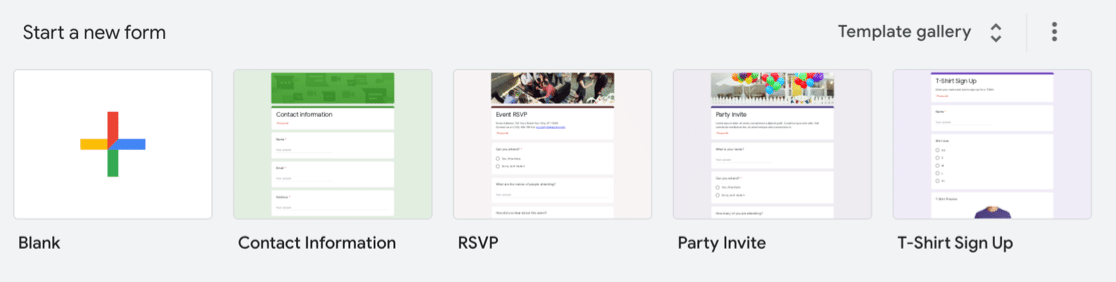
No construtor de formulários, o Google tentou agrupar todos os recursos em uma única tela, e não há muita orientação. Haverá uma pequena curva de aprendizado enquanto você descobre onde tudo está.
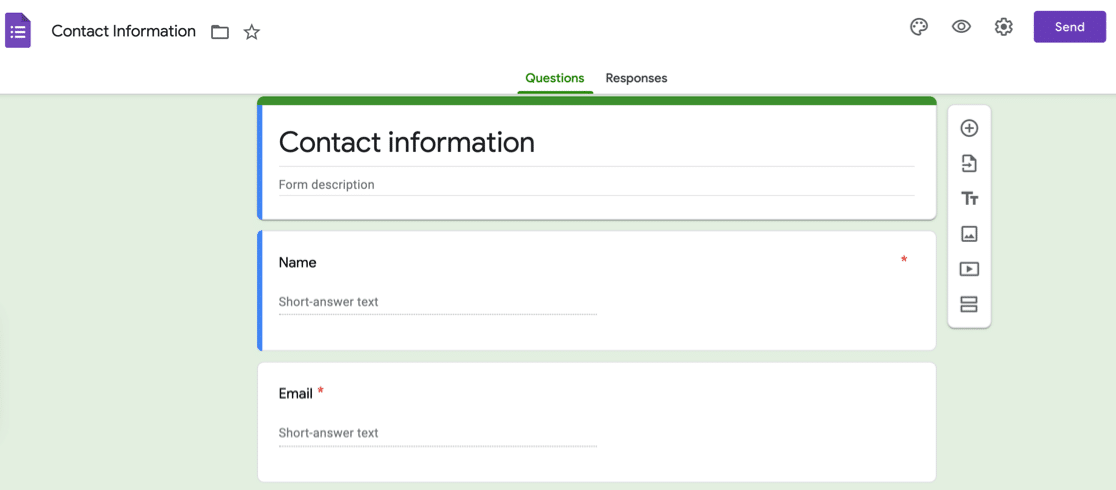
Você pode escolher entre vários campos de formulário, mas faltam alguns campos básicos. Você pode usar campos de texto para tudo, mas não é uma boa solução alternativa.
Por exemplo, o Google Forms não tem um campo numérico e não tem uma maneira fácil de obter o endereço de alguém no formato correto.
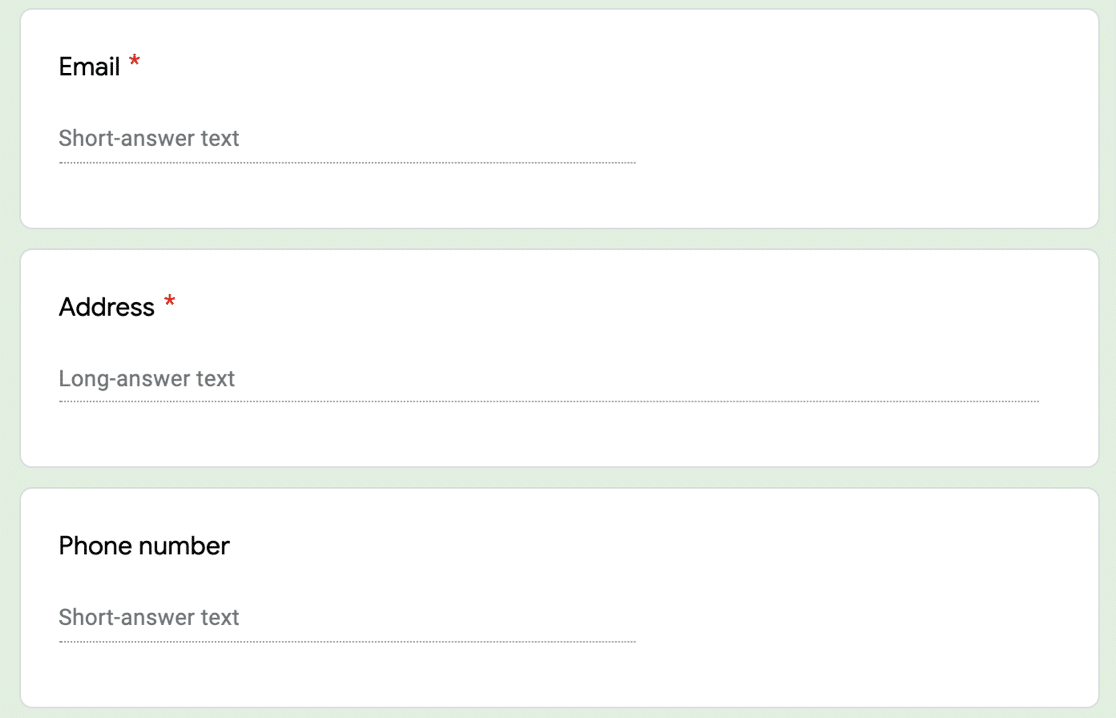
Se você quiser editar uma pergunta em seu formulário, o Google Forms facilita a troca de tipos de campo rapidamente usando os ícones à direita.
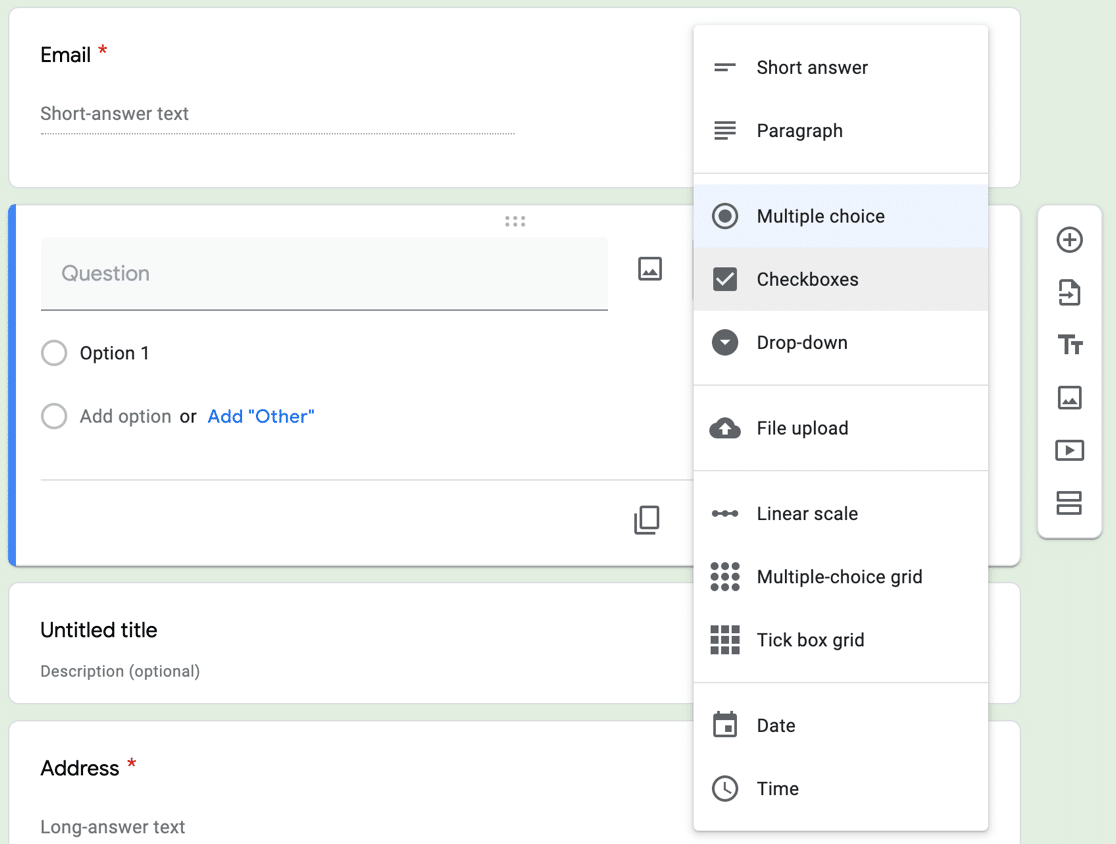
Você também pode enviar formulários preenchidos por e-mail e colaborar com sua equipe. O campo de upload de arquivos tem um limite baixo: 10 MB por arquivo.
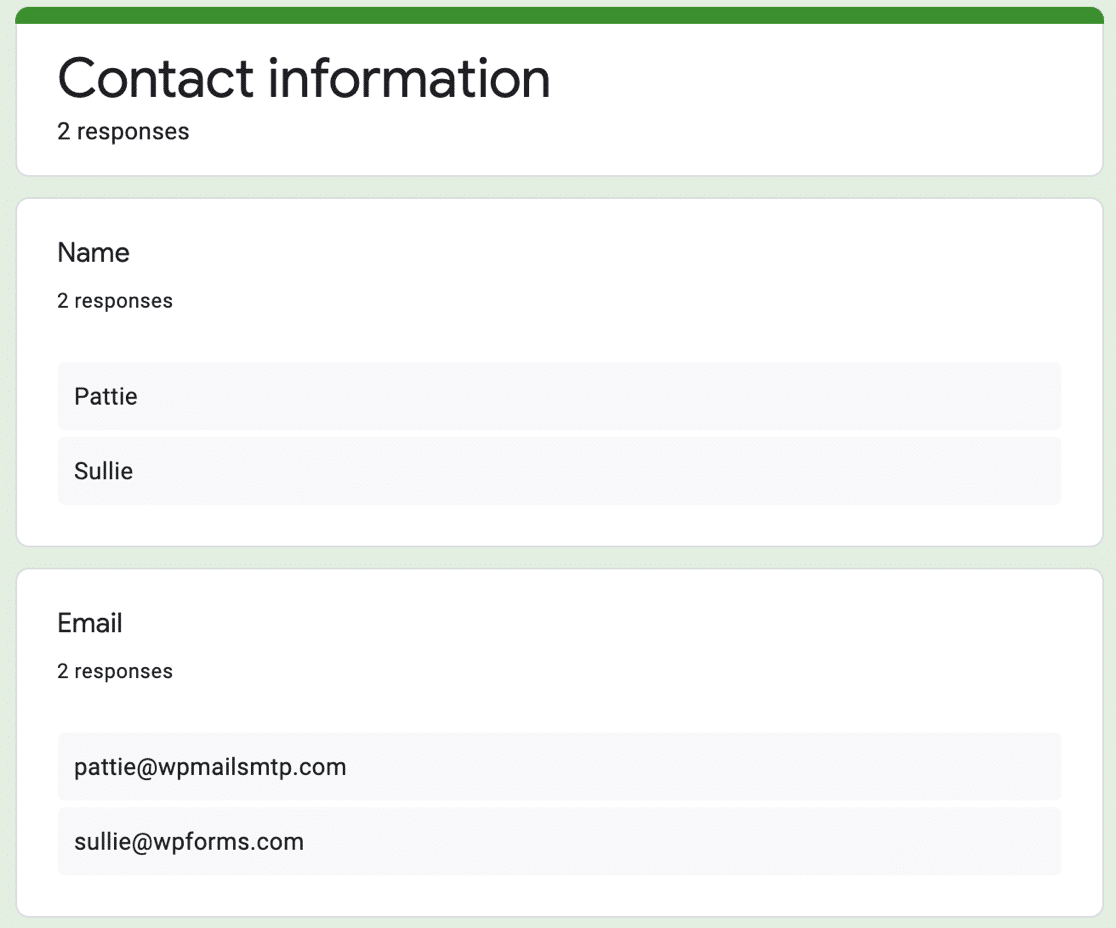
Quando você recebe envios de formulários, pode revisá-los no construtor de formulários ou em uma Planilha Google.
JotForm
O JotForm permite que você crie um formulário do zero ou a partir de um modelo. A biblioteca de modelos consiste em envios de outros usuários do JotForm, portanto, a qualidade é um tanto variada.
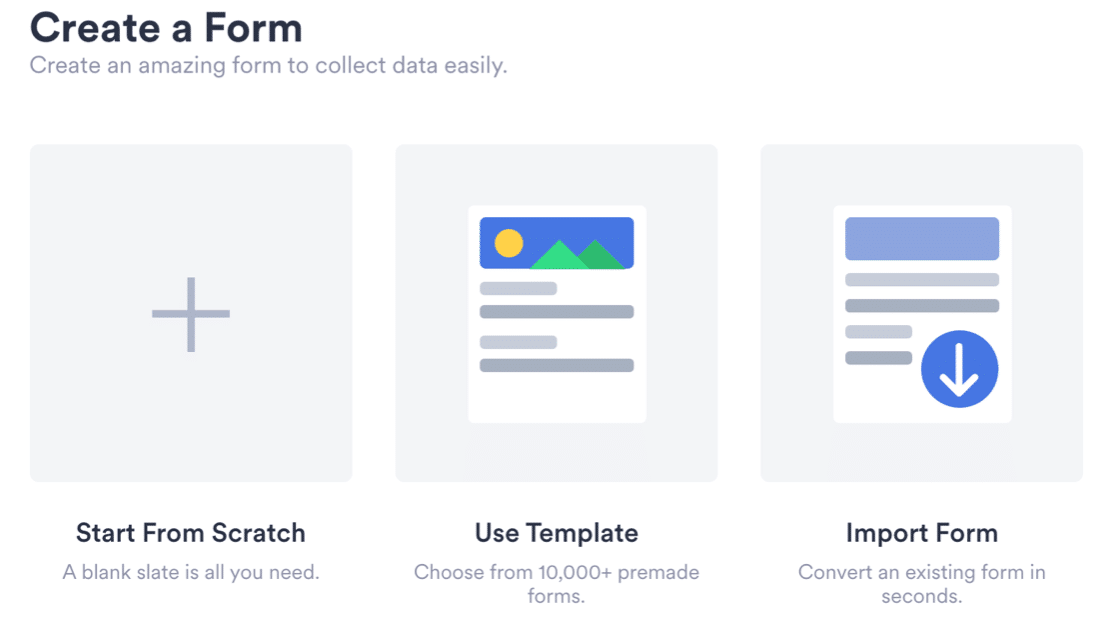
Se você já viu nossa comparação Ninja Forms vs WPForms, saberá que o Ninja Forms exige que você abra o painel de seleção de campos toda vez que quiser adicionar um campo.
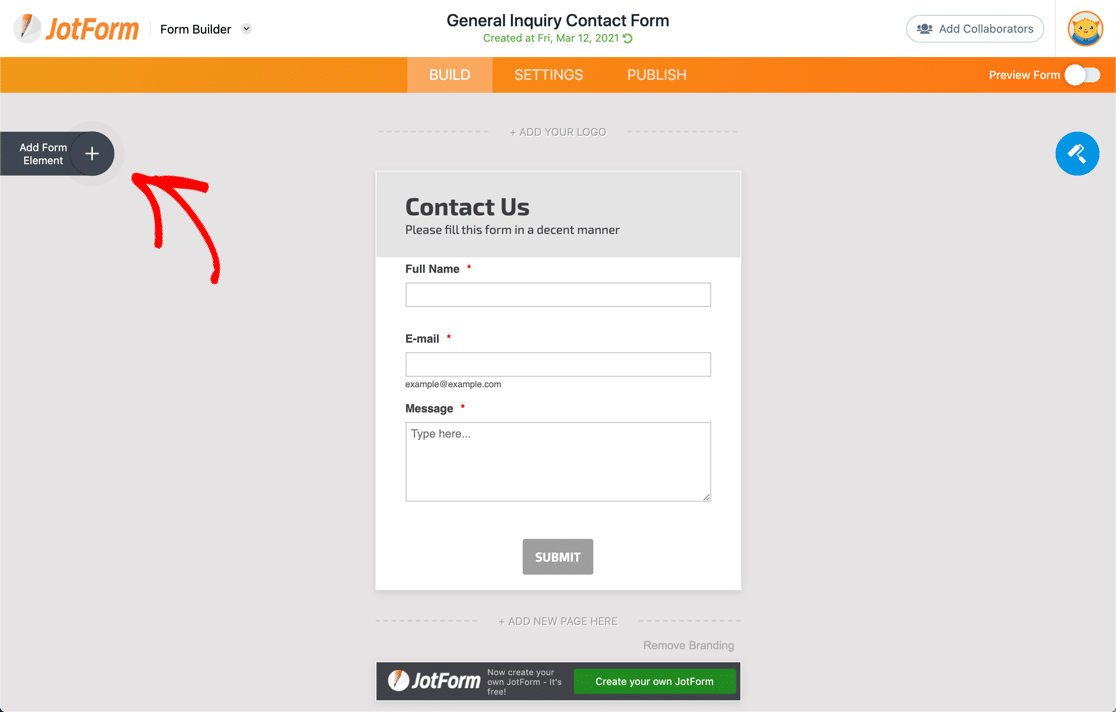
O JotForm funciona da mesma maneira. Você adiciona campos clicando no ícone de mais no canto superior esquerdo. Você pode clicar na engrenagem para abrir as configurações do campo à direita.
Cada painel aqui também tem 3 abas nas quais você pode clicar para acessar diferentes integrações e opções para criar seu formulário.
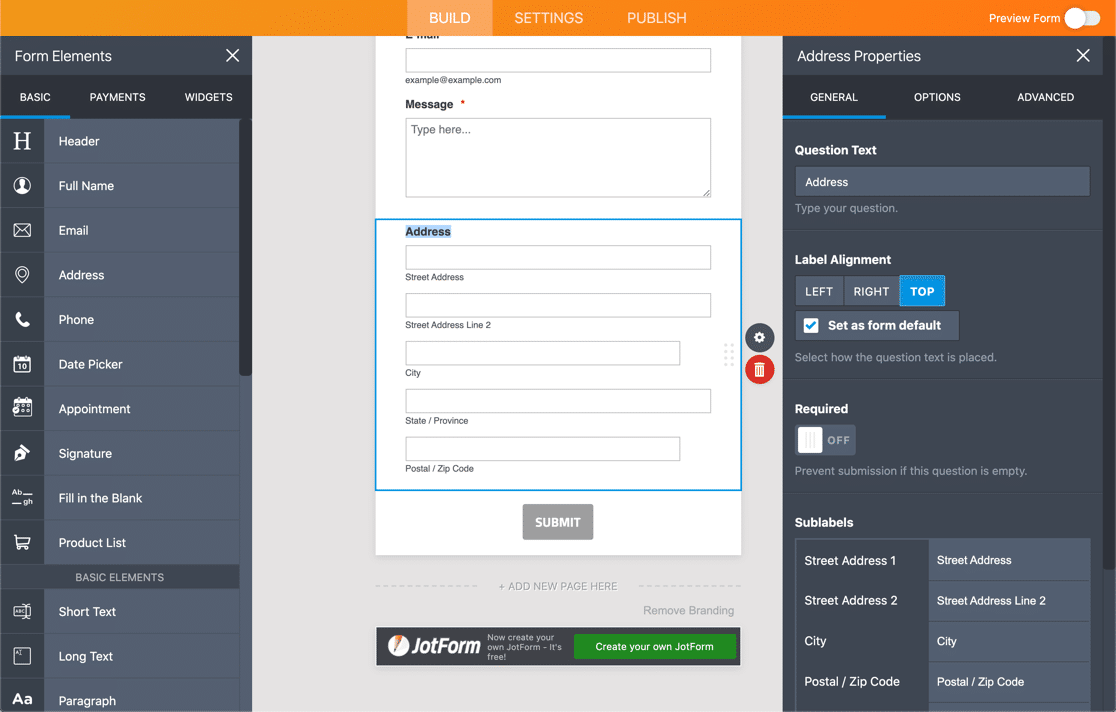
Você pode ver que o JotForm é muito mais versátil do que o Google Forms. Há mais configurações para cada campo, e a variedade de campos é mais útil.
E o JotForm tem uma biblioteca de mais de 100 integrações para processadores de pagamento, CRMs e assinaturas digitais.
Para alguns usuários, todos esses recursos e configurações serão muito mais do que eles precisam. Mas os usuários empresariais apreciarão a flexibilidade extra.
O principal problema é que o JotForm tem limites muito baixos em seus planos. Portanto, embora você possa criar formulários complicados, você é muito limitado em visualizações e respostas para eles.
Em alguns planos, há até um limite no número de vezes que seu formulário pode ser visualizado, o que pode ser um problema se você quiser exibi-lo em um site movimentado.
WPForms
WPForms é o melhor construtor de formulários para WordPress. Ele permite que você crie e publique qualquer tipo de formulário sem copiar e colar código.
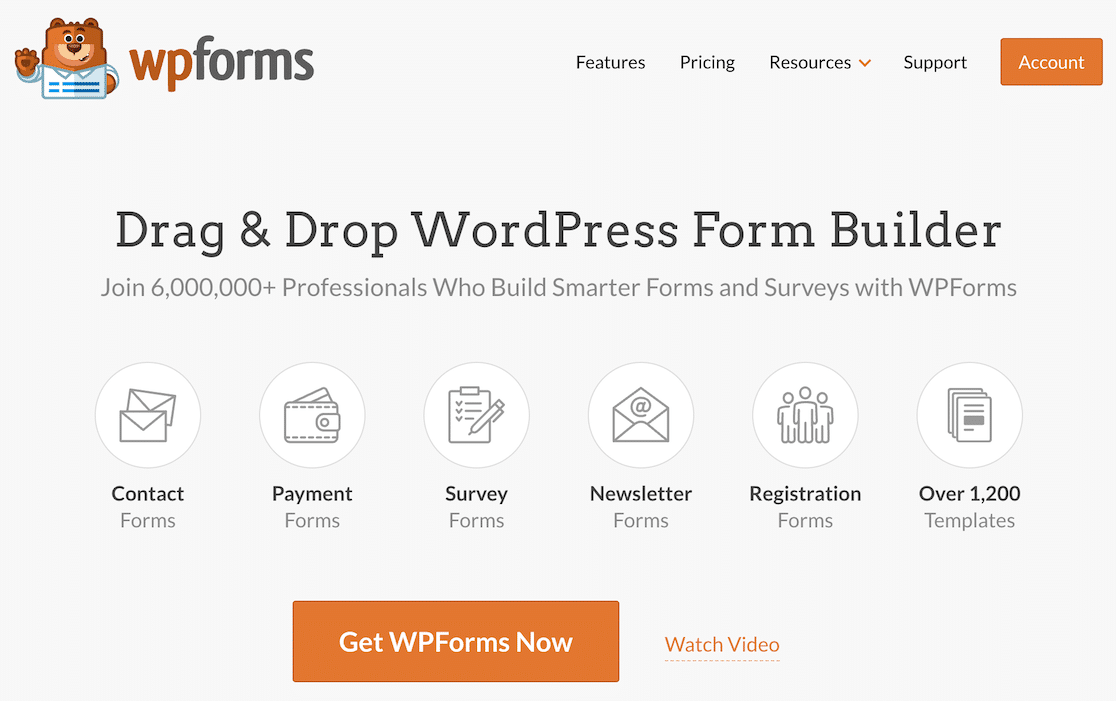
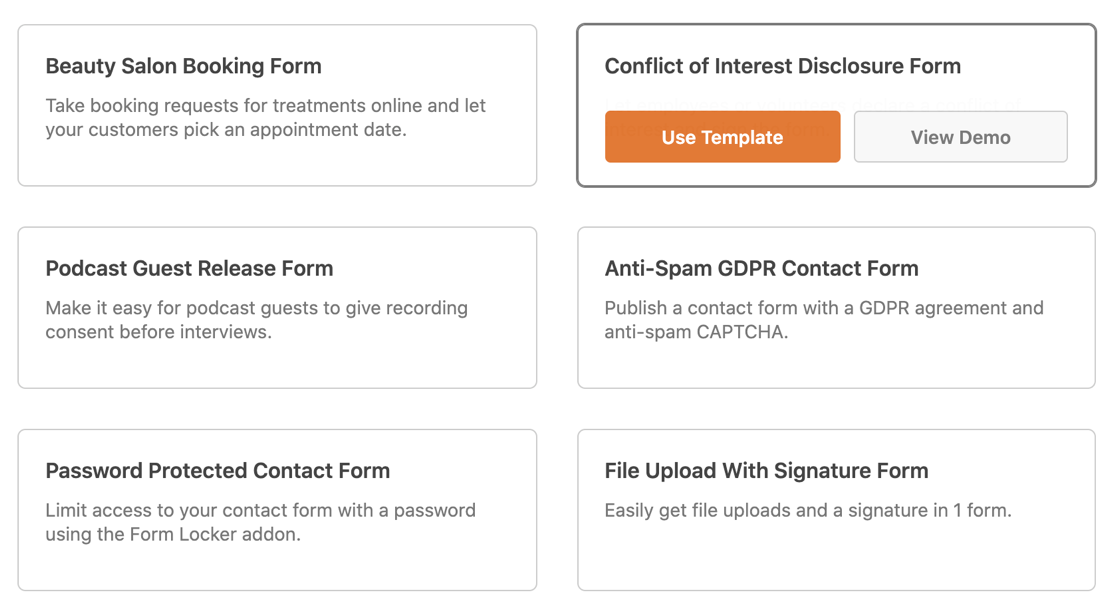
O WPForms vem com mais de 2.100 modelos de formulários do WordPress que você pode usar para começar. Use-os como estão ou personalize-os como quiser.
Os campos do formulário são sempre exibidos à esquerda no construtor de formulários de arrastar e soltar. O formulário fica sempre visível no lado direito para que você possa ver suas alterações em tempo real.
No lado esquerdo, você pode acessar facilmente suas configurações e integrações, ou adicionar, remover novos campos conforme necessário.
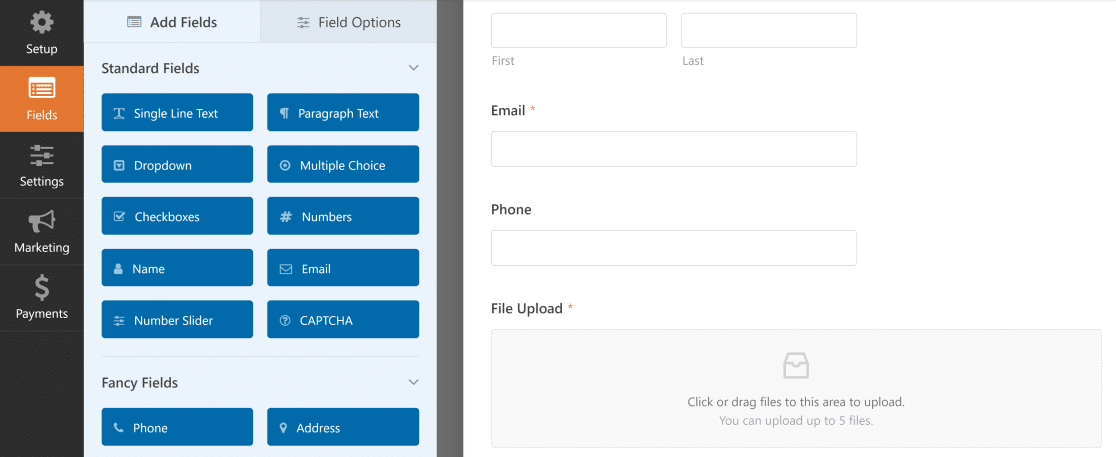
Para adicionar um campo, você pode arrastá-lo do lado esquerdo para o lado direito. Clicar no formulário abre as configurações do campo.
Isso permite que você veja facilmente o efeito de suas alterações enquanto trabalha em seu formulário em tempo real, o que é incrível!

WPForms permite que você adicione campos ilimitados e crie formulários ilimitados. Dependendo da sua licença, você pode usar campos como:
- Texto
- Dropdown, Múltipla Escolha e Caixas de Seleção
- Números e Slider de Números
- Nome
- Telefone
- Endereço
- Data / Hora
- Website / URL
- Upload de Arquivo
- Senha
- Texto Rico
- Quebras de página e seções
- Conteúdo e HTML
- Avaliações com estrelas
- Assinatura
- Escala Likert (perguntas de matriz)
- Net Promoter Scores
- Campos de cartão de crédito
- E mais
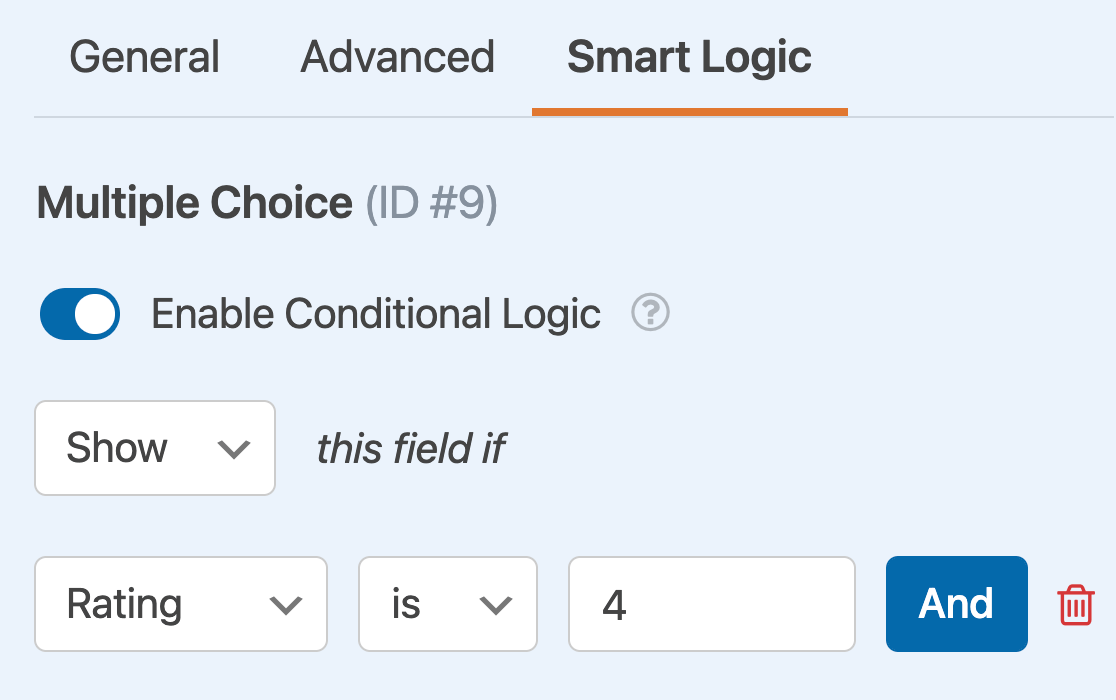
A maioria dos campos pode ser controlada com lógica condicional. Isso significa que você pode mostrar ou ocultar campos com base em respostas anteriores.
Recursos e Funcionalidades
Ao comparar construtores de formulários, dê uma olhada atenta na forma como os campos funcionam.
Formulários Google
O Google Forms permite que você crie formulários usando um construtor de arrastar e soltar em seu navegador. Você pode alterar o esquema de cores e a fonte e adicionar imagens ao seu formulário.
Você também pode dividir seu formulário em páginas. Se precisar ocultar perguntas com base nas respostas do seu visitante, você pode usar a lógica de pular para saltar páginas para que eles não as vejam.
Quando seu formulário estiver completo, você pode compartilhá-lo com os visitantes usando o link, ou incorporar seu Google Form em seu site WordPress. Você pode ver as respostas na interface do Google Forms ou em uma Planilha Google.
Recursos
- Temas básicos
- Lógica de pular página
- Lembretes por e-mail
- Confirmações de formulário
- Edição offline
- integração com o Google Sheets
JotForms
O Jotforms oferece mais de 10.000 modelos que você pode usar ou personalizar. Os modelos cobrem uma ampla gama de setores e profissões.
Descobrimos que há prós e contras nisso. O pró é que você tem quase certeza de encontrar o tipo de modelo que está procurando.
O contra é que o grande volume de opções pode sobrecarregar alguns usuários e dificultar a localização do que eles desejam.
Recursos:
- Um bom número de campos de formulário e uma vasta gama de widgets avançados
- Modelos e temas personalizáveis
- Suporte para a maioria dos principais gateways de pagamento
- Lógica condicional
- Relatórios e estatísticas de envio de entradas
- Um grande número de integrações de marketing
- ... E mais.
WPForms
O WPForms tem um incrível campo de telefone 'inteligente'. Ele adapta dinamicamente o formato do número de telefone detectando a localização do seu visitante.
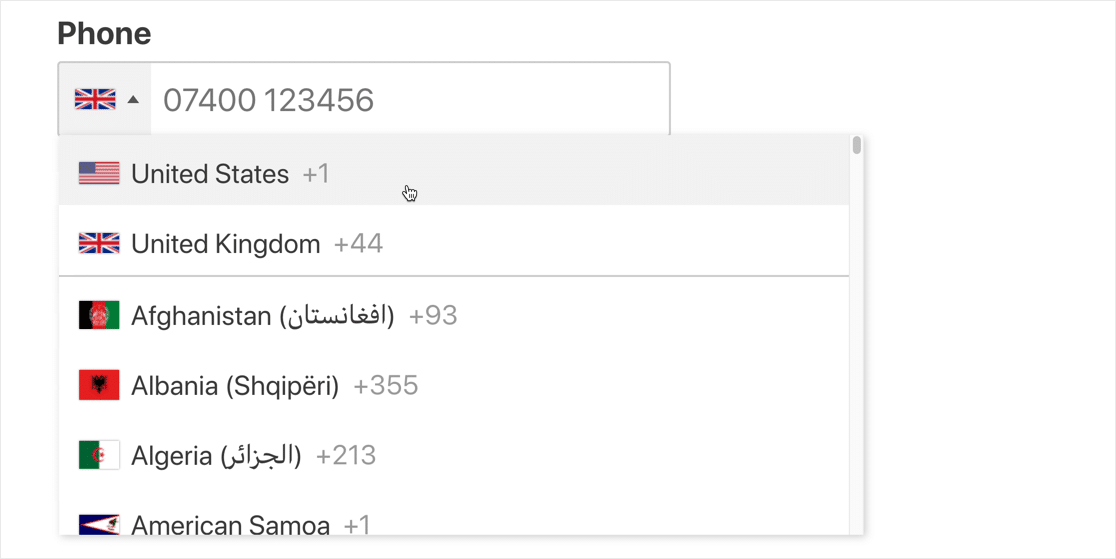
Isso parece um benefício pequeno, mas pode ser enorme para seus visitantes. Você sempre vai querer tornar seus formulários fáceis de usar, pois isso ajuda a reduzir o abandono de formulários.
Com o WPForms Lite, você pode facilmente receber notificações por e-mail para entradas de formulário. Ativar o recurso Lite Connect permitirá que você salve entradas, mas você não poderá visualizá-las até atualizar para a versão paga.
Com qualquer versão paga, as entradas também serão armazenadas no painel do WordPress. A partir daqui, você pode exportar entradas, imprimi-las em PDF, ou marcá-las para ler mais tarde.
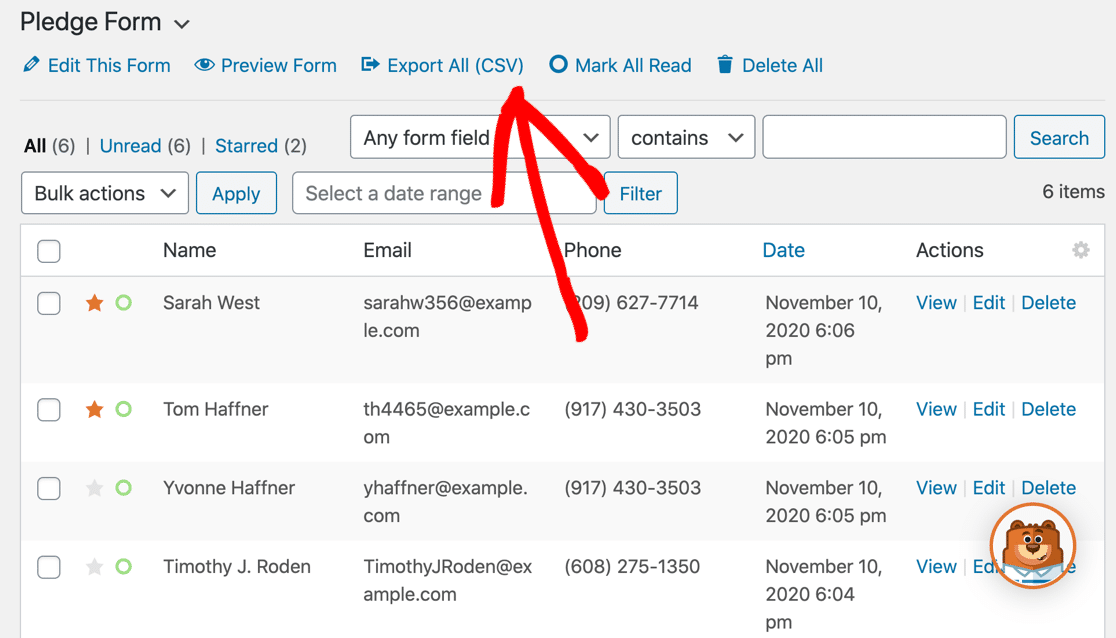
Quer ver mais diferenças na versão paga? Leia mais sobre WPForms Lite vs Pro.
O WPForms tem o melhor armazenamento de entradas de qualquer plugin de criação de formulários. Por exemplo, você também pode usar o addon Geolocation para ver a localização do seu visitante em um mapa.
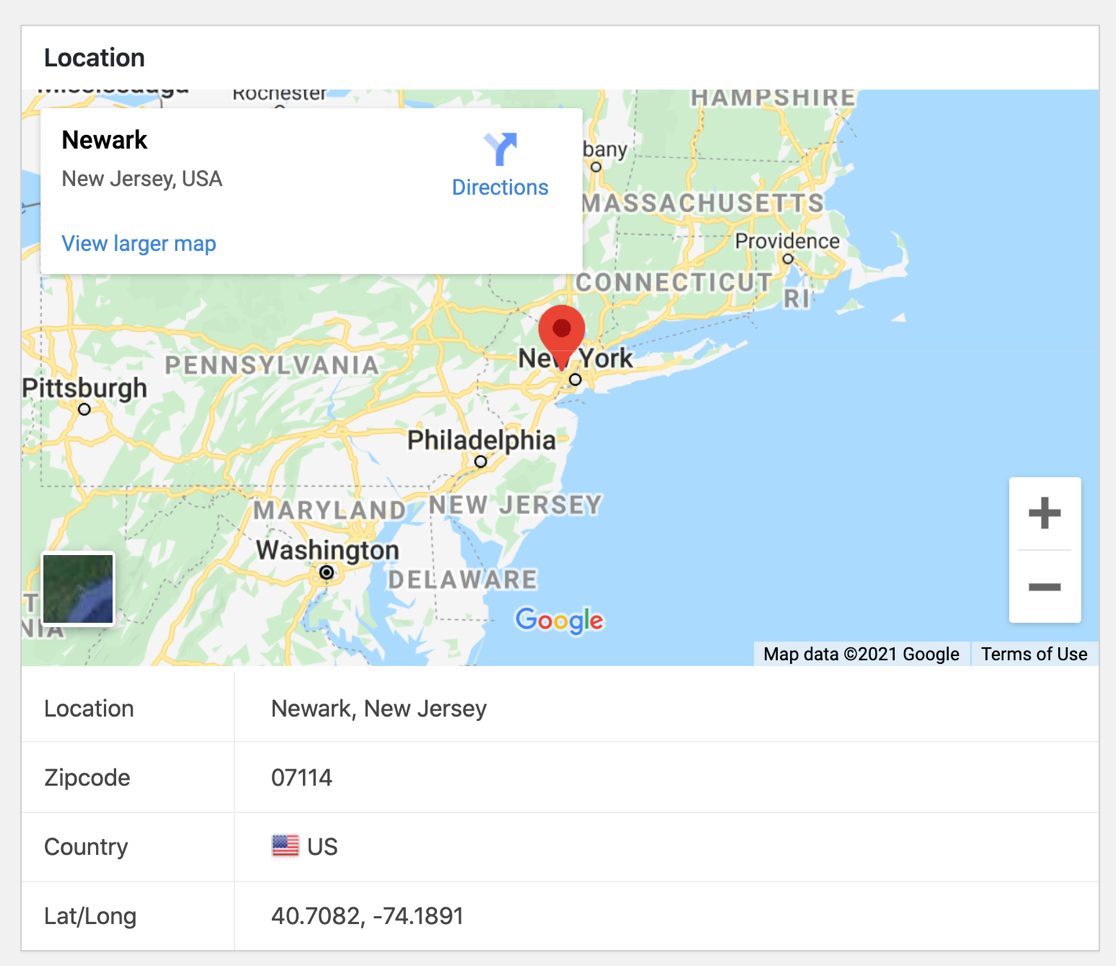
Conectar o addon Geolocation ao Google Maps ou Mapbox permitirá que você ative o preenchimento automático de endereços para seus formulários também.
E você pode instalar o addon User Journey para ver exatamente em quais páginas seu visitante pousou antes de enviar seu formulário.
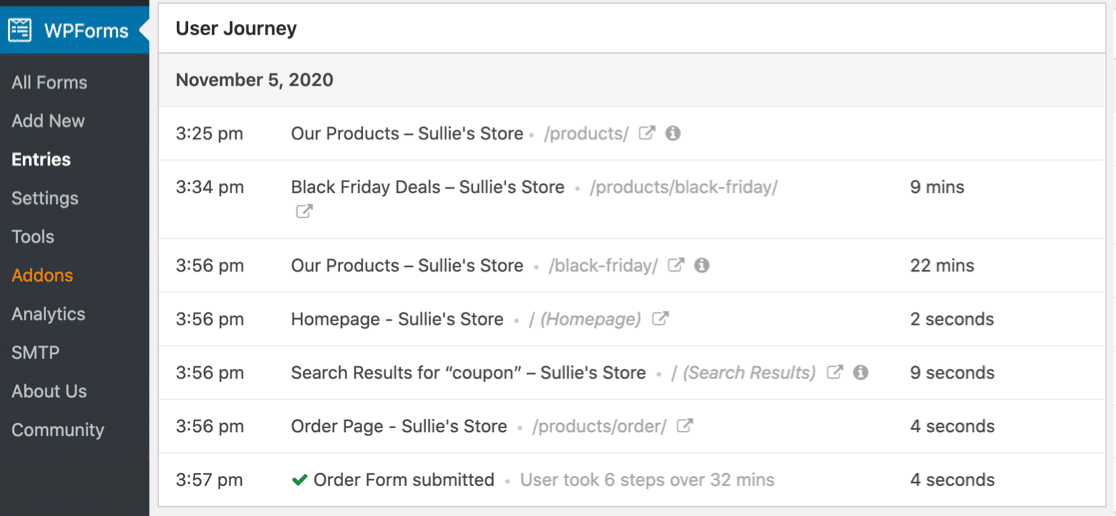
Todas essas informações estão disponíveis diretamente na página de entrada. Além disso, você também pode usar addons e integrações para:
- Serviços de pagamento: Stripe, Square, PayPal e Authorize.Net.
- Serviços de marketing por e-mail: AWeber, Mailchimp, Drip, MailerLite e mais.
- Google Sheets: Envie entradas automaticamente para uma planilha para análises de dados mais avançadas.
- Integrações personalizadas: Conecte-se ao Zapier, Uncanny Automator ou webhooks. Isso permite que você conecte seu formulário a centenas de outros serviços como MailPoet e SendFox.
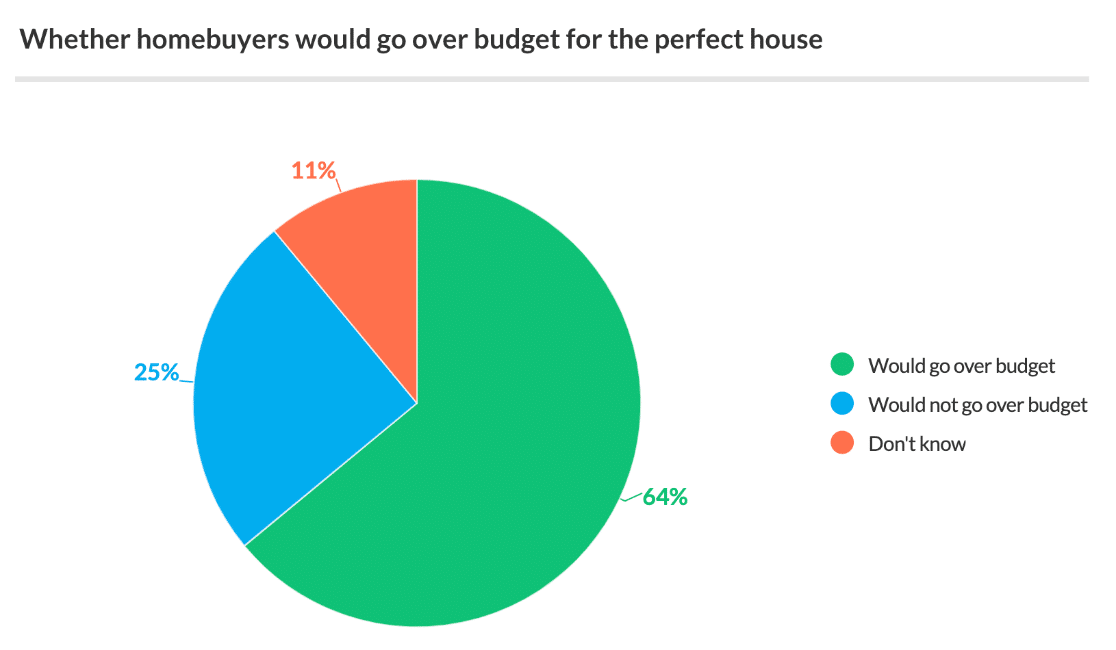
Se você usa o WPForms para criar pesquisas e enquetes, a área de armazenamento de entradas se transforma em uma plataforma completa de relatórios de pesquisa.
O WPForms gera automaticamente gráficos bonitos que você pode incluir facilmente em relatórios.
Como Publicar Seus Formulários
Todos esses criadores de formulários permitem que você compartilhe seu formulário com um link. Se você quiser incorporar seu formulário em uma página da web, o WPForms está muito à frente de seus concorrentes. Vamos dar uma olhada mais de perto.
Formulários Google
O Google permite que você envie um link para seu formulário por e-mail diretamente do criador de formulários.

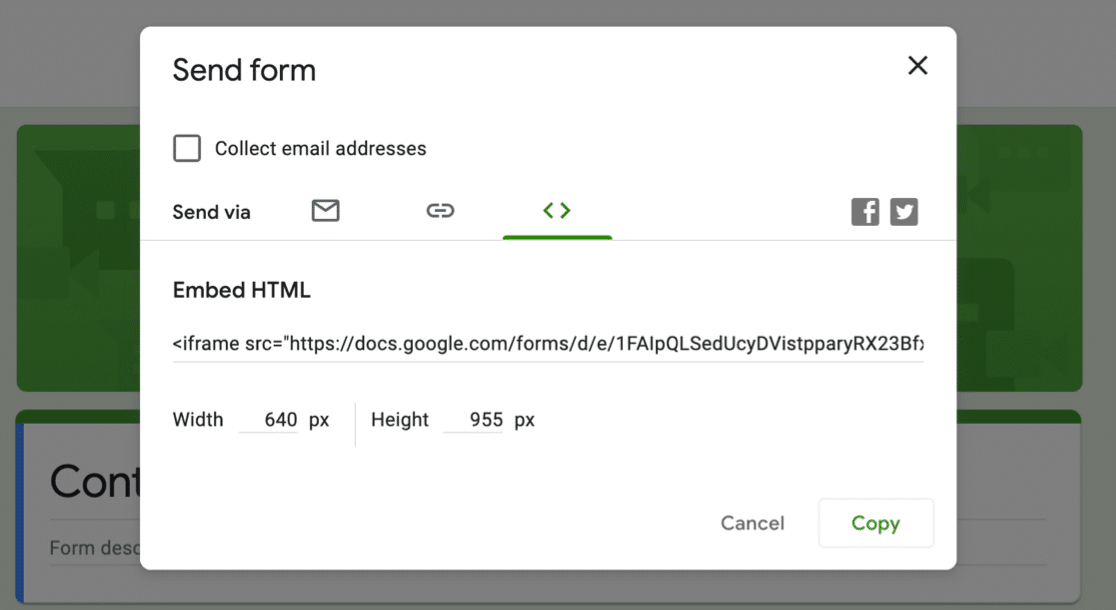
Se você quiser incorporar um Google Forms no WordPress, precisará usar código. Você pode pegar o trecho de código iframe no popup Enviar.
JotForm
Assim como o Google Forms, o JotForm é uma plataforma hospedada, então todos os seus formulários residem nos servidores do JotForm.
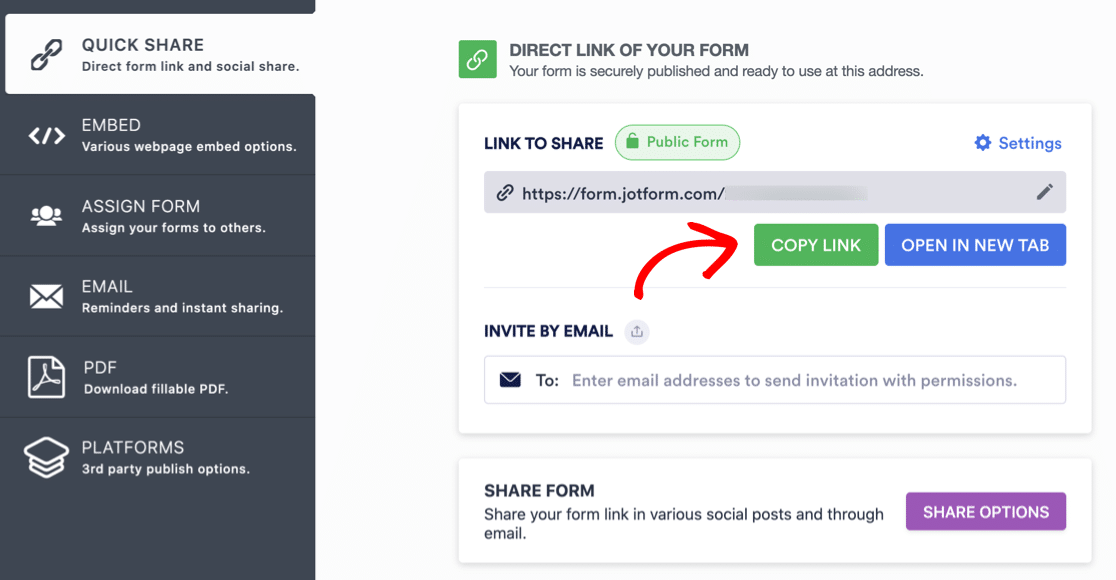
Para compartilhar um formulário, você pode pegar o link na aba Compartilhamento rápido na tela Publicar.
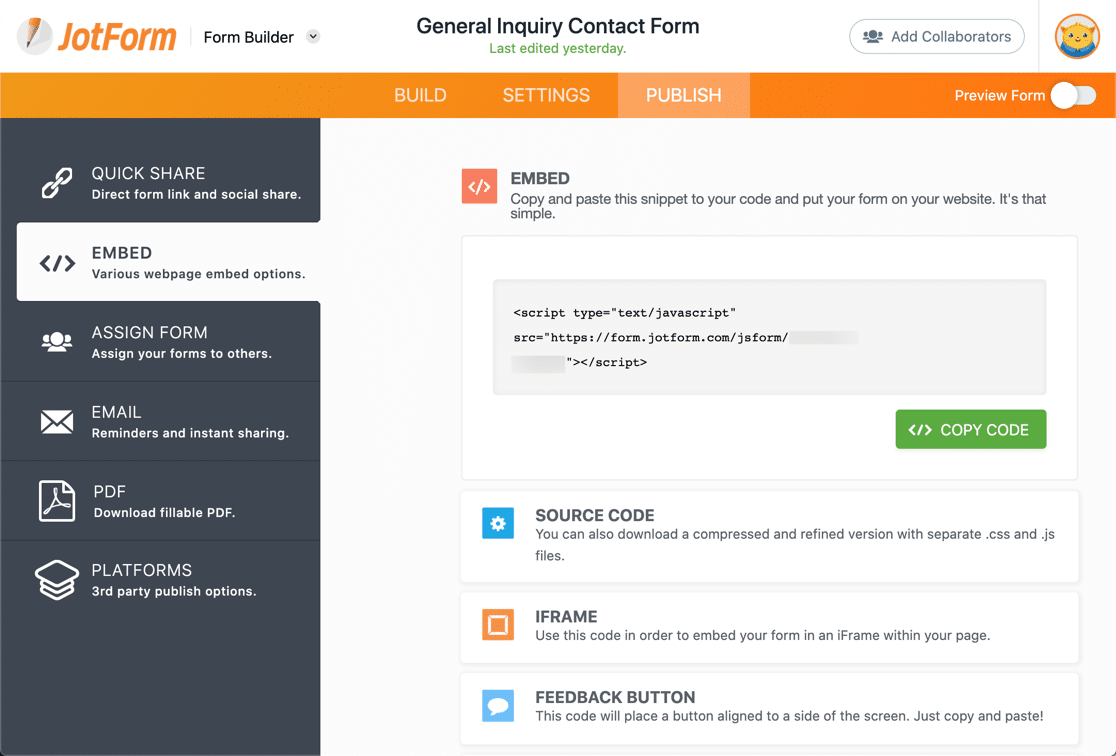
Na aba Incorporar, você pode copiar o código para incorporar seu formulário usando JavaScript ou um iframe.
Existem 2 plugins do WordPress para JotForm. Tivemos que instalá-los em alguns sites diferentes antes de conseguir fazê-los funcionar, o que sugere que eles não são totalmente confiáveis.
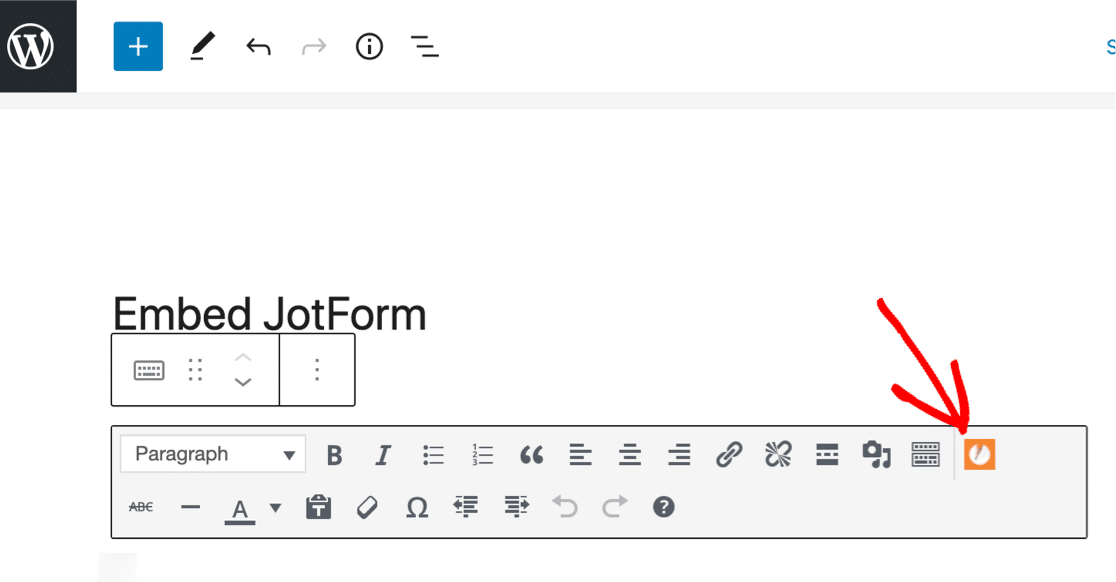
Com o primeiro plugin, você só pode incorporar seu formulário usando o editor clássico. Portanto, se você estiver usando o editor de blocos, primeiro terá que incorporar um bloco Clássico e escolher o formulário a partir daí.
O segundo plugin JotForm apenas permite que você incorpore o formulário colando o link em um bloco de parágrafo. Você não pode acessar nenhuma outra opção ou configuração, então isso é essencialmente o mesmo que incorporar seu formulário em um iframe.
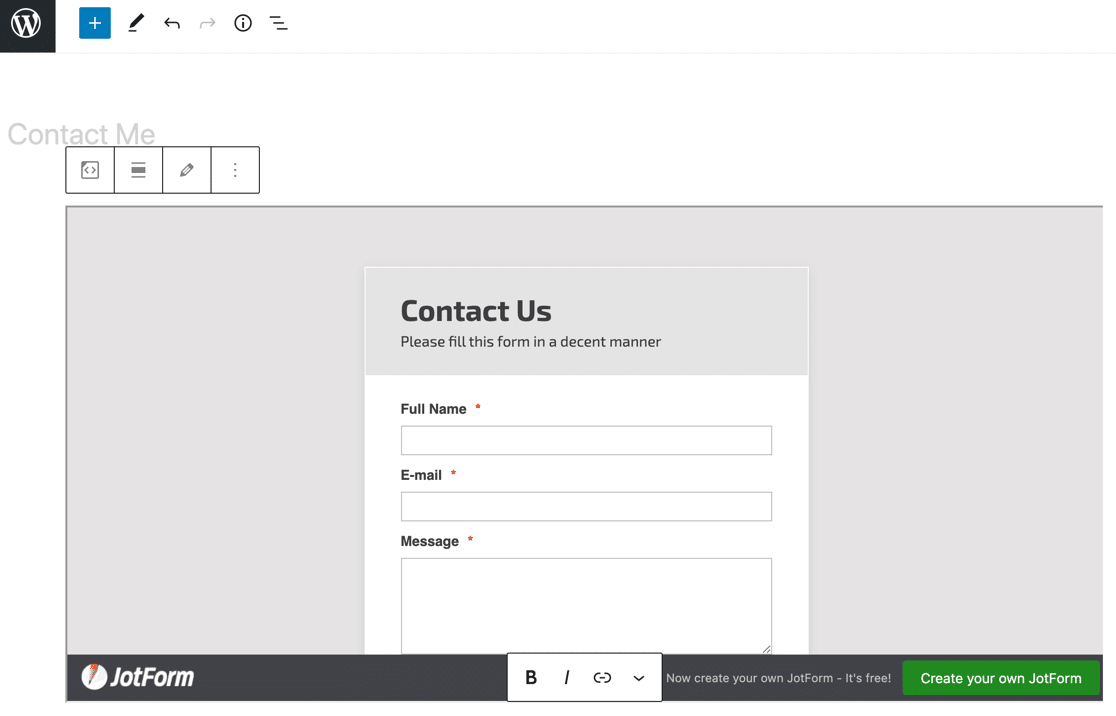
Ambos esses métodos são muito básicos. Vamos ver uma maneira melhor de fazer isso.
WPForms
O WPForms facilita a publicação de formulários em seu site. Na verdade, ele tem mais maneiras de incorporar formulários do que qualquer outro criador de formulários ou plugin concorrente.
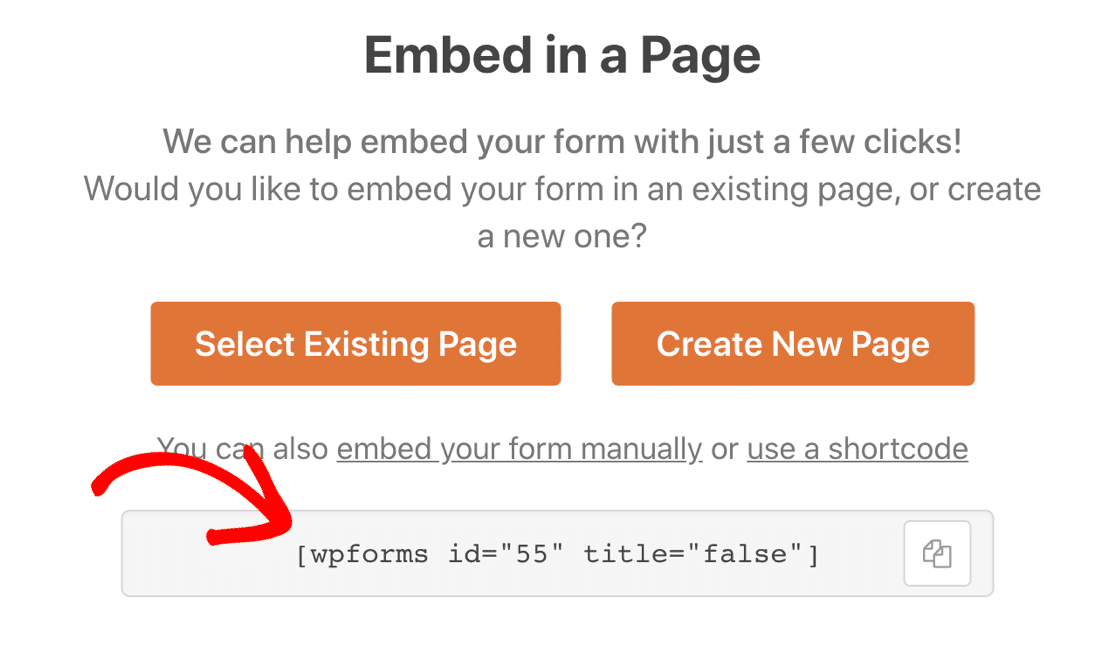
Primeiro, há o botão Incorporar.
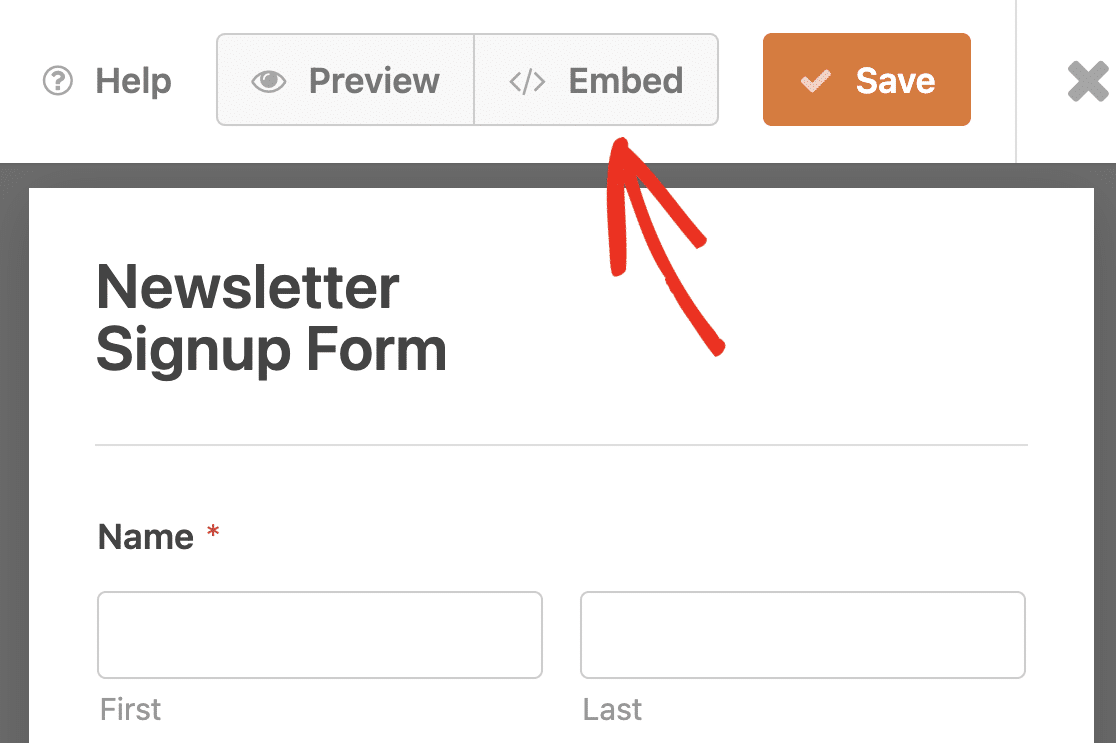
Este botão abre uma nova página do WordPress e incorpora o formulário automaticamente. Após nomear sua página, tudo o que você precisa fazer é clicar em Publicar.
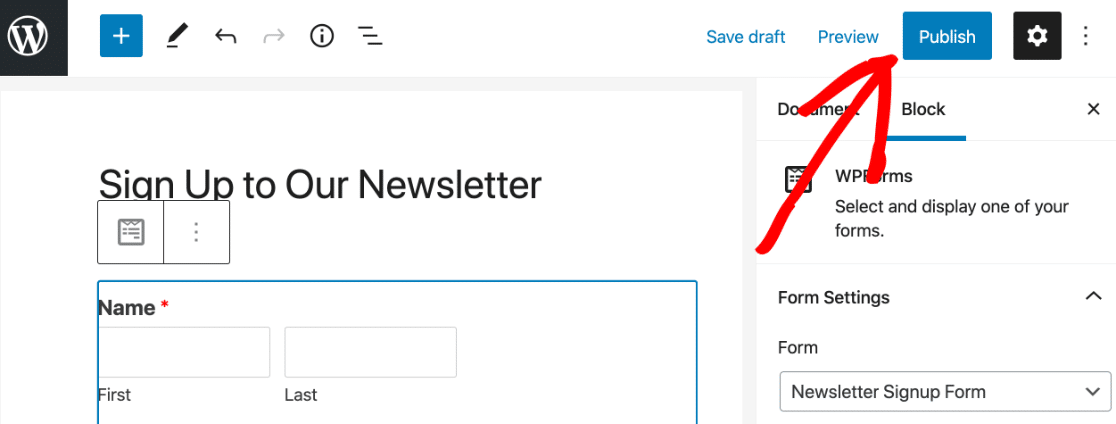
É realmente muito fácil! Se preferir, você também pode pegar o shortcode para o formulário.
E o WPForms também tem seu próprio bloco para o editor de blocos.
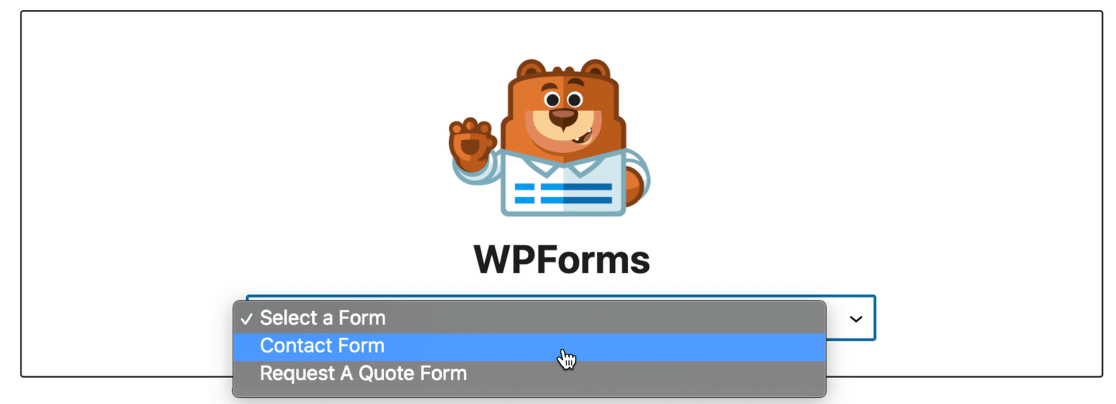
Esses 3 métodos facilitam a publicação de formulários em qualquer lugar do seu site:
- Em uma página ou post
- Na barra lateral
- No rodapé
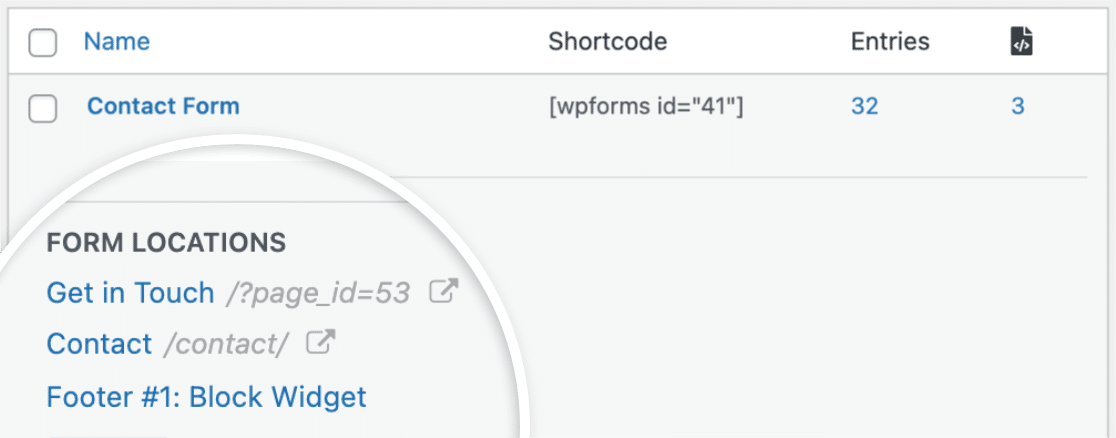
Para ajudar você a acompanhar onde você incorporou seus formulários, o WPForms mostrará todos os locais de cada formulário.
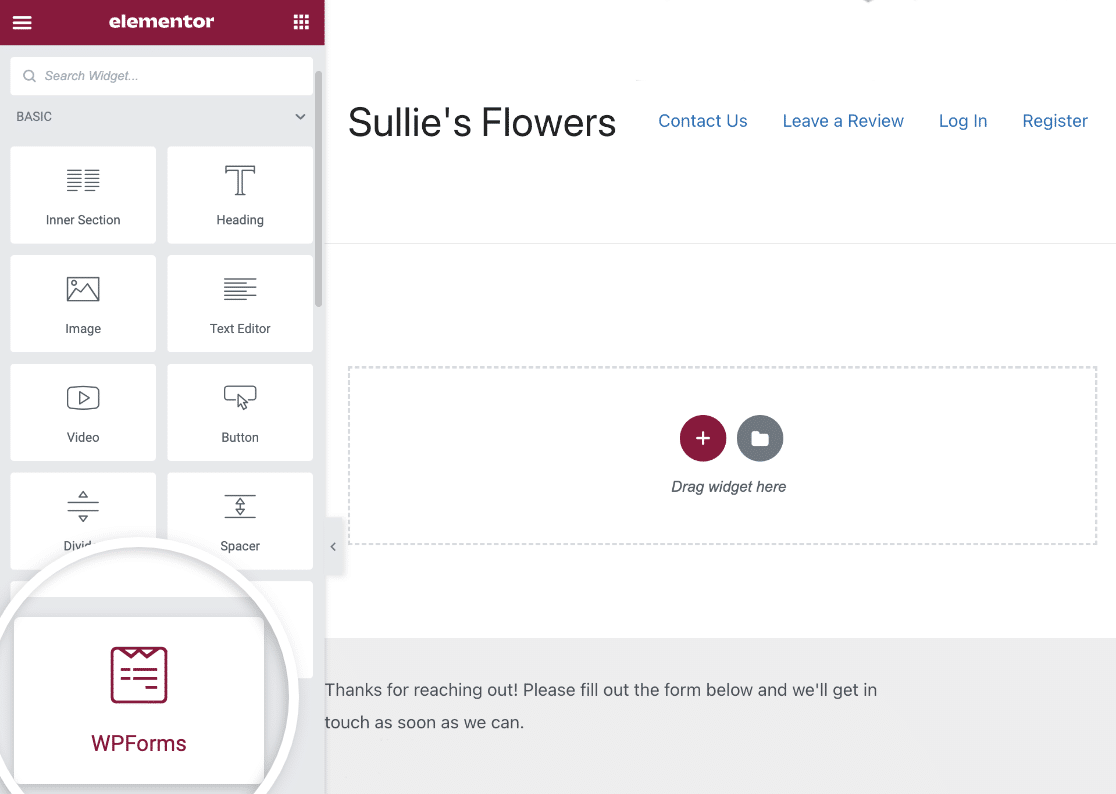
Se você estiver usando um construtor de páginas, o WPForms é a combinação perfeita. Ele tem seu próprio módulo Elementor, então você pode facilmente criar um formulário de contato gratuito no Elementor usando o WPForms Lite ou o WPForms Pro.
Usando Divi? Sem problemas. Há também um módulo para o construtor Divi.
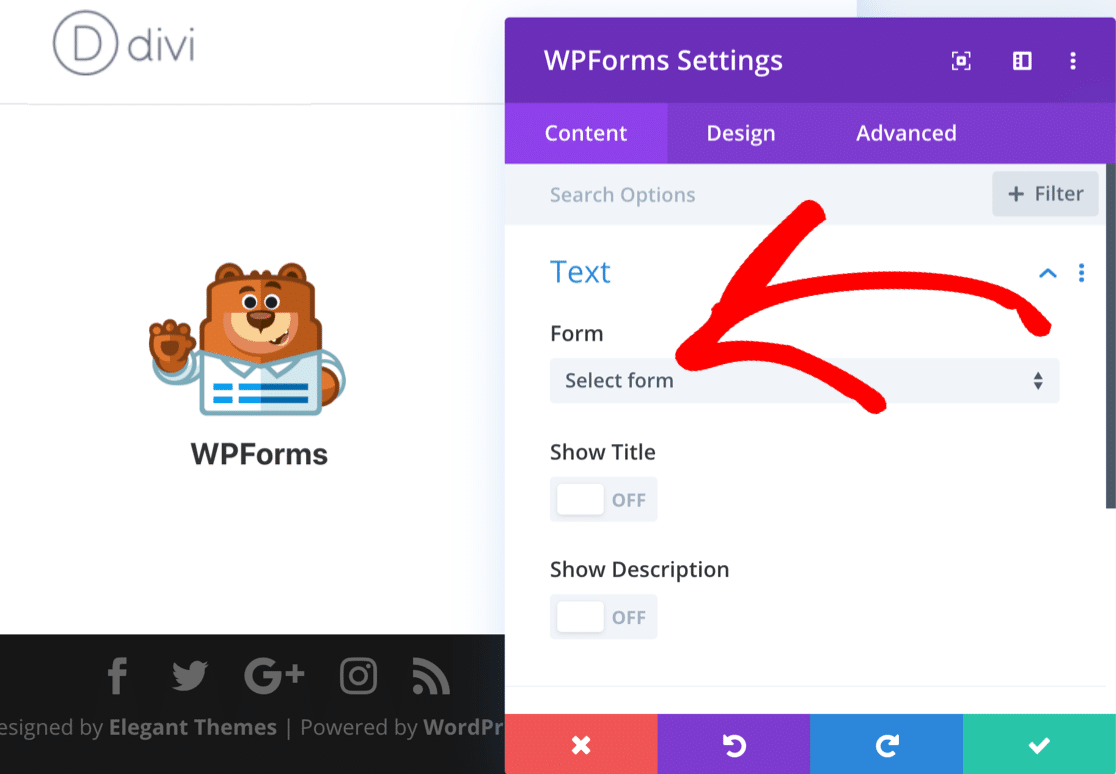
Se você estiver usando o SeedProd para criar páginas de destino, você também pode incorporar seus formulários lá.
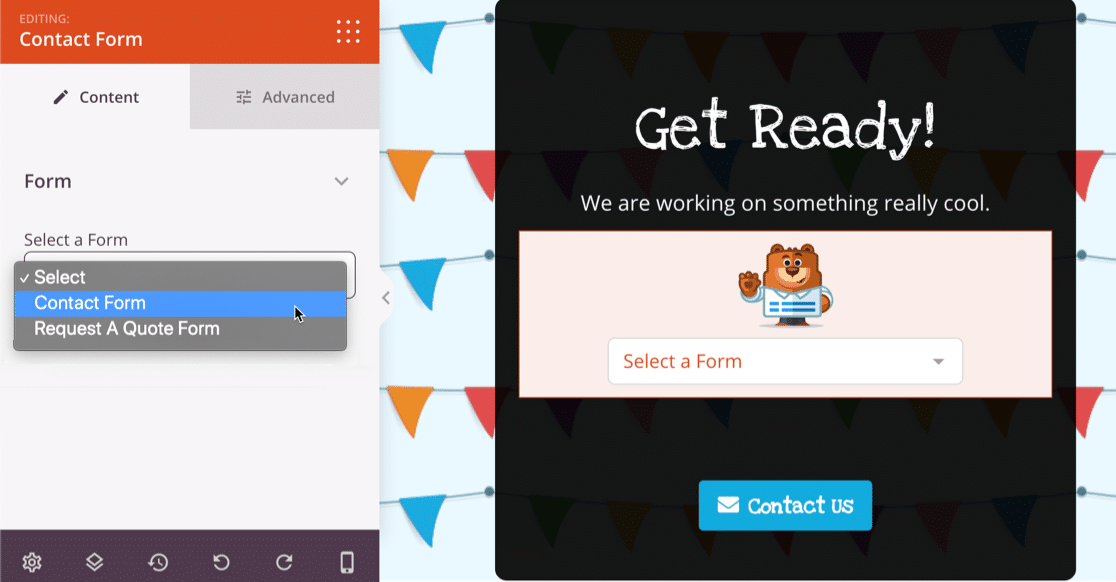
E isso não é tudo! Você sabia que o WPForms também é uma alternativa incrível ao Typeform?
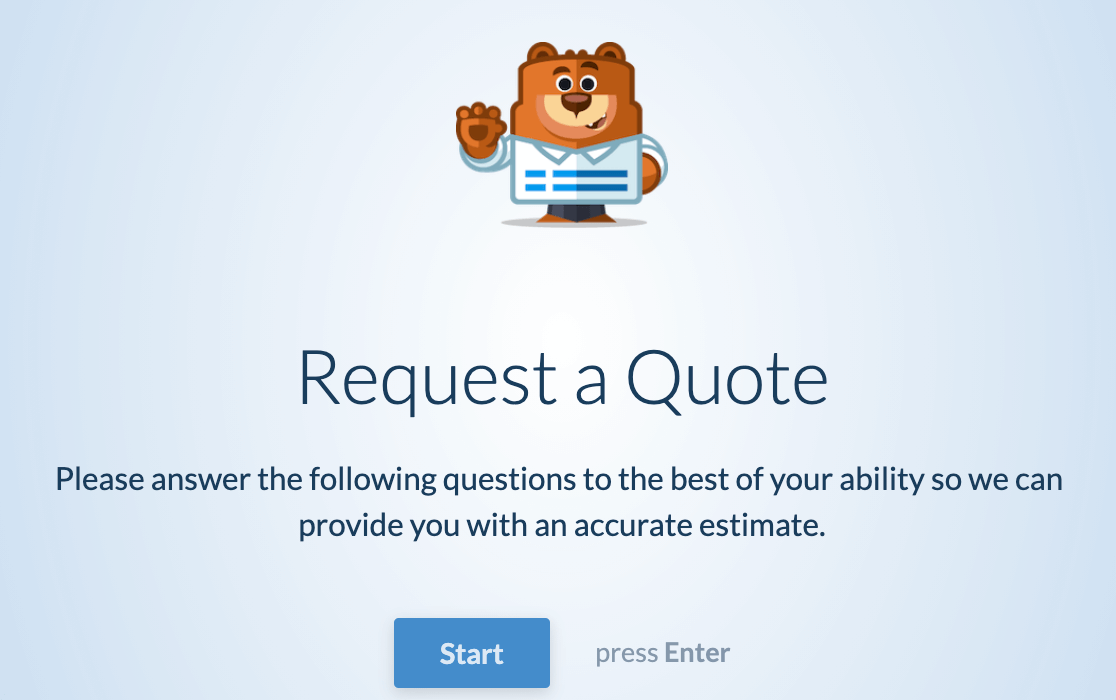
Você pode facilmente transformar qualquer formulário que criar em um formulário conversacional com um layout bonito e amigável para teclado.
E se você quiser um layout semelhante sem distrações, mas não quiser o estilo conversacional, você pode criar páginas de destino de formulário com 1 clique.
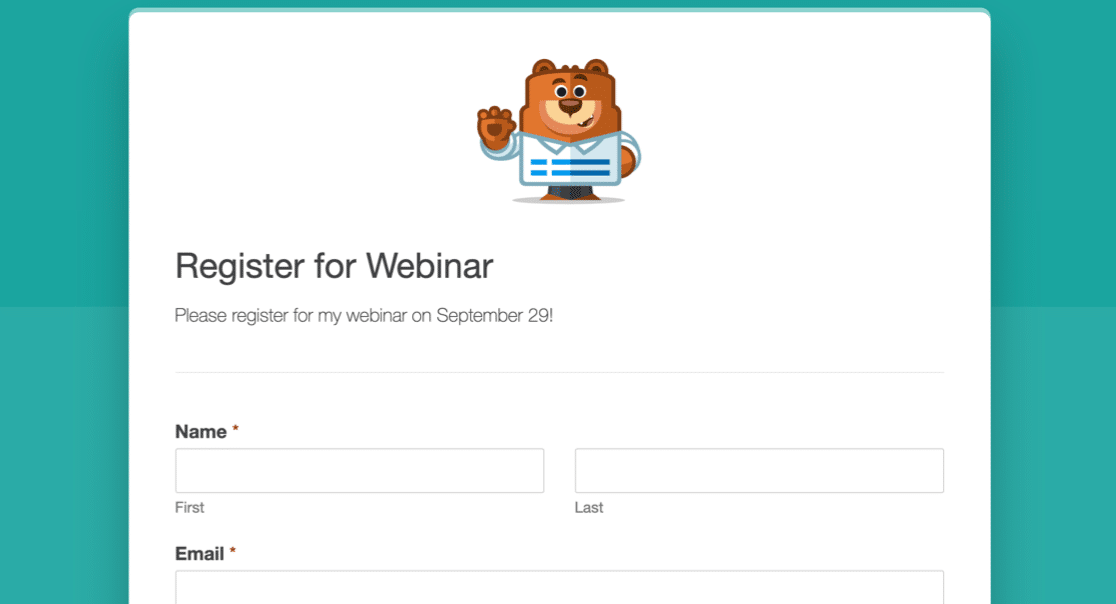
Como você pode ver, o WPForms é facilmente o vencedor quando se trata de incorporar e publicar formulários.
Planos e Preços Comparados
Esses provedores de formulários têm diferentes níveis de preço com várias limitações. Para simplificar, vamos analisar os planos gratuitos e, em seguida, os planos pagos mais populares.
Comparativo: Google Forms Gratuito vs. JotForm vs. WPForms
| Google Forms (Conta Gratuita) | JotForm Starter | WPForms Lite | |
|---|---|---|---|
| Limite de Formulários | Ilimitado | 5 | Ilimitado |
| Limite de Espaço em Disco | 15 GB (compartilhado com todos os produtos Google) | 100 MB | Ilimitado |
| Limite de Visualizações de Formulário | Ilimitado | 1,000 | Ilimitado |
| Limite de E-mails | 500 por dia | 20 por hora | Ilimitado |
| Limite de Submissões | Ilimitado | 100 por mês 500 total | Não incluído |
| Limite de Pagamentos | Não incluído | 10 por mês | Ilimitado (apenas Stripe) |
| Branding do provedor | Sim | Sim | Não |
WPForms Lite é o único construtor de formulários que oferece tudo isso gratuitamente:
- Formulários ilimitados
- Respostas ilimitadas
- Espaço em disco ilimitado
- Visualizações ilimitadas de formulários
- Pagamentos ilimitados com Stripe
O Google Forms tem limites mais generosos do que o JotForm, embora os limites para envio de e-mail e espaço em disco sejam compartilhados entre todos os produtos do Google que você usa. Portanto, se você estiver usando muito espaço de armazenamento para arquivos e fotos, não sobrará muito para seus formulários.
O WPForms não impõe limites. No entanto, lembre-se de que o espaço em disco, as visualizações e os e-mails podem ser limitados por outros fatores que estão fora do controle do WPForms. Por exemplo, você pode ser limitado pelo espaço em disco disponível em seu plano de hospedagem.
Planos Pagos: Comparativo Google Forms vs JotForm vs WPForms
| Google Forms (G-Suite) | JotForm Gold | WPForms Pro | |
|---|---|---|---|
| Preços Anuais | R$ 72-R$ 144 por usuário | $948 | $399 |
| Limite de Formulários | Ilimitado | Ilimitado | Ilimitado |
| Limite de Espaço em Disco | 30 GB – Ilimitado | 1 TB | Ilimitado |
| Limite de Visualizações de Formulário | Ilimitado | Ilimitado | Ilimitado |
| Limite de E-mails | 500-2000 por dia | 100 por hora | Ilimitado |
| Limite de Submissões | Ilimitado | 100.000 por mês | Ilimitado |
| Limite de Pagamentos | Não incluído | Ilimitado | Ilimitado (Stripe, Square e PayPal) |
| Branding do provedor | Sim | Não | Não |
Para uma pequena equipe, o Google Forms é a opção mais acessível. Dependendo da sua assinatura do Google Workspace, você pode encontrar limites de armazenamento, e o upgrade do seu espaço em disco custa extra.
O WPForms Pro é mais acessível do que o plano Gold do JotForm. E ainda existem limites no JotForm Gold que o WPForms Pro não tem. Por exemplo, se você estiver usando o WPForms com um plano de hospedagem ilimitado, você essencialmente não terá restrições de espaço em disco.
Finalmente, considere fazer o upgrade do Pro para o WPForms Elite se você quiser o máximo de recursos. Ele ainda custa R$ 350 a menos que o JotForm Gold, então você pode obter todos os recursos e add-ons do WPForms e ainda ter dinheiro sobrando para comprar um excelente plano de hospedagem.
Suporte ao Cliente e Documentação
É super importante conseguir ajuda rapidamente quando você precisa. Como o suporte se compara para esses construtores de formulários?
Formulários Google
O Google não oferece muito suporte para planos gratuitos. Você encontrará documentação em seu site, e isso é útil se você precisar saber sobre um recurso específico.
Para qualquer coisa mais complicada, você precisará postar sua pergunta na Comunidade de Editores de Documentos do Google.
Clientes que estão pagando pelo Google Workspace podem acessar o suporte em seu plano. Mas esse suporte só está disponível para o administrador do Workspace. Isso o torna inconveniente para usuários regulares que estão realmente criando formulários.
JotForm
O JotForm tem um fórum público para todas as consultas de suporte para clientes gratuitos e pagos.
Se você tiver um problema de conta, só poderá obter ajuda se postá-lo no fórum público. Esta não é uma ótima maneira para clientes pagantes acessarem o suporte.
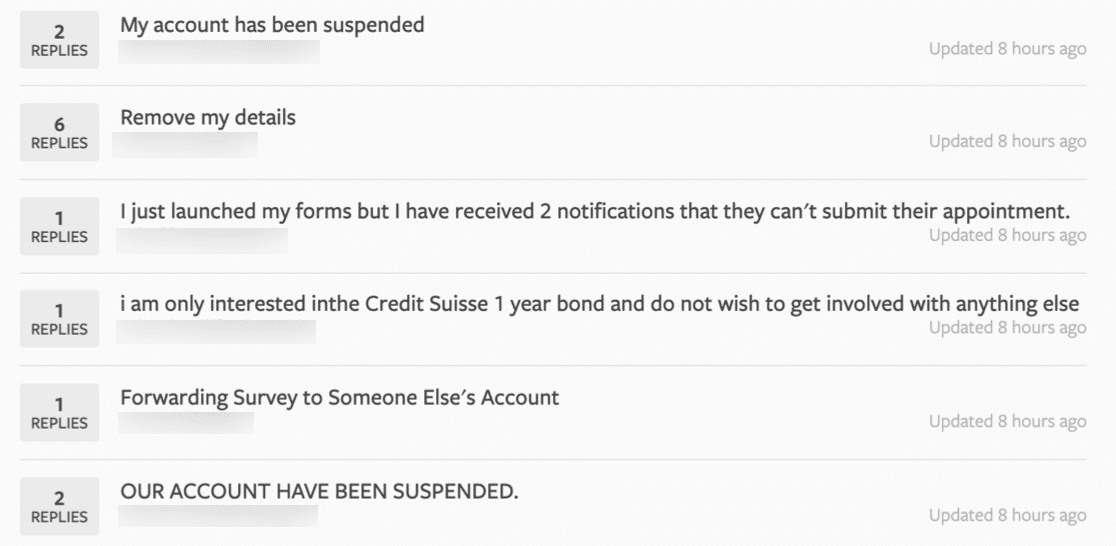
Todos que visitam o fórum podem ver as consultas de pagamento de outros clientes, solicitações de exclusão de conta e até reclamações.
Quando nos inscrevermos no JotForm pela primeira vez, nenhum dos nossos links de formulário funcionou. O JotForm corrigiu o problema após 6 horas.
WPForms
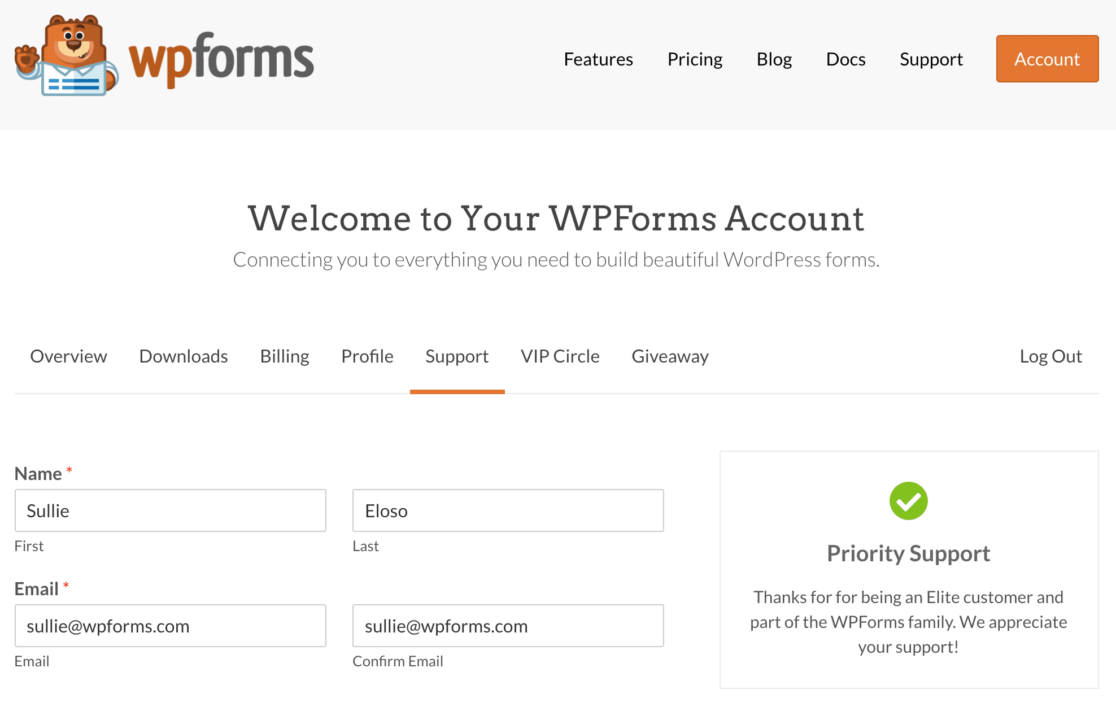
O WPForms tem toneladas de recursos de suporte gratuitos em diferentes formatos. Usuários gratuitos podem obter ajuda nos fóruns do WordPress.org para WPForms Lite, e clientes pagantes podem abrir um ticket de suporte em sua conta online.
Este é um fórum totalmente privado e a maioria dos tickets é resolvida em 1 dia útil. Prioridade é dada a clientes Pro e Elite.
Além disso, você pode obter ajuda gratuita nestes recursos:
- Blog WPForms
- Canal do YouTube do WPForms
- Documentação e Documentação do Desenvolvedor, incluindo trechos de código avançados
- Círculo VIP do WPForms, um grupo privado no Facebook para usuários do WPForms

Ter todas essas opções de suporte diferentes facilita a obtenção de ajuda sempre que você precisar.
Qual é o Melhor Construtor de Formulários?
Analisamos todos esses construtores de formulários em detalhes para que você possa ver exatamente quanto precisará gastar para obter os recursos de que precisa.
E o vencedor é… WPForms!
WPForms é definitivamente o melhor construtor de formulários do mercado. O plano gratuito permite criar formulários ilimitados, obter respostas ilimitadas e exibir seu formulário quantas vezes precisar.
E os planos pagos oferecem toneladas de funcionalidades extras.
| Plano | Sites | Principais Recursos & Add-ons | Preço/ano |
|---|---|---|---|
| Básico | 1 | Campos avançados, armazenamento de entradas de formulário, formulários de várias etapas, campos de upload de arquivos, Constant Contact, lógica condicional, modelos básicos, +mais | Começa em R$ 49,50 (normalmente R$ 99) |
| Plus | 3 | Mailchimp, AWeber, GetResponse, Campaign Monitor, Brevo (anteriormente Sendinblue), Drip, + mais | Começa em R$ 99,50 (normalmente R$ 199) |
| Pro | 5 | PayPal, Stripe, Square, Salvar e Continuar, landing pages, formulários conversacionais, pesquisas e enquetes, jornada do usuário, abandono de formulário, geolocalização, Zapier, posts enviados pelo usuário, mais de 100 modelos extras, + mais | Começa em R$ 199,50 (normalmente R$ 399) |
| Elite | Ilimitado | Todos os add-ons e recursos, incluindo ActiveCampaign, Salesforce, Authorize.net, webhooks e gerenciamento de clientes. | Começa em R$ 299,50 (normalmente R$ 599) |
O WPForms possui o armazenamento de entradas mais avançado, facilitando a revisão das entradas do seu formulário. Ele permite exibir gráficos de pesquisa, aceitar pagamentos, receber arquivos e rastrear a atividade do usuário.
Ele tem as melhores opções para incorporar e publicar seus formulários e pesquisas finalizados!
Não importa como você usa seus formulários, o WPForms facilita a criação de um formulário em minutos, desde um formulário de contato simples até uma pesquisa profissional.
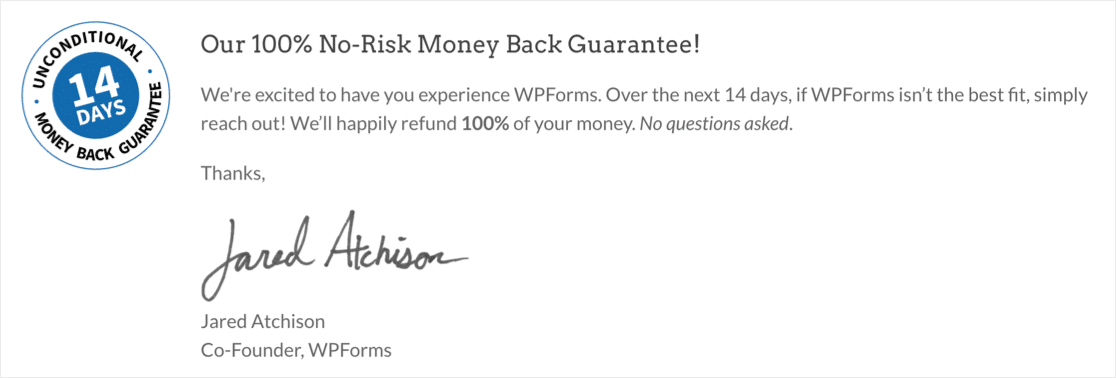
Se você comprar o WPForms e depois perceber que ele não é adequado para o seu projeto, não se preocupe. Há uma garantia sem perguntas, para que você possa obter facilmente um reembolso em até 14 dias após a compra.
Crie Seu Formulário WordPress Agora
Perguntas Frequentes sobre Google Forms vs. JotForms vs. WPForms
Construtores de formulários são um tópico popular entre nossos leitores. Aqui estão as respostas para algumas perguntas comuns sobre Google Forms vs JotForms vs WPForms.
O Google Forms tem um limite?
O Google Forms não limita o número de respostas que você pode coletar em seus formulários. No entanto, os clientes do Google são limitados pelo espaço em disco de suas contas do Google.
Há uma cota de 15 GB para usuários gratuitos, mas isso é compartilhado com outros produtos como Fotos e Gmail.
Qual é a diferença entre WPForms e Google Forms?
WPForms é um plugin do WordPress com recursos avançados como criação de formulários de arrastar e soltar, lógica condicional e múltiplas integrações com gateways de pagamento e serviços de e-mail. O Google Forms, embora fácil de usar, é mais limitado, focando principalmente em formulários de pesquisa e carecendo de muitos recursos avançados.
O Jotform se integra ao Google Forms?
O JotForm e o Google Forms não possuem integração direta. No entanto, você pode usar ferramentas de terceiros como o Zapier para conectar os dois, permitindo que os dados de envios do JotForm sejam enviados para o Google Forms ou outros serviços do Google.
Qual formulário é melhor que o Google Forms?
O WPForms é uma opção melhor que o Google Forms devido aos seus recursos avançados, facilidade de uso e integração perfeita com o WordPress.
O WPForms Lite oferece uma versão gratuita com recursos essenciais, e o WPForms Pro fornece ainda mais ferramentas para criar formulários sofisticados.
Em seguida, Crie Seu Primeiro Formulário Online com WPForms
Se você quiser ver como o WPForms se compara a outros plugins, temos muito mais análises de construtores de formulários para você conferir. Comece com estas alternativas ao Caldera Forms.
Crie Seu Formulário WordPress Agora
Pronto para construir seu formulário? Comece hoje mesmo com o plugin construtor de formulários WordPress mais fácil. WPForms Pro inclui muitos modelos gratuitos e oferece uma garantia de devolução do dinheiro em 14 dias.
Se este artigo ajudou você, por favor, siga-nos no Facebook e Twitter para mais tutoriais e guias gratuitos do WordPress.


Eu uso o Jotform há alguns anos. Minha aplicação tem baixo uso, então se encaixa no plano gratuito deles. Em relação ao suporte, eles têm um dos melhores que já encontrei. O único problema é que, se sua conta for bloqueada, você não terá como contatá-los através da sua conta. Gostaria de ter visto uma comparação das capacidades de cálculo dos três. Calcular preços estendidos ou preços totais a partir de um número de escolhas ou condições é bastante importante. Se o WPForms suportasse isso, seria o vencedor claro.
Olá Peter, obrigado pelo seu feedback! Anotei sua sugestão de comparação de capacidades de cálculo entre os três, mas pode ser útil saber que nosso plugin é capaz apenas de somas simples no momento e não consegue realizar outros cálculos.
Espero que isso ajude a esclarecer 🙂 Se você tiver mais alguma dúvida sobre isso, por favor entre em contato conosco se tiver uma assinatura ativa. Se não tiver, não hesite em nos fazer algumas perguntas em nossos fóruns de suporte.
Eu não sei muito sobre o wpforms, mas a vantagem do Jotform é sua capacidade de integrar com tantos outros aplicativos. Por exemplo, a integração com o Google Agenda é muito fácil ou chamar uma RestApi para atualizar um banco de dados MySql usando php. Além disso, eles mantêm os registros para que você possa recuperá-los/baixá-los mais tarde.
Olá Hagop, obrigado pelo seu feedback! Anotei sua sugestão de comparação. O WPForms oferece alguma flexibilidade e você pode aproveitar nosso addon Webhooks para enviar os dados do formulário para um aplicativo ou plugin de terceiros. Outra alternativa é usar o hook de ação wpforms_process_complete, que é uma escolha popular ao criar integrações de API personalizadas ou precisar executar qualquer tipo de ação após o envio bem-sucedido de uma entrada.
Espero que isso ajude. Se você tiver uma licença do WPForms, se tiver mais alguma dúvida sobre isso, por favor entre em contato conosco se tiver uma assinatura ativa. Se não tiver, não hesite em nos fazer algumas perguntas em nossos fóruns de suporte.