Formidable Forms Alternative for WordPress

The Formidable Forms Alternative That Goes All In on Forms

Formidable splits its energy across forms, directories, calculators, and app building. WPForms puts everything into the form itself, from 2,100 templates and built-in AI to payments and reports that show where every form wins or loses visitors.

WPForms vs Formidable Forms

Here’s how the two stack up on the things you’ll notice in your first week.

FeatureWPFormsFormidable Forms
Built forForms that convert, in a full-screen drag and drop builderForms plus Views, directories, dashboards and web applications, in its own words
Form analyticsViews, interactions, conversion rate, abandonments and errors for every form, with a per-field table and time spent, included with ProUser Flow add-on on Plus and up records each visitor’s journey after they submit. Its own analytics guide points to MonsterInsights for conversion rates
Where people give upThe exact field, with drop-off, errors and average time, for every visitorPartial entries marked In Progress or Abandoned, with the Form Abandonment add-on on Business and up
Conversion goals and AI chat on your resultsIncluded with ProNot among the features its pricing page lists
AI form builderEvery license, free version includedBusiness and up, $199.50 a year, with 1,000 AI requests a month
Claude, ChatGPT and CursorEvery license, through the free WPVibe MCP serverAPI Add-On MCP server on Business and up, active license required
Form templates2,100+ on every license100+ on Basic, 145+ on Plus, 320+ on Business, 325+ on Elite
Entry storage in your dashboardBasic and up, $49.50 a year; the free version backs entries up with Lite ConnectEvery plan, free version included
Front-end data display and editingNot a WPForms feature; Post Submissions and User Registration are included with ProFormidable Views on Plus and up: grids, tables, calendars and front-end editing
Payments with no platform feePro and up, $199.50 a year, with Stripe, Square and PayPal Commerce; 3% on Lite, Basic and PlusBusiness and up, $199.50 a year, with Stripe, PayPal and Square; 3% on Basic and Plus
Email marketing integrations12 native services included with Plus, $99.50 a yearFour on Plus, three more on Business, ActiveCampaign on Elite, per its pricing page
Automation platformsZapier, Make and n8n with ProZapier and n8n with Business
Active installations on WordPress.org5+ million300,000
Reviews on WordPress.org13+ thousand five-star reviews1,300+ reviews, per its own site

What a Formidable Forms Alternative Should Get Right

Any builder worth switching to has to prove itself first, from how quickly your forms rebuild to what you learn once they’re live. Here are the six tests that matter, and how WPForms passes each one.

Forms First, Not Apps

Formidable’s homepage describes a builder that “scales from simple contact forms all the way to full web applications,” and its Views add-on turns entries into directories, calendars, and dashboards. That’s a real strength, and if you need a member directory, it’s the right tool.

WPForms starts from a different question: how fast can a form that converts go live? The builder opens full screen with nothing else on it. You drag fields in, set notifications and confirmations in plain tabs, and embed the form as a block from the same screen. In short, everything a form needs is one click away, and nothing it doesn’t need is in the way.

The formidable forms alternative for WordPress shown as a signpost at a fork, one arm pointing to web applications and the other to forms that convert

Every Field, Measured

Formidable’s own guide to form analytics points to two places: its User Flow add-on, on Plus and up, which records each visitor’s journey once they submit, and MonsterInsights for conversion rates.

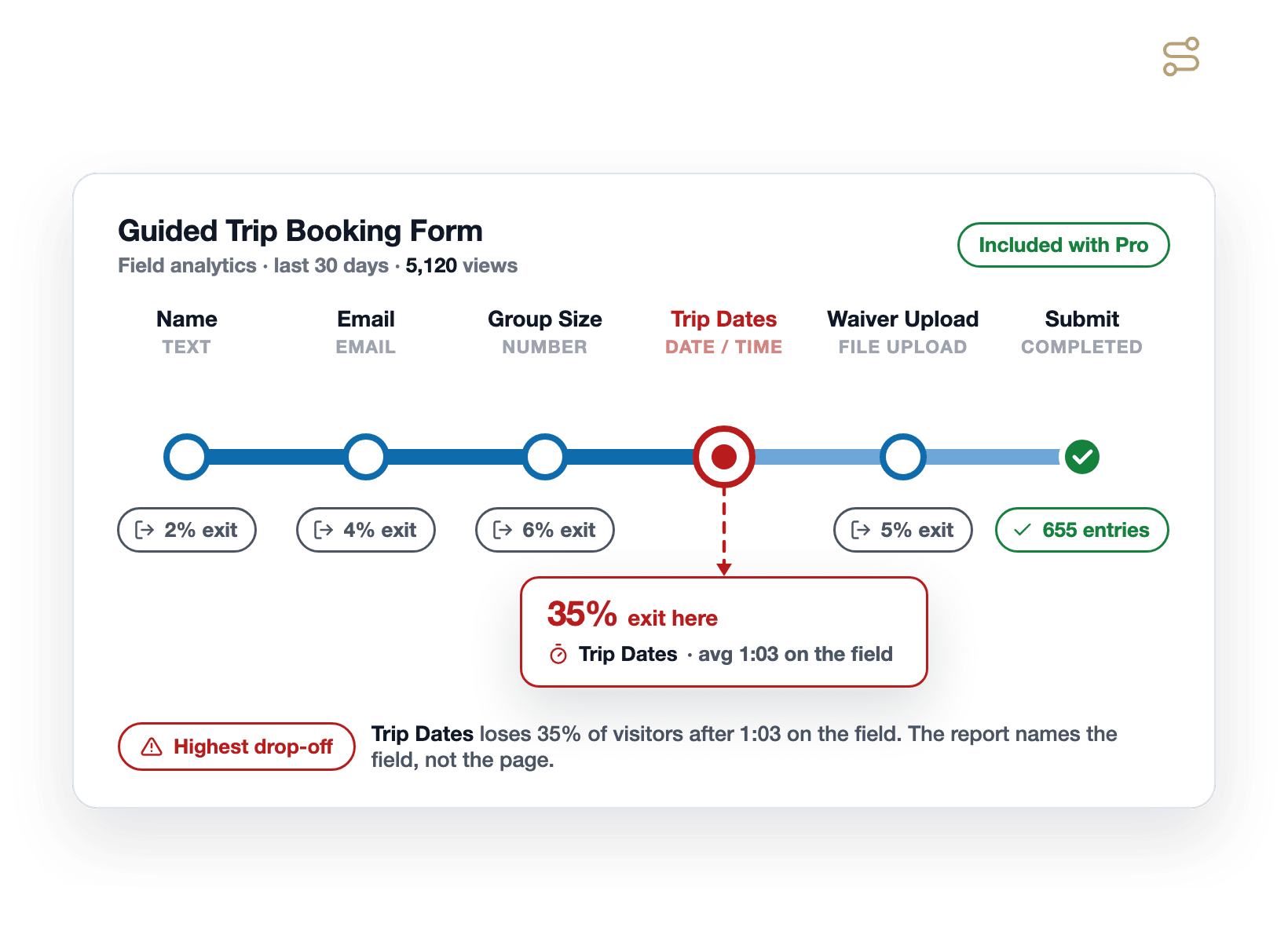
WPForms Form Analytics is built into the plugin and included with Pro. Every form reports views, interactions, conversion rate, abandonments, and errors, and a field-by-field table shows the average time visitors spend on each one.

A WPForms field-level analytics report drawn as a metro line map, with riders leaving at each field station and 35% exiting at Trip Dates after 1:03

AI on Every License

Formidable’s AI Form Builder generates a starting form from a prompt, and its ChatGPT field writes answers inside a form. Both sit on its Business plan and up, at $199.50 a year, with 1,000 AI requests a month included. Its MCP server, which lets Claude or ChatGPT build Views and applications, needs the API Add-On on Business and up too.

WPForms AI comes with every license, the free version included. Describe a form and it appears. Smart Edit changes any existing form by chatting, and on a paid license it writes conditional logic and calculation formulas too. Plus, AI Choices fills in dropdown options from a label, and you can connect Claude, ChatGPT, or Cursor through the free WPVibe MCP server.

A light-switch panel where WPForms AI is switched on for every license, beside a panel where AI is on only for the two highest plans

All Templates Included

Formidable’s pricing page lists 100+ form templates on Basic, 145+ on Plus, 320+ on Business, and 325+ on Elite, and its application templates are an Elite feature.

WPForms offers 2,100+ form templates, and the free version also has a decent library. Pick a booking form, a quote request, or a customer survey, and the builder prompts you to install any addon the template needs.

A few templates use addons that come with Pro, and the builder tells you before you start. As a result, you never discover a locked template three tiers up after you’ve already bought.

A vending machine stocked with WPForms form templates, every selection button lit and a tag reading included on every license

Trusted at Scale

WPForms runs on 5+ million WordPress sites and holds 13+ thousand five-star reviews on WordPress.org. Formidable lists 300,000 active installations there and, on its own site, 1,300+ WordPress.org reviews.

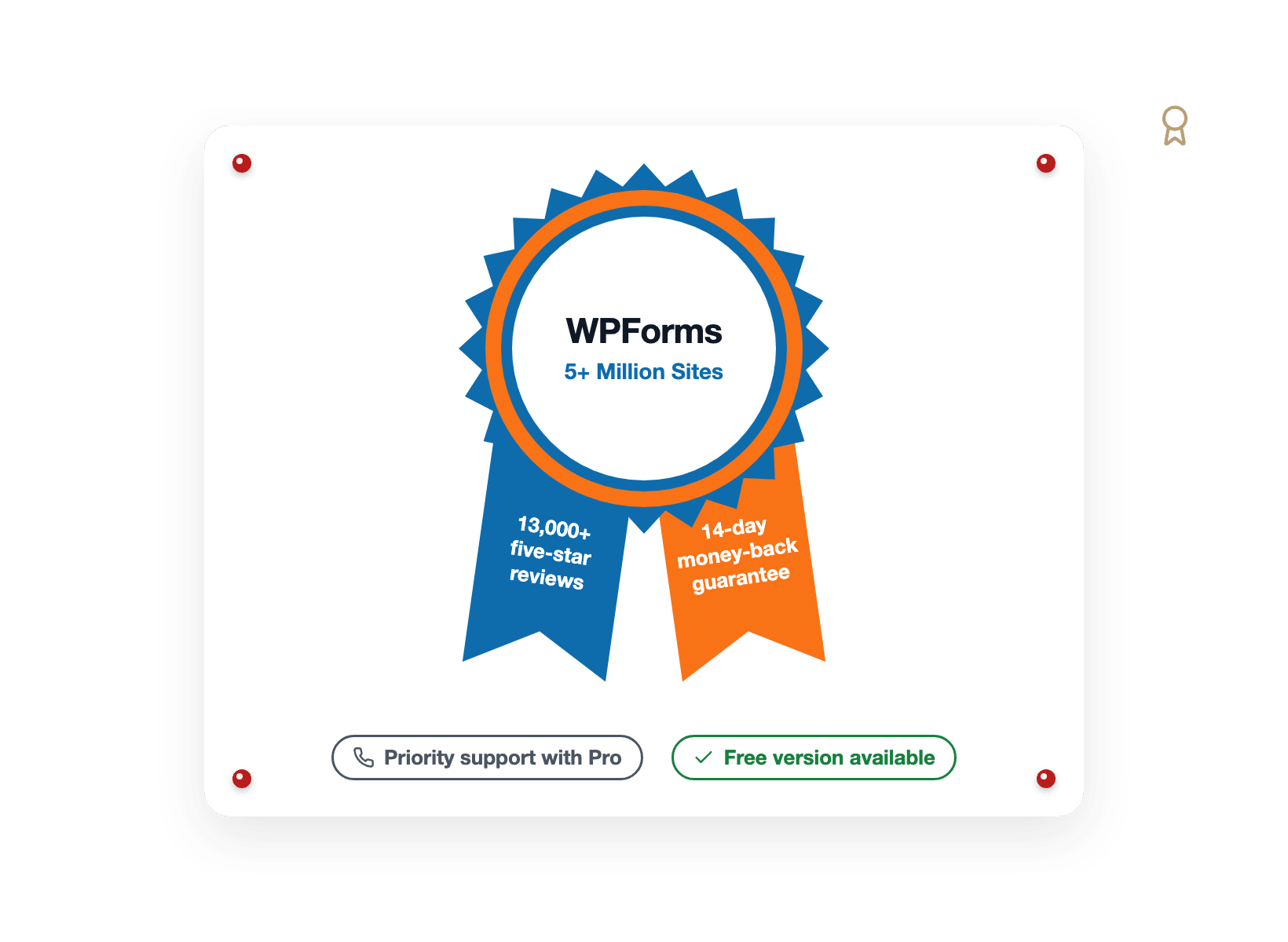
Both are good numbers, but ours are simply a different scale. Every paid WPForms license comes with a 14-day money-back guarantee, and Pro includes priority support with a typical response inside one business day.

A prize rosette ribbon for WPForms with tails reading five million sites and a 14-day money-back guarantee

What You Gain When You Switch to WPForms

The switch takes an afternoon, and what lands on the other side is a form backed by a team focused entirely on forms. Here are six gains you’ll notice in your first week.

A desk lamp casting a spotlight on a single WPForms booking form in the full-screen builder

Build the Whole Form in One Screen

Open the WPForms builder and everything points you towards the essentials required to get your form up and running within a few minutes.

Fields sit on the left, your form on the right, and settings for notifications, confirmations, and conditional logic live in plain tabs, not a separate screen per setting.

Then click Embed and pick the page. In short, the builder does the form job and nothing else, which is exactly why it’s fast. And you can even use WPForms AI to build everything for you.

See the Exact Field Where Bookings Stall

A form can look fine and still leak. WPForms Form Analytics grades every field on the same report.

You can analyze views, interactions, errors, abandonments, and the average time visitors spend there.

No tracking code, no analytics account, and your own logged-in visits are never counted.

The formidable forms alternative with field-level analytics, drawn as a school report card that grades each form field and flags Trip Dates at 35% drop-off after 1:03
A carnival high-striker with the puck at 12.8% rising toward a bell marked 17%, beside a WPForms AI chat answer

Set a Goal, Then Ring the Bell

Measuring is half the job, as WPForms also lets you set a conversion goal on any form and shows progress in a built-in goal ring, so when your form climbs from 12.8% toward a 17% target, you know.

On top of that, a built-in AI chat sits on your own form data. Ask which field loses the most people or why completions dipped last week, and you get a plain-English answer with fixes to try.

Then export the report to CSV or print it for a client, scoped to the last 7, 30, or 90 days.

Let AI Write the Logic and the Formulas

Smart Edit is the part of WPForms AI you’ll use most. Open any form, describe the change, and it happens.

On a paid license it writes the conditional logic for you, and with the Calculations addon on Pro it writes the formula too.

Plus, AI form generation works on every license, the free one included, and Claude, ChatGPT, or Cursor can build forms for you through the free WPVibe MCP server.

A coach's whiteboard diagramming a Smart Edit play that routes a Waiver Upload field to whitewater trips only
A change-of-address mail-forwarding card redirecting 2,411 booking entries from a Formidable CSV export to WPForms

Bring Your Formidable Entries With You

Switching doesn’t mean starting from zero. Formidable exports entries to CSV on every plan.

And, the WPForms Entry Importer, included with every paid license, reads that file and maps each column to a field on your new form.

The importer also pulls directly from Gravity Forms, Ninja Forms, and Contact Form 7 if you have those installed.

Meanwhile, you can leave Formidable running while you test, then switch the page over when you’re ready.

Switch With a Safety Ring Under You

Every paid WPForms license comes with a 14-day money-back guarantee, no questions asked.

WPForms Lite is free, so you can build your first form before spending anything.

And Pro includes priority support from a team that answers within about a business day and will even look at a code snippet with you.

A lifebuoy ring labeled 14-day money-back guarantee floating around a WPForms form

Everything a Form-First Builder Should Include

No application layer to learn and no platform features hiding inside the price. Everything below ships with your WPForms license and goes to work on your very first form.

Field-Level Analytics

Views, interactions, errors, drop-off, and time spent, reported for every field with Pro.

Conversion Goals

Set a target completion rate and watch the built-in goal ring climb toward it.

AI Insights on Your Results

Ask plain-English questions about form performance and get fixes to try.

WPForms AI on Every License

Generate forms, edit them by chatting, or let Claude, ChatGPT, or Cursor build them.

Every Template Included

All 2,100+ form templates on every license, including the free one.

Entry Importer

Bring your Formidable entries in from a CSV export and keep your history, from Basic up.

No Platform Fee on Payments

Stripe, Square, and PayPal Commerce with no WPForms fee on Pro and up.

Lead and Conversational Forms

One-question-at-a-time layouts and distraction-free form pages, included with Pro.

Spam Protection

reCAPTCHA, hCaptcha, Turnstile, Akismet, a custom CAPTCHA, and allow and deny lists.

Build Forms That Convert. It’s That Simple.

Join the 5,000,000 professionals who use WPForms to capture leads and grow conversions, one measured field at a time.

✓ 14-Day Money-Back Guarantee · ✓ Setup in Under 5 Minutes · ✓ No Coding Required · ✓ Used on 5+ Million Sites

View all

Frequently Asked Questions and Resources

Weighing a Formidable Forms alternative for your WordPress site? Here’s what people ask first.

Is WPForms a good Formidable Forms alternative?

WPForms is a strong Formidable Forms alternative for anyone who needs forms rather than web applications.

It’s a WordPress plugin with a full-screen drag and drop builder, entry storage in your own dashboard from Basic, field-level analytics with Pro, and WPForms AI on every license, including the free one.

The difference is what each plugin is for since Formidable describes itself as a builder that scales from contact forms to full web applications, with Views for directories and dashboards.

What are the key differences between Formidable Forms and WPForms?

The key differences between Formidable Forms and WPForms come down to focus, analytics, and what each tier unlocks.

Formidable adds Views, front-end editing, and application templates on top of its forms. WPForms skips the application layer and puts that effort into the form builder, the templates, and the reporting.

On analytics, Formidable’s User Flow add-on records each visitor’s journey after they submit, while WPForms Form Analytics reports views, interactions, errors, drop-off, and time spent for every field, plus conversion goals and an AI chat.

On AI, Formidable’s builder starts on Business at $199.50 a year, while WPForms AI is on every license. On templates, Formidable gates 100+ to 325+ by tier, while WPForms includes all 2,100+ on every license.

Does Formidable Forms have form analytics?

Formidable Forms offers analytics through two add-ons. User Flow, on Plus and up, tracks a visitor’s timestamps, session length, pages viewed, and traffic source once they submit a form.

Form Abandonment, on Business and up, stores partial entries marked In Progress or Abandoned so you can see where someone stopped. For conversion rates, Formidable’s own form analytics guide points readers to MonsterInsights.

WPForms Form Analytics is built into the plugin and included with Pro. Every form gets a dashboard with views, interactions, conversion rate, abandonments, and errors, and a field-by-field table shows how long visitors spend on each field and where they give up.

Tracking starts the moment you update, with no analytics account or code, and every number stays in your own database.

Can I move my Formidable Forms entries to WPForms?

Yes. Formidable exports entries to a CSV file on every plan, including the free version. Open the WPForms Entry Importer, upload that file, and map each Formidable column onto a field in your new WPForms form. Your history moves across with the data, so year-over-year reporting still works.

The Entry Importer is included with every paid WPForms license, from Basic upward, and accepts CSV files up to 300 MB. Plus, you can keep Formidable active while you test, then switch the page over once you’re satisfied. Here’s the full walkthrough on importing form entries.

Is WPForms free like Formidable Forms?

Yes, both have a free version, and they differ in useful ways. Formidable’s free version stores entries in your WordPress database, while its conditional logic, file uploads, and multi-page forms start with Basic.

WPForms Lite includes unlimited forms and submissions, the same builder and 2,100+ templates, spam protection, Smart Edit, AI Choices, and Stripe payments with a 3% platform fee.

The honest difference is entries, as WPForms Lite sends every submission by email and backs it up with Lite Connect, and entry storage in your dashboard, conditional logic, file uploads, and multi-page forms arrive with Basic at $49.50 a year.

Compare both tiers in WPForms Lite vs Pro.

How much does Formidable Forms cost compared to WPForms?

Formidable Forms is priced per year at Basic $39.50 for one site, Plus $99.50 for three, Business $199.50 for seven, and Elite $299.50 for unlimited sites. Its pricing page notes those are introductory prices, with renewals at full price. Views start on Plus, and user registration, surveys, signatures, AI, and no-fee payments start on Business.

WPForms is priced per year at Basic $49.50 for one site, Plus $99.50 for three, Pro $199.50 for five, and Elite $299.50 for unlimited sites, with the same introductory-then-full-price structure. Pro is where field-level analytics, Form Abandonment, Calculations, User Registration, and no-fee payments live. See the pricing page for the full breakdown, and remember every paid license carries a 14-day money-back guarantee.

Does WPForms have Views or front-end editing like Formidable Forms?

No. WPForms does not display form entries on the front end of your site, and it does not offer front-end entry editing. Formidable Views does both, and if a directory, calendar, or member portal is the job, Formidable is a good tool for it.

What WPForms does cover is the form side of those workflows. The Post Submissions addon turns a form into a front-end publishing flow, User Registration builds custom signup and login forms, and every entry is searchable, editable, and exportable from your dashboard. Both are included with Pro.

Does WPForms have AI like Formidable Forms?

Yes, and it comes with every license. WPForms AI generates a form from a description, Smart Edit changes any existing form by chatting, and AI Choices fills in dropdown and checkbox options from a label.

Smart Edit and AI Choices work on the free version, form generation works on Lite and every paid license, and some generated fields need a paid license to use.

You can also connect Claude, ChatGPT, or Cursor through WPVibe, a free MCP server, on WordPress 6.9 or later.

Formidable’s AI is real too, and its AI Form Builder, ChatGPT field, and MCP server all start on its Business plan at $199.50 a year. Read more on the WPForms AI feature page.

Can I style WPForms to match my site the way Formidable's visual styler does?

Yes. WPForms styles forms in the WordPress block editor, where you set field colors, borders, sizes, button styles, and spacing, and it ships form themes you can apply in a click.

The form also inherits your theme’s fonts by default, so it looks like part of your page rather than something dropped onto it.

Formidable’s visual styler is a genuine strength, and for most sites the WPForms controls land in the same place: a form that matches your brand without writing CSS. If you need more, custom CSS still works.

Which WPForms plan do I need to replace Formidable Forms?

Basic, at $49.50 a year, replaces Formidable for most single-site forms: entry storage in your dashboard, conditional logic, file uploads, multi-page forms, the Repeater field, the Entry Importer, and WPForms AI. Plus adds twelve email marketing integrations on three sites.

Pro, at $199.50 a year on up to five sites, is the plan that lines up with Formidable Business. It unlocks the full Form Analytics experience, Form Abandonment, Save and Resume, Calculations, Surveys and Polls, User Registration, Post Submissions, and payments with no platform fee. Compare the tiers on the pricing page.

🔔 Subscribe to get our latest updates
📧 Subscribe to Emails

Email Subscription

Join our Newsletter

We won’t spam you. We only send an email when we think it will genuinely help you. Unsubscribe at any time!
New Feature

WPForms Dashboard

Dark blue hero with a circular bear logo on the left, large headline'Introducing the New WPForms Dashboard' and an ANNOUNCEMENT badge; a dashboard mockup is visible on the right.

The WPForms Dashboard is a new home screen that opens the moment you click WPForms in your admin menu. Stat cards across the top total up your forms, entries, payments, views, and spam across the whole site.

An Entries widget charts activity over your chosen date range with a per-form table of entries, views, interactions, and conversion rate, and a payments widget totals everything collected once a gateway is connected.

With the Geolocation addon active, Top Locations ranks the countries your visitors come from, and a Suggested Next Steps panel points to features worth turning on.

Nothing to install, as it comes with every plan, including Lite!

New Feature

WPForms QR Code

Announcement banner: dark blue background with headline'Say Hello to WPForms QR Code: One Scan Opens Your Form' and a large QR code on the right.

Every form now has its own built-in QR code generator, with nothing extra to install or buy.

Open a form’s General settings, choose the page the form lives on or paste its URL, and click Generate QR Code to copy it or download it as a PNG or a print-ready SVG.

Put it on menus, packaging, event badges, or business cards, and every scan opens your form instead of a page that only hands people something to read.

Included with every plan, including Lite; Pro and Elite plans can keep, remove, or replace the WPForms logo in the center with their own.

New Feature

Ranking Field for Surveys & Polls

Announcement hero: dark blue background, bear avatar left, large'Introducing the New WPForms Ranking Field' text, and three stacked white option cards with 'Movies' highlighted.

The Surveys & Polls addon gains a Ranking field!

Instead of scoring each option separately, respondents drag options (or tap arrow buttons on a phone) into the order they prefer, so one option always has to come first.

WPForms tallies every response into a “Times at #1” count and an average rank for each option, with a chart that makes the winner obvious.

Lay options out as a vertical list or a grid, and use Image Choices or Icon Choices in place of plain text labels.

Integration New Feature Payments

Mercado Pago Addon

Introducing the WPForms Mercado Pago Addon: Card Payments Built for Latin America

The Mercado Pago addon brings on-page card payments built for Latin America to your forms.

Buyers enter their card details into secure, Mercado Pago-hosted fields inside the form, choose an installment plan, and pay in ARS, BRL, CLP, COP, MXN, PEN, or UYU without leaving your page.

An approved charge fires your confirmation, notifications, and integrations at the moment money actually moves, and full or partial refunds can be issued from WPForms » Payments.

WPForms takes no transaction fee, and it works with Quantities, Coupons, multi-page forms, Conversational Forms, Lead Forms, and Form Pages.

AI New Feature

WPForms Analytics

Dark blue hero with a bear avatar left, large WPForms v2.0 headline and a form analytics screenshot on the right.

WPForms 2.0 adds a complete form performance tracking suite inside your WordPress dashboard.

The All Forms page now shows Views, Entries, and Conversion Rate for every form, and each form gets its own analytics dashboard with views, interactions, conversion rate, abandonments, and errors over the last 7, 30, or 90 days or a custom range.

A field-by-field table shows interactions, time spent, errors, and abandonment for every field, so you can see exactly where people give up, and you can set a conversion goal to track progress.

There’s also a built-in AI chat reads your form data and tells you what is working, what is hurting conversions, and what to fix first.