Tally Alternative for WordPress

The Tally Alternative That Wears Your Brand

Tally keeps your form on its domain with its own badge in the corner. WPForms builds the form into your WordPress site, where it loads under your name, matches your design, and drops every entry into your dashboard.

WPForms vs Tally Forms

One of these builds a form on someone else’s platform, and the other builds it into the site you already own. That difference decides whose brand your visitors see, where your entries live, and what your form can do next.

FeatureWPFormsTally
Where the form livesOn your own WordPress site, as ordinary page contentOn Tally’s servers, pasted into your page as an HTML embed
Branding on the formYours only, on every license including LiteA “Made with Tally” button on every page; removing it is a Pro feature
Your own domainAlways. It’s your websiteLinks use tally.so by default; a custom domain is a Pro feature
Emailing the person who submittedNotifications and confirmations on every licenseSelf notifications are free; respondent emails are a Pro feature
Where submissions are storedYour own WordPress database on every paid licenseTally’s servers in Europe, with CSV export
Team accessUnlimited users on every paid licenseInviting team members is a Pro feature
Per-field analyticsViews, interactions, errors, drop-off and time spent, for every field (Pro)Drop-off insights on Pro: views, answers and drop-off per question
Conversion goal trackingSet a target and track it in your dashboard (Pro)Not part of Tally Insights; completion rate only
Payment gatewaysStripe, PayPal, Square, Mercado Pago and Authorize.Net, with recurring paymentsStripe only, and “We don’t support collecting recurring payments”
Spam protectionreCAPTCHA, hCaptcha, Cloudflare Turnstile, Akismet and built-in anti-spam protection featuresreCAPTCHA v2
Templates2,100+ ready-made templates100+ templates
Creates WordPress users and postsYes, with the User Registration and Post Submissions addons (Pro)No. Tally runs outside WordPress
Yearly cost to drop the badge and see drop-off$199.50 for Pro, with unlimited users on up to 5 sites$290 for Pro

What You Get Back When You Switch From Tally

The badge comes off, the domain becomes yours, and every entry lands in your own dashboard. Here’s what else changes when the form becomes part of your site.

Part of Your Site

A Tally form reaches your WordPress page by copying the embed code and adding an HTML block. The form still lives on Tally’s servers and loads inside a frame.

WPForms is a block in your own editor, so it inherits your theme’s fonts and colors, sits in your sitemap like any other content, and never depends on a third-party script to appear.

As a result, the page and the form are one thing, which is exactly what a Tally alternative for WordPress should feel like.

The tally alternative for WordPress: a WPForms form sliding into a page like a drawer into a cabinet, instead of an embedded frame

Your Brand, Not Theirs

On Tally’s free plan, every page of your form carries a “Made with Tally” button, and the thank-you screen invites your respondents to “Create your own form.” The share link points at tally.so, too.

WPForms never puts its own badge on your form, on any license, free Lite included. Your logo, your colors, your domain in the address bar. In short, the brand people see when they fill out your form is yours.

A WPForms form stamped with the site owner's own brand mark and served from their own domain

Every Field, Measured

Tally’s drop-off insights are a Pro feature, and they report three things per question. How many people reached it, how many answered, and how many left.

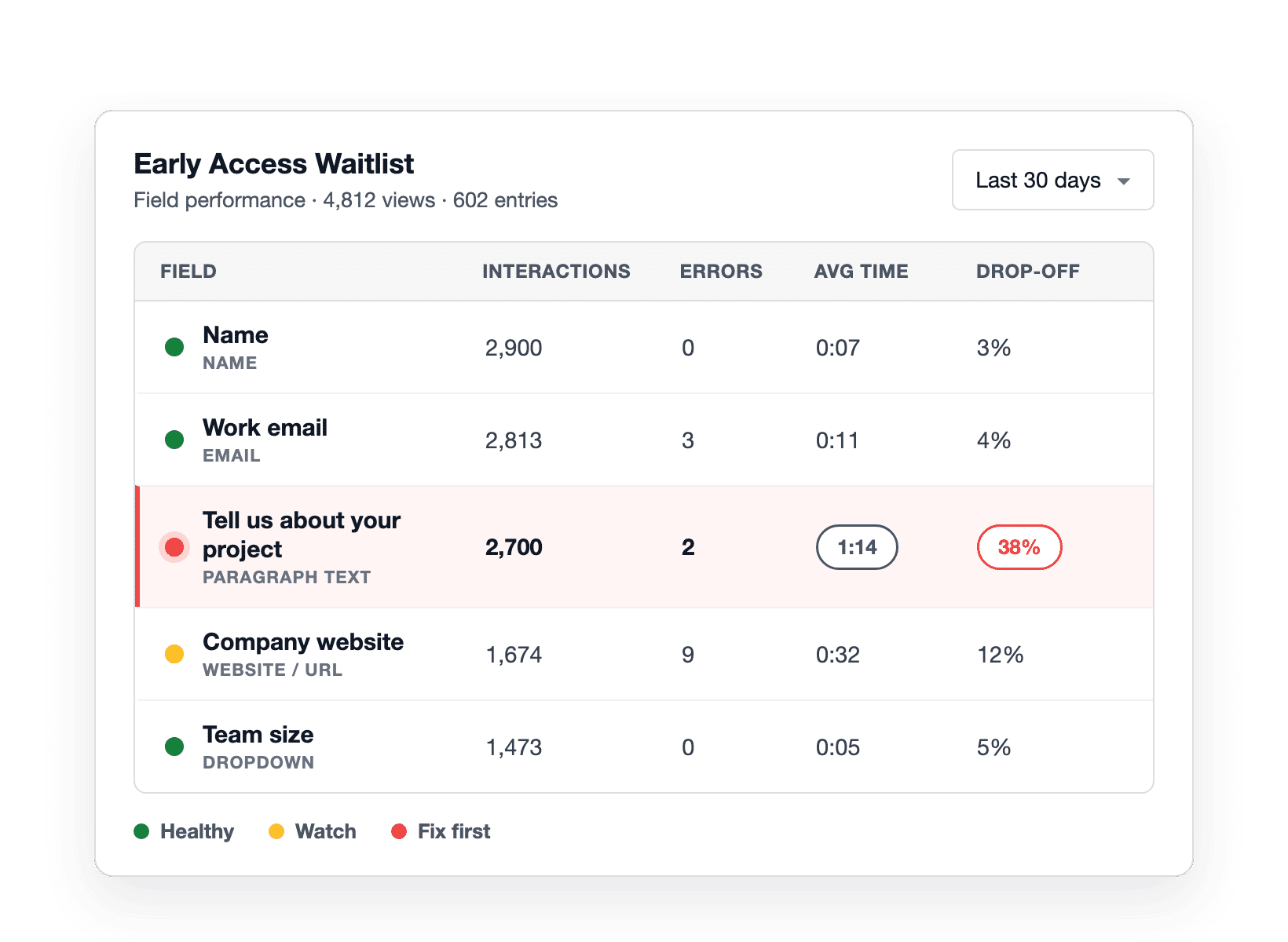
WPForms Form Analytics, included with Pro, goes further for every field: views, interactions, errors, drop-off, and the average time people spend on it, plus a conversion goal you set yourself.

WPForms field-level analytics with a status light per field, showing 38% drop-off and 1:14 on the Paragraph Text field

Payments Your Way

Tally’s payment block connects to Stripe, and only Stripe. Its own documentation adds that “We don’t support collecting recurring payments.”

WPForms gives you Stripe, PayPal, Square and Mercado Pago on Pro, Authorize.Net on Elite, and recurring subscriptions, coupon codes and conditional payment logic alongside them.

Meanwhile every payment lands in a Payments screen inside your WordPress dashboard, next to the entry it belongs to.

Five payment gateways orbiting a WPForms order form, with a recurring subscription marker

Made for WordPress

Because a Tally form runs outside your site, it can’t do the things only a WordPress plugin can.

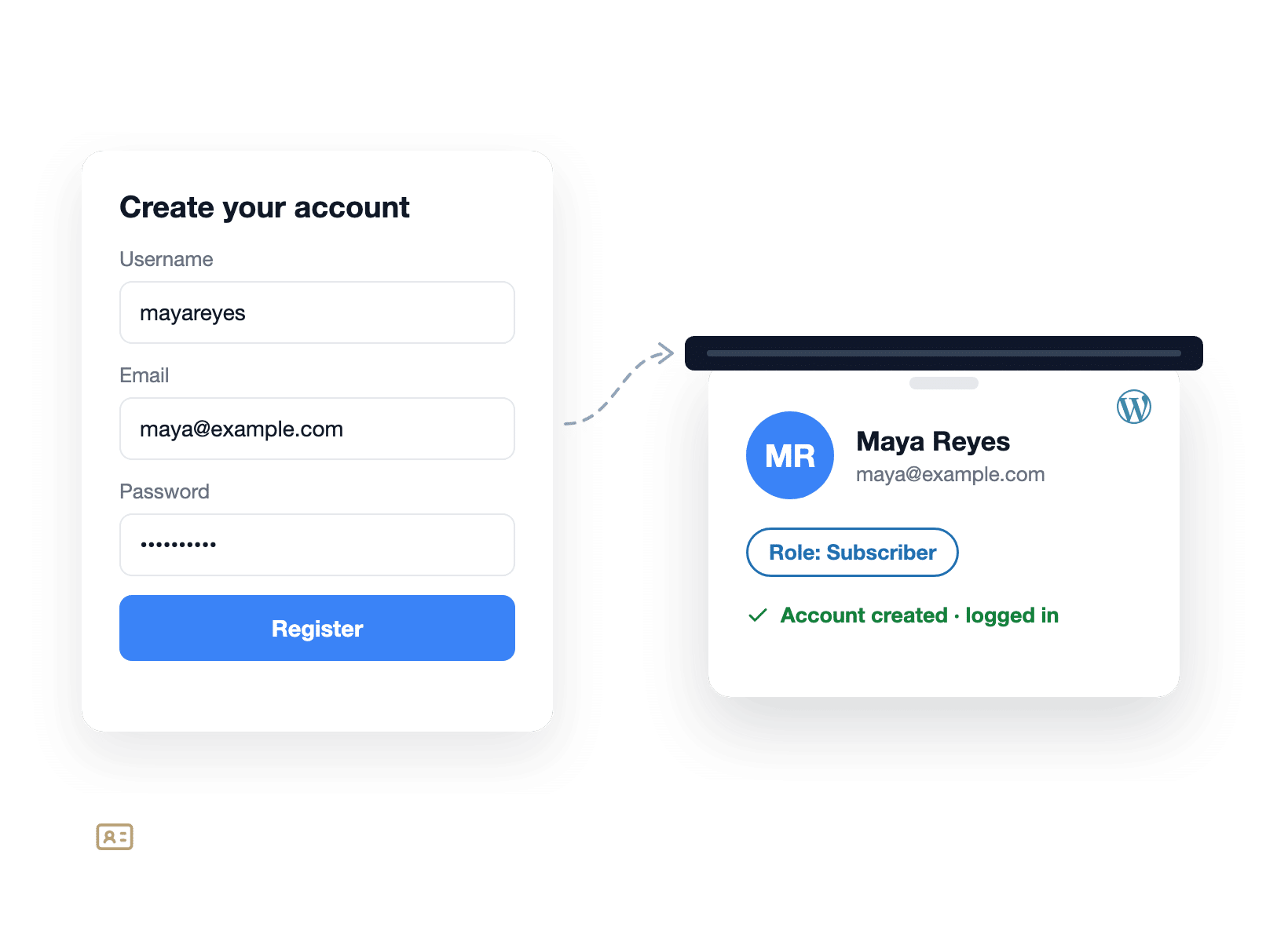
For instance, the User Registration addon by WPForms turns a form into a signup, login or password reset flow that creates real WordPress accounts and assigns roles.

Post Submissions lets readers send in guest posts, testimonials or directory listings without touching your admin area. Form Permissions can restrict a form to logged-in members.

A WPForms registration form printing a WordPress user badge with a Subscriber role

Everything You Get When the Form Is Yours

Bringing your forms home takes less than an afternoon, and they come back stronger. Here are six things a form built into your own site can do that an embed never could.

Exploded layers of a WordPress page, the WPForms block and its entries table stacked as one native unit

The Form Is a Block, Not an Embed

Open any page in the WordPress editor, add the WPForms block, pick your form, and that’s the whole setup.

The form renders as part of the page and gives you real styling controls, without a line of CSS.

Nothing loads from another company’s servers, and nothing breaks when a third-party script is slow.

See Exactly Which Field Loses People

Let’s say you run an Early Access Waitlist for an app but form completions weren’t nearly as good as you were expecting.

WPForms Analytics shows the reason in one table: 38% of visitors abandoned the form at the Paragraph Text field.

Make the field optional and shorten the label and that should fix your completion rates.

The tally alternative with field-level analytics: sticky-note callouts on an Early Access Waitlist form marking 38% drop-off and 1:14 on the Paragraph Text field
A thermometer-style conversion goal at 12.5% against a 20% target beside a WPForms AI chat answer

Give Your Form a Target and an Analyst

Numbers are easier to act on when they have somewhere to go. Set a conversion goal on any form and WPForms tracks progress toward it.

On top of that, a built-in AI chat reads your real form data. Ask why completions dipped last week and you get a plain-English answer with fixes to try, right where you’d make the change.

Email the Person Who Just Hit Submit

A confirmation email is the smallest courtesy a form can offer, and with Tally it’s a Pro feature.

Meanwhile, WPForms sends notifications on every license, including to the person who filled out the form.

Add the Email field’s Smart Tag to the notification’s Send To address and every submitter hears back from you.

Every paid license adds multiple notifications per form, so the right teammate hears about the right submission too.

Two sealed envelopes leaving a WPForms form, one to the site owner and one to the person who submitted
A suitcase tagged with a Tally CSV export and 2,764 entries arriving at the WPForms Entry Importer

Bring Your Tally Submissions With You

Switching doesn’t mean starting from zero. Download your submissions from Tally as a CSV, then use the WPForms Entry Importer to map each column onto a field in your new form.

The Entry Importer is included with every paid WPForms license. Plus you can leave the old Tally form live while you test, then swap the embed for the WPForms block once you’re happy.

Reports You Can Hand to a Client

Tally’s Insights dashboard is visible only to the form creator inside the platform, and its own FAQ says sharing or exporting it isn’t possible yet.

WPForms exports any form’s analytics as a CSV or prints the report straight from the dashboard, scoped to the last 7, 30 or 90 days or any custom range.

Surveys built with the Surveys & Polls addon render as interactive charts you can export too. So, every client site keeps its own data in its own database, so reporting stays clean by default.

A printed WPForms analytics report on a clipboard with export and print actions ready for a client review

What You Own From Day One

The form carries your name, loads from your domain, and answers to nobody’s plan limits. Every feature below comes with the license, working from the moment you install.

Your Brand Only

No “Made with” button on any form, on any license, free Lite included.

Your Own Database

Every submission is a row in your WordPress install, exportable to CSV, Excel or PDF.

Unlimited Users

Give the whole team access through WordPress accounts. No per-seat upgrade.

Field-Level Analytics

Views, interactions, errors, drop-off and time spent, reported for every field.

Conversion Goals

Set a target completion rate and watch each form climb toward it.

Built-In AI Chat

Ask what’s hurting conversions and get plain-English fixes from your own data.

Five Payment Gateways

Stripe, PayPal, Square, Mercado Pago and Authorize.Net, with recurring payments.

WordPress User Registration

Turn a form into signup and login flows that create real WordPress accounts.

Entry Importer

Bring your Tally CSV export in and keep your submission history intact.

Make the Form Yours. It’s That Simple.

Join the 5+ million professionals who use WPForms to capture leads and own every submission, right inside WordPress.

✓ 14-Day Money-Back Guarantee · ✓ Setup in Under 5 Minutes · ✓ No Coding Required · ✓ Used on 5+ Million Sites

View all

Frequently Asked Questions and Resources

Weighing a Tally alternative for your WordPress site? Here’s what people ask first.

Is WPForms a good Tally alternative?

WPForms is a strong Tally alternative if your website runs on WordPress.

Instead of embedding a form hosted somewhere else, you build the form inside your own site, so it carries your brand, saves to your own database, and inherits your theme.

Tally’s free plan is generous, and the difference isn’t the price of a form, it’s whose form it is. With WPForms the form, the entries and the analytics all live in one place you already control.

Is Tally really free and what’s the catch?

Tally’s free plan really does include unlimited forms and submissions, within a fair use policy that describes 50,000 submissions a month, sustained for three or four months, as the point where Tally will contact you about a custom plan.

The catch is what stays paid as a “Made with Tally” button appears on every page of a free form, links use tally.so unless you buy a custom domain, emails to respondents and invitations for teammates are Pro features, and drop-off insights are Pro too.

Is WPForms free like Tally?

WPForms Lite is free and lives in the WordPress plugin directory.

It includes unlimited forms and submissions with no cap on views, notification and confirmation emails, spam protection with reCAPTCHA, hCaptcha, Cloudflare Turnstile and Akismet, WPForms AI, and no branding on your forms.

Lite can also accept Square, Stripe and PayPal payments, with a 3% platform fee that disappears on Pro. Storing entries in your dashboard, conditional logic and file uploads start with the Basic license at $49.50 a year.

Can I embed a Tally form in WordPress, and how is WPForms different?

Yes. Tally’s guide has you copy the embed code, add an HTML block to your WordPress page, and paste. The form still runs on Tally’s servers inside a frame, with Tally’s branding unless you’re on Pro.

WPForms is a WordPress plugin, so the form is a block you add in the editor. It’s styled by your theme, stored in your database, and available to every other plugin on your site.

Does WPForms have form analytics like Tally's drop-off insights?

WPForms Form Analytics goes deeper than drop-off insights.

It reports views, interactions, errors, drop-off and average time spent for every field, tracks a conversion goal you set, and answers questions about your data through a built-in AI chat.

Tally’s drop-off insights are also a Pro feature and show views, answers and drop-off per question. Both are useful. WPForms simply measures more, and lets you export it.

Can I move my Tally submissions to WPForms?

Yes. Export your submissions from Tally as a CSV, then use the WPForms Entry Importer to map each column onto a field in your new form. Your history moves with the data, so year-over-year reports still line up.

The Entry Importer is included with every paid license, from Basic upward, and you can keep the Tally form live while you test the new one.

Will my forms show a "Made with WPForms" badge?

No. WPForms never puts its own badge on your forms, on any license, including free Lite. Tally’s free forms carry a “Made with Tally” button on every page, and its help center lists removing it as a Pro feature.

With WPForms the branding people see is yours from the first form you publish, and the address bar shows your domain.

Where are my form submissions stored with WPForms?

In your own WordPress database, on your own hosting. Nothing routes through a third-party form platform, which also keeps your privacy policy shorter.

Tally stores submissions on its servers in Europe and offers export, so you can leave whenever you like.

With WPForms you never have to, because the data was on your server to begin with. Export entries to CSV, Excel or PDF at any time, and delete them on your own schedule.

Which WPForms plan replaces Tally Pro?

Basic, at $49.50 a year, already covers what most people buy Tally Pro for. Your brand on the form, entries in your dashboard, unlimited users, conditional logic and file uploads.

Pro, at $199.50 a year, adds field-level Form Analytics, Surveys & Polls, payments without a platform fee, Conversational Forms, and the User Registration and Post Submissions addons, on up to five sites.

Tally Pro is $290 a year. Compare the tiers on the pricing page, and every license carries a 14-day money-back guarantee.

Does WPForms work with AI assistants like Tally's MCP server?

Yes. WPForms AI builds a form from a plain-English description, suggests field choices, and edits an existing form through Smart Edit, and it’s available in Lite as well as paid plans.

You can also connect Claude, ChatGPT or Cursor to your site with the free WPVibe plugin on WordPress 6.9 or later, then build and edit forms by chatting.

🔔 Subscribe to get our latest updates
📧 Subscribe to Emails

Email Subscription

Join our Newsletter

We won’t spam you. We only send an email when we think it will genuinely help you. Unsubscribe at any time!
Improvement

Weekly Email Summary

Hero banner announcing the WPForms Weekly Email Summary with a mascot circle on the left and a white analytics card on the right, on a dark blue background.

The weekly summary WPForms emails you now opens with stat tiles for entries, views, and spam, each marked with how it moved against the previous week.

Beneath them, a table gives every form its own line, and when the data earns it the headline changes to call out a best week, a milestone, or a form that has gone quiet.

A single button takes you from the email back into WPForms, so the thing worth checking is one click away.

Integration New Feature Payments

Paystack Addon

Introducing the WPForms Paystack Addon: Accept Payments in Nigeria, Ghana, South Africa, and Kenya

The Paystack addon brings card, bank transfer, and mobile money payments to your forms for buyers in Nigeria, Ghana, South Africa, and Kenya.

Buyers click submit and pay in the Paystack popup in naira, cedis, rand, or Kenyan shillings, with no new field to add to your form.

Bank transfer and mobile money payments are saved as Pending, and WPForms can hold your notification emails until Paystack confirms the payment, then completes the order on its own.

Every Paystack payment shows up in WPForms » Payments, and full refunds can be issued without leaving WordPress.

New Feature

WPForms Dashboard

Dark blue hero with a circular bear logo on the left, large headline'Introducing the New WPForms Dashboard' and an ANNOUNCEMENT badge; a dashboard mockup is visible on the right.

The WPForms Dashboard is a new home screen that opens the moment you click WPForms in your admin menu. Stat cards across the top total up your forms, entries, payments, views, and spam across the whole site.

An Entries widget charts activity over your chosen date range with a per-form table of entries, views, interactions, and conversion rate, and a payments widget totals everything collected once a gateway is connected.

With the Geolocation addon active, Top Locations ranks the countries your visitors come from, and a Suggested Next Steps panel points to features worth turning on.

Nothing to install, as it comes with every plan, including Lite!

New Feature

WPForms QR Code

Announcement banner: dark blue background with headline'Say Hello to WPForms QR Code: One Scan Opens Your Form' and a large QR code on the right.

Every form now has its own built-in QR code generator, with nothing extra to install or buy.

Open a form’s General settings, choose the page the form lives on or paste its URL, and click Generate QR Code to copy it or download it as a PNG or a print-ready SVG.

Put it on menus, packaging, event badges, or business cards, and every scan opens your form instead of a page that only hands people something to read.

Included with every plan, including Lite; Pro and Elite plans can keep, remove, or replace the WPForms logo in the center with their own.

New Feature

Ranking Field for Surveys & Polls

Announcement hero: dark blue background, bear avatar left, large'Introducing the New WPForms Ranking Field' text, and three stacked white option cards with 'Movies' highlighted.

The Surveys & Polls addon gains a Ranking field!

Instead of scoring each option separately, respondents drag options (or tap arrow buttons on a phone) into the order they prefer, so one option always has to come first.

WPForms tallies every response into a “Times at #1” count and an average rank for each option, with a chart that makes the winner obvious.

Lay options out as a vertical list or a grid, and use Image Choices or Icon Choices in place of plain text labels.