


Résumé IA
Une campagne Black Friday réussie n'est pas une question de chance ; c'est le produit d'une planification et d'une préparation minutieuses.
En tant que personne ayant essayé différentes stratégies marketing, j'ai constaté à quel point les promotions sur le thème d'Halloween peuvent être efficaces pour engager les clients et stimuler les ventes.
Dans ce guide, je partagerai des idées pratiques de marketing et de codes promo que j'ai trouvées efficaces pour la saison d'Halloween et qui mènent à plus de conversions.
- 1. Créez des coupons mémorables pour Halloween
- 2. Créez des campagnes d'e-mails sur le thème d'Halloween
- 3. Pages de destination sur le thème d'Halloween pour les ventes
- 4. Offrez des codes de réduction pour Halloween à durée limitée
- 5. Organisez un concours Halloween
- 6. Créez des pop-ups sur le thème d'Halloween
- 7. Ventes flash sur les produits liés à Halloween
- 8. Proposez des téléchargements ou des imprimables gratuits
- 9. Créez une notification par e-mail sur le thème d'Halloween
- 10. Suivez vos résultats avec WPForms
D'abord, configurez les coupons dans WPForms
Avant de vous présenter d'excellentes idées marketing pour Halloween, assurez-vous d'avoir configuré des coupons dans WPForms.
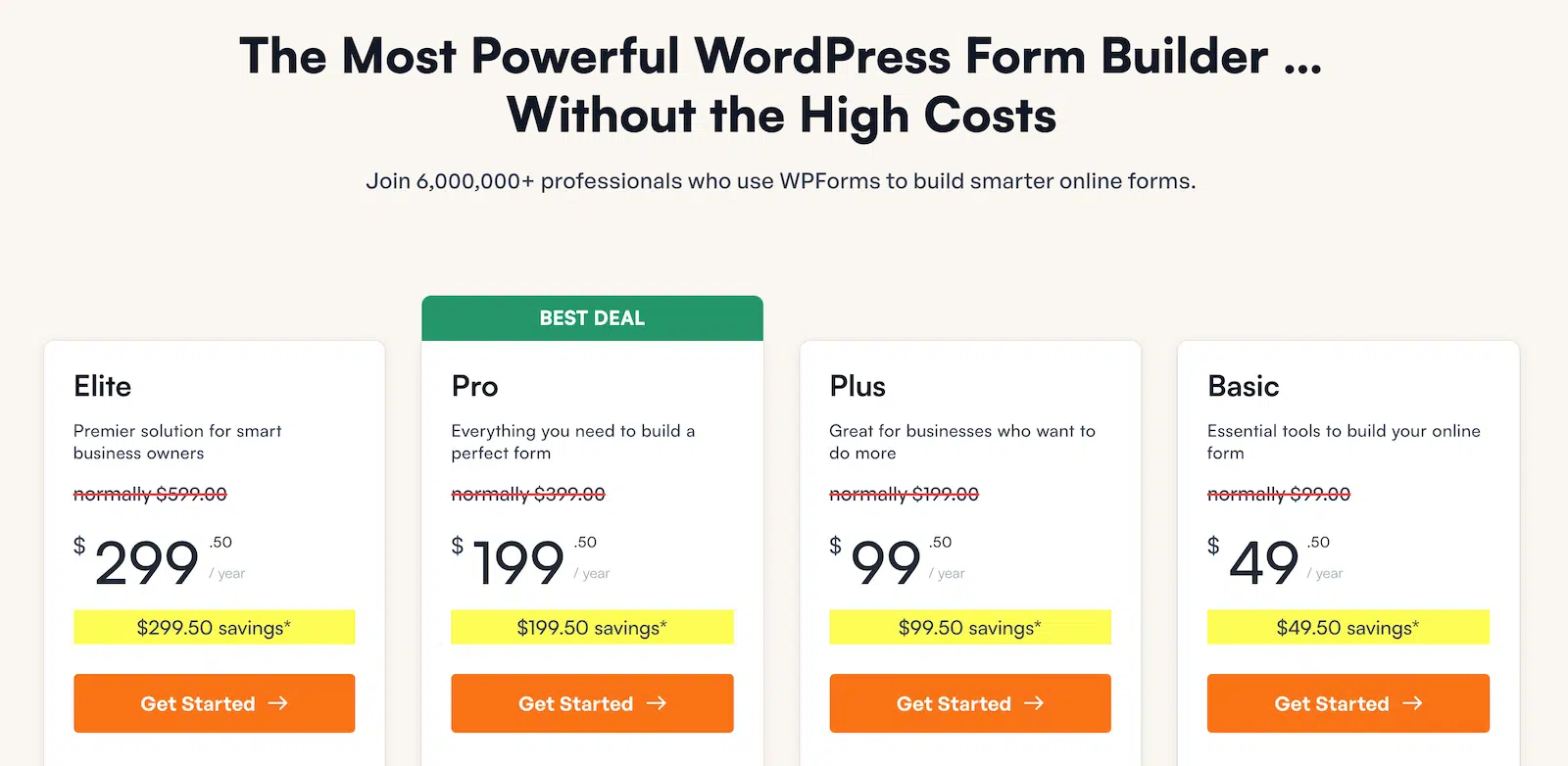
Commencez par installer WPForms si ce n'est pas déjà fait et activez le module complémentaire Coupons, disponible pour les utilisateurs des plans Pro et Elite.
Une fois le module complémentaire activé, allez dans WPForms » Paiements et cliquez sur l'onglet Coupons. C'est ici que vous gérerez et créerez vos codes de réduction.

Passez à WPForms Pro maintenant ! 🙂
1. Créez des coupons mémorables pour Halloween
Pour capturer l'esprit d'Halloween et faire ressortir vos offres, vos codes de réduction doivent être créatifs et faciles à retenir. D'après mon expérience, lier le code directement à la fête aide les clients à se connecter à votre promotion et la rend plus amusante à utiliser.

Un bon code de réduction sur le thème d'Halloween correspond non seulement à l'événement, mais est également simple à taper et à partager. Lors de la création de codes de réduction avec WPForms, pensez à des noms accrocheurs comme :
- SPOOKY20 – 20 % de réduction, parfait pour un thème classique d'Halloween.
- GHOST10 – 10 % de réduction, inspiré par la tradition ludique des fantômes.
- BOO5 – 5 $ de réduction, simple et facile à retenir.
- WITCH25 – 25 % de réduction, en lien avec le thème populaire des sorcières.
- HAUNT2024 – Idéal pour une promotion générale d'Halloween en 2024.
- CANDY15 – 15 % de réduction, sur le thème des bonbons d'Halloween.
- ZOMBIE10 – 10 % de réduction, pour ceux qui aiment la touche zombie.
Dans WPForms, la configuration de ces codes est facile avec le module complémentaire Coupons. Choisissez des noms faciles à épeler et liés à Halloween pour les rendre plus mémorables pour vos clients.
2. Créez des campagnes d'e-mails sur le thème d'Halloween
La création de campagnes d'e-mails sur le thème d'Halloween est un excellent moyen d'attirer l'attention et de susciter plus d'engagement. Les gens aiment les designs festifs, et l'ajout d'une touche effrayante à vos e-mails peut vraiment créer l'ambiance.
Je l'ai testé moi-même, et l'ajout d'images ludiques d'Halloween, comme des squelettes, des fantômes ou des citrouilles, ainsi qu'une ligne d'objet sur le thème d'Halloween, fait une énorme différence dans le nombre de personnes qui ouvrent et cliquent sur les e-mails.
Regardez cet exemple ci-dessous, qui utilise un design simple mais étrange pour promouvoir une offre d'Halloween. Le titre « Trick or Treat yourself » (Faites-vous plaisir ou recevez des bonbons) se connecte immédiatement à l'esprit d'Halloween et encourage les utilisateurs à agir.

Vous pouvez faire de même pour vos campagnes en utilisant des modèles sur le thème d'Halloween dans votre marketing par e-mail. Pour le rendre encore plus attrayant, assurez-vous d'offrir quelque chose d'exclusif, comme un code de réduction à durée limitée.
Avec WPForms, vous pouvez facilement collecter des e-mails à partir de formulaires d'inscription et les envoyer à temps pour Halloween, en veillant à ce que votre public ne manque pas le plaisir ou les réductions.
3. Pages de destination sur le thème d'Halloween pour les ventes
La conception d'une page de destination sur le thème d'Halloween est un excellent moyen de capter l'attention et d'augmenter les ventes pendant cette saison amusante et mystérieuse. En utilisant des visuels accrocheurs et une promotion claire, vous pouvez attirer immédiatement les clients potentiels.
Par exemple, la page de destination ci-dessous utilise un thème d'Halloween avec une sorcière sur un balai, des citrouilles et un compte à rebours pour créer un sentiment d'urgence. Ces éléments rendent non seulement la page amusante, mais encouragent également les visiteurs à profiter de l'offre à durée limitée.

Lorsque vous créez votre propre page de destination d'Halloween, concentrez-vous sur la cohérence du thème : utilisez des couleurs d'Halloween comme l'orange, le noir et le violet, et ajoutez des graphiques thématiques comme des fantômes, des chauves-souris ou des citrouilles.
4. Offrez des codes de réduction pour Halloween à durée limitée
Créer un sentiment d'urgence avec des codes de réduction à durée limitée peut être un moyen efficace d'augmenter les ventes pendant Halloween. Les gens ont tendance à agir plus rapidement lorsqu'ils savent qu'une offre ne durera pas éternellement.
D'après mon expérience, l'utilisation de codes sensibles au temps peut encourager les clients à effectuer des achats qu'ils auraient autrement retardés. Pour configurer cela avec WPForms, allez dans WPForms » Paiements » Coupons pour créer un nouveau coupon.

Vous pouvez définir un montant de réduction et une date d'expiration, et même limiter le coupon à un nombre spécifique d'utilisations. Assurez-vous de nommer le coupon quelque chose sur le thème d'Halloween pour attirer l'attention.
5. Organisez un concours Halloween
Si vous cherchez un moyen créatif d'engager votre public pendant Halloween, organiser un concours est une option fantastique ! Non seulement cela augmente la visibilité de votre marque, mais cela crée également de l'enthousiasme autour de vos produits ou services.
Le dernier Halloween, nous avons organisé un concours avec WPForms, offrant aux participants la chance de gagner un tout nouvel ordinateur portable. Nous avons constaté une augmentation des participations, et le buzz créé par le concours nous a aidés à attirer de nouveaux clients.

Pour commencer, choisissez un prix qui correspond au thème d'Halloween, comme un panier cadeau effrayant ou un article saisonnier populaire de votre boutique en ligne ou de votre entreprise.
Ensuite, vous pouvez facilement configurer votre propre concours avec RafflePress, collecter des participations et générer des prospects dans le processus. Faites la promotion de votre concours par e-mail, sur les réseaux sociaux et sur votre site Web pour faire passer le message.

6. Créez des pop-ups sur le thème d'Halloween
Supposons que vous dirigiez une boutique de commerce électronique qui reçoit beaucoup de trafic. Dans ce cas, vous devriez absolument envisager de créer une fenêtre contextuelle personnalisée cette saison d'Halloween pour informer les clients des remises et des offres spéciales que vous proposez.
D'après mon expérience, les fenêtres contextuelles bien synchronisées avec une ambiance d'Halloween peuvent encourager les visiteurs à s'inscrire à votre liste d'e-mails ou à utiliser un code de coupon spécial. Vous pouvez facilement le faire avec OptinMonster, qui propose des modèles personnalisables qui font ressortir vos fenêtres contextuelles.

Vous pouvez également personnaliser quand et où ces fenêtres contextuelles apparaissent, en vous assurant qu'elles ciblent le bon public au bon moment. J'ai constaté que les fenêtres contextuelles déclenchées par des actions spécifiques, comme le défilement ou la sortie, ont tendance à bien fonctionner.
7. Ventes flash sur les produits liés à Halloween
Il n’y a rien de tel que l’excitation d’une vente flash pour inciter les clients à appuyer sur le bouton « acheter maintenant ». Pour Halloween, une vente flash bien planifiée peut faire des merveilles, surtout lorsque vous offrez des réductions sur des produits thématiques.
Pour Halloween, mettez en place une vente flash qui dure quelques heures, voire une seule heure, sur des produits spécifiques comme les costumes, la décoration effrayante ou les bonbons. Utilisez des messages clairs comme « Obtenez 20 % de réduction sur tous les articles d’Halloween de 14h à 15h seulement ! » pour créer ce sentiment « maintenant ou jamais ».

Cet exemple particulier montre que le code promotionnel pour la vente flash d’une heure n’est valable qu’entre 14h et 15h. N’oubliez pas que pour que ce type de vente fonctionne, vous devez en faire la publicité bien à l’avance sur toutes vos plateformes.
8. Proposez des téléchargements ou des imprimables gratuits
Offrir des téléchargements gratuits est un moyen fantastique d’attirer du trafic vers votre site Web et d’engager des clients potentiels. Qu’il s’agisse de décorations imprimables, de guides d’activités amusants pour les enfants ou de listes de contrôle pour les fêtes d’Halloween, les ressources gratuites peuvent attirer les visiteurs à la recherche de contenu saisonnier.
Pour en tirer le meilleur parti, utilisez WPForms pour créer un formulaire simple où les visiteurs peuvent saisir leurs adresses e-mail en échange de ces téléchargements. Cela vous permet de constituer votre liste d’e-mails, afin de pouvoir les contacter avec de futures promotions ou offres exclusives.

C’est gagnant-gagnant ! Votre public obtient quelque chose de précieux gratuitement, et vous avez la chance de le convertir en client plus tard. J’ai déjà essayé cette approche, et elle a changé la donne en termes de croissance de ma liste d’e-mails et d’augmentation du trafic sur mon site.
9. Créez une notification par e-mail sur le thème d'Halloween
Chaque fois que quelqu’un soumet un formulaire sur votre site Web, il reçoit une notification par e-mail. Cela vous donne la parfaite occasion d’ajouter une touche amusante d’Halloween et de rendre l’expérience utilisateur plus festive.
Qu’il s’agisse d’un formulaire d’inscription, d’un formulaire de contact ou d’une confirmation de commande, vous pouvez facilement personnaliser vos messages pour y inclure quelque chose d’amusant et en phase avec l’esprit d’Halloween.

Si vous cherchez à ajouter une touche personnelle, vous pouvez même inclure une mise en forme personnalisée dans votre modèle d’e-mail à l’aide de WPForms. Cela vous permet d’intégrer des graphiques ou des couleurs festives pour améliorer l’ambiance d’Halloween.
10. Suivez vos résultats avec WPForms
Il est essentiel de surveiller les performances de vos efforts marketing d’Halloween pour comprendre ce qui a fonctionné et ce qui n’a pas fonctionné. Heureusement, WPForms facilite grandement le suivi du succès de vos codes promotionnels et de vos formulaires.
Dans l’onglet Paiements, où vous avez initialement configuré vos codes promotionnels d’Halloween, vous pouvez consulter toutes les données relatives à votre campagne. D’après mon expérience, cette fonctionnalité vous aide de plusieurs manières :
- Suivre les ventes : Vous pourrez voir exactement combien de clients ont utilisé vos codes promotionnels d’Halloween, ce qui vous donnera une image claire de la portée de la campagne.
- Analyser les taux de conversion : Vérifiez quels formulaires ou quelles promotions spécifiques ont attiré le plus de clients.
- Ajuster les stratégies futures : Utilisez les données pour affiner votre marketing pour les futures campagnes d’Halloween ou toute autre promotion de vacances.

En suivant vos résultats, vous pouvez affiner continuellement votre approche et vous assurer que chaque campagne est meilleure que la précédente. Cette méthode a fonctionné pour moi et garantit que vous vous améliorez toujours sur la base d'informations réelles.
FAQ — Marketing d'Halloween + Idées de codes promo
Comment créer un code de réduction ?
Pour créer un code de réduction avec WPForms, assurez-vous d'abord que le module complémentaire Coupons est activé.
Accédez à la section Paiements dans WPForms, sélectionnez Coupons et créez votre coupon personnalisé. Vous pouvez définir le montant de la réduction et la date d'expiration, et choisir s'il s'agit d'un pourcentage ou d'un montant fixe.
Comment promouvoir un événement d'Halloween ?
Pour promouvoir un événement d'Halloween, utilisez des visuels thématiques, créez des offres à durée limitée et faites la promotion de l'événement sur les réseaux sociaux et par e-mail.
Intégrez des éléments festifs comme des costumes, des citrouilles et des phrases effrayantes. WPForms vous permet de créer des formulaires d'inscription ou de collecter des e-mails pour votre événement à l'aide de modèles de formulaires.
Comment créer un code promotionnel ?
Avec le module complémentaire Coupons de WPForms, la création d'un code promotionnel est simple. Accédez à l'onglet Paiements, et sous Coupons, cliquez pour créer un nouveau code. Personnalisez le pourcentage ou le montant de la réduction et définissez les conditions, telles que les dates d'expiration ou les limites d'utilisation.
Quand dois-je commencer le marketing pour Halloween ?
Commencez le marketing pour Halloween au moins 4 à 6 semaines avant la fête. Cela laisse suffisamment de temps pour susciter l'enthousiasme et la notoriété.
Utilisez cette période pour promouvoir des offres spéciales ou des événements avec des outils comme WPForms pour collecter les inscriptions et envoyer des codes promotionnels pour des offres de réservation anticipée.
Ensuite, découvrez ces guides marketing pour les fêtes
J'espère que les idées présentées ici vous aideront à passer une saison de ventes d'Halloween amusante et réussie. Si vous recherchez d'autres conseils pour votre calendrier marketing, consultez ces articles pour plus d'idées sur la façon de célébrer les fêtes dans le monde entier :
- Marketing de Noël + Idées de codes promo
- Marketing de la Saint-Valentin + Idées de coupons
- Idées de stratégie marketing pour le Ramadan
- Marketing de la Saint-Patrick + Idées de coupons
- Marketing de la fête des mères + Idées de codes promotionnels
- Marketing pour la fête des pères + idées de codes promo
- Code promo + Idées marketing du Memorial Day
- Marketing pour le Cyber Monday + idées de codes promo
Créez votre formulaire WordPress maintenant
Prêt à créer votre formulaire ? Commencez dès aujourd'hui avec le plugin de création de formulaires WordPress le plus simple. WPForms Pro inclut de nombreux modèles gratuits et offre une garantie de remboursement de 14 jours.
Si cet article vous a aidé, suivez-nous sur Facebook et X (Twitter) pour plus de tutoriels et de guides WordPress gratuits.





