


AI Summary
Would you like to change the CSV export delimiter from a comma to something else? WPForms makes this super simple and all you need is a bit of PHP. This tutorial will walk you through how you would change the default , to something else for exporting your form entries.
By default, exported CSVs of WPForms entries will be separated by a comma. However, some systems that accept CSV data may require an alternate delimiter format.
Setup
In the example below, we’ll be modifying the CSV separator symbol to be a semicolon instead of a comma.
To add this snippet to your site, you can review this documentation.
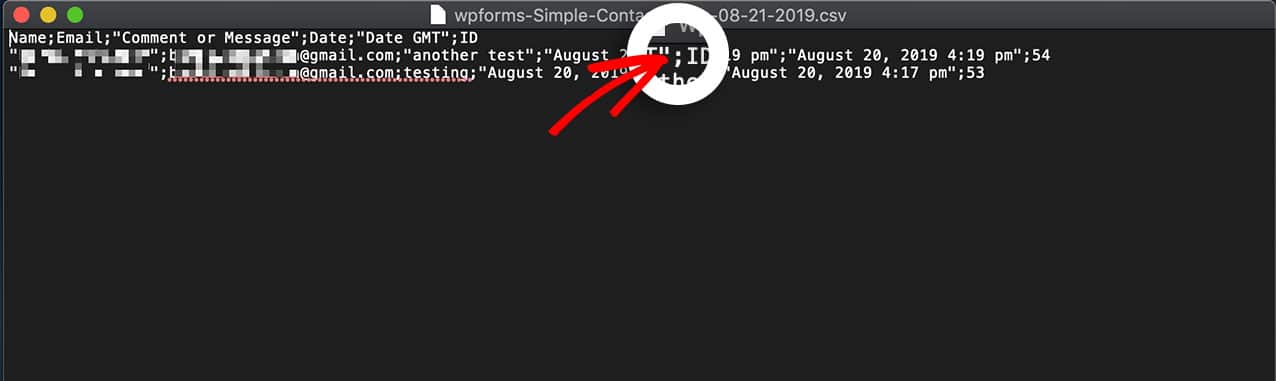
And that’s it! You’ve successfully changed the delimiter! Would you like to know how to display a count of how many visitors have completed your form? Take a look at our article on How to Display Entry Submissions Count for a Specific Form.
Related
Filter reference: wpforms_pro_admin_entries_export_configuration