



Resumo de IA
Após nossas enormes melhorias no gerenciamento de entradas, mergulhamos direto em fornecer os recursos que você estava pedindo.
Veja as novidades no WPForms 1.1.7.
Addon GetResponse
Construir uma lista de e-mails é crucial para todos os negócios online de sucesso. É por isso que o WPForms se integra aos melhores serviços de marketing por e-mail, como Mailchimp e AWeber.
Hoje, tenho orgulho de anunciar a mais nova integração do WPForms, GetResponse.
GetResponse é um software popular de marketing por e-mail com mais de 350.000 clientes. Você pode entender por que esta foi uma integração popular entre nossos usuários.
Com esta integração, você pode combinar o poder dos formulários fáceis do WPForms para WordPress com a poderosa plataforma de marketing por e-mail do GetResponse para ajudar a expandir seus negócios.
Você pode enviar assinantes para qualquer lista e começar a interagir com eles imediatamente.
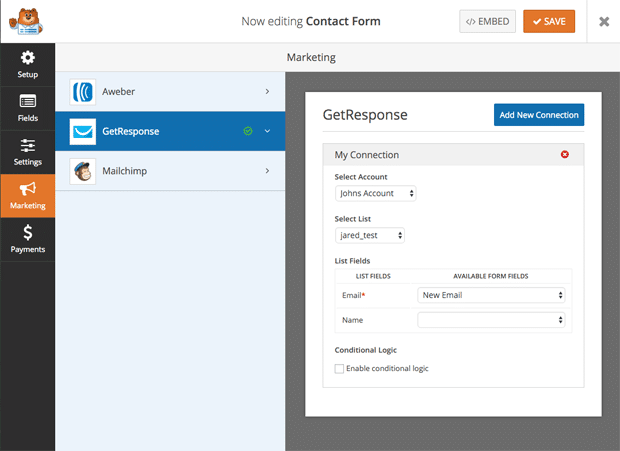
A integração é muito simples. Tudo o que você precisa fazer é conectar sua chave de API do GetResponse ao OptinMonster, que exibirá todas as suas listas de e-mail no construtor e permitirá que você comece a obter mais assinantes de e-mail.
Veja nosso tutorial completo de integração do GetResponse no WPForms.
Notificação Condicional de Formulário
Muitos de vocês nos pediram para enviar notificações condicionais de formulário com base no departamento que o cliente está contatando.
É por isso que adicionamos Dropdowns e Múltiplas escolhas como tags inteligentes para notificações. Isso significa que, se alguém selecionar uma consulta para faturamento, apenas o departamento de faturamento será notificado.
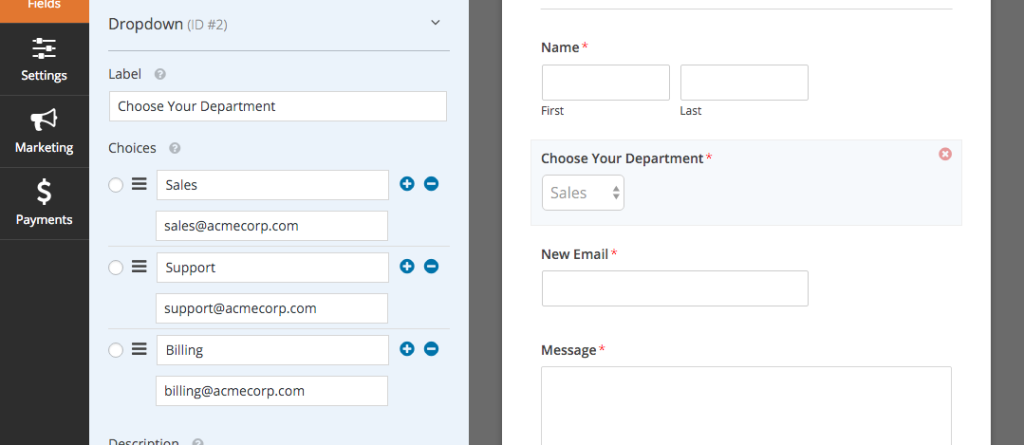
Veja o tutorial completo sobre como criar notificações condicionais de formulário no WPForms.
Layouts de Formulário com Múltiplas Colunas
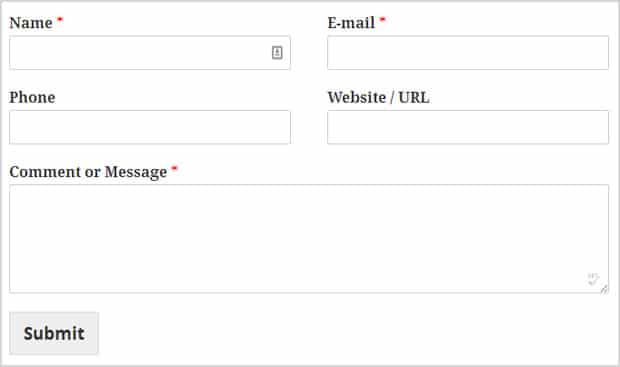
Muitos de vocês têm pedido isso, e tem sido possível no WPForms desde o início. No entanto, agora o tornamos fácil, fornecendo classes CSS integradas.
Você pode usar as seguintes classes CSS para layouts de formulário.
Classes CSS de duas colunas:
- wpforms-primeira-metade
- wpforms-ultima-metade
Classes CSS de três colunas:
- wpforms-primeiro-terco
- wpforms-terco-central
- wpforms-ultimo-terco
Veja o tutorial completo sobre como criar layouts de formulário com várias colunas no WPForms.
É tudo por esta atualização, mas temos mais reservado para você na próxima semana.
Procurando um construtor de formulários WordPress de arrastar e soltar? Obtenha o WPForms hoje e desbloqueie todos os recursos incríveis.


