
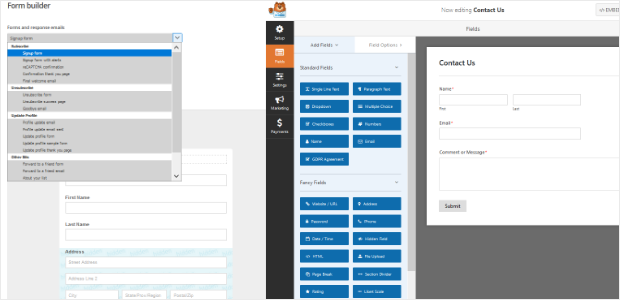


Resumo de IA
Você está procurando adicionar um formulário de contato ao seu site WordPress? Se sim, você pode estar se perguntando se deve usar o popular plugin de formulário de contato WPForms ou o Mailchimp Form Builder que vem com sua conta Mailchimp.
Neste artigo, compararemos o WPForms e o Mailchimp Form Builder para que você possa decidir qual é a melhor opção para você.
Os critérios que usaremos para avaliar são:
- Facilidade de Uso
- Recursos
- Suporte
- Preço
Então, vamos dar uma olhada em cada um e ver como eles se comparam.
Facilidade de Uso
O Mailchimp é um dos serviços de marketing por e-mail mais populares e confiáveis do mercado hoje. E existem muitas integrações do Mailchimp para WordPress.
Portanto, não deve ser surpresa que as pessoas que usam o Mailchimp para aumentar suas listas de e-mail pensem que usar o Mailchimp Form Builder integrado seria a maneira mais fácil de criar formulários de contato em seus sites WordPress.
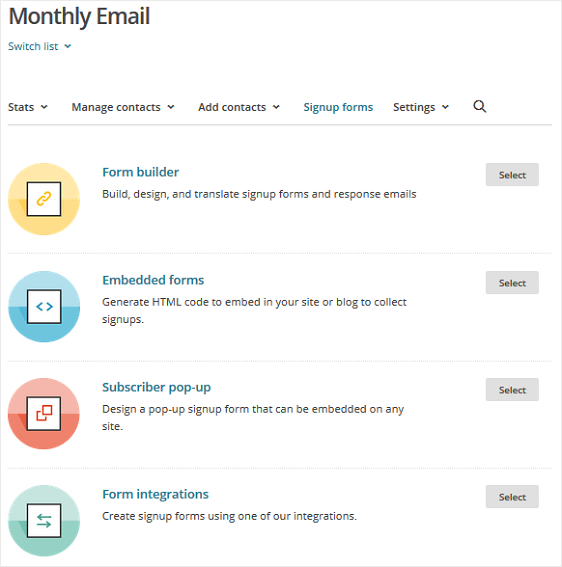
Na verdade, você pode criar formulários de inscrição, formulários incorporados e pop-ups de assinantes diretamente de sua conta Mailchimp. Você também pode criar um formulário de inscrição usando uma das integrações do Mailchimp.
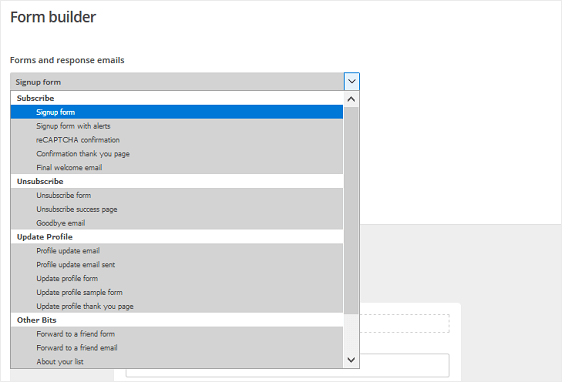
Uma vez na tela do construtor de formulários, você pode escolher entre os tipos de formulários ou e-mails de resposta que deseja criar antes de realmente construir seu formulário.
Para personalizar seu formulário de inscrição, você precisará seguir a barra de progresso do Mailchimp: Construa » Desenhe » Traduza.
Infelizmente, há um número limitado de campos de formulário e a seção de design aplicará todas as alterações que você fizer ao seu formulário a outras páginas e e-mails de resposta.
Pior ainda, de acordo com o Mailchimp, personalizar o estilo de seus formulários pode exigir experiência em HTML ou um desenvolvedor ou especialista em Mailchimp. Além disso, para incorporar o formulário em seu site, você tem que experimentar o código HTML para garantir que seu formulário apareça em seu site da maneira que você deseja.
O WPForms, por outro lado, é um plugin de formulário de contato para WordPress fácil de usar que prioriza a usabilidade para que pessoas de todos os níveis de habilidade que precisam de qualquer tipo de formulário possam facilmente criar, personalizar e incorporar formulários em seus sites.
E qualquer pessoa pode usar a versão gratuita, WPForms Lite.
Para começar, vários modelos de formulário pré-fabricados estão disponíveis para ajudá-lo a criar todos os tipos de formulários.
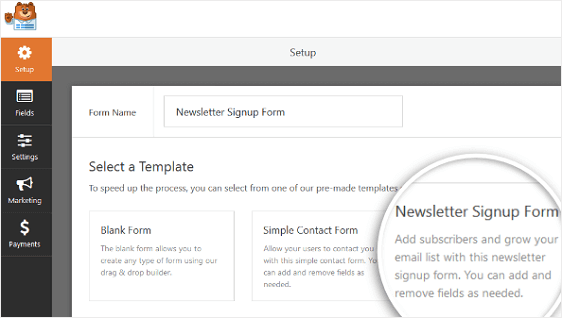
Por exemplo, crie um formulário de contato simples, formulário de registro de usuário, formulário de enquete ou pesquisa e até mesmo um formulário de doação usando os modelos prontos.
A partir daí, adicionar novos campos, alterar a ordem e personalizá-los são feitos usando uma interface simples de arrastar e soltar.
Nenhuma habilidade em HTML é necessária para projetar seus formulários e há muitos campos de formulário padrão e avançados para adicionar.
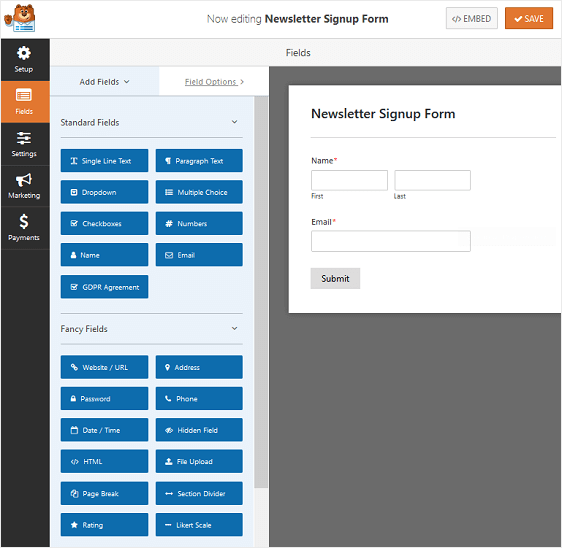
Se você está procurando um plugin de formulário de contato que seja fácil de usar, funcione imediatamente e não exija a ajuda de um profissional, o WPForms é o caminho a seguir.
Vencedor: WPForms
Recursos
O Construtor de Formulários do Mailchimp oferece muito pouco em termos de recursos, especialmente porque a maioria dos recursos que você pode querer adicionar ao seu formulário exigem experiência em codificação.
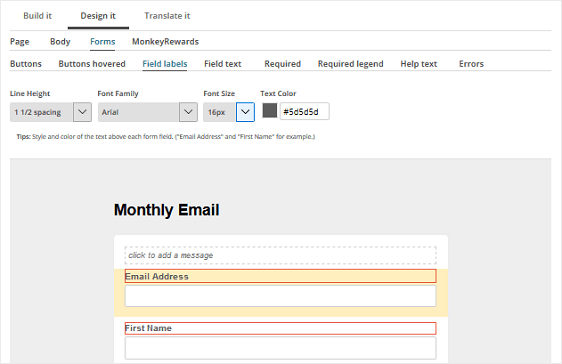
Dito isso, você pode alterar algumas coisas usando a guia Design no construtor de formulários. Por exemplo, personalize os tamanhos da fonte e dos botões, o plano de fundo e as cores, e o texto dos campos do formulário.
Quando se trata de WPForms, não faltam recursos. Na verdade, até o WPForms Lite tem mais recursos do que o Construtor de Formulários integrado do Mailchimp.
Mas se você estiver procurando por mais, pode usar a versão pro do WPForms e acessar recursos interessantes como:
- Lógica condicional inteligente
- A capacidade de criar formulários de várias partes
- Melhorias de GDPR para ajudar a criar formulários compatíveis
- Notificações e confirmações instantâneas
- A capacidade de coletar pagamentos
- Proteção contra spam
- E muito mais
Se recursos são o que você procura, claramente WPForms é a opção vencedora.
Vencedor: WPForms
Suporte
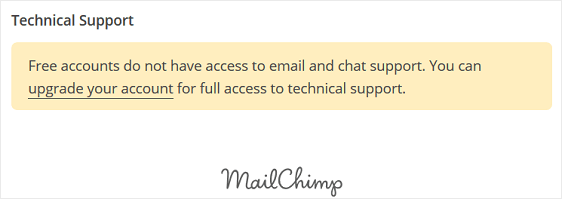
Se você tem uma conta gratuita do Mailchimp, terá acesso zero a suporte por e-mail ou chat. Na verdade, você não receberá nenhum tipo de suporte, exceto pela Base de Conhecimento de autoatendimento.
O WPForms, por outro lado, oferece um sistema de tickets de suporte para clientes, muita documentação detalhada descrevendo como configurar as opções, um blog atualizado regularmente com dicas e truques, e tutoriais oficiais com instruções passo a passo para que você sempre saiba o que está fazendo.
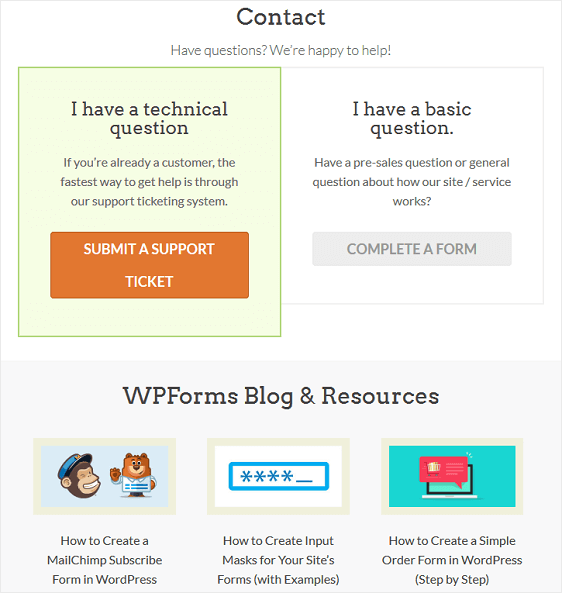
Para momentos em que você precisa de ajuda, ou quer aprender mais, aproveite o suporte excepcional que o WPForms oferece aos usuários.
Vencedor: WPForms
Preço
Tanto o Novo Construtor de Formulários de Negócios do Mailchimp quanto o WPForms Lite são gratuitos para começar.
No entanto, se você usa o Mailchimp e deseja escalar seu negócio além dos 2.000 assinantes, não importa qual solução você use para criar seus formulários de contato, você precisará atualizar sua conta do Mailchimp.
Isso não atualiza, no entanto, o construtor de formulários. Na verdade, o construtor de formulários permanecerá o mesmo, não importa quanto dinheiro você invista em seu plano do Mailchimp.
É por isso que, se você está procurando recursos adicionais de formulário de contato e ainda quer usar o Mailchimp como seu provedor de serviços de marketing por e-mail, você deve investir no WPForms Plus ou superior.
A licença Plus inclui o addon do Mailchimp e permite que você crie facilmente formulários de contato bonitos, totalmente funcionais e exclusivos em todo o seu site WordPress.
Confira este tutorial sobre como atualizar o WPForms Lite para uma licença paga.
Vencedor: WPForms
Não há como negar que o Construtor de Formulários do Mailchimp pode ajudá-lo a colocar formulários de contato funcionais em seu site. E, como o Mailchimp é um dos provedores de serviços de e-mail mais populares que existem, faz sentido que tantas pessoas questionem o uso de um plugin de formulário de contato separado.
No entanto, como você pode ver, o Construtor de Formulários do Mailchimp não atende a todas as necessidades. Isso torna o WPForms a escolha óbvia quando se trata de WPForms vs Construtor de Formulários do Mailchimp.
Considerações Finais
Esperamos que este artigo tenha ajudado você a comparar o Mailchimp Form Builder com o WPForms para decidir qual é o melhor para você. Agora que você tem seu construtor de formulários, comece com seu marketing por e-mail e confira nosso guia sobre como configurar o ActiveCampaign em formulários do WordPress.
Então, o que você está esperando? Comece hoje mesmo com o mais poderoso plugin de formulários do WordPress.
E não se esqueça, se você gostou deste artigo, siga-nos no Facebook e Twitter.


Esta postagem é enganosa porque o WP Forms Lite não inclui o Addon Mailchimp (que está disponível apenas no Pro), então a versão Lite não é um substituto potencial para o construtor de formulários Mailchimp, como sugerido neste artigo!
Olá Chris! Obrigado por apontar como nosso artigo poderia ter sido mal interpretado, e você está absolutamente correto, nossa versão Lite não inclui nosso addon Mailchimp. Este artigo tinha como objetivo comparar os recursos de Construção de Formulários e não os recursos de Newsletter/Assinatura, e posso ver como o mal-entendido ocorreu.
Certamente levaremos seu feedback e faremos alguns ajustes para que fique mais claro.
Obrigado!