



Resumo de IA
Logo após nosso último anúncio, estamos celebrando o lançamento do WPForms 1.7.3 hoje! Ele inclui novos recursos super empolgantes que tornarão o gerenciamento de formulários muito mais fácil.
Apresentando revisões de formulário e lixeira de formulário!
Se você já teve a sensação de que quebrou um formulário ou excluiu o formulário errado por acidente, esta atualização adicionará salvaguardas valiosas para você e sua equipe.
Revisões de Formulário: Restaure uma Versão Anterior de Qualquer Formulário
Apesar de nossas melhores intenções, todos nós às vezes salvamos acidentalmente a versão errada de um formulário. Em alguns casos, a lógica condicional que você configurou cuidadosamente é quebrada por uma alteração acidental.
Todos nós já passamos por isso. Erros como esse são fáceis de cometer e demorados para corrigir.
Nossas novas revisões de formulário oferecem controle de versão simples e rápido para seus formulários WordPress. Sempre que você salva uma alteração, pode ver todas as versões anteriores – incluindo quem fez a alteração e quando.
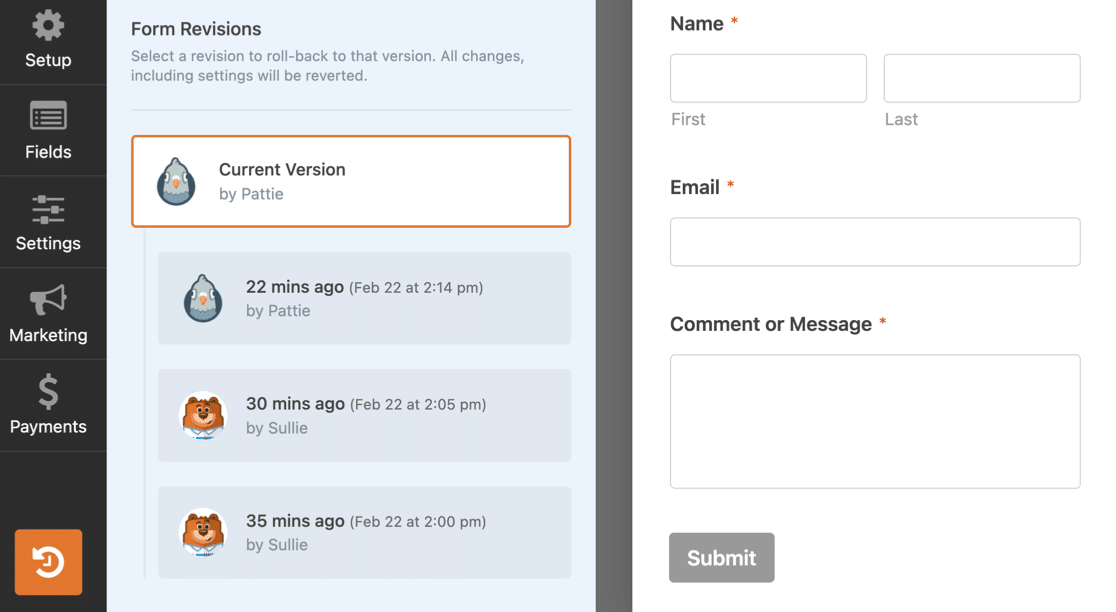
Se você quiser reverter para uma versão anterior, pode restaurá-la rapidamente sem reconstruí-la do zero. E se você não tiver certeza de qual versão precisa restaurar, pode visualizar cada versão do formulário antes de restaurá-la.
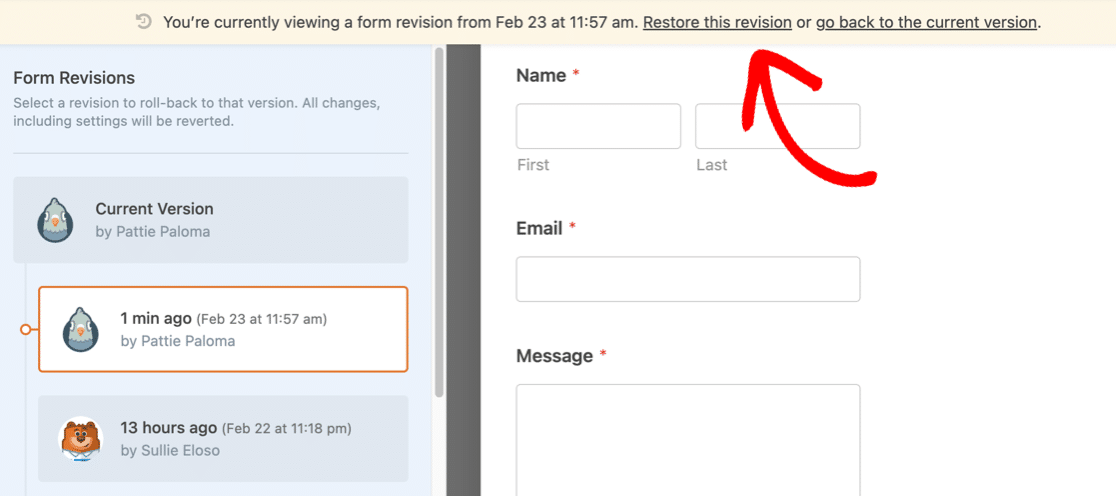
Quando você selecionou a revisão e a restaurou, salvamos automaticamente suas alterações como a versão mais recente.
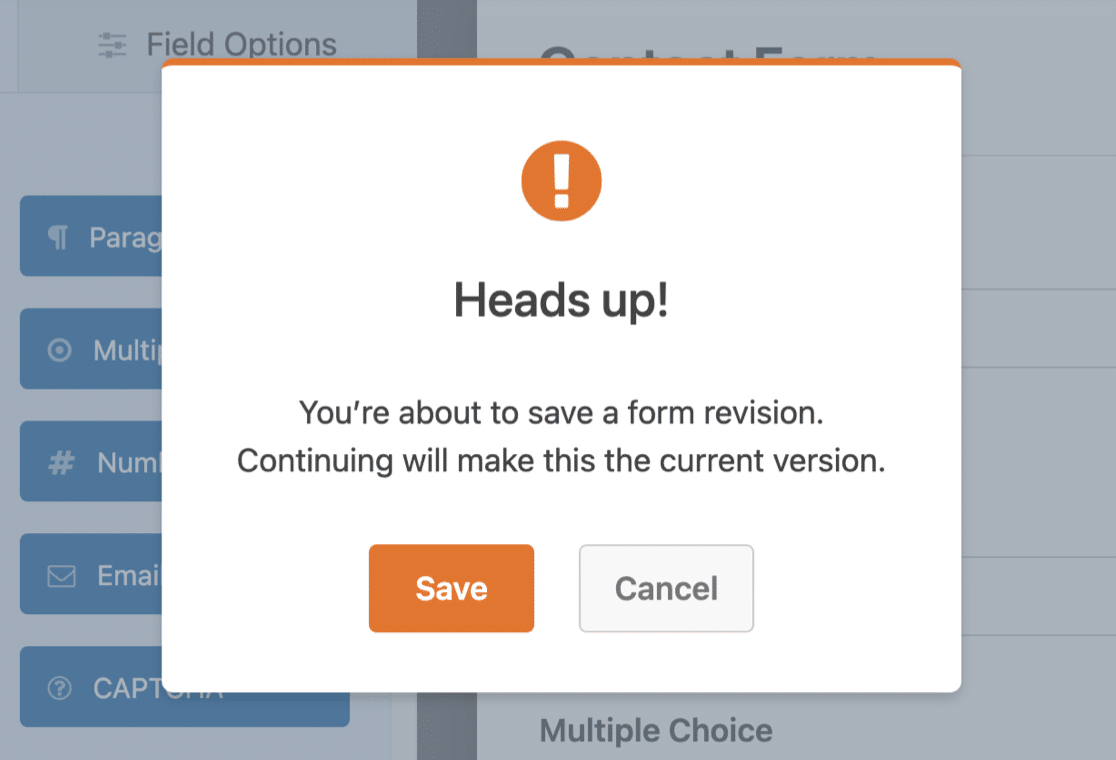
Nosso novo lançamento 1.7.3 lhe dá o poder de voltar no tempo: você pode revisar as alterações feitas por sua equipe, desfazer erros e comparar versões anteriores do seu formulário, se precisar.
Mas espere: o que acontece se um formulário for excluído?
Temos um novo recurso que também ajudará com isso.
Lixeira de Formulário: Recupere Formulários Excluídos
Você já excluiu o formulário errado por engano?
No passado, excluir um formulário não apenas removia o formulário. Ele também removia as entradas.
Reconhecemos que este era um ponto problemático para você e decidimos corrigi-lo.
Agora, quando você move um formulário para a lixeira, ele é movido para uma nova área de lixeira na sua página de visão geral de formulários.
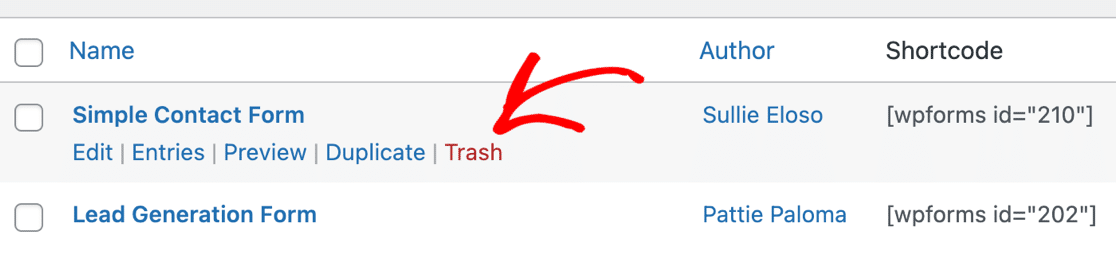
Os formulários permanecerão na lixeira até que você decida excluí-los permanentemente. Isso lhe dá bastante tempo extra para revisar os formulários excluídos antes que eles desapareçam para sempre.
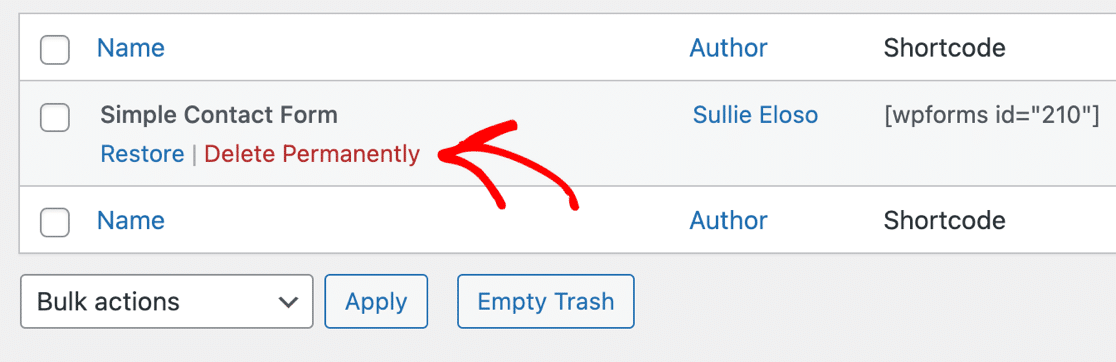
Mudou de ideia? Você pode facilmente restaurar um formulário da lixeira. Quando fizer isso, todas as entradas que estavam associadas a esse formulário também serão restauradas!
Nosso novo recurso de lixeira de formulário protege contra desastres. É uma rede de segurança que facilitará o gerenciamento do seu site, especialmente se você tiver vários membros da equipe trabalhando em seus formulários.
Hora de mais um recurso. Ainda não é Páscoa, mas adicionamos um pequeno 'Ovo de Páscoa' antecipado em nosso último lançamento!
Você Viu Nossa Nova Pesquisa de Formulários?
Se você atualizou o WPForms após nosso último lançamento, terá notado que agora você pode pesquisar formulários no WordPress!
O novo campo de pesquisa facilita a localização do formulário que você precisa editar – mesmo que você tenha milhares de formulários (como nós temos!)
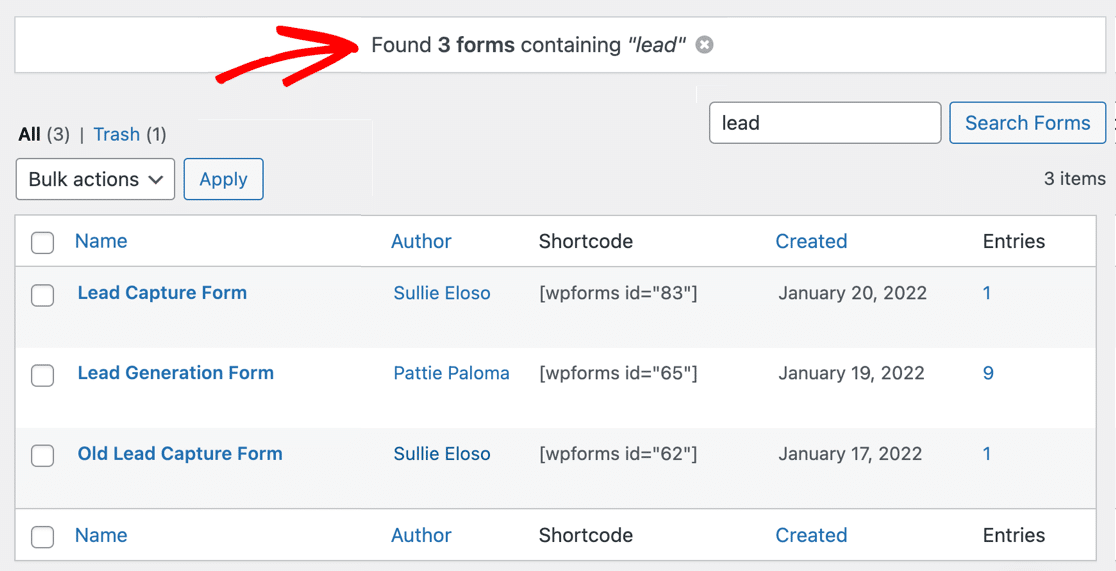
Pesquisar formulários realmente melhorou nosso fluxo de trabalho. Esperamos que você também tenha aproveitado a conveniência extra que ele oferece.
Se você não vir a pesquisa de formulário, atualizar para a versão 1.7.3 a ativará em seu site, juntamente com revisões de formulário e lixeira de formulário.
Tem Mais Por Vir!
Já estamos trabalhando duro em nossa próxima versão. Compartilharemos as novidades assim que terminarmos!
Para receber todas as nossas atualizações, você pode participar da conversa no Círculo VIP do WPForms no Facebook.
É isso por enquanto. Esperamos que você ame esses novos recursos! Como sempre, agradecemos seu feedback e sugestões. Basta postar um comentário abaixo!
Jared Atchison


A versão Lite não permite receber ou visualizar nenhum e-mail?!
Oi Michelle - boa pergunta!
Você pode configurar e-mails de notificação de formulário automáticos, tanto para você quanto para qualquer outra pessoa que desejar (incluindo a pessoa que preencheu o formulário usando a versão WPForms Lite também).
Temos um ótimo tutorial sobre isso aqui. E se preferir, temos um vídeo que mostra o processo de configuração aqui.
Espero que ajude! 🙂
Oi Brian, peço desculpas, mas não podemos fornecer o que você procura no momento.
No entanto, anotei seu interesse neste recurso e adicionei seu e-mail à nossa lista para receber atualizações sobre este recurso.
Obrigado!
OLÁ
Quero usar o add-on de registro do wpforms em um novo site que estou criando para um cliente. Como faço para bloquear páginas/posts se o usuário não estiver registrado???
Olá Larry, não temos um recurso integrado em nosso add-on de Registro de Usuário para bloquear/ocultar a página ou post para usuários não logados. No entanto, como solução alternativa, você pode optar por adicionar uma senha ao seu post/página e compartilhá-la apenas com os usuários registrados.
Espero que ajude 🙂
Olá
Estou criando um formulário de registro e preciso permitir que o usuário repita um conjunto de campos se o usuário tiver mais de um registro para esses campos. Como faço isso, ou seja, como crio um campo que seja repetível? Obrigado.
Olá Nahcon, atualmente não temos a capacidade de permitir que usuários no front-end repliquem/repita campos ou conjuntos de campos, embora isso esteja em nossa lista de solicitações de recursos para considerar adicionar no futuro.
No entanto, anotei seu interesse neste recurso e adicionei seu e-mail à nossa lista para receber atualizações sobre este recurso.
Obrigado!
Estou tentando encontrar um link de formulário para copiar e colar em e-mails de marketing – acessando-o diretamente (ou seja, “Receber avisos de novas postagens!”) Só consigo ver os links de edição ou visualização, como administrador do site.
Não consigo encontrar uma resposta nos fóruns sobre onde/como acessá-lo. Acho que está configurado como um pop-up, então talvez seja por isso que não consigo vê-lo?
Olá Todd – Lamentamos qualquer transtorno. Para garantir que possamos responder à sua pergunta da forma mais completa possível, você poderia entrar em contato com nossa equipe com mais alguns detalhes sobre o que você deseja fazer?
Para garantir que possamos responder à sua pergunta da forma mais completa possível, você poderia entrar em contato com nossa equipe com mais alguns detalhes?
Se você tiver uma licença WPForms, terá acesso ao nosso suporte por e-mail, portanto, envie um ticket de suporte. Caso contrário, oferecemos suporte complementar limitado no fórum de suporte do WPForms Lite no WordPress.org.
Obrigado.
Estou tentando editar um formulário no meu site, mas não tenho acesso a ele e ele não está aparecendo em wpforms. Criei um novo formulário e estou tentando incorporá-lo, mas não tenho a opção de fazê-lo ao tentar adicioná-lo no editor front-end ou back-end.
https://daughterarise.org/event/carribean-conference/
Preciso apenas remover alguns campos e não tenho ideia de como fazer isso. AJUDA
Olá Doneta – Nossas desculpas por qualquer transtorno. Gravei um screencast rápido que mostra como excluir campos adicionados ao formulário. Caso você ainda esteja enfrentando problemas com o mesmo, entre em contato com nossa equipe de suporte e teremos prazer em ajudar.
Se você tiver uma licença WPForms, terá acesso ao nosso suporte por e-mail, portanto, envie um ticket de suporte. Caso contrário, oferecemos suporte complementar limitado no fórum de suporte do WPForms Lite no WordPress.org.
Obrigado.