



Resumo de IA
Você quer rastrear a jornada do cliente sem usar o Google Analytics para o seu site WordPress?
O Google Analytics é uma ferramenta excelente para analisar a atividade do usuário em sites e rastrear jornadas de clientes para a maioria dos proprietários de sites.
Mas configurar o Google Analytics pode ser complicado para muitos usuários, e a ferramenta pode ser simplesmente poderosa demais para as necessidades mais simples de alguns sites.
Se você está procurando maneiras alternativas de acompanhar a jornada do cliente, temos a solução perfeita para você!
Este guia mostrará exatamente como rastrear a jornada do cliente sem o Google Analytics.
Crie Seu Formulário WordPress Agora
O que é Rastreamento da Jornada do Cliente?
Jornada do cliente é a experiência que um cliente tem desde o momento em que ele primeiro encontra sua empresa até o momento em que toma uma decisão de compra com você.
Rastrear jornadas de clientes ajudará você a entender o comportamento e as ações dos clientes. E com essas informações, você pode projetar funis com maior taxa de conversão e colocar seu conteúdo mais valioso em páginas que provaram ser as mais produtivas para você.
Você pode rastrear a jornada do cliente com o Addon User Journey da WPForms. O poderoso addon oferece insights sobre as interações dos usuários com seu site antes que eles enviem um formulário.
Como Rastrear a Jornada do Cliente
O addon User Journey da WPForms é fácil de configurar e você não precisa adicionar nenhum código de rastreamento manualmente como com o Google Analytics. Você só precisa instalar o addon para obter os insights do User Journey diretamente do seu painel do WordPress.
Neste Artigo
Etapa 1: Instale e Ative o Plugin WPForms
WPForms é um dos plugins WordPress mais populares, usado por mais de 5 milhões de sites. Ele vem com recursos interessantes que tornam a criação de formulários WordPress uma tarefa fácil.

O WPForms também possui vários addons úteis que permitem concluir tarefas complexas e estender a funcionalidade dos seus formulários.
O Addon User Journey da WPForms fornecerá detalhes da jornada do cliente em seu site no painel do WordPress. Ele oferece insights como:
- Número de clientes que preenchem um formulário
- URL de origem que redirecionou os clientes para o seu site
- Detalhes de pesquisa do cliente
- Páginas e posts que os clientes visitaram
- Tempo que os clientes passaram em cada página
Para obter o Addon User Journey, primeiro, você precisa instalar e ativar o plugin WPForms em seu site WordPress. Você pode seguir este guia passo a passo para aprender como instalar um plugin no WordPress.
O addon User Journey está disponível na versão WPForms Pro. Certifique-se de verificar sua licença Pro antes de instalar o addon.
Etapa 2: Instalar e Ativar o Complemento Jornada do Usuário
Após instalar o plugin WPForms, você precisará instalar e ativar o Addon User Journey.
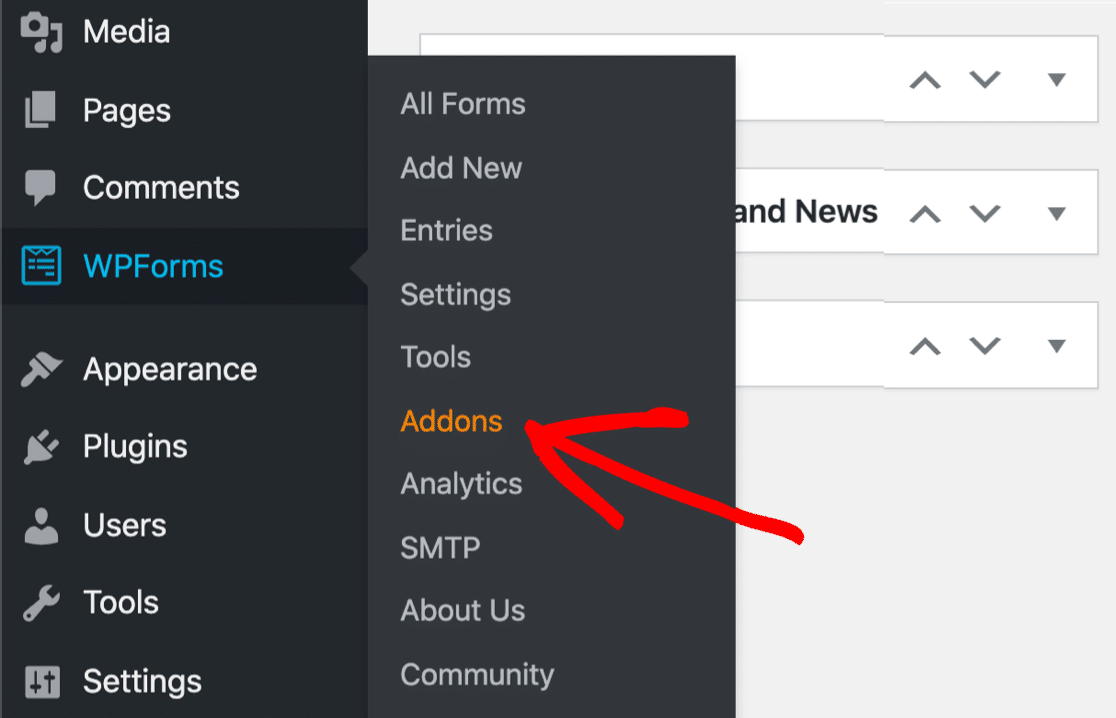
Para instalar o Addon User Journey, vá para WPForms» Addons em seu painel do WordPress.
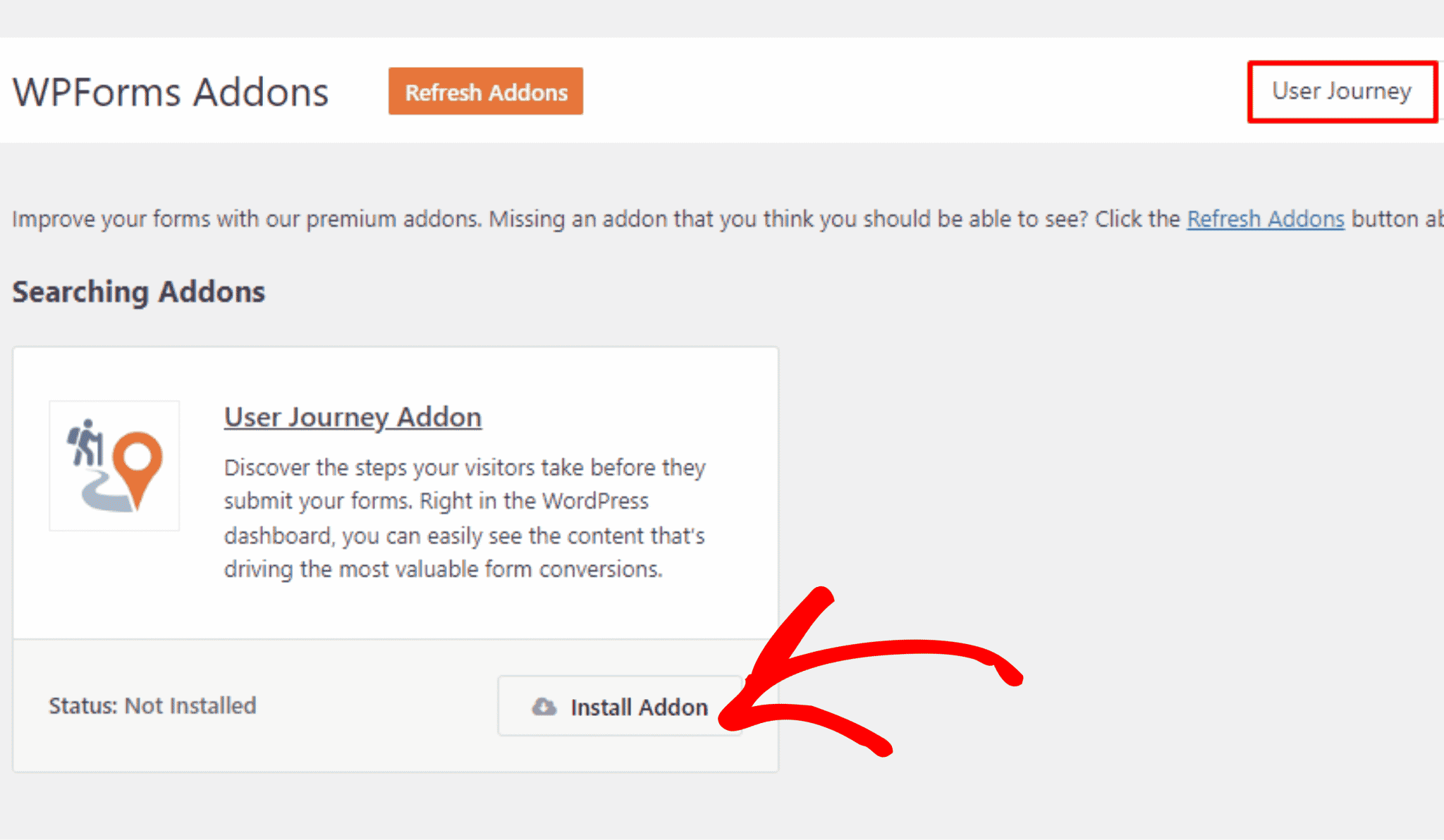
Na página Addons do WPForms, procure por User Journey Addon e clique no botão Instalar Addon.
Após a instalação, ative o Addon User Journey.
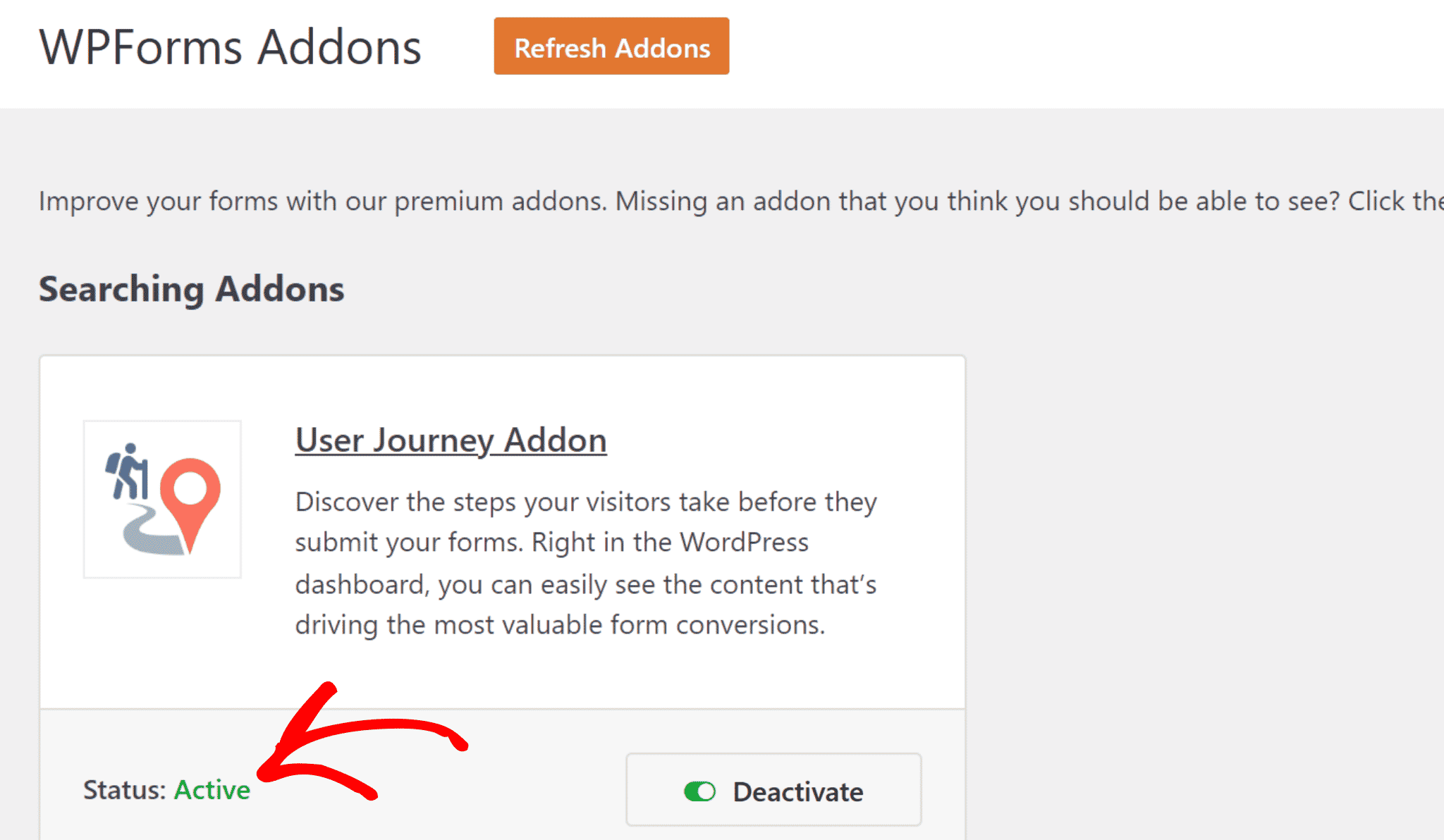
Parabéns! Você instalou com sucesso o Addon User Journey com WPForms para rastrear a jornada do cliente sem o Google Analytics.
Etapa 3: Ver Relatório de Jornada do Usuário
Depois de instalar o Addon User Journey, é hora de visualizar o relatório da jornada do cliente.
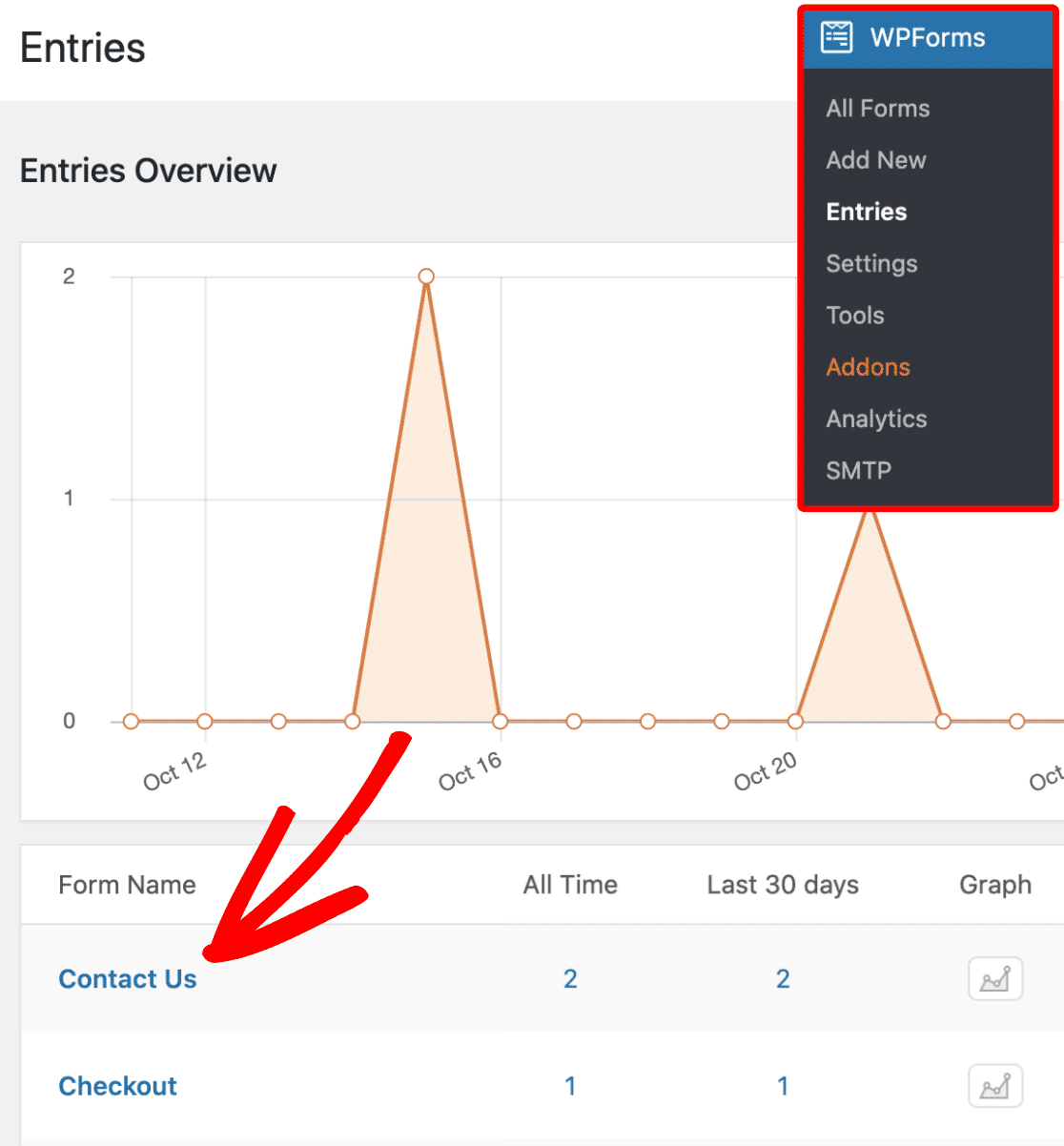
Vá para WPForms » Entradas no seu painel do WordPress.
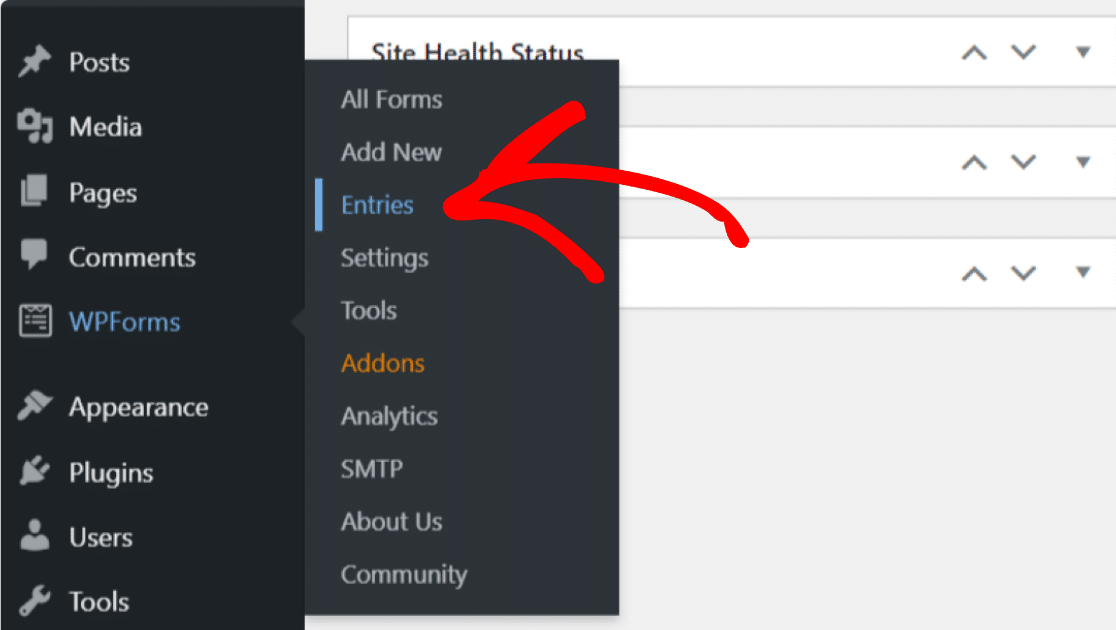
Na página Entradas, você encontrará a lista de todos os formulários em seu site. Clique no nome do formulário para ver o relatório da jornada do cliente.
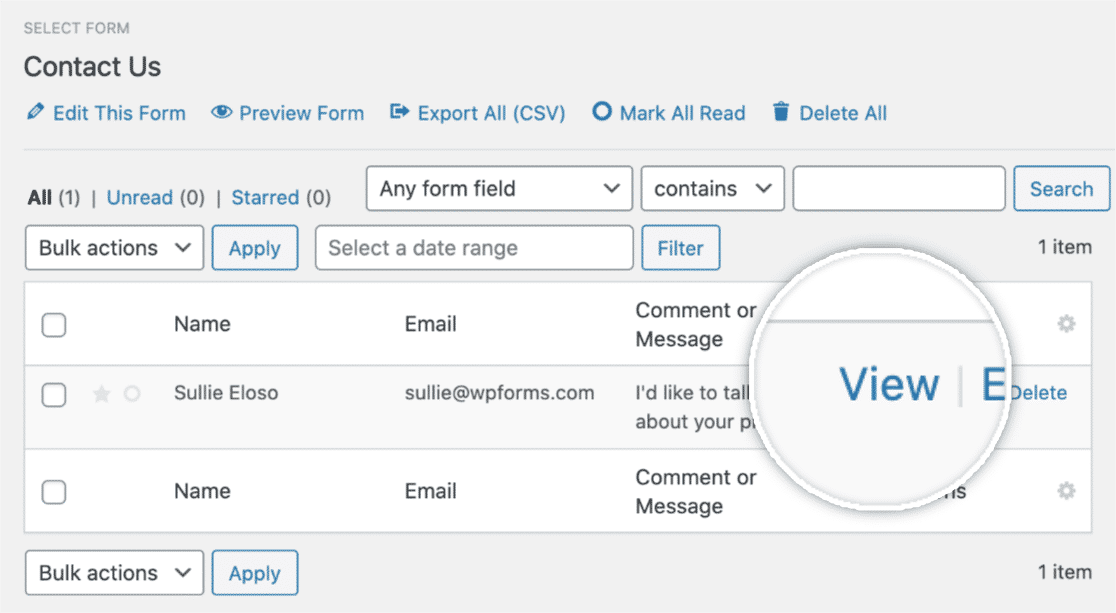
Você pode ver o nome, e-mail e data de envio de todos os clientes que preencheram o formulário.
Clique em Ver em Ações para ver os insights da jornada do usuário.
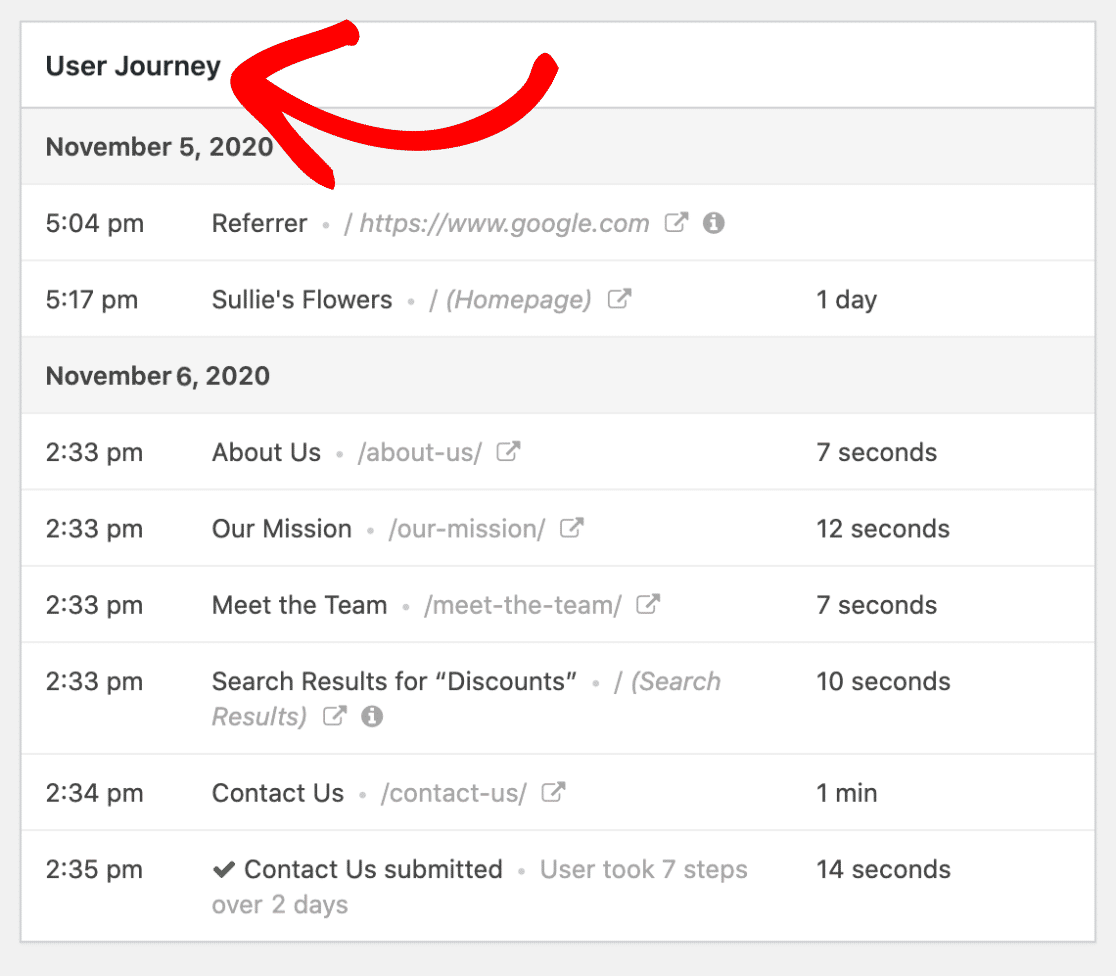
Na página Ver Entrada, role para baixo até a seção Jornada do Usuário.
Na seção da jornada do usuário desse cliente, você pode encontrar detalhes como:
- URL da Fonte de Referência
- Data e hora em que o cliente visitou o site
- Tempo que o usuário passa em uma página e postagem específica.
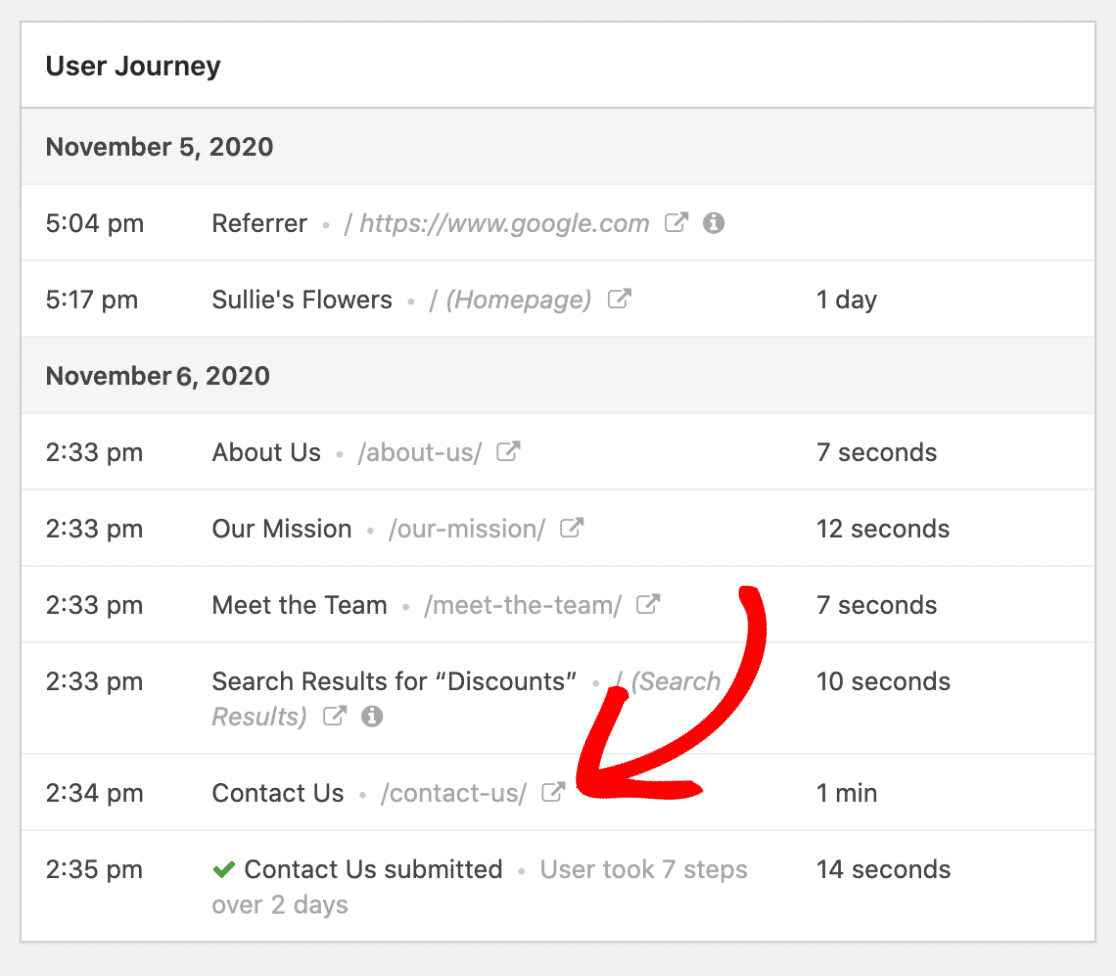
Você também pode visitar rapidamente cada página que o cliente visitou clicando no ícone Abrir Janela em Nova Aba.
Incrível, não é? Você pode obter todos esses insights sobre as interações dos clientes com seu site sem adicionar uma única linha de código. Depois de saber como os visitantes estão encontrando seus formulários, você pode otimizar seu site para que os usuários obtenham o que precisam de uma maneira ainda mais simplificada.
E é isso!
Agora você sabe como rastrear a jornada do cliente simplesmente usando o WPForms.
Em seguida, Rastreie uma Fonte de Lead no WordPress
O rastreamento de fontes de leads ajudará você a monitorar as fontes que geram tráfego e convertem leads em clientes em seu site.
Se você deseja rastrear fontes de leads para o seu site, leia este guia sobre como rastrear uma fonte de lead no WordPress. Você também pode conferir práticas de conversão de formulários para melhorar sua taxa de conclusão de formulários da web.
Além disso, se você quiser ver quais anúncios geram os engajamentos de usuários e a geração de leads mais eficazes, confira este guia para rastrear envios de formulários como conversões do Google Ads.
Crie Seu Formulário WordPress Agora
Pronto para rastrear a jornada do cliente com o Addon User Journey? Comece hoje mesmo com o plugin de criação de formulários WordPress mais fácil. WPForms Pro inclui muitos recursos e addons e oferece uma garantia de devolução do dinheiro em 14 dias.
Se este artigo ajudou você, por favor, siga-nos no Facebook e Twitter para mais tutoriais e guias gratuitos do WordPress.


