
Agreement Form Templates

Are you looking for an easy way to create agreement forms on your website? From legal contracts to confidentiality agreements, our comprehensive collection of Agreement Form Templates is designed to cater to a wide range of business needs.
Templates › Business Operations › Agreement

31 Agreement Form Templates

Partnership Agreement Form

Collect information from site visitors that are interested in working with you.

School Trip Consent Form

Get parent consent for school trips or residential visits.
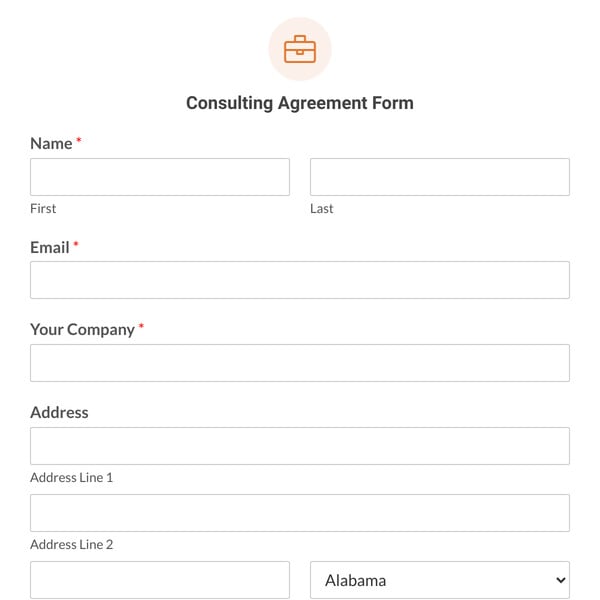
Consulting Agreement Form

Let people submit contract details for your consulting form.

Rental Agreement Form

Month-to-month rental agreement for a house or apartment. Tenants sign online and pay the deposit and first month's rent.

Room Rental Agreement Form

Use the Room Rental Agreement Form to outline the details between tenant and landlord.

Uniform Agreement Form

Record uniform items issued to an employee and get their signed agreement to your uniform return and care policy.

Mutual NDA Form

Mutual NDA for two businesses: the other company reads your terms, enters its details, and signs online.

Church Release Form

Church youth event and trip release with medical details, emergency treatment permission, a photo choice, and a guardian path.

Sponsorship Form

Event organizers get sponsors to choose a package, upload a logo, pick a payment method, and sign the sponsorship terms.

Location Agreement Form

Venues and studios rent their space for photo shoots, events, and pop-ups, with signed terms and a deposit paid at booking.

Release of Liability Form

Activity waiver with assumption of risk, health and emergency details, and a parent or guardian path for minors.

Truck Rental Agreement Form

Moving truck or van rental agreement with driver details, your terms, a signature, and a security deposit paid by card.

Liability Form

A facility and equipment use waiver that covers repeat visits, with your rules, emergency contact, and a guardian path.

Contract Form

Project contract for accepted quotes and proposals. The client confirms the job, signs, and pays the deposit.

Photography Copyright Form

Photographers license photos to clients with set uses, term, and territory, collecting a signature and usage fee.

Agreement Form

A simple letter of agreement or MOU between your organization and one other party, with terms, signature, and date.

Music Licensing Agreement Form

Musicians and music libraries license a track for a project, with sync or master use options, signed terms, and the fee paid.

Hold Harmless Form

Have contractors, vendors, or venue hirers sign your hold harmless terms and upload insurance before work starts.

Independent Contractor Agreement Form

Onboard freelancers and 1099 contractors. They confirm the work and rate, add a payment preference, and sign your terms.

One-Way NDA Form

One-way NDA that employees, contractors, freelancers, or investors sign online before you share your business information.

Client Agreement Form

Client service agreement for ongoing services. Clients pick services, accept your standard terms, and sign online.

Vendor Agreement Form

Supplier agreement for your vendors. They list what they supply, add business details, and e-sign your vendor terms.

Lease Agreement Form

Fixed-term lease you fill in per unit and send to the lessee to sign and pay. Uses Save and Resume to hand off the form.

Film Location Agreement Form

Productions get a property owner's signed permission to film, with shoot days, areas used, agreed fee, and footage rights.

Tips for Creating Agreement Forms That Convert

Read More

Our form templates let you create any kind of WordPress form in a few clicks.

You can select any template to view the demo and try it out. If it works for you, you can import it and publish it in minutes. Each WPForms template is fully customizable too. Our drag and drop form builder makes it easy to adapt any template to fits your business’ needs. When you use our form templates, you can easily:
  • Import Any Template With 1 Click

    Ready to get started? Import any form template and start customizing it right away.

  • Add or Remove Fields

    Use our simple drag and drop form builder to add fields, delete them, or move them around.

  • Customize Notification Settings

    It’s easy to edit the notification emails on any template with your own text or smart tags.

  • Change the Confirmation Message

    Easily display a custom message after submission – or forward your visitor to another page.

  • Change the Field Labels

    Click on a field and change the text to collect the exact information you need.

  • Change the Notification Email

    Add CCed recipients and multiple notifications so you never miss an entry.

  • Customize the Submit Button

    Adapt the words on the button and change the color so that it matches your theme.

  • Publish Your Form With Ease

    Hit publish — that's it! WPForms makes it easy to get your forms online without writing code.

  • Get Instant Form Insights

    Track form submissions with our built-in analytics to see how your forms perform.

WPForms makes it easy to publish forms on any post or page. You can also publish your forms in the WordPress sidebar or footer. And because we integrate with page builders, you can easily make an Elementor contact form, or publish any form on a landing page in SeedProd.

Why Million+ Website Owners Love WPForms

Don't just take our word for it. See why real users (like YOU) love WPForms.
  • I am not an expert in WordPress but it was easy to create a contact form based on the step-by-step video on YouTube.

  • Just started using WPForms and I already love it! Purchasing the Pro version now. Grateful for this company!

  • I needed something quick, simple, easy. This fits the bill and worked as soon as set up with no muss or fuss!

Frequently Asked Questions and Resources

Do you have a question about WPForms? See the list below for our most frequently asked questions. If your question is not listed here, then please contact us.
How do I use WPForms form templates?

Our form templates are super easy to use. If you have a WordPress website, you’re ready to start!

When you find the template you want, click Use Template. We’ll help you to install the WPForms plugin so you can open the template. WPForms is the best form builder plugin for WordPress, and it makes it easy to create forms to grow your business.

Any template in our gallery can be imported into your WordPress site and published immediately so that you can start to get submissions right away. If you need to customize a template, you’ll find it easy to adapt the fields, text, labels, and layout using our drag-and-drop form builder.

As your website grows, you’ll find hundreds of templates for any purpose you can think of:

How do I import a form template in the WPForms plugin?

The WPForms plugin makes it easy to open any template you need right from your WordPress dashboard.

Inside the plugin, you get instant access to all of the templates in this gallery, from simple contact forms and registration forms to surveys and polls.

Start by exploring the Templates gallery in the plugin. Search for a template and select the one you’d like to use. WPForms will open the template in the form builder for you. From there, you can customize the template and publish it on your WordPress site in just a few clicks.

Ready to build your form? Get started today with the easiest WordPress form builder plugin. WPForms Pro includes hundreds of free templates and offers a 14-day money-back guarantee.

Can I create a simple contact form using a template?

Yes! We have a template for a simple contact form. It’s perfect for any WordPress site and it can easily be customized.

WPForms makes it easy to publish your first form in less than 5 minutes!

How do I customize my WordPress form template?

WPForms makes it easy to customize any form template so it works exactly how you want it to. You can easily:

  • Add or remove form fields
  • Adjust the items in checkboxes and dropdown lists
  • Adjust the layout and colors
  • Change the text on any field label
  • Add columns
  • Use smart conditional logic to dynamically show or hide fields
  • Customize the email notifications you get when you receive a form entry.

All of these changes can be made with no coding at all!

As you customize your online form, you’ll discover a ton of extra functionality in WPForms, including a simple revision history. Each time you save your form, WPForms keeps track of your changes so you can revert to a previous version whenever you need to.

You can easily publish our forms using your favorite page builder tool. WPForms works great with SeedProd and Elementor.

If you need more help, the WPForms blog has hundreds of tutorials to help you customize your form templates and get them working exactly as you want them to.

Are these WordPress form templates free?

Our form template gallery includes templates for the free version of WPForms, WPForms Lite. We also have hundreds of templates that work great with WPForms Pro.

In addition, our advanced form templates let you integrate your forms with other platforms and services so you can:

  • Make credit card payment forms
  • Create multi-step or multi-page forms with a progress bar
  • Get donations easily via PayPal
  • Increase subscribers on your email marketing list
  • Lock your forms with a password
  • Take signatures on forms
  • Create professional surveys

Some of our advanced form templates require a WPForms Pro license, including our Stripe and PayPal payment forms. If you pick a template that needs a license or addon you don’t already have, we’ll guide you through the setup steps so that you can get started with your template right away.

How can I style my WordPress forms?

WPForms makes syling and customizing WordPress forms super easy. You can customize the color, theme, form fields, labels, buttons, container, and background styles right in the block editor. And you can make all these changes without writing a single line of code.

To style your form, open the form in the block editor and click on the WPForms block to access the styling settings. Here, you will find settings to customize nearly every part of the form.

If you don’t want to change every design setting individually, you can apply a professionally pre-designed theme with just a click. You can also choose a pre-designed theme and customize it further to match your website’s styling. With WPForms, the design possibilities are endless!