


AI Summary
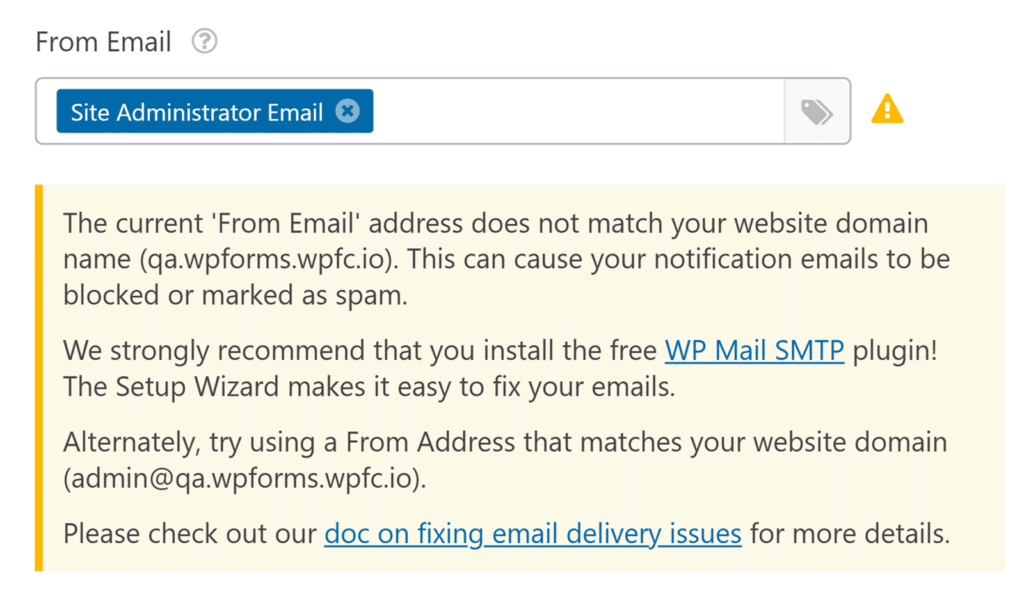
Would you like to hide the domain mismatch warning shown in the From Email field for your form notifications?
By default, WPForms will display a warning message when the email address used in the From Email setting doesn’t match your website domain. This warning helps prevent email delivery issues, such as messages being marked as spam or blocked by receiving mail servers.
In this tutorial, we’ll show how to hide this warning in the form builder with a small PHP snippet.
Now it’s time to add the snippet to your site.
If you need any help on how and where to add snippets to your site, please review this tutorial.
/**
 * Hide the From Email domain mismatch warning in the form builder.
 *
 * @link https://wpforms.com/developers/hiding-the-from-email-domain-warning-in-form-notifications/
 */
function wpf_dev_hide_from_email_domain_warning() {
	echo '<style>
		#wpforms-panel-settings .wpforms-panel-field-warning .wpforms-alert,
		.wpforms-alert-warning-wide,
		#wpforms-panel-settings .wpforms-panel-field-warning label:after {
			display: none !important;
		}
	</style>';
}
add_action( 'admin_head', 'wpf_dev_hide_from_email_domain_warning', 0 );
Once this snippet is added, the domain mismatch warning will no longer appear under the From Email field inside the form notification settings.
This snippet only hides the warning message in the form builder. It does not change your email sending configuration or improve email deliverability.
If your From Email address uses a different domain than your website, your notification emails may still be blocked or marked as spam depending on your mailer and DNS configuration.
And that’s all you need to hide the From Email domain warning inside the form builder.