


Resumo de IA
Manter seus formulários do site seguros e livres de spam não é apenas importante, mas deve ser simples.
E é por isso que estamos animados em apresentar a você nossa nova integração hCaptcha, que está disponível para todos os usuários no WPForms v1.6.4.
Mas há mais! Com base no seu feedback, estamos expandindo nossas integrações de marketing disponíveis com nosso novo addon Sendinblue.
Proteja seus formulários com hCaptcha
No início deste ano, aprimoramos nossa prevenção de spam integrada, ajudando seus formulários a serem muito mais protegidos logo de cara. No entanto, sabemos que muitos usuários desejam adicionar uma camada extra de proteção que aproveite a tecnologia avançada de IA.
Nossa nova integração hCaptcha oferece mais opções ao considerar serviços de CAPTCHA.
hCaptcha é uma ferramenta gratuita que ajuda a manter spam e bots fora de seus formulários, fazendo perguntas simples para provar que seus usuários são humanos. Eles usam aprendizado de máquina sofisticado e IA para ajudar a distinguir usuários humanos de spam.
hCaptcha é uma alternativa popular ao reCAPTCHA do Google, com foco em privacidade. Sua política de privacidade é compatível com regulamentações recentes como GDPR e CCPA.
Seja porque você não tem uma conta Google, está preocupado com questões de privacidade ou conflitos de site, ou apenas quer experimentar uma maneira diferente de bloquear spam e tráfego malicioso através de seus formulários web, o hCaptcha facilita o início com seu serviço gratuito.
E, claro, também facilitamos a adição aos seus formulários.
Nas configurações do WPForms, você agora verá a opção de usar hCaptcha ou reCAPTCHA do Google.
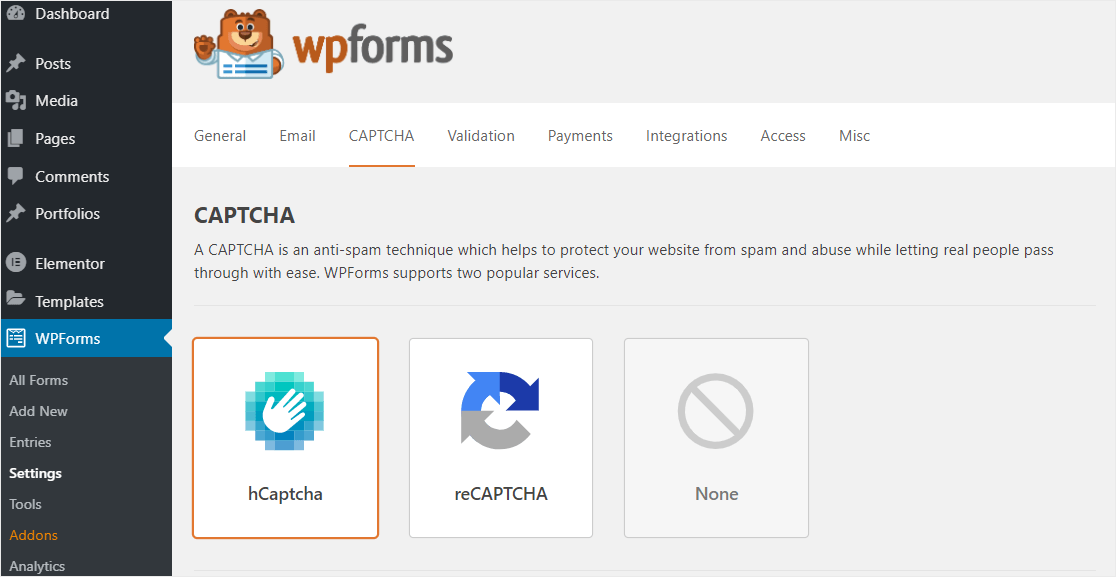
Esta é uma ótima opção se você deseja que seus usuários finais tenham uma experiência perfeita ao enviar seus formulários, mas não quer usar o reCAPTCHA do Google. Você pode proteger seus formulários contra bots, spam e invasões, mantendo suas informações privadas.
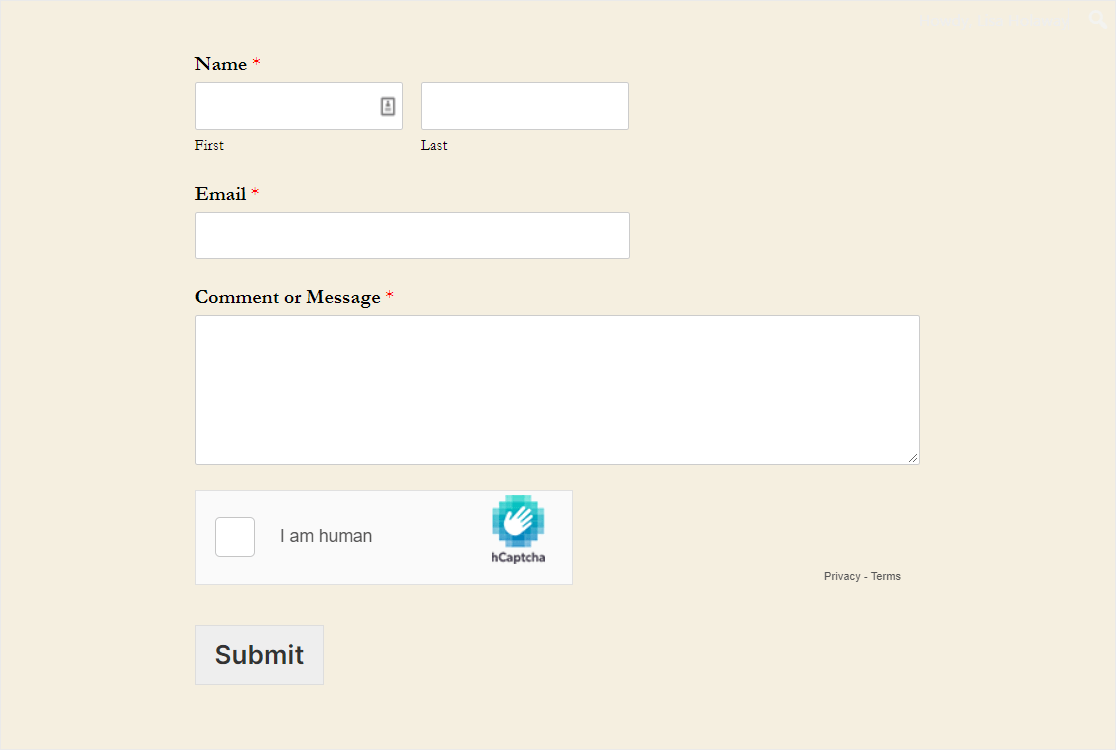
Semelhante às configurações do reCAPTCHA, você pode fazer coisas como ajustar sua Mensagem de Falha, habilitar o Modo Sem Conflitos e até mesmo obter uma prévia do seu CAPTCHA. Tudo isso com uma aparência super profissional no frontend do seu formulário.
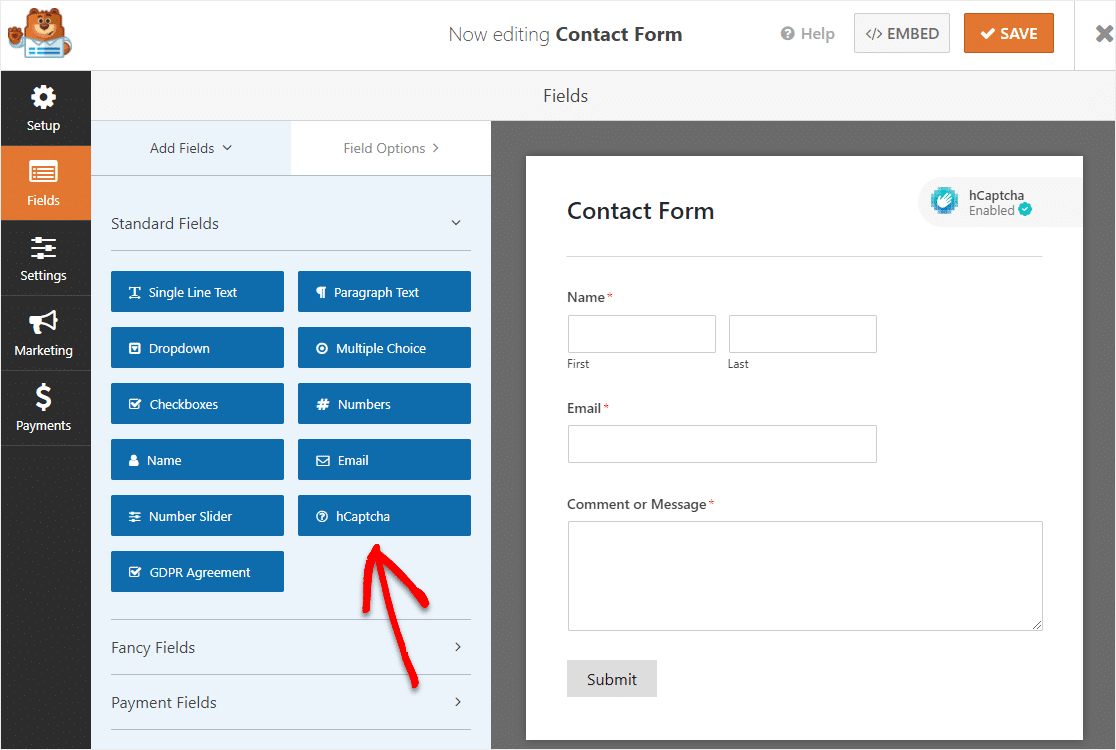
E como adicionamos mais opções, queríamos garantir que essas configurações fossem cristalinas dentro do construtor de formulários. Portanto, também tornamos o botão CAPTCHA no construtor de formulários mais detalhado.
Agora, assim que você escolher seu serviço de CAPTCHA, verá sua escolha diretamente no construtor. Então, quando suas configurações estiverem habilitadas, você pode simplesmente acessar um de seus formulários e clicar no botão hCaptcha para acessar suas configurações.
Estamos muito animados em adicionar o hCaptcha ao WPForms e esperamos que esta opção extra facilite a criação de formulários de contato inteligentes que se adequem às necessidades do seu site.
Integre WPForms + Sendinblue Email Marketing
Falando em ter mais opções, temos uma nova integração de marketing por e-mail.
Você pediu mais opções de provedores de marketing por e-mail e nós ouvimos você. Tornamos ainda mais fácil conectar seus formulários ao seu serviço de marketing por e-mail com nosso novo addon Sendinblue.
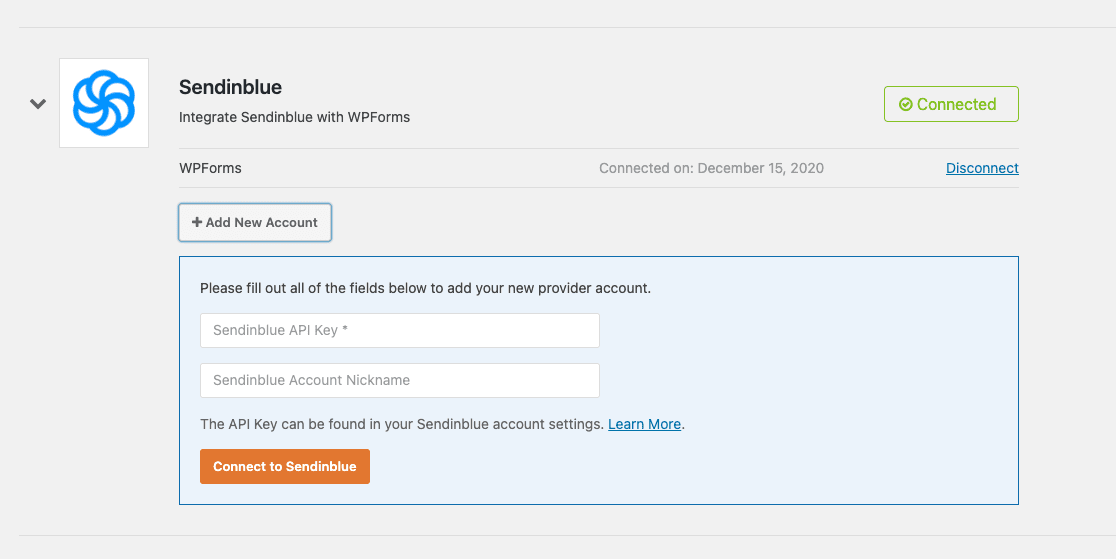
Esta integração WPForms + Sendinblue significa que você pode aproveitar ainda mais ferramentas incríveis de crescimento de marketing por e-mail em ambos os serviços.
A robusta plataforma de marketing digital da Sendinblue oferece gerenciamento superior de relacionamento com o cliente com ferramentas como chat, SMS e marketing por e-mail.
E com nossa integração, você poderá sincronizar todos os seus formulários de contato do WPForms diretamente em suas listas de marketing por e-mail da Sendinblue. Isso significa que você pode se comunicar melhor com seus leads e vender mais do seu produto.
O addon WPForms Sendinblue permite que você automaticamente:
- Inscreva usuários em listas
- Cancele a inscrição de usuários
- Exclua usuários
- Rastrear Eventos
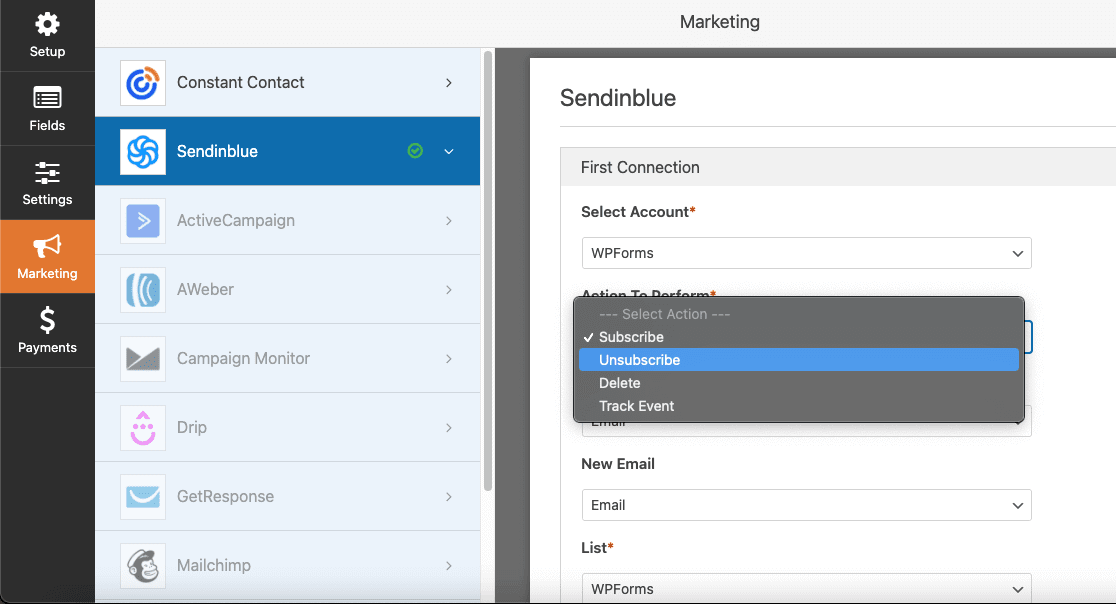
Sincronizar o WPForms com sua conta Sendinblue ajudará a organizar seus leads e automatizar seu marketing, para que você possa aumentar a receita do seu site. O addon Sendinblue está disponível para clientes com planos WPForms Plus ou superiores.
Concluindo
Então, aí está o que há de novo com o WPForms. Esperamos sinceramente que você aproveite ao máximo o novo recurso hCaptcha e nossa integração Sendinblue.
Nosso objetivo é sempre facilitar a administração do site da sua pequena empresa. Portanto, se você tiver alguma dica sobre como podemos continuar fazendo isso, ou pensamentos sobre esses novos recursos, por favor nos avise.
Então, atualize para o WPForms 1.6.4 do seu painel do WordPress quando tiver uma chance.
E, como sempre, obrigado por seu apoio contínuo ao WPForms. Adoramos lançar novas atualizações e estamos animados para trazer recursos ainda mais úteis no futuro.
Jared e a equipe WPForms
P.S. Ainda não tem uma licença WPForms Pro? Clique aqui para começar hoje e experimente a diferença WPForms.


Olá, instalei recentemente o Hcaptcha no meu site e tudo é rastreado corretamente, mas o formulário continua me dizendo que preciso preencher todos os campos, quando não é o caso? É um bug?
Olá Kevin – Peço desculpas pelo transtorno e ficaremos felizes em ajudar você aqui! No entanto, para solucionar o problema, precisaremos de mais informações e talvez dar uma olhada mais de perto no seu formulário, você poderia entrar em contato com nossa equipe sobre isso?
Se você for um detentor de licença paga, pode entrar em contato com nossa equipe de suporte aqui.
Caso contrário, oferecemos suporte complementar limitado no fórum de suporte do WPForms Lite no WordPress.org.
Obrigado! 🙂
Obrigado por este recurso. Espero que ele possa bloquear aqueles bots de spam irritantes e assediadores de conversas com leads.
Olá Chris - Obrigado pelo feedback aqui!
Tenha um bom dia 🙂