
WordPress Quiz Plugin
Build Quizzes That Turn Answers Into Leads
Create graded tests, personality quizzes, and scored assessments right inside WPForms. Capture leads, segment your audience, and personalize results with zero code (and no per-lead pricing).
- Conditional Outcomes
- Beautiful Analytics
- AI Quiz Generation
- Pre-Built Quiz Templates


Quiz Ideas for Your Industry
From lead qualification to product matching, here are a few high-impact quiz ideas to try.
AI-Generated Quizzes
Generate complete quizzes with questions, answers, and outcomes in seconds.
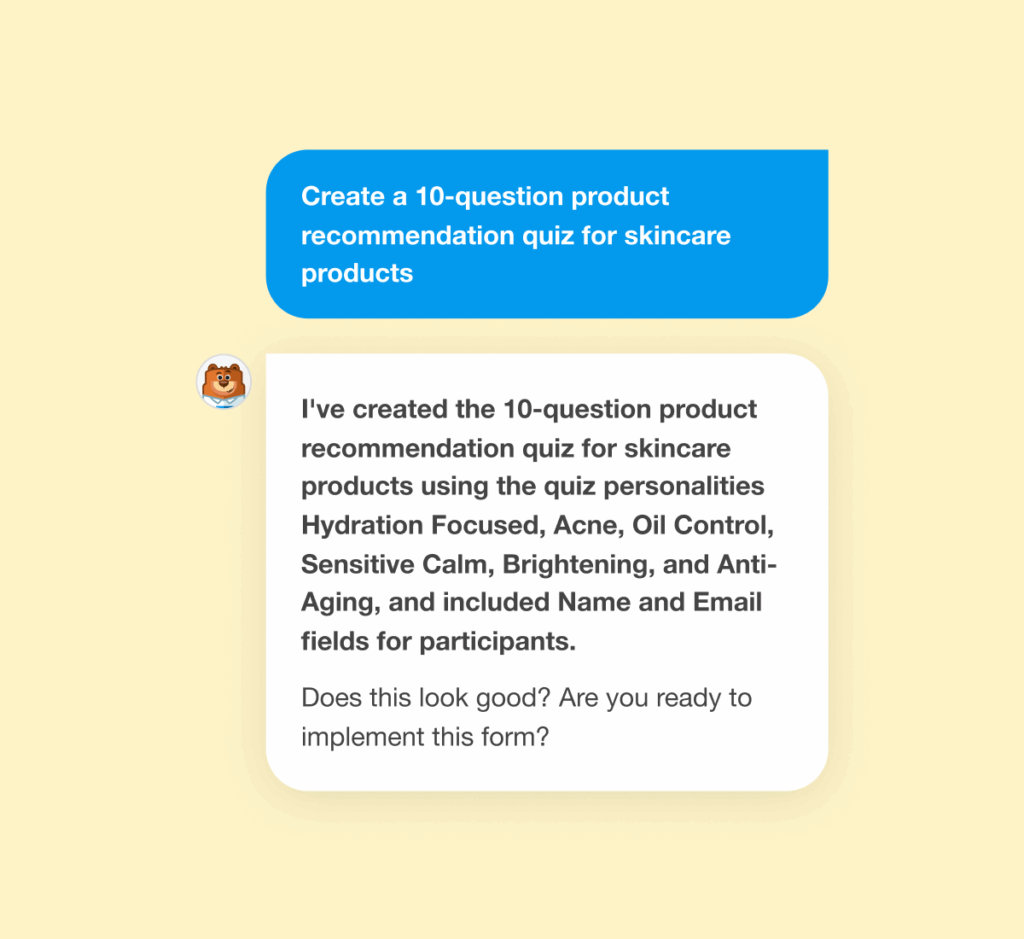
Don’t Start From Scratch
Describe what you need in plain English, WPForms AI builds the rest.
Al generates the complete quiz: Questions, answer choices, scoring logic, and outcomes. Ready to customize or publish immediately.
Built to work seamlessly with WPForms — no extra tools required.
One Addon. Three Quiz Types. Zero Code.
Pick your quiz style and build it right inside WPForms. Publish quickly, collect results, and use the answers to guide what happens next. Trusted by 6,000,000+ WordPress sites.

Graded Quizzes
Test Knowledge. Score Automatically.
Perfect for: Course assessments, employee training, certification tests, and classroom quizzes.
- Auto-grading
- Time limits
- Instant feedback with explanations
- Pass/fail thresholds

Personality Quizzes
Match Visitors to Outcomes.
Perfect for: Product recommendations, “What type are you?” engagement, and service matching.
- Unlimited personality types
- Custom result messages
- Page redirects by outcome
- Built-in lead capture
Weighted Quizzes
When Some Answers Matter More.
Perfect for: Lead qualification, readiness assessments, risk scoring, and pricing recommendations.
- Flexible point values (0-99)
- Score range outcomes
- Lead segmentation
- Qualification scoring
Build. Capture. Analyze.
WPForms handles the technical complexity so you can publish quizzes fast, collect results, and act on what people have answered.
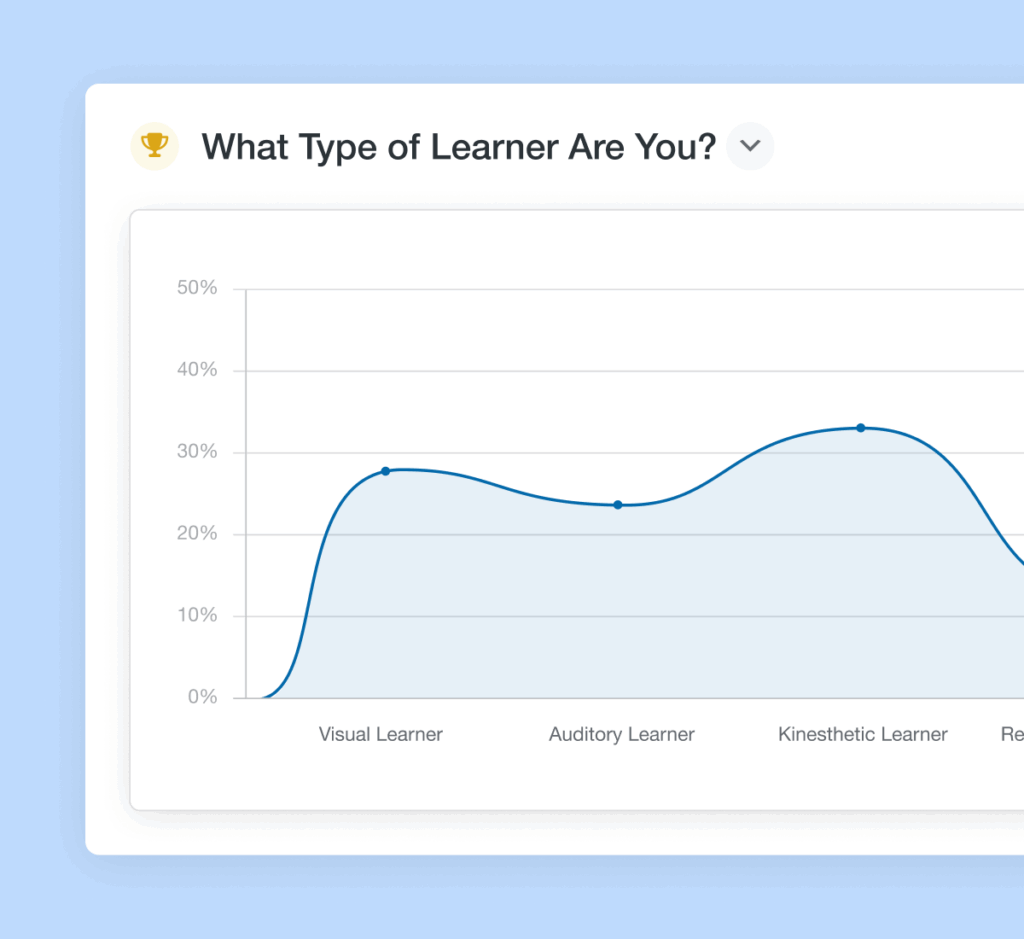
Beautiful Results at a Glance
View detailed quiz performance with our redesigned results dashboard that makes analyzing responses effortless and visually engaging.
- Customizable graphs with multiple chart styles
- Filter by score range or completion status
- Export results as JPEG or PDF files
- Save custom views for recurring reports
- Get more from your data, easily
Capture Emails Before Revealing Results
People want their quiz results. That’s your leverage.
- Gate results behind email capture
- Sync leads to your CRM with scores attached
- Trigger email sequences based on outcome
- Tag contacts for segmentation
- Turn curiosity into qualified leads
Get Started Now With
Ready-Made Quiz Templates
Don’t want to spend time creating a quiz from scratch? No problem! Get access to a selection of ready-to-use quiz templates with questions, answers, and outcomes already configured.
- Product Recommendation Quiz
- Customer Service Style Quiz
- Learning Style Assessment
- Business Readiness Quiz
- Personality Type Test
- Knowledge Assessment
- Lead Qualification Quiz
- Career Path Finder
- Skill Level Test
- Customer Satisfaction Survey
- Training Evaluation
- Health Assessment Quiz
- Investment Risk Tolerance
- Marketing Strategy Quiz
- Design Style Finder
- Service Package Matcher
Works With The Tools You Rely On
Send quiz leads where they belong — Email marketing, CRMs, and automation tools you already use.






Quiz Addon – Frequently Asked Questions
Do you have a question about the Quiz addon? See the list below for our most frequently asked questions. If your question is not listed here, then please contact us.
How do I create a quiz in WordPress?
To create a quiz in WordPress, first download the WPForms plugin if you haven’t already, and install it along with the Quiz addon. WPForms comes with 2,100+ customizable form templates, including ready-made quiz templates, to get you started quickly.
Do I need coding experience to use the WPForms Quiz addon?
No coding experience is required to create quizzes with WPForms. Our drag-and-drop builder is designed to be intuitive and user-friendly, and our AI quiz generator can build complete quizzes in seconds. Pre-built quiz templates are also available and ready for you to customize or use right out of the box.
What types of quizzes can I create with WPForms?
You can create three types of quizzes with WPForms: graded quizzes with correct answers for knowledge assessments, personality quizzes that map answers to custom outcomes for engagement and lead generation, and weighted quizzes where each answer has a point value for nuanced scoring. Use cases include product recommendations, skill assessments, lead qualification, training evaluations, and more.
Can I customize the look and feel of my quizzes?
Yes, you can fully customize the appearance of your quizzes. Change colors, borders, button styles, and layouts to match your brand. Add custom CSS for complete design control, and customize results graphs with different chart types and colors.
How can I integrate quiz forms into my WordPress website?
Integrating your WPForms quizzes is simple. When you publish your quiz, you have the option to create a new page or embed it in an existing page. You can also embed quizzes manually as a WordPress block or with a shortcode.
Can I collect user data with WPForms quizzes?
Yes, you can collect user information by adding fields like email addresses or names to your quizzes. This allows you to capture leads and personalize follow-up communication based on quiz results and user responses.
Are there quiz templates available to get me started?
Yes, we offer a variety of pre-designed quiz templates for common use cases. You can use these templates as a starting point and customize them to meet your specific needs. Our AI quiz generator can also create complete custom quizzes in seconds.
Can I export quiz data to other tools or platforms?
Yes, you can export quiz data and results as CSV or XLSX files for further analysis. Quiz results can also be exported as JPEG or PDF files with customizable graphs. Connect quiz submissions to your CRM, email marketing tools, and other platforms through WPForms integrations.