Sobre Nossa Equipe

Apresentando nossa proficiente redatora de conteúdo com vasta experiência.

Hamza Shahid

Redator(a)

Especialidade

  • Marketing de conteúdo
  • Email marketing
  • Affiliate marketing
  • WordPress
  • SAAS
  • ERPs

Destaques

Hamza is a Content Writer for the WPForms team at Awesome Motive, where he also contributes to WP Mail SMTP. He holds a BSc in Business Administration and brings a diverse range of experience to the team.

He began his writing career at a creative agency, where Hamza honed his skills in creating blogs, tutorials, eBooks, press releases, and whitepapers. Eager to explore new opportunities, he ventured into freelancing on Fiverr, offering a variety of content services.

His career took a specialized turn when he spent six years in the cybersecurity and ERP industries, managing a portfolio of eight Managed WordPress affiliate sites. This experience gave him a strong foundation in affiliate marketing and SEO.

Joining WPForms in 2023, Hamza now focuses on creating insightful content that helps users get the most out of their WordPress experience. When he’s not behind the screen, Hamza enjoys spending quality time with his cats and exploring beaches across the city.

How to Export Contact Form 7 Data to WPForms

Contact Form 7 recently entered a feature freeze. At a WordPress event, it was announced that version 6.2 will be the final major update for the plugin. After that, only bug fixes and security patches.

If you're one of the 10 million WordPress sites still running Contact Form 7, that's worth paying attention to. No new features means the plugin won't keep pace as WordPress evolves.

I've helped quite a few people migrate from CF7 to WPForms over the years, and the process is one of the easiest plugin switches you'll make in WordPress.

WPForms has a built-in importer that pulls your CF7 forms over in a few clicks. In this guide, I'll walk you through the full export and migration process from start to finish.

Continuar Lendo

como-criar-um-formulario-de-varias-partes-no-wordpress

Como Criar um Formulário de Múltiplas Etapas no WordPress (Sem Código)

Filling out a long form can feel like a chore. When visitors see too many fields crammed into a single screen, they’re more likely to drop off without completing it.

I’ve worked with forms for years, and from what I’ve seen, multi step forms almost always perform better, especially when you're collecting a lot of information.

By splitting the form into sections, you make it easier for people to focus, one step at a time. This increases engagement, all while fighting form fatigue!

If you’re wondering how to set one up in WordPress, don’t worry, it’s not as tricky as it sounds. I’ll walk you through how I usually do it using WPForms.

Continuar Lendo

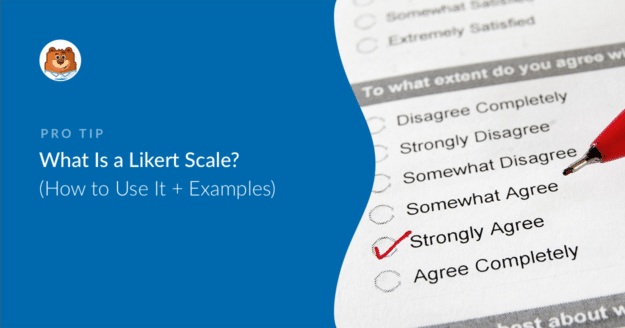
o-que-e-uma-escala-likert_b

O que é uma Escala Likert? Exemplos + Como Criar Uma

Want to know what a Likert scale is and how to actually use one on your WordPress site?

Measuring how people feel about something is tricky. Open-ended survey responses are a pain to sort through, and a simple yes/no rarely tells you the full story.

In this guide, I'll walk you through what a Likert scale is, show you real examples you can copy, and explain how I set one up in WPForms so you can start collecting better feedback today.

Continuar Lendo

Enviar E-mails de Confirmação

Como Enviar um E-mail de Confirmação Após o Envio do Formulário

Let’s say someone signs up through your contact form, makes a booking, or requests a quote, but then nothing happens. No email. No confirmation. No idea if their submission even went through.

That silence? It’s what makes people nervous. I’ve seen users resubmit forms, send follow-up messages, or leave altogether because they weren’t sure if the form worked.

That’s where a confirmation email changes everything. It’s not just a “thank you” but serves as proof that their submission was received, and it gives them peace of mind right away.

In this guide, I’ll show you how to send a confirmation email automatically after someone submits your form. You’ll be able to say thanks, give next steps, or just reassure users that their submission went through!

Continuar Lendo

Create a Poll Form in WordPress

How to Add a Poll to WordPress Using WPForms in 2025

Creating engaging content can be challenging, especially when you need something interactive to capture your audience's attention.

Engaging your site visitors by adding a poll to your WordPress site is a great way to gain instant feedback on your site visitors’ opinions.

In this article, we’ll show you how easy it is to create a poll form in WordPress using WPForms, one of the easiest survey and poll plugins.

Continuar Lendo