


Résumé IA
Souhaitez-vous empêcher la page de se rafraîchir lors de la soumission d'un formulaire ? Par défaut, toute la page doit être rafraîchie après que l'utilisateur a cliqué sur le bouton Soumettre. C'est généralement ce qui permet de stocker les données saisies, d'envoyer des e-mails de notification, etc. Cependant, avec les soumissions de formulaires AJAX, le formulaire peut être soumis et exécuter tous ces processus sans avoir besoin de rafraîchir toute la page.
Ce tutoriel vous montrera comment activer les soumissions AJAX pour vos formulaires.
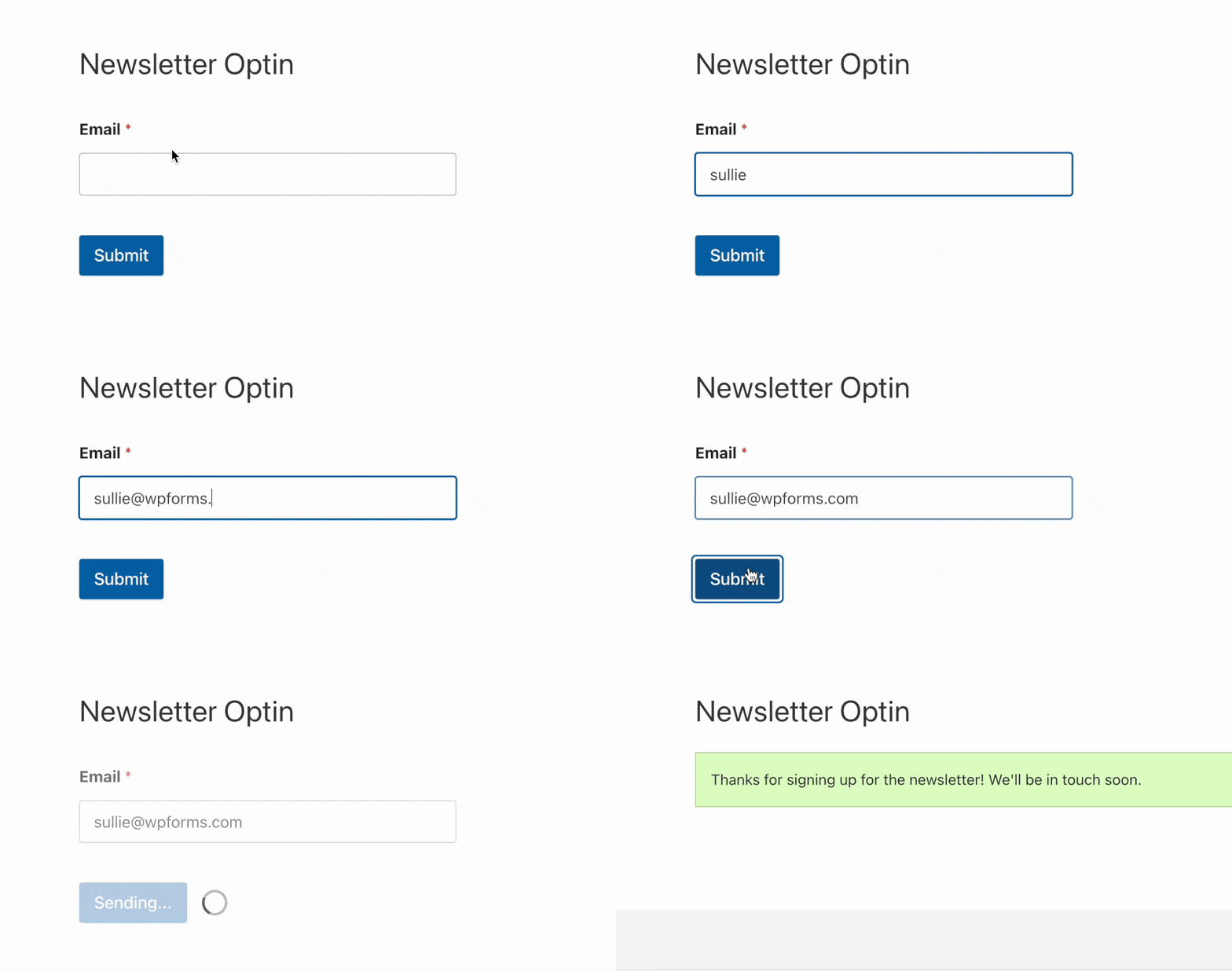
Activation des soumissions de formulaires AJAX
Avant de commencer, vous devez d'abord vous assurer que WPForms est installé et activé sur votre site WordPress et que vous avez vérifié votre licence. Ensuite, vous pouvez créer un nouveau formulaire ou modifier un formulaire existant pour accéder au générateur de formulaires.
Une fois le constructeur de formulaires ouvert, allez dans Paramètres » Général. Ensuite, faites défiler jusqu'à la section Avancé et vous verrez une liste d'options. Sélectionnez l'option Activer la soumission de formulaire AJAX.
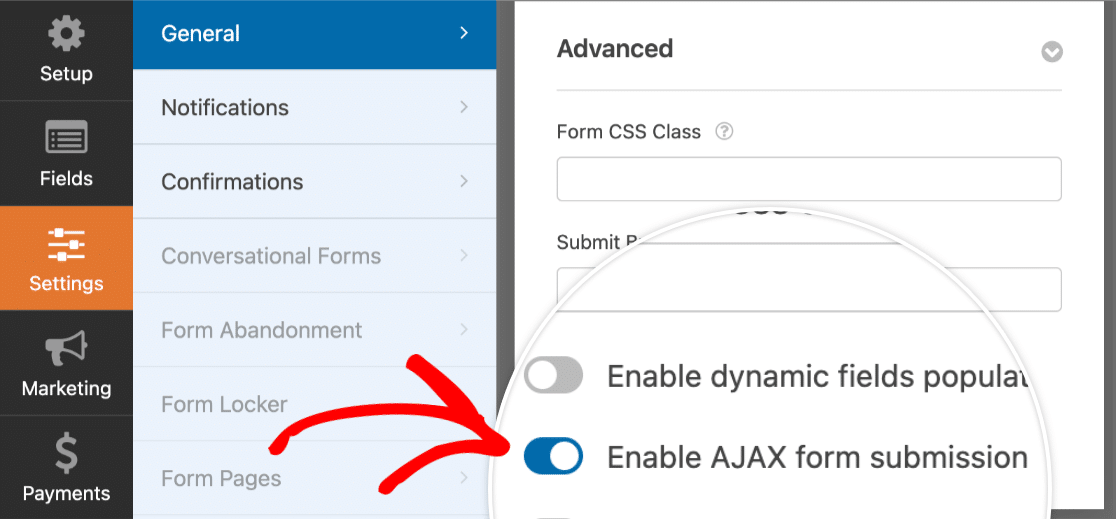
Lorsque vous êtes prêt, cliquez sur le bouton Enregistrer pour sauvegarder les modifications.
Remarque : L'activation des soumissions de formulaires AJAX est une option utile lorsque vous intégrez votre formulaire dans une modale ou une fenêtre popup.
Tester votre formulaire
Ensuite, assurez-vous de tester votre formulaire. Vous pouvez soit prévisualiser votre formulaire, soit l'intégrer sur une page. Ensuite, essayez de soumettre votre formulaire pour vous assurer qu'il s'affiche et fonctionne comme vous le souhaitez.
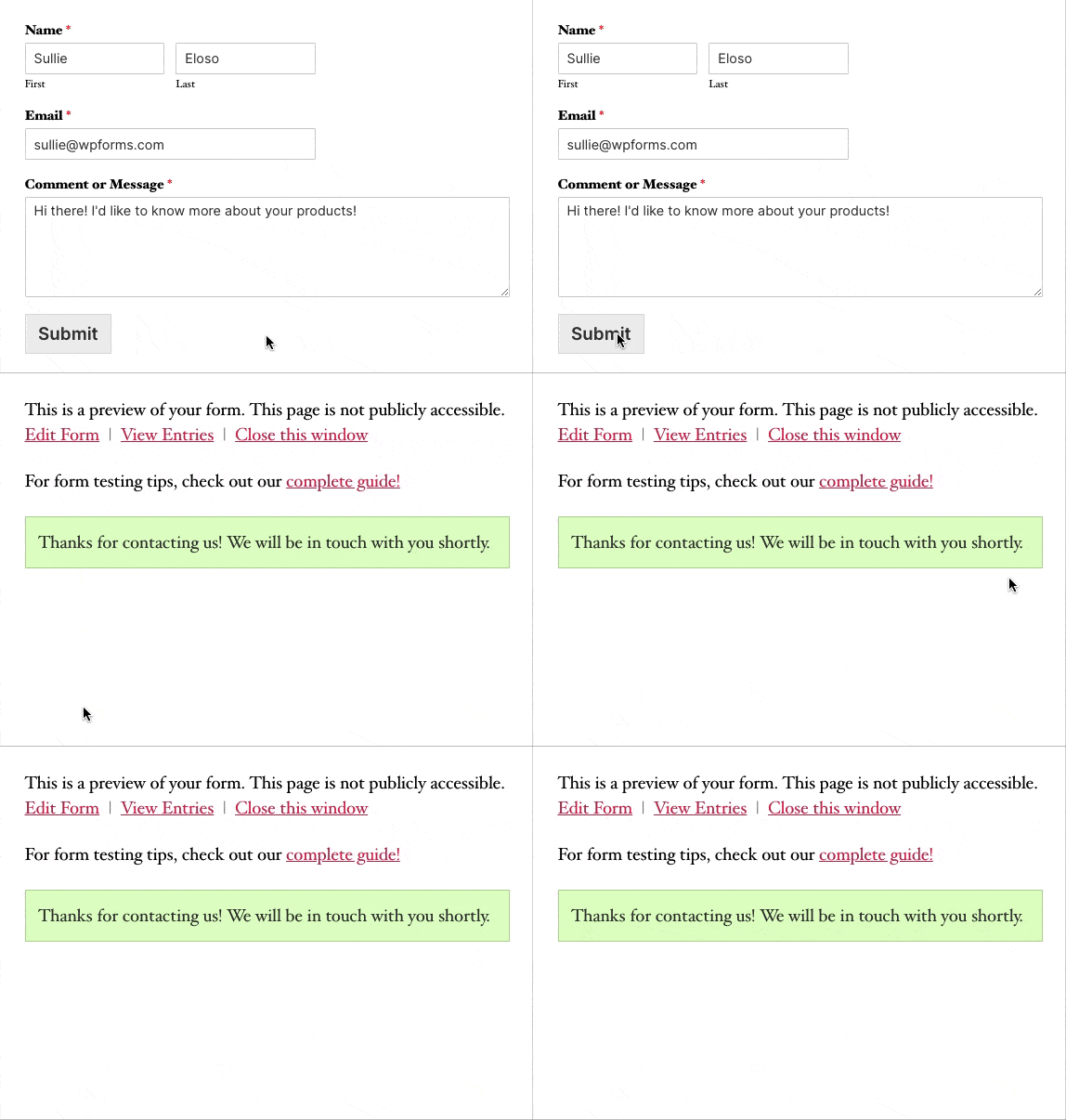
Remarque : Si vous ne souhaitez pas que le champ de vue se déplace du tout lorsque le formulaire est soumis, essayez de désactiver le défilement de confirmation. Vous pouvez le faire dans le constructeur de formulaires en allant dans Paramètres » Confirmation, puis en désactivant l'option Faire défiler automatiquement jusqu'au message de confirmation.
Questions fréquemment posées
Ci-dessous, nous avons répondu à certaines des questions les plus courantes que nous recevons concernant l'activation des soumissions de formulaires AJAX.
Puis-je ouvrir un nouveau lien dans un onglet lorsqu'un formulaire est soumis avec AJAX activé ?
Oui, avec les soumissions AJAX, vous pouvez configurer vos formulaires pour ouvrir un nouveau lien dans un onglet séparé tout en affichant le message de confirmation sur la page actuelle. Pour savoir comment configurer cela dans WPForms, consultez notre documentation pour développeurs.
Remarque : Veuillez noter que cela nécessite des fonctionnalités avancées, telles que l'ajout de code à votre site, et est donc recommandé aux développeurs.
C'est tout ! Vous pouvez maintenant permettre aux utilisateurs de soumettre des formulaires en toute transparence avec les soumissions de formulaires AJAX.
Ensuite, souhaitez-vous apprendre à créer des formulaires intelligents ? Assurez-vous de consulter notre tutoriel sur la logique conditionnelle pour tous les détails sur la façon dont vos formulaires peuvent répondre de manière personnalisée en fonction des sélections de l'utilisateur.


