









WordPress QR Code Form Plugin
Turn Every Scan Into a Submission
The WPForms QR Code allows you to generate a scannable QR code for any form, right inside your WordPress dashboard. Point it at your form’s page, download it as a PNG or SVG, and put it on anything you print.
One Scannable Code for Every Counter, Flyer, and Front Desk
Wherever your audience meets you in person, a QR code puts your form one scan away.
Small Business Owners
Put a code on the counter card, the storefront window, or the box an order ships in, and every scan opens your lead or feedback form. For example, a café can drop a QR code on each table tent and collect reviews while the visit is still fresh.


Events & Nonprofits
Print a QR code on flyers, posters, and programs so a scan opens your registration or donation form on the spot. There’s no web address to mistype or paper signup sheet to transcribe later, which keeps your submissions flowing easily.


Fitness & Memberships
A sticker by the front desk sends every prospective member straight to your signup form. Gyms, studios, and clubs put the form where people already stand, with nothing to type and nothing to remember.


Marketing Teams
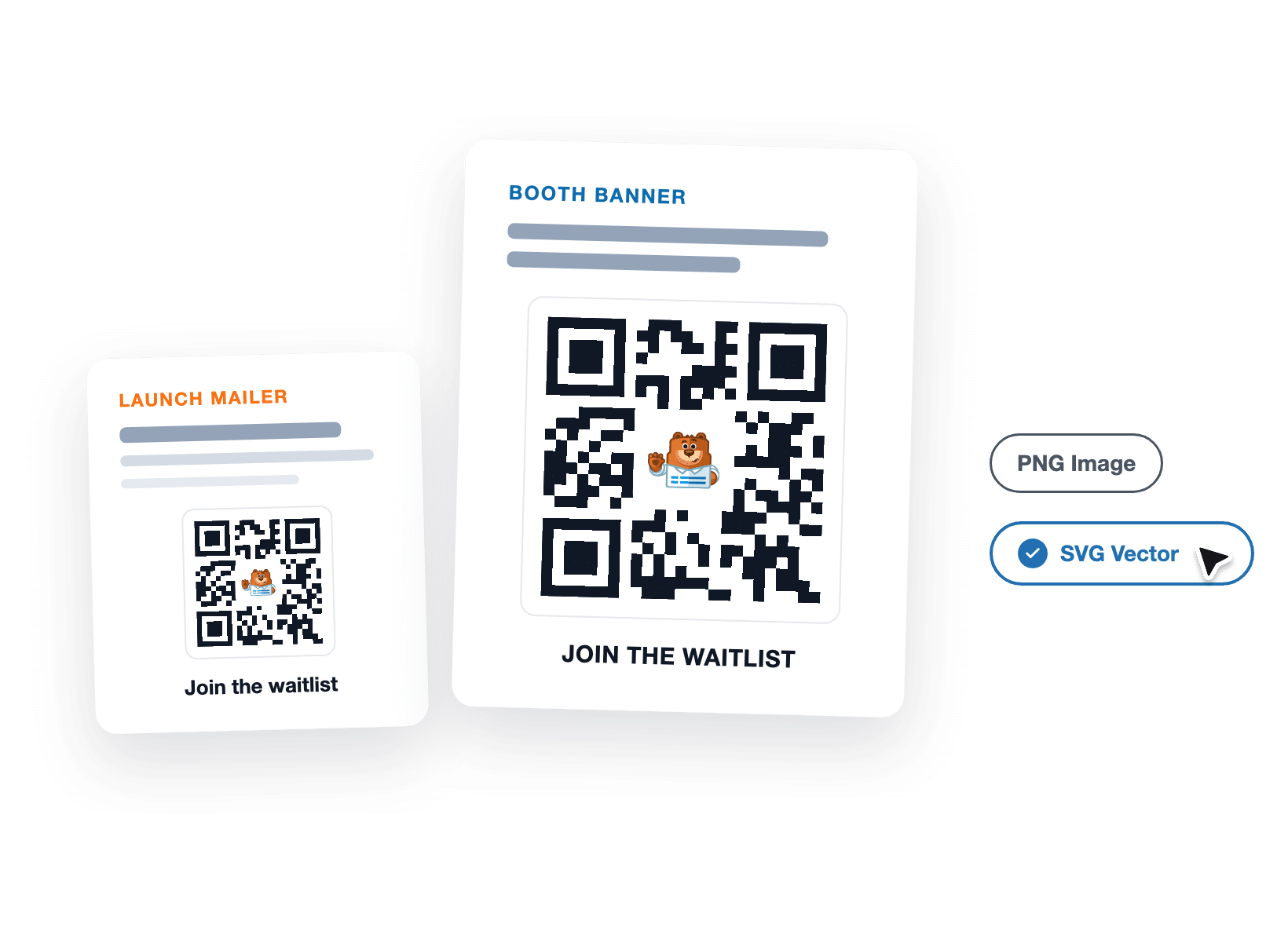
Download the PNG or SVG and drop it into mailers, handouts, and booth banners at any size. Point it at a waitlist, a survey, or a campaign page built with WPForms, and the code stays pin-sharp from postcard to poster.


Agencies & Freelancers
Skip the separate QR tool on every client install. The generator lives in the same builder as the client’s forms, and when a destination changes, the client can regenerate the code themselves.


Why 6+ Million Websites Trust WPForms
Your forms live online, but your audience doesn’t. Here’s how WPForms puts a working, scannable code on anything you print.
Generate It Right Where Your Form Lives
Open your form’s settings, pick where the code should point, and click Generate QR Code. The code appears right there in the builder and saves with the form, so it’s still waiting the next time you open it. That’s the entire workflow of this WordPress QR code form plugin. No separate generator and nothing extra to buy.


Point It at Any Page or URL
Choose one of your published form pages from a handy picker, or paste in it’s URL if you like. WPForms checks the destination before generating anything, so a broken or misspelled URL gets flagged instead of printed. Each form carries one QR code at a time, and you can change where it points whenever you need to.
Print It Sharp at Any Size
Copy and Download each offer two formats: PNG for screens and quick jobs, and SVG for serious print. The SVG is a true vector, so the same file stays crisp on a business card and on a banner. Even the PNG exports at a print-friendly 1024 pixels with a proper margin, because a code that can’t be scanned is just decoration.


Never Print an Outdated Code
Change the destination and the old code fades on the spot, with a Regenerate QR Code button taking the place of Copy and Download. As a result, an out-of-date code can’t sneak onto your next print run. One click generates a fresh code for the new destination, and you’re ready for the printer again.
Make the Center of the QR Code Your Own
Every code renders a small logo in its middle, and on WPForms Pro and Elite plans that square is yours. Keep the default, remove it for a clean center, or upload your own logo straight from the WordPress media library. It’s the finishing touch that makes the QR code more look on-brand, polished, and worth scanning


Elevate Your QR Code Forms With 2,100+ Ready-Made Templates
- Restaurant Review
- Dinner Reservation
- Product Review
- Website Feedback
- Conference Registration
- Workshop Registration
- Wedding Invitation RSVP
- 5K Fun Run Registration
- Gym Membership Signup
- Fitness Challenge
- Newsletter Signup
- Course Waitlist Registration
- Simple Contact
- Lead Generation
- New Customer Registration
- Personal Trainer Lead Capture
Frequently Asked Questions and Resources
Have questions about WPForms QR Code? We’ve got answers.
What is WPForms QR Code?
WPForms QR Code is a built-in generator that turns any form settings into a scannable, print-ready code. Open any form, choose the page that form lives on (or paste in its URL), and WPForms creates a code you can copy or download as a PNG or SVG. It lives at the bottom of your form’s Settings under General, and there’s no separate service or account involved.
Is the WPForms QR code feature free?
Yes, WPForms QR Code is free on every plan, including WPForms Lite. Choosing a form destination, generating the QR code, and exporting it as a PNG or SVG are all included at no cost.
The only part that upgrading changes is control of the logo in the center of the QR code, which unlocks on Pro and Elite plans.
How do I create a QR code for a WordPress form?
To create a QR code for a WordPress form, open the form in WPForms, go to Settings, then General, and scroll down to QR Code.
Choose Page and pick the page your form lives on, or choose Custom URL and paste in its address, then click Generate QR Code.
The finished QR code appears right in the builder with Copy and Download buttons, all in just a few clicks. If your form isn’t on a page yet, embed it first so the code has somewhere to send people.
Where can my QR code point?
Your QR code can point at any published form page on your site, chosen from a picker, or at any web address you type.
You can send scanners to a dedicated form landing page, a signup page, or anywhere other form of your choice. Each form holds one code at a time, and you can change its destination whenever you like.
Should I download my QR code as a PNG or an SVG?
Download a PNG for screens and everyday print jobs, and an SVG when size or print quality matters.
The SVG is a true vector, so it scales from a business card to a banner without losing sharpness, while the PNG exports at a generous 1024 pixels.
Both formats are available from the Copy and Download buttons on every plan.
What happens if I change where the code points?
WPForms marks your QR code as out of date the moment the destination changes.
The preview fades, a refresh icon appears, and the buttons switch to Regenerate QR Code, so the old QR code can’t be downloaded for your next print run by accident.
One click regenerates the QR code for the new destination.
Can I put my own logo in the middle of the QR code?
Yes, on WPForms Pro and Elite plans you control the logo in the middle of the QR code.
Choose None for a clean center, keep the default WPForms mark, or upload your own image through the WordPress media library.
On other plans, including Lite, Basic, and Plus, the code renders with the WPForms logo in the center. Compare plans to unlock the logo control.
Will my QR code work with any phone?
Yes, WPForms generates standard QR codes that any modern smartphone camera can scan.
The destination opens in the visitor’s mobile browser, and every WPForms form is mobile-friendly out of the box, so the form is easy to complete on a small screen.
Where do submissions from QR code scans go?
Submissions arrive in your WordPress dashboard like any other WPForms entry, stored in your own database rather than on a third-party service.
You can view, search, and export entries whenever you need them. The QR code simply changes how people reach your form, not where your data lives.


