


Resumo de IA
Você gostaria de aceitar pagamentos via PayPal e cartão de crédito através dos seus formulários WordPress? O PayPal Commerce facilita a coleta de pagamentos seguros diretamente do seu site.
Neste tutorial, mostraremos como conectar e usar o PayPal Commerce com o WPForms Lite para aceitar pagamentos únicos ou recorrentes através dos seus formulários.
Requisitos:
- Você precisará da versão 1.10.0 ou superior do WPForms para acessar os pagamentos do PayPal Commerce com o WPForms Lite
- Uma conta PayPal Business
Instalando WPForms Lite
Antes de começar, instale e ative o plugin WPForms Lite no seu site WordPress. Você pode instalar o WPForms Lite no diretório de plugins do WordPress. Se precisar de ajuda para instalar plugins no WordPress, confira o guia da WPBeginner para instalar um plugin do WordPress.
Conectando Sua Conta PayPal Commerce
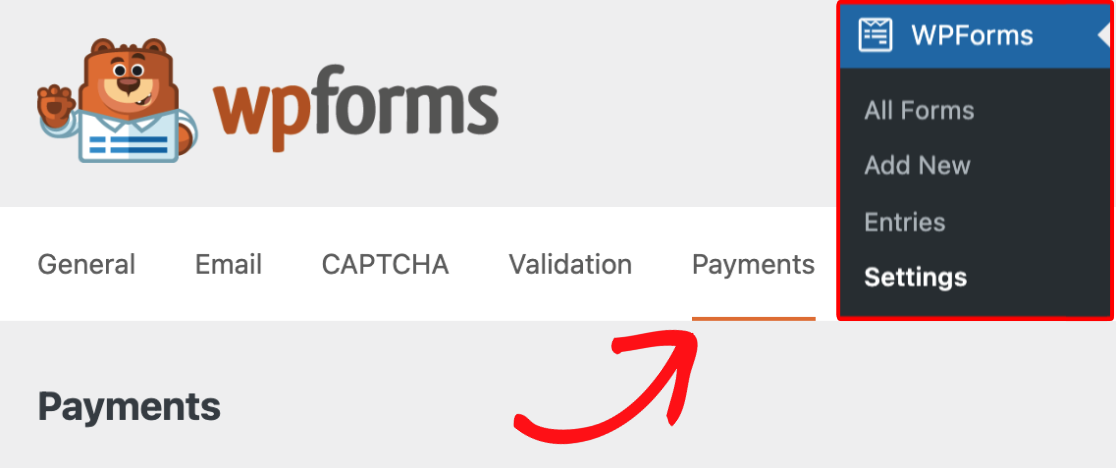
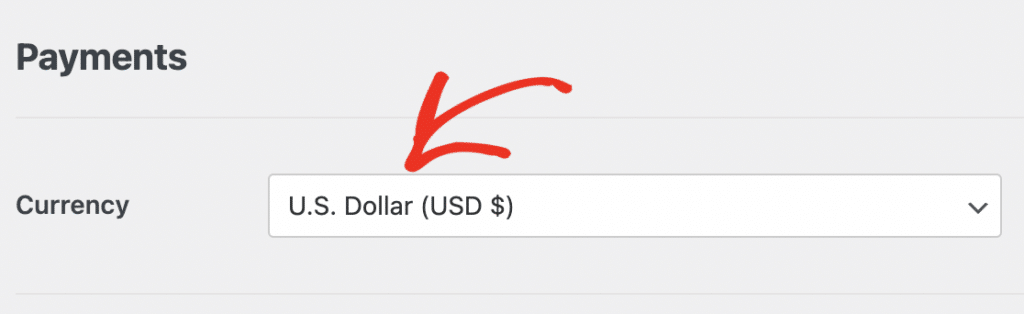
Se necessário, escolha a moeda que seu site usa antes de conectar sua conta.
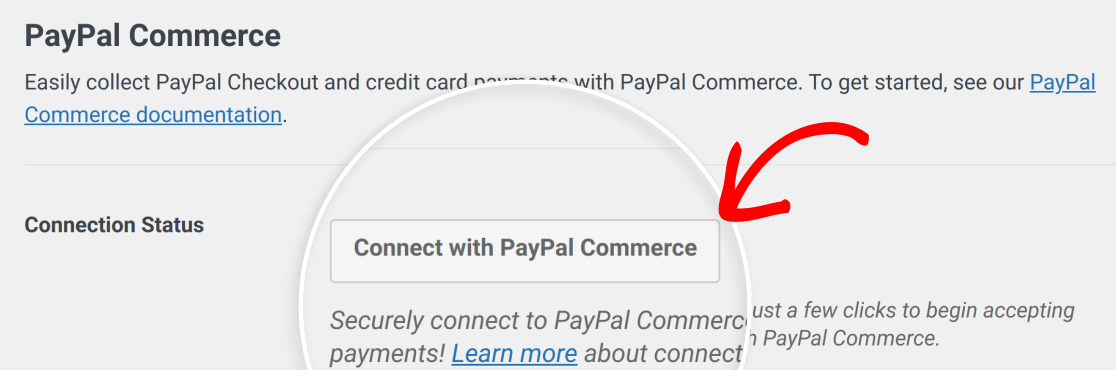
Em seguida, role até a seção PayPal Commerce e clique em Conectar com PayPal Commerce.
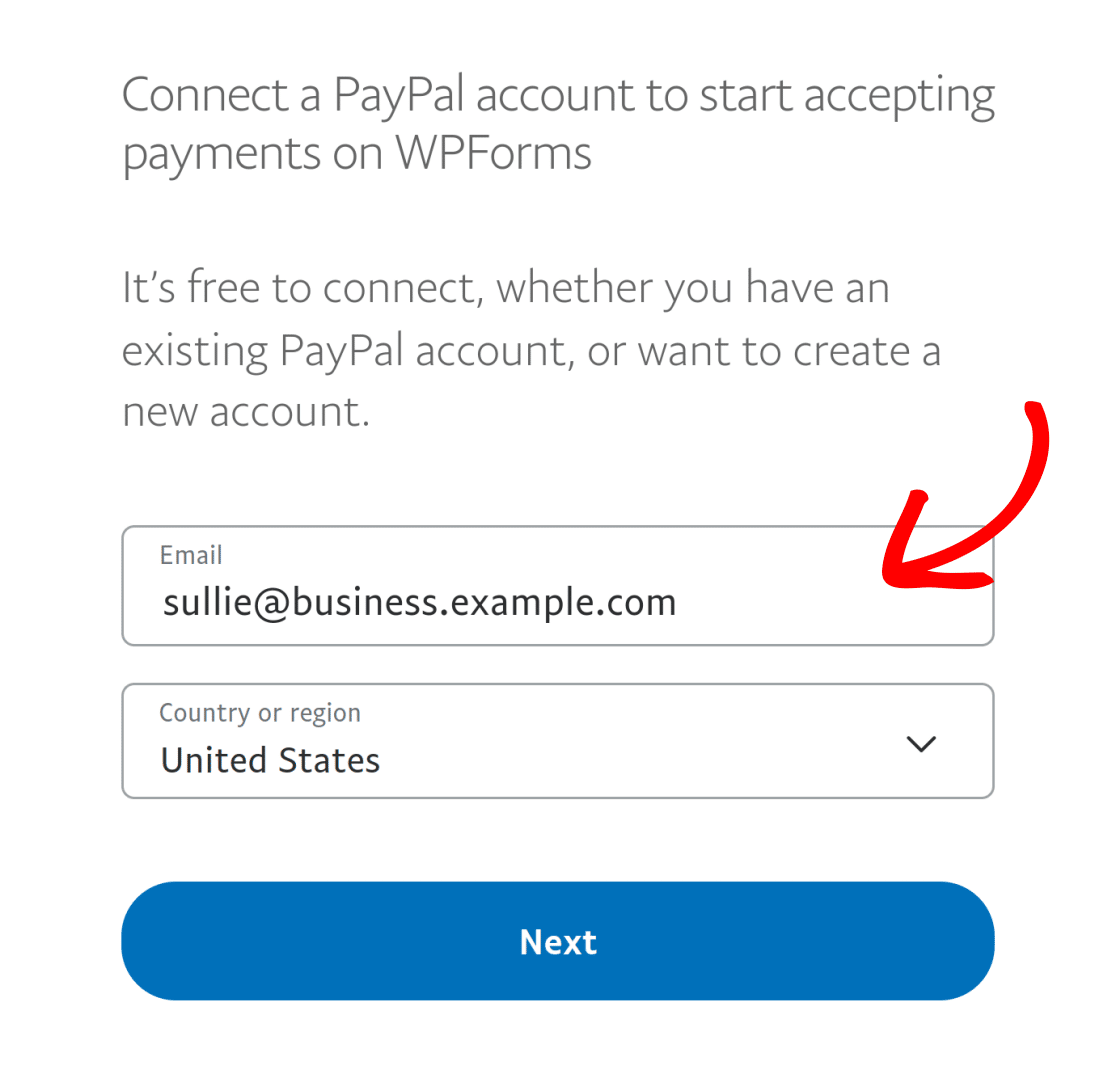
Observação: Uma conta PayPal Business é necessária para conectar seu site ao PayPal Commerce.
Uma janela do PayPal será aberta para que você possa fazer login na sua conta PayPal Business e autorizar a conexão.
Após concluir as etapas de configuração, você será retornado à área administrativa do seu site. Um sinal de visto verde aparecerá ao lado de Status da Conexão quando a conexão for bem-sucedida.
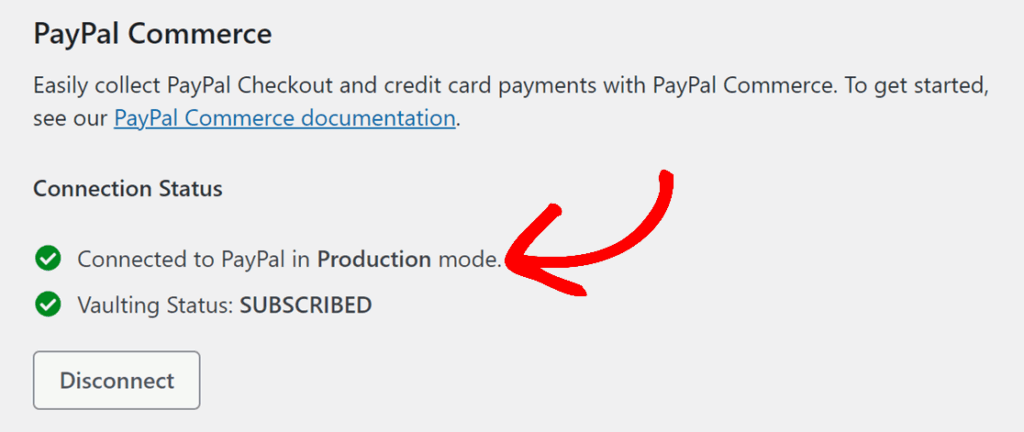
Observação: Se você quiser testar transações de pagamento em seu site, precisará ativar o Modo de Teste. Para mais informações, consulte nosso guia completo sobre testar pagamentos com PayPal Commerce.
Configurando Webhooks do PayPal Commerce
Webhooks permitem que o WPForms receba atualizações em tempo real do PayPal Commerce quando o status de um pagamento ou assinatura muda. Com os webhooks ativados, o WPForms pode manter seus registros de pagamento sincronizados quando os pagamentos são concluídos, reembolsados, cancelados ou atualizados.
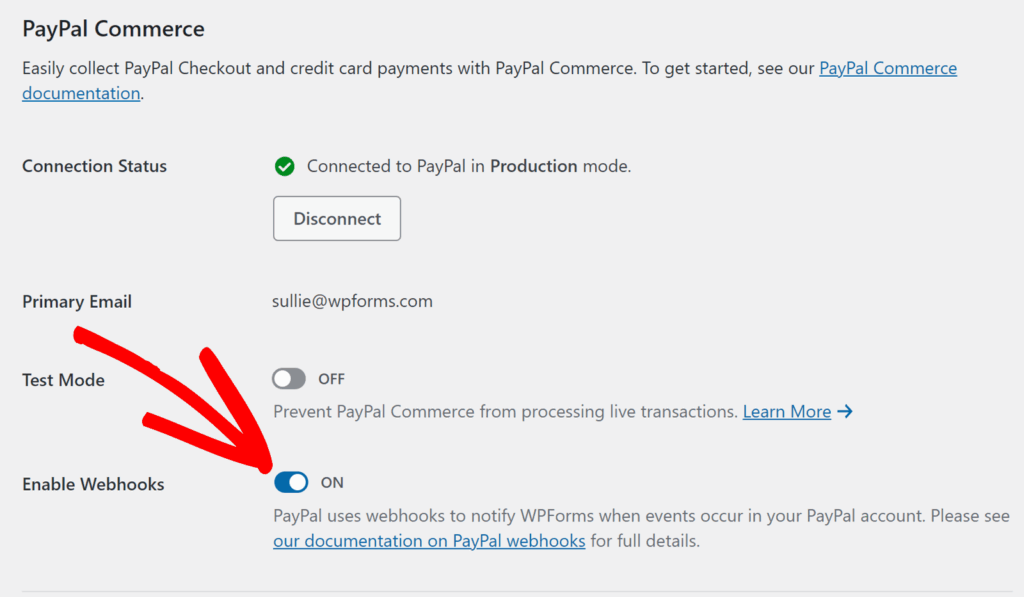
Webhooks são configurados automaticamente para o WPForms versão 1.10.0 ou superior ao conectar sua conta PayPal Commerce. No entanto, se eles não forem configurados automaticamente para o seu site, você pode configurá-los manualmente seguindo nosso guia sobre configuração de webhooks do PayPal Commerce.
Habilitando Pagamentos do PayPal Commerce no Construtor de Formulários
Após conectar seu site ao PayPal Commerce, crie um novo formulário ou edite um existente para abrir o construtor de formulários. Para que o PayPal Commerce funcione corretamente, certifique-se de que seu formulário inclua o seguinte:
- Um campo de itens de pagamento, como Item Único, Itens Múltiplos, Itens de Caixa de Seleção ou Itens de Menu Suspenso
- Um campo PayPal Commerce
Você também pode adicionar campos como Nome, E-mail, Endereço e Total, dependendo do tipo de formulário de pagamento que você está construindo.
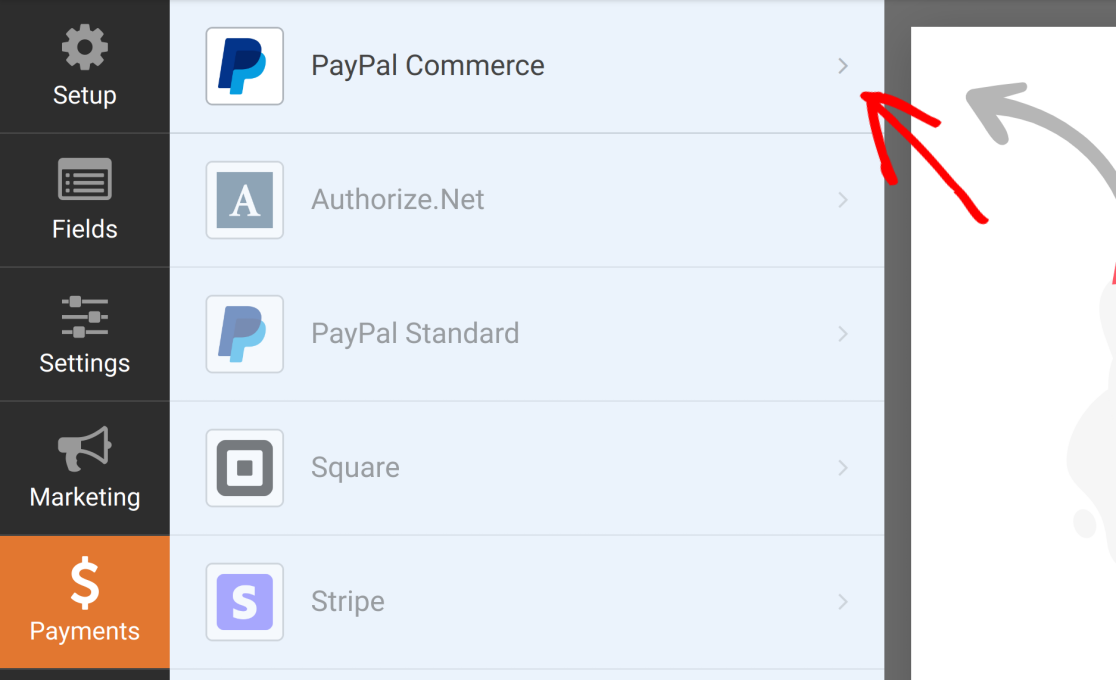
Após adicionar seus campos, vá para Pagamentos » PayPal Commerce para abrir as configurações de pagamento do formulário.
Habilitando Pagamentos Únicos
Para aceitar pagamentos únicos, ative a opção Habilitar pagamentos únicos.
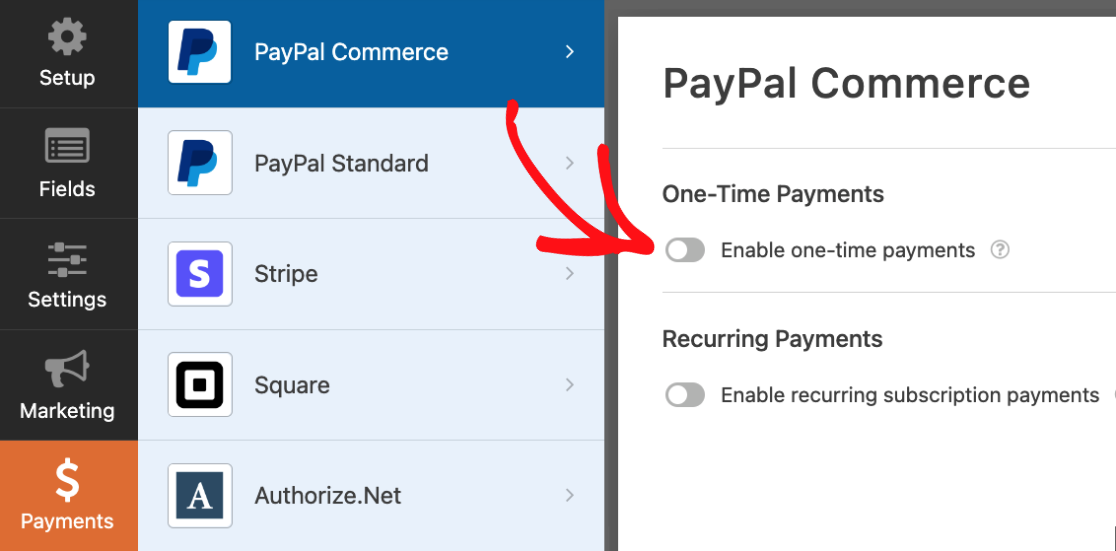
No WPForms Lite, o campo Descrição do Pagamento está disponível para pagamentos únicos. Insira uma breve descrição que ajude a identificar o pagamento.

Habilitando Pagamentos Recorrentes
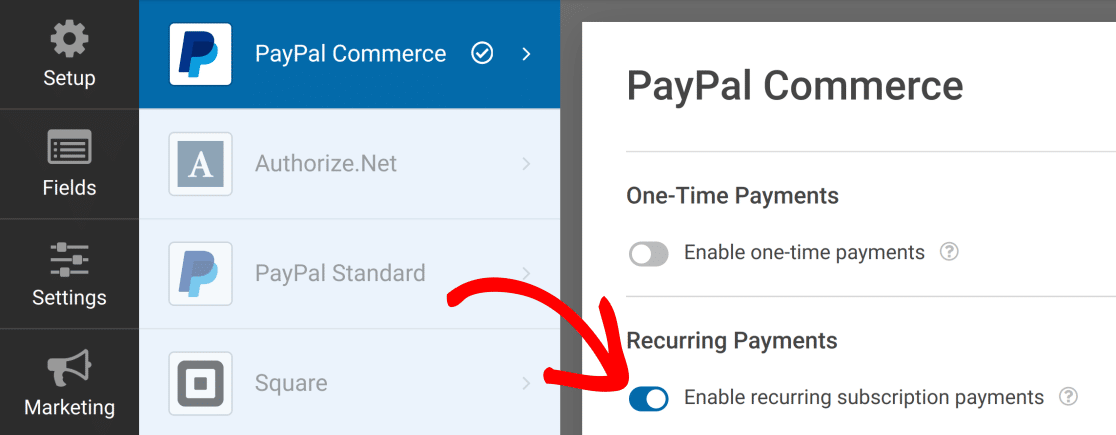
Se você quiser cobrar os usuários em uma base recorrente, ative a opção Ativar pagamentos de assinatura recorrente.
Para o plano recorrente, configure as configurações disponíveis, como Nome do Plano, Tipo de Produto, Pagamentos Recorrentes e Ciclos Totais.
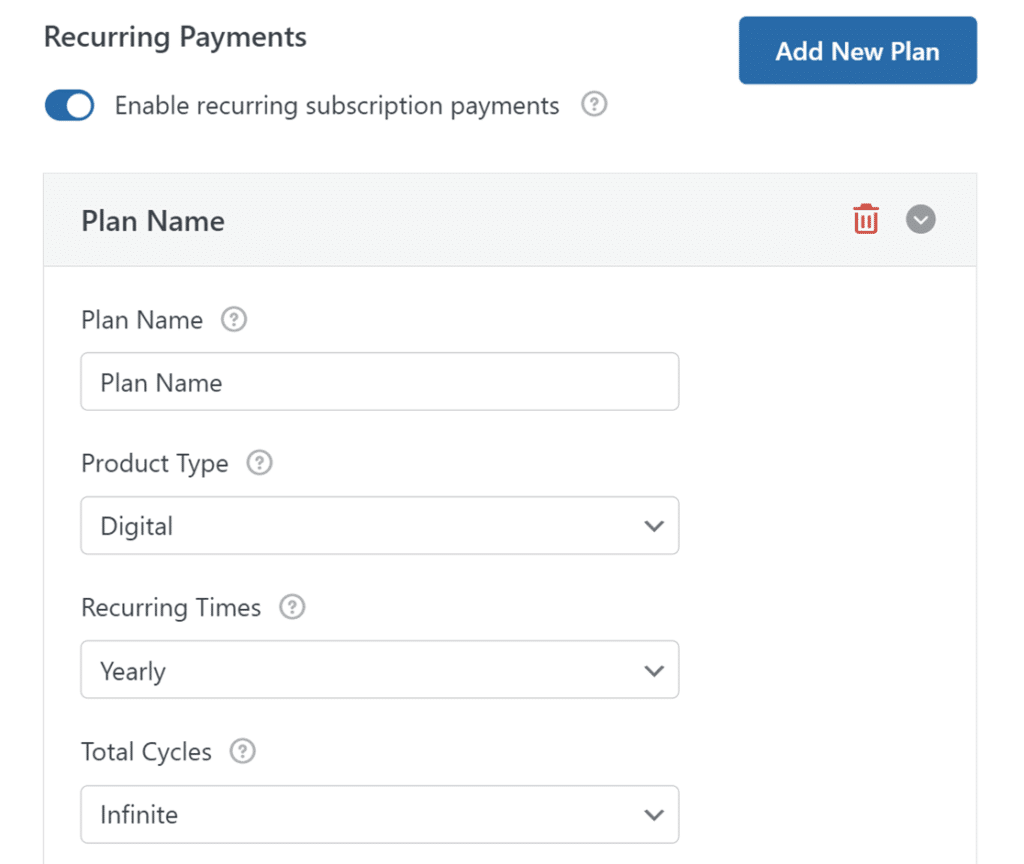
O WPForms Lite também inclui a opção Tentar cobrar o cliente novamente se o pagamento falhar na 1ª tentativa para pagamentos recorrentes, mas as opções Endereço de Entrega, Nome de Entrega e Ativar Lógica Condicional para pagamentos recorrentes estão desativadas no WPForms Lite e disponíveis com o Pro.
Testando Pagamentos PayPal Commerce
Antes de lançar seu formulário de pagamento, envie um pagamento de teste para confirmar que tudo está funcionando como esperado. Para um guia completo, consulte nosso guia sobre testar pagamentos com o addon PayPal Commerce.
Perguntas Frequentes
Abaixo estão algumas das perguntas mais comuns sobre o uso do PayPal Commerce com o WPForms Lite.
O que recebo se fizer o upgrade para o addon PayPal Commerce Pro?
O WPForms Lite permite que você aceite pagamentos do PayPal Commerce sem instalar o addon PayPal Commerce Pro. No entanto, o upgrade dá acesso a recursos de pagamento mais avançados e remove a taxa adicional de 3% do WPForms em pagamentos únicos.
Com o WPForms Lite, você pode:
- Aceitar pagamentos únicos
- Aceitar assinaturas com um único plano recorrente
- Usar os métodos de pagamento disponíveis do PayPal Commerce
- Ativar webhooks
Com o addon PayPal Commerce Pro, você também pode:
- Remover a taxa adicional de 3% do WPForms em pagamentos do PayPal Commerce
- Usar lógica condicional com pagamentos do PayPal Commerce
- Escolher entre pagamentos únicos e recorrentes no mesmo formulário
- Adicionar múltiplos planos recorrentes a um formulário
- Configurar fluxos de trabalho avançados de notificação de pagamento
- Visualizar e gerenciar pagamentos na área administrativa do WordPress
- Lidar com reembolsos e cancelamentos com mais flexibilidade
Serei cobrado por usar o PayPal Commerce no WPForms Lite?
Sim. O WPForms Lite aplica uma taxa adicional de 3% às transações do PayPal Commerce, incluindo pagamentos únicos e recorrentes, e as taxas de processamento padrão do PayPal ainda se aplicam. Para remover a taxa adicional do WPForms, faça o upgrade para a licença WPForms Pro ou superior.
Posso ativar pagamentos únicos e recorrentes no mesmo formulário?
Não. O WPForms Lite não inclui lógica condicional para pagamentos do PayPal Commerce, portanto, um único formulário pode processar pagamentos únicos ou pagamentos recorrentes, mas não ambos. Para usar ambas as opções no mesmo formulário, você precisará da licença WPForms Pro ou superior.
Por que algumas configurações do PayPal Commerce estão desativadas no WPForms Lite?
Configurações como Endereço de Cobrança, Endereço de Entrega, Nome de Entrega, E-mail de Entrega e Ativar Lógica Condicional estão disponíveis apenas com licenças pagas. Faça o upgrade para a licença WPForms Pro ou superior para desbloquear essas opções.
É isso! Agora você pode conectar o PayPal Commerce ao WPForms Lite e aceitar pagamentos através dos seus formulários. Gostaria de saber mais sobre como criar formulários de pagamento no WPForms? Certifique-se de conferir nosso guia sobre como criar um formulário de pagamento no WPForms.