


Résumé IA
Souhaitez-vous styliser des champs individuels dans vos formulaires, sans affecter les autres champs ? Avec le bon sélecteur CSS, vous pouvez modifier les styles de n'importe quel composant de formulaire pour répondre à vos besoins.
Ce tutoriel fournit une liste de sélecteurs dont vous aurez besoin pour styliser des champs sophistiqués dans WPForms.
Note : Les étapes de ce tutoriel sont avancées et nécessitent une certaine connaissance du CSS. Si vous préférez ne pas utiliser de code, vous pouvez consulter notre guide sur la stylisation de WPForms dans l'éditeur de blocs.
Utilisation des extraits de code ci-dessous
Vous trouverez ci-dessous une liste des sélecteurs CSS dont vous aurez besoin pour cibler des champs sophistiqués spécifiques avec votre code CSS.
Nous avons également inclus les styles par défaut que WPForms applique automatiquement à ces sélecteurs. Pour personnaliser n'importe quelle partie de votre formulaire, vous pouvez copier un extrait de code CSS de ce tutoriel sur votre site, puis le modifier selon vos besoins.
Note : Vous ne savez pas comment ajouter du CSS à votre site ? Consultez le tutoriel de WPBeginner sur l'ajout de CSS personnalisé à votre site WordPress.
Note : Pour en savoir plus sur l'utilisation du code ci-dessous, consultez notre tutoriel sur la personnalisation du style des champs standard et d'autres éléments de formulaire.
Champs fantaisistes
Téléphone

Marge intérieure du téléphone
.wpforms-form .wpforms-field.wpforms-field-phone {
    padding: 10px 0;
    clear: both;
}
Libellé du téléphone
.wpforms-form .wpforms-field.wpforms-field-phone .wpforms-field-label {
    display: block;
    font-weight: 700;
    font-size: 16px;
    float: none;
    line-height: 1.3;
    margin: 0 0 4px 0;
    padding: 0;
}
Zone de saisie du téléphone
.wpforms-form .wpforms-field.wpforms-field-phone input {
    background-color: #fff;
    box-sizing: border-box;
    border-radius: 2px;
    color: #333;
    -webkit-box-sizing: border-box;
    -moz-box-sizing: border-box;
    display: block;
    float: none;
    font-size: 16px;
    border: 1px solid #ccc;
    padding: 6px 10px;
    height: 38px;
    width: 100%;
    line-height: 1.3;
}
Liste déroulante des pays (Format intelligent)
.wpforms-form .wpforms-field.wpforms-field-phone .iti__country-list {
    position: absolute;
    z-index: 2;
    list-style: none;
    text-align: left;
    padding: 0;
    margin: 0 0 0 -1px;
    box-shadow: 1px 1px 4px rgb(0 0 0 / 20%);
    background-color: white !important;
    border: 1px solid #CCC;
    white-space: nowrap;
    max-height: 200px;
    overflow-y: scroll;
}
Adresse (US ou Internationale)
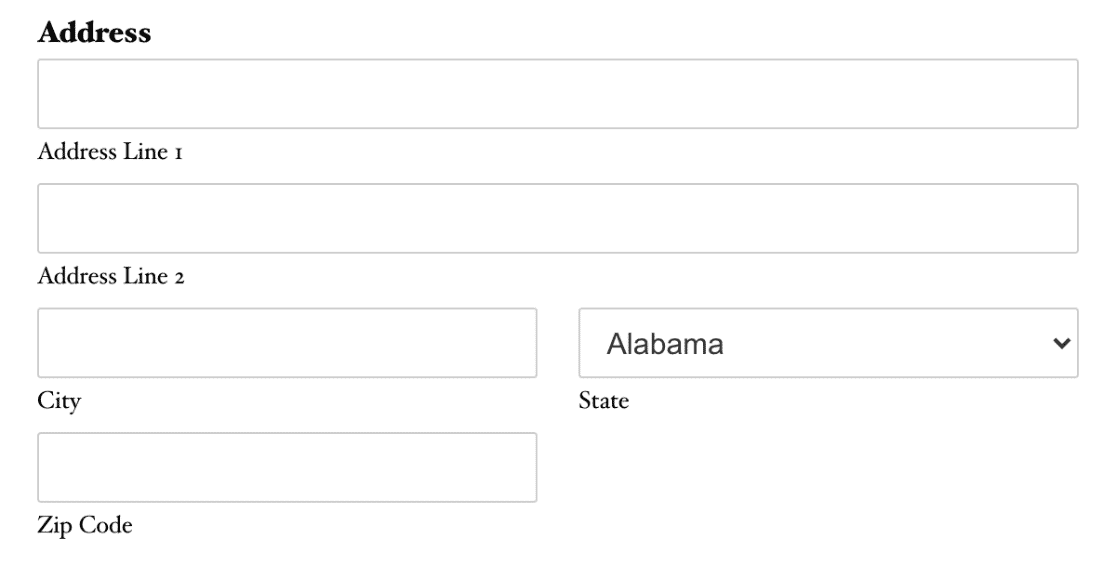
Marge intérieure de l'adresse
.wpforms-form .wpforms-field.wpforms-field-address {
    padding: 10px 0;
    clear: both;
}
Libellé de l'adresse
.wpforms-form .wpforms-field.wpforms-field-address .wpforms-field-label {
    display: block;
    font-weight: 700;
    font-size: 16px;
    float: none;
    line-height: 1.3;
    margin: 0 0 4px 0;
    padding: 0;
}
Zones de saisie de l'adresse
.wpforms-form .wpforms-field.wpforms-field-address input {
    background-color: #fff;
    box-sizing: border-box;
    border-radius: 2px;
    color: #333;
    -webkit-box-sizing: border-box;
    -moz-box-sizing: border-box;
    display: block;
    float: none;
    font-size: 16px;
    border: 1px solid #ccc;
    padding: 6px 10px;
    height: 38px;
    width: 100%;
    line-height: 1.3;
}
Liste déroulante d'adresse (Schéma US : État)
.wpforms-form .wpforms-field.wpforms-field-address select.wpforms-field-address-state {
    background-color: #fff;
    box-sizing: border-box;
    border-radius: 2px;
    color: #333;
    -webkit-box-sizing: border-box;
    -moz-box-sizing: border-box;
    display: block;
    float: none;
    font-size: 16px;
    border: 1px solid #ccc;
    padding: 6px 10px;
    height: 38px;
    width: 100%;
    line-height: 1.3;
}
Liste déroulante d'adresse (Schéma international : Pays)
.wpforms-form .wpforms-field.wpforms-field-address select.wpforms-field-address-country {
    background-color: #fff;
    box-sizing: border-box;
    border-radius: 2px;
    color: #333;
    -webkit-box-sizing: border-box;
    -moz-box-sizing: border-box;
    display: block;
    float: none;
    font-size: 16px;
    border: 1px solid #ccc;
    padding: 6px 10px;
    height: 38px;
    width: 100%;
    line-height: 1.3;
}
Date/Heure

Marge intérieure Date/Heure
.wpforms-form .wpforms-field.wpforms-field-date-time {
    padding: 10px 0;
    clear: both;
}
Libellé Date/Heure
.wpforms-form .wpforms-field.wpforms-field-date-time .wpforms-field-label {
    display: block;
    font-weight: 700;
    font-size: 16px;
    float: none;
    line-height: 1.3;
    margin: 0 0 4px 0;
    padding: 0;
}
Zone de saisie Date/Heure
.wpforms-form .wpforms-field.wpforms-field-date-time input {
    background-color: #fff;
    box-sizing: border-box;
    border-radius: 2px;
    color: #333;
    -webkit-box-sizing: border-box;
    -moz-box-sizing: border-box;
    display: block;
    float: none;
    font-size: 16px;
    border: 1px solid #ccc;
    padding: 6px 10px;
    height: 38px;
    width: 100%;
    line-height: 1.3;
}
Sélecteur de date Date/Heure : Calendrier entier
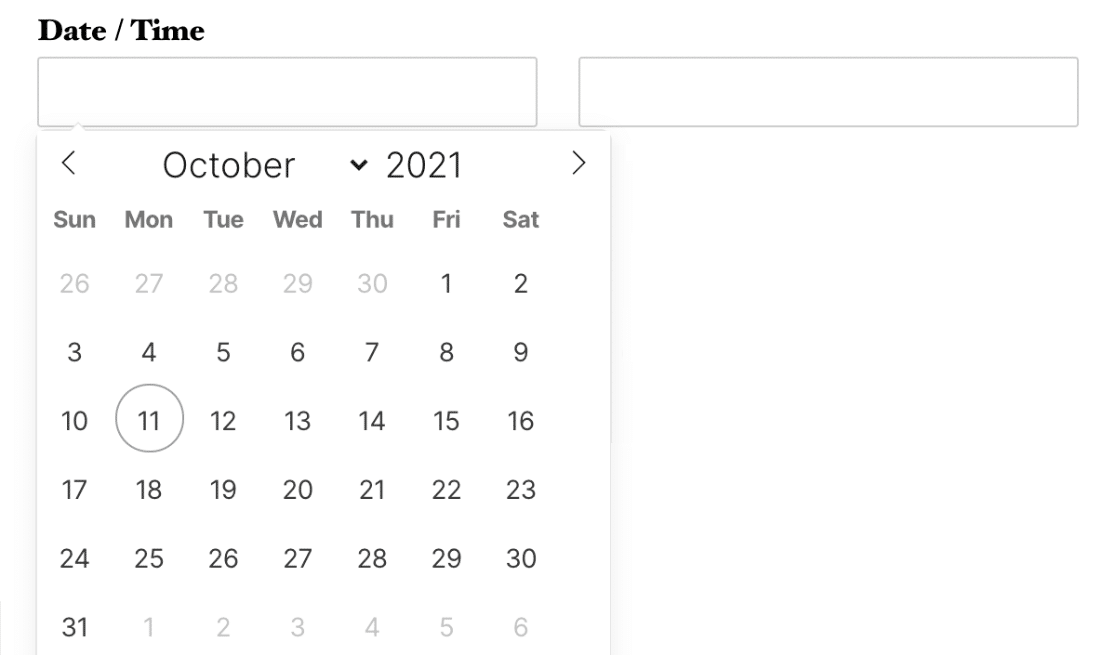
.flatpickr-calendar {
    background: transparent;
    overflow: hidden;
    max-height: 0;
    opacity: 0;
    visibility: hidden;
    text-align: center;
    padding: 0;
    -webkit-animation: none;
    animation: none;
    direction: ltr;
    border: 0;
    font-size: 14px;
    line-height: 24px;
    border-radius: 5px;
    position: absolute;
    width: 293.75px;
    box-sizing: border-box;
    -webkit-transition: top .1s cubic-bezier(0,1,.5,1);
    transition: top .1s cubic-bezier(0,1,.5,1);
    z-index: 9999999999;
    background: #fff;
    box-shadow: 1px 0 0 #e6e6e6, -1px 0 0 #e6e6e6, 0 1px 0 #e6e6e6, 0 -1px 0 #e6e6e6, 0 3px 13px rgba(0,0,0,.08);
}
Sélecteur de date Date/Heure : Date actuelle sur le calendrier
.flatpickr-day.today {
    border-color: #959ea9;
}
Sélecteur de date Date/Heure : Jours du mois précédent et suivant sur le calendrier
.flatpickr-day.prevMonthDay,
.flatpickr-day.nextMonthDay {
    color: rgba(57,57,57,.3);
    background: transparent;
    border-color: transparent;
    cursor: default;
}
Date/Heure : Sélecteur d'heure

.ui-timepicker-wrapper {
    overflow-y: auto;
    height: 142px;
    width: 6.5em;
    background: #fff;
    border: 1px solid #e6e6e6;
    border-radius: 3px;
    outline: none;
    z-index: 10001;
    margin: 0;
}
Téléchargement de fichier

Marge intérieure du téléversement de fichier
.wpforms-form .wpforms-field.wpforms-field-file-upload {
    padding: 10px 0;
    clear: both;
}
Libellé du téléversement de fichier
.wpforms-form .wpforms-field.wpforms-field-file-upload .wpforms-field-label {
    display: block;
    font-weight: 700;
    font-size: 16px;
    float: none;
    line-height: 1.3;
    margin: 0 0 4px 0;
    padding: 0;
}
Site Web/URL

Marge intérieure Site Web/URL
.wpforms-form .wpforms-field.wpforms-field-url {
    padding: 10px 0;
    clear: both;
}
Libellé Site Web/URL
.wpforms-form .wpforms-field.wpforms-field-url .wpforms-field-label {
    display: block;
    font-weight: 700;
    font-size: 16px;
    float: none;
    line-height: 1.3;
    margin: 0 0 4px 0;
    padding: 0;
}
Zone de saisie Site Web/URL
.wpforms-form .wpforms-field.wpforms-field-url input {
    background-color: #fff;
    box-sizing: border-box;
    border-radius: 2px;
    color: #333;
    -webkit-box-sizing: border-box;
    -moz-box-sizing: border-box;
    display: block;
    float: none;
    font-size: 16px;
    border: 1px solid #ccc;
    padding: 6px 10px;
    height: 38px;
    width: 100%;
    line-height: 1.3;
}
Mot de passe

Rembourrage du mot de passe
.wpforms-form .wpforms-field.wpforms-field-password {
    padding: 10px 0;
    clear: both;
}
Libellé du mot de passe
.wpforms-form .wpforms-field.wpforms-field-password .wpforms-field-label {
    display: block;
    font-weight: 700;
    font-size: 16px;
    float: none;
    line-height: 1.3;
    margin: 0 0 4px 0;
    padding: 0;
}
Sous-libellés du mot de passe
.wpforms-form .wpforms-field.wpforms-field-password .wpforms-field-sublabel {
    display: block;
    font-size: 13px;
    float: none;
    font-weight: 400;
    line-height: 1.3;
    margin: 4px 0 0;
    padding: 0;
}
Champ de saisie du mot de passe
.wpforms-form .wpforms-field.wpforms-field-password input {
    background-color: #fff;
    box-sizing: border-box;
    border-radius: 2px;
    color: #333;
    -webkit-box-sizing: border-box;
    -moz-box-sizing: border-box;
    display: block;
    float: none;
    font-size: 16px;
    border: 1px solid #ccc;
    padding: 6px 10px;
    height: 38px;
    width: 100%;
    line-height: 1.3;
}
Répéteur
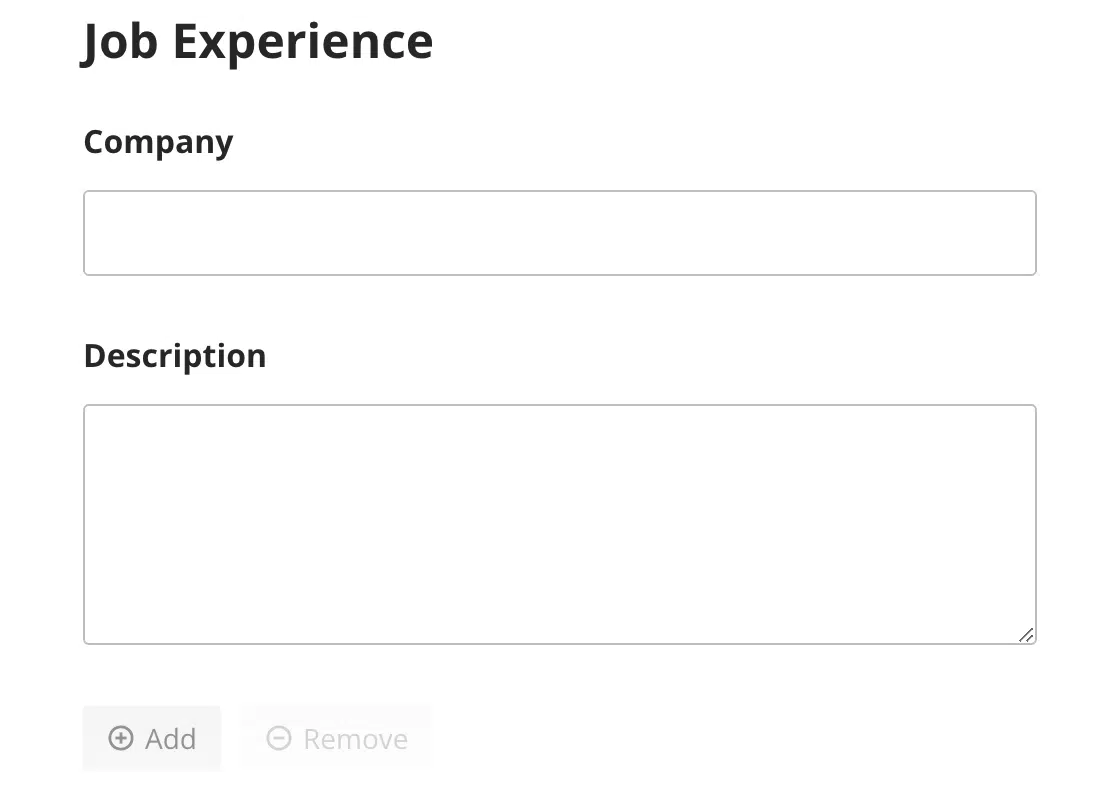
Boutons d’ajout et de suppression de bloc

.wpforms-form .wpforms-field-repeater .wpforms-field-repeater-display-blocks-buttons {
    margin-top: 15px;
    display: flex;
    justify-content: flex-start;
    flex-wrap: nowrap;
    gap: 10px;
}
Bouton d’ajout de bloc

.wpforms-form .wpforms-field-repeater .wpforms-field-repeater-display-blocks-buttons.wpforms-field-repeater-button-add {
    background: none;
    border: none;
    border-radius: 4px;
    min-height: 33px;
    max-width: 33%;
    padding: 6px 12px;
    line-height: 18px;
    font-size: 14px;
    font-weight: 400;
    color: #999999;
    cursor: pointer;
    transition: opacity 0.2s ease;
    outline: none;
}
Bouton de suppression de bloc

.wpforms-form .wpforms-field-repeater .wpforms-field-repeater-display-blocks-buttons.wpforms-field-repeater-button-remove {
    background: none;
    border: none;
    border-radius: 4px;
    min-height: 33px;
    max-width: 33%;
    padding: 6px 12px;
    line-height: 18px;
    font-size: 14px;
    font-weight: 400;
    color: #999999;
    cursor: pointer;
    transition: opacity 0.2s ease;
    outline: none;
}
Boutons d’ajout et de suppression de ligne
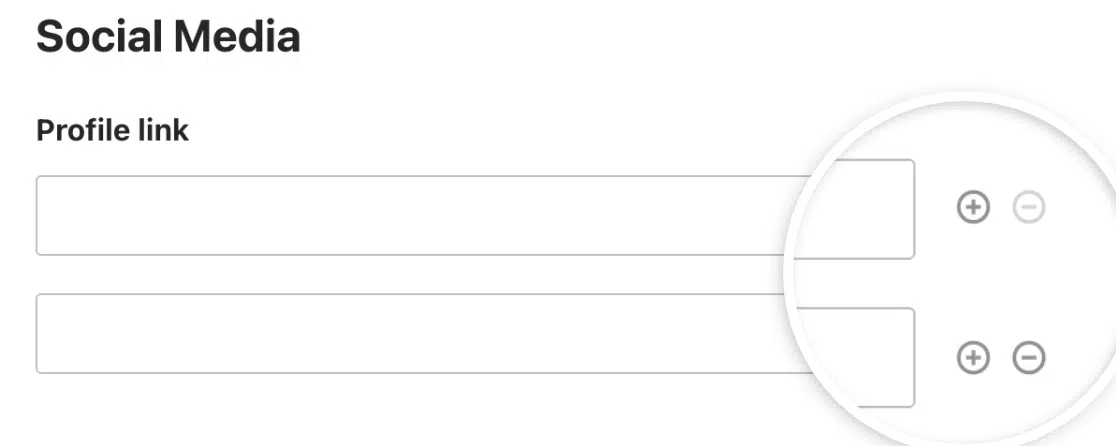
.wpforms-form .wpforms-field-repeater .wpforms-field-layout-rows .wpforms-field-repeater-display-rows-buttons {
    position: absolute;
    right: 10px;
    left: unset;
    padding: 0;
    display: none;
    gap: 8px;
}
Saut de page
Bouton Suivant

.wpforms-form .wpforms-page-button.wpforms-page-next {
    background-color: #eee;
    border: 1px solid #ddd;
    color: #333;
    font-size: 1em;
    padding: 10px 15px;
}
Bouton Précédent

.wpforms-form .wpforms-page-button.wpforms-page-prev {
    background-color: #eee;
    border: 1px solid #ddd;
    color: #333;
    font-size: 1em;
    padding: 10px 15px;
}
Séparateur de section

Rembourrage du séparateur de section
.wpforms-form .wpforms-field.wpforms-field-divider {
    padding: 10px 0;
    clear: both;
}
Titre du séparateur de section
.wpforms-form .wpforms-field.wpforms-field-divider h3 {
    font-size: 24px;
}
Description du séparateur de section
.wpforms-form .wpforms-field.wpforms-field-divider .wpforms-field-description {
    font-size: 13px;
    line-height: 1.3;
    margin: 8px 0 0 0;
}
Aperçu de la saisie
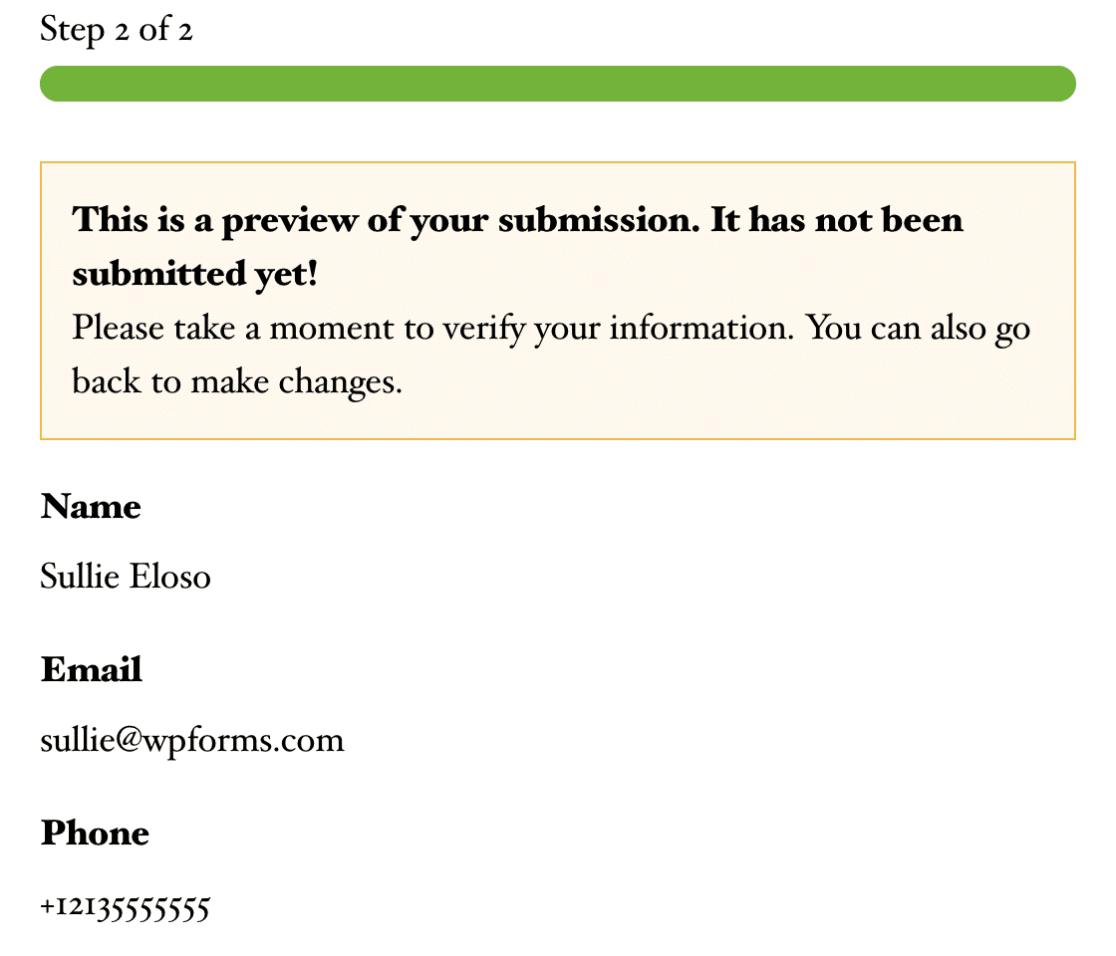
Rembourrage de l’aperçu de l’entrée
.wpforms-form .wpforms-field.wpforms-field-entry-preview {
    padding: 10px 0;
    clear: both;
}
Avis d’aperçu de l’entrée
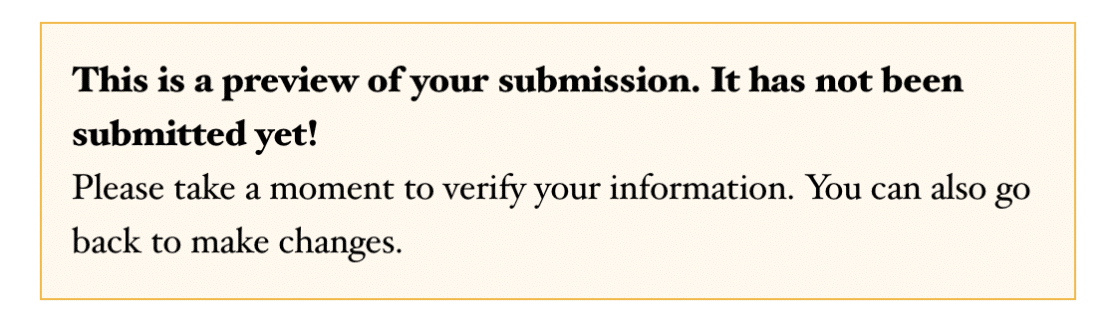
.wpforms-form .wpforms-field.wpforms-field-entry-preview .wpforms-entry-preview-notice {
    box-sizing: border-box;
    padding: 15px;
    background: #fef8ee;
    border: 1px solid #f0b849;
    display: block;
    width: 100%;
    word-break: break-word;
}
Tableau d’aperçu de l’entrée

.wpforms-form .wpforms-field.wpforms-field-entry-preview .wpforms-entry-preview-basic {
    border-bottom: 1px solid #dddddd;
    padding-bottom: 20px;
    box-sizing: border-box;
    display: flex;
    flex-wrap: wrap;
    width: 100%;
    overflow: hidden;
}
HTML
Rembourrage HTML
.wpforms-form .wpforms-field.wpforms-field-html {
    padding: 10px 0;
    clear: both;
}
Contenu
Champ de saisie de contenu
.wpforms-form .wpforms-field.wpforms-field-content {
    background-color: #fff;
    box-sizing: border-box;
    border-radius: 2px;
    color: #333;
    -webkit-box-sizing: border-box;
    -moz-box-sizing: border-box;
    display: block;
    float: none;
    font-size: 20px;
    border: 1px solid #ccc;
    padding: 6px 10px;
    height: 120px;
    width: 100%;
    line-height: 1.3;
}
Évaluation

Rembourrage de la note
.wpforms-form .wpforms-field.wpforms-field-rating {
    padding: 10px 0;
    clear: both;
}
Libellé de la note
.wpforms-form .wpforms-field.wpforms-field-rating .wpforms-field-label {
    display: block;
    font-weight: 700;
    font-size: 16px;
    float: none;
    line-height: 1.3;
    margin: 0 0 4px 0;
    padding: 0;
}
Rembourrage de l’élément de note
.wpforms-form .wpforms-field-rating-item {
    padding-right: 6px;
}
Captcha personnalisé

Rembourrage du captcha personnalisé
.wpforms-form .wpforms-field.wpforms-field-captcha {
    padding: 10px 0;
    clear: both;
}
Libellé du captcha personnalisé
.wpforms-form .wpforms-field.wpforms-field-captcha .wpforms-field-label {
    display: block;
    font-weight: 700;
    font-size: 16px;
    float: none;
    line-height: 1.3;
    margin: 0 0 4px 0;
    padding: 0;
}
Texte enrichi
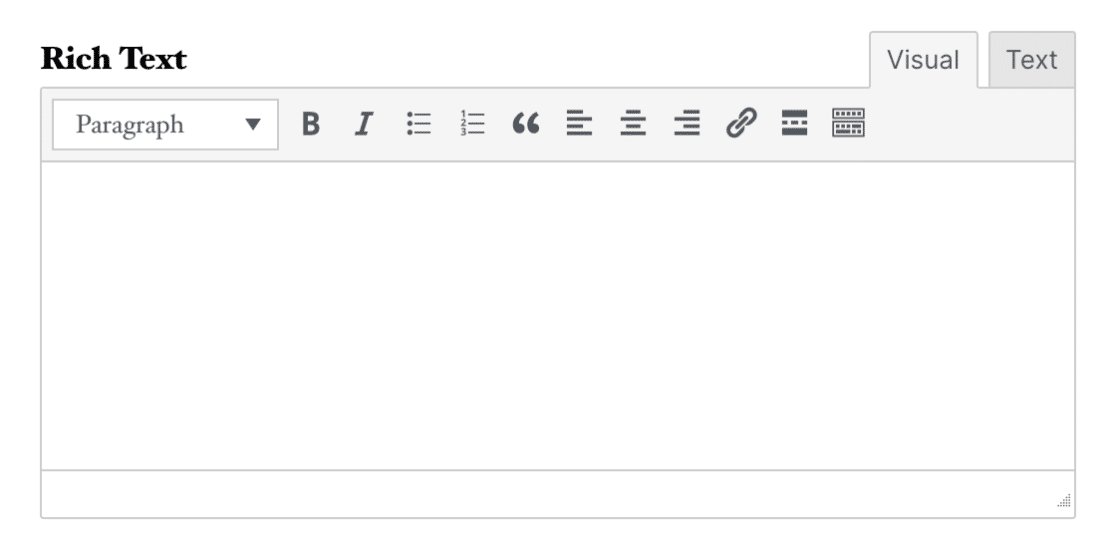
Rembourrage du texte enrichi
.wpforms-form .wpforms-field.wpforms-field-richtext {
    padding: 10px 0;
    clear: both;
}
Libellé du texte enrichi
.wpforms-form .wpforms-field.wpforms-field-richtext .wpforms-field-label {
    display: block;
    font-weight: 700;
    font-size: 16px;
    float: none;
    line-height: 1.3;
    margin: 0 0 4px 0;
    padding: 0;
}
Signature
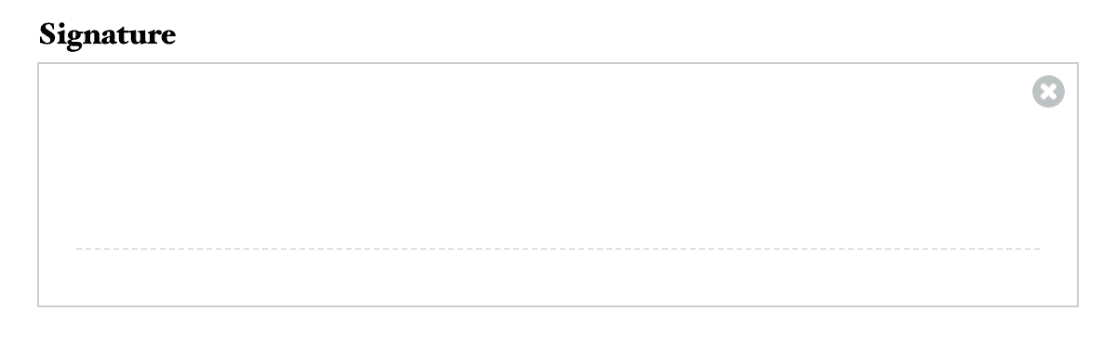
Rembourrage de la signature
.wpforms-form .wpforms-field.wpforms-field-signature {
    padding: 10px 0;
    clear: both;
}
Libellé de la signature
.wpforms-form .wpforms-field.wpforms-field-signature .wpforms-field-label {
    display: block;
    font-weight: 700;
    font-size: 16px;
    float: none;
    line-height: 1.3;
    margin: 0 0 4px 0;
    padding: 0;
}
Échelle de Likert
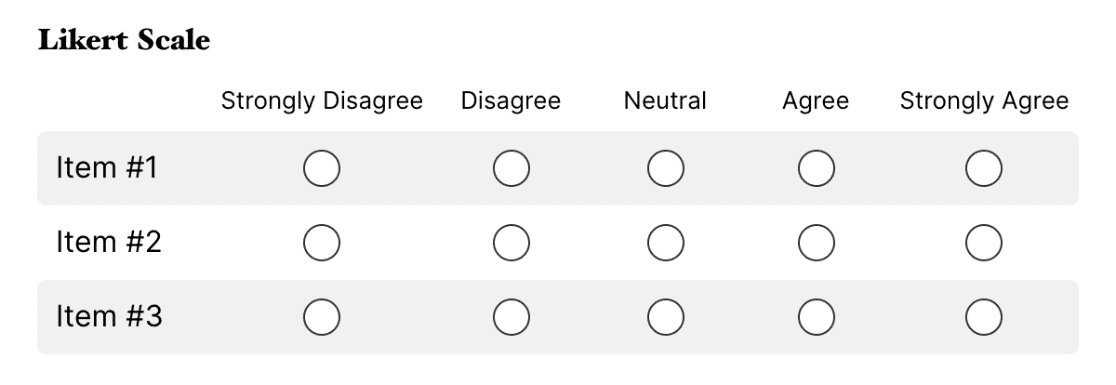
Rembourrage de l’échelle de Likert
.wpforms-form .wpforms-field.wpforms-field-likert_scale {
    padding: 10px 0;
    clear: both;
}
Libellé de l’échelle de Likert
.wpforms-form .wpforms-field.wpforms-field-likert_scale .wpforms-field-label {
    display: block;
    font-weight: 700;
    font-size: 16px;
    float: none;
    line-height: 1.3;
    margin: 0 0 4px 0;
    padding: 0;
}
Net Promoter Score

Rembourrage du Net Promoter Score
.wpforms-form .wpforms-field.wpforms-field-net_promoter_score {
    padding: 10px 0;
    clear: both;
}
Libellé du Net Promoter Score
.wpforms-form .wpforms-field.wpforms-field-net_promoter_score .wpforms-field-label {
    display: block;
    font-weight: 700;
    font-size: 16px;
    float: none;
    line-height: 1.3;
    margin: 0 0 4px 0;
    padding: 0;
}
Tableau du Net Promoter Score
.wpforms-form .wpforms-field.wpforms-field-net_promoter_score table {
    width: 100%;
    line-height: 1.4;
    border-collapse: initial;
}
C'est tout ! Vous savez maintenant comment utiliser ces sélecteurs pour appliquer du CSS personnalisé aux champs sophistiqués de vos formulaires.
Ensuite, souhaitez-vous appliquer des styles de thème pour modifier la conception globale de votre formulaire ? Notre tutoriel sur l'utilisation des thèmes de formulaire couvre toutes les étapes en détail.


